How we make this list: we compare pricing pages, product documentation and public user reviews. Ratings come from G2, Capterra or Trustpilot, with the date we checked them.
Key takeaways
- Google Meet's free plan allows 1:1 calls up to 24 hours and group calls up to 60 minutes with 100 people, while paid Workspace plans start at $7 per user per month for Business Starter.
- The most common reason teams leave a meeting tool is not cost: it is that they already pay for Microsoft 365 or Google Workspace and realise Teams or Meet sits there unused.
- Microsoft Teams at $4 per user per month for Essentials is the cheapest paid alternative, while Jitsi Meet is free and open source for guests without accounts.
- In one first-half 2026 dataset, Google Meet accounted for 43.0 percent of meetings, Microsoft Teams for 38.6 percent and Zoom for 18.4 percent, so moving to Teams or Zoom is not a move to a niche tool.
Quick comparison
| Tool | Best for | Starting price | Free plan |
|---|
 Zoom Zoom | Meeting-first teams and webinars | $14.16 per user/month (Pro, billed annually) | Yes (40-minute group meetings, up to 100 people) |
 Microsoft Teams Microsoft Teams | Companies on Microsoft 365 | $4 per user/month (Teams Essentials, billed annually) | Yes (60-minute group meetings, up to 100 people) |
 Webex Webex | Enterprise and regulated industries | $12 per user/month (Webex Meet, billed annually) | Yes (40-minute meetings, up to 100 people) |
 Jitsi Meet Jitsi Meet | Quick calls where guests have no account | $0 (open source, self-hosted) | Yes |
 GoTo Meeting GoTo Meeting | Small teams wanting a no-frills tool | $12 per user/month (Professional) | No |
 Zoho Meeting Zoho Meeting | SMBs and budget teams | $3 per user/month | Yes |
 RingCentral Video RingCentral Video | VoIP plus meetings combo | $10 per user/month | Yes |
 Discord Discord | Communities and informal groups | $0 (free; Nitro from $2.99 per month) | Yes |
Is your product missing or out of date?
We review this list regularly. Vendors can request a listing, send updated pricing or ask about featured placement.
The best Google Meet alternatives
Starting price$14.16 per user/month (Pro, billed annually)
Free planYes (40-minute group meetings, up to 100 people)
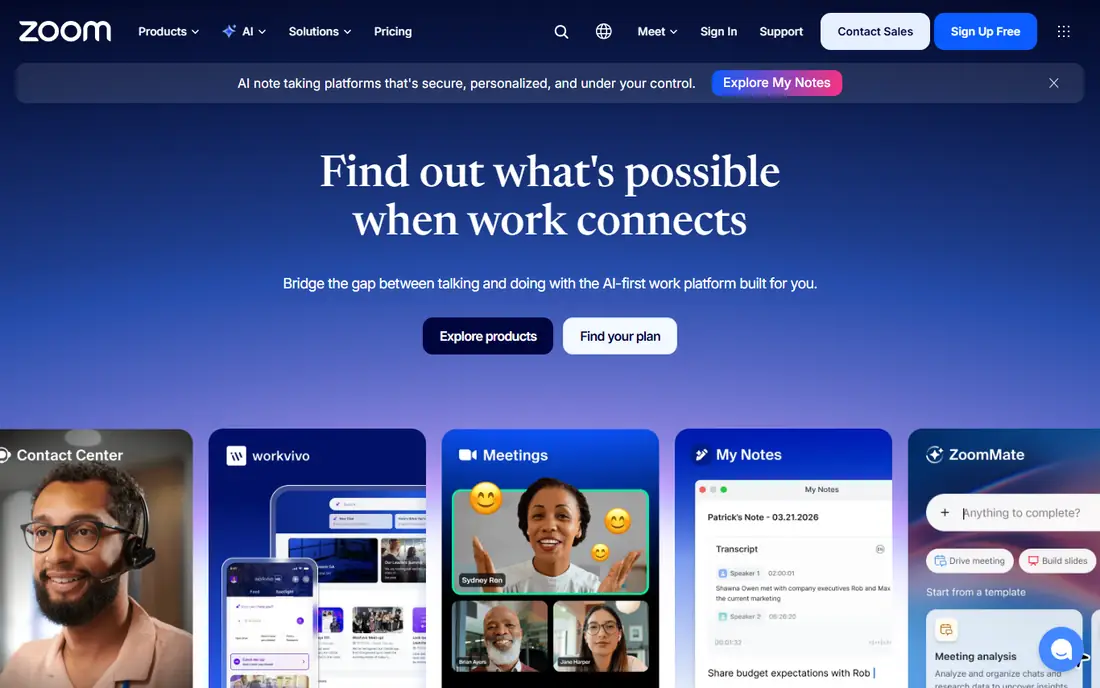
Zoom Workplace is the meeting-first platform, with Pro at $14.16 per user per month on annual billing, Business at $18.33, and a Large Meetings add-on reaching 1,000 participants. Its free plan allows 40-minute group meetings with up to 100 people, and AI Companion provides summaries and transcription.
Cross-organisation calling is Zoom's quiet strength: clients and partners already have it, so external meetings need no new software. Zoom fits meeting-first teams, webinar hosts and room-system deployments that need depth beyond what a bundled suite tool offers.
What we like- Meeting-first depth
- Webinars and room systems
- AI Companion summaries and transcription
- Cross-org calling
Watch out for- Free plan caps group meetings at 40 minutes
- Pro cited at $13.32 per user per month in another guide
- Business costs $18.33
#2Microsoft Teams
Best for: Companies on Microsoft 3654.4/5 on
G2 (19,330 reviews, checked Oct 2026)
Visit microsoft.com
Starting price$4 per user/month (Teams Essentials, billed annually)
Free planYes (60-minute group meetings, up to 100 people)
Microsoft Teams is the default for Microsoft 365 companies, with Teams Essentials at $4 per user per month on annual billing, Business Basic at $7, and meeting sizes up to 300 attendees on paid plans. Its free plan allows 1:1 calls up to 30 hours and group meetings up to 60 minutes with 100 people.
The app is busier than Meet, since it wraps chat, channels, files and meetings into one surface, but that breadth suits companies already standardised on Microsoft 365. Teams fits Microsoft shops, Copilot users and teams that want meetings inside their collaboration hub rather than as a standalone tool.
What we like- Cheapest paid alternative
- Chat and channels built around meetings
- Copilot and live captions
- Bundled from $6 in Microsoft 365
Watch out for- Busier app built around chat and channels
- Group free calls capped at 60 minutes
- 1:1 free calls up to 30 hours
#3Webex
Best for: Enterprise and regulated industries4.2/5 on
G2 (18,925 reviews, checked Oct 2026)
Visit webex.com
Starting price$12 per user/month (Webex Meet, billed annually)
Free planYes (40-minute meetings, up to 100 people)
Webex by Cisco is the enterprise and regulated-industry choice, with Webex Meet at $12 per user per month on annual billing, a free plan with 40-minute meetings for up to 100 people, and AI assistant and recap features. Its security, compliance and Cisco hardware integration suit regulated industries and contact centres.
The free plan keeps the same 40-minute cut-off as Zoom, so free users gain little over Zoom on call length. Webex fits multinational companies, regulated industries and Cisco hardware shops, especially where a parent company standardises on Webex and acquired teams must migrate.
What we like- Enterprise security and compliance
- AI assistant and recap
- Cisco hardware integration
- Contact centre options
Watch out for- Free plan does not fix the 40-minute cut-off
- Business cited at $14.50 per user per month in another guide
- Enterprise sales for larger plans
#4Jitsi Meet
Best for: Quick calls where guests have no account4.3/5 on
G2 (232 reviews, checked Oct 2026)
Visit meet.jit.si
Starting price$0 (open source, self-hosted)
Free planYes
Jitsi Meet is the privacy-first, developer-friendly option: free and open source, browser-based with no download required, and guests need no account to join. Self-hosting gives full data control, which suits regulated workflows and custom products that embed video.
There is no vendor support, and free use of the public meet.jit.si service is capped at 25 active endpoints per calendar month, with a practical limit near 35 participants. Jitsi fits quick calls where guests have no account, privacy-focused teams, and developers building video into their own products.
What we like- Free and open source
- Guests need no account
- Browser-based with no download
- Self-hosting for full data control
Watch out for- No support
- Free meet.jit.si use capped at 25 active endpoints per calendar month
- Practical limit near 35 participants
#5GoTo Meeting
Best for: Small teams wanting a no-frills tool4.2/5 on
G2 (17,045 reviews, checked Oct 2026)
Visit goto.com
Starting price$12 per user/month (Professional)
Free planNo
GoTo Meeting suits small teams wanting a no-frills meeting tool, with Professional at $12 per user per month in one guide and $14 per organiser in another, plus enterprise webinar capacity up to 3,000 participants and an AI assistant. Its simplicity appeals to teams that want reliable meetings without a collaboration suite attached.
There is no free plan, so testing requires a paid subscription or trial. GoTo Meeting fits small teams and enterprises running webinars that want straightforward, reliable meetings without bundled chat or channels.
What we like- No-frills reliability
- Enterprise webinar capacity up to 3,000
- AI assistant
- Simple organiser pricing
Watch out for- No free plan
- $14 per organiser in another guide
- Fewer collaboration features than Teams
#6Zoho Meeting
Best for: SMBs and budget teams4.5/5 on
G2 (1,257 reviews, checked Oct 2026)
Visit zoho.com
Starting price$3 per user/month
Free planYes
Zoho Meeting is the budget pick for SMBs, at $3 per user per month in one guide and $2 per host in another, with webinars and event hosting, recording, polls and up to 250 participants. Its free plan covers small meetings, and its Zoho ecosystem integration suits businesses already running Zoho apps.
The ecosystem is smaller than Zoom or Teams, and AI features are fewer. Zoho Meeting fits budget teams, SMBs and Zoho shops that need reliable meetings and webinars at the lowest paid price in this list.
What we like- Low entry price
- Webinars and event hosting
- Recording and polls
- Up to 250 participants
Watch out for- Smaller ecosystem than Zoom or Teams
- $2 per host in another guide
- Fewer AI features
#7RingCentral Video
Best for: VoIP plus meetings combo4.2/5 on
G2 (505 reviews, checked Oct 2026)
Visit ringcentral.com
Starting price$10 per user/month
Free planYes
RingCentral Video combines VoIP telephony with video meetings in one platform, from $10 per user per month, with AI notes, up to 500 participants, and phone system integration that suits sales and client-call teams. One subscription covers calling and meetings, which simplifies billing for phone-heavy teams.
Webinar depth trails Zoom, and room-system options are fewer. RingCentral Video fits teams that already need a business phone system and want meetings bundled with it, rather than buying a separate meeting tool.
What we like- VoIP and meetings in one platform
- AI notes
- Up to 500 participants
- Phone system integration
Watch out for- Meeting features trail Zoom for webinar depth
- Phone-centric pricing
- Fewer room-system options
#8Discord
Best for: Communities and informal groups4.6/5 on
G2 (43 reviews, checked Oct 2026)
Visit discord.com
Starting price$0 (free; Nitro from $2.99 per month)
Free planYes
Discord suits communities and informal groups, with free voice and video inside ongoing servers, 25 people in a server video chat, and Nitro from $2.99 per month for enhanced features. Its always-on server model fits groups that meet regularly and chat between meetings.
It is built for servers, not client meetings, so professional features like waiting rooms, webinar registration and enterprise admin controls are thin. Discord fits gaming communities, study groups, clubs and informal teams that want free, persistent group communication rather than formal business meetings.
What we like- Free
- Built for ongoing servers and communities
- 25 people in a server video chat
- Low cost
Watch out for- Built for servers, not client meetings
- Video chat limited to 25 in a server
- Professional features thin
How we chose
We compared tools on free-plan limits, paid entry price, participant capacity, AI features, security and the limits reviewers cite most often. Sources included a Zoom alternatives comparison with prices checked on vendor pricing pages in September 2026, a video conferencing ranking, and a solutions guide with October 2026 list prices. Where prices conflicted across guides, the article uses the most recent figure and notes the range. We did not claim hands-on testing.
What to check before you sign
Start with the suite you already pay for. The most common reason teams switch meeting tools is realising they already pay for Microsoft 365 or Google Workspace with Teams or Meet sitting unused, so check existing licences before buying a standalone tool. Pure cost savings on per-seat pricing rank a distant third among switching reasons.
Next, test the free-plan limits that actually bind you. Google Meet allows 60-minute group calls, Zoom and Webex cap free group calls at 40 minutes, and Jitsi's public service caps monthly endpoints. If your meetings regularly run past 40 minutes, the free tier will frustrate you no matter how good the tool is.
Finally, check guest experience and compliance together. Guests should join from one link without creating an account, which Jitsi and Meet handle best, while enterprises need end-to-end encryption options, HIPAA or GDPR compliance, waiting rooms, participant permissions, audit logs and SSO. The tool that satisfies both guests and compliance wins.
Frequently asked questions
What is the best Google Meet alternative?
For Microsoft shops, Teams at $4 per user per month. For meeting-first teams, Zoom. For enterprise security, Webex. For free no-account calls, Jitsi Meet. For budget teams, Zoho Meeting at $3 per user per month. The right pick depends on your existing suite and meeting style.
Is Google Meet free?
Yes, with limits: 1:1 calls up to 24 hours and group calls up to 60 minutes with 100 people on the free plan. Recording starts on the Business Standard plan, and paid Workspace plans start at $7 per user per month for Business Starter.
How long can a free Zoom meeting last?
Free Zoom group meetings last 40 minutes with up to 100 people, while 1:1 calls are unlimited. Paid Pro plans from $14.16 per user per month on annual billing remove the group limit.
Should I use Teams or Zoom?
Use Teams if your company already pays for Microsoft 365, since it is bundled and integrates with chat, files and Copilot. Use Zoom if meetings, webinars and room systems are the main job, or if you call externally with clients who already use Zoom.
Is Jitsi Meet really free?
Yes, as open-source software you can self-host for free, and the public meet.jit.si service is free with a cap of 25 active endpoints per calendar month. There is no vendor support, so self-hosters manage their own infrastructure.
Can I use Discord for business meetings?
For informal internal meetings, yes, since it is free and persistent. For client meetings, webinars or regulated work, no: it lacks waiting rooms, webinar registration, enterprise admin controls and compliance tooling that business platforms provide.
Sources we checked (6)
- https://meetgeek.ai/blog/zoom-alternative
- https://frontdeskchat.com/books/zoom/zoom-alternatives/zoom-alternates/
- https://vibe.us/blog/best-video-conferencing-tools/
- https://www.techrepublic.com/article/best-video-conferencing-software/
- https://www.forasoft.com/blog/article/video-conference-solution-features
- https://livestorm.co/blog/best-online-meeting-apps
Is your product missing or out of date?
We review this list regularly. Vendors can request a listing, send updated pricing or ask about featured placement.

Shihab Mia · Founder, Rankite
Shihab has 5+ years in B2B and SaaS SEO. He writes Rankite's software buying guides from pricing pages, documentation and public user reviews. More about Shihab.