How we make this list: we compare pricing pages, product documentation and public user reviews. Ratings come from G2, Capterra or Trustpilot, with the date we checked them.

Direct answer
Outlook is the closest free Gmail replacement for most people, with 15 GB of mailbox storage and apps for web, desktop and mobile. Proton Mail suits readers who want encrypted email on a free plan. GMX Mail suits readers who need more free storage, with up to 65 GB for email.
Key takeaways
- Outlook fits Windows users, with 15 GB free and a paid step at $19.99 per year.
- GMX Mail fits large archives, with up to 65 GB of free email storage.
- Proton Mail fits privacy focused readers, with up to 1 GB free and 1 address.
- Zoho Mail fits small teams, with free domain hosting for up to 5 users at 5 GB each.
- iCloud Mail fits Apple owners, with 5 GB free shared storage and iCloud+ from $0.99 per month.
Quick comparison
| Tool | Best for | Starting price | Free plan |
|---|
 Microsoft Outlook | Most people leaving Gmail | $19.99 per year (Microsoft 365 Basic) | 15 GB of mailbox storage for 1 person, with web, desktop and mobile apps |
 Yahoo Mail | A familiar ad supported inbox | See website | 20 GB storage in the US with ads, limit varies by country |
 Proton Mail | Encrypted email without ads | See website | 500 MB of Mail storage, up to 1 GB after setup steps, 1 encrypted address, 3 personal calendars |
 Tuta Mail | Encrypted mail, calendar and contacts | 3 euros per month paid yearly (Revolutionary) | 1 GB storage, 1 calendar, 3 labels, no tracking and no ads |
 Zoho Mail | Free email on your own domain | See website | Email hosting for one domain for up to 5 users, 5 GB mail storage per user, IMAP, POP and Active Sync not included |
 iCloud Mail | People who use Apple devices | $0.99 per month (iCloud+ 50 GB, US) | 5 GB of shared iCloud storage with an Apple Account, used by Mail, Photos, backups and files |
 GMX Mail | Keeping a large free archive | See website | Up to 65 GB of email storage, around 500,000 emails by GMX count |
 mail.com | Choosing a personal address domain | See website | 65 GB of free email storage, up to 10 email addresses in one account, more than 100 domains |
 Yandex Mail | Mail plus file storage in one account | See website | 5 GB of space by default without a plan, shared by Yandex Mail and Yandex Disk |
 Mailfence | Encrypted mail with documents and calendar | 2.50 euros per month (Base) | 1 GB total storage for email and documents |
Is your product missing or out of date?
We review this list regularly. Vendors can request a listing, send updated pricing or ask about featured placement.
The best free email alternatives to gmail
A free email service can replace Gmail for daily sending, receiving, searching and organizing mail, but the trade offs differ. Some services give more storage and show ads. Some give less storage and encrypt the mailbox. Some tie mail to a wider account, such as an Apple Account or a Microsoft account. This list ranks free plans first, then notes the first paid step where the vendor page states it. Prices and limits were checked on vendor pages on 2026-11-28.
Starting price$19.99 per year (Microsoft 365 Basic)
Free plan15 GB of mailbox storage for 1 person, with web, desktop and mobile apps
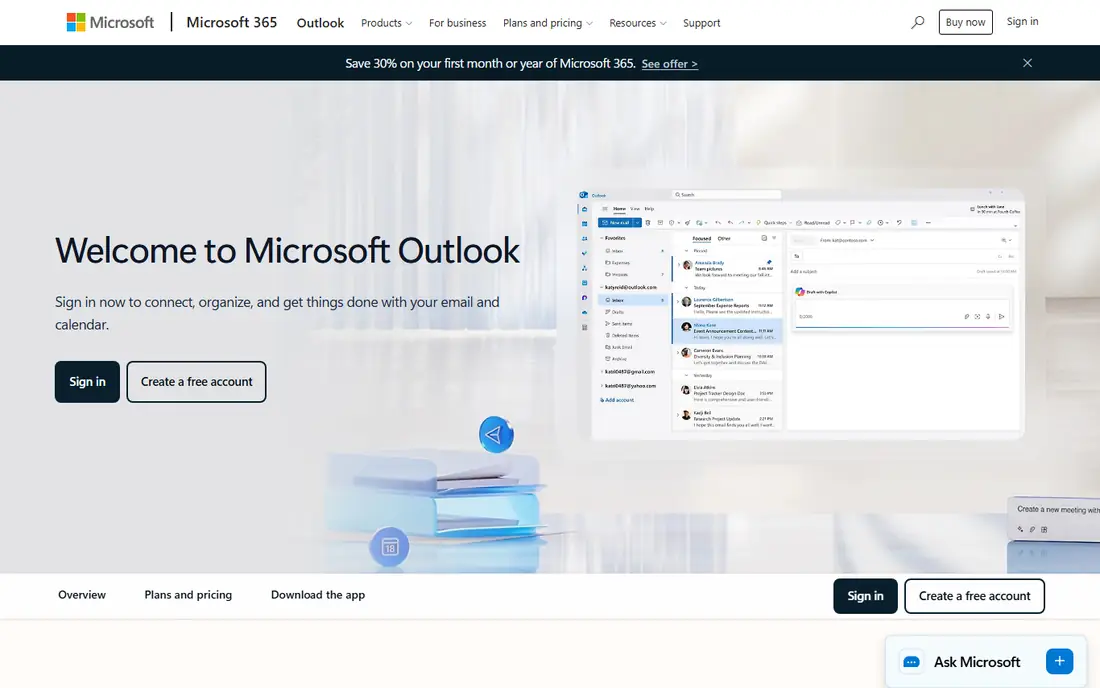
Microsoft Outlook is the free email service tied to a Microsoft account. It suits people who want a familiar inbox, a calendar, contacts and tasks in one place. The free plan gives 15 GB of mailbox storage and core security features such as spam filters. Microsoft also lists web and mobile versions of Word, Excel, PowerPoint, OneNote and OneDrive with the free account. For a Gmail switcher, that means a full mailbox in a browser and in apps. The paid step is clear. Microsoft 365 Basic lists ad free Outlook and 100 GB of mailbox storage.
The catch is that the free inbox is not ad free. Microsoft sells the ad free version through Microsoft 365, starting with Basic at $19.99 per year. Pick Outlook if you use Windows, Word or Excel and want 15 GB free. Look elsewhere if inbox ads bother you and you do not want to pay, or if you want encrypted email by default.
What we like- 15 GB of free mailbox storage
- Email and calendar in one account
- Web, desktop and mobile apps
Watch out for- Free inbox shows ads
- Ad free use needs a paid Microsoft 365 plan
Starting priceSee website
Free plan20 GB storage in the US with ads, limit varies by country

Yahoo Mail is a long running free webmail service with web and mobile access. It suits people who want a simple inbox and do not mind ads. In the US, the free account includes 20 GB of storage, which is more than free Outlook lists for a mailbox. Yahoo also lets users add other accounts, such as Gmail, Outlook and AOL, to view mail in one place. That can help during a switch. The paid step is Yahoo Mail Plus, which removes ads and adds storage, but the price is listed as See website here.
The catch is that Yahoo storage is not the same in every country. Reports based on Yahoo help pages list 20 GB in the US, 15 GB in the UK and lower limits elsewhere. Check the figure in your own account before moving a large archive. Pick Yahoo Mail if you want a familiar free inbox. Look elsewhere if you want no ads or a custom domain.
What we like- 20 GB of free storage in the US
- Web and mobile access
- Can bring other accounts into one inbox
Watch out for- Free inbox shows ads
- Storage limit varies by country and is lower in some regions
Starting priceSee website
Free plan500 MB of Mail storage, up to 1 GB after setup steps, 1 encrypted address, 3 personal calendars
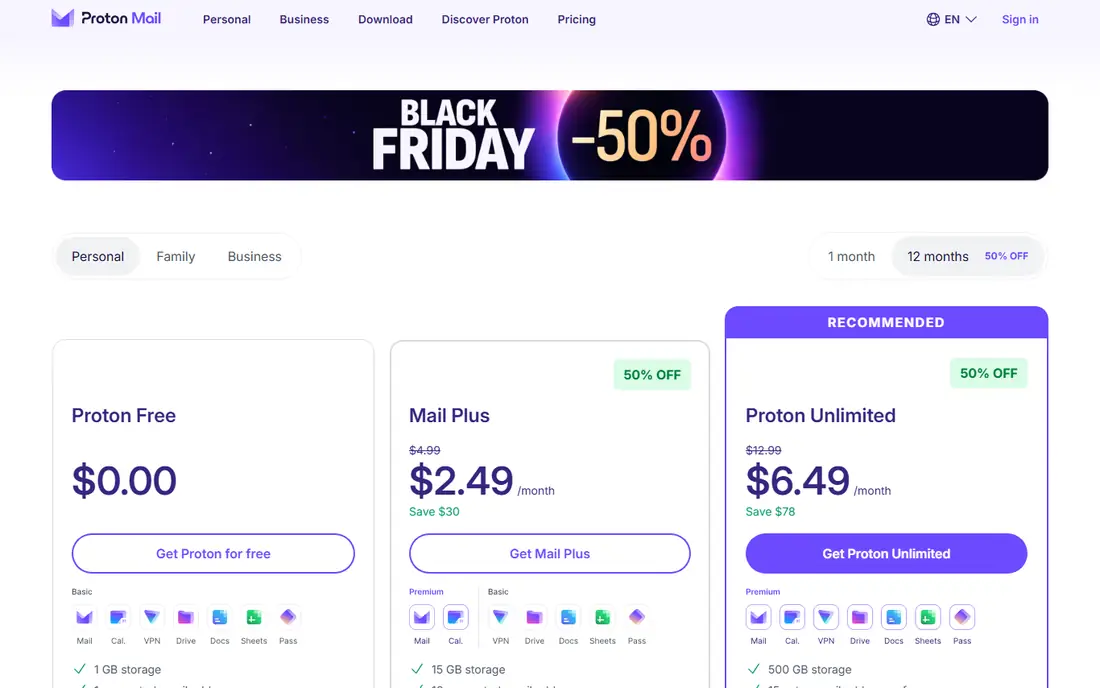
Proton Mail is an encrypted email service built around privacy. It suits people who want email that the provider cannot read. Proton states that free accounts get the same level of encryption as paid plans. The free plan starts with 500 MB of Mail storage and can rise to 1 GB after setup steps, with 1 encrypted address and 3 personal calendars. Proton also offers Easy Switch to import mail from Gmail, Yahoo and Outlook, which saves moving folders by hand. Paid plans add storage, addresses and custom domains for heavier use.
The catch is storage. Up to 1 GB fills fast if you keep years of attachments, scans or photo mail. Mail Plus raises storage to 15 GB, so heavy users will need to pay. Pick Proton Mail if privacy matters more than space and your inbox is light. Look elsewhere if you need a large free archive, many addresses, or Bridge access for other mail clients.
What we like- End to end encryption on the free plan
- No ads on the free plan
- Easy Switch import from Gmail, Yahoo and Outlook
Watch out for- Free storage is small at up to 1 GB
- Desktop client access through Bridge needs a paid plan
#4
Tuta Mail
Best for: Encrypted mail, calendar and contacts
Visit tuta.com
Starting price3 euros per month paid yearly (Revolutionary)
Free plan1 GB storage, 1 calendar, 3 labels, no tracking and no ads
Tuta Mail is an encrypted email service from Germany, formerly called Tutanota. It suits people who want private email with a calendar and contacts in the same account. Tuta states that it encrypts the full mailbox, calendars and contacts, and that even subject lines are encrypted. The free plan gives 1 GB of storage, 1 calendar and 3 labels, with two factor authentication, no tracking and no ads. Tuta also offers free open source desktop clients for Windows, macOS and Linux, plus Android and iPhone apps. Paid Revolutionary raises storage to 20 GB and adds custom domains and extra addresses.
The catch is that Tuta does not support IMAP, because the mailbox is fully encrypted and works through Tuta apps and webmail. That matters if you want Apple Mail, Outlook or Thunderbird to read the same mailbox. Pick Tuta Mail if encryption and a private calendar matter most. Look elsewhere if you need IMAP, a large free archive, or many labels and calendars on the free plan.
What we like- End to end encryption for mail, calendars and contacts
- No ads and no tracking
- Free desktop clients for Windows, macOS and Linux
Watch out for- Free storage is only 1 GB
- No IMAP support for third party mail clients
Starting priceSee website
Free planEmail hosting for one domain for up to 5 users, 5 GB mail storage per user, IMAP, POP and Active Sync not included
Zoho Mail is business email hosting that also works for a single person who owns a domain. It suits freelancers and small teams that want addresses on their own domain without paying at first. The Forever Free Plan covers one domain for up to 5 users, with 5 GB of mail storage per user. Zoho lists a mobile app, calendar and task tools with the service. That makes Zoho different from most free webmail here, since the address uses your domain. If you later move providers, the domain can move with you. Paid plans add storage and access features.
The catch is access. The free plan does not include IMAP, POP or Active Sync, so you must use Zoho webmail and apps rather than Apple Mail or Outlook. It is also limited to select data centers, so it may not be offered for every account. Pick Zoho Mail if a free custom domain matters most. Look elsewhere if you need IMAP on day one or a personal address with no domain setup.
What we like- Free custom domain email for up to 5 users
- 5 GB of mail storage per user
- Calendar and tasks with the account
Watch out for- Free plan has no IMAP, POP or Active Sync
- Free plan is available only in select data centers
Starting price$0.99 per month (iCloud+ 50 GB, US)
Free plan5 GB of shared iCloud storage with an Apple Account, used by Mail, Photos, backups and files
iCloud Mail is the email service tied to an Apple Account, with an icloud.com address. It suits people who use an iPhone, iPad or Mac and read mail in Apple Mail. The free account includes 5 GB of iCloud storage, shared across Mail, Photos, backups and files. The paid step is iCloud+, which starts at 50 GB for $0.99 per month in the US. Every iCloud+ tier lists Hide My Email and Custom Email Domain, and plans can be shared with up to five other family members at no extra plan cost.
The catch is the shared free space. Photos and device backups can use the 5 GB before mail does, and then mail can stop working until space is freed or a plan is bought. Pick iCloud Mail if you live on Apple devices and may pay $0.99 per month for 50 GB. Look elsewhere if you use Android and Windows as your main devices, or if you want a large free mailbox with no paid step.
What we like- Works in Apple Mail
- ICloud+ from $0.99 per month
- Paid Hide My Email and domains
Watch out for- Free 5 GB is shared with photos and backups
- Best fit is limited to Apple device owners
Starting priceSee website
Free planUp to 65 GB of email storage, around 500,000 emails by GMX count
GMX Mail is a free webmail service from 1 and 1 Mail and Media. It suits people who keep a lot of mail and do not want to delete old messages to stay under a cap. GMX states that users can store up to 65 GB worth of emails, around 500,000 emails. The service includes filter rules, folders and a spam filter. GMX also offers a Mail Collector feature to organize inboxes from multiple accounts and transfer mail between accounts. That helps if you are leaving Gmail and want old mail in one place.
The catch is that the 65 GB figure is for GMX.com, while German GMX services have much lower free storage. The free inbox is also supported by ads. Pick GMX Mail if free storage size is your top need and you will use GMX.com. Look elsewhere if you want an ad free inbox, encrypted email by default, or a mailbox tied to office apps.
What we like- Up to 65 GB of free email storage
- Filter rules and folders for sorting mail
- Mail Collector for mail from other accounts
Watch out for- Free service is supported by ads
- German GMX plans have lower storage than GMX.com
#8
mail.com
Best for: Choosing a personal address domain
Visit mail.com
Starting priceSee website
Free plan65 GB of free email storage, up to 10 email addresses in one account, more than 100 domains
mail.com is a free webmail service run by the group behind GMX. It suits people who want an address that is not tied to a single provider domain. The free account gives 65 GB of email storage and a choice of more than 100 domains, such as mail.com, usa.com or email.com. One account can hold up to 10 email addresses, with aliases that deliver to the same inbox. mail.com offers free apps for iOS and Android, plus two factor authentication and spam protection for daily use on phones and tablets.
The catch is client access. On the free plan, mail.com works through its website and apps, while IMAP, POP and forwarding are Premium features. That matters if you read mail in Apple Mail, Outlook or Thunderbird. Pick mail.com if you want 65 GB free and a domain choice that fits your name or work. Look elsewhere if you need third party mail app access for free, or if inbox ads are a deal breaker.
What we like- 65 GB of free email storage
- Choice of more than 100 domains
- Up to 10 addresses in one account
Watch out for- Free inbox shows ads
- IMAP and POP access need a paid Premium plan
Starting priceSee website
Free plan5 GB of space by default without a plan, shared by Yandex Mail and Yandex Disk
Yandex Mail is the mailbox inside Yandex 360, alongside Yandex Disk file storage. It suits people who want mail and files under one account and do not need a large free mailbox. Yandex states that users without a plan get 5 GB of space by default, and that emails and Disk files share that storage. You can split the space as you like. Yandex also lists tools to clear Spam and Trash and delete large attachments. Paid plans add storage and an ad free experience for people who outgrow the free pool.
The catch is the small shared pool. Five GB must hold both mail and Disk files, including Trash and Spam folders. When storage is full, Yandex restricts access, and you cannot send or read new mail until space is freed or a plan is bought. Pick Yandex Mail if you already use Yandex services and keep a light inbox. Look elsewhere if you need a large free archive or mail storage that is separate from file storage.
What we like- Mail and Disk share one pool
- Web and mobile access
- Paid plans remove ads
Watch out for- Free space is only 5 GB and is shared with files
- Full storage restricts sending and reading mail
Starting price2.50 euros per month (Base)
Free plan1 GB total storage for email and documents
Mailfence is an email service from Belgium with encryption tools built in. It suits people who want private mail plus calendars, documents, contacts and groups in one account. Mailfence states that its free plan remains free and gives 1 GB of email and document storage. The same page lists Base at 2.50 euros per month with 11 GB of storage and Entry at 3.50 euros per month with 40 GB. Mailfence also notes that all tools are available on all plans, within the free limit for storage and access today.
The catch is that the free plan is tight and web based. One GB in total fills fast, and free accounts do not get POP, IMAP or SMTP access, so desktop mail clients need a paid tier. Pick Mailfence if you want encryption tools and documents with a cheap paid step. Look elsewhere if you need a large free mailbox, free IMAP access, or a provider with a bigger free archive such as GMX Mail or mail.com.
What we like- Encrypted email with calendars, documents and contacts
- Free plan stays free
- Paid Base plan is 2.50 euros per month
Watch out for- Free storage is only 1 GB in total
- Free plan has no POP, IMAP or SMTP access
Which free email service should replace Gmail for most people?
Outlook should replace Gmail for most people, because it gives 15 GB of free mailbox storage, a calendar, and apps for web, desktop and mobile in one Microsoft account. That mix covers reading mail on a phone, searching old mail in a browser, and keeping appointments in the same account. The main cost is ads in the free inbox. Microsoft 365 Basic removes ads and raises mailbox storage to 100 GB for $19.99 per year. GMX Mail and mail.com give more free storage at 65 GB, but they show ads. Proton Mail and Tuta Mail give encryption, but only about 1 GB free. Pick Outlook for balance, GMX Mail or mail.com for space, and Proton Mail or Tuta Mail for privacy. Check your current mailbox size before you move, since storage is the limit most switchers hit first, and check IMAP access if you use a desktop mail app daily.
How much free storage do you need to leave Gmail?
Most light users need less than 5 GB, while people who keep attachments often need 15 GB or more. Check your current mail size, then match it to a free plan. Outlook gives 15 GB. GMX Mail and mail.com give 65 GB. Proton Mail, Tuta Mail and Mailfence give about 1 GB free. If your mail is larger, delete attachments or pay for the first upgrade.
Can you use a free email service in Apple Mail, Outlook or Thunderbird?
Some free services work in third party mail apps, and some do not. Zoho Mail free has no IMAP, POP or Active Sync. mail.com free keeps IMAP and POP for Premium. Tuta Mail does not support IMAP. Proton Mail needs Bridge for other clients, and Bridge is for paid plans. If your service does not support IMAP on the free plan, you must use its website or apps.
Is encrypted free email worth the smaller storage limit?
Encrypted free email is worth it if privacy matters more than archive size. Proton Mail gives up to 1 GB free with end to end encryption and no ads. Tuta Mail gives 1 GB free with encryption for mail, calendars and contacts. Mailfence gives 1 GB total. These limits suit new mail and sensitive threads, but not a ten year archive. A common setup is an encrypted address for private mail and a large free mailbox for receipts.
Can you get free email on your own domain?
Yes, Zoho Mail offers free email hosting for one domain for up to 5 users, with 5 GB per user. The limits are real: no IMAP, POP or Active Sync on the free plan, and availability only in select data centers. iCloud+ adds custom email domains, but that is paid from $0.99 per month in the US. Proton Mail and Tuta Mail add custom domains on paid plans.
Frequently asked questions
What is the best free alternative to Gmail?
Outlook is the best free alternative for most people, with 15 GB of mailbox storage, a calendar, and web, desktop and mobile apps. If storage matters more, GMX Mail and mail.com give 65 GB free. If privacy matters more, Proton Mail gives encrypted email with up to 1 GB free.
Which free email service gives the most storage?
GMX Mail and mail.com give the most free storage in this list, at 65 GB of email storage. GMX states that 65 GB holds around 500,000 emails. Yahoo Mail gives 20 GB in the US, and Outlook gives 15 GB. Check your region, since GMX and Yahoo limits can differ by country.
Is Proton Mail free forever?
Yes, Proton states that it will always offer a free encrypted email plan. The free plan starts with 500 MB of Mail storage and can rise to 1 GB after setup steps. It includes 1 encrypted address and 3 personal calendars. Paid plans add storage, addresses and custom domains.
Can I move my Gmail messages to a new free email service?
Yes, several services help with the move. Proton Mail offers Easy Switch to import mail from Gmail, Yahoo and Outlook. GMX offers a Mail Collector to organize inboxes from multiple accounts and transfer mail. For other services, download mail through a mail client and upload it, within the new storage limit.
Do free email services show ads?
Some do and some do not. Outlook, Yahoo Mail, GMX Mail and mail.com show ads on free plans. Proton Mail, Tuta Mail and Mailfence do not fund the free plan with inbox ads, but they give less free storage. Microsoft 365 Basic is $19.99 per year, and iCloud+ starts at $0.99 per month in the US.
What to look for before you buy
First, check free storage against your current mailbox size. Second, check IMAP or POP support if you use Apple Mail, Outlook or Thunderbird. Third, check ads and the price to remove them. Fourth, check custom domain support if you want your own domain. Fifth, check inactivity and region rules, since limits vary by country.
How we chose
We chose services with a real free plan and a working official site. Prices and limits were checked on vendor pages on 2026-11-28. Where a vendor price was not stated in opened text, the entry lists See website. Strengths and weaknesses point to vendor stated limits, such as storage, IMAP access and ads. No hands on testing is claimed.
Sources we checked (11)
- https://www.microsoft.com/en-us/microsoft-365/outlook/log-in
- https://mail.yahoo.com
- https://proton.me/mail/pricing
- https://tuta.com/secure-email
- https://tuta.com/blog/tuta-vs-startmail
- https://cdn.zoho.com/mail/zohomail-pricing.html?src=zmail
- https://support.apple.com/en-euro/108047
- https://www.gmx.com/mail/storage/
- https://www.mail.com/mail/create-email-account/
- https://yandex.com/support/yandex-360/customers/mail/en/web/storage
- https://blog.mailfence.com/mailfence-vs-mailbox/
Is your product missing or out of date?
We review this list regularly. Vendors can request a listing, send updated pricing or ask about featured placement.

Shihab Mia · Founder, Rankite
Shihab has 5+ years in B2B and SaaS SEO. He writes Rankite's software buying guides from pricing pages, documentation and public user reviews. More about Shihab.