How we make this list: we compare pricing pages, product documentation and public user reviews. Ratings come from G2, Capterra or Trustpilot, with the date we checked them.
Evernote vs OneNote at a Glance
Evernote is the top pick for people who clip web pages, save PDFs and search inside documents, because its clipper and search are stronger than OneNote. OneNote suits handwriting and freeform pages, and it costs nothing. If you want a free workspace that also holds databases and wikis, Notion is the best alternative.
Key takeaways:
- Evernote wins on web clipping, PDF search and structured notebooks.
- OneNote is free, strong on handwriting, and fits people who already use Microsoft 365.
- Notion is the best free alternative for people who want databases as well as notes.
- Obsidian and Joplin suit people who want local files and full control of their data.
- Bear and Apple Notes are the best picks for Apple-only users, while Google Keep suits quick capture.
Which is better for notes, Evernote or OneNote?
Evernote organises notes into notebooks and stacks, with tags for a second layer of order. Its search reads text inside PDFs, images and scanned documents, so a note you saved years ago still turns up with one query. The web clipper saves full pages, simplified articles and screenshots in a few clicks, and it keeps the source link with each clip. OneNote works more like a paper notebook. Each page is a free canvas where you can type anywhere, draw with a pen, paste images and record audio next to your notes. Handwriting search works well, and sections suit class and meeting notes. The right pick depends on the job. Choose Evernote if you collect research, save articles and need to find text inside files. Choose OneNote if you write by hand, sketch ideas or want a free tool with no note limit. Lectures favour OneNote, while research and web clipping favour Evernote.
How much do Evernote and OneNote cost?
Evernote has a free plan, but it is tight. It allows 50 notes, one notebook and one synced device, so most regular users outgrow it fast. The first paid plan is Starter at 14.99 dollars a month or 99 dollars a year. It allows 1,000 notes, 20 notebooks and three devices, with 5 GB of storage. Advanced costs 24.99 dollars a month or 249.99 dollars a year, and it removes the limits on notes, notebooks, devices and storage. Both paid plans include AI features. OneNote is free with a Microsoft account. There is no note limit, and sync runs through OneDrive with 5 GB of free storage. A Microsoft 365 Personal plan costs 9.99 dollars a month or 99.99 dollars a year, and it adds 1 TB of storage plus Copilot features inside OneNote. Most people never need to pay for OneNote itself. Over three years, Evernote Starter costs 297 dollars on yearly billing, while OneNote costs nothing for the app alone. That gap is why many buyers try OneNote first and switch only if they need Evernote clipping and search. For more no-cost options, see our guide to the best free note-taking apps.
For personal use, OneNote is the stronger default. It is free, it has no note limit, and it works on Windows, Mac, iOS, Android and the web. You can keep a journal, plan a trip, store recipes and take lecture notes without paying anything. Evernote fits personal use when clipping matters more than cost. If you save recipes, articles and receipts every day, the clipper and the search inside PDFs earn their keep, but the free plan will not hold a real archive. Apple Notes is free, already installed, and syncs through iCloud with 5 GB of free storage. It handles checklists, tables and scanned documents. Google Keep suits the fastest possible capture. It opens in a second and holds short notes, lists and reminders. For a wider look at no-cost options, see our guide to free note-taking apps.
Evernote vs OneNote Compared Side by Side
The table below puts the eight tools side by side on starting price, free plan and best use, so you can shortlist in a minute.
| Tool | Starting price | Free plan | Best for |
| Evernote | $14.99 per month or $99 per year | Yes, 50 notes and one notebook | Web clipping and PDF search |
| Microsoft OneNote | Free | Yes, full app free | Handwriting and freeform pages |
| Notion | $10 per user per month billed annually | Yes, free for one person | Notes plus databases and wikis |
| Obsidian | Free, Sync from $4 per user per month billed annually | Yes, full app free | Local Markdown notes and linking |
| Google Keep | Free | Yes, free with a Google account | Quick capture and lists |
| Bear | $2.99 per month or $29.99 per year | Yes, free on one Apple device | Markdown writing on Apple devices |
| Apple Notes | Free | Yes, free with an Apple ID | Notes inside the Apple ecosystem |
| Joplin | Free, Joplin Cloud from 2.40 euros per month billed annually | Yes, apps free and open source | Open source notes with your own sync |
Quick comparison
| Tool | Best for | Starting price | Free plan |
|---|
 Evernote | Web clipping, PDF search and structured notebooks | $14.99 per month or $99 per year (Starter plan) | Yes, free plan with 50 notes, one notebook and one synced device |
 Microsoft OneNote | Handwriting, freeform pages and class notes | Free | Yes, the full app is free with a Microsoft account |
 Notion | Notes plus databases, wikis and team docs | $10 per user per month billed annually (Plus plan) | Yes, free plan for one person with unlimited blocks |
 Obsidian | Local Markdown notes, linking and long-term archives | Free; Sync from $4 per user per month billed annually | Yes, the app is free for personal and commercial use |
 Google Keep | Quick capture, checklists and reminders | Free | Yes, free with a Google account |
 Bear | Markdown writing and note-taking on Apple devices | $2.99 per month or $29.99 per year (Bear Pro) | Yes, free plan for writing on one Apple device |
 Apple Notes | Everyday notes inside the Apple ecosystem | Free | Yes, free with an Apple ID |
 Joplin | Open source notes with sync through your own storage | Free; Joplin Cloud from 2.40 euros per month billed annually | Yes, the apps are free and open source |
Is your product missing or out of date?
We review this list regularly. Vendors can request a listing, send updated pricing or ask about featured placement.
The eight tools below cover clipping, handwriting, databases, local files and quick capture. Prices were checked 18 November 2026.
#1Evernote
Best for: Web clipping, PDF search and structured notebooks4.3/5 on
G2 (2,034 reviews, checked Oct 2026)
Visit evernote.com
Starting price$14.99 per month or $99 per year (Starter plan)
Free planYes, free plan with 50 notes, one notebook and one synced device
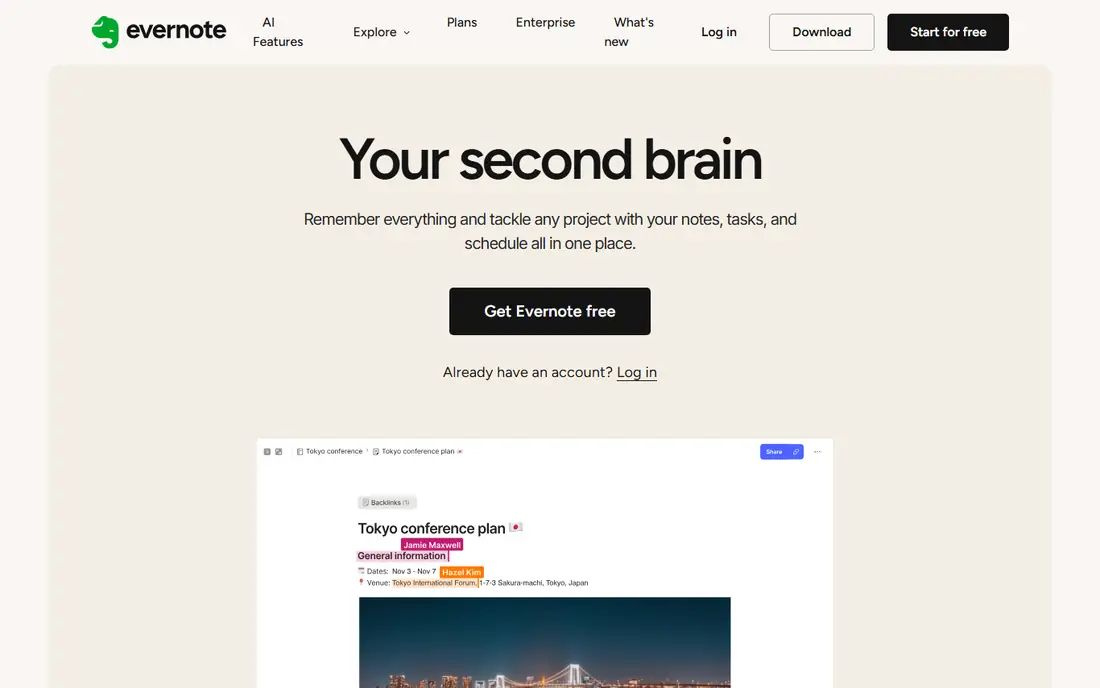
Evernote is still the strongest clipper in this list. The browser extension saves a full page, a simplified article or a screenshot, and it keeps the source address with the clip. Search is the other reason to pay. It reads text inside PDFs, images and Office files, so a receipt or a scanned contract turns up from one search box. Notes live in notebooks and stacks, with tags for cross-cutting topics. The trade-off is cost and lock-in. Notes sit in Evernote format, export takes effort, and the free plan is too small for real use. Paying 99 dollars a year for Starter is fair only if you clip and search every day.
What we like- Strong web clipper, search inside PDFs and images, sync across Windows, Mac, iOS, Android and web
Watch out for- The free plan holds only 50 notes, and paid plans cost more than most rivals in this list
#2Microsoft OneNote
Best for: Handwriting, freeform pages and class notes4.5/5 on
G2 (1,872 reviews, checked Oct 2026)
Visit onenote.com
Starting priceFree
Free planYes, the full app is free with a Microsoft account
OneNote is the best free note app in this list. It costs nothing, it has no cap on notes, and it runs on Windows, Mac, iOS, Android and the web. Each page is a blank canvas. You can type in any spot, draw with a stylus, paste a photo and record audio beside your text. That freedom suits lectures, meetings and sketches better than a rigid list of notes. Sync runs through OneDrive, with 5 GB free, and sharing works in real time with other Microsoft accounts. The weak points are search and AI. Search does not read inside PDFs the way Evernote does, and Copilot needs Microsoft 365 Personal at 9.99 dollars a month.
What we like- Free on every platform, no note limit, strong pen and ink support, real-time sharing
Watch out for- Search is weaker than Evernote, and AI features need a paid Microsoft 365 plan
#3Notion
Best for: Notes plus databases, wikis and team docs4.6/5 on
G2 (13,834 reviews, checked Oct 2026)
Visit notion.com
Starting price$10 per user per month billed annually (Plus plan)
Free planYes, free plan for one person with unlimited blocks
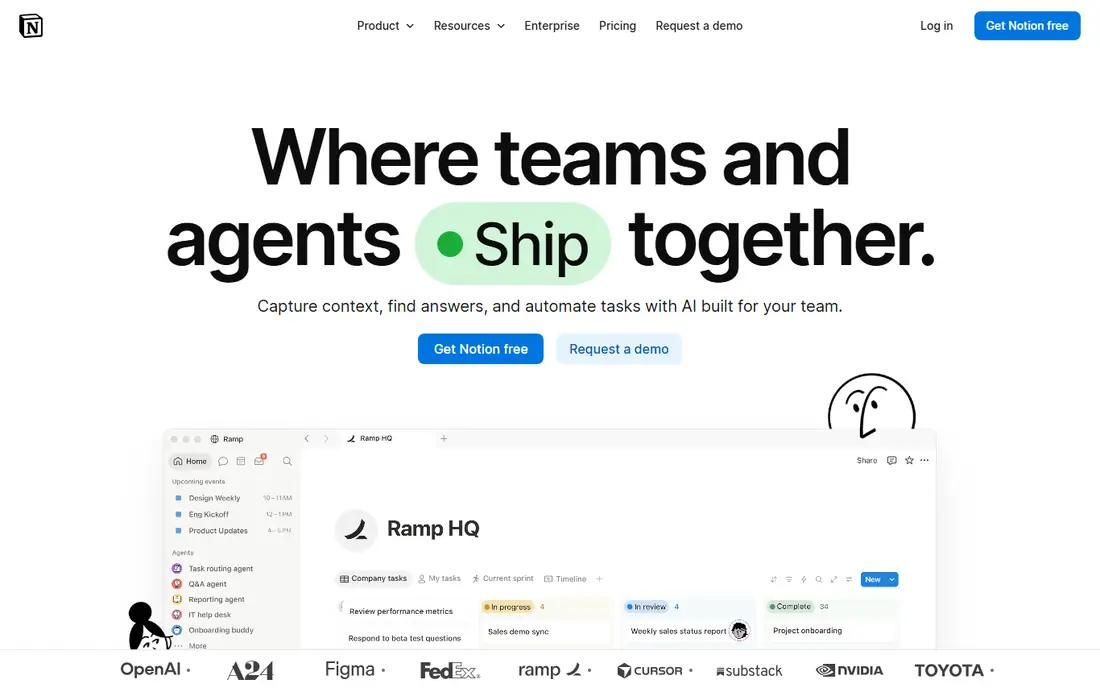
Notion is the pick if your notes need to grow into a workspace. Pages hold text, tables, boards, calendars and databases, so a reading list can become a tracker and a meeting note can link to a project page. Templates cover journals, trackers and product docs. Sharing is simple, with guests free on paid plans and real-time editing for teams. The free plan suits one person, with unlimited blocks and a 5 MB file upload limit. Plus at 10 dollars per user per month adds unlimited uploads and 30-day history. Notion needs a connection for most work, and the mobile app feels slow with large pages. It is a workspace first and a quick note app second.
What we like- Databases, templates and wikis in one workspace, strong sharing and collaboration
Watch out for- Offline use is limited, and full AI features need the Business plan at $20 per user per month
#4Obsidian
Best for: Local Markdown notes, linking and long-term archives4.5/5 on
G2 (13 reviews, checked Oct 2026)
Visit obsidian.md
Starting priceFree; Sync from $4 per user per month billed annually
Free planYes, the app is free for personal and commercial use
Obsidian stores every note as a plain Markdown file in a folder on your device. Your notes stay yours and open in any text editor. Links between notes build a graph view that shows how ideas connect, and a large plugin library adds calendars, kanban boards and daily notes. The app is free for personal and commercial use, with no account and no feature limits. Sync costs 4 dollars per user per month billed annually, or 5 dollars month to month, and Publish costs 8 dollars per site per month billed annually, or 10 dollars month to month. Obsidian suits people who write a lot and want speed, privacy and control. It suits people who want a ready-made clipper less well, since capture needs a plugin or a manual step.
What we like- Notes are plain Markdown files on your device, fast offline use, large plugin library
Watch out for- Sync costs extra, and the interface takes time to set up well
Starting priceFree
Free planYes, free with a Google account
Google Keep is the fastest tool in this list for catching a thought. It opens in a second, takes a short note or a checklist, and syncs it to every device on the same Google account. Labels sort notes, colours mark priorities, and reminders can fire at a time or a place. Voice notes turn into text, and sharing a list takes seconds. Keep draws on the 15 GB of storage shared across Gmail, Drive and Photos, and there is no paid tier for the app itself. The limit is depth. There are no folders, no tables and no real formatting, so research notes and long drafts belong elsewhere. Keep is a capture pad, and it does that one job well.
What we like- Opens fast, simple lists and labels, reminders by time or place, works on web and mobile
Watch out for- No folders or rich formatting, and long documents are awkward to manage
#6Bear
Best for: Markdown writing and note-taking on Apple devices4.5/5 on
G2 (45 reviews, checked Oct 2026)
Visit bear.app
Starting price$2.99 per month or $29.99 per year (Bear Pro)
Free planYes, free plan for writing on one Apple device
Bear is a calm, fast writing app for Mac, iPhone and iPad. Notes are Markdown, tags replace folders, and links join notes into a small wiki. Search stays quick even in a large library. The free plan covers writing and organising on one device. Bear Pro at 2.99 dollars a month or 29.99 dollars a year adds iCloud sync across devices, encryption, OCR search inside images and PDFs, extra themes and export to PDF, HTML, DOCX and JPG. Bear has announced a price rise from 24 November 2026, to 3.99 dollars a month or 39.99 dollars a year, with a web app included. Current subscribers keep the old price while they stay subscribed. There is no Windows, Android or web version today, so mixed-device households should look elsewhere.
What we like- Clean Markdown editor, nested tags, fast search, one subscription covers all Apple devices
Watch out for- Apple only, and sync, encryption and export need the paid Pro plan
#7
Apple Notes
Best for: Everyday notes inside the Apple ecosystem
Visit apple.com
Starting priceFree
Free planYes, free with an Apple ID
Apple Notes is the note app most iPhone owners already have. It is free, it needs no download, and it syncs through iCloud with 5 GB of free storage. Notes hold checklists, tables, scanned documents, sketches and audio recordings with transcripts. Tags and smart folders sort a growing library, and locked notes protect private pages. Collaboration works through shared folders, and the web version at iCloud opens notes on a Windows PC. The catch is the platform wall. There is no Android app, and the Windows experience is web only. On Apple-only setups, Notes covers most daily needs at no cost. If you switch platforms often, OneNote or Google Keep travel better.
What we like- Already installed on iPhone, iPad and Mac, iCloud sync, checklists, tables and document scanning
Watch out for- No native Android or Windows app, and sharing is thinner than Notion or OneNote
#8Joplin
Best for: Open source notes with sync through your own storage4.8/5 on
G2 (5 reviews, checked Oct 2026)
Visit joplinapp.org
Starting priceFree; Joplin Cloud from 2.40 euros per month billed annually
Free planYes, the apps are free and open source
Joplin is a free, open source note app for Windows, macOS, Linux, Android and iOS. Notes are Markdown, organised into notebooks and tags, and the app works fully offline. Sync is the strong point. You can point Joplin at Dropbox, OneDrive, Nextcloud, WebDAV or S3 at no cost, or pay for Joplin Cloud from 2.40 euros a month billed annually for 2 GB, the web app and publishing. Pro at 4.79 euros a month billed annually adds 30 GB, notebook sharing and email to note. End-to-end encryption protects synced notes, and plugins add extra tools. Setup asks more of you than Evernote or Apple Notes. For a closer look at open source options, see our guide to open source note-taking apps. Joplin suits people who want free software, local files and control over where their notes live.
What we like- Free and open source, end-to-end encryption, sync with Dropbox, OneDrive, Nextcloud or WebDAV
Watch out for- The interface looks plain, and the web app and notebook sharing need paid Joplin Cloud
We checked every price on the vendor pricing page on 18 November 2026, and we list the lowest paid plan for each tool. We picked tools that cover the main jobs in this category: web clipping, handwriting, team wikis, local files, quick capture and writing on Apple devices. Each tool had to run on at least two platforms or serve one platform well. We left out tools with no free plan or trial, and tools that had shut down.
Frequently asked questions
Is Evernote or OneNote better for students?
OneNote is usually better for students. It is free, it has no note limit, and handwriting with a stylus works well for lectures and diagrams. Audio recording sits beside typed notes, and sharing works for group work. Evernote suits students who clip research from the web and need to search inside PDFs. Its free plan holds only 50 notes, so most students would need Starter at 14.99 dollars a month.
Can I use Evernote or OneNote for free?
Yes, both have free plans, but they differ a lot. OneNote is fully free with a Microsoft account, with no note limit and sync through 5 GB of OneDrive storage. Evernote free allows 50 notes, one notebook and one synced device, which suits a trial more than daily use. If you want a free tool with no real limits, OneNote, Google Keep, Apple Notes and Obsidian all beat Evernote free.
Which tool has the better web clipper?
Evernote has the better web clipper by a clear margin. Its browser extension saves full pages, simplified articles, screenshots and selections, and it keeps the source link with each clip. OneNote also has a clipper, and it saves pages into a notebook, but it offers fewer formats and weaker organisation after the clip lands. If you save articles every day, Evernote earns its price on the clipper alone.
Can I move my notes from Evernote to OneNote?
Yes, Microsoft offers a free importer that moves notebooks from Evernote into OneNote. It runs on Windows and copies notes, tags and attachments into matching sections. Large libraries take time, and some formatting changes in the move, so check a few long notes after the import. Export from Evernote first as a backup, then run the importer on a copy of your data.
Which note app is best for handwriting?
OneNote is the best pick for handwriting. Its freeform pages accept ink anywhere, pressure-sensitive pens feel natural, and handwriting search finds words in your ink. Apple Notes is a strong second on iPad, with good Apple Pencil support and audio transcripts. Evernote and Notion accept handwriting only through attached sketches, so they suit typing far more than ink.
Sources we checked (10)
- https://evernote.com/compare-plans
- https://help.evernote.com/hc/en-us/articles/46317642175763-Discontinuing-Evernote-Personal-Professional-Introducing-Starter-Advanced-FAQ
- https://www.onenote.com
- https://www.notion.com/pricing
- https://obsidian.md/pricing
- https://keep.google.com
- https://bear.app
- https://blog.bear.app/2026/11/bear-web-is-almost-here-and-bear-pro-is-getting-a-new-price/
- https://www.apple.com/notes/
- https://joplinapp.org/plans
Is your product missing or out of date?
We review this list regularly. Vendors can request a listing, send updated pricing or ask about featured placement.

Shihab Mia · Founder, Rankite
Shihab has 5+ years in B2B and SaaS SEO. He writes Rankite's software buying guides from pricing pages, documentation and public user reviews. More about Shihab.