How we make this list: we compare pricing pages, product documentation and public user reviews. Ratings come from G2, Capterra or Trustpilot, with the date we checked them.
Why look for an Enpass alternative
Enpass is an offline-first password manager that stores your vault on your own device or in a cloud account you control. Its Premium licence costs about 24 dollars as a one-time payment, which is rare in a market where nearly every rival charges a monthly subscription.
Even so, many Enpass users look elsewhere. The apps feel dated next to newer rivals, family sharing is basic, and business features such as single sign-on, admin controls, and audit logs are thin. If you want polished apps on every platform, a strong free plan, or team management, another password manager will serve you better.
The best Enpass alternative for most people is 1Password. It has the most polished apps, strong family sharing, and the best business controls in this list. The best free Enpass alternative is Bitwarden, which gives you unlimited passwords on unlimited devices without paying anything. The cheapest paid option is NordPass, with Premium from about 1.29 dollars a month on a two-year plan.
Key takeaways
- 1Password is the best all-round Enpass alternative, with the most polished apps and the strongest business features, from 2.99 dollars a month in the first year.
- Bitwarden is the best free Enpass alternative, with unlimited passwords on unlimited devices at no cost, and Premium at 1.65 dollars a month.
- NordPass is the cheapest paid Enpass alternative, with Premium from about 1.29 dollars a month on a two-year plan.
- Dashlane is the most expensive personal option here, and it has no free plan since its free tier ended on 16 September 2025.
- Proton Pass is the best Enpass alternative for privacy, with built-in email aliases and Swiss jurisdiction.
What should you look for in an Enpass alternative
Start with where your vault lives. Enpass keeps your data local by default, so if that matters to you, look for a tool with a local-only mode or self-hosting. RoboForm offers a local-only mode, and Bitwarden can be self-hosted on its Enterprise plan. Most other tools store an encrypted copy of your vault in the cloud, which makes sync simple.
Next, check device limits. Enpass Premium works on all your devices. Several free plans in this list do not. LastPass free covers only one device type, and NordPass free and RoboForm free are limited to a single device. If you switch between a phone and a laptop, a free plan with a device limit will frustrate you.
Then look at passkey support, a built-in authenticator, and breach monitoring. All eight tools support passkeys and two-factor codes. Breach monitoring varies. Bitwarden includes vault health reports in Premium, while Keeper charges extra for its BreachWatch dark web monitoring.
Finally, think about sharing. A family plan should give each person a private vault, not one shared login. Business buyers should check for single sign-on, SCIM provisioning, and an admin console. 1Password, Keeper, and Bitwarden are the strongest here.
How we picked these 8 Enpass alternatives
We picked password managers that are actively maintained, work on Windows, Mac, iOS, and Android, and publish their pricing. Every tool here supports passkeys, autofill, and secure sharing. We checked each vendor pricing page, or a reputable third-party comparison that read the vendor page, on 15 November 2026.
How the 8 Enpass alternatives compare on price
| Tool | Starting paid price | Free plan | Best for |
| 1Password | 2.99 dollars a month in year one, then 3.99 dollars, billed annually | No, 14-day trial | Best all-round pick |
| Bitwarden | 1.65 dollars a month, billed at 19.80 dollars a year | Yes, unlimited passwords and devices | Best free plan |
| Dashlane | 5.42 dollars a month, billed annually | No free plan | Built-in VPN and monitoring |
| LastPass | 3.00 dollars a month, billed at 36 dollars a year | Yes, one device type only | Families on a budget |
| Keeper | 3.58 dollars a month, billed at 42.99 dollars a year | No, trial only | Business compliance |
| NordPass | 1.29 dollars a month on a two-year plan | Yes, one device only | Cheapest paid plan |
| RoboForm | 2.49 dollars a month, billed at 29.88 dollars a year on renewal | Yes, one device only | Filling long web forms |
| Proton Pass | 2.99 dollars a month, billed at 35.88 dollars a year | Yes | Privacy and email aliases |
Quick comparison
| Tool | Best for | Starting price | Free plan |
|---|
 1Password | People and teams who want the most polished password manager available | 2.99 dollars per month billed annually for the first year, then 3.99 dollars per month | No free plan. A 14-day free trial is available. |
 Bitwarden | Budget buyers and anyone who wants a genuinely useful free plan | 1.65 dollars per month, billed annually at 19.80 dollars | Yes. Unlimited passwords on unlimited devices, with no time limit. |
 Dashlane | People who want a VPN and dark web monitoring bundled with their password manager | 5.42 dollars per month, billed annually, for Premium. Reported by Software Lifecycle from Dashlane pricing page, 25 October 2026. | No free plan. The free tier was discontinued on 16 September 2025. A 14-day trial of Premium is available. |
 LastPass | Families who want six Premium accounts for 4 dollars a month | 3.00 dollars per month, billed annually at 36 dollars | Yes, but limited to one device type, either computers or mobile devices, not both. |
 Keeper | Businesses that need compliance reporting and strong admin controls | 3.58 dollars per month, billed annually at 42.99 dollars. Reported by ToolRadar from Keeper pricing page, 5 November 2026. | No free plan. A free trial is available. |
 NordPass | Buyers who want the lowest price for a full Premium plan | 1.29 dollars per month on a two-year plan. Reported by CyberNews, November 2026 update. | Yes, but limited to one device at a time. |
 RoboForm | People who fill in long web forms every day | 2.49 dollars per month, billed annually at 29.88 dollars on renewal. First-year price for new users is 19.90 dollars. | Yes, with unlimited passwords on a single device. |
 Proton Pass | Privacy-focused users who also want email aliases | 2.99 dollars per month, billed annually at 35.88 dollars. Reported by Cyberpresso from Proton pricing page, 19 October 2026. | Yes, with unlimited passwords and 10 email aliases. |
Is your product missing or out of date?
We review this list regularly. Vendors can request a listing, send updated pricing or ask about featured placement.
The 8 best Enpass alternatives
#11Password
Best for: People and teams who want the most polished password manager available4.7/5 on
Capterra (2,132 reviews, checked Oct 2026)
Visit 1password.com
Starting price2.99 dollars per month billed annually for the first year, then 3.99 dollars per month
Free planNo free plan. A 14-day free trial is available.
1Password is the safest recommendation in this guide. Its apps are fast and consistent on every platform, and the browser extension fills logins and passkeys with fewer errors than most rivals. Watchtower flags weak, reused, and breached passwords. The secret key system adds a second layer of protection beyond your master password, so even 1Password cannot open your vault. For business, the Business plan at 8.99 dollars per user a month adds single sign-on, SCIM provisioning, and custom security policies.
What we like- Best apps in this list, strong passkey support, Watchtower breach alerts, 1 GB of document storage, family vaults with granular permissions
Watch out for- No free plan, so you must pay after the trial ends. The first-year price rises from 2.99 to 3.99 dollars a month at renewal, and the Teams Starter Pack has a 10-user minimum.
#2Bitwarden
Best for: Budget buyers and anyone who wants a genuinely useful free plan4.6/5 on
G2 (1,475 reviews, checked Oct 2026)
Visit bitwarden.com
Starting price1.65 dollars per month, billed annually at 19.80 dollars
Free planYes. Unlimited passwords on unlimited devices, with no time limit.
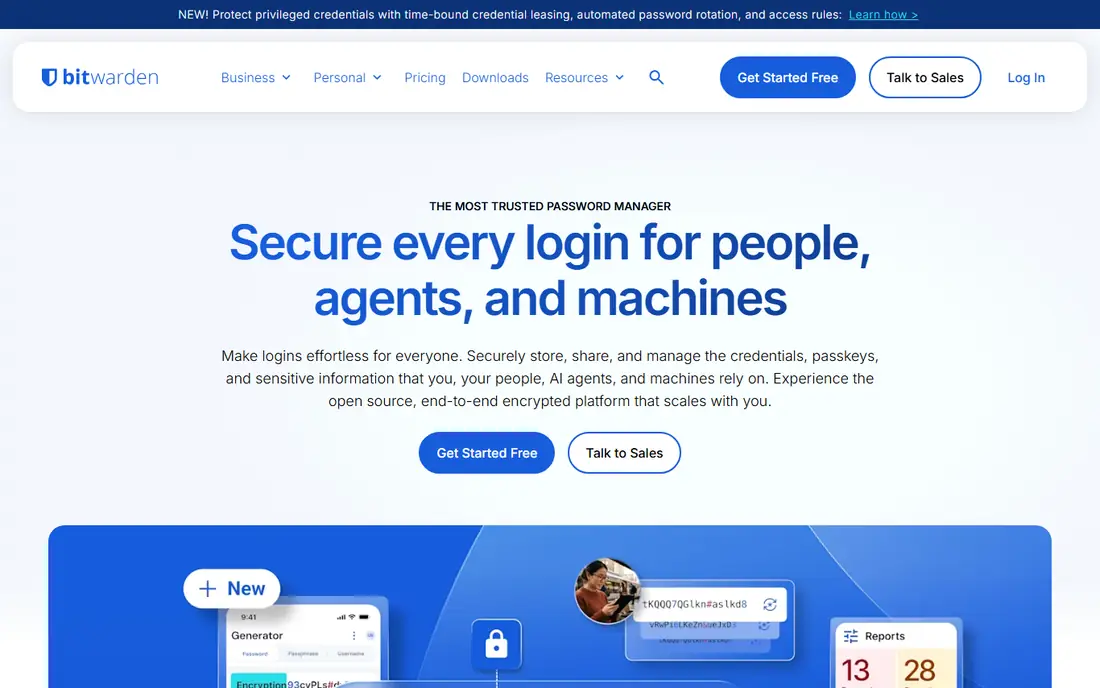
Bitwarden is the best value password manager in this guide. The free plan covers unlimited passwords on unlimited devices, which no other tool here matches. Premium adds a built-in authenticator, 5 GB of encrypted file attachments, vault health reports, emergency access, and support for up to 10 security keys, all for 19.80 dollars a year. Families costs 3.99 dollars a month for up to six users, each with a Premium account. For business, Teams costs 4 dollars per user a month and Enterprise costs 6 dollars, both billed annually, and Enterprise adds self-hosting and passwordless single sign-on.
What we like- Best free plan in this list, open-source code, self-hosting on Enterprise, low business prices, built-in authenticator in Premium
Watch out for- The apps look and feel less polished than 1Password. Premium doubled in price in January 2026, from 10 to 19.80 dollars a year, and business support is less hands-on than larger rivals.
#3Dashlane
Best for: People who want a VPN and dark web monitoring bundled with their password manager4.5/5 on
G2 (628 reviews, checked Oct 2026)
Visit dashlane.com
Starting price5.42 dollars per month, billed annually, for Premium. Reported by Software Lifecycle from Dashlane pricing page, 25 October 2026.
Free planNo free plan. The free tier was discontinued on 16 September 2025. A 14-day trial of Premium is available.
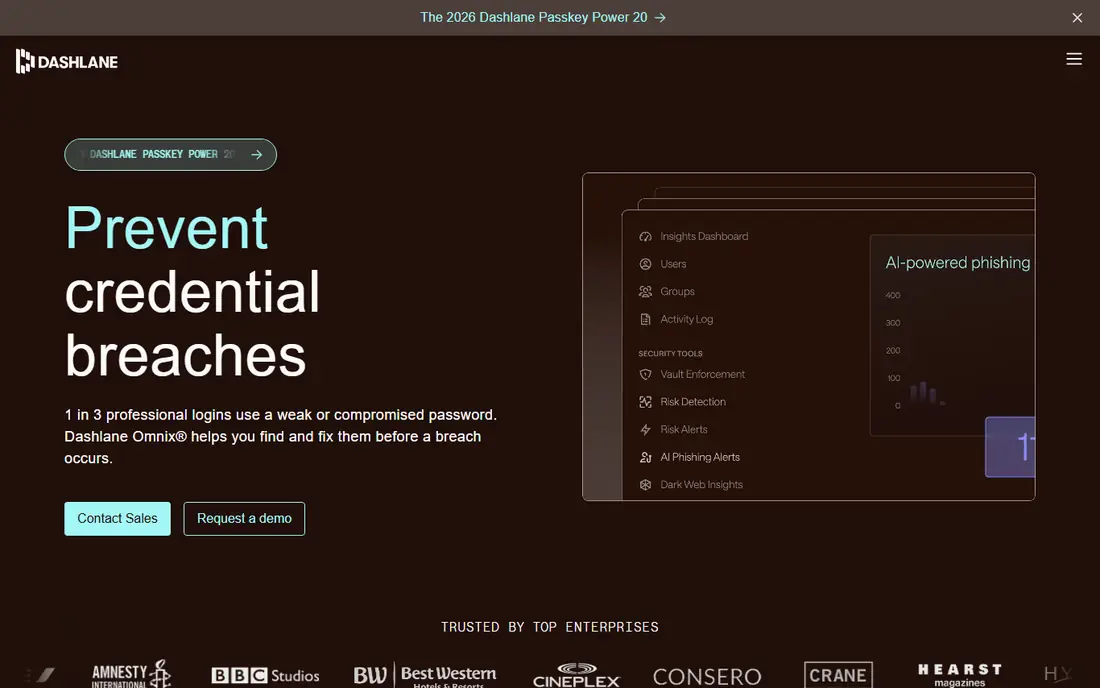
Dashlane is a polished password manager with extras that rivals charge for separately. Premium includes a VPN, dark web monitoring, and AI-powered scam protection, plus secure sharing and emergency access. The Friends and Family plan covers up to 10 people at 8.13 dollars a month. For business, the Omnix Password Management plan costs 8 dollars per user a month and adds single sign-on, SCIM provisioning, and credential risk scoring.
What we like- Bundled Hotspot Shield VPN, dark web monitoring, AI scam alerts, 1 GB of encrypted document storage, Friends and Family plan covers up to 10 people
Watch out for- No free plan since September 2025, and it is the most expensive personal plan in this list. Renewal prices run higher than first-year promotional rates, so check the price at checkout.
#4LastPass
Best for: Families who want six Premium accounts for 4 dollars a month4.5/5 on
G2 (2,096 reviews, checked Oct 2026)
Visit lastpass.com
Starting price3.00 dollars per month, billed annually at 36 dollars
Free planYes, but limited to one device type, either computers or mobile devices, not both.
LastPass is still a capable password manager, but its history matters. The 2022 breaches exposed encrypted vaults, and many security experts moved to rivals as a result. On features alone, Premium is solid. It works on all devices, includes passkeys, emergency access, and 1 GB of storage, and it costs 3 dollars a month. Families is the standout deal at 4 dollars a month for six Premium accounts, which is the cheapest family plan in this list. For business, Teams costs 4.25 dollars per user a month and Business costs 7 dollars, with single sign-on limited to 3 apps on Business.
What we like- Cheap family plan at 4 dollars a month for six users, emergency access, 1 GB of encrypted file storage, dark web monitoring in Premium
Watch out for- LastPass suffered serious breaches in 2022 in which encrypted vaults were stolen, and trust has not fully recovered. The free plan covers only one device type, and Business single sign-on covers only 3 apps.
#5Keeper
Best for: Businesses that need compliance reporting and strong admin controls4.6/5 on
G2 (1,234 reviews, checked Oct 2026)
Visit keepersecurity.com
Starting price3.58 dollars per month, billed annually at 42.99 dollars. Reported by ToolRadar from Keeper pricing page, 5 November 2026.
Free planNo free plan. A free trial is available.
Keeper is built for organisations that need to prove their security controls. It holds SOC 2 Type II and ISO 27001 certifications, and its admin console gives detailed reports on password strength, compliance, and user activity. Business Starter costs 2 dollars per user a month for teams of 5 to 10 users, Business costs 4 dollars per user a month, and Enterprise starts at 6 dollars. Every Business user also gets a free Family plan, which is a real perk for staff.
What we like- Strong compliance certifications including SOC 2 and ISO 27001, advanced reporting, free Family plan for every Business user, secure file storage, privileged access management add-ons
Watch out for- BreachWatch dark web monitoring costs an extra 19.99 dollars a year on Personal, so the headline price is not the full cost. The personal plan is also more expensive than Bitwarden, 1Password, and RoboForm.
#6
NordPass
Best for: Buyers who want the lowest price for a full Premium plan
Visit nordpass.com
Starting price1.29 dollars per month on a two-year plan. Reported by CyberNews, November 2026 update.
Free planYes, but limited to one device at a time.
NordPass comes from Nord Security, the company behind NordVPN, and it shows in the polish of the apps. Premium includes unlimited device sync, password health checks, a Data Breach Scanner, email masking, and emergency access. The Family plan covers six users with private Premium vaults for about 2.32 dollars a month on a two-year plan, which works out to under 40 cents per person. For business, Teams starts at 1.79 dollars per user a month and Business at about 2.87 dollars.
What we like- Cheapest Premium plan in this list, modern XChaCha20 encryption, built-in authenticator, Data Breach Scanner, email masking, 30-day money-back guarantee
Watch out for- The free plan works on only one device, which makes it impractical as a daily driver. Prices shift with promotions, and renewal rates can be higher than the introductory two-year rate, so confirm the price at checkout.
#7RoboForm
Best for: People who fill in long web forms every day4.6/5 on
G2 (752 reviews, checked Oct 2026)
Visit roboform.com
Starting price2.49 dollars per month, billed annually at 29.88 dollars on renewal. First-year price for new users is 19.90 dollars.
Free planYes, with unlimited passwords on a single device.
RoboForm has been around since 2000, and its form filling is still the best in this category. It handles long checkout and registration forms in one click, including fields that trip up other password managers. Premium unlocks sync across all devices, web access, secure shared folders, emergency access, and breach monitoring, and it renews at 29.88 dollars a year. Family costs 47.75 dollars a year for five Premium accounts. Business costs 3.33 dollars per user a month and includes single sign-on and admin controls. A local-only mode lets you skip cloud sync entirely, which is the closest match in this list to the way Enpass works.
What we like- Best form filling in this list, local-only mode for offline use, passkey support, breach monitoring for five email addresses, 30-day money-back guarantee
Watch out for- The interface looks dated next to 1Password and NordPass. Linux and ChromeOS get the browser extension only, and the iPhone app pushes its own browser. There is no monthly billing option.
#8Proton Pass
Best for: Privacy-focused users who also want email aliases4.6/5 on
G2 (6 reviews, checked Oct 2026)
Visit proton.me
Starting price2.99 dollars per month, billed annually at 35.88 dollars. Reported by Cyberpresso from Proton pricing page, 19 October 2026.
Free planYes, with unlimited passwords and 10 email aliases.
Proton Pass comes from Proton AG in Geneva, Switzerland, and it is built around privacy. The free plan is generous, with unlimited passwords and 10 email aliases. Plus adds unlimited aliases, a built-in authenticator, dark web monitoring, and priority support for 2.99 dollars a month billed annually. Pass Family costs 4.99 dollars a month for up to six users. The email alias feature is the real draw. You can create a different address for every service, so a breach at one site does not expose your real email.
What we like- Built-in unlimited hide-my-email aliases, open-source clients, Swiss jurisdiction, end-to-end encryption, dark web monitoring in Plus, Proton Sentinel account protection
Watch out for- Business features lag behind 1Password and Keeper, with weaker team management and rough import tooling for large organisations. Some sources still show an older 1.99 dollar promotional rate, so confirm the current price at checkout.
Which Enpass alternative is right for you
Pick 1Password if you want the best apps and the strongest business features and you are happy to pay. Pick Bitwarden if you want a free plan that actually works, or the lowest business prices. Pick NordPass if you want the cheapest Premium plan and you are willing to commit for two years. Pick Proton Pass if privacy and email aliases are your top priorities. Pick RoboForm if you fill in long forms all day and want a local-only mode like Enpass. Pick Dashlane if you want a VPN bundled in and you accept the higher price. Pick Keeper if you run a business that needs compliance reporting.
Before you switch, export your Enpass vault to a CSV file, import it into your new tool, and check that every login arrived. Then turn on two-factor authentication on your new account and delete the old export file, because it holds your passwords in plain text.
Frequently asked questions
Is Enpass still safe to use in 2026
Yes, Enpass is still safe for personal use. It encrypts your vault locally with AES-256 encryption, and it never forces you to store your data on its servers. The reason people switch is not safety but features. Enpass has weaker family sharing, thinner business controls, and slower app updates than 1Password, Bitwarden, and NordPass.
What is the best free Enpass alternative
Bitwarden is the best free Enpass alternative. Its free plan gives you unlimited passwords on unlimited devices, with no time limit and no device restriction. Proton Pass is second, with a free plan that includes unlimited passwords and 10 email aliases. LastPass, NordPass, and RoboForm all offer free plans, but each limits you to one device or one device type.
Can I move my passwords from Enpass to another password manager
Yes. Enpass lets you export your vault as a CSV file, and every tool in this guide can import a CSV file. Export from Enpass, import into your new password manager, and check that the number of logins matches before you delete anything. Delete the CSV file straight after the import, because it stores your passwords in plain text.
Which Enpass alternative is best for a family
Bitwarden Families is the best family option for most households. It costs 3.99 dollars a month for up to six users, and each person gets a Premium account with a private vault. NordPass Family is cheaper on a two-year plan at about 2.32 dollars a month for six users. LastPass Families is also good value at 4 dollars a month for six users, though the breach history puts some buyers off.
Do any Enpass alternatives work fully offline
No cloud password manager works exactly like Enpass, because sync needs a connection. RoboForm comes closest with its local-only mode, which skips cloud sync entirely. Bitwarden Enterprise can be self-hosted, so your vault stays on your own server. Most other tools cache an encrypted copy of your vault on your device, so you can still autofill logins when you are offline.
Sources we checked (10)
- https://1password.com/pricing
- https://bitwarden.com/pricing/
- https://www.dashlane.com/pricing-personal
- https://www.software-lifecycle.com/software/dashlane
- https://www.lastpass.com/pricing
- https://www.keepersecurity.com/pricing
- https://toolradar.com/tools/keeper
- https://cybernews.com/password-managers/nordpass-review/
- https://www.roboform.com/pricing
- https://cyberpresso.com/blog/proton-pass-vs-bitwarden
Is your product missing or out of date?
We review this list regularly. Vendors can request a listing, send updated pricing or ask about featured placement.

Shihab Mia · Founder, Rankite
Shihab has 5+ years in B2B and SaaS SEO. He writes Rankite's software buying guides from pricing pages, documentation and public user reviews. More about Shihab.