How we make this list: we compare pricing pages, product documentation and public user reviews. Ratings come from G2, Capterra or Trustpilot, with the date we checked them.
Why look for a Keeper alternative
Keeper is a solid password manager, but it is not the right fit for every buyer. Its Personal plan now lists at $42.99 a year on the vendor site, up from the $34.99 figure many older roundups still quote, and dark web monitoring costs extra unless you buy a higher tier. If you want a free plan or breach monitoring included, a switch makes sense.
The short answer: 1Password is the best overall Keeper alternative for most people and small teams, thanks to its polished apps, family sharing and business controls. Bitwarden is the best value, with a genuinely free plan and Premium at $19.80 a year. If privacy is your top concern, Proton Pass or Enpass deserve a close look.
Key takeaways:
- 1Password is the best all-round Keeper alternative, but it has no free plan and now costs $47.88 a year for one person.
- Bitwarden is the cheapest serious option, with unlimited passwords free and Premium at $19.80 a year.
- Dashlane no longer offers a free plan, and its Premium price is now the highest in this list.
- Proton Pass and Enpass are the strongest picks for buyers who want privacy first, with free plans that actually work.
- Every tool here imports from Keeper by CSV file, so switching takes about an hour, not a weekend.
What should a Keeper alternative do better than Keeper
Start with the gaps in Keeper itself. Keeper Free is limited to one mobile device and ten records, so it works as a trial, not as a daily tool. BreachWatch, the dark web monitoring feature, is a paid add-on on the base Personal plan, and the family plan is pricey next to rivals that cover five or six people for less.
A good alternative should fix at least one of those gaps. Look for a free plan you can live with, breach monitoring in the paid plan, and a price that stays stable at renewal. For teams, check the admin console, shared vaults and single sign-on support before you buy.
How much does a password manager cost in 2026
Prices in this category moved a lot in 2026. 1Password raised its Individual plan from $35.88 to $47.88 a year in March 2026. Bitwarden raised Premium from $10 to $19.80 a year in January 2026. Keeper raised Personal to $42.99 a year. The table below uses the prices shown on each vendor pricing page in November 2026, and the tool entries note where a first-year discount applies.
| Tool | Starting price | Free plan | Best for |
| 1Password | $3.99 per month, billed annually ($47.88 a year) | None, 14-day trial | Most people and small teams |
| Bitwarden | $1.65 per month, billed annually ($19.80 a year) | Yes, unlimited passwords and devices | Best value and open source |
| Dashlane | $5.42 per month, billed annually (about $65 a year) | None since September 2025 | Built-in VPN and breach alerts |
| LastPass | $3 per month, billed annually ($36 a year) | Yes, one device type only | Households on a budget |
| NordPass | $1.99 per month for the first year ($23.88), renews at $35.88 a year | Yes, one active session | Low first-year price |
| RoboForm | $2.49 per month, billed annually, renews at $29.88 a year | Yes, one device | Form filling and low cost |
| Enpass | $1.99 per month, billed annually ($23.99 a year) | Yes, 25 items in one vault | Keeping your vault in your own cloud |
| Proton Pass | $2.99 per month, billed annually ($35.88 a year) | Yes, unlimited logins and 10 email aliases | Privacy and email aliases |
Is a free password manager enough
For one person with one phone and one laptop, a good free plan can be enough. Bitwarden Free and Proton Pass Free both store unlimited passwords and sync across unlimited devices, which covers the basics. The paid plans add extras such as a built-in authenticator, breach monitoring, emergency access and file storage.
The free plans to avoid are the ones with hard limits. Keeper Free caps you at ten records on one mobile device. Enpass Free caps you at 25 items in one vault. NordPass Free allows only one active session at a time, so logging in on your phone logs you out on your laptop.
How to switch from Keeper without losing a login
Switching is a four-step job. First, export your Keeper vault to a CSV file from the Keeper web vault or desktop app, and keep that file on your own computer, never in email or cloud storage. Second, create your account with the new tool and install its browser extension and mobile app. Third, import the CSV file into the new tool, then check that the login count matches what Keeper showed. Fourth, change your most important passwords first, starting with email and banking, then delete the CSV file and cancel Keeper only after a week of normal use with the new tool.
Quick comparison
| Tool | Best for | Starting price | Free plan |
|---|
 1Password | Most people and small teams who want the most polished password manager | $3.99 per month, billed annually ($47.88 a year); new customers see a first-year promotional price of $2.99 per month | None; 14-day free trial, no credit card required |
 Bitwarden | Buyers who want the lowest cost and open-source code | $1.65 per month, billed annually ($19.80 a year) for Premium | Yes; unlimited passwords and passkeys on unlimited devices, with a built-in TOTP generator on the free plan in some regions |
 Dashlane | People who want a bundled VPN and dark web monitoring in one subscription | $5.42 per month, billed annually (about $65 a year) for Premium; some November 2026 roundups still list $4.99 per month, so confirm the price at checkout | None; Dashlane ended its free plan on 16 September 2025, and new users get a 14-day trial of Premium |
 LastPass | Households who want a cheap family plan | $3 per month, billed annually ($36 a year) for Premium | Yes, but limited to one device type, either computers or mobile devices, not both |
 NordPass | Buyers who want a low first-year price from a well-known security brand | $1.99 per month for the first 12 months ($23.88), renewing at $35.88 a year; a two-year plan averages $1.39 per month | Yes, unlimited passwords, but only one active session on one device at a time |
 RoboForm | Buyers who want strong form filling and a low yearly price | $2.49 per month, billed annually, renewing at $29.88 a year; a first-year sale price of $19.90 was reported in November 2026 | Yes, unlimited passwords on a single device, with no sync |
 Enpass | Buyers who want their vault stored in their own cloud account, not on a vendor server | $1.99 per month, billed annually ($23.99 a year) for Premium; a three-year option costs $47.99 | Yes, up to 25 items in one vault, with syncing across all platforms |
 Proton Pass | Privacy-focused buyers who also want email aliases | $2.99 per month, billed annually ($35.88 a year) for Pass Plus; a promotion lists $1.99 per month for the first year | Yes, unlimited logins, notes and cards on unlimited devices, with 10 hide-my-email aliases and 2 vaults |
Is your product missing or out of date?
We review this list regularly. Vendors can request a listing, send updated pricing or ask about featured placement.
The 8 best Keeper alternatives in 2026
These eight tools cover every budget and every priority, from free and open source to polished team plans. Each entry lists the current price, the free plan, and one real drawback to weigh before you buy.
#11Password
Best for: Most people and small teams who want the most polished password manager4.7/5 on
Capterra (2,132 reviews, checked Oct 2026)
Visit 1password.com
Starting price$3.99 per month, billed annually ($47.88 a year); new customers see a first-year promotional price of $2.99 per month
Free planNone; 14-day free trial, no credit card required
1Password is the safest default pick in this list. The apps are fast and consistent on every platform, and the browser extension fills logins and passkeys with very little fuss. Watchtower flags weak, reused and breached passwords, and Travel Mode removes sensitive vaults from your devices when you cross a border. Families get unlimited shared vaults for up to five people, and business plans add single sign-on, SCIM provisioning and audit logs. The main cost is the price itself, and the lack of a free tier means you pay from day one after the trial ends.
What we like- Polished apps on every platform, Travel Mode, Watchtower security alerts, family sharing with guest accounts, strong business controls with single sign-on
Watch out for- No permanent free plan, and the Individual price rose by $12 a year in March 2026, so it is now one of the priciest options here
#2Bitwarden
Best for: Buyers who want the lowest cost and open-source code4.6/5 on
G2 (1,475 reviews, checked Oct 2026)
Visit bitwarden.com
Starting price$1.65 per month, billed annually ($19.80 a year) for Premium
Free planYes; unlimited passwords and passkeys on unlimited devices, with a built-in TOTP generator on the free plan in some regions
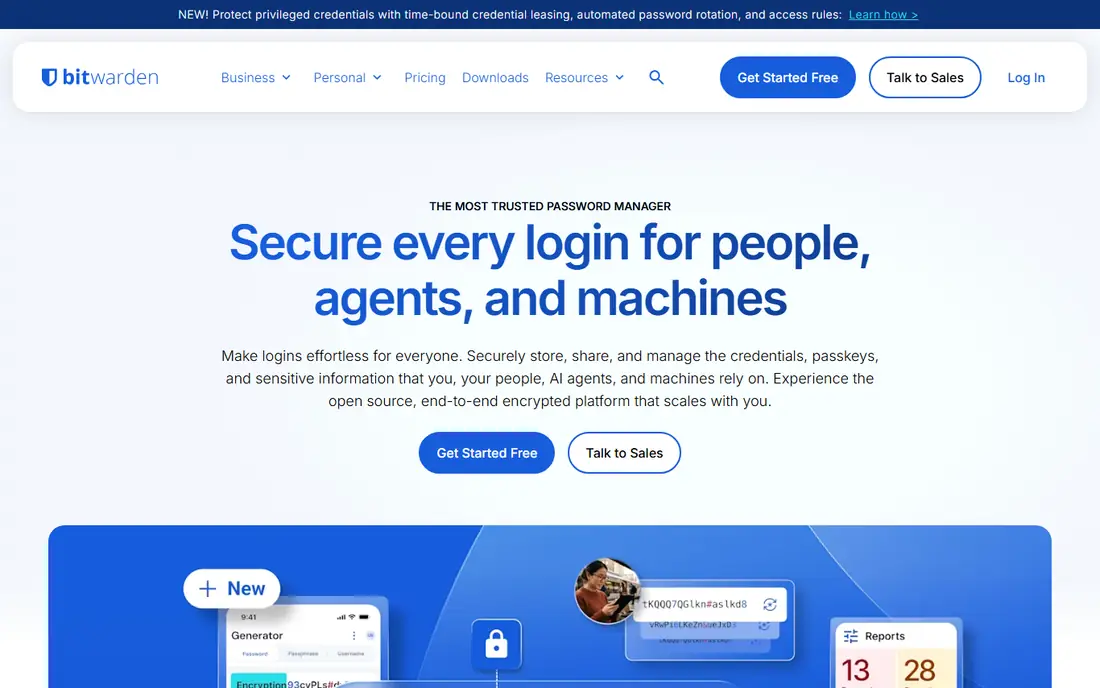
Bitwarden is the value pick, and the gap is large. Its free plan stores unlimited passwords across unlimited devices, which no other free plan in this list matches. Premium adds hardware key support, encrypted file attachments and vault health reports for $19.80 a year, less than half the price of 1Password. The code is open source, and you can self-host the server on your own hardware if you want full control. The trade-off is polish. The apps work well but look plain, and setup takes a little more patience than the paid-first rivals.
What we like- Genuinely free plan, open-source code, self-hosting option, Premium costs less than $20 a year, Families covers six users for $47.88 a year
Watch out for- The interface feels plain and technical next to 1Password, and the free plan lost some perks such as file attachments and emergency access in 2026
#3Dashlane
Best for: People who want a bundled VPN and dark web monitoring in one subscription4.5/5 on
G2 (628 reviews, checked Oct 2026)
Visit dashlane.com
Starting price$5.42 per month, billed annually (about $65 a year) for Premium; some November 2026 roundups still list $4.99 per month, so confirm the price at checkout
Free planNone; Dashlane ended its free plan on 16 September 2025, and new users get a 14-day trial of Premium
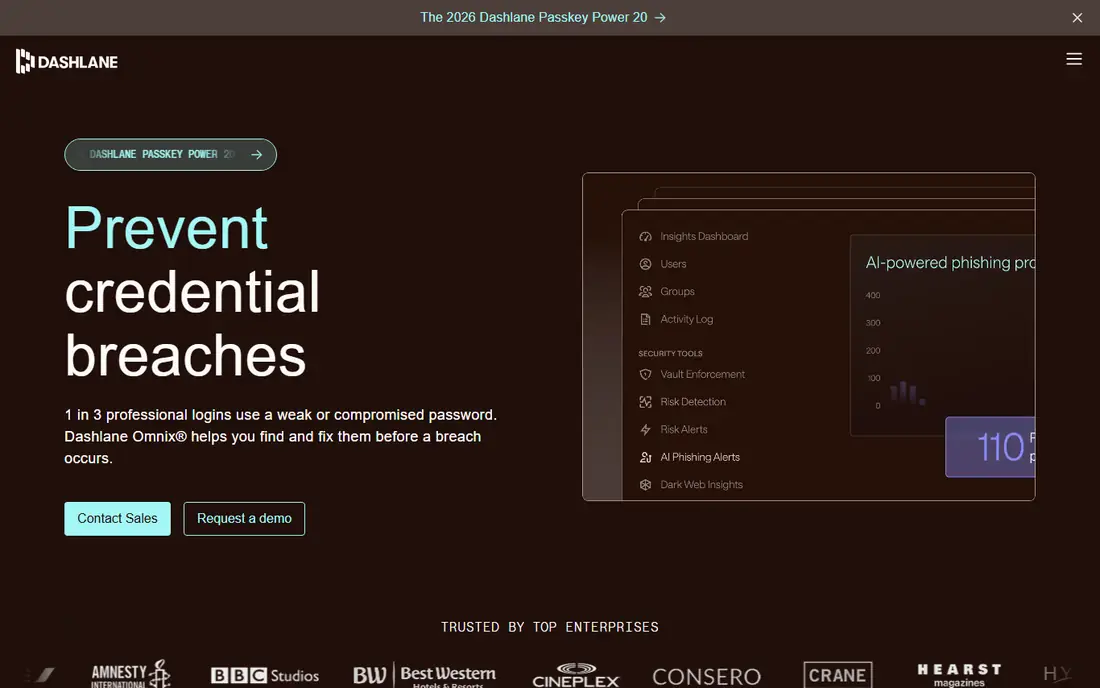
Dashlane is the premium-priced option here, and the bundled VPN is the reason. Premium includes unlimited passwords and passkeys across unlimited devices, plus a Hotspot Shield VPN and dark web monitoring, which other tools sell separately or leave out. Phishing alerts warn you before you type a password into a fake site. The price is the problem. At about $65 a year it costs more than three times Bitwarden Premium, and there is no free tier to try first beyond the 14-day trial. Pick Dashlane if you would pay for a VPN anyway and want one bill for both.
What we like- Built-in VPN, dark web monitoring for up to five email addresses, real-time phishing alerts, passwordless login with a security key
Watch out for- No free plan at all since September 2025, the highest starting price in this list, and the desktop app is no longer offered
#4LastPass
Best for: Households who want a cheap family plan4.5/5 on
G2 (2,096 reviews, checked Oct 2026)
Visit lastpass.com
Starting price$3 per month, billed annually ($36 a year) for Premium
Free planYes, but limited to one device type, either computers or mobile devices, not both
LastPass is the awkward pick in this list. On price and features it still competes: Premium costs $36 a year, Families covers six Premium accounts for $48 a year, and the apps cover every major platform with passkey support. The problem is trust. The 2022 breaches exposed customer vault data, and LastPass settled a class action lawsuit in 2025. The company has since been spun off from its former parent and says it is rebuilding its security program, but many buyers will not return. If you choose LastPass, use a strong master password and turn on two-factor authentication.
What we like- Low price, Families plan covers six people for $48 a year, emergency access, 1 GB of encrypted file storage on Premium, 30-day free trial
Watch out for- The 2022 data breaches badly damaged trust, and the free plan is limited to one device type, which makes it hard to use day to day
#5
NordPass
Best for: Buyers who want a low first-year price from a well-known security brand
Visit nordpass.com
Starting price$1.99 per month for the first 12 months ($23.88), renewing at $35.88 a year; a two-year plan averages $1.39 per month
Free planYes, unlimited passwords, but only one active session on one device at a time
NordPass is the simplest tool in this list to learn. The apps are clean, setup takes minutes, and Premium adds a data breach scanner, password health reports, email masking and a built-in authenticator. The first year costs $23.88, the joint lowest paid price here alongside Enpass. The catch is the renewal. After the first year the price rises to $35.88, a jump of about 50 percent, so budget for the second year, not the first. The free plan is also limited, since only one device can hold an active session at a time.
What we like- Low first-year price, clean and simple apps, breach scanner and password health checks on Premium, email masking, built by the team behind NordVPN
Watch out for- The renewal price jumps from $23.88 to $35.88 a year, the free plan logs you out on other devices, and there is no phone support
#6RoboForm
Best for: Buyers who want strong form filling and a low yearly price4.6/5 on
G2 (752 reviews, checked Oct 2026)
Visit roboform.com
Starting price$2.49 per month, billed annually, renewing at $29.88 a year; a first-year sale price of $19.90 was reported in November 2026
Free planYes, unlimited passwords on a single device, with no sync
RoboForm has been around since 1999, and it shows in the best way and the worst way. The form filling is still among the best available, and it handles long web forms that trip up other managers. Premium costs $29.88 a year at renewal, which undercuts most rivals, and it adds sync across unlimited devices, web access, cloud backup and priority support. The apps look dated, and the free plan is single-device only, so it is a trial rather than a daily tool.
What we like- Excellent form filling, low price, passkey support, breach alerts for up to five email addresses, business plans from $39.95 per user per year
Watch out for- The interface looks dated next to 1Password and NordPass, the free plan works on one device only, and there is no monthly billing option
#7Enpass
Best for: Buyers who want their vault stored in their own cloud account, not on a vendor server4.6/5 on
G2 (27 reviews, checked Oct 2026)
Visit enpass.io
Starting price$1.99 per month, billed annually ($23.99 a year) for Premium; a three-year option costs $47.99
Free planYes, up to 25 items in one vault, with syncing across all platforms
Enpass is the only tool here that never stores your vault on its own servers. Your encrypted vault lives on your device or in a cloud account you control, which removes a whole class of breach risk. Premium costs $23.99 a year and removes the item limit, adding passkeys, an integrated authenticator, breach monitoring and a security dashboard. The three-year plan at $47.99 works out to about $16 a year, the cheapest long-term price in this list. The trade-off is responsibility. If you lose your cloud account or your backup, Enpass cannot recover your vault for you.
What we like- Your vault stays in your own iCloud, Google Drive, OneDrive or Dropbox account, low price, works offline, passkeys and a built-in authenticator on Premium
Watch out for- You take on responsibility for sync and backups yourself, the free plan caps at 25 items, the lifetime license was discontinued in 2026, and the most recent public penetration test dates from 2023
#8Proton Pass
Best for: Privacy-focused buyers who also want email aliases4.6/5 on
G2 (6 reviews, checked Oct 2026)
Visit proton.me
Starting price$2.99 per month, billed annually ($35.88 a year) for Pass Plus; a promotion lists $1.99 per month for the first year
Free planYes, unlimited logins, notes and cards on unlimited devices, with 10 hide-my-email aliases and 2 vaults
Proton Pass comes from Proton AG, the Swiss company behind Proton Mail and Proton VPN, and it shows in the design. The apps are open source, the encryption is end-to-end, and the free plan is genuinely usable, with unlimited logins on unlimited devices plus ten email aliases. Pass Plus adds unlimited aliases, a built-in authenticator, dark web monitoring, file attachments and emergency access for $35.88 a year. The alias feature is the standout: you can give every site a different email address without a separate service.
What we like- Open-source apps, end-to-end encryption, unlimited aliases on Plus, built-in two-factor authenticator and dark web monitoring, part of the wider Proton ecosystem
Watch out for- Pass Plus costs more than Bitwarden Premium for similar basics, the family plan is pricier than LastPass Families, and business features are thinner than 1Password
Frequently asked questions
Is Keeper a good password manager in 2026
Keeper is a capable password manager with strong certifications, including SOC 2 Type II, ISO 27001 and FedRAMP authorisation. Its Personal plan now lists at $42.99 a year, and breach monitoring costs extra on the base plan. It is a reasonable choice for regulated teams, but buyers who want a free plan or breach monitoring included will find better value elsewhere in this list.
What is the best free Keeper alternative
Bitwarden is the best free Keeper alternative. Its free plan stores unlimited passwords and passkeys and syncs across unlimited devices, with no device limit. Proton Pass Free is the runner-up, with unlimited logins on unlimited devices plus ten email aliases. Keeper Free is limited to one mobile device and ten records, so it works as a trial rather than a daily tool.
Which Keeper alternative is cheapest
Bitwarden Premium is the cheapest paid plan here at $19.80 a year, billed annually. NordPass Premium and Enpass Premium are next, at $23.88 and $23.99 a year for the first term, though NordPass renews at $35.88 a year.
Can I move my passwords from Keeper to another manager
Yes. Export your Keeper vault to a CSV file from the web vault or desktop app, then import that file into the new tool. Every tool in this guide accepts CSV imports. Check that the login count matches after import, change your email and banking passwords first, and delete the CSV file once the move is done. Keep Keeper active for a week after the switch in case anything is missing.
Which Keeper alternative is best for a small business
1Password Business is the best pick for most small businesses, at $8.99 per user per month billed annually, with single sign-on, SCIM provisioning and audit logs. Bitwarden Teams is the budget pick at $4 per user per month billed annually. Dashlane business plans start at $8 per user per month billed annually.
Sources we checked (12)
- https://www.allthingscompared.com/password-managers/
- https://1password.com/pricing/personal
- https://bitwarden.com/pricing/
- https://www.dashlane.com/pricing
- https://www.lastpass.com/pricing
- https://nordpass.com/pricing/
- https://www.roboform.com/pricing
- https://www.enpass.io/pricing/
- https://proton.me/pass/pricing
- https://www.keepersecurity.com/pricing/personal-and-family.html
- https://geekblog.net/ai-software/dashlane-ends-free-subscriptions-you-have-one-month-to-upgrade-or-switch/
- https://tech-insider.org/proton-pass-vs-bitwarden-vs-1password-2026/
Is your product missing or out of date?
We review this list regularly. Vendors can request a listing, send updated pricing or ask about featured placement.

Shihab Mia · Founder, Rankite
Shihab has 5+ years in B2B and SaaS SEO. He writes Rankite's software buying guides from pricing pages, documentation and public user reviews. More about Shihab.