How we make this list: we compare pricing pages, product documentation and public user reviews. Ratings come from G2, Capterra or Trustpilot, with the date we checked them.
Why look for a Bitwarden alternative
Bitwarden is a strong password manager whose free plan covers unlimited passwords on unlimited devices, which few rivals match. Its Premium plan now costs 19.80 dollars a year, or 1.65 dollars a month billed annually, per November 2026 checks of Bitwarden pricing pages. That is up from the old 10 dollars a year price. Others want a cleaner interface, a built in VPN, easier family sharing, or stronger business controls.
The direct answer is that 1Password is the best all round Bitwarden alternative for most buyers, with polished apps and strong family and business plans. NordPass is the cheapest paid option on a two year plan, Proton Pass is the best pick for privacy, and Enpass is the only option with a lifetime licence.
Key takeaways
- 1Password is the best overall Bitwarden alternative, with the most polished apps and team controls, starting at 2.99 dollars a month for the first 12 months.
- NordPass is the cheapest paid manager here, at 1.39 dollars a month on a two year plan during the current promotion.
- Proton Pass is the best privacy focused choice, with open source code, Swiss jurisdiction, and a free plan covering unlimited passwords.
- Dashlane is the most expensive option at 5.42 dollars a month, with no free plan, but it bundles a VPN.
- Enpass is the only tool here with a lifetime purchase, at 99.99 dollars one time.
How much should a password manager cost in 2026
A good paid password manager costs between about 2 dollars and 6 dollars a month for one person billed annually, and Bitwarden Premium sits at the low end at 1.65 dollars a month. NordPass undercuts it during promotions, at 1.39 dollars a month on a two year plan. Dashlane Premium costs 5.42 dollars a month billed annually, and 1Password Individual costs 2.99 dollars a month for the first 12 months, then 3.99 dollars a month.
Watch the renewal price, not just the first year price. RoboForm Premium is 19.90 dollars for the first year, then renews at 29.88 dollars a year. NordPass does not show its renewal price on its pricing page, so check the checkout screen before you commit to a two year term. All tools here offer a free plan except 1Password and Dashlane, which offer a 14 day trial.
Which Bitwarden alternative is best for a family
For a family, the price per person matters more than the headline price. LastPass Families costs 4 dollars a month billed annually for six people, about 67 cents per person a month. NordPass Family costs 2.49 dollars a month on a two year plan during the current promotion for six people, the lowest per person cost on this list. Proton Pass Family costs 4.99 dollars a month billed annually for six people, and 1Password Families costs 4.49 dollars a month for the first 12 months, then 5.99 dollars a month, for five.
Each family member should get a private vault, not just one shared vault. 1Password Families gives each member a private vault plus shared vaults. LastPass Families gives six separate Premium accounts under one bill. Dashlane Friends and Family covers up to ten people, the most on this list, but only the plan manager gets the VPN.
Which Bitwarden alternative is best for a small business
Small teams need an admin console, shared vaults, and a way to remove a departing employee without losing logins. 1Password Business is the strongest business option here, at 8.99 dollars per user a month billed annually, with single sign on, SCIM, and audit logs. Its Teams Starter Pack costs 24.95 dollars a month billed annually for up to ten users.
Keeper Business costs about 4 dollars per user a month billed annually, and it includes a free Family plan for every user. LastPass Teams costs 4 dollars per user a month for up to 50 users, and Business costs 7 dollars per user a month with single sign on for up to three apps. RoboForm Business costs 3.33 dollars per user a month billed annually with single sign on and SCIM provisioning.
How do I move my passwords from Bitwarden to a new manager
Moving takes about 20 minutes for a typical vault. First, export your Bitwarden vault as a CSV file from the web vault under Tools and Export vault. Delete it after the move, because it holds your passwords in plain text. Second, open your new password manager and use its import tool, which accepts a Bitwarden CSV directly. Third, check that the item count matches, then test three or four logins. Do not delete your Bitwarden account until you have used the new manager for a week.
Quick comparison
| Tool | Best for | Starting price | Free plan |
|---|
 1Password | Individuals, families, and small teams that want the most polished password manager available | 2.99 dollars a month for the first 12 months, then 3.99 dollars a month, billed annually; Families 4.49 dollars a month, then 5.99 dollars a month | No permanent free plan; 14 day free trial on all plans |
 Dashlane | Buyers who want a password manager, a VPN, and dark web monitoring in one subscription | 5.42 dollars a month, billed annually (64.99 dollars a year); Friends and Family 8.13 dollars a month | No free plan; Dashlane Free ended on 16 September 2025; 14 day Premium trial available |
 LastPass | Households that want the cheapest family plan from an established brand | 3 dollars a month, billed annually (36 dollars a year) for Premium; Families 4 dollars a month billed annually | Yes, but free users can only sync across one device type, either mobile or desktop, not both |
 Keeper | Security focused individuals and small businesses that want strong admin controls at a fair price | 3.58 dollars a month, billed annually (42.99 dollars a year) for Personal; Family 7.67 dollars a month billed annually | Yes, limited to one mobile device and 10 records |
 NordPass | Budget buyers who want the lowest paid price and a clean, modern interface | 1.39 dollars a month on a two year plan during the current promotion; standard rate 2.99 dollars a month; 1 year plan 1.99 dollars a month | Yes, unlimited passwords but only one device logged in at a time |
 RoboForm | Buyers who fill long web forms often and want a manager that has been around since 2000 | 2.49 dollars a month, billed annually (29.88 dollars a year); first year 19.90 dollars; Family 3.98 dollars a month | Yes, unlimited passwords on a single device |
 Enpass | Buyers who want a one time lifetime purchase and control over where their vault is stored | 1.99 dollars a month, billed annually (23.99 dollars a year); Family 3.99 dollars a month; lifetime licence 99.99 dollars one time | Yes, desktop use is free, with mobile use limited to 25 items |
 Proton Pass | Privacy first buyers, especially people who already use Proton Mail, VPN, or Drive | 2.99 dollars a month, billed annually (35.88 dollars a year) for Pass Plus; Pass Family 4.99 dollars a month billed annually | Yes, unlimited passwords and devices, with limited email aliases and no built in authenticator or vault sharing |
Is your product missing or out of date?
We review this list regularly. Vendors can request a listing, send updated pricing or ask about featured placement.
The 8 best Bitwarden alternatives in 2026
| Tool |
Starting price |
Free plan |
Best for |
| 1Password |
2.99 dollars a month, first 12 months, then 3.99 |
No free plan, 14 day trial |
Best overall |
| Dashlane |
5.42 dollars a month, billed annually |
No free plan, 14 day trial |
Bundled VPN |
| LastPass |
3 dollars a month, billed annually |
Yes, one device type only |
Best value family plan |
| Keeper |
3.58 dollars a month, billed annually |
Yes, one mobile device, 10 records |
Security and small business |
| NordPass |
1.39 dollars a month, two year plan |
Yes, one device at a time |
Lowest cost paid plan |
| RoboForm |
2.49 dollars a month, billed annually |
Yes, one device only |
Form filling |
| Enpass |
1.99 dollars a month, billed annually |
Yes, desktop free, mobile limited |
Lifetime licence |
| Proton Pass |
2.99 dollars a month, billed annually |
Yes, unlimited passwords and devices |
Privacy first users |
#11Password
Best for: Individuals, families, and small teams that want the most polished password manager available4.7/5 on
Capterra (2,132 reviews, checked Oct 2026)
Visit 1password.com
Starting price2.99 dollars a month for the first 12 months, then 3.99 dollars a month, billed annually; Families 4.49 dollars a month, then 5.99 dollars a month
Free planNo permanent free plan; 14 day free trial on all plans
1Password is the most complete Bitwarden alternative for buyers who want everything to work smoothly. Its apps are consistent across Windows, Mac, iOS, and Android, and autofill is fast and reliable. Watchtower flags weak, reused, and breached passwords, and the built in generator handles passkeys and traditional passwords. The drawback is price, as Individual costs 47.88 dollars a year after the first year, more than double Bitwarden Premium.
What we like- Polished apps on every platform, strong passkey support, Watchtower alerts, granular shared vault permissions, 1 GB document storage
Watch out for- No free plan
- Business costs more than most rivals at 8.99 dollars per user a month
#2Dashlane
Best for: Buyers who want a password manager, a VPN, and dark web monitoring in one subscription4.5/5 on
G2 (628 reviews, checked Oct 2026)
Visit dashlane.com
Starting price5.42 dollars a month, billed annually (64.99 dollars a year); Friends and Family 8.13 dollars a month
Free planNo free plan; Dashlane Free ended on 16 September 2025; 14 day Premium trial available
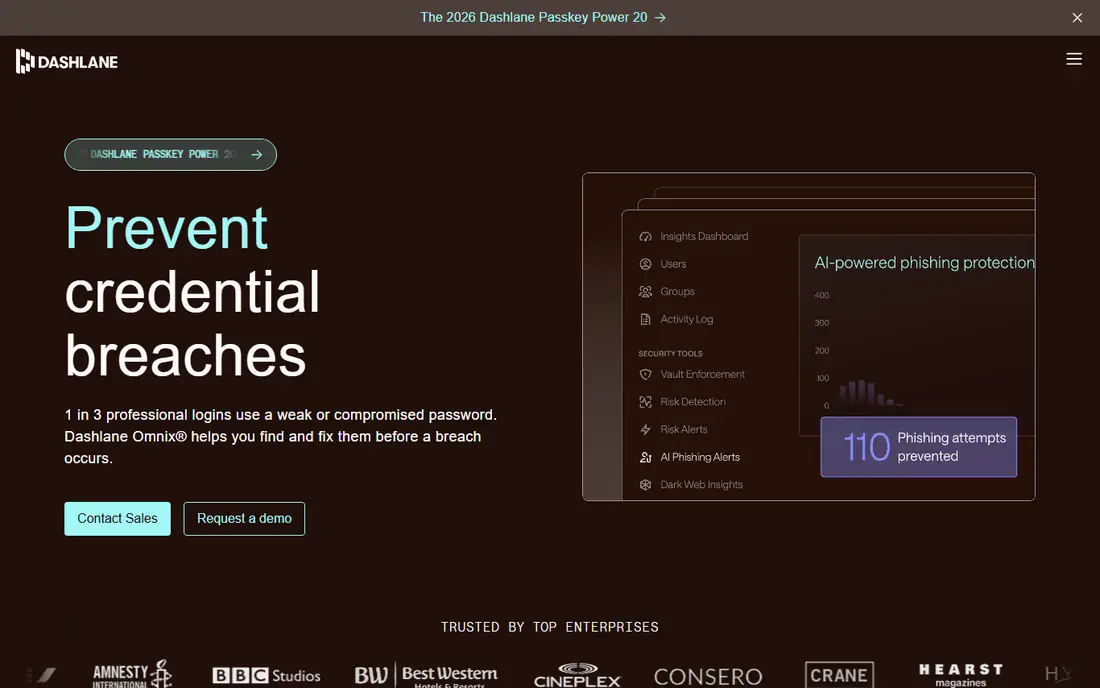
Dashlane is a premium all in one security product, not a plain password manager. Premium covers unlimited passwords and passkeys on unlimited devices, with dark web monitoring, phishing alerts, and a VPN powered by Hotspot Shield included at no extra charge. Friends and Family covers up to ten people, though only the plan manager gets the VPN. Premium costs more than three times Bitwarden Premium, so buyers who already pay for a VPN get the best value from the bundle.
What we like- Bundled Hotspot Shield VPN, dark web monitoring, phishing alerts, AI powered scam protection, 1 GB encrypted document storage
Watch out for- Most expensive plan on this list, with no free plan for long term trials
#3LastPass
Best for: Households that want the cheapest family plan from an established brand4.5/5 on
G2 (2,096 reviews, checked Oct 2026)
Visit lastpass.com
Starting price3 dollars a month, billed annually (36 dollars a year) for Premium; Families 4 dollars a month billed annually
Free planYes, but free users can only sync across one device type, either mobile or desktop, not both
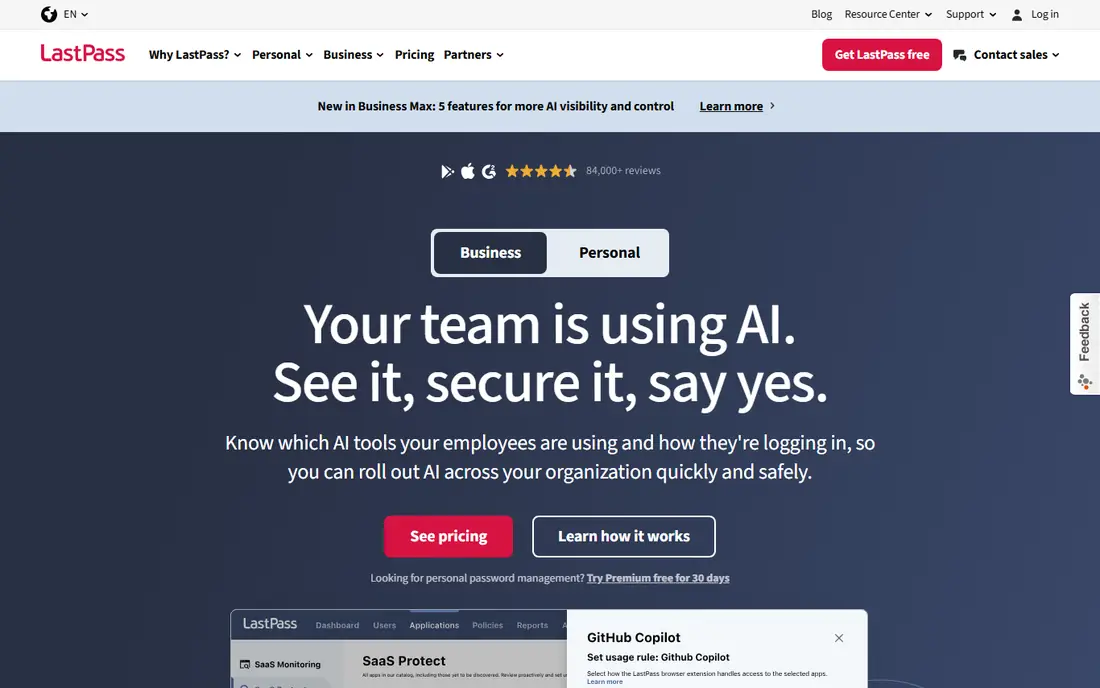
LastPass is the best known name on this list, and its Families plan is the best value household option from a major brand. Premium costs 3 dollars a month billed annually and covers unlimited devices, dark web monitoring, emergency access, and 1 GB of file storage. Families costs 4 dollars a month for six separate Premium accounts, each with a private vault, plus a family manager dashboard. The 2022 breaches remain the main reason to hesitate, and LastPass settled a class action for 24.5 million dollars in 2025 over losses from those breaches.
What we like- Cheapest family plan per person, emergency access, 1 GB encrypted file storage on Premium, 30 day trial on Premium and Families
Watch out for- Two major security breaches in 2022 damaged trust
- Free plan device limit pushes most users to Premium
#4Keeper
Best for: Security focused individuals and small businesses that want strong admin controls at a fair price4.6/5 on
G2 (1,234 reviews, checked Oct 2026)
Visit keepersecurity.com
Starting price3.58 dollars a month, billed annually (42.99 dollars a year) for Personal; Family 7.67 dollars a month billed annually
Free planYes, limited to one mobile device and 10 records
Keeper is a zero knowledge password manager with a long record in business security, for buyers who want strong controls without enterprise prices. Personal costs 42.99 dollars a year and covers unlimited passwords, passkeys, devices, and sync, plus secure sharing and emergency access for five contacts. Family costs 91.99 dollars a year for five private vaults and 10 GB of secure file storage. Business costs about 4 dollars per user a month with delegated administration. The add on model is the main weakness, as BreachWatch is a paid extra and single sign on is Enterprise only.
What we like- Zero knowledge encryption, 24/7 support, emergency access for five contacts, Business plans include a free Family plan for every user
Watch out for- Dark web monitoring is a paid BreachWatch add on
- Single sign on and SCIM are Enterprise only
#5
NordPass
Best for: Budget buyers who want the lowest paid price and a clean, modern interface
Visit nordpass.com
Starting price1.39 dollars a month on a two year plan during the current promotion; standard rate 2.99 dollars a month; 1 year plan 1.99 dollars a month
Free planYes, unlimited passwords but only one device logged in at a time
NordPass comes from Nord Security, the company behind NordVPN, and it is the cheapest paid manager in this guide. Premium costs 1.39 dollars a month on a two year plan during the Black Friday promotion running to 9 December 2026, and 1.99 dollars a month on a one year plan. Premium includes unlimited devices, a password health checker, a Data Breach Scanner, email masking, and emergency access. Family costs 2.49 dollars a month on a two year plan for six separate vaults. The main risk is the renewal price, which NordPass does not publish on its pricing page.
What we like- Lowest paid price on this list during promotions, XChaCha20 encryption, email masking, Data Breach Scanner, emergency access, built in authenticator
Watch out for- Renewal price is not shown on the pricing page
- Closed source code, unlike Bitwarden and Proton Pass
#6RoboForm
Best for: Buyers who fill long web forms often and want a manager that has been around since 20004.6/5 on
G2 (752 reviews, checked Oct 2026)
Visit roboform.com
Starting price2.49 dollars a month, billed annually (29.88 dollars a year); first year 19.90 dollars; Family 3.98 dollars a month
Free planYes, unlimited passwords on a single device
RoboForm has filled passwords and web forms since 2000, and its form filler is still the best in this guide. It handles long checkout and registration forms in one click, including fields that other managers miss. Premium costs 2.49 dollars a month billed annually, with new users offered 19.90 dollars for the first year before it renews at 29.88 dollars a year. Premium adds sync across unlimited devices, web access, shared folders, emergency access, and breach monitoring for five email addresses. Family costs 3.98 dollars a month for five Premium accounts.
What we like- Best in class form filling, one click logins, breach monitoring for five email addresses, 30 day money back guarantee, business plan includes single sign on
Watch out for- Dated interface
- Linux and Chrome OS only get the browser extension, with no full desktop app
#7Enpass
Best for: Buyers who want a one time lifetime purchase and control over where their vault is stored4.6/5 on
G2 (27 reviews, checked Oct 2026)
Visit enpass.io
Starting price1.99 dollars a month, billed annually (23.99 dollars a year); Family 3.99 dollars a month; lifetime licence 99.99 dollars one time
Free planYes, desktop use is free, with mobile use limited to 25 items
Enpass is the only manager on this list that lets you buy a lifetime licence and keep your vault off company servers. Individual costs 23.99 dollars a year, and the lifetime licence costs 99.99 dollars one time, which pays for itself in just over four years against the annual plan. Family costs 47.99 dollars a year for up to six users, with private vaults for each member plus shared vaults. Enpass stores your vault in your own cloud storage, such as iCloud or Google Drive, and it runs no servers. The trade off is convenience, as you must set up sync yourself.
What we like- Lifetime licence at 99.99 dollars one time, vault stored in your own cloud storage, no company servers hold your passwords, works fully offline
Watch out for- No hosted sync
- Fewer third party integrations than 1Password or Keeper
#8Proton Pass
Best for: Privacy first buyers, especially people who already use Proton Mail, VPN, or Drive4.6/5 on
G2 (6 reviews, checked Oct 2026)
Visit proton.me
Starting price2.99 dollars a month, billed annually (35.88 dollars a year) for Pass Plus; Pass Family 4.99 dollars a month billed annually
Free planYes, unlimited passwords and devices, with limited email aliases and no built in authenticator or vault sharing
Proton Pass is the best privacy focused Bitwarden alternative, built by Proton AG in Switzerland with open source client code. Pass Plus costs 2.99 dollars a month billed annually and adds unlimited email aliases, a built in authenticator, dark web monitoring, Proton Sentinel protection, emergency access, and 10 GB of storage. Pass Family costs 4.99 dollars a month for six Pass Plus accounts plus an admin panel. Proton Pass was audited by Cure53 in 2023, and Recurity Labs reviewed the source code in early 2026, rating the overall posture well above par with no remote exploits found.
What we like- Open source code, end to end encryption, Swiss jurisdiction, unlimited email aliases on Plus, independent security audits by Cure53 and Recurity Labs
Watch out for- Free plan lacks vault sharing and the built in authenticator
- Plus renews at 4.99 dollars a month
Frequently asked questions
Is Bitwarden still free in 2026
Yes. The free plan covers unlimited passwords and passkeys on unlimited devices, with a password generator, encrypted export, and two step login. Premium adds 1 GB of file storage, vault health reports, emergency access, and an integrated authenticator for 19.80 dollars a year. It is the most generous free plan in this category.
What is the cheapest Bitwarden alternative
NordPass is the cheapest paid alternative during its current promotion, at 1.39 dollars a month on a two year plan. Bitwarden Premium itself costs 1.65 dollars a month billed annually, so the saving over Bitwarden is small. Enpass Individual at 1.99 dollars a month billed annually is also cheap, and its 99.99 dollar lifetime licence is the cheapest long term option after four years.
Which Bitwarden alternative is the most secure
All eight tools use zero knowledge or end to end encryption, so none of them can read your vault. Proton Pass has the strongest public audit record, with a Cure53 audit in 2023 and a Recurity Labs review in 2026. 1Password has SOC 2 Type II reports and regular penetration tests. LastPass is the weakest on trust because of its 2022 breaches, even though no vault breach has been reported since.
Can I self host a Bitwarden alternative
Bitwarden itself offers a self hosted server, and none of the eight tools in this guide matches that directly. Enpass comes closest, because it stores your vault in your own cloud storage and runs no company servers. Vaultwarden is a community built Bitwarden compatible server with no commercial support, so it suits technical users only.
Is it safe to switch password managers
Yes, if you follow a careful process. Export your Bitwarden vault as a CSV, import it into the new manager, and check the item count matches before you cancel anything. Delete the CSV file after the import, because it holds passwords in plain text. Test three or four logins, turn on two factor authentication, and set up emergency access. Keep your Bitwarden account for a week after the move.
Sources we checked (12)
- https://1password.com/pricing
- https://www.dashlane.com/pricing
- https://www.lastpass.com/pricing
- https://www.keepersecurity.com/pricing/personal-and-family.html
- https://nordpass.com/pricing
- https://www.roboform.com/pricing-personal
- https://www.enpass.io/pricing
- https://proton.me/pass/pricing
- https://bitwarden.com/pricing/
- https://www.fahimai.com/lastpass
- https://privacypick.com/password-managers/proton-pass/
- https://www.saasnivo.com/deals/nordpass-black-friday-2026
Is your product missing or out of date?
We review this list regularly. Vendors can request a listing, send updated pricing or ask about featured placement.

Shihab Mia · Founder, Rankite
Shihab has 5+ years in B2B and SaaS SEO. He writes Rankite's software buying guides from pricing pages, documentation and public user reviews. More about Shihab.