How we make this list: we compare pricing pages, product documentation and public user reviews. Ratings come from G2, Capterra or Trustpilot, with the date we checked them.
Key takeaways
- Okta is the vendor-neutral alternative, with SSO, adaptive MFA, and lifecycle management across thousands of apps.
- Microsoft Entra ID is the obvious pick for Microsoft 365 organizations, since basic MFA and SSO come bundled with eligible subscriptions.
- Ping Identity suits large or hybrid estates with complex federation needs, at a low published entry price.
- OneLogin and JumpCloud cover the mid-market and small-team ends, with simple SSO and device management at modest prices.
- Google Authenticator remains the free baseline for time-based codes, though it lacks centralized management.
Quick comparison
| Tool | Best for | Starting price | Free plan |
|---|
 Okta Okta | Vendor-neutral SSO and lifecycle | $6 per user per month | No |
 Microsoft Entra ID Microsoft Entra ID | Microsoft 365 organizations | $7 per user per month | Yes |
 Ping Identity Ping Identity | Large hybrid estates | $3 per user per month | No |
 OneLogin OneLogin | Mid-market SSO simplicity | $4 per user per month | No |
 JumpCloud JumpCloud | Small teams replacing Active Directory | $9 per user per month | Yes |
 Auth0 Auth0 | Customer-facing authentication | $35 per month | Yes |
 CyberArk CyberArk | Privileged access plus workforce identity | $2 per user per month | No |
 Google Authenticator Google Authenticator | Free time-based codes | Free | Yes |
Is your product missing or out of date?
We review this list regularly. Vendors can request a listing, send updated pricing or ask about featured placement.
The best Duo alternatives
#1Okta
Best for: Vendor-neutral SSO and lifecycle4.5/5 on
G2 (1,428 reviews, checked Oct 2026)
Visit okta.com
Starting price$6 per user per month
Free planNo
Okta is the broadest workforce identity platform on this list. Its Starter suite near $6 per user per month covers SSO, MFA, a universal directory, and basic workflows, while higher suites add adaptive MFA, lifecycle management, and identity governance. The integration network is the real draw: thousands of pre-built app connections mean most SaaS tools connect without custom SAML work.
The pricing structure needs attention. All suites bill annually with a minimum annual contract near $1,500, and adaptive MFA, the feature most comparable to Duo's risk-based authentication, arrives only at $14 per user on Core Essentials. Identity governance also starts higher up the tiers. For a vendor-neutral organization that wants one identity platform across many apps, Okta's breadth justifies the premium, but small teams should total the annual minimum before comparing per-user rates.
What we like- SSO and MFA across 6,000-plus integrations
- Adaptive MFA and lifecycle management on higher suites
- FastPass passwordless option
Watch out for- Annual contract minimum near $1,500
- Adaptive MFA starts at $14 per user on Core Essentials
- No month-to-month option listed
#2Microsoft Entra ID
Best for: Microsoft 365 organizations4.5/5 on
G2 (915 reviews, checked Oct 2026)
Visit microsoft.com
Starting price$7 per user per month
Free planYes
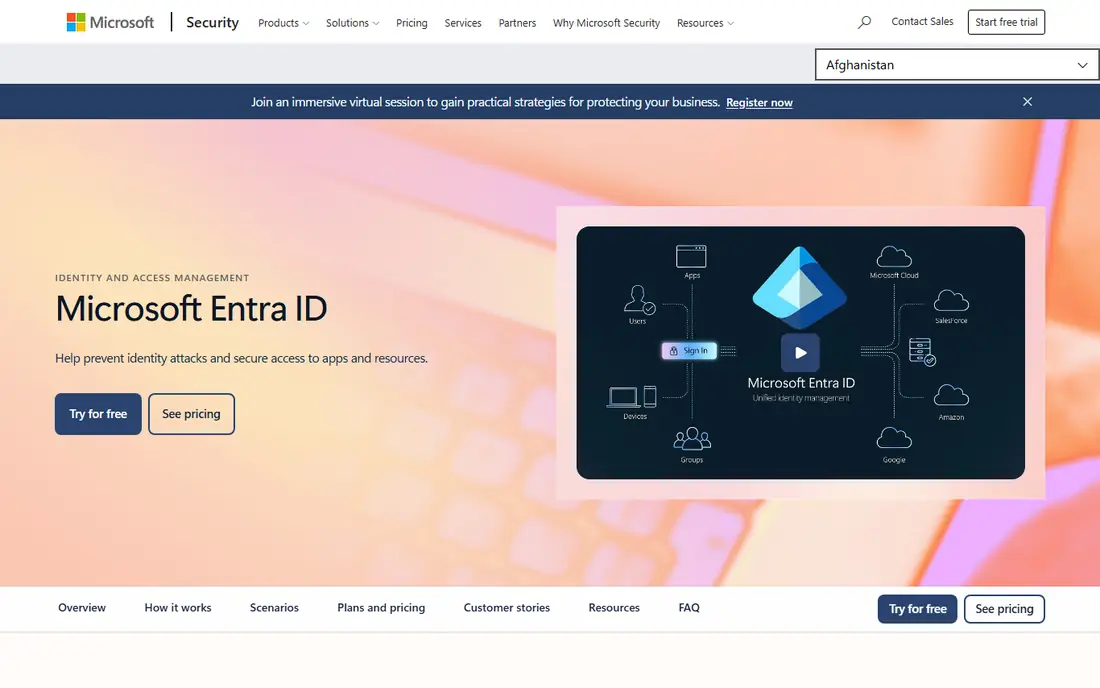
Microsoft Entra ID, formerly Azure Active Directory, is the default identity layer for organizations already running Microsoft 365. A free tier with SSO and basic MFA comes with eligible subscriptions, and P1 near $7 per user per month adds Conditional Access, self-service password reset, and hybrid identity. P2 near $10 adds identity protection, risk detection, and privileged identity management.
The case for Entra ID is bundling: most Microsoft 365 customers already pay for part of it, so the marginal cost of strong MFA is low. The case against is lock-in: organizations with a mixed SaaS estate may find Okta's neutral catalog easier. Conditional Access policies also take careful design, since a misconfigured policy can lock users out. For a Microsoft-centered workforce, Entra ID is the most cost-effective Duo alternative.
What we like- Basic MFA and SSO bundled with eligible Microsoft 365 subscriptions
- Conditional Access on P1
- Deep Windows and Office integration
Watch out for- Best value only inside the Microsoft stack
- P2 features cost $10 per user
- Governance needs an add-on
Starting price$3 per user per month
Free planNo
Ping Identity, which now includes ForgeRock, targets large and complex identity estates. Its federation depth covers cloud, on-premises, and hybrid applications, and its orchestration tools let enterprises design custom authentication journeys across many systems. Published workforce pricing starts near $3 per user per month, which looks very competitive.
The catch is scale: workforce plans carry a 5,000-user minimum, so Ping is effectively an enterprise product despite the low per-user figure. Implementation also takes specialist help. For a large organization with hybrid infrastructure and complex federation needs, Ping's depth is unmatched at this price. Smaller teams should look at OneLogin or JumpCloud instead.
What we like- Deep federation for cloud, on-premises, and hybrid deployments
- Low published entry price
- Orchestration for complex journeys
Watch out for- Workforce plans carry a 5,000-user minimum
- Enterprise focus means smaller teams get less attention
#4OneLogin
Best for: Mid-market SSO simplicity4.4/5 on
G2 (291 reviews, checked Oct 2026)
Visit onelogin.com
Starting price$4 per user per month
Free planNo
OneLogin, now part of One Identity, suits mid-market companies that want SSO and MFA without enterprise complexity. The Advanced bundle near $4 per user per month covers SSO, MFA, and directory integration, while Professional near $8 adds HR-driven provisioning and deeper lifecycle features. The admin console is notably straightforward, which shortens deployment for small IT teams.
The integration catalog is smaller than Okta's, so niche apps may need custom SAML setup. OneLogin also lacks the device trust depth of Duo's Trusted Endpoints. For a mid-sized company that mainly needs reliable SSO and MFA across standard SaaS apps, OneLogin's price and simplicity are compelling.
What we like- Simple SSO and MFA at a low list price
- HR-driven provisioning on higher plans
- Straightforward admin console
Watch out for- Smaller integration catalog than Okta
- Advanced features sit on the $8 Professional plan
#5JumpCloud
Best for: Small teams replacing Active Directory4.5/5 on
G2 (4,104 reviews, checked Oct 2026)
Visit jumpcloud.com
Starting price$9 per user per month
Free planYes
JumpCloud replaces on-premises Active Directory for small teams. Its cloud directory manages users, groups, and devices across Windows, macOS, and Linux from one console, and it bundles MFA, SSO options, and device policies. A free tier covers up to 10 users and 10 devices, which lets a tiny team start at no cost.
Pricing needs care: the $9 device management figure is the headline, while SSO is priced separately near $11 per user per month, so a full identity setup costs more than the entry number suggests. The app catalog is also smaller than Okta's. For a small team with mixed operating systems that wants to retire a local domain controller, JumpCloud is the most complete single console.
What we like- Cloud directory plus device management in one console
- Free tier for up to 10 users and 10 devices
- Covers Windows, macOS, and Linux
Watch out for- SSO pricing is separate at $11 per user
- Smaller app catalog than Okta
- Device management depth varies by OS
#6Auth0
Best for: Customer-facing authentication4.3/5 on
G2 (286 reviews, checked Oct 2026)
Visit auth0.com
Starting price$35 per month
Free planYes
Auth0, part of Okta, serves a different buyer from the rest of this list: developers adding login to customer-facing apps. Its Essentials plan near $35 per month covers up to 500 monthly active users, and a free tier reaches 25,000 monthly active users for some use cases. Passkeys, social login, and brute-force protection come standard.
Auth0 is not a workforce MFA replacement in the Duo sense. It authenticates your customers, not your employees, and its per-active-user pricing model does not map to headcount. Teams building a product that needs login, signup, and passkeys should evaluate Auth0 alongside Stytch and similar tools. Teams securing employee access should pick from the workforce tools above.
What we like- Built for login in your own apps
- Free tier up to 25,000 monthly active users
- Passkeys and social login included
Watch out for- Workforce use is not its focus
- Pricing scales by monthly active users, not employees
Starting price$2 per user per month
Free planNo
CyberArk, whose workforce identity line is now associated with Palo Alto Networks, combines privileged access management with workforce SSO. The published workforce SSO figure near $2 per user per month is the lowest on this list, and it sits alongside secrets management, machine identity, and privileged session controls for high-risk environments.
The full platform is quote-based, and workforce SSO alone does not deliver the MFA depth of Duo or Okta without the wider suite. Organizations that already need privileged access management get workforce identity as a natural extension. Teams that only need MFA should compare the complete bundle cost, not just the headline SSO figure.
What we like- Workforce SSO from $2 per user
- Privileged access and secrets heritage
- Strong for regulated and high-risk estates
Watch out for- Full platform pricing is quote-based
- Workforce features are one part of a larger suite
Starting priceFree
Free planYes
Google Authenticator is the free baseline for two-factor authentication. It generates time-based one-time codes on a phone, works offline, and pairs with any service supporting the TOTP standard. For an individual or a tiny team, it adds a real second factor at zero cost.
It is not a workforce platform. There is no admin console, no push approvals, no phishing-resistant passkeys, and no device trust, and losing a phone without backup codes can lock a user out. Duo's value is centralized control: enrollment, policies, device checks, and revocation. Google Authenticator suits personal accounts and the smallest teams; any organization with compliance needs should pick a managed platform above.
What we like- Completely free
- Generates time-based one-time codes offline
- Works with any service supporting TOTP
Watch out for- No centralized management, push approvals, or device trust
- Account recovery depends on backup codes
How we chose
We compared each tool against what Duo actually sells: phishing-resistant MFA, push approvals, device trust, SSO, and fast deployment across any workforce. Pricing figures come from vendor pages and recent published comparisons verified in August and October 2026, and anything we could not confirm is written as "See website". We favored actively maintained platforms that serve US buyers, and we flagged where pricing is per user, per active user, or bundled, since that changes the real bill.
What to check before you switch
Start with your stack. Microsoft 365 organizations should price Entra ID first, since much of it may already be bundled. Vendor-neutral SaaS estates should compare Okta and OneLogin. Small mixed-OS teams should trial JumpCloud. Check four things on any trial: whether phishing-resistant factors such as FIDO2 keys and passkeys work for your users, how device trust is established without an MDM, what enrollment and recovery look like for a lost phone, and purchase increments: Duo sells in tens below 100 users, and Okta carries an annual minimum, both of which shape small-team bills more than per-user rates. Also plan helpdesk recovery before retiring passwords, since account resets become the new attack surface.
Frequently asked questions
Is Duo still a good MFA tool?
Yes. Duo by Cisco remains a strong MFA platform, with a free tier up to 10 users and Essentials from $3 per user per month. Buyers switch mainly for broader identity features, bundling, or lower enterprise pricing.
Which Duo alternative is cheapest?
Google Authenticator is free for individuals. Among managed platforms, CyberArk workforce SSO lists from $2 per user, Ping from $3, and Duo itself from $3, though minimums and bundles change the real bill.
What is phishing-resistant MFA?
Phishing-resistant MFA uses FIDO2 security keys, passkeys, or verified push that cannot be tricked by a fake login page. SMS codes and basic push approvals are weaker, since attackers can intercept or socially engineer them.
Do I still need passwords with these tools?
Many tools support passwordless login with passkeys or biometrics, but most organizations run a hybrid during migration. Plan recovery carefully, since a lost device without a backup method locks users out.
Can I use these tools for customer login too?
Auth0 is built for customer login. Workforce tools such as Okta and Entra ID focus on employees, though Okta also offers customer identity products on separate plans.
How do I migrate from Duo without locking users out?
Run both systems in parallel, enroll users in the new tool before enforcing it, and keep Duo active until enrollment is complete. Test recovery flows with a pilot group first.
Sources we checked (8)
- https://www.okta.com/pricing/
- https://www.microsoft.com/security/business/identity-access/microsoft-entra-id
- https://www.pingidentity.com/en/pricing.html
- https://www.onelogin.com/pricing
- https://jumpcloud.com/pricing
- https://auth0.com/pricing
- https://www.cyberark.com/
- https://support.google.com/accounts/answer/1066447
Is your product missing or out of date?
We review this list regularly. Vendors can request a listing, send updated pricing or ask about featured placement.

Shihab Mia · Founder, Rankite
Shihab has 5+ years in B2B and SaaS SEO. He writes Rankite's software buying guides from pricing pages, documentation and public user reviews. More about Shihab.