How we make this list: we compare pricing pages, product documentation and public user reviews. Ratings come from G2, Capterra or Trustpilot, with the date we checked them.
Key takeaways
- Draw.io is free and capable, so you only pay when you need collaboration, templates, or enterprise controls.
- Lucidchart is the strongest formal diagramming replacement for flowcharts, org charts, and network maps.
- Miro and FigJam suit workshops and whiteboarding, while Whimsical suits fast, clean flowcharts.
- Visio makes sense inside Microsoft 365 shops, and Excalidraw suits engineers who like hand-drawn sketches.
- Watch free plan limits, since editable document and board caps force upgrades sooner than expected.
Quick comparison
| Tool | Best for | Starting price | Free plan |
|---|
 Lucidchart Lucidchart | Formal flowcharts and process maps | $9 per user per month | Yes |
 Microsoft Visio Microsoft Visio | Microsoft 365 enterprises | $5 per user per month | No |
 Miro Miro | Workshops and whiteboard diagrams | $8 per user per month | Yes |
 FigJam FigJam | Teams already using Figma | $3 per editor per month | Yes |
 Whimsical Whimsical | Fast flowcharts and wireframes | $10 per user per month | Yes |
 Creately Creately | Diagrams linked to data | $5 per editor per month | Yes |
 Excalidraw Excalidraw | Hand-drawn engineering sketches | $6 per month | Yes |
 SmartDraw SmartDraw | Floor plans and auto-layout diagrams | $7.95 per user per month | No |
Is your product missing or out of date?
We review this list regularly. Vendors can request a listing, send updated pricing or ask about featured placement.
The best draw.io alternatives
Starting price$9 per user per month
Free planYes
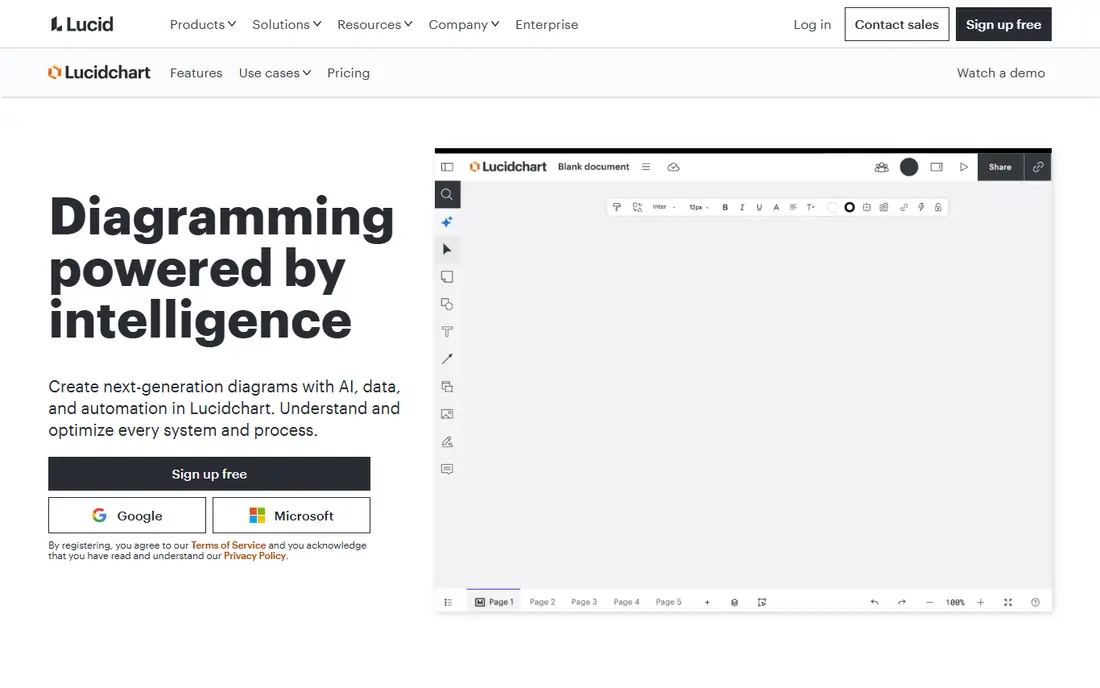
Lucidchart is the default paid upgrade from draw.io for formal diagramming. Flowcharts, process maps, org charts, UML, and network diagrams all come with deep shape libraries and templates, and Team plans add the strongest real-time collaboration. Visio import and export ease migration for enterprises.
The free plan limits you to three editable documents with 75 shapes each, so active users hit the wall fast. Individual starts at $9 per user per month billed annually, with Team at $10. For a team that produces formal diagrams daily, Lucidchart is the most complete draw.io replacement.
What we like- Huge template library
- Real-time collaboration on Team
- Visio import and export
Watch out for- Free plan caps at 3 editable documents
- Advanced features need Team
- Costs grow with team
#2Microsoft Visio
Best for: Microsoft 365 enterprises4.2/5 on
G2 (694 reviews, checked Oct 2026)
Visit microsoft.com
Starting price$5 per user per month
Free planNo

Visio remains the industry standard in many large companies, with extensive shape libraries, data linking, and automation for complex diagrams. Plan 1 costs $5 per user per month billed annually for the web app, while Plan 2 at $15 adds the desktop app with full features. Some commercial Microsoft 365 plans already include Visio for the web.
There is no free tier, and collaboration feels less fluid than Lucidchart or Miro. For a Microsoft 365 enterprise that already standardizes on Visio files, staying with Visio avoids migration entirely. For a cloud-first team, a web-native rival will feel faster.
What we like- Industry standard shapes
- Data-linked diagrams
- Included web version in some M365 plans
Watch out for- No free tier
- Desktop app needs Plan 2
- Collaboration trails cloud rivals
#3Miro
Best for: Workshops and whiteboard diagrams4.6/5 on
G2 (13,631 reviews, checked Oct 2026)
Visit miro.com
Starting price$8 per user per month
Free planYes

Miro is a whiteboard first and a diagram tool second, which is exactly what workshops need. Sticky notes, voting, timers, and templates support design sprints, retrospectives, and planning sessions, and diagrams live on the same infinite canvas as the discussion. Starter costs $8 per user per month billed annually.
The free plan caps at three editable boards, and very large boards can lag. Per-seat pricing adds up when viewers become editors. For remote teams that run workshops and need diagrams inside the session, Miro is the strongest whiteboard choice.
What we like- Infinite canvas
- Workshop tools like voting and timers
- Huge template set
Watch out for- Free plan caps at 3 editable boards
- Large boards can lag
- Per-seat cost grows
#4FigJam
Best for: Teams already using Figma4.5/5 on
G2 (465 reviews, checked Oct 2026)
Visit figma.com
Starting price$3 per editor per month
Free planYes
FigJam is the cheapest paid option on this list because it bills editors, not viewers, at $3 per editor per month. Product and design teams already in Figma get a tightly integrated whiteboard for workshops, sketches, and flowcharts, with a clean handoff from whiteboard to design file.
Outside a design context, FigJam weakens. Formal diagram types, data linking, and enterprise diagram libraries trail Lucidchart and Visio. For a Figma shop, FigJam is nearly free and obvious. For an engineering or operations team, a dedicated diagram tool fits better.
What we like- Cheapest paid seat here
- Native Figma handoff
- Real-time collaboration
Watch out for- Weak outside design context
- Fewer formal diagram types
- Needs Figma familiarity
#5Whimsical
Best for: Fast flowcharts and wireframes4.6/5 on
G2 (189 reviews, checked Oct 2026)
Visit whimsical.com
Starting price$10 per user per month
Free planYes
Whimsical is the speed pick. Flowcharts, mind maps, sticky notes, and wireframes share one clean interface that product managers learn in minutes. Diagrams look good by default, which helps teams that present their work to stakeholders. Pro costs $10 per user per month billed annually.
The free plan caps at 50 board objects and 50 doc blocks per month, so active users upgrade quickly. Diagram types are fewer than Lucidchart, and the freeform canvas is more limited than Miro. For a product team that wants fast, clean diagrams without ceremony, Whimsical is ideal.
What we like- Clean and fast interface
- Flowcharts, mind maps, and wireframes in one place
- Easy learning
Watch out for- Fewer diagram types than Lucidchart
- Free plan caps monthly objects
- Limited freeform canvas
#6Creately
Best for: Diagrams linked to data4.4/5 on
G2 (1,394 reviews, checked Oct 2026)
Visit creately.com
Starting price$5 per editor per month
Free planYes
Creately combines diagrams with data. Shapes carry contextual data fields, so a process map can hold owners, statuses, and metrics instead of just boxes and arrows. Pro costs $5 per editor billed annually, which undercuts most rivals for teams with many viewers.
The free plan caps diagrams at 45 shapes, and very large diagrams can lag. The learning curve is steeper than Whimsical. For cost-conscious teams that want diagrams tied to live data and project workspaces, Creately offers strong value.
What we like- Low per-editor price
- Diagrams with data fields
- Desktop and online access
Watch out for- Free plan caps at 45 shapes per diagram
- Large diagrams can lag
- Learning curve
#7Excalidraw
Best for: Hand-drawn engineering sketches4.5/5 on
G2 (32 reviews, checked Oct 2026)
Visit excalidraw.com
Starting price$6 per month
Free planYes
Excalidraw is the engineer favorite. The open source core at excalidraw.com is free with unlimited collaborators, and the hand-drawn style suits architecture sketches, blog diagrams, and design docs. Teams that want hosted collaboration and libraries move to Excalidraw Plus at $6 per month.
Enterprise controls are limited, and template depth trails Lucidchart. Self-hosting suits open source teams that want data control. For quick technical sketches that look human rather than corporate, Excalidraw is the most loved tool on this list.
What we like- Free core with unlimited collaborators
- Self-hostable
- Fast sketching
Watch out for- Limited enterprise controls
- Fewer templates
- Plus needed for teams
#8SmartDraw
Best for: Floor plans and auto-layout diagrams4.5/5 on
G2 (394 reviews, checked Oct 2026)
Visit smartdraw.com
Starting price$7.95 per user per month
Free planNo
SmartDraw stands out for intelligent formatting and auto-layout diagrams, plus floor plans that most rivals handle poorly. Integrations with Microsoft 365, Google Workspace, and Confluence suit enterprise teams. Individual pricing starts at $7.95 per user per month billed annually, with Team at $6.95 as an intro price.
There is no free tier, and collaboration is closer to sharing than real-time co-editing. The learning curve runs higher than Whimsical or FigJam. For facilities, operations, and org planning teams that need floor plans and auto-layout, SmartDraw earns its price.
What we like- Intelligent auto-layout
- Floor plans and org charts
- Office integrations
Watch out for- No free tier
- Higher learning curve
- Sharing-only collaboration
How we chose
We compared tools on diagram types, collaboration quality, template depth, free plan limits, integrations, and published pricing. We used vendor pricing pages, product documentation, and published comparison guides checked in October 2026. Where a vendor quotes privately, we wrote See website instead of repeating an unverified estimate. We also checked how each tool handles very large diagrams, since performance on a hundred-shape map differs sharply from a ten-shape sketch for real teams.
How to pick a draw.io replacement
Start with why you are leaving a free tool. If the answer is real-time collaboration, Lucidchart Team, Miro, and FigJam lead. If it is formal diagram standards, Lucidchart and Visio lead. If it is workshops, Miro and FigJam lead. If it is speed for product diagrams, Whimsical leads. If it is cost, Excalidraw and FigJam lead. Naming the gap keeps you from paying for features you will never use.
Next, check free plan limits against your real usage. Lucidchart caps free users at three editable documents, Miro at three editable boards, and Whimsical at 50 monthly objects. A team that diagrams weekly will upgrade within a month, so price the paid plan from the start. Also check who counts as a paid seat: FigJam and Creately bill editors, which saves money when many colleagues only view.
Then test migration on your hardest diagram. Import a complex Visio file into Lucidchart, or a large draw.io file into your finalist, and check whether shapes, labels, and links survive. Finally, confirm export formats, since diagrams often end up in docs, wikis, and presentations. A tool that exports cleanly to PDF, PNG, and SVG will save rework later.
Seat sprawl is the hidden cost in diagram tools. Many teams invite every stakeholder as an editor, then pay for seats that only view and comment. Tools that bill editors only, like FigJam and Creately, solve this cleanly, while per-member tools need an access policy. Decide who truly builds diagrams, give everyone else viewer access, and review the editor list quarterly. A thirty-person team where only ten people build can cut its diagram bill by two thirds with this one policy, and nobody loses access to the diagrams they need.
Frequently asked questions
Is draw.io really free?
Yes, draw.io, now called diagrams.net, is free for core diagramming online and on desktop, with storage in your own Google Drive, OneDrive, or device. Paid tools earn their price through collaboration, templates, enterprise controls, and support rather than basic shapes. The desktop app also works offline, which suits engineers and analysts who diagram on planes or in secure rooms without internet access.
Which draw.io alternative is best for flowcharts?
Lucidchart is best for formal flowcharts, with the deepest shape libraries and templates. Whimsical is best for fast, clean flowcharts when speed matters more than formal standards. Both beat Miro for pure flowchart work.
What is the cheapest paid diagram tool?
FigJam at $3 per editor per month is cheapest, since viewers cost nothing. Creately Pro at $5 per editor per month is next. Excalidraw core is free, with Plus at $6 per month for hosted team features.
Does Microsoft Visio work on the web?
Yes, Visio Plan 1 at $5 per user per month covers the web app, and some commercial Microsoft 365 plans include Visio for the web. The full desktop app requires Plan 2 at $15 per user per month.
Can I import draw.io files into Lucidchart?
Yes, Lucidchart imports draw.io and Visio files, though complex diagrams may need cleanup after import. Test your hardest diagram during the trial before you commit, since shape fidelity varies by diagram type.
Which tool is best for workshops?
Miro is best for workshops, with voting, timers, templates, and an infinite canvas built for facilitated sessions. FigJam suits design teams already in Figma, while Mural, at $9.99 per member per month, suits enterprise teams running workshops at scale.
Sources we checked (8)
- https://www.lucidchart.com/pricing
- https://www.microsoft.com/en-us/microsoft-365/visio/pricing
- https://www.miro.com/pricing
- https://www.figma.com/pricing
- https://www.whimsical.com/pricing
- https://www.creately.com/pricing
- https://excalidraw.com/pricing
- https://www.smartdraw.com/pricing
Is your product missing or out of date?
We review this list regularly. Vendors can request a listing, send updated pricing or ask about featured placement.

Shihab Mia · Founder, Rankite
Shihab has 5+ years in B2B and SaaS SEO. He writes Rankite's software buying guides from pricing pages, documentation and public user reviews. More about Shihab.