How we make this list: we compare pricing pages, product documentation and public user reviews. Ratings come from G2, Capterra or Trustpilot, with the date we checked them.
Key takeaways
- Slack is the strongest Discord alternative for work teams, while Microsoft Teams suits organizations already paying for Microsoft 365.
- Guilded is the closest gaming-community match to Discord, with servers, voice, forums, and event tools built in.
- Telegram suits large public groups and broadcast channels, but it is a messenger first, not a server platform.
- Element, Mattermost, Rocket.Chat, and Revolt suit people who want self-hosting, open standards, or control over their data.
- TeamSpeak remains the voice-first pick when low-latency game chat matters more than text channels and bots.
Quick comparison
| Tool | Best for | Starting price | Free plan |
|---|
 Slack Slack | Work teams leaving Discord | $0 (Pro $7.25 per user/month billed annually) | Yes |
 Microsoft Teams Microsoft Teams | Microsoft 365 organizations | $0 | Yes |
 Telegram Telegram | Large groups and channels | $0 | Yes |
 Guilded Guilded | Gaming communities | $0 | Yes |
 Element Element | Open, federated chat | $0 | Yes |
 Mattermost Mattermost | Self-hosted team chat | $0 | Yes |
 Rocket.Chat Rocket.Chat | Self-hosted community and team chat | $0 | Yes |
 Revolt Revolt | Free open-source Discord-style servers | $0 | Yes |
 TeamSpeak TeamSpeak | Low-latency voice chat | $0 | Yes |
Is your product missing or out of date?
We review this list regularly. Vendors can request a listing, send updated pricing or ask about featured placement.
The best Discord alternatives for communities and teams
#1Slack
Best for: Work teams leaving Discord4.5/5 on
G2 (39,944 reviews, checked Oct 2026)
Visit slack.com
Starting price$0 (Pro $7.25 per user/month billed annually)
Free planYes
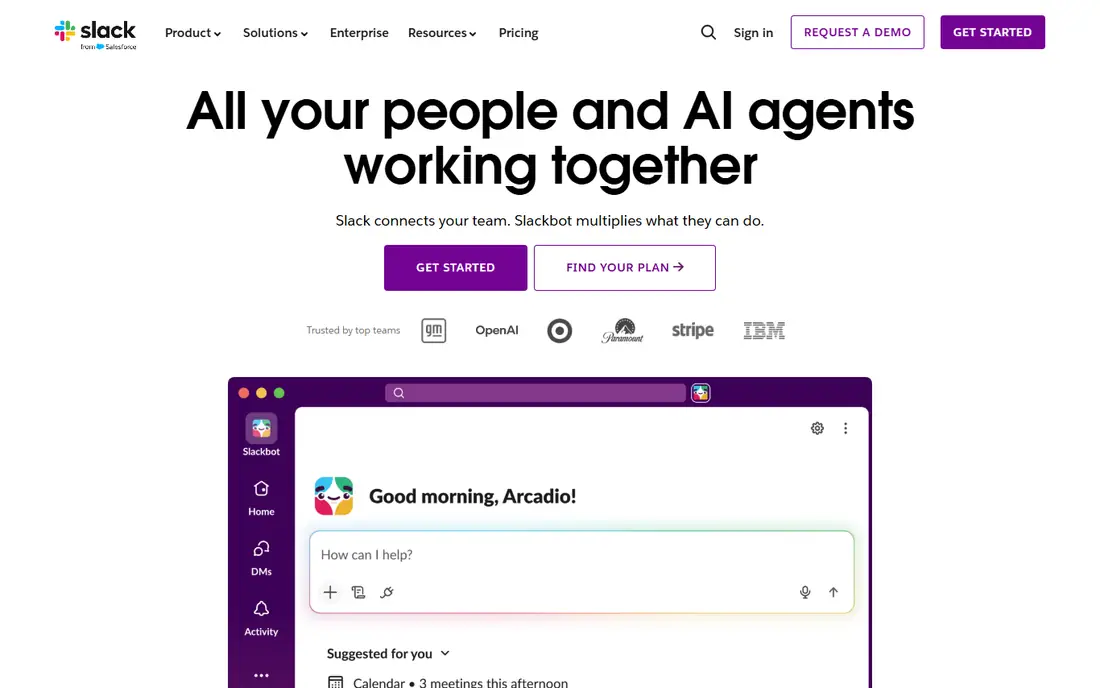
Slack is the natural move when a Discord server was really doing a job that belongs at work. Channels organize topics, threads keep side discussions from flooding a channel, and search actually finds decisions weeks later, which is the gap most often felt when leaving Discord. Huddles cover quick voice calls, canvases and lists hold lightweight project work, and integrations connect Google Drive, Asana, Zoom, and hundreds of other tools without a bot workaround.
The free plan covers core messaging, but only the most recent 90 days of history are visible, and data older than a year is deleted. Pro costs $7.25 per user per month billed annually, or $8.75 monthly, and adds unlimited history, unlimited apps, and group huddles. Business+ costs $15 per user per month billed annually and adds stronger admin, security, and AI features. Slack fits paid work teams far better than large free gaming communities, where per-user pricing becomes the main barrier.
What we like- Channels, threads, and search built for work
- Huge integration library
- Slack Connect for external partners
Watch out for- Free plan shows only 90 days of history
- Per-user pricing grows fast for large communities
#2Microsoft Teams
Best for: Microsoft 365 organizations4.4/5 on
G2 (19,330 reviews, checked Oct 2026)
Visit microsoft.com
Starting price$0
Free planYes
Microsoft Teams makes sense when an organization already lives in Outlook, OneDrive, and Office apps. Chat, channels, meetings, and file sharing sit in one app, and a document opened from a channel can be edited with colleagues without leaving Teams. The free version covers personal and small-group chat, meetings, and file sharing, while Microsoft 365 Personal at $9.99 per month or Family at $12.99 per month, and business plans on top of that, add the full Office suite and more storage.
The trade is feel. Teams is built for meetings, managed accounts, and structured organizations, not for public gaming servers, meme channels, or casual community bots. Navigation can feel heavy next to Discord, and setting up a relaxed community takes more admin work. For schools, companies, and clubs already on Microsoft accounts, that integration outweighs the loss of Discord-style informality.
What we like- Free chat, meetings, and file sharing
- Deep OneDrive and Office integration
- Strong admin controls
Watch out for- Heavier and more formal than Discord
- Community features such as bots and public servers are thinner
Starting price$0
Free planYes
Telegram is the best free alternative when the main need is reaching a lot of people, not running a complex server. Groups can hold up to 200,000 members, channels broadcast to unlimited subscribers, and messages sync instantly across phone, desktop, and web. Bots handle welcome messages, polls, moderation tasks, and content feeds, and media sharing has generous size limits compared with many messengers.
The limits matter for community builders. Telegram has no server structure with separate text channels, voice channels, roles, and categories in the Discord sense; a group is one conversation stream, plus topics in some setups. Voice chats exist, but they are not the always-on voice lobby that gamers expect from Discord. Telegram fits announcements, discussion groups, and fan communities best, while Guilded or Revolt below fit structured servers better.
What we like- Very large groups and broadcast channels
- Fast sync across devices
- Bots and stickers widely supported
Watch out for- No Discord-style server with many text and voice channels
- Group moderation tools are simpler
Starting price$0
Free planYes
Guilded is the most direct gaming replacement for Discord. Servers hold text and voice channels, forums, calendars, documents, and media, so a guild can run recruitment posts, event sign-ups, strategy guides, and raid planning without bolting on third-party tools. Voice channels support game sessions, and streaming and screen sharing cover watch parties and coaching. The layout will feel familiar to Discord users, which shortens the move for an existing community.
Guilded is free for core use, with no subscription required for basic servers, channels, and voice. The honest catch is network size: fewer players already have Guilded installed, so a community leader must persuade members to try a new app, and public discovery is smaller than Discord's. For a closed gaming group that values forums and calendars alongside chat, Guilded is the easiest like-for-like switch.
What we like- Closest Discord-style structure for gaming
- Forums, calendars, and docs built in
- Voice channels and streaming support
Watch out for- Smaller user base than Discord, so friends may need convincing
- Some features still feel less polished
#5Element
Best for: Open, federated chat4.2/5 on
G2 (43 reviews, checked Oct 2026)
Visit element.io
Starting price$0
Free planYes
Element is the app for people who want chat without a single company controlling the network. It runs on Matrix, an open standard for real-time communication, so different servers can federate and talk to each other, much like email providers exchange mail. Rooms, spaces, threads, voice and video calls, and file sharing cover the Discord basics, and end-to-end encryption is available for private conversations.
The Element apps themselves are free, and users can join the public Matrix network or host their own server, with paid hosting available from Element for teams that do not want to run infrastructure. The learning curve is real: choosing a homeserver, understanding federation, and finding rooms takes more effort than joining a Discord invite link. For privacy-focused groups, open-source projects, and organizations that need control over data, that effort buys independence no closed platform offers.
What we like- Built on the open Matrix standard
- End-to-end encryption available
- Self-hosting or hosted options
Watch out for- Setup and federation concepts take learning
- Public room discovery is weaker than Discord
Starting price$0
Free planYes
Mattermost is a self-hosted Slack-style workspace that also works as a Discord alternative for teams that want to own their data. Channels, threads, direct messages, file sharing, and integrations cover daily team chat, while playbooks guide incident response and repeatable workflows, which suits operations, engineering, and support teams. Search, retention, and permission controls are built for organizations that must keep records and limit access by team or role.
The open-source edition is free to self-host, with paid plans for larger deployments, compliance features, and support. That freedom has a cost in admin time: someone must install, update, back up, and secure the server. Mattermost is not a casual gaming server replacement, since its design, bots, and community tooling lean toward work. For a company, school, or club that wants Discord-style channels on its own infrastructure, it is a strong, proven choice.
What we like- Self-hosted open-source team chat
- Channels, threads, and playbooks
- Strong search and retention controls
Watch out for- Needs a server and admin time to self-host
- Community features are work-focused rather than gaming-focused
#7Rocket.Chat
Best for: Self-hosted community and team chat4.2/5 on
G2 (374 reviews, checked Oct 2026)
Visit rocket.chat
Starting price$0
Free planYes
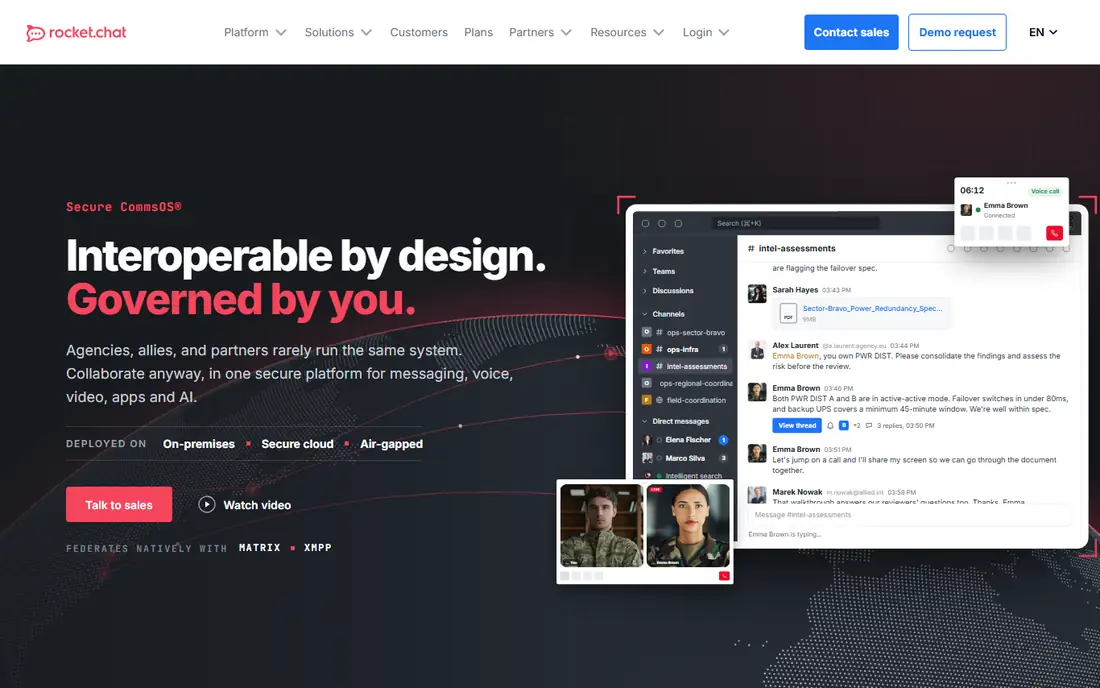
Rocket.Chat covers both work teams and communities from one platform. Channels, direct messages, threads, discussions, voice and video calls, and file sharing sit alongside an app marketplace and integrations, and the platform federates natively with Matrix and XMPP, so partner organizations on other systems can join conversations without switching tools. Deployment options include self-hosting, sovereign cloud, and air-gapped installs for regulated environments.
The community edition is free to self-host, with paid plans for enterprise features, support, and hosted service. As with Mattermost, the main cost for self-hosters is admin time rather than license fees, and the experience depends on how well the deployment is set up. Rocket.Chat suits organizations and larger communities that want a Discord-like channel structure with control over hosting, data location, and federation.
What we like- Self-hosted or cloud chat with channels and voice
- Matrix and XMPP federation
- Apps and integrations included
Watch out for- Self-hosting needs admin effort
- Interface and mobile experience vary by deployment
Starting price$0
Free planYes
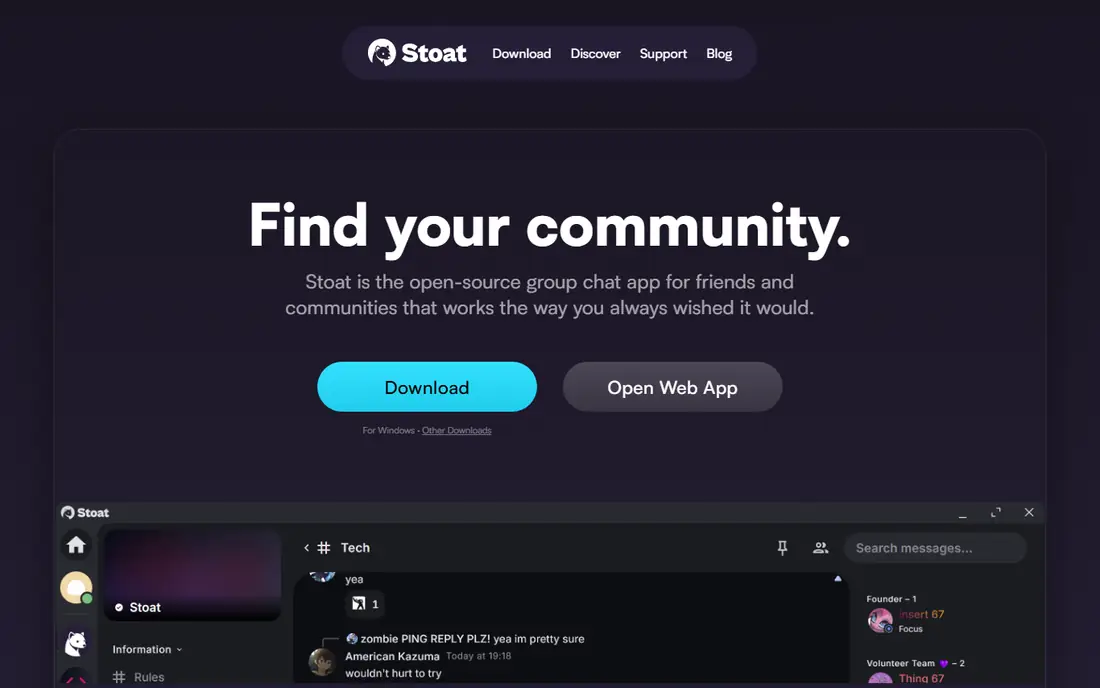
Revolt is the closest free, open-source clone of Discord's core model. Servers hold text and voice channels, roles and permissions manage who can do what, and bots, markdown, file sharing, and group direct messages cover everyday community use. There are no ads, no data selling, and no paywall for basics such as custom emojis, server profiles, or a 20 MB file upload limit, which contrasts with Discord's paid Nitro extras.
Revolt is free, and the server software can be self-hosted. One point of confusion to note: the project now presents itself under the name Stoat on its homepage, while revolt.chat remains the entry point, so new users should expect Stoat branding after signing up. The community and bot ecosystem are far smaller than Discord's, so a move requires bringing members along rather than relying on public discovery. For a free, independent Discord-style home, Revolt is the most faithful option here.
What we like- Discord-style servers, channels, and voice free
- Open source and self-hostable
- No ads or data selling
Watch out for- Smaller community and fewer bots than Discord
- The project now presents itself as Stoat, which may confuse new users
Starting price$0
Free planYes
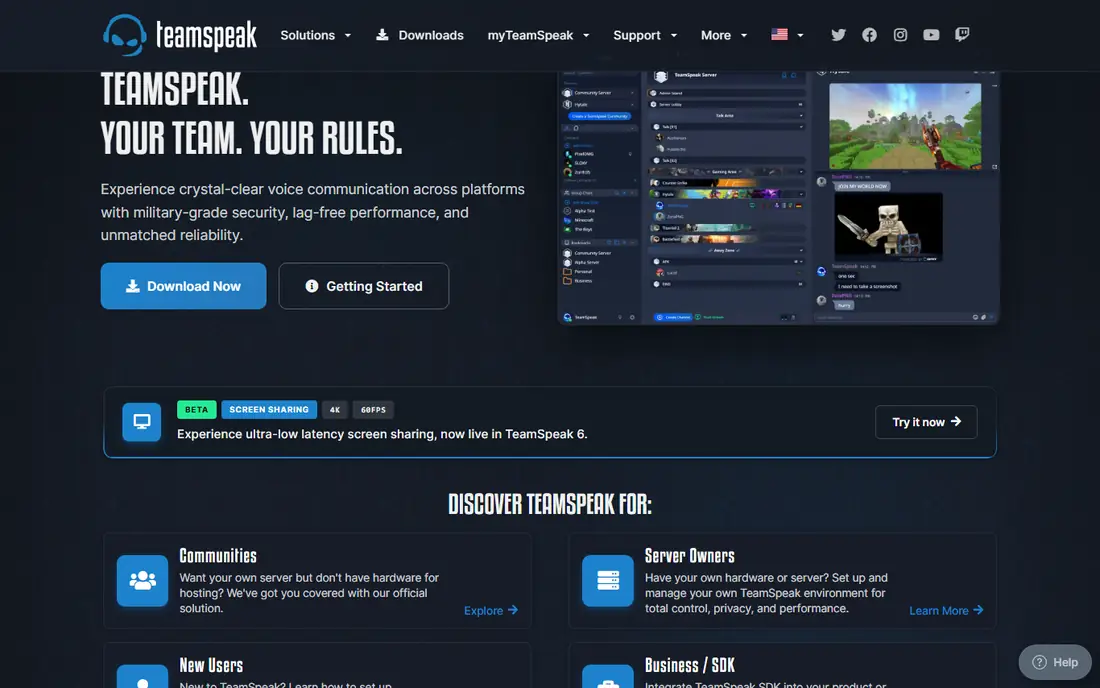
TeamSpeak is the voice-first alternative, and it has held that role for years for a reason. Voice quality is clear with low latency, servers can be self-hosted with detailed hierarchical permissions, and the client runs lightly even on older machines during long gaming sessions. Screen sharing, global text chat, direct messages, and file sharing cover the basics around voice, and mobile apps keep members connected away from a desk.
The trade is everything beyond voice. TeamSpeak has no Discord-style server discovery, rich embeds, large bot ecosystem, or polished community pages, and its interface looks dated next to Guilded or Revolt. The client is free, with self-hosted servers available for communities that want control. For a competitive team, clan, or group where voice clarity during play matters more than text features, TeamSpeak still earns its place.
What we like- Excellent voice quality with low latency
- Self-hosted servers and strong permissions
- Light on system resources
Watch out for- Text chat and community features are thinner than Discord
- Interface feels dated to new users
How we chose
Prices and plan details were checked against vendor pricing pages and current public pricing coverage in October 2026, and homepages for the tools above were opened to confirm they load and belong to the named product, except for Microsoft Teams, whose homepage fetch was rate-limited at the time of checking. Tools were included only when they exist today as real chat, community, or voice platforms that can plausibly replace Discord for at least one common use, covering work, gaming, large groups, and self-hosting. Public reviews on G2, Capterra, and Reddit were used to check recurring strengths and complaints, such as history limits, admin effort, and community size, rather than as a substitute for vendor pricing. No hands-on testing is claimed here; the comparison rests on published features, limits, and prices.
Choosing by what the server is actually for
Start with the primary activity. Work teams should shortlist Slack or Microsoft Teams, since search, integrations, and admin controls matter more than public discovery. Gaming communities should shortlist Guilded for a full server replacement, Revolt for a free open-source one, and TeamSpeak when voice quality is the top priority. Large public audiences should shortlist Telegram for reach, while privacy-focused groups should shortlist Element, Mattermost, or Rocket.Chat for control over hosting and data.
Moving a community without losing members
Announce the move early, run both platforms in parallel for two to four weeks, and move the most active channels first rather than everything at once. Pin a short guide with download links, server invites, and role explanations, and keep the old Discord server read-only for a month so late joiners find the new home. The most common reason a move fails is not features but friction: members who cannot find voice channels, roles, or rules in the first five minutes will drift back to the old server.
Costs and control to check before switching
Check four things before committing: message history limits on free plans, per-user pricing for paid work tools, whether self-hosting is realistic for the group's admin skills, and how member data can be exported if the platform changes again. Slack free hides history after 90 days, Teams and Telegram are free for core use, and self-hosted tools shift cost from licenses to admin time. A platform that fits the group's budget and skills will outlast one with a longer feature list.
Frequently asked questions
What is the best Discord alternative for gaming?
Guilded is the closest gaming replacement, with servers, voice, forums, calendars, and docs built for game communities. Revolt is the best free open-source gaming server option, while TeamSpeak is best when voice quality and low latency matter most. The right pick depends on whether the group values full community features, cost, or voice performance.
What is the best free Discord alternative?
Revolt, Guilded, Telegram, Element, and TeamSpeak all offer core chat or voice free, with no subscription required for basic servers or groups. Element, Mattermost, and Rocket.Chat also offer free self-hosted editions. Free work tools have limits, such as Slack's 90-day history window, so check those limits before choosing for a long-lived community.
Can I self-host a Discord alternative?
Yes. Element on Matrix, Mattermost, Rocket.Chat, Revolt, and TeamSpeak all support self-hosting, giving a community control over data, permissions, and uptime. Self-hosting needs a server, regular updates, and backups, so it suits groups with at least one willing admin. Hosted versions exist for teams that want control without running infrastructure.
Is Slack a good Discord alternative?
Slack is a good alternative for work teams, with channels, threads, search, integrations, and external collaboration through Slack Connect. It is a weaker fit for large free gaming communities, because Pro pricing is per user and the free plan limits visible history to 90 days. Choose Slack when the server is really a workplace, not a public hangout.
What happened to Discord alternatives for large servers?
Large public communities still work well on Telegram for groups and channels, and on Guilded or Revolt for structured servers. The challenge for any alternative is network size: Discord's large existing user base makes discovery easier, so a move usually needs an announcement period, parallel running, and clear invite links to carry members across.
Do Discord alternatives support bots and voice chat?
Yes, with variation. Guilded, Revolt, Telegram, Element, Mattermost, and Rocket.Chat all support bots or integrations, and voice chat is available on Guilded, Revolt, TeamSpeak, Slack huddles, Teams meetings, and Element calls. Check the specific bot library and voice features for the chosen platform, since gaming bots and music bots do not transfer automatically from Discord.
Sources we checked (9)
- https://slack.com/pricing
- https://www.microsoft.com/en-us/microsoft-teams
- https://telegram.org
- https://www.guilded.gg
- https://element.io
- https://mattermost.com
- https://www.rocket.chat
- https://revolt.chat
- https://www.teamspeak.com
Is your product missing or out of date?
We review this list regularly. Vendors can request a listing, send updated pricing or ask about featured placement.

Shihab Mia · Founder, Rankite
Shihab has 5+ years in B2B and SaaS SEO. He writes Rankite's software buying guides from pricing pages, documentation and public user reviews. More about Shihab.