How we make this list: we compare pricing pages, product documentation and public user reviews. Rankite is independent; if a vendor ever pays for a featured spot, that listing is clearly labeled Partner.
Key takeaways
- The default pick for novelists: Scrivener ($59.99 one-time) for drafting and organizing, paired with Atticus ($147 one-time) for clean ebook and print formatting.
- Screenwriters should skip the generalists and buy Final Draft ($249.99 one-time), the format standard that producers and contests expect.
- Ulysses ($39.99/year) suits Mac and iOS writers who want a clean, distraction-free desk; Reedsy Studio is free and fine for a first novel draft.
- Free tiers exist at Reedsy and Novlr, but every free plan here has a ceiling: export, formatting or collaboration limits that push serious authors to a paid plan.
Quick comparison
| Tool | Best for | Starting price | Free plan |
|---|
 Scrivener Scrivener | Novelists who outline, research and draft in one project | $59.99 one-time (Standard license) | No |
 Atticus Atticus | Authors who format their own ebooks and print books | $147 one-time | No |
 Ulysses Ulysses | Mac and iOS writers who want a clean writing desk | $39.99/year (annual subscription) | No |
 Final Draft Final Draft | Screenwriters and anyone writing to industry format | $249.99 one-time | Free trial (30 days) |
 Dabble Dabble | Plot-first writers who want cloud sync everywhere | $10/month (Standard) | Free trial (14 days) |
 Novlr Novlr | New writers who want to start free in the browser | See website | Yes |
 Reedsy Studio Reedsy Studio | First-time novelists on a zero budget | Free | Yes |
 LivingWriter LivingWriter | Outliners who think in beats, scenes and story arcs | See website | Free trial |
Is your product missing or out of date?
We review this list regularly. Vendors can request a listing, send updated pricing or ask about featured placement.
The best writing software for authors
A novel is 80,000 words, dozens of scenes and months of revisions. A word processor treats it like a memo. The tools below treat a book like a project: chapters that rearrange, research that stays attached, and exports that come out formatted for Kindle or print.
Starting price$59.99 one-time (Standard license)
Free planNo
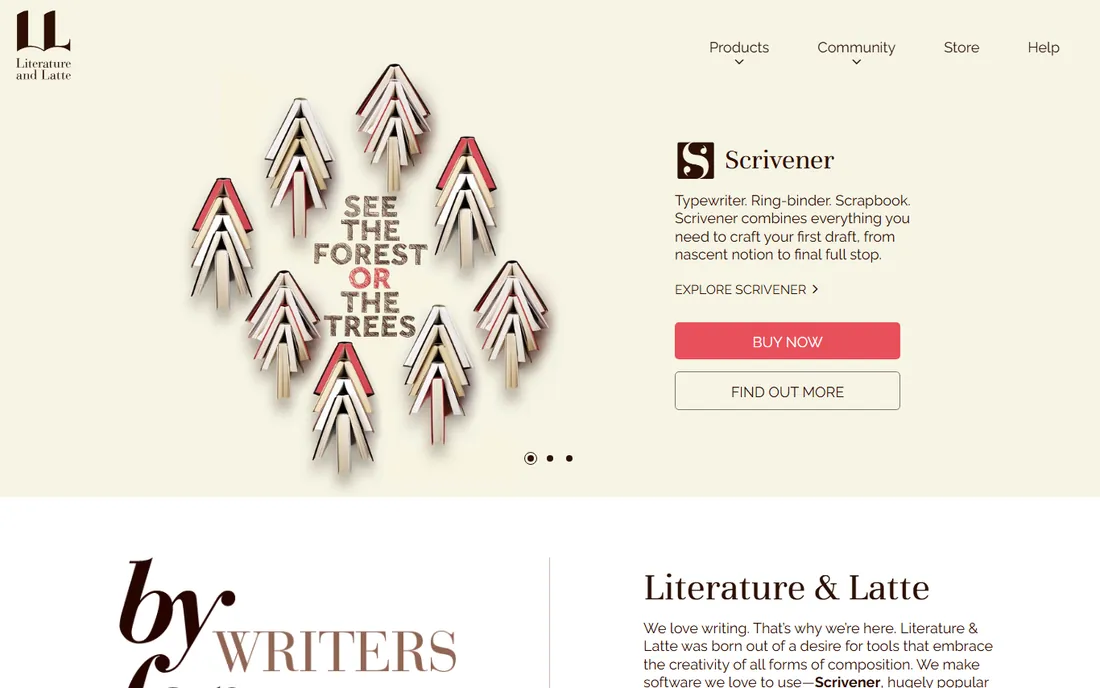
Scrivener is the workhorse of the fiction world for a reason. Each scene is a separate document you can drag between chapters, and the corkboard view shows your synopses as index cards. Research PDFs, images and web links sit in the same project binder as the draft, so nothing lives in a separate folder you forget about. For a 90,000-word novel with tangled timelines, that structure is worth more than any word count chart.
The honest catch is the learning curve. Scrivener exposes everything at once: compile settings, styles, metadata, collections. New users should budget a weekend of tutorials before it feels natural. Mobile support is iOS-only, and keeping desktop and iOS in sync means configuring Dropbox yourself. If you want software that disappears, this is not it. If you want software that holds a whole novel without breaking, it is.
What we like- Corkboard and outliner views make restructuring a novel fast
- Research files, notes and drafts live in one project
- Compiles to ebook, PDF and manuscript formats with control over the output
Watch out for- The interface looks dated and the learning curve is real
- Syncing between devices relies on Dropbox or iCloud rather than a built-in cloud
#2
Atticus
Best for: Authors who format their own ebooks and print books
Visit atticus.io
Starting price$147 one-time
Free planNo
Atticus exists to solve one expensive problem: paying a formatter $300 to $800 every time you publish. Its themes generate EPUB and print-ready PDFs with proper chapter headings, drop caps and front matter, and the one-time $147 price pays for itself on the first book. Unlike the old desktop formatters it replaces, it also works as a writing app, so you can draft, edit and format in one place.
The trade-off is ceiling, not floor. Theme options are a curated set, so authors who want bespoke typography will still hire a designer. There is no track-changes workflow, so editor feedback arrives in a separate document you reconcile by hand. For self-published authors who release regularly, though, the math is simple: one book pays for it, everything after is free.
What we like- One-time price covers unlimited books on Mac and Windows
- Theme-based formatting produces genuinely clean EPUBs and print PDFs
- Doubles as a capable writing app for drafting
Watch out for- No collaboration features for co-authors or editors
- Theme customization is limited next to a professional typesetter
#3
Ulysses
Best for: Mac and iOS writers who want a clean writing desk
Visit ulysses.app
Starting price$39.99/year (annual subscription)
Free planNo
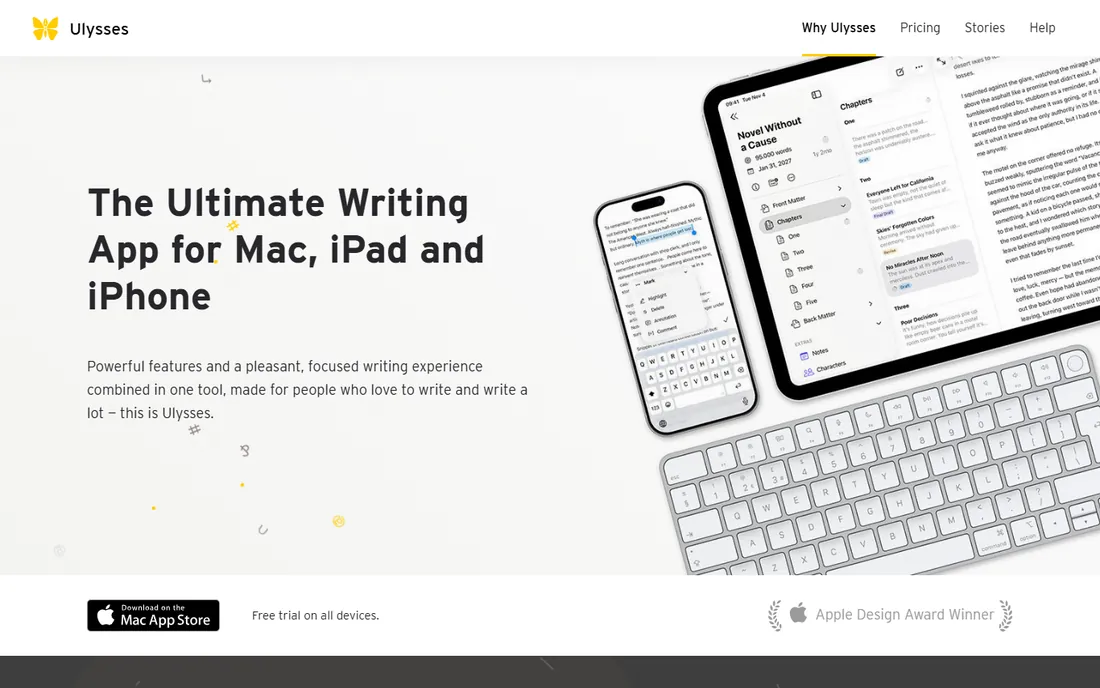
Ulysses is the quietest desk in this list. A three-pane layout holds your library, your manuscript and your editor, and Markdown keeps formatting out of your way while you write. Publishing targets cover ebook, PDF, HTML and Word, and the built-in proofing tools catch the small errors that survive spellcheck. Writers who bounce between a MacBook and an iPad get smooth handoff through iCloud.
The honest catch is the subscription and the platform lock. At $39.99 per year forever, Ulysses eventually costs more than Scrivener's one-time license, and there is no Windows version to switch to later. It also lacks Scrivener's research binder and corkboard, so plot-heavy novelists may outgrow it. Buy it for the writing experience, not the project management.
What we like- Distraction-free editor with Markdown that exports to ebook, PDF and Word
- Library organizes everything from blog posts to full manuscripts
- Native sync across Mac, iPad and iPhone
Watch out for- No Windows or Android version at all
- Subscription-only, so the cost never ends
Starting price$249.99 one-time
Free planFree trial (30 days)
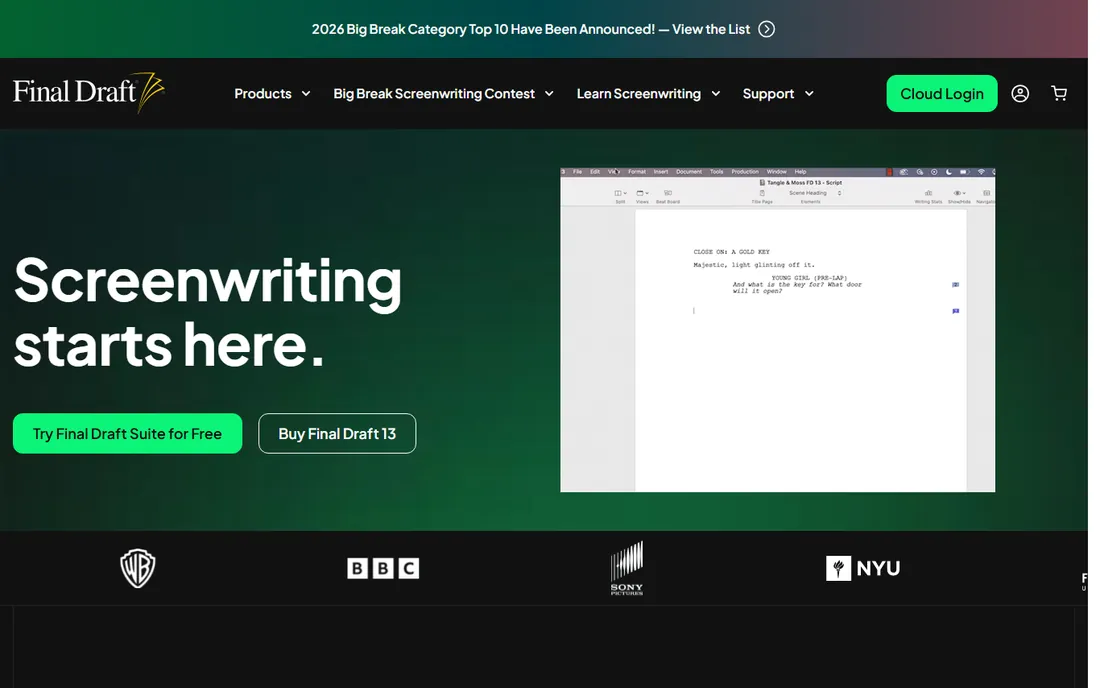
Final Draft is not a choice so much as a requirement for screenwriters. Its pagination and formatting match the industry standard exactly, which matters because readers, producers and contests reject scripts that do not. The Beat Board gives you a visual planning space for acts and sequences, and real-time collaboration lets writing partners work on the same script with change tracking. Version 13 added night mode and a redesigned navigator, but the core value is the same: a script that looks right everywhere.
The catch is that prose authors should not be here. At $249.99, Final Draft costs more than Scrivener and Atticus combined, and its novel-writing tools are an afterthought. It is also a mature product: owners of recent versions gain little from upgrading. If you write screenplays, budget for it. If you write novels, close the tab.
What we like- Industry-standard screenplay formatting that producers, agents and contests expect
- Beat Board and Story Map for structuring acts and sequences
- Collaboration tools for co-writers with tracked changes
Watch out for- Priced for professionals, overkill for prose authors
- The feature set has barely changed between recent versions, so upgrades feel optional
Starting price$10/month (Standard)
Free planFree trial (14 days)
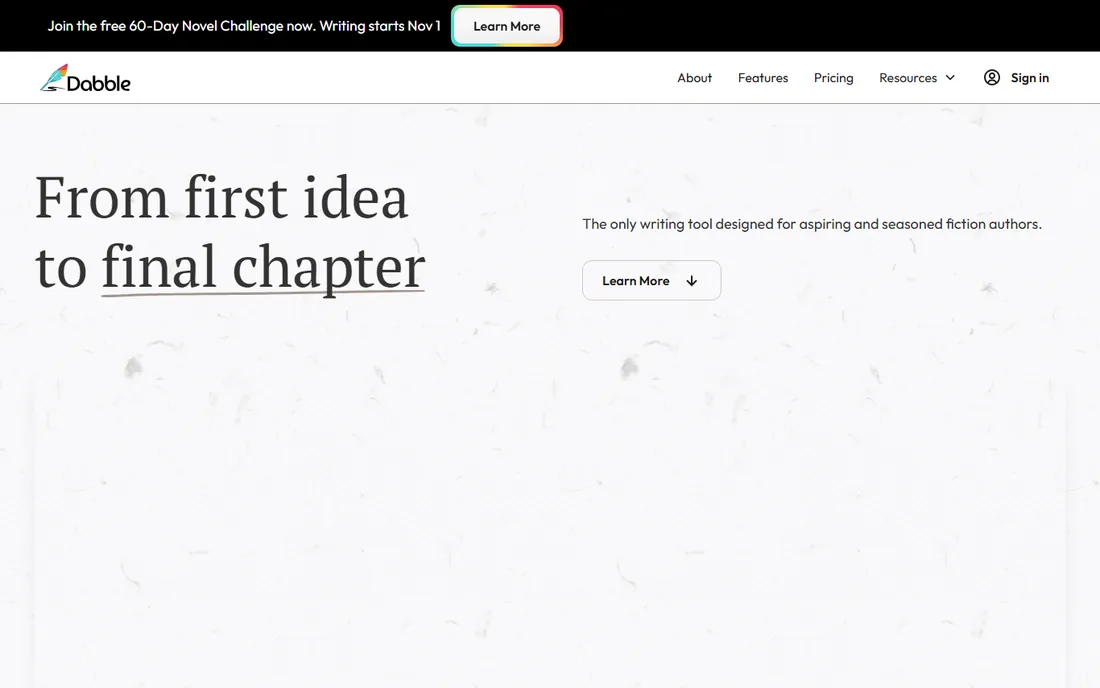
Dabble is built for writers who plan before they type. Its plotting view links scenes to plot lines, so you can see where each subplot lands across the manuscript, and the writing goals panel tracks daily word counts against a deadline. Everything syncs through the cloud automatically, so the draft on your phone matches the draft on your laptop without a sync service in between.
The honest catch is the subscription math. At $10 per month for Standard, two years of Dabble costs more than Scrivener and Atticus combined, and the Premium tier doubles it. The editor itself is deliberately simple, closer to Google Docs than to a pro writing desk. Plot-heavy writers who live in the browser may find that trade fair. Everyone else should do the two-year math first.
What we like- Plotting, writing and goal tracking in one cloud app
- Automatic cloud sync across every device with offline mode
- Clean manuscript formatting and NaNoWriMo-friendly word count tools
Watch out for- Monthly pricing adds up fast against one-time competitors
- The editor is simpler than Scrivener or Ulysses, with fewer power features
#6
Novlr
Best for: New writers who want to start free in the browser
Visit novlr.org
Starting priceSee website
Free planYes
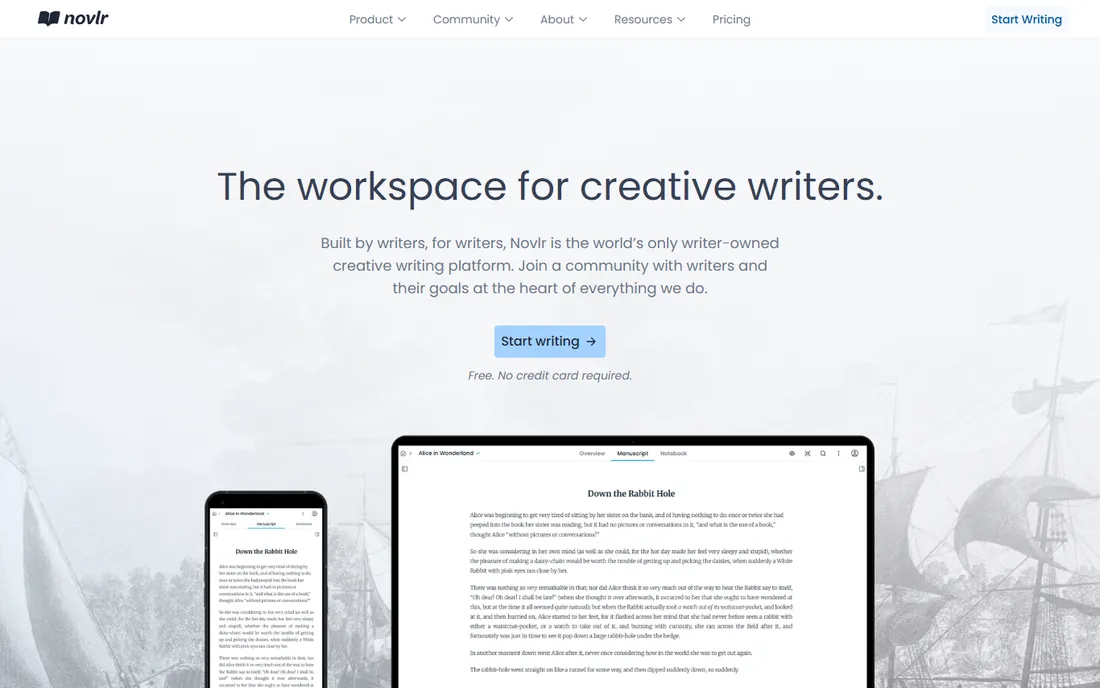
Novlr is the lowest-friction way to start a novel. The free tier gives you a proper writing app in the browser: chapters, notes, word count goals and streak tracking, with no install and no credit card. The editor stays out of the way, and the writing analytics show your pace across the week, which is genuinely motivating during a first draft. For a new writer testing whether they will finish a book, free is the right price.
The ceiling arrives when you get serious. Publishing features, deeper analytics and priority support live on paid plans, and the company is small enough that feature requests move slowly. Export options are narrower than Scrivener's compile system. Start here for free, and move up when the book demands more than a draft.
What we like- Genuinely free tier for getting a first draft down
- Clean browser-based editor with chapter organization
- Writing streaks and analytics for motivation
Watch out for- Advanced features (advanced analytics, publishing tools) sit behind paid tiers
- Smaller company, so the roadmap moves slower than the big names
#7
Reedsy Studio
Best for: First-time novelists on a zero budget
Visit reedsy.com
Starting priceFree
Free planYes

Reedsy Studio is the rare free tool with no catch in the fine print. It is a full writing app with chapter management, and its export engine produces EPUBs and print-ready PDFs that look professional, the same pipeline Reedsy's marketplace designers respect. Because Reedsy runs a marketplace of editors, cover designers and marketers, the app quietly connects your finished draft to the people who can publish it.
The trade-off is depth. Reedsy Studio does not have Scrivener's research binder, Dabble's plotting board or Ulysses' polish; it is a writing and typesetting app, not a project system. And the free price is subsidized by the marketplace, so the app will suggest hiring a Reedsy editor at the end. For a first novel on a zero budget, those are easy terms to accept.
What we like- Completely free with no word limits
- Exports professional EPUB and print-ready PDF files
- Built by the Reedsy marketplace team, so the path to hiring editors and designers is built in
Watch out for- Fewer drafting and plotting tools than paid competitors
- The business model is the marketplace, so expect prompts to hire freelancers
Starting priceSee website
Free planFree trial
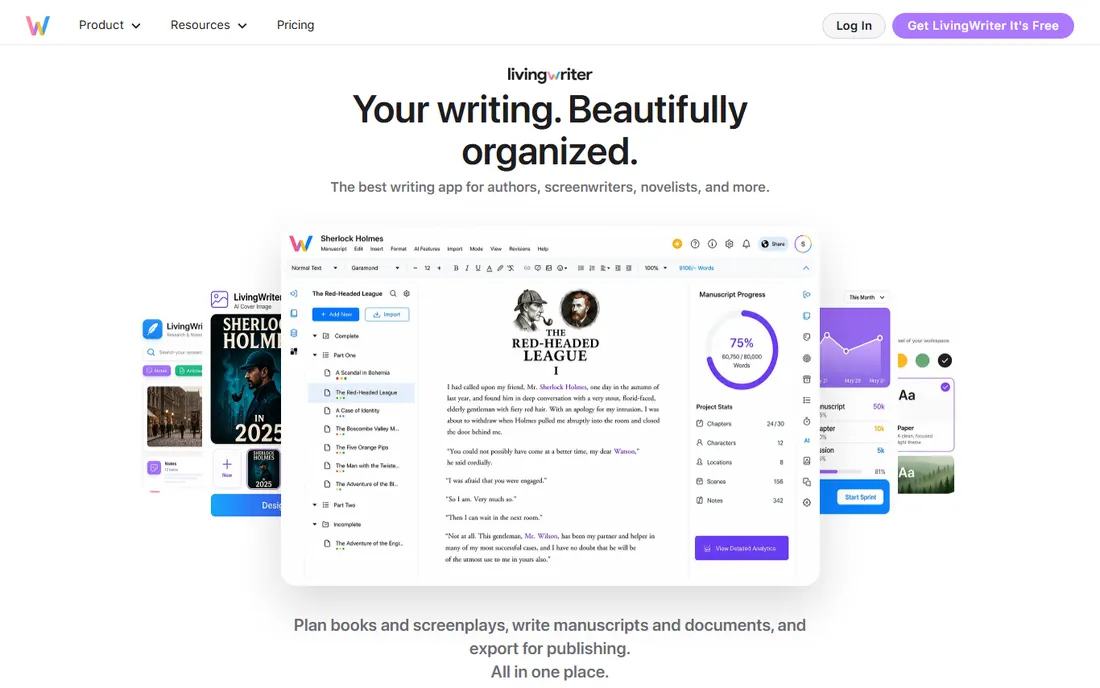
LivingWriter organizes fiction the way novelists think about it. Characters, locations and items are story elements you create once and reference from any scene, so your cast list and your draft stay connected. Outline templates cover structures from three-act to the hero's journey, and the board view shows your scenes as cards. For writers who plan deeply before drafting, it lands between Scrivener's power and Dabble's simplicity.
The honest catch is pricing stability: the plans and prices have shifted over the years, so verify the current page before committing. With every panel open the interface can feel crowded, though it tidies up quickly. Try the trial with a real chapter before deciding; the story-element system either clicks for you or it does not.
What we like- Story elements (characters, settings, items) link directly to scenes
- Templates for common structures like the hero's journey
- Cloud-based with apps across devices
Watch out for- Pricing has changed more than once, so check the current page
- The interface can feel busy with every panel open
What to check before you pay
Start with your actual workflow, not the feature list. If you outline heavily, prioritize the corkboard and plotting tools in Scrivener, Dabble or LivingWriter. If you pants your drafts, prioritize the editor you will stare at for months: Ulysses or Novlr. If you publish yourself, budget for formatting separately or buy Atticus and own it forever.
Then check the export. Every tool here claims ebook export; the quality gap between Atticus or Reedsy Studio and a generic Word-to-Kindle conversion is visible on the page. Download a sample chapter from each finalist and open it in the Kindle app before you commit to a full manuscript.
Finally, do the two-year math on subscriptions. Scrivener ($59.99 once), Atticus ($147 once) and Final Draft ($249.99 once) never bill you again. Ulysses ($39.99/year), Dabble ($10/month) and similar subscriptions quietly pass those totals in year two or three. A one-time tool you use for five books beats a subscription you resent by book two.
Authors routinely buy a drafting tool and then pay a formatter $300 to $800 per book because the export looks amateur. The fix is to separate the two jobs in your budget. Draft in whatever keeps you writing: Scrivener, Ulysses, Dabble, Novlr. Format in a tool built for it: Atticus once, or Reedsy Studio for free. The combined one-time cost is under $210 and covers every book you will ever publish.
Screenwriters face a different trap: sending a script formatted in Word or Google Docs. Readers notice in seconds, and contests reject non-standard formatting outright. If you write screenplays, Final Draft is not a luxury; it is the cost of entry. Everyone else should skip it entirely.
How we chose
We started with the searches authors actually run: novel writing software, Scrivener alternatives, book writing app and screenwriting software. For each candidate we checked the vendor's own pricing page, confirmed the product is current and maintained, and compared drafting, organizing and export features against public reviews on G2, Capterra and writer communities on Reddit. Where a price could not be verified on the vendor's page, we wrote "See website" rather than guessing.
Frequently asked questions
Do I need special software to write a novel, or is Word enough?
Word works for a short draft, but novels break it: chapters that rearrange, research that stays attached and 80,000-word files that slow down. Dedicated tools like Scrivener or Dabble treat the book as a project with movable scenes, which pays off in revision. If you are writing your first 20,000 words, any editor works; past that, the structure matters.
What is the cheapest way to write and publish a book?
Reedsy Studio is free and exports professional EPUB and print-ready PDFs, so the honest answer is zero dollars. Pair it with free cover and editing resources and you can publish without spending. The paid upgrade path is Atticus ($147 one-time) when you want more formatting control.
Scrivener vs. Atticus: which should I buy first?
Buy Scrivener first if you have not finished the draft; its organizing tools help you write the book. Buy Atticus first if the manuscript is done and you are publishing; formatting is your bottleneck. Most self-published authors end up owning both, since drafting and formatting are different jobs.
Is Final Draft worth it for beginners?
Only if you are writing screenplays seriously. The $249.99 price is the industry standard tax: producers, agents and contests expect Final Draft formatting. For learning screenplay format, free options exist, but your first professional submission should come from Final Draft.
Can I write a novel on my phone?
Yes, with limits. Ulysses (iOS), Dabble and Novlr all work on phones for drafting scenes on the go. Scrivener's mobile app is iOS-only. Phones are fine for capturing words; do your organizing and formatting on a larger screen.
How do authors format books for Kindle?
The reliable routes are Atticus ($147 one-time), Reedsy Studio (free) or Kindle Create (Amazon's free tool). All three produce valid EPUBs with proper chapter navigation. What fails is exporting from Word and uploading the raw file: the formatting breaks on real devices.
Sources we checked (10)
- https://www.literatureandlatte.com/scrivener/overview
- https://www.atticus.io/pricing
- https://ulysses.app/pricing
- https://www.finaldraft.com/learn/pricing/
- https://www.dabblewriter.com/pricing
- https://www.novlr.org/pricing
- https://reedsy.com/write-a-book
- https://www.livingwriter.com/pricing
- https://www.g2.com/categories/writing
- https://www.capterra.com/writing-software/
Is your product missing or out of date?
We review this list regularly. Vendors can request a listing, send updated pricing or ask about featured placement.

Shihab Mia · Founder, Rankite
Shihab has spent more than a decade helping SaaS and e-commerce brands grow through search. He writes Rankite's software buying guides from pricing pages, documentation and public user reviews. More about Shihab.