How we make this list: we compare pricing pages, product documentation and public user reviews. Rankite is independent; if a vendor ever pays for a featured spot, that listing is clearly labeled Partner.
Key takeaways
- The category splits in two: people analytics platforms (Visier, One Model, ChartHop, Workday, SAP SuccessFactors) that analyze HR data, and productivity analytics tools (ActivTrak, Teramind, Prodoscore, Time Doctor, Hubstaff) that measure how work happens.
- Published prices cluster at the productivity end: ActivTrak from $10/user/month, Teramind from $15/user/month, Prodoscore from $19.99/user/month, Time Doctor from $6.67/user/month, Hubstaff from $7/user/month.
- The enterprise people analytics vendors publish no prices: Visier, One Model, ChartHop, Workday and SAP SuccessFactors are all custom-quote.
- Free options exist at the productivity end: ActivTrak has a free plan for up to 3 users, and Hubstaff has a free plan for a single user.
Quick comparison
| Tool | Best for | Starting price | Free plan |
|---|
 Visier Visier | Enterprises that want the deepest people analytics platform | See website (custom quote, enterprise pricing) | No (no free trial advertised) |
 One Model One Model | Companies whose workforce data is scattered across systems | See website (custom quote) | No (no free trial advertised) |
 ChartHop ChartHop | Visual org analytics, headcount planning and scenario modeling | See website (per-employee-per-month pricing, modular) | No (no free trial advertised) |
 Workday Workday | Organizations already running Workday HCM | See website (custom quote, bundled with Workday licensing) | No (no free trial advertised) |
 SAP SuccessFactors SAP SuccessFactors | SAP HCM customers that need analytics on SuccessFactors data | See website (custom quote, module licensing) | No (no free trial advertised) |
 ActivTrak ActivTrak | Teams that want productivity analytics with a real free tier | $10/user/month (Essentials plan, billed annually) | Yes (free for up to 3 users) |
 Teramind Teramind | Regulated industries that need monitoring plus DLP | $15/user/month (Starter plan, monthly billing) | No (7-day free trial on cloud, 14-day on-premises) |
 Prodoscore Prodoscore | Leaders who want one productivity score per employee | $19.99/user/month (Basic package) | No (no free trial advertised) |
 Time Doctor Time Doctor | Remote teams that need time tracking with productivity analytics | $6.67/user/month (Basic plan, billed annually) | No (14-day free trial, no credit card required) |
 Hubstaff Hubstaff | Field and remote teams that need time tracking plus analytics | $7/user/month (Starter plan, monthly billing) | Yes (free plan for a single user) |
Is your product missing or out of date?
We review this list regularly. Vendors can request a listing, send updated pricing or ask about featured placement.
Why workforce analytics splits into two different products
Ask three vendors what "workforce analytics" means and you will get three answers. The first group analyzes your HR data: headcount, turnover, compensation, engagement, hiring pipelines. Visier, One Model, ChartHop, Workday and SAP SuccessFactors live here. The second group measures how work actually happens: app usage, focus time, productivity patterns, burnout signals. ActivTrak, Teramind, Prodoscore, Time Doctor and Hubstaff live there. Many buyers need one side more than the other, so these ten tools are grouped accordingly.
#1
Visier
Best for: Enterprises that want the deepest people analytics platform
Visit visier.com
Starting priceSee website (custom quote, enterprise pricing)
Free planNo (no free trial advertised)
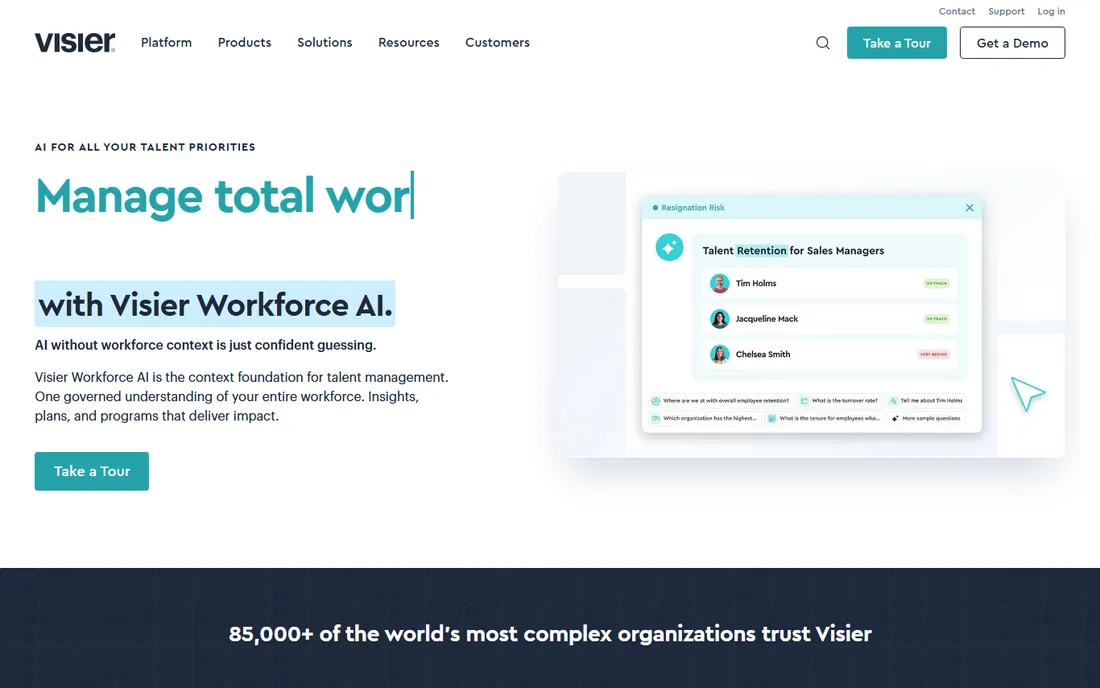
Visier is the reference product in people analytics. It sits on top of your HRIS, ATS, payroll and engagement systems, maps the data into a workforce semantic model, and ships with hundreds of pre-built metrics: turnover drivers, retention risk, compensation equity, hiring quality, span of control. The benchmark dataset, drawn from thousands of enterprises rather than surveys, is the feature competitors cannot copy.
The honest catch is the buy-in. Pricing is custom and enterprise-grade, implementations run months, and the platform expects a real people-analytics function on your side to use it well. Companies under 500 employees rarely clear the value bar. For large organizations where a 1 percent improvement in retention is worth six figures, Visier is the default shortlist. For everyone else, ChartHop or One Model may fit better.
What we like- Purpose-built for HR with a pre-built metrics library and benchmark data from thousands of enterprises
- Vee AI assistant answers workforce questions in plain language
- Strong predictive modeling for turnover and workforce planning
Watch out for- Enterprise pricing with no published numbers
- Implementation needs data work to unify HR systems
- Overbuilt for companies under a few hundred employees
#2
One Model
Best for: Companies whose workforce data is scattered across systems
Visit onemodel.co
Starting priceSee website (custom quote)
Free planNo (no free trial advertised)
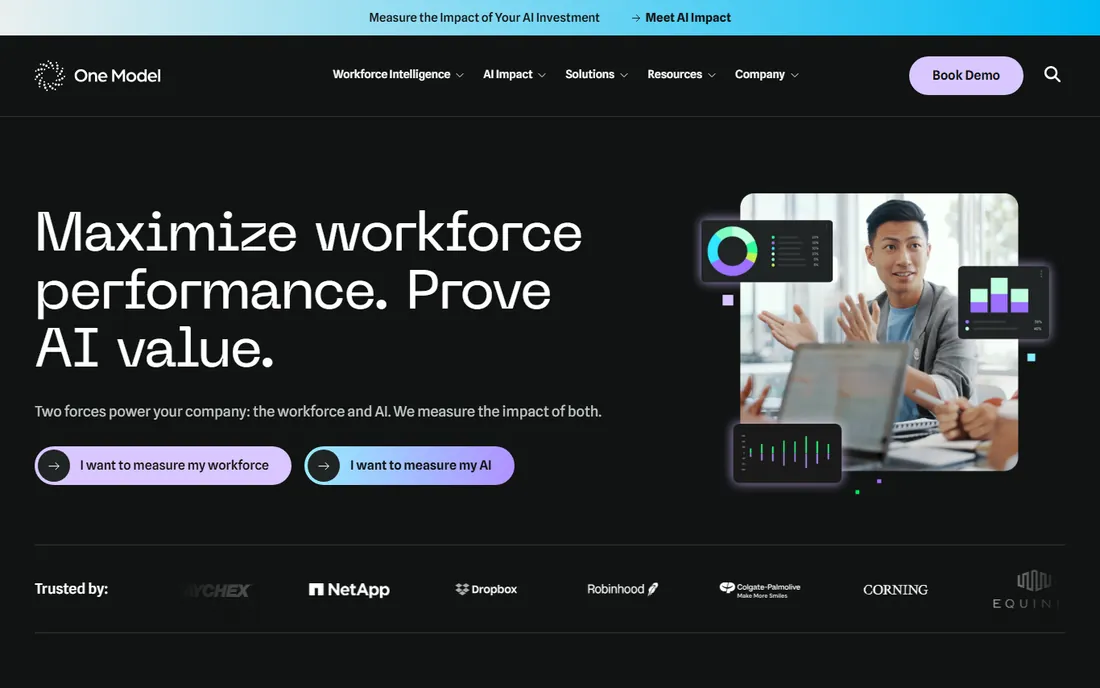
One Model built its reputation on the unglamorous problem: workforce data lives in ten systems and nobody agrees on the numbers. Its People Data Cloud pulls HRIS, ATS, payroll, engagement, performance and finance data into a single governed model, then layers analytics, storyboards and predictive models on top. The storyboard format is the differentiator: instead of dashboards that executives ignore, One Model packages findings as narratives with context and recommended actions.
The honest catch is that data orchestration is only as good as the sources. Messy HRIS data, inconsistent job codes and duplicate records will surface as problems during implementation, which is healthy but takes time. Pricing is quote-based and sits in the enterprise tier. For companies serious about governing people data as a real data product, One Model is a strong Visier alternative with a more modern feel.
What we like- Data orchestration that unifies HRIS, ATS, payroll, engagement and finance data into one governed model
- Storyboards turn metrics into narratives for executives
- Transparent forecasting for attrition, hiring and workforce cost
Watch out for- Custom pricing with no published numbers
- Smaller vendor than Visier with a narrower analyst footprint
- Requires clean source data to deliver its best work
#3
ChartHop
Best for: Visual org analytics, headcount planning and scenario modeling
Visit charthop.com
Starting priceSee website (per-employee-per-month pricing, modular)
Free planNo (no free trial advertised)
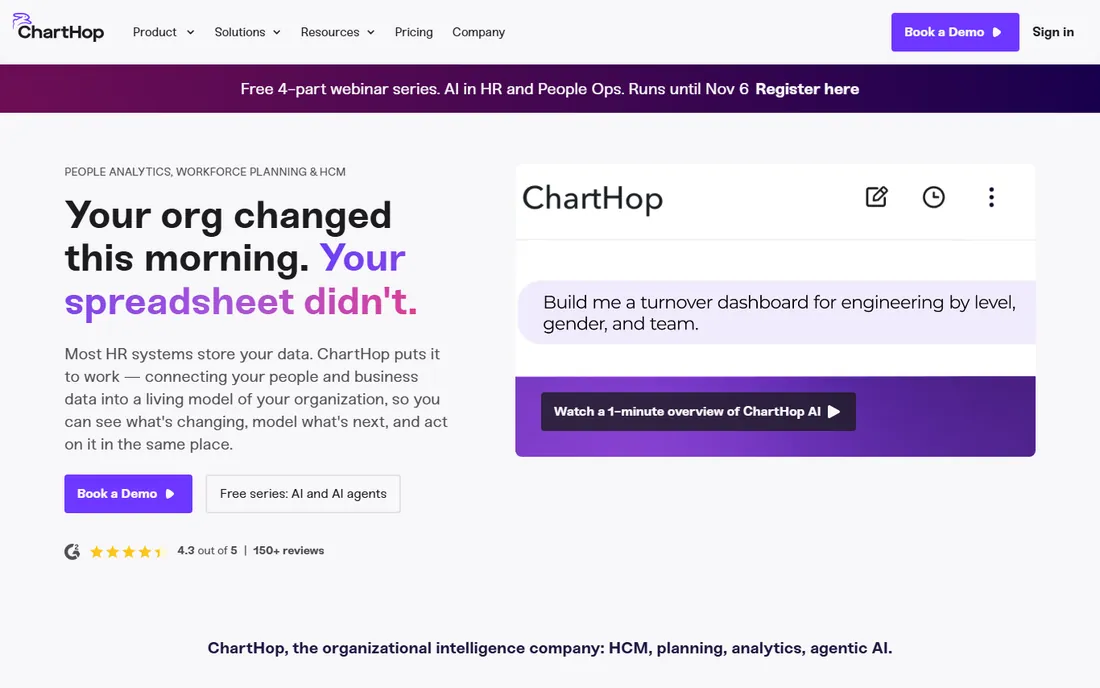
ChartHop calls its category "organizational intelligence": a living model of the whole organization that connects people, work, finance and operations. In practice, buyers get three things: a beautiful org chart that is always current, headcount planning with scenario modeling and real-time budget impact, and analytics that leaders can query in plain English. Most teams see live data visualized within weeks, not months.
The honest catch is pricing opacity despite the transparent model. ChartHop says it charges a per-employee-per-month base fee for only the modules you use, but publishes no actual number, so every buyer still talks to sales. For predictive modeling depth, Visier and One Model have the edge. But for headcount planning, org design and giving executives a current picture of the company, ChartHop is the most approachable of the enterprise trio and the fastest to value.
What we like- Living org model that visualizes people, cost and output together
- Headcount scenario planning with real-time budget impact
- 100-plus integrations and no rip-and-replace requirement
Watch out for- No published per-employee price, only the pricing model
- Analytics depth for complex predictive use cases trails Visier
- The platform keeps expanding, so module boundaries shift
Starting priceSee website (custom quote, bundled with Workday licensing)
Free planNo (no free trial advertised)
Workday's people analytics story is simple: if your HR data already lives in Workday, analyze it there. People Analytics delivers pre-built dashboards and metrics, while Prism Analytics adds data preparation, discovery boards and the ability to blend Workday data with external sources. Security follows the same model as the rest of Workday, which compliance teams appreciate.
The honest catch is that nobody buys Workday for analytics alone. This is a platform module inside one of the most expensive HCM contracts in the market, and its analytics depth trails Visier's specialist platform. Teams on Workday should absolutely use what they have before buying a third party. Teams not on Workday should not consider Workday as an analytics purchase; the specialists above are the comparison set.
What we like- Native analytics on your Workday HR and finance data with no integration work
- Prism Analytics handles complex data prep and discovery boards
- Unified security model across HR and analytics
Watch out for- Only available to Workday customers
- Analytics capabilities trail best-of-breed specialists
- The total contract cost makes standalone comparison difficult
#5
SAP SuccessFactors
Best for: SAP HCM customers that need analytics on SuccessFactors data
Visit sap.com
Starting priceSee website (custom quote, module licensing)
Free planNo (no free trial advertised)
SAP SuccessFactors Workforce Analytics is the enterprise pick for the SAP installed base. It offers deep metrics cubes, headcount movement analysis, workforce planning and benchmarking, all wired into SuccessFactors Employee Central data. For organizations standardized on SAP, the data residency and governance story is strong.
The honest catch is complexity. Enabling and configuring Workforce Analytics is a known consultant-heavy exercise, and practitioners report OLAP configuration and permission issues that take SAP expertise to resolve. The interface feels a generation behind Visier and ChartHop. SAP shops should evaluate it against bolting on a specialist; everyone else should ignore it. Like Workday, this is a platform play, not a standalone analytics purchase.
What we like- Workforce Analytics and Planning run natively on SuccessFactors data
- Deep OLAP-style metrics cubes for complex headcount analysis
- Integrates with SAP's broader analytics stack including SAP Analytics Cloud
Watch out for- Module licensing on top of the SuccessFactors contract
- Configuration complexity that typically needs consultants
- Dated interface compared with modern analytics tools
#6
ActivTrak
Best for: Teams that want productivity analytics with a real free tier
Visit activtrak.com
Starting price$10/user/month (Essentials plan, billed annually)
Free planYes (free for up to 3 users)
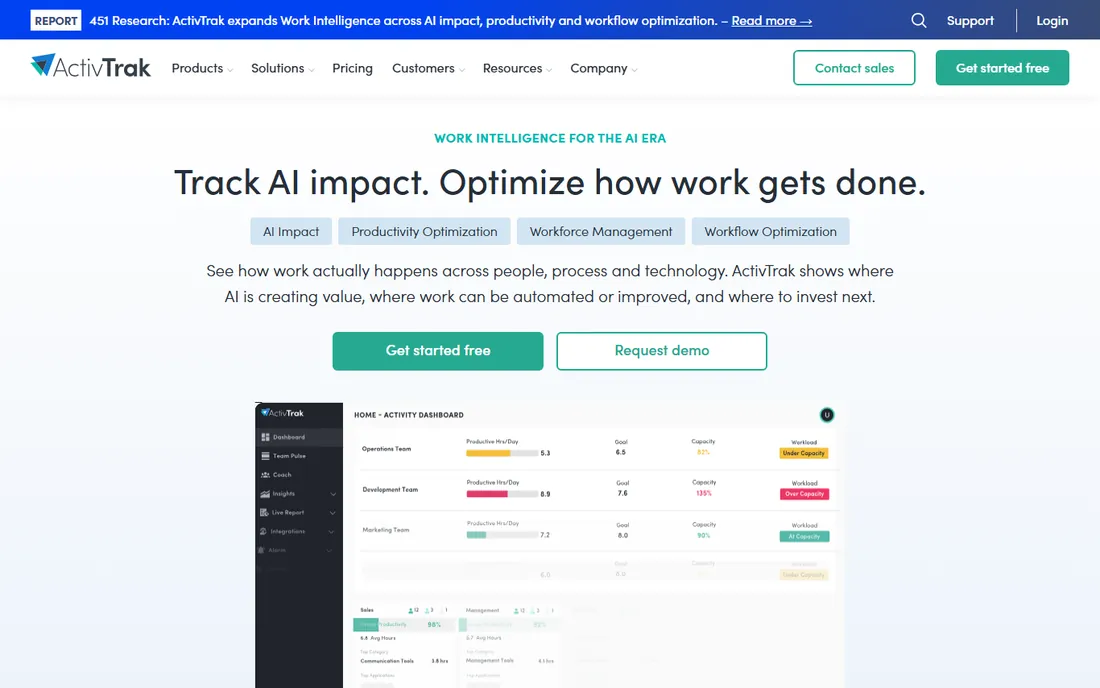
ActivTrak is the productivity-analytics entry point for teams that want visibility into how work happens without surveillance-grade monitoring. It classifies app and website activity as productive or unproductive, tracks focus time and context switching, flags burnout risk and workload imbalance, and reports it all in dashboards managers actually read. The free plan covers 3 users with 30 days of data history, which is enough to evaluate it honestly.
The honest catch is the add-on ladder. Screenshots cost extra through the Screen Details add-on, API access is an add-on, and extended data history is an add-on. A fully loaded setup can run well above the $10 headline before you reach the Professional tier at $19. Billing is annual-only on paid plans. Even so, for SMBs and mid-market teams that want productivity analytics with published prices, ActivTrak is the most transparent option in the category.
What we like- Free plan for up to 3 users with basic time tracking and productivity reports
- Privacy-first positioning with no keystroke logging
- Published pricing from $10 per user per month with add-ons clearly separated
Watch out for- Screenshots, API access and extended data history are paid add-ons, not included
- Annual-only billing on paid plans
- Deeper analytics gated to the $19 Professional tier
#7
Teramind
Best for: Regulated industries that need monitoring plus DLP
Visit teramind.co
Starting price$15/user/month (Starter plan, monthly billing)
Free planNo (7-day free trial on cloud, 14-day on-premises)
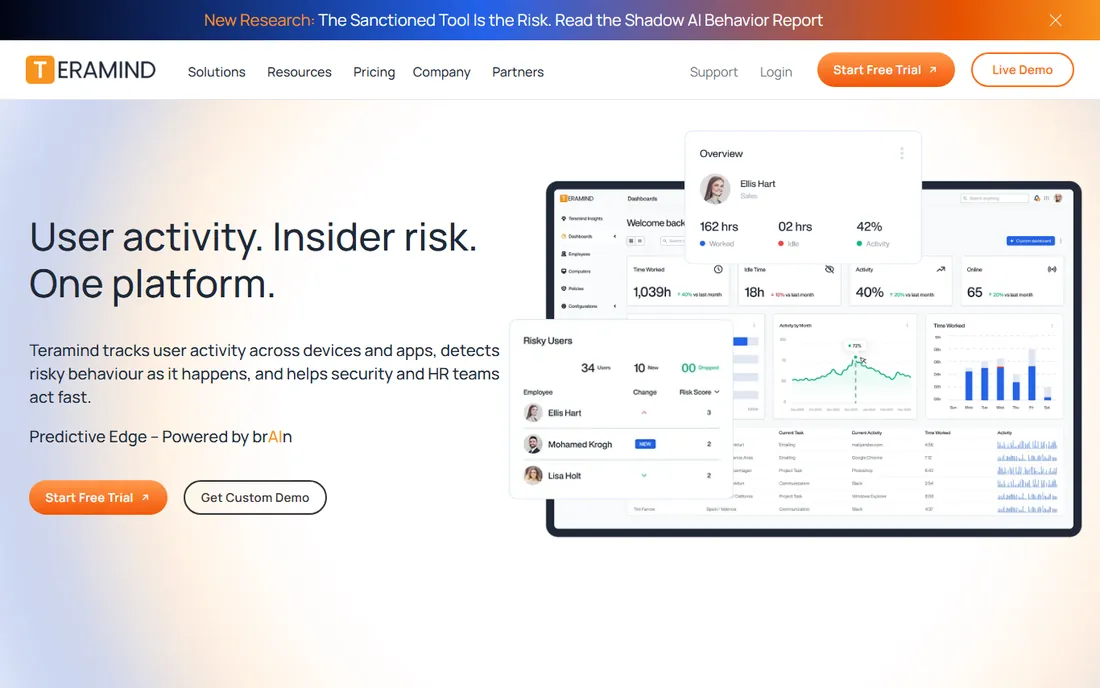
Teramind is the heavyweight of workforce monitoring. Starter covers activity monitoring and screen recording; the UAM tier adds keystroke logging, email and file monitoring, risk scoring and anomaly detection; the DLP tier adds clipboard tracking, content-based rules and 200 pre-packaged DLP policies. Deployment flexibility is a real advantage: cloud, on-premises, private cloud and GovCloud, which matters for regulated industries.
The honest catch is the product's nature. This is genuine employee monitoring, including keystroke logging on higher tiers, and rolling it out without a clear policy and employee communication will damage trust. The 5-seat minimum means small teams overpay, and the DLP features most buyers actually want sit at $35 per seat per month. For security and compliance-driven organizations, Teramind is the strongest option here. For pure productivity coaching, Prodoscore fits better.
What we like- Monitoring, user behavior analytics and data loss prevention in one platform
- Cloud, on-premises and private cloud deployment options
- Published tiered pricing with a 5-seat minimum
Watch out for- Advanced monitoring features (keystroke logging, screen recording) raise employee trust issues
- 5-seat minimum on every plan
- The full DLP tier costs $35 per seat per month
Starting price$19.99/user/month (Basic package)
Free planNo (no free trial advertised)
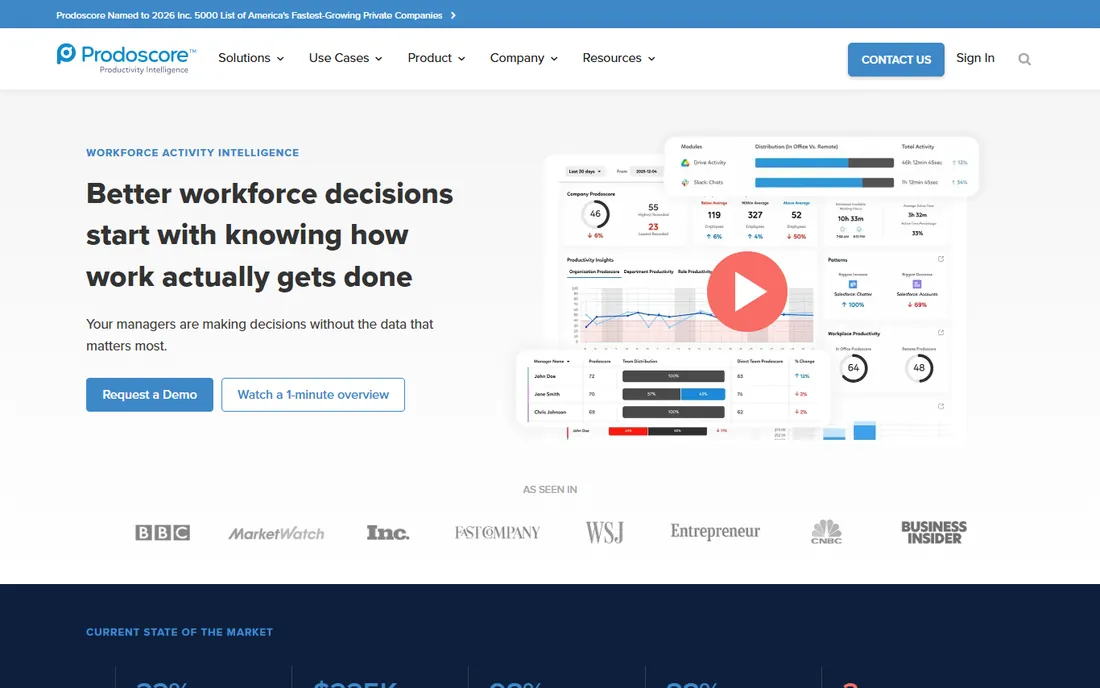
Prodoscore takes a different approach: instead of monitoring screens, it integrates with your cloud business tools (Google Workspace, Microsoft 365, CRM, VoIP) and computes a daily productivity score per employee from real activity. The pitch is coaching, not surveillance: no keystroke logging, no screenshots, and employees can see their own scores. Deployment is genuinely fast, about 15 minutes via API integrations.
The honest catch is the score itself. A single number invites misinterpretation, and managers who manage to the score without understanding the underlying activity will make bad decisions. At $19.99 per user per month for Basic, it costs more than Time Doctor or Hubstaff while measuring less granularly. The Premium tier is custom-quoted. For remote and hybrid teams that want outcome-oriented productivity intelligence without surveillance optics, Prodoscore is the most employee-friendly option on this list.
What we like- Single AI-powered productivity score built from cloud tool integrations
- No keystroke logging or screenshots, which eases the privacy conversation
- 15-minute API-based deployment
Watch out for- Pricing is higher than simpler trackers for what is essentially activity data
- The single score can be gamed or misread without context
- Premium tier is custom-quoted
#9
Time Doctor
Best for: Remote teams that need time tracking with productivity analytics
Visit timedoctor.com
Starting price$6.67/user/month (Basic plan, billed annually)
Free planNo (14-day free trial, no credit card required)
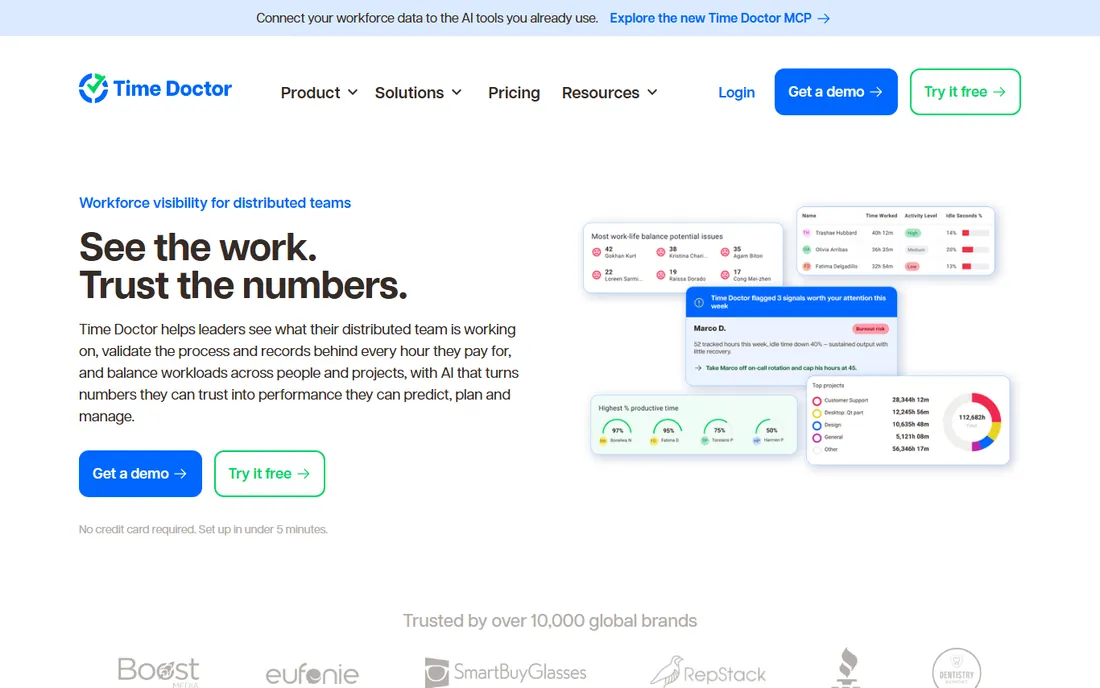
Time Doctor is the remote-work classic: time tracking, screenshots, task and project tracking, productivity ratings and work-life-balance metrics, trusted by over 10,000 companies. Pricing is fully published: Basic at $6.67 per user per month annually ($8 monthly), Standard at $11.67 ($14 monthly), Premium at $16.70 ($20 monthly). The Premium tier's Benchmarks AI, which compares your team's productivity against anonymized peers, is genuinely novel.
The honest catch is the tier ladder. Basic is a tracker; the analytics that make Time Doctor a workforce analytics tool (web and app usage reports, productivity ratings, payroll, integrations) start at Standard. Video screen recording and unusual activity AI sit at Premium. Budget for Standard as the real product. For distributed teams that want time tracking and productivity analytics in one tool with honest published pricing, Time Doctor remains the benchmark.
What we like- Published three-tier pricing with clear feature ladders
- Screenshots, task tracking and offline time on every plan
- Premium adds Benchmarks AI for peer-comparison productivity data
Watch out for- No free plan, trial only
- Payroll, attendance and 60-plus integrations gated to Standard
- Unusual activity detection and video recording gated to Premium
#10
Hubstaff
Best for: Field and remote teams that need time tracking plus analytics
Visit hubstaff.com
Starting price$7/user/month (Starter plan, monthly billing)
Free planYes (free plan for a single user)
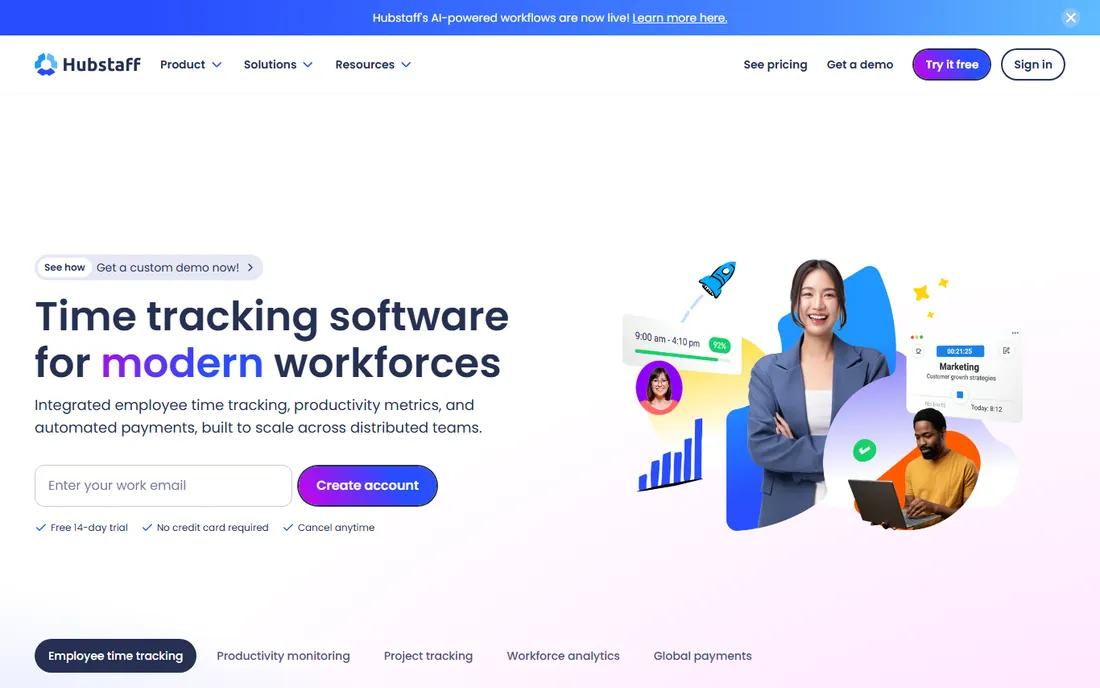
Hubstaff combines time tracking, productivity monitoring, GPS location tracking and payments in one platform. Remote teams get activity levels, app and URL tracking and timesheets; field teams get GPS routes, geofencing and automatic clock-ins at job sites. The free plan covers a single user, and paid plans start at $7 per user per month for Starter on monthly billing ($4.99 annually).
The honest catch is the seat minimum and the add-on structure. Every paid plan requires at least 2 seats, and the workforce analytics features (Insights) plus extra screenshots are add-ons on lower tiers. Hubstaff is primarily a time tracker with analytics attached, not a people analytics platform, so do not buy it expecting Visier-style HR insights. For agencies, contractors and field operations that need proof of work plus payroll in one place, it is the most complete package at this price.
What we like- Free plan for one user with basic time tracking
- GPS tracking for field teams on higher tiers
- Payments, payroll and invoicing built into the platform
Watch out for- Paid plans require a 2-seat minimum
- Workforce analytics depth (Insights) is an add-on on lower tiers
- Screenshots and advanced features split across add-ons
How to pick your analytics layer
Start with the question you need answered. If the question is about people (why is turnover up, where are our skills gaps, is our comp fair), you need people analytics: Visier, One Model, ChartHop, Workday or SAP SuccessFactors. If the question is about work (are teams focused, who is overloaded, where does the day go), you need productivity analytics: ActivTrak, Teramind, Prodoscore, Time Doctor or Hubstaff. Buying the wrong side is the most common mistake in this category.
Then match the tool to your systems. Workday and SAP SuccessFactors only make sense inside their own ecosystems. Visier, One Model and ChartHop sit on top of whatever HR stack you run, with ChartHop the fastest to value and Visier the deepest. On the productivity side, ActivTrak and Hubstaff serve small teams with free tiers, Time Doctor serves remote teams that want tracking plus analytics, Prodoscore serves teams that want coaching without surveillance, and Teramind serves regulated industries that need monitoring plus DLP.
The privacy conversation you cannot skip
Productivity analytics tools measure employee activity, and that makes them sensitive purchases. The legal and cultural rules differ by jurisdiction: works councils in Europe, state laws in the US, and employee expectations everywhere. Before deploying any tool from the second half of this list, do three things.
First, write the policy before you buy: what is measured, who sees it, how long data is kept, and what it will never be used for. Second, choose the least invasive tool that answers your question. If you need focus-time trends, ActivTrak's classification approach beats keystroke logging. If you need coaching data, Prodoscore's API-based scoring beats screenshots. Third, tell employees what is running and why, before the agent appears on their machines. The vendors that win long-term in this category are the ones that help you have this conversation, not the ones that sell stealth mode.
How we chose
We started with the categories buyers search: workforce analytics software, people analytics software, HR analytics software and employee productivity analytics. For each candidate we opened the vendor's own homepage to confirm the product exists and checked the vendor's pricing page for published prices. We compared features, analytics depth, integrations and company-size fit against public reviews on G2, Capterra and SelectHub. Where a price could not be verified on the vendor's page we wrote "See website" rather than guessing. We excluded generic BI tools and pure time trackers without analytics depth.
Frequently asked questions
What is the difference between people analytics and workforce productivity analytics?
People analytics (Visier, One Model, ChartHop) analyzes HR data like turnover, hiring, compensation and engagement. Productivity analytics (ActivTrak, Teramind, Time Doctor) measures how work happens: app usage, focus time, activity patterns. They answer different questions and most organizations eventually need both.
How much does workforce analytics software cost?
Productivity tools publish prices: $6.67 to $19.99 per user per month (Time Doctor Basic to Prodoscore Basic), with ActivTrak at $10 and Hubstaff at $7 to start. Enterprise people analytics platforms (Visier, One Model, ChartHop, Workday, SAP SuccessFactors) are custom-quoted, typically per employee per year.
Is employee monitoring software legal?
It depends on the jurisdiction and the implementation. Many regions require employee notification or consent, and some (like Germany's works councils) require formal agreements. Keystroke logging and screenshots carry the most legal and cultural risk. Always check local law and write a clear policy before deploying.
Can these tools replace my HRIS reporting?
The people analytics platforms can, and that is often the point: they unify data from your HRIS and other systems into deeper analysis than native HRIS reports. The productivity tools complement rather than replace HRIS reporting, since they measure activity, not HR records.
Do I need workforce analytics if I already use Workday or SAP?
Maybe not as a separate purchase. Workday Prism Analytics and SAP SuccessFactors Workforce Analytics cover core people analytics natively. Buy a specialist when you need deeper predictive modeling, benchmarking or cross-system data unification than the platform module provides.
Which workforce analytics tool is best for a small business?
Start with the free tiers: ActivTrak (up to 3 users) or Hubstaff (1 user). For paid plans, Hubstaff Starter at $7/user/month and Time Doctor Basic at $6.67/user/month are the most affordable real options. The enterprise platforms are not priced for small businesses.
Sources we checked (14)
- https://visier.com/
- https://onemodel.co/
- https://charthop.com/
- https://workday.com
- https://www.sap.com
- https://www.activtrak.com
- https://www.teramind.co
- https://www.prodoscore.com
- https://www.timedoctor.com
- https://hubstaff.com
- https://www.timedoctor.com/pricing
- https://www.g2.com/categories/workforce-analytics
- https://www.capterra.com/workforce-analytics-software/
- https://www.selecthub.com/workforce-management-software/assembled-vs-zendesk-workforce-management/
Is your product missing or out of date?
We review this list regularly. Vendors can request a listing, send updated pricing or ask about featured placement.

Shihab Mia · Founder, Rankite
Shihab has spent more than a decade helping SaaS and e-commerce brands grow through search. He writes Rankite's software buying guides from pricing pages, documentation and public user reviews. More about Shihab.