How we make this list: we compare pricing pages, product documentation and public user reviews. Rankite is independent; if a vendor ever pays for a featured spot, that listing is clearly labeled Partner.
Key takeaways
- NetSpot is the easiest way to map WiFi dead spots at home or in a small office, and the free edition covers basic surveys.
- Ekahau AI Pro remains the industry standard for enterprise site surveys, at $1,495 per year plus the cost of Sidekick 2 hardware.
- TamoGraph Site Survey gives you pro-level passive, active, and predictive surveys for a one-time $1,499, which undercuts every subscription rival.
- Hamina Network Planner is the modern browser-based challenger, with a free account tier and paid plans from $980 per year.
- If you only need a quick look at channel congestion, inSSIDer is still free and still excellent.
Quick comparison
Is your product missing or out of date?
We review this list regularly. Vendors can request a listing, send updated pricing or ask about featured placement.
The best wifi heatmap software, ranked by real use cases
Walk through any office with a laptop and a heatmap tool running, and the truth about your WiFi shows up in color. Dead zones near the conference room, a neighbor's router stomping on your channel, an access point screaming at full power in an empty hallway. The tools below all turn radio measurements into those maps, but they aim at very different buyers. Picking the wrong tier is the classic mistake: a homeowner does not need Ekahau, and an enterprise architect should not be fighting with a free phone app.
Starting priceSee website
Free planYes
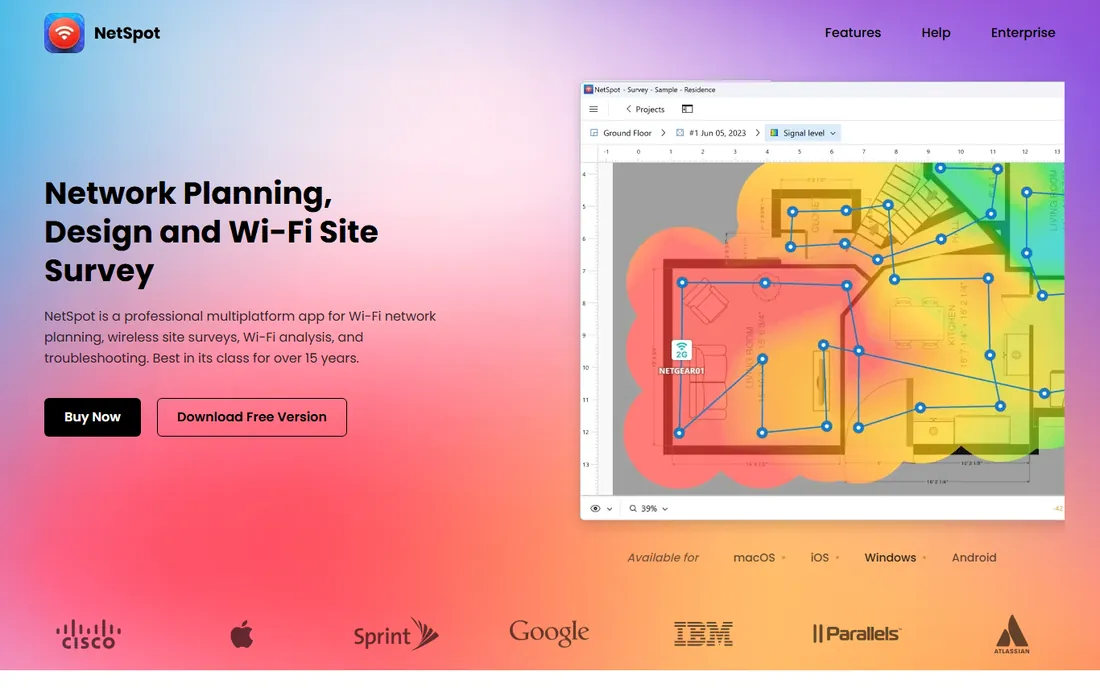
NetSpot is the tool you recommend to a friend who keeps complaining about WiFi in the back bedroom. Load a floor plan, tap where you are standing, and walk. The app builds signal heatmaps as you go, and the Discover mode shows every nearby network with its channel, signal, and noise. It is the most approachable survey tool in this list by a wide margin.
The free edition handles network discovery well, which is enough for a one-time home checkup. Paid tiers (Home, PRO, Enterprise) add more zones, more data points per heatmap, active scanning, and commercial use rights. PRO also adds predictive planning, so you can sketch a future layout before buying access points. Support gets consistently good marks in user reviews, which matters because survey software always has a learning curve somewhere.
What we like- Genuinely easy to use
- Works on Mac, Windows, Android, and iOS
- Free edition covers basic discovery and surveys
Watch out for- Home edition caps zones and data points
- Pro features cost extra per license tier

#2
Ekahau AI Pro
Best for: enterprise WiFi design and validation
Visit ekahau.com
Starting price$1,495/year
Free planFree trial
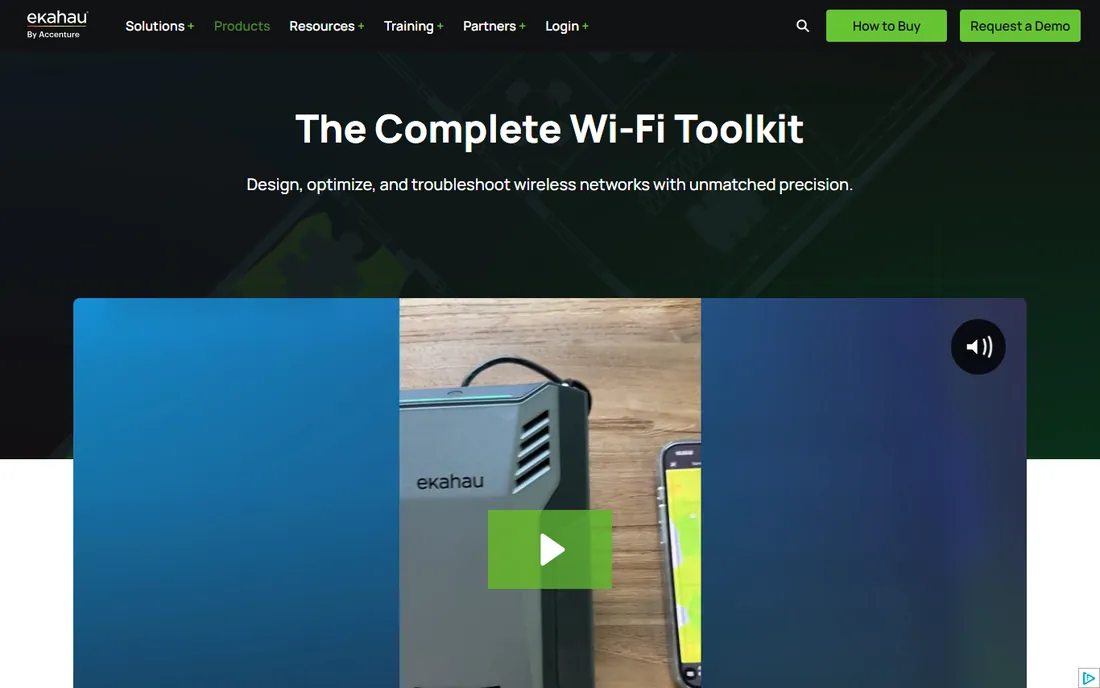
Ekahau is the name every wireless engineer knows, and AI Pro is the design half of the platform. You draw walls with real attenuation values, place virtual access points from a library of vendor models, and get coverage, capacity, and roaming predictions before a single AP is mounted. On-site, Ekahau Survey collects measurements that feed the same project.
The current pricing is subscription based: $1,495 per year for the Plan package (design and optimize) or Measure Pro (survey and troubleshoot), or $2,495 per year for the full Software Suite. The catch is hardware. Full measurement functionality expects the Sidekick 2, a $4,995 precision measurement device. For enterprises and integrators that is normal. For a single office, it is not.
What we like- The professional standard for predictive design and survey analysis
- Deep 3D modeling
- Huge training and certification ecosystem
Watch out for- Expensive once you add the Sidekick 2 measurement device
- Overkill for small sites

#3
TamoGraph Site Survey
Best for: professionals who want a one-time license
Visit tamos.com
Starting price$1,499 (one-time)
Free planFree trial
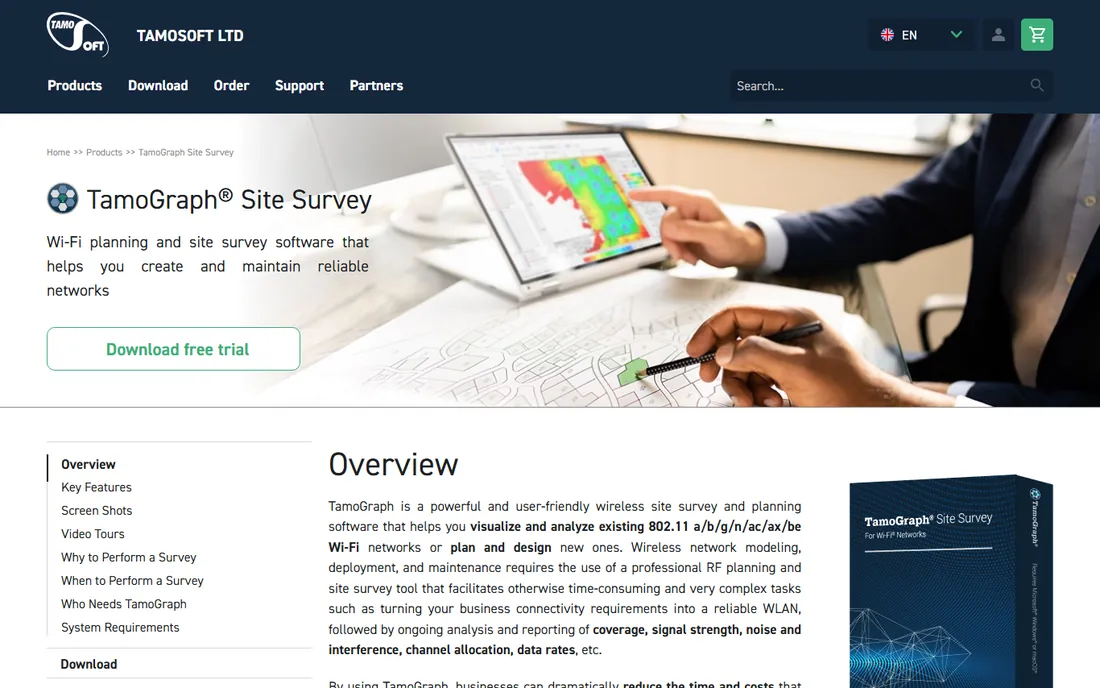
TamoGraph is the contrarian pick in a market that has gone subscription mad. You pay once. Standard is $1,499 and covers surveys and analysis, while Pro at $1,999 adds RF modeling, GPS support, and report customization. Time-limited licenses start at $499 for six months if you only survey occasionally.
The software itself is fast and genuinely pleasant: walk-around data collection, automatic AP location, and detailed reports in PDF, HTML, or Word format. It supports the latest standards including 802.11be (Wi-Fi 7), and works with a wide range of ordinary WiFi adapters rather than demanding proprietary hardware. If you do a handful of surveys a year and hate subscriptions, start your shortlist here.
What we like- One-time pricing, no subscription
- Passive, active, and predictive surveys in one app
- Supports Wi-Fi 7
Watch out for- Windows and macOS only, no cloud or mobile workflow
- Standard edition drops predictive modeling
Starting price$200/year (MetaGeek Plus; core scanner is free)
Free planYes
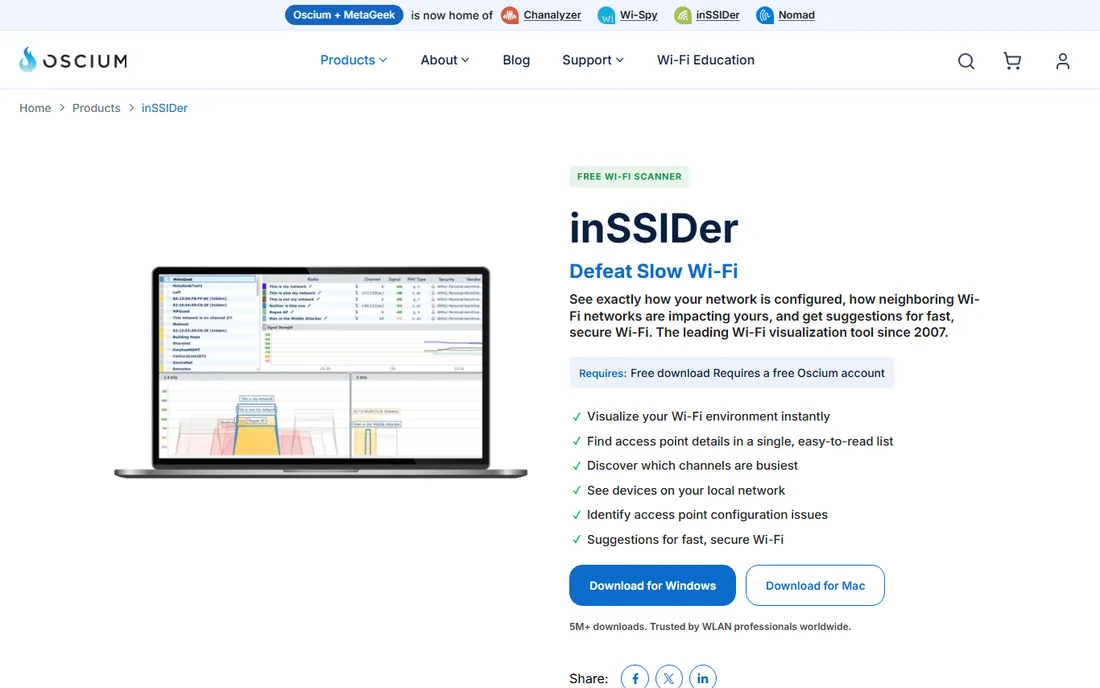
inSSIDer has been around since 2007 and it is still the fastest answer to "why is my WiFi slow right now." It lists every nearby access point with channel, width, signal strength, WiFi generation, and security, then tells you which channels are actually congested. The channels table is the killer feature: it shows how busy a channel is, not just how many networks sit on it.
The core scanner is free with a free Oscium account. (Note: inSSIDer is now developed by Oscium, though it still lives on the MetaGeek site.) MetaGeek Plus at $200 per year adds packet analysis, snapshots, client traffic analytics, and cloud sync. Honest assessment: most people never need Plus. Download the free version, fix your channel, move on.
What we like- Free with a simple account signup
- Clear channel and signal views
- Plain-English fix suggestions
Watch out for- Not a full site survey tool (no floor-plan heatmaps)
- Advanced features need the $200/year Plus subscription
#5
VisiWave Site Survey
Best for: technicians who want fast, simple survey collection
Visit visiwave.com
Starting priceSee website
Free planFree trial
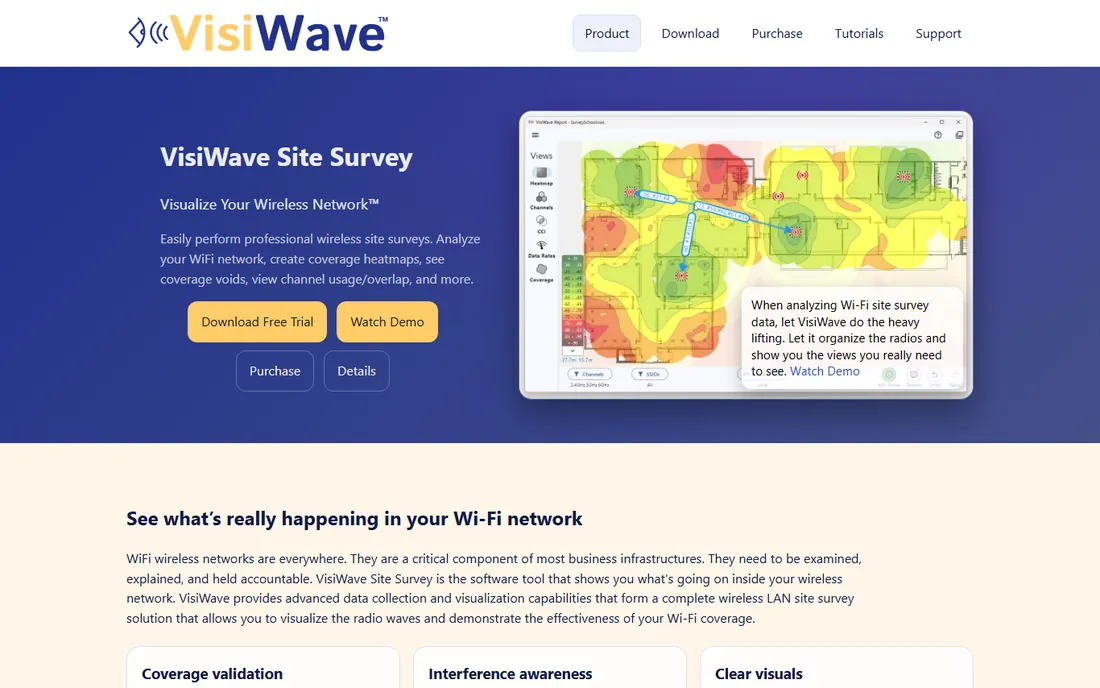
VisiWave takes the position that surveys should be quick. Instead of stopping to tap each measurement point, you walk and it records continuous segments, then its algorithms cluster radios into access points and tag them as local, external, or on another floor. The result reads cleanly even for junior technicians.
It handles 2.4, 5, and 6 GHz bands, does GPS-assisted outdoor surveys, and produces coverage, interference, and data-rate overlays. The free trial lets you run a real survey before paying. VisiWave will not replace Ekahau for predictive design, but for validation surveys of existing networks it is one of the least fiddly options.
What we like- Collects most data in continuous walk-through segments
- Automatic AP clustering and classification
- Supports Wi-Fi 6 and 6E
Watch out for- Windows only
- Reporting is map-first, which some auditors find too light

#6
NetAlly AirMagnet Survey PRO
Best for: large enterprise and integrator validation projects
Visit netally.com
Starting priceSee website
Free planNo
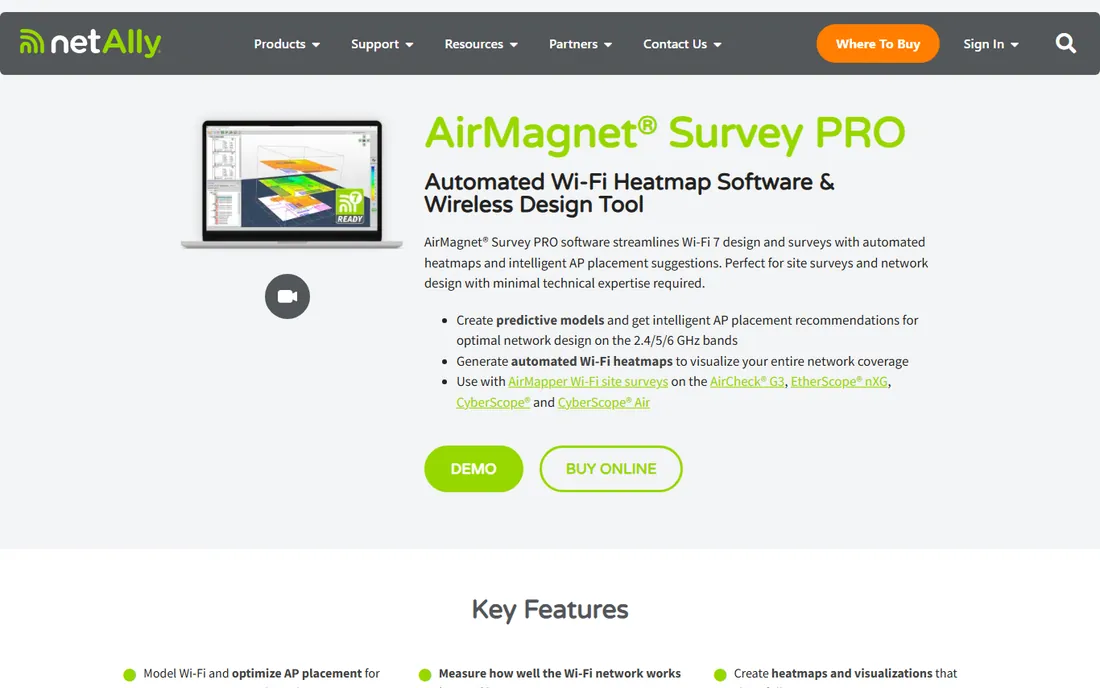
AirMagnet is the old guard of wireless site surveys, now under NetAlly. Survey PRO goes beyond signal strength: it plots actual end-user performance metrics like connection speed, throughput, and packet loss onto heatmaps, which is what you need when the complaint is "the WiFi feels slow" rather than "there is no signal." It supports Wi-Fi 7 planning and works with NetAlly's AirCheck and EtherScope handhelds for data collection.
Pricing is quote-based and sits in the multi-thousand-dollar range per license, with mandatory first-year AllyCare support. This is a tool for integrators, large enterprises, and anyone whose survey reports end up in compliance documentation. Everyone else should look at TamoGraph or NetSpot first.
What we like- True end-user experience measurements (throughput, retries, loss)
- Works with NetAlly handheld analyzers
- Deep reporting
Watch out for- Priced for enterprises
- Requires AllyCare support subscription for the first year

#7
iBwave Wi-Fi Suite
Best for: carrier-grade in-building WiFi design
Visit ibwave.com
Starting priceSee website
Free planNo

iBwave comes from the in-building cellular world, where it is the standard for designing distributed antenna systems, and its Wi-Fi Suite brings that same rigor to wireless LAN design. The package combines 3D predictive modeling, the Wi-Fi Mobile app for tablet-based site surveys, and the Unity cloud hub for managing every project from one place.
The pitch that lands with customers: design review in detailed 3D that non-technical stakeholders can actually understand, plus prediction calibration that tightens the model against real measurements. Pricing is not public and the sales process is enterprise grade. If you design WiFi for stadiums, hospitals, or campuses, it belongs on the shortlist. For anything smaller, it is too much tool.
What we like- Powerful 3D prediction and modeling
- Mobile app for on-site surveys
- Huge components database
Watch out for- Enterprise sales process, no public pricing
- Learning curve is steep

#8
Acrylic Wi-Fi Heatmaps
Best for: Windows shops that want planning plus troubleshooting
Visit acrylicwifi.com
Starting priceSee website
Free planFree trial

Acrylic, from Spain's Tarlogic, is a full WiFi suite rather than a single app: Heatmaps for planning and site surveys, Analyzer for troubleshooting, and Sniffer for packet capture. Heatmaps generates planning maps, coverage maps, and 14 heatmap types covering signal, noise, channel overlap, and device density, with exports to Google Earth and Word reports.
The licensing model is unusual and buyer-friendly: short time-based licenses (one or three months) for occasional surveyors, or a lifetime license if you survey constantly. Everything runs on Windows 11 with ordinary WiFi adapters. The main limitation is platform: there is no Mac or mobile version, so mixed-device teams should look elsewhere.
What we like- Covers planning, coverage analysis, and site surveys in one suite
- Flexible time-based licensing (monthly or lifetime)
- Supports WiFi 7
Watch out for- Windows only
- Interface and documentation lean technical

#9
Hamina Network Planner
Best for: teams that want modern, cloud-based WiFi design
Visit hamina.com
Starting price$980/year
Free planYes
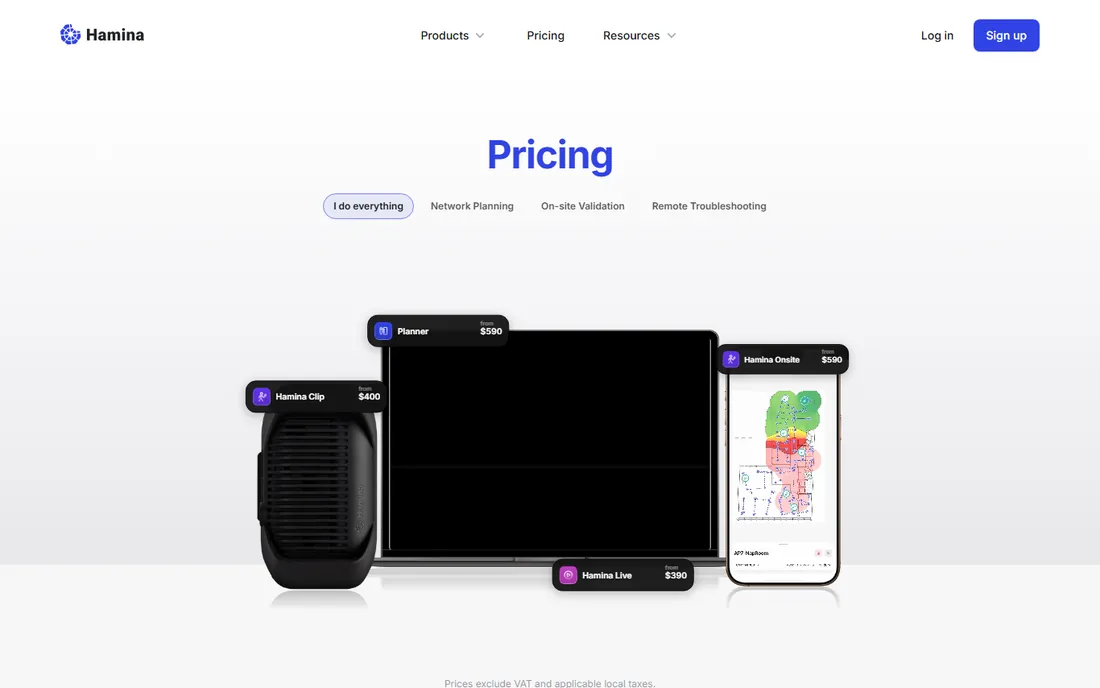
Hamina is the modern challenger: WiFi planning that lives in the browser, with automatic wall detection from CAD or PDF floor plans, one-click sharing of interactive reports, and direct deployment to vendor infrastructure. The free account lets you evaluate the tool and view shared projects, Planner is $980 per year, Planner Plus is $1,560, and the Onsite survey app is a separate $780 per year.
What stands out is how little friction there is. Sign up, upload a floor plan, and you are placing APs within minutes, with live heatmaps updating as you drag. It also covers BLE, Zigbee, and private 5G planning, which appeals to IoT-heavy sites. The ecosystem is younger than Ekahau's, so expect fewer third-party integrations and training resources, but the price and the workflow are hard to argue with.
What we like- Runs in the browser, no install
- Free account tier for evaluation and project viewing
- AI-assisted wall drawing from floor plans
Watch out for- Site surveys need the separate Onsite subscription
- Younger product with a smaller user community
How we chose
We compared tools with real, shipping WiFi heatmap or site survey products, checking vendor homepages and pricing pages directly in October 2026. We weighed survey types supported (passive, active, predictive), platform coverage, hardware requirements, pricing model, and fit for different buyer sizes, from home users to enterprise integrators. We also read public reviews on G2, Capterra, and Reddit threads from wireless professionals to see where each tool frustrates people in practice. We did not run hands-on tests; findings rest on vendor documentation and public user feedback.
What to check before you buy
Start with the survey type you actually need. Passive surveys (listening to existing networks) answer "what is wrong with my current WiFi." Predictive surveys (modeling a network that does not exist yet) answer "how many APs do I need and where." Active surveys measure real throughput. Home users need passive only. Anyone designing a new deployment needs predictive.
Then check the hardware requirements. Ekahau wants its Sidekick 2 for full accuracy. TamoGraph, NetSpot, and VisiWave work with ordinary laptop WiFi adapters, which keeps the total cost far lower. Hamina needs its Onsite subscription for walk-around surveys.
Finally, match the license to your cadence. If you survey twice a year, a one-time license (TamoGraph) or a short time-based license (Acrylic) beats a subscription. If WiFi design is your daily job, the Ekahau or Hamina subscriptions pay for themselves in reporting speed.
Watch out for the hidden costs
The sticker price is rarely the whole bill. Ekahau's $1,495 per year assumes you already own or will buy the Sidekick 2 hardware. AirMagnet requires a first year of AllyCare support. TamoGraph's headline prices do not include the recommended USB adapter or spectrum analyzer, though it works fine without them. Always budget the hardware and support alongside the software.
Frequently asked questions
What is the best free wifi heatmap software?
inSSIDer is the best free starting point for scanning and channel analysis, and NetSpot's free edition adds basic floor-plan heatmaps. Both are genuinely free, not time-limited trials. For occasional professional use, Hamina's free account tier is worth a look.
Do I need special hardware for a WiFi site survey?
Not always. NetSpot, TamoGraph, VisiWave, and inSSIDer work with the WiFi adapter already in your laptop. Ekahau and AirMagnet deliver their best accuracy with dedicated measurement hardware (Sidekick 2 or NetAlly handhelds), which adds thousands to the bill.
What is the difference between a WiFi analyzer and a WiFi heatmap tool?
An analyzer shows you live data about nearby networks: channels, signal strength, interference. A heatmap tool adds a floor plan and records measurements at positions as you walk, producing color-coded coverage maps. inSSIDer is an analyzer; NetSpot, Ekahau, and TamoGraph do full heatmaps.
Can I do a predictive WiFi survey without visiting the site?
Yes. Ekahau AI Pro, TamoGraph Pro, Hamina Network Planner, and iBwave Wi-Fi all model coverage from floor plans before anything is installed. You draw walls, place virtual APs, and get coverage predictions. A validation survey after installation is still good practice.
How much does professional WiFi survey software cost?
Anywhere from free to over $5,000 in the first year. TamoGraph Standard is $1,499 one-time. Hamina Planner is $980 per year. Ekahau runs $1,495 per year plus hardware. NetAlly AirMagnet is quote-based in the multi-thousand range. Start with your survey volume: occasional surveyors should avoid subscriptions.
Which tool is best for a small business with one office?
NetSpot PRO or TamoGraph Standard. Both map a single site accurately without enterprise hardware or training, and both cost a fraction of the enterprise tools. If the office is tiny, the free tiers of NetSpot or inSSIDer may be all you need.
Sources we checked (9)
- https://netspotapp.com
- https://ekahau.com/products/
- https://www.tamos.com/products/wifi-site-survey
- https://www.metageek.com/products/inssider/
- https://visiwave.com/
- https://NetAlly.com/products/airmagnet-survey-pro/
- https://www.ibwave.com
- https://acrylicwifi.com/
- https://www.hamina.com/pricing
Is your product missing or out of date?
We review this list regularly. Vendors can request a listing, send updated pricing or ask about featured placement.

Shihab Mia · Founder, Rankite
Shihab has spent more than a decade helping SaaS and e-commerce brands grow through search. He writes Rankite's software buying guides from pricing pages, documentation and public user reviews. More about Shihab.
 NetSpot
 inSSIDer