How we make this list: we compare pricing pages, product documentation and public user reviews. Rankite is independent; if a vendor ever pays for a featured spot, that listing is clearly labeled Partner.
Key takeaways
- Miro is the default whiteboarding tool for teams, with the deepest template library and integrations.
- Mural suits facilitated workshops, while FigJam is the natural pick for design teams already in Figma.
- Lucidspark fits teams in the Lucid suite, and Microsoft Whiteboard is the free option for Microsoft 365 users.
- Excalidraw, tldraw and Whimsical serve individuals and small teams who want speed over features.
- The best whiteboarding tools win on infinite canvas performance, real-time collaboration and templates, not on drawing features.
Quick comparison
| Tool | Best for | Starting price | Free plan |
|---|
 Miro Miro | team whiteboarding at scale | See website | Yes |
 Mural Mural | facilitated workshops and design thinking | See website | Free trial |
 FigJam FigJam | design teams already using Figma | See website | Yes |
 Lucidspark Lucidspark | brainstorming in the Lucid suite | See website | Yes |
 Microsoft Whiteboard Microsoft Whiteboard | free whiteboarding for Microsoft 365 users | See website | Yes |
 Excalidraw Excalidraw | fast, free, hand-drawn-feel sketching | Free | Yes |
 tldraw tldraw | lightweight infinite canvas for developers | Free | Yes |
 Whimsical Whimsical | whiteboards plus docs and wireframes | See website | Yes |
Is your product missing or out of date?
We review this list regularly. Vendors can request a listing, send updated pricing or ask about featured placement.
Whiteboarding tools split cleanly by audience. Enterprise teams need facilitation features, templates, integrations and admin controls: that is Miro, Mural and Lucidspark. Product and design teams want the whiteboard next to their design files: FigJam and Whimsical. Individuals and developers want speed and simplicity: Excalidraw and tldraw. Microsoft Whiteboard fills the free slot for anyone in the Microsoft ecosystem. Start with your team size and the list narrows fast.
Starting priceSee website
Free planYes

Miro is the whiteboard most teams mean when they say "whiteboard." The infinite canvas supports sticky notes, diagrams, mind maps, wireframes and docs, with thousands of templates for retros, planning, workshops and research. Integrations with Jira, Slack, Microsoft Teams and the rest of the stack keep boards connected to real work, and the free plan covers individuals and small teams getting started.
The honest trade-offs are cost and clutter. Paid plans per user add up quickly at scale, and large boards with hundreds of contributors can become hard to navigate. Miro's answer is more features: frames, smart diagramming and AI helpers. For teams that live in workshops and planning sessions, it remains the safest, most capable choice.
What we like- The largest template library
- Deep integrations with Jira, Slack and Teams
- Strong real-time collaboration
Watch out for- Pricing adds up for large teams
- The canvas can feel cluttered on complex boards
#2
Mural
Best for: facilitated workshops and design thinking
Visit mural.co
Starting priceSee website
Free planFree trial
Mural positions itself as the whiteboard for facilitation rather than casual brainstorming. Features like private mode (participants ideate before revealing), voting, timers and structured frameworks reflect its design-thinking roots. Enterprise admins get the controls they expect: SSO, data residency options and detailed permissions. Consultancies and innovation teams run entire workshop practices on it.
The trade-off is breadth. Mural's template library and third-party integrations are thinner than Miro's, and the pricing reflects its enterprise focus. For teams that run formal workshops with facilitators, Mural's session-focused design is genuinely better. For everyday team sketching, Miro's flexibility wins.
What we like- Built for facilitated sessions
- Private mode and voting for workshops
- Strong enterprise controls
Watch out for- Smaller template ecosystem than Miro
- Pricing targets enterprise budgets
Starting priceSee website
Free planYes
FigJam is Figma's whiteboard, and its strength is proximity: brainstorms, user flows and diagrams sit one tab away from the design files they inform. The tool is deliberately playful and fast, with widgets, stamps and music that make workshops feel less corporate. The free starter plan covers small teams well, and paid seats align with Figma's pricing.
It is a design-team tool first. Complex project planning, technical diagramming and enterprise facilitation stretch beyond its comfort zone. And it only makes sense inside the Figma ecosystem; there is no standalone strategy. For design teams, though, the zero-friction path from whiteboard to prototype is unmatched.
What we like- Lives next to your Figma files
- Playful and fast
- Free starter plan is generous
Watch out for- Less powerful for non-design workflows
- Tied to the Figma ecosystem
#4
Lucidspark
Best for: brainstorming in the Lucid suite
Visit lucid.co
Starting priceSee website
Free planYes

Lucidspark is Lucid's answer to virtual brainstorming, built to pair with Lucidchart's diagramming. The sticky-note workflows, voting, timers and breakout boards cover the workshop basics well, and ideas can flow into Lucidchart diagrams when brainstorms turn into plans. A free tier lets small teams start without paying.
It plays third fiddle to Miro and Mural in market presence, which means fewer templates, fewer integrations and a smaller community. Its real value shows inside the Lucid suite, where whiteboard and diagramming share one login. Standalone, it is competent but not distinctive.
What we like- Strong sticky-note and voting workflows
- Integrates with Lucidchart diagrams
- Free tier available
Watch out for- Smaller community than Miro
- Best value only inside the Lucid ecosystem
#5
Microsoft Whiteboard
Best for: free whiteboarding for Microsoft 365 users
Visit microsoft.com
Starting priceSee website
Free planYes
Microsoft Whiteboard is the quiet default for millions: free with any Microsoft account, built into Teams meetings and simple enough that nobody needs training. Sticky notes, shapes, ink and basic templates cover everyday brainstorming, and boards save to OneDrive automatically. For organizations already paying for Microsoft 365, it costs nothing extra.
It is not a Miro competitor on features. The template library is thin, facilitation tools are basic and integrations mostly mean other Microsoft products. But "good enough and already paid for" beats "great and another subscription" for many teams. If your meetings live in Teams, start here before shopping elsewhere.
What we like- Free with a Microsoft account
- Built into Teams meetings
- Simple and familiar
Watch out for- Fewer templates and features than Miro
- Best inside the Microsoft ecosystem
Starting priceFree
Free planYes
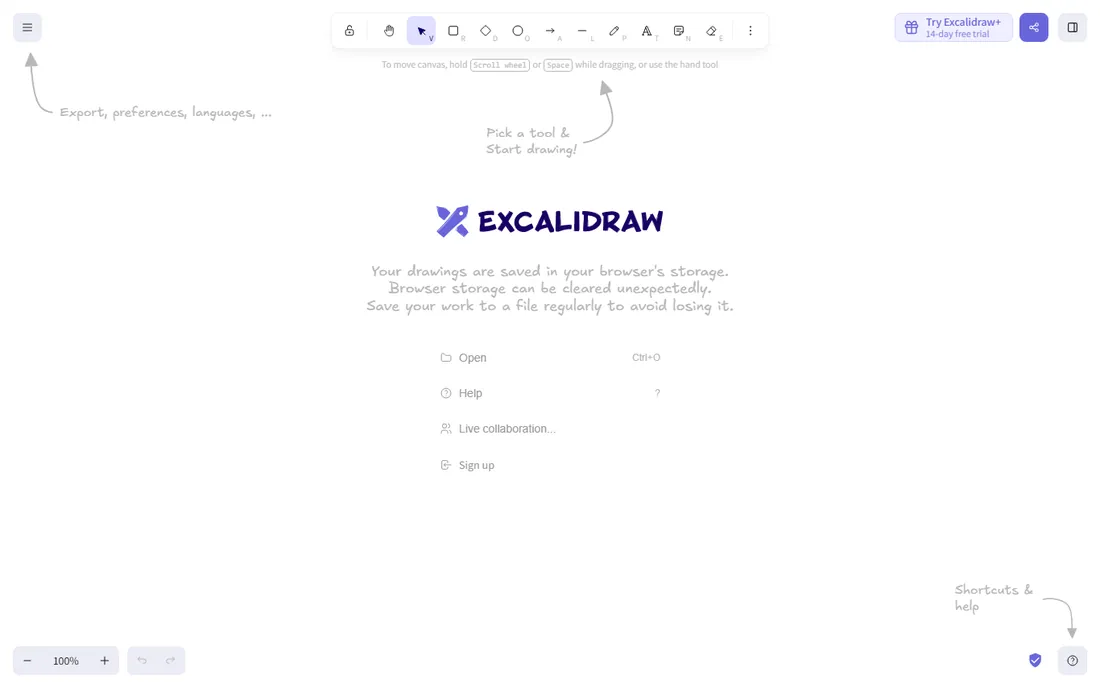
Excalidraw is beloved by developers and technical writers for one reason: it is the fastest way to make a decent-looking diagram. The hand-drawn style makes architecture sketches and flowcharts look approachable, it runs in the browser with no account, and the open-source core means your data stays yours. A paid Plus tier adds collaboration features, but the free version is the real product.
There are no templates, no voting, no workshop facilitation and no enterprise features. Real-time collaboration exists but is basic compared to Miro. Excalidraw is a sketching tool that happens to collaborate, not a collaboration platform. For individuals and small technical teams, that simplicity is the point.
What we like- Completely free and open source
- Hand-drawn aesthetic
- No account needed to start
Watch out for- No templates or facilitation features
- Collaboration is basic
Starting priceFree
Free planYes
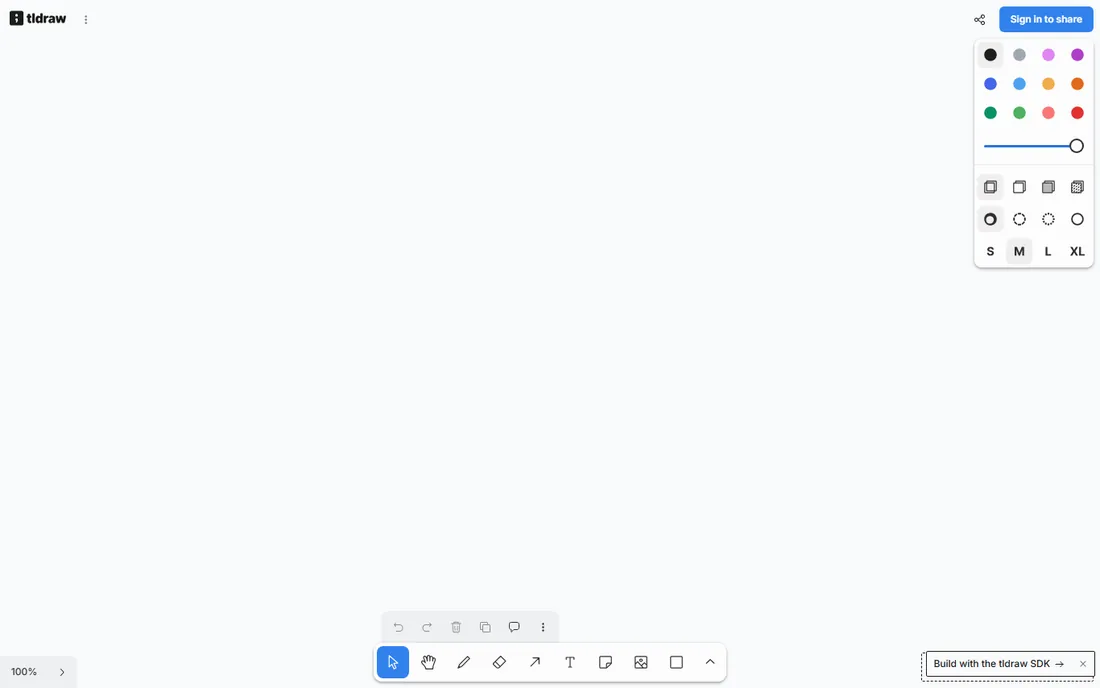
tldraw offers a gorgeous infinite canvas with a focus on speed and feel: drawing, shapes, arrows and text that just work. It is free for personal use, with paid tiers for teams and collaboration. The unusual strength is the developer story: tldraw ships an SDK, so teams embed its canvas inside their own products, which has built a loyal technical following.
As a standalone whiteboarding product it is simpler than Miro or Mural, with fewer templates and facilitation features. Team and enterprise features are newer and less proven. For developers who want a canvas they can also build on, or individuals who value craft over features, tldraw is the connoisseur's pick.
What we like- Beautiful, fast infinite canvas
- Free for personal use
- The SDK lets developers embed it
Watch out for- The product is simpler than Miro
- Team features are newer
Starting priceSee website
Free planYes
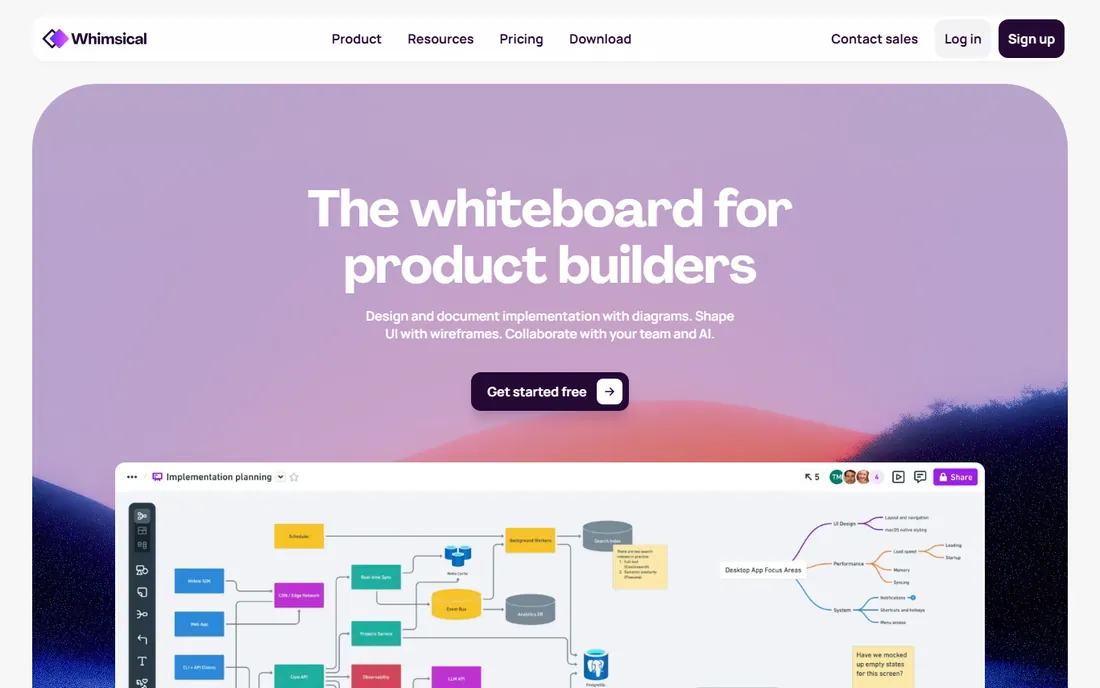
Whimsical combines whiteboards with documents, wireframes, mind maps and project boards in one fast, clean interface. The pitch is that teams should not need five tools: brainstorm on the board, spec in the doc, wireframe the flow, all in Whimsical. The free plan covers individuals and small teams, and the interface is widely praised for its speed and simplicity.
The ecosystem is smaller than Miro's: fewer templates, fewer integrations, less enterprise presence. Large facilitated workshops with hundreds of participants are not its strength. For startups and product teams that want one tidy tool instead of a stack, Whimsical's combination of boards, docs and wireframes is compelling.
What we like- Whiteboards, docs, wireframes and mind maps in one tool
- Clean and fast
- Free plan available
Watch out for- Smaller ecosystem than Miro
- Less suited to large facilitated workshops
We compared tools against vendor product pages, documentation and published plan details. Browser access to vendor sites was unavailable during research, so pricing is marked as "See website" throughout and URLs use the vendors' canonical domains. We cross-checked real-world fit against public reviews on G2 and Capterra and team-collaboration discussions on Reddit. We did not run workshops in these tools ourselves.
Picking the right whiteboard for your team
Start with where your team already works. Figma teams should try FigJam first. Microsoft 365 organizations should try Microsoft Whiteboard before buying anything. Lucidchart users get the most from Lucidspark. The ecosystem match matters more than feature lists, because adoption beats capability: the best whiteboard is the one people actually open.
For dedicated whiteboarding, run a real workshop as the test. Templates, voting, timers and breakout features only prove themselves under load, with a dozen participants and a facilitator under time pressure. Miro and Mural both offer trials; use them on a real session, not a solo click-through. Watch for the failure modes: lag on large boards, confusing permissions and participants getting lost.
Mind the per-seat math. Whiteboard pricing looks cheap per user until the whole company needs a seat. Estimate your actual user count, including occasional participants, and check whether viewers or guests are free. Open-source and free options like Excalidraw and tldraw, or the bundled Microsoft Whiteboard, can save serious money for teams whose needs are simple.
Frequently asked questions
What is the best free whiteboard software?
Microsoft Whiteboard is free with any Microsoft account and covers basic team brainstorming. Excalidraw and tldraw are free, fast options for individuals and developers. Miro, FigJam, Lucidspark and Whimsical all offer free tiers with limits on boards or features. The best free pick depends on whether you need team collaboration or solo sketching.
Is Miro or Mural better?
Miro is the broader, more flexible platform with the larger template library and more integrations, which suits everyday team use. Mural is purpose-built for facilitated workshops with features like private mode and structured frameworks. Teams that run formal design-thinking workshops often prefer Mural; everyone else usually lands on Miro.
Can I use a whiteboard tool without signing up?
Excalidraw works in the browser with no account required, which makes it the fastest option for quick sketches. tldraw also offers instant access. Most team-oriented tools, including Miro, Mural and FigJam, require an account for saving and collaboration.
What happened to Google Jamboard?
Google shut down Jamboard in late 2024, migrating users to other whiteboarding tools. If you are looking for a Jamboard replacement, Miro, FigJam and Lucidspark all offer migration paths and similar infinite-canvas experiences, while Microsoft Whiteboard serves Teams-centric organizations.
Do whiteboard tools integrate with project management software?
Yes. Miro integrates with Jira, Asana, Slack and Microsoft Teams, among others. Mural and Lucidspark offer similar integrations, and FigJam connects with the Figma ecosystem. Check the specific integration you need before committing, since depth varies: some are full two-way syncs and others are simple embeds.
Are online whiteboards secure enough for business use?
The enterprise tools are. Miro, Mural and Lucidspark offer SSO, admin controls and compliance certifications aimed at business customers. Microsoft Whiteboard inherits Microsoft 365's security model. For sensitive work, check the vendor's security page for the certifications your organization requires, and prefer tools with granular sharing permissions.
Sources we checked (8)
- https://miro.com
- https://mural.co
- https://www.figma.com
- https://www.lucid.co
- https://www.microsoft.com
- https://excalidraw.com
- https://tldraw.com
- https://whimsical.com
Is your product missing or out of date?
We review this list regularly. Vendors can request a listing, send updated pricing or ask about featured placement.

Shihab Mia · Founder, Rankite
Shihab has spent more than a decade helping SaaS and e-commerce brands grow through search. He writes Rankite's software buying guides from pricing pages, documentation and public user reviews. More about Shihab.