How we make this list: we compare pricing pages, product documentation and public user reviews. Ratings come from G2, Capterra or Trustpilot, with the date we checked them.
Key takeaways
- CapCut is the fastest path from raw clips to a finished short, with templates, auto-captions and direct TikTok publishing.
- VN Video Editor is the best free pro-tier option, with no watermark ever and precise audio waveform editing.
- LumaFusion is the only one-time purchase pro editor here, at $29.99, with multicam and color grading on iPad.
- Filmora suits template-driven creators who want a real timeline with AI tools on top, plus a perpetual license option.
- CapCut Pro price jumped in 2026 from about $8 to $19.99 per month, so check current pricing before subscribing.
Quick comparison
| Tool | Best for | Starting price | Free plan |
|---|
 CapCut CapCut | Viral short-form and TikTok integration | Free; Pro $19.99 per month | Yes |
 VN Video Editor VN Video Editor | Free pro-tier long-form editing | Free (optional tip) | Yes |
 LumaFusion LumaFusion | Pro multicam and color grading | $29.99 one-time | No |
 PowerDirector PowerDirector | All-rounder with AI motion tracking | Free; mobile annual $34.99 | Yes |
 InShot InShot | Quick social edits | Free; Pro $19.99 per year | Yes |
 KineMaster KineMaster | Mobile-first editing tools | Free; Premium $7.99 per month or $51.99 per year | Yes |
 Filmora Filmora | Template-driven creators | Free; Basic $49.99 per year | Yes |
 Adobe Premiere Mobile Adobe Premiere Mobile | Creative Cloud ecosystem editing | Free; CC subscription opens cloud | Yes |
Is your product missing or out of date?
We review this list regularly. Vendors can request a listing, send updated pricing or ask about featured placement.
The best video making app
Starting priceFree; Pro $19.99 per month
Free planYes
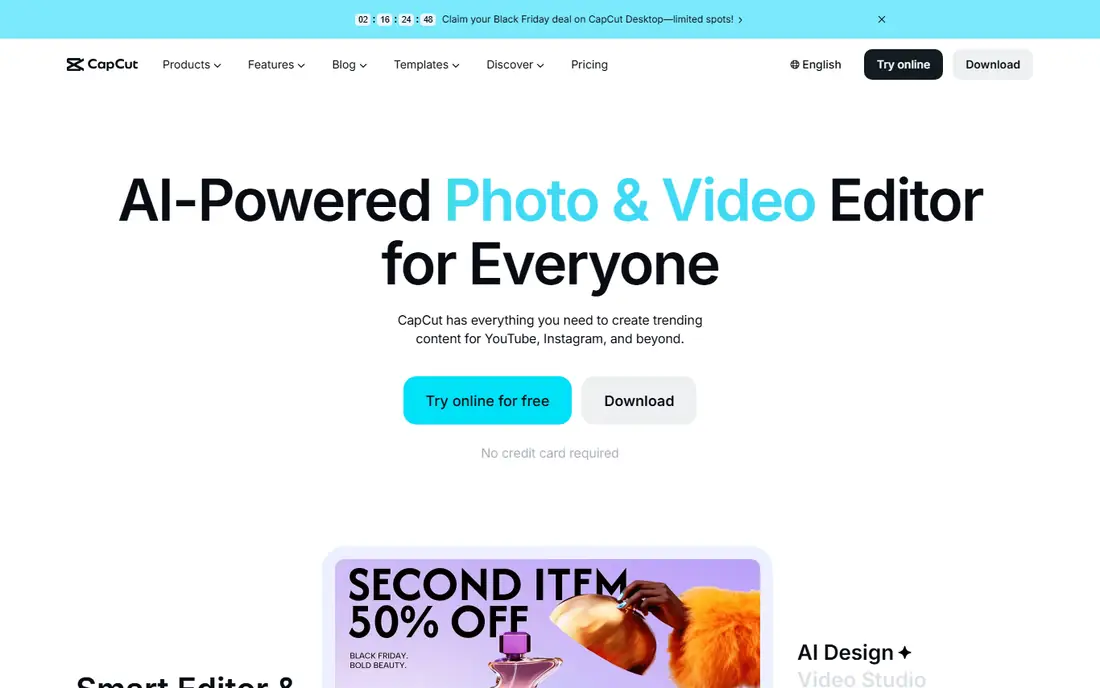
CapCut is where most first-time editors now start, and for good reason: the free version includes the full timeline editor, templates, transitions, background removal and auto-captions on mobile, desktop and web, with direct export to TikTok. If your goal is Reels, Shorts or TikToks, nothing gets you from raw clips to a finished post faster. AI auto-captions, background removal and a trending template library lead the 2026 feature set.
The catch is the 2026 price change: CapCut Pro rose from roughly $7.99 to $19.99 per month, or $179.99 per year, and features like 4K export, advanced AI tools and some effects that used to be free now require the subscription. Free exports cap at 1080p and carry watermarks on some exports. CapCut is owned by ByteDance, and its terms give broad license over uploaded content, so businesses should read commercial-use terms before putting client work through it.
What we like- Best auto-captions and beat sync
- Trending templates
- Full mobile, desktop and web editors
Watch out for- Pro price jumped in 2026
- 4K export needs Pro
- Terms need a careful read for commercial work
Starting priceFree (optional tip)
Free planYes
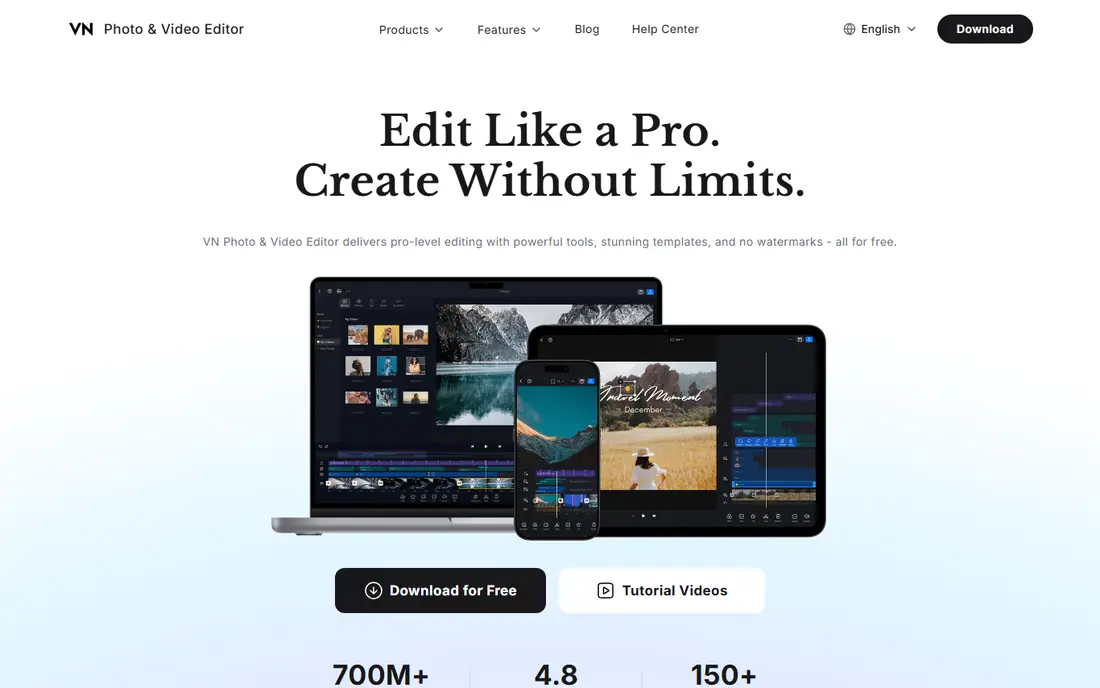
VN Video Editor is the best free pro-tier option, with a full multi-track timeline, keyframes, speed curves and color tools at no cost, and no watermark ever on exports. Visible audio bumps for fast dialogue editing make it especially strong for long-form talking-head and vlog work, where audio precision matters more than templates. It runs on iOS and Android, with an optional tip model rather than a forced subscription.
The template library is smaller than CapCut, and AI features are fewer, so short-form creators who live on trending templates may prefer CapCut. Editors who want a real pro timeline without paying, and without a watermark, will find VN the best free editor here.
What we like- No watermark ever
- Visible audio waveform for dialogue editing
- Pro features free
Watch out for- Smaller template library than CapCut
- Fewer AI features
- Learning curve for beginners
#3LumaFusion
Best for: Pro multicam and color grading3.9/5 on
G2 (11 reviews, checked Oct 2026)
Visit luma-touch.com
Starting price$29.99 one-time
Free planNo

LumaFusion is the pro multicam editor for iPad, with a 6-track magnetic timeline, LUT and LOG color support, external drive support and XML and FCPXML export for handoff to Final Cut Pro. It costs $29.99 one-time, with no subscription, and exports up to 4K. Cloud sync through iCloud project sync and multi-device project transfer make it practical for iPad-first workflows.
The limits are platform and price entry: iOS and iPadOS only, with no free tier, so Android users and budget testers should look elsewhere. Professionals who want a one-time purchase pro editor on iPad, without ongoing subscription costs, will find LumaFusion unmatched.
What we like- One-time purchase, no subscription
- 6-track magnetic timeline
- LUT and LOG support
- XML export
Watch out for- IOS and iPadOS only
- No free tier
- Smaller effects library than desktop editors
#4PowerDirector
Best for: All-rounder with AI motion tracking4.4/5 on
G2 (57 reviews, checked Oct 2026)
Visit cyberlink.com
Starting priceFree; mobile annual $34.99
Free planYes
CyberLink PowerDirector is the all-rounder, with AI motion tracking, multicam editing, fast HEVC rendering and screen recording across iOS and Android. Mobile annual plans list near $34.99 before promotions in recent guides, with monthly figures near $8.99 in price comparisons, and desktop PowerDirector 365 plans near $74.99 per year in other guides. That range reflects platform and promotion differences, so confirm current pricing in the store.
PowerDirector suits editors who want a capable all-rounder with AI help, without committing to a single platform. Guided learning modes help beginners, while multicam and motion tracking serve more advanced users. It is the best balanced choice for editors who do many kinds of video.
What we like- AI motion tracking
- Multicam
- Fast HEVC rendering
- Screen recording
Watch out for- Annual plan pricing varies by promotion
- Desktop 365 plan costs more
Starting priceFree; Pro $19.99 per year
Free planYes
InShot is the quick social edit app, with aspect-ratio presets for every platform, fast trimming, filters and music, plus a watch-ad-to-open model that lets free users open a single pro feature by watching an ad. Pro lists at $19.99 per year in recent guides, with monthly figures near $4.99 in price comparisons, making it one of the cheapest paid upgrades here. It runs on iOS and Android.
The ad-supported free tier interrupts workflow, and InShot is less suited to long-form or multicam work than VN or LumaFusion. For quick Reels, Shorts and TikToks edited on the go, InShot speed and low Pro price make it a strong second app beside CapCut.
What we like- Fastest quick social edits
- Aspect-ratio presets
- Watch-ad-to-open single pro features
Watch out for- Ad-supported free tier
- Less suited to long-form or multicam work
Starting priceFree; Premium $7.99 per month or $51.99 per year
Free planYes
KineMaster is the mobile-first editing specialist, with multi-track timelines, keyframes, blending modes and a large asset library, plus KineCloud project backup and sharing. Premium lists at $7.99 per month or $51.99 per year in recent guides, with monthly figures near $8.99 in other comparisons, and exports up to 4K60 on compatible devices. The Mix community, accessible through KineMaster and online, lets editors share work and learn from others using the same app.
Free tier exports carry a watermark, so serious creators need Premium. Mobile-first editors who want a deep toolset without desktop software will find KineMaster the most complete phone-only editor beside VN.
What we like- Strong mobile-first toolset
- KineCloud backup
- 4K60 export on compatible devices
- Mix community
Watch out for- Free tier watermarks exports
- Monthly price rose in some guides to $8.99
Starting priceFree; Basic $49.99 per year
Free planYes
Filmora suits template-driven creators who want a real timeline with AI tools on top, plus GPU-accelerated exports and full bitrate control on paid plans. Pricing lists Basic at $49.99 per year, Advanced at $59.99 per year with 1,000 AI credits per month, and Premium at $99.99 per year, with a perpetual license at $79.99 for the current major version only. Two-year cost for Advanced annual is about $119.98, far below CapCut Pro annual at $359.98 over the same period.
Free exports are watermarked, and AI credits are metered, so heavy AI users should budget for higher tiers. For client or commercial work, Filmora clearer asset licensing beats CapCut terms, and the perpetual license suits editors who refuse subscriptions on principle, with the caveat that the next major version needs a new purchase.
What we like- Readable multi-track timeline
- GPU-accelerated exports
- Perpetual license at $79.99
- Clear asset licensing
Watch out for- Free exports are watermarked
- AI credits metered on paid plans
- Perpetual covers current version only
#8
Adobe Premiere Mobile
Best for: Creative Cloud ecosystem editing
Visit adobe.com
Starting priceFree; CC subscription opens cloud
Free planYes
Adobe Premiere Mobile, the successor to Premiere Rush in Adobe mobile lineup, offers text-based editing, auto-reframe, proxy workflows and Creative Cloud project sync, with a free tier and paid AI credits and storage optional. Recent guides list it free with up to 4K export, and Premiere desktop handoff coming soon, making it the best mobile editor for editors already in the Adobe ecosystem. It runs on iOS, with Android to be announced in some guides.
Cloud features need a Creative Cloud subscription, so free users get local editing only. Editors already paying for Creative Cloud should use Premiere Mobile for on-the-go cuts that sync to desktop Premiere, while non-Adobe users will find CapCut or VN simpler starting points.
What we like- Text-based editing
- Auto-reframe
- Creative Cloud project sync
- Premiere desktop handoff coming
Watch out for- IOS first with Android to be announced in some guides
- Cloud features need CC subscription
How we chose
We compared early 2026 hands-on testing from PCMag, TouchZen, Primal Video and DIY Video Editor, plus recent price comparisons, favoring apps that handle real editing work rather than automated templates only. We weighed editing tools, export quality, AI features, workflow, pricing and device support, and we flagged pricing conflicts across guides, notably CapCut Pro at $9.99 versus $19.99 monthly depending on tier, and PowerDirector mobile versus desktop pricing. We left out desktop-only editors, since this list covers mobile video making apps.
Matching the app to the video
Short-form social video points to CapCut for templates and speed, or InShot for quick edits at a lower Pro price. Long-form vlogs and talking-head work point to VN for free pro editing with audio precision, or Filmora for a readable timeline with AI help. Professional iPad work points to LumaFusion for its one-time purchase and multicam tools. All-round mobile editing points to PowerDirector or KineMaster, while Adobe ecosystem editors should choose Premiere Mobile for cloud sync and desktop handoff.
Export quality and watermark traps
Free tiers differ sharply on exports: VN has no watermark ever, CapCut free caps at 1080p with watermarks on some exports, Filmora free exports are watermarked, and KineMaster free exports carry a watermark. Check export resolution, frame rate and watermark rules before committing to a free tier, since a watermarked export can ruin an otherwise good edit. Hardware also matters: 4K editing needs a recent flagship phone, and each editor sets its own device and memory requirements.
Frequently asked questions
What is the best free video making app?
VN Video Editor, with a full pro timeline, no watermark ever and free export at no cost. CapCut free is also strong for short-form, though it caps at 1080p and watermarks some exports.
Is CapCut Pro worth $19.99 per month?
It depends on use: heavy short-form creators who use 4K export, advanced AI tools and cross-platform editing will find value, while casual creators should stay on the free tier. Filmora Advanced at $59.99 per year is far cheaper over two years for desktop editors.
What is the best video editing app for iPad?
LumaFusion, at $29.99 one-time, with multicam, color grading, external drive support and Final Cut Pro export. No subscription is needed, which sets it apart from every other pro option here.
Can I edit 4K video on my phone?
Yes, on recent flagship phones: LumaFusion, KineMaster and PowerDirector support up to 4K export, while CapCut 4K needs Pro. Check your phone processor and memory against each editor requirements before starting a 4K project.
Which app is best for YouTube videos over 10 minutes?
Filmora, with a readable multi-track timeline, GPU-accelerated exports and full bitrate control, or VN for free long-form editing with audio waveform precision. CapCut suits shorts better than long-form.
Do I need a subscription to edit video on mobile?
No. VN is free with no watermark, LumaFusion is a one-time purchase, and CapCut, InShot, KineMaster, PowerDirector and Filmora all offer free tiers. Subscriptions add 4K export, AI tools, templates and watermark removal.
Sources we checked (8)
- https://sharedtutor.com/2026/07/11/best-mobile-video-editing-apps-2026-comparison-guide/
- https://www.techrepublic.com/article/news-best-video-editing-apps-android-2026/
- https://kinemaster.com/blog/Video-app-price-comparison
- https://www.theaitools.tech/2026/10/capcut-vs-filmora-which-video-editor-is.html
- https://rankite.com/blog/best-beginner-video-editing-software
- https://www.capcut.com
- https://www.vlognow.me
- https://luma-touch.com
Is your product missing or out of date?
We review this list regularly. Vendors can request a listing, send updated pricing or ask about featured placement.

Shihab Mia · Founder, Rankite
Shihab has 5+ years in B2B and SaaS SEO. He writes Rankite's software buying guides from pricing pages, documentation and public user reviews. More about Shihab.