How we make this list: we compare pricing pages, product documentation and public user reviews. Ratings come from G2, Capterra or Trustpilot, with the date we checked them.
Best video enhancer app at a glance
Remini is the best video enhancer app for most people, with one-tap sharpening, unblur and 4K upscaling for old clips and selfies. Wink is the best for portrait video, and CapCut is the best when you also want to edit. All eight apps here are free to try, and most cost under $10 a month.
Key takeaways
- Remini is the best all-round enhancer, with strong face repair and video upscaling in one app.
- Wink is the best pick for portrait and selfie video, with 4K Super Resolution and unblur built for faces.
- CapCut, PowerDirector, KineMaster, Filmora, InShot and YouCut are editors first, so pick one when you also want to cut and publish.
- Weekly billing is the trap in this category: $6.99 a week costs more than $360 a year, so always check the annual price.
- Free tiers watermark exports or cap resolution at 720p, so budget for a paid plan if you publish the result.
Best video enhancer apps compared
| Tool | Best for | Starting price | Free plan |
| Remini | One-tap sharpening and unblur | Free; Pro from $6.99/week | Yes |
| CapCut | Editing plus enhancement | Free; Pro $19.99/month | Yes |
| PowerDirector | Pro timeline with AI tools | Free; mobile annual $34.99 | Yes |
| KineMaster | Multi-layer editing with upscaling | Free; Premium about $9.99/month | Yes |
| Wink | Portrait video and faces | Free; VIP $12.99/month | Yes |
| Filmora | AI auto-cut and voice tools | Free; from $59.99/year | Yes |
| InShot | Quick low-cost phone edits | Free; Pro $4.99/month | Yes |
| Videoleap | AI effects and templates | Free; Pro about $7.99/month | Yes |
What does a video enhancer app actually improve?
A video enhancer app fixes the four things that make phone footage look bad: soft focus, noise in low light, low resolution, and shaky colour. The AI sharpens edges, removes grain, balances exposure and upscales the frame, so a 720p clip can look close to 1080p and a blurry face becomes recognisable. The best apps also stabilise shaky footage and restore old family videos frame by frame. What no app can do is invent detail that was never recorded: a face that is three pixels wide will stay a guess, and text that is unreadable in the original will stay unreadable. Judge an app by how it handles your worst clip, not its demo reel.
Can an app really turn a blurry video into 4K?
It can upscale a video to 4K, but that is not the same as recording in 4K. Upscaling uses AI to guess the missing pixels, which works well for faces, skin and smooth backgrounds, and badly for fine text, fences and hair. A 720p clip upscaled to 4K looks sharper on a phone screen, but on a large TV the invented detail becomes visible as a waxy, over-smooth image. Remini and Wink do this best for people, because their models are trained on faces. For landscapes and text, a desktop tool such as Topaz Video AI gives better results, but it costs far more and runs on a computer. Treat 4K upscaling as a polish step, not a rescue.
How much do video enhancer apps cost?
Most video enhancer apps are free to try and charge $5 to $20 a month for full access. The trap is weekly billing: Remini Pro starts at $6.99 a week, which is more than $360 a year if you forget to cancel, while its annual plan is listed near $59.99 a year on some channels and near $299 a year on others, so check the price on your own platform. CapCut Pro is $19.99 a month or $179.99 a year on its own pricing page, though older listings still show $9.99 a month. InShot Pro is the cheapest paid option here at $4.99 a month or $19.99 a year. Prices here are third-party reported, checked 13 Nov 2026, because no vendor pricing page was opened directly for this guide.
Which video enhancer app is best for old family videos?
Remini is the best pick for old family videos, because it was built for exactly that job: restoring faces, removing blur and upscaling old clips, with a dedicated video enhancement mode. Start with the free tier, which gives about five enhances a day behind ads, and enhance one clip first to check the result before paying. Wink is the best alternative when the footage is mostly people talking to camera, since its face repair is stronger. Whatever app you use, keep the original file untouched and export the enhanced copy under a new name, because AI enhancement is a one-way process and you cannot undo a bad upscale.
Quick comparison
| Tool | Best for | Starting price | Free plan |
|---|
 Remini | One-tap sharpening, unblur and video upscaling | Free; Pro from $6.99/week, third-party reported, checked 13 Nov 2026 | Yes, about 5 enhances a day with ads |
 CapCut | Short-form editing with AI enhancement built in | Free; Pro $19.99/month or $179.99/year, third-party reported, checked 13 Nov 2026 | Yes, capable free tier |
 PowerDirector | Multi-track editing with AI motion tracking | Free; mobile annual $34.99, third-party reported, checked 13 Nov 2026 | Yes, trial with watermark |
 KineMaster | Multi-layer mobile editing with AI Super Resolution | Free; Premium about $9.99/month or about $49.99/year, third-party reported, checked 13 Nov 2026 | Yes, full toolkit with watermark and ads |
 Wink | Portrait video, selfies and face enhancement | Free; VIP $12.99/month or $59.99/year, third-party reported, checked 13 Nov 2026 | Yes, with watermark and 720p cap |
 Filmora | AI auto-cut, voice tools and a large effects library | Free; from $59.99/year, third-party reported, checked 13 Nov 2026 | Yes, with watermark |
 InShot | Quick low-cost edits with enhancement on top | Free; Pro $4.99/month, $19.99/year, or $49.99 lifetime, third-party reported, checked 13 Nov 2026 | Yes, with ads and watermark |
 Videoleap | AI effects, templates and quick creative edits | Free; Pro about $7.99/month or about $69.99/year, third-party reported, checked 13 Nov 2026 | Yes, with watermark |
Is your product missing or out of date?
We review this list regularly. Vendors can request a listing, send updated pricing or ask about featured placement.
The 8 best video enhancer apps compared
#1Remini
Best for: One-tap sharpening, unblur and video upscaling4.6/5 on
G2 (13 reviews, checked Oct 2026)
Visit remini.ai
Starting priceFree; Pro from $6.99/week, third-party reported, checked 13 Nov 2026
Free planYes, about 5 enhances a day with ads
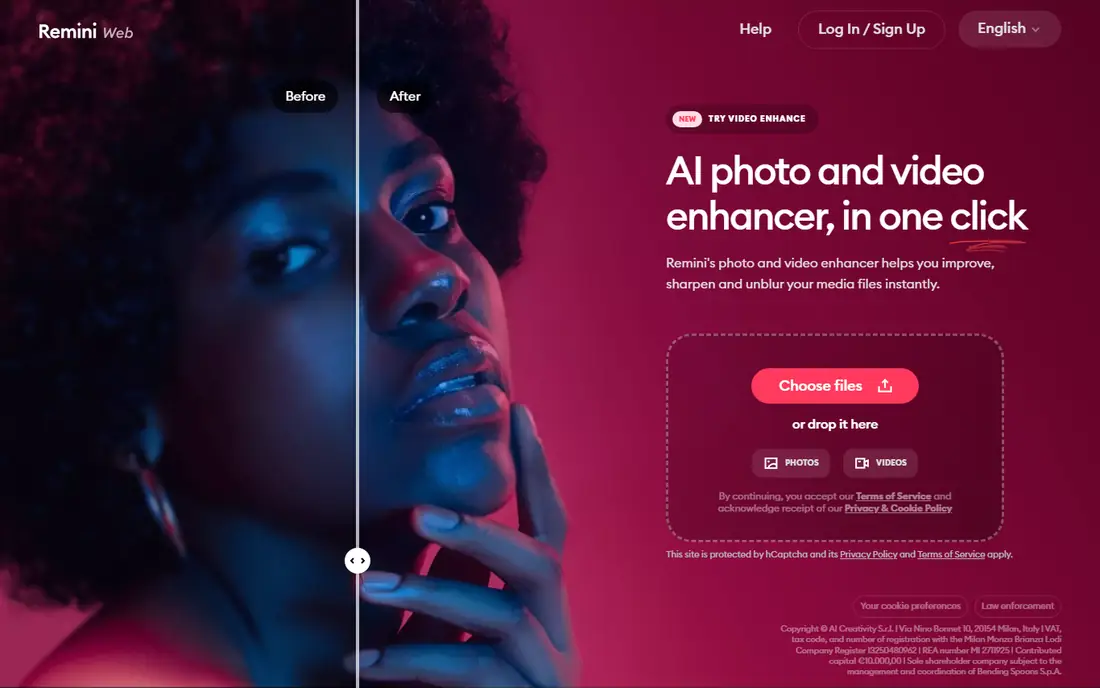
Remini is the most popular AI photo and video enhancer on phones, from Bending Spoons, and it earns the top spot for face repair. Upload a blurry clip or an old family video and the app sharpens faces, removes noise and upscales the result, with a dedicated video enhancement mode on paid plans. The free tier gives about five enhances a day, each gated behind a video ad, with a watermark on exports. Personal is $6.99 a week for 20 enhancements a week, and Business is $9.99 a week for unlimited use with commercial rights. Pick Remini when your clips are mostly people and you want the simplest one-tap fix.
What we like- Best face repair in the category, video enhancement included, iOS, Android and web, huge user base
Watch out for- Weekly billing adds up fast, free exports are watermarked, and reported annual prices vary from $59.99 to $299 by channel
#2CapCut
Best for: Short-form editing with AI enhancement built in1.2/5 on
Trustpilot (1,347 reviews, checked Oct 2026)
Visit capcut.com
Starting priceFree; Pro $19.99/month or $179.99/year, third-party reported, checked 13 Nov 2026
Free planYes, capable free tier
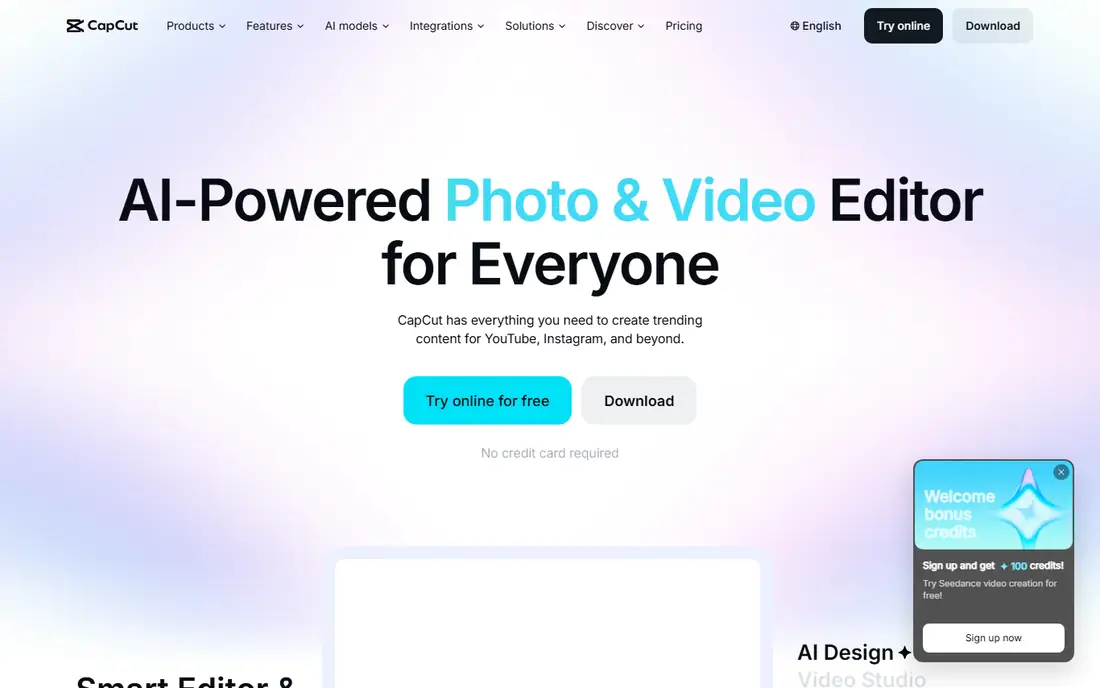
CapCut is an editor first and an enhancer second, which makes it the right pick when you plan to publish the clip rather than just fix it. The free tier covers trimming, captions, effects and most templates with no watermark on most features, while Pro adds 4K export, advanced AI tools such as camera tracking and vocal isolation, plus premium effects and cloud storage. Its own pricing page lists Pro at $19.99 a month or $179.99 a year, though some older guides still quote $9.99 a month. Pick CapCut when the enhanced clip is going straight to TikTok, Reels or Shorts and you want the edit and the polish in one app.
What we like- Largest AI feature set on mobile, templates, auto-captions, 4K export on Pro, TikTok integration
Watch out for- Pro price jumped in 2026 and older listings still show $9.99 a month, so confirm the price before subscribing
#3PowerDirector
Best for: Multi-track editing with AI motion tracking4.4/5 on
G2 (57 reviews, checked Oct 2026)
Visit powerdirector.com
Starting priceFree; mobile annual $34.99, third-party reported, checked 13 Nov 2026
Free planYes, trial with watermark
PowerDirector by CyberLink is the all-rounder here, with a proper multi-track timeline on a phone plus AI motion tracking, multicam editing and fast HEVC rendering. The mobile app is free with a watermark, and annual plans list near $34.99 before promotions, with monthly figures near $8.99 in price comparisons. Desktop PowerDirector 365 is a separate product near $74.99 a year, so check which version you are buying. The AI enhancement tools cover upscaling, denoise and stabilisation, but the real strength is control: keyframes, colour grading and audio mixing that the one-tap apps cannot match. Pick PowerDirector when you want a serious editor that also enhances.
What we like- Multi-track timeline, AI motion tracking, fast HEVC rendering, screen recording, iOS and Android
Watch out for- Mobile and desktop prices differ widely, and the interface is crowded for beginners
Starting priceFree; Premium about $9.99/month or about $49.99/year, third-party reported, checked 13 Nov 2026
Free planYes, full toolkit with watermark and ads
KineMaster is a mobile-first, multi-layer video editor with a genuinely deep free tier, and its AI Super Resolution can upscale low-resolution video to HD or 4K directly on a phone. The free version includes the full editing toolkit with a watermark, ads and limited asset access, while Premium at about $9.99 a month or $49.99 a year removes the watermark and ads and unlocks the 75,000 item asset store. One subscription covers up to five devices across iOS and Android, and Premium also includes Spring, its simpler sister editor. Pick KineMaster when you edit on your phone every week and want upscaling inside a real timeline.
What we like- Multi-layer timeline, keyframes, AI Super Resolution up to 4K, one subscription covers 5 devices
Watch out for- No desktop app, and removing the watermark needs an ongoing subscription with no one-time option
Starting priceFree; VIP $12.99/month or $59.99/year, third-party reported, checked 13 Nov 2026
Free planYes, with watermark and 720p cap
Wink, from Meitu, is the best app here for video of people: it specialises in AI enhancement, 4K Super Resolution and unblur for faces, which is why it leads for selfies and portrait clips. The free version caps output at 720p, adds a watermark and includes only basic tools. The App Store lists VIP at $12.99 a month or $59.99 a year, with VIP Plus at $19.99 a month for 4K access and watermark-free exports, while the web version sells credits instead. Pick Wink when your footage is mostly faces and you want the sharpest portrait results on a phone.
What we like- Strongest face enhancement here, 4K Super Resolution, unblur, iOS and Android, web version with credits
Watch out for- Pricing varies by surface, with web credits separate from app subscriptions, and full 4K needs the VIP Plus tier
Starting priceFree; from $59.99/year, third-party reported, checked 13 Nov 2026
Free planYes, with watermark
Filmora by Wondershare sits between a simple enhancer and a pro editor, with AI auto-cut, voice tools, keyframing and motion tracking in an interface beginners can learn in an afternoon. The mobile app is free with a watermark, and the annual plan lists at $59.99, with monthly mobile Pro near $7.99 and desktop Basic at $49.99 a year. A perpetual desktop licence is also available near $79.99. The AI enhancement covers upscaling, denoise and stabilisation, but the real value is the effects library and the speed of turning raw clips into a finished video. Pick Filmora when you post often and want AI help with the edit itself.
What we like- Easy to learn, large effects library, AI auto-cut and voice tools, Windows, Mac and mobile
Watch out for- Mobile and desktop prices differ, free exports carry a watermark, and AI credits are sold separately on some plans
#7
InShot
Best for: Quick low-cost edits with enhancement on top
Visit inshot.com
Starting priceFree; Pro $4.99/month, $19.99/year, or $49.99 lifetime, third-party reported, checked 13 Nov 2026
Free planYes, with ads and watermark
InShot is the simple option: trim, add music and text, change the aspect ratio and export, with AI enhancement tools that sharpen and upscale without a learning curve. The free version shows ads and adds an InShot watermark that Pro removes. Pro costs $4.99 a month, $19.99 a year or $49.99 once, which makes it the cheapest paid plan on this list and the only one with a lifetime option. It is quicker to learn than CapCut, with a less capable timeline, so it suits creators who want a fast polish rather than a full edit. Pick InShot when you want the lowest cost route to watermark-free 4K exports.
What we like- Cheapest paid plan here, lifetime option, simple to learn, up to 4K export on Pro
Watch out for- Weaker AI tools than Remini or Wink, and the free version shows ads with an InShot watermark
Starting priceFree; Pro about $7.99/month or about $69.99/year, third-party reported, checked 13 Nov 2026
Free planYes, with watermark
Videoleap by Lightricks is an AI video editor with templates, effects and AI tools for quick creative edits, and it has more than 100 million users on iOS and Android. The free version covers basic editing with a watermark, while Pro at about $7.99 a month or about $69.99 a year unlocks premium effects, AI tools and unlimited exports, with a 7-day free trial to test it first. The AI enhancement covers upscaling, background removal and style effects rather than dedicated face repair, so it suits creative social clips more than restoration work. Pick Videoleap when you want AI templates and effects in a fast mobile editor.
What we like- AI effects and templates, 7-day free trial, 100 million plus users, iOS and Android
Watch out for- Premium features need a subscription, and reported prices vary from $7.99 to $9.99 a month by source
How we picked these apps
We picked apps that enhance video on a phone, with at least one AI feature for sharpening, denoise or upscaling, and a free tier to test with. Every app here is free to try, and we favoured tools that publish a price over tools that hide it. Prices were gathered from vendor pricing pages, app store listings and third-party price checks dated October and November 2026, and are marked third-party reported where we did not open the vendor page directly. We left out desktop-only upscalers, since this guide is about apps, and tools with no public price. Check the price on your own platform before you pay, because app store prices vary by region.
Frequently asked questions
What is the best video enhancer app for iPhone?
Remini is the best video enhancer app for iPhone for most people, because its face repair and unblur are the strongest in this category and it handles both photos and video. Wink is the best alternative for portrait and selfie video, with 4K Super Resolution built for faces. If you also want to edit, CapCut is the better iPhone pick, since it combines enhancement with templates, captions and 4K export in one free app.
Are video enhancer apps free?
Most video enhancer apps are free to try, but the free tier is limited. Remini gives about five enhances a day behind ads, Wink caps free output at 720p with a watermark, and Videoleap locks premium effects behind Pro. Paid plans start at $4.99 a month for InShot Pro and rise to $19.99 a month for CapCut Pro.
Will enhancing a video remove the watermark?
No, enhancing a video does not remove a watermark, and no reputable app claims otherwise. Watermarks from free tiers are removed only by paying for the app that added them, such as InShot Pro or KineMaster Premium. Apps that promise to remove another app watermark usually violate terms of service and often leave artefacts in the frame.
Can video enhancer apps fix shaky footage?
Yes, most apps here include stabilisation alongside sharpening and denoise. CapCut, PowerDirector and KineMaster have the strongest stabilisation because they are full editors with motion tracking, while Remini and Wink focus on sharpness and leave heavy shake to the editor apps. Stabilisation crops the edges of the frame, so a very shaky clip loses some picture area. For best results, stabilise first, then enhance, and export at the same frame rate as the original.
Is it safe to upload personal videos to an enhancer app?
It depends on the app and the clip. Reputable apps from Bending Spoons, Meitu, ByteDance and CyberLink publish privacy policies and process uploads on their servers, but the video still leaves your phone. Avoid uploading videos of children, medical material or anything sensitive to a free app with unclear terms, and check whether the app uses uploads to train its models.
Sources we checked (14)
- https://remini.ai
- https://www.softwr.com/pricing/remini
- https://www.capcut.com
- https://short.now/blog/capcut-alternatives/
- https://www.powerdirector.com
- https://www.kinemaster.com
- https://www.aichatdaily.com/tools/kinemaster
- https://wink.meitu.com
- https://unifab.ai/resource/wink-video-enhancer
- https://filmora.wondershare.com
- https://www.inshot.com
- https://www.videoleapapp.com
- https://www.top10.com/photo-and-video-editing-apps/reviews/videoleap
- https://www.aiarty.com/ai-video-enhancer/best-video-enhancer-app.htm
Is your product missing or out of date?
We review this list regularly. Vendors can request a listing, send updated pricing or ask about featured placement.

Shihab Mia · Founder, Rankite
Shihab has 5+ years in B2B and SaaS SEO. He writes Rankite's software buying guides from pricing pages, documentation and public user reviews. More about Shihab.