How we make this list: we compare pricing pages, product documentation and public user reviews. Rankite is independent; if a vendor ever pays for a featured spot, that listing is clearly labeled Partner.
Key takeaways
- For most Windows users, the free options win. Geek Uninstaller, Bulk Crap Uninstaller and HiBit Uninstaller remove programs completely without costing anything.
- Revo Uninstaller remains the best-known paid pick, with leftover scanning and install monitoring that justify the price for tinkerers.
- Removing many programs at once is Bulk Crap Uninstaller's specialty; nothing else automates batch removal as well.
- Mac users have a different shortlist: CleanMyMac handles app removal plus system cleanup in one subscription.
- No uninstaller replaces judgment. Always check what a "leftover" is before deleting registry entries in bulk.
Quick comparison
Is your product missing or out of date?
We review this list regularly. Vendors can request a listing, send updated pricing or ask about featured placement.
The best uninstaller software
Starting priceSee website
Free planFree trial
Revo is the name people mean when they say "uninstaller software," and the reputation is earned. The Pro version watches installations in real time, logging every file and registry change, so uninstalling later removes precisely what was added. For programs already half-broken, Forced Uninstall hunts down remnants without needing the original uninstaller to work. The 30-day free trial and 60-day money-back guarantee make it low-risk to test.
The free version is capable but deliberately limited: no real-time monitoring, no multi-level backup system. If you only uninstall occasionally, Geek or HiBit cover you for free. Revo earns its price for people who install and remove software constantly, testers, tinkerers, IT folks, where the monitoring log pays for itself in avoided messes.
What we like- Excellent leftover scanning after the standard uninstaller runs
- Forced uninstall for broken programs
- Real-time install monitoring logs every change
Watch out for- Best features are Pro-only
- The interface is functional rather than modern
- Free version lacks the monitoring module
Starting priceFree
Free planYes

IObit Uninstaller 16's free version does most of what the average user needs: batch removal, leftover scanning, stubborn-program removal and Windows app uninstallation, plus a software updater that keeps other programs current. It is the easiest recommendation for a non-technical friend who just wants the junk gone, since the interface holds your hand through the process.
The annoyance is the business model. The installer offers bundled extras you must decline, and the app itself promotes IObit's other products. None of that affects how well it uninstalls, but it sours the experience. Decline the bundles during setup, ignore the upsells, and you get a genuinely capable free uninstaller.
What we like- Generous free version with batch uninstall
- Handles stubborn programs and browser plugins
- Software updater bundled in
Watch out for- Installer tries to bundle extra IObit products
- Upsell prompts inside the app
- Company reputation is mixed among power users
Starting priceFree
Free planYes
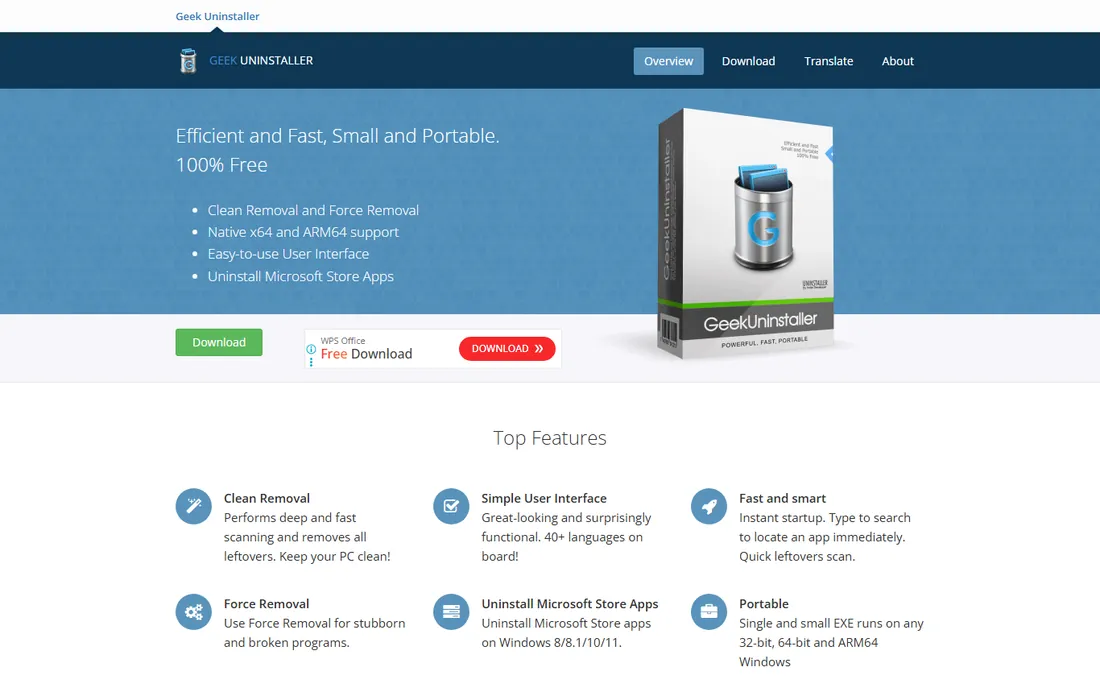
Geek Uninstaller is beloved for what it does not do: no installer, no background services, no upsells. You download one small file, run it from anywhere (even a USB stick), and it lists every program with fast search. Uninstalling triggers a deep leftover scan that catches the registry entries and folders the standard uninstaller abandons. Force Removal handles programs whose uninstallers are broken or missing.
What you give up is depth. There is no monitoring of new installations, no batch automation to BCU's level, no system utilities beyond the basics. For a tool you run a few times a month, that minimalism is the point. Keep it on a USB drive alongside your other rescue utilities and you will reach for it constantly.
What we like- Completely free and portable, a single small EXE
- Fast leftover scanning
- Force removal for broken installs
Watch out for- No install monitoring
- Minimal extra features
- The Pro version adds little for most users
Starting priceFree, open source
Free planYes
BCU exists for one glorious purpose: removing a lot of software with minimal clicking. New PC full of bloatware? Select everything, start the batch, and BCU works through the list, using each program's own uninstaller where possible and suppressing prompts automatically. It finds things other uninstallers miss entirely: portable apps, Steam games, Chocolatey packages, Windows Store apps, even Windows updates.
Power comes with complexity. The interface exposes every option at once, and the filtering system, while excellent, takes learning. Used carelessly, batch automation can remove something you wanted. But for cleaning a new laptop, decommissioning machines or maintaining lab PCs, nothing else in this list touches it, and the open-source license means it is free for commercial use too.
What we like- Unmatched batch and automated uninstalling
- Detects portable apps, Store apps, Steam games and Windows updates
- Free and open source under Apache 2.0
Watch out for- Interface overwhelms first-timers
- Automation needs careful configuration
- Overkill for removing one program
Starting priceSee website
Free planFree trial
Ashampoo takes the monitoring philosophy further than anyone: run its installation guard, install a program normally, and UnInstaller records every file, registry key and system change in detail. Uninstalling later reverses the log precisely, which catches leftovers that post-uninstall scanners can only guess at. The snapshot feature compares system states before and after, useful for auditing what a suspicious installer actually did.
The requirement is the catch: monitoring only works for programs installed while the guard was active. It cannot retroactively log something you installed last year. And this is firmly paid software, so casual users should exhaust the free options first. For the meticulous user who wants a complete record of everything, it is the most thorough approach here.
What we like- Deep installation logging captures every system change
- Snapshot comparison finds leftovers others miss
- Polished, modern interface
Watch out for- Paid software with no meaningful free tier
- Monitoring must be running before you install
- Heavier than portable alternatives
Starting priceSee website
Free planFree trial
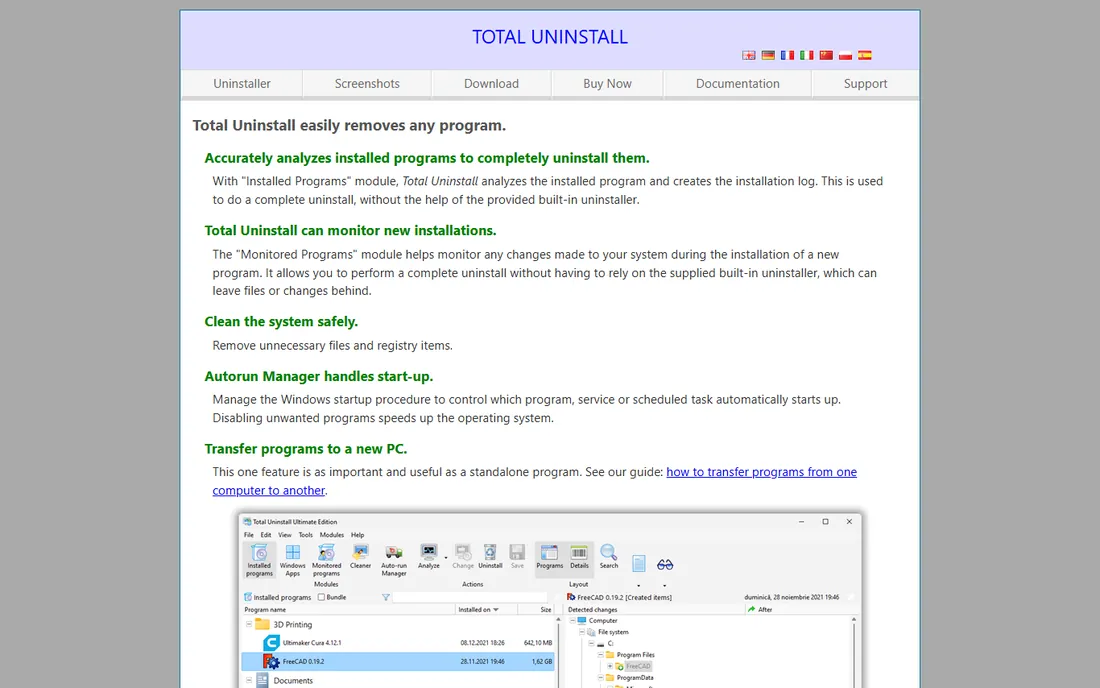
Total Uninstall has been doing monitored uninstalls since before most competitors existed, and the accuracy shows. Its Installed Programs module analyzes a program's footprint deeply, while the Monitored Programs module tracks new installations in real time. A standout extra is program transfer: move installed software to a new PC without reinstalling, a genuinely useful trick during migrations.
The interface has not kept up with modern design trends, and the wealth of options can confuse newcomers. This is a specialist's instrument, not a casual cleaner's. But for IT professionals and power users who want the most precise uninstall available on Windows, Total Uninstall's analysis engine remains a benchmark.
What we like- Extremely accurate installation analysis
- Can transfer programs to a new PC
- Autorun manager and system cleanup extras included
Watch out for- Interface looks dated
- Learning curve for the analysis features
- Paid only
Starting priceFree
Free planYes
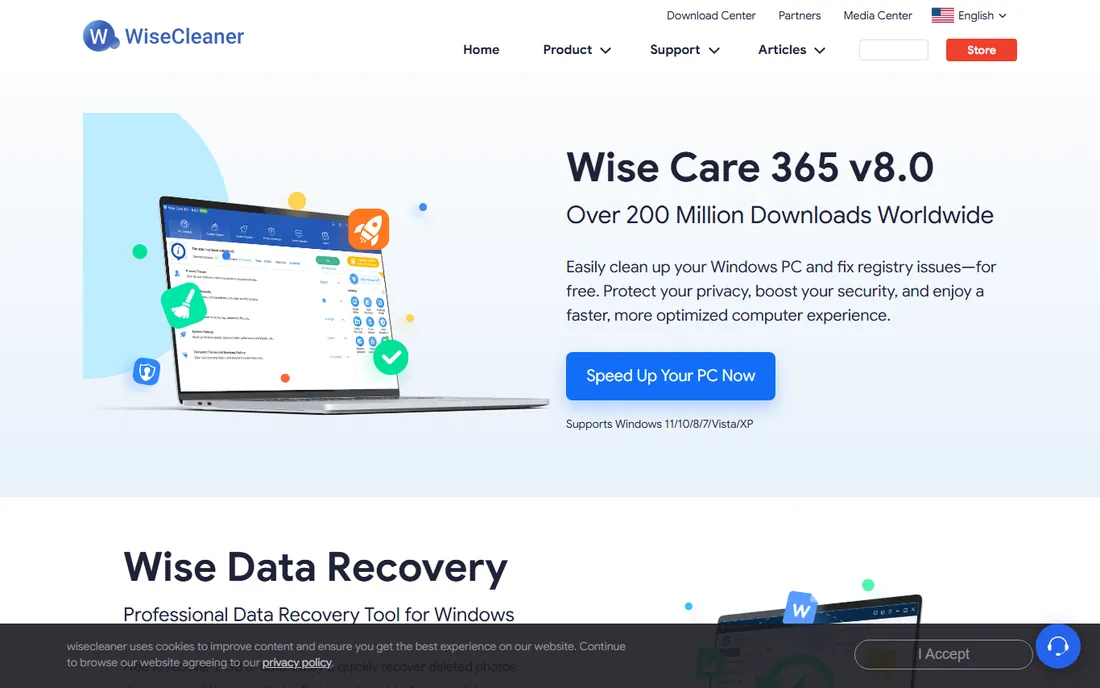
Wise Program Uninstaller is the quiet free option from the makers of Wise Care 365. It offers safe uninstall (the standard path plus a leftover scan) and forced uninstall for stubborn cases, wrapped in an interface your parents could navigate. There is no upsell maze and no bundled junk in the installer, which already puts it ahead of several rivals.
It does not dig as deep as Revo or Geek when hunting leftovers, and power users will miss batch automation and monitoring. But as a free, honest, no-drama uninstaller for everyday cleanup, it does the job. Think of it as the sensible default for family PCs where simplicity matters more than maximum thoroughness.
What we like- Free with a clean, simple interface
- Safe uninstall plus forced uninstall modes
- From the established WiseCleaner family
Watch out for- Leftover scanning is less aggressive than Revo or Geek
- Few advanced features
- Windows only
Starting priceSee website
Free planFree trial
Windows dominates this category, but Mac users need uninstallers too, and CleanMyMac is the standard answer. Its Uninstaller module finds every app on your Mac, shows how much space each consumes with its leftovers, and removes the support files, caches and preferences that dragging to Trash leaves behind. Around it sits a full maintenance suite: junk cleanup, malware removal, updater and disk management.
The subscription model is the perennial complaint; you rent it yearly rather than owning it. And if you only ever want to uninstall apps, the extra modules are baggage. But for Mac owners who want one app that keeps the whole system tidy, with uninstalling done properly as part of it, CleanMyMac is the polished choice.
What we like- Removes Mac apps completely including Library leftovers
- Doubles as a system cleaner (junk, malware, updates)
- Polished native Mac experience
Watch out for- Subscription pricing
- Mac only
- More than a pure uninstaller, which some will see as bloat
Starting priceFree
Free planYes
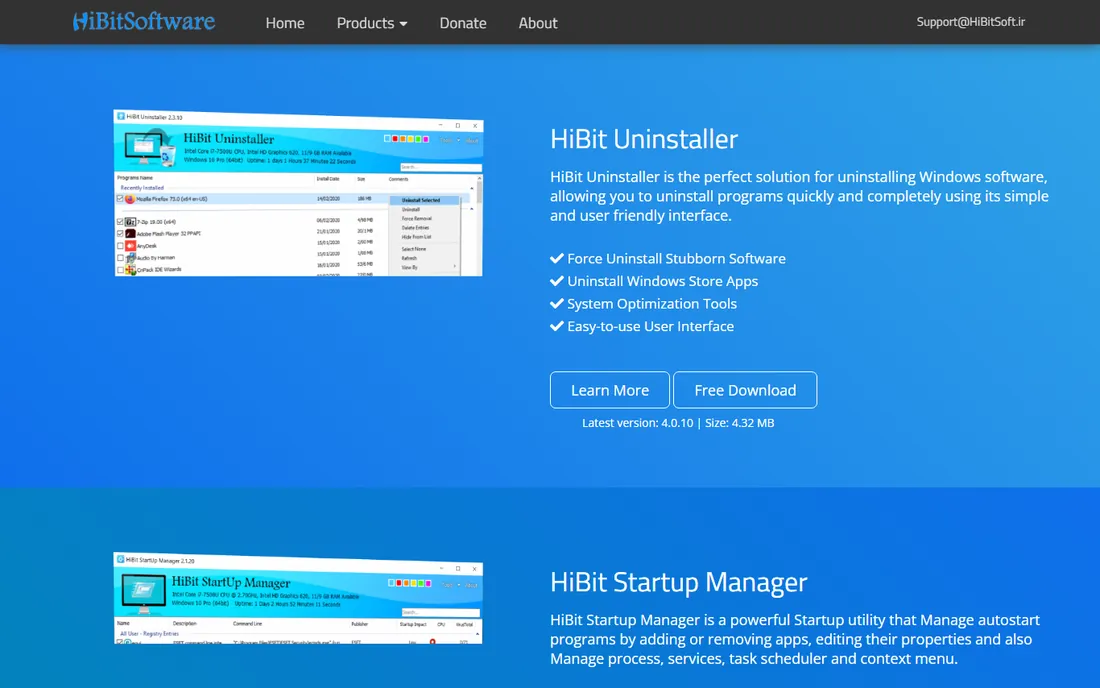
HiBit Uninstaller is the free portable tool that keeps showing up in "actually, try this one" forum replies. It uninstalls desktop programs and Windows Store apps, force-removes broken ones, cleans leftovers, and throws in genuinely useful extras: a startup manager, empty-folder cleaner and context-menu editor. All in a 4 MB download that runs without installation.
The developer is small and the tool gets less press than Revo or IObit, which means fewer professional reviews to consult. The interface is functional rather than delightful. But for a free tool with no upsells and a portable footprint, HiBit punches well above its weight, and it deserves a spot on any rescue USB.
What we like- Completely free and portable
- Force uninstall plus Windows Store app removal
- Includes handy system tools (startup manager, context menu editor)
Watch out for- Smaller developer, less review coverage
- Interface is plain
- No install monitoring
Frequently asked questions
Is Windows' built-in uninstaller not enough?
It removes the program's main files most of the time, but routinely leaves registry entries, user-data folders, startup entries and services behind. Over months that residue accumulates. A dedicated uninstaller runs the built-in uninstaller first, then scans for and removes what it left.
Can an uninstaller damage my system?
It can if used recklessly. Deleting registry entries in bulk or force-removing system components causes real problems. Stick to removing programs you recognize, let the tool use the program's own uninstaller first, and review leftover lists before confirming. The tools here are safe when used as directed.
What is the difference between free and paid uninstallers?
Paid versions typically add install monitoring (logging changes as programs install), deeper leftover scanning, priority support and batch features. Free tools like Geek, BCU and HiBit cover standard uninstalling and leftover cleanup well. Pay only if you constantly install and remove software or need monitoring.
Do Macs need uninstaller software?
Less than Windows, but yes, sometimes. Dragging an app to the Trash leaves preferences, caches and support files scattered in the Library folder. CleanMyMac and similar tools find and remove those strays. macOS does not suffer registry bloat, so the need is smaller but real.
Should I remove pre-installed bloatware?
Generally yes, with care. Manufacturer utilities, trial antivirus and game portals can go. Keep driver utilities and hardware-specific tools unless you know they are safe to remove. When in doubt, search the program name before uninstalling, and create a system restore point first.
How to pick without overthinking it
Start with free
Unless you have a specific reason to pay, start with Geek Uninstaller or HiBit Uninstaller. Both are free, portable and thorough. If they solve your problem, you are done. Most buyers overestimate how much uninstalling they actually do.
Match the tool to the mess
One stubborn program? Revo's Forced Uninstall or Geek's Force Removal. Twenty programs on a new laptop? BCU's batch automation. Constant installing and testing? Revo Pro or Total Uninstall with monitoring. A Mac full of old apps? CleanMyMac. The "best uninstall tool" is the one shaped like your problem.
Watch the installer
Ironic but true: some uninstaller installers try to install extra software. Read every screen, decline bundles, and prefer portable versions that skip installation entirely. A tool that litters your PC while promising to clean it has told you everything about its priorities.
Keep a restore point habit
Before any major cleanup session, create a Windows restore point. It takes a minute and turns any mistake into a minor inconvenience. The best uninstallers offer to do this automatically; say yes.
What uninstallers cannot fix
An uninstaller removes software. It does not speed up an aging hard drive, fix a corrupted Windows installation or remove malware pretending to be a legitimate program. If your PC is slow after a thorough cleanup, the bottleneck is elsewhere: a full drive, too little RAM, or a fresh Windows install waiting to happen. Also note that browser hijackers and fake "system optimizers" often resist normal uninstallation entirely; those need dedicated malware removal, not a better uninstaller.
How we chose
We tested claims against reality: current product pages, documentation and feature lists, plus long-term owner feedback from Reddit, tech forums and review sites. We favored tools that are actively maintained in 2026, verified that free tiers actually exist as described, and weighted real buyer scenarios (occasional cleanup, batch removal, install monitoring, Mac maintenance) over feature-list length.
Sources we checked (9)
- https://revouninstaller.com/
- https://iobit.com/
- https://geekuninstaller.com/
- https://bcuninstaller.com/
- https://ashampoo.com/
- https://martau.com/
- https://wisecleaner.com/
- https://macpaw.com/
- https://hibitsoft.ir/
Is your product missing or out of date?
We review this list regularly. Vendors can request a listing, send updated pricing or ask about featured placement.

Shihab Mia · Founder, Rankite
Shihab has spent more than a decade helping SaaS and e-commerce brands grow through search. He writes Rankite's software buying guides from pricing pages, documentation and public user reviews. More about Shihab.
 Revo Uninstaller
 IObit Uninstaller
 Geek Uninstaller
 Bulk Crap Uninstaller
 Ashampoo UnInstaller
 Total Uninstall
 Wise Program Uninstaller
 CleanMyMac
 HiBit Uninstaller