How we make this list: we compare pricing pages, product documentation and public user reviews. Ratings come from G2, Capterra or Trustpilot, with the date we checked them.
Key takeaways
- iLovePDF and Smallpdf suit readers who want fast, polished online PDF merging, while Adobe Acrobat suits readers who need a full professional PDF suite.
- Sejda and PDF24 suit readers who want free online merging with extra tools, while PDFsam Basic suits readers who want free offline merging.
- Combine PDF and PDF2Go suit readers who want simple, focused online merging without installing software.
- For sensitive documents, prefer offline tools or check a service privacy policy before uploading files to a website.
Quick comparison
Is your product missing or out of date?
We review this list regularly. Vendors can request a listing, send updated pricing or ask about featured placement.
#1iLovePDF
Best for: Fast online merging4.6/5 on
G2 (583 reviews, checked Oct 2026)
Visit ilovepdf.com
Starting priceFree
Free planYes
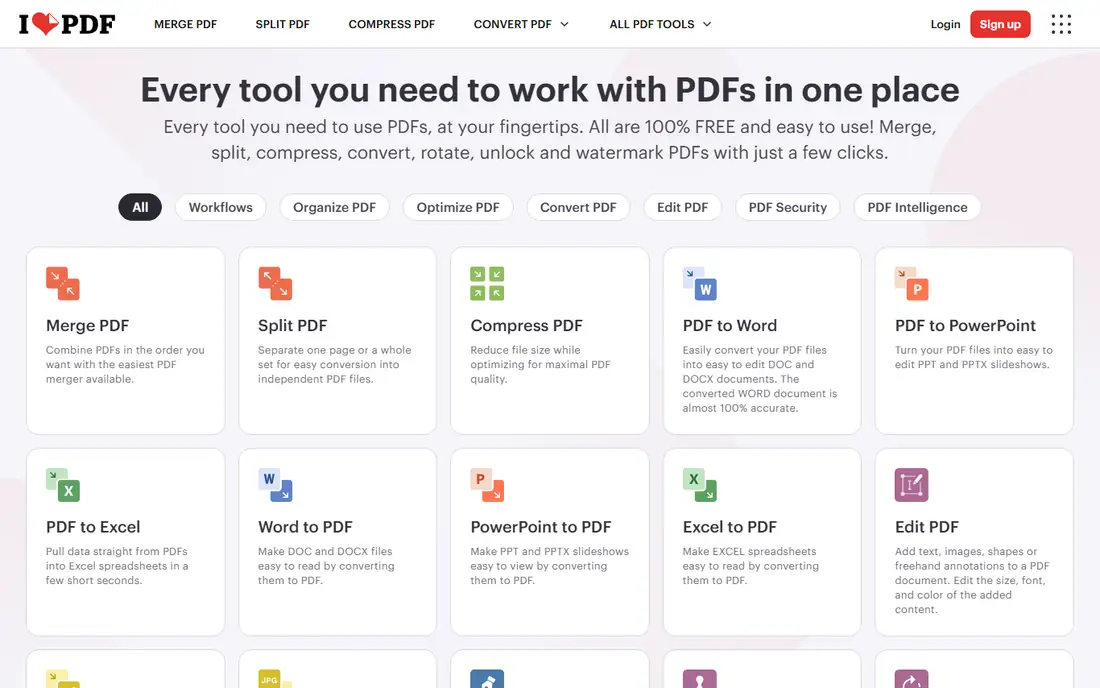
iLovePDF suits a reader who wants to merge PDFs fast in a browser. Drag files in, reorder pages, rotate pages that face the wrong way, and download one merged file in under a minute. The interface is clean, the tool works on desktop and mobile, and extra tools cover splitting, compressing and converting PDFs. For everyday merging, iLovePDF offers the smoothest online experience in this list.
Free tier limits tasks per day and file handling, so heavy users need a premium plan. A reader merging sensitive documents should also consider offline tools, since files upload to a server. For fast, polished online merging, iLovePDF is a top pick.
What we like- Fast drag-and-drop merging
- Reorder and rotate pages
- Desktop and mobile apps available
Watch out for- Free tier limits tasks per day
- Advanced features need a premium plan

#2Smallpdf
Best for: Polished PDF tools4.5/5 on
G2 (306 reviews, checked Oct 2026)
Visit smallpdf.com
Starting priceFree
Free planYes
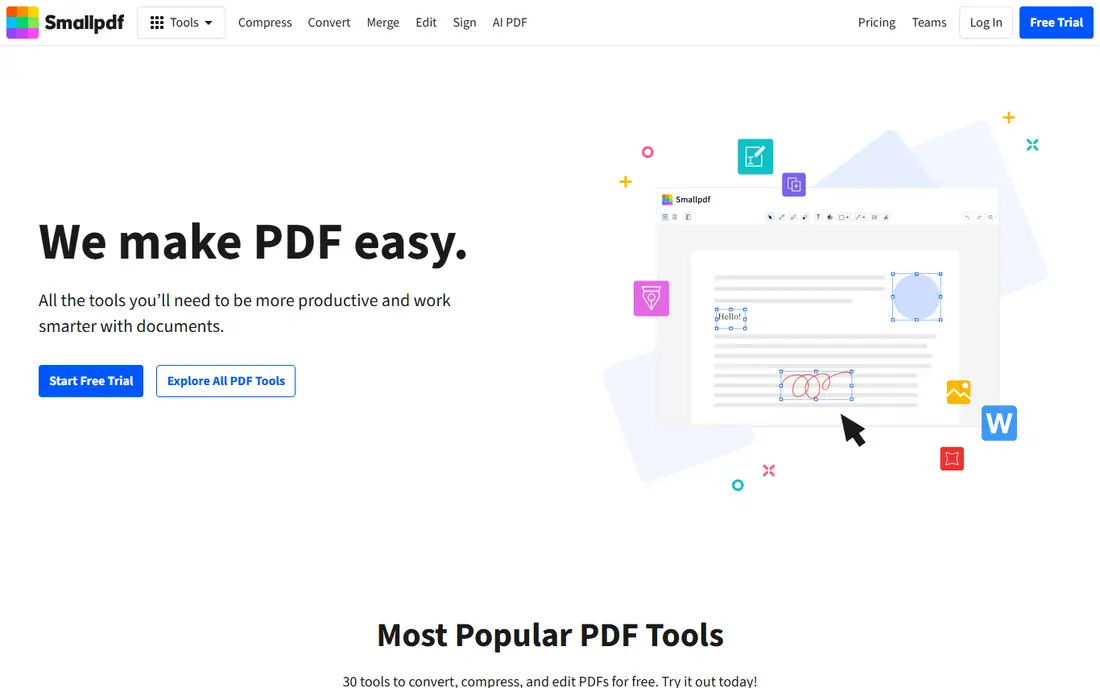
Smallpdf suits a reader who wants polished PDF tools beyond merging alone. Merge, split, compress, convert and e-sign tools share one clean interface, with a desktop app for offline work on some features. That breadth helps a professional who handles PDFs daily and wants one subscription for many tasks. For a reader who values design and simplicity, Smallpdf feels more refined than most free tools.
Free tier limits daily use, so frequent merging needs a premium plan. A reader who only merges occasionally will stay within free limits. For polished, all-round online PDF tools, Smallpdf is an excellent choice.
What we like- Polished interface
- Merge, compress, convert and sign tools
- Desktop app available
Watch out for- Free tier limits daily use
- Premium plan needed for unlimited tasks

#3Adobe Acrobat
Best for: Professional PDF suite4.7/5 on
Capterra (4,264 reviews, checked Oct 2026)
Visit adobe.com
Starting priceSee website
Free planFree trial
Adobe Acrobat suits a professional who needs a full PDF suite, not just merging. Combine files, edit text and images, add signatures, redact sensitive content and protect files with passwords, all in one desktop and web application. Acrobat invented the PDF format, and its tools remain the standard for legal, finance and publishing work. For a professional who handles PDFs all day, Acrobat offers depth no free tool matches.
Subscription cost is the main drawback, and Acrobat feels heavy for a reader who only merges files once a month. A casual user should pick iLovePDF or Sejda instead. For professional PDF work with merging included, Adobe Acrobat is the standard.
What we like- Industry-standard PDF tools
- Merge, edit, sign and protect PDFs
- Strong security features
Watch out for- Subscription cost
- Heavier than simple online mergers

#4Sejda
Best for: Free online merging4.5/5 on
G2 (42 reviews, checked Oct 2026)
Visit sejda.com
Starting priceFree
Free planYes
Sejda suits a reader who wants free online merging with useful extras. Files merge in a browser, pages can be edited, reordered or deleted before merging, and a desktop app covers offline work. Free limits are generous for occasional use, with hourly limits that reset rather than a hard daily cap. For a reader who merges PDFs a few times a week for free, Sejda offers strong value.
Free tier limits files per hour, so a heavy user may hit limits during a busy day, and the interface prioritizes function over polish. A reader who wants the smoothest design should pick iLovePDF or Smallpdf. For free online merging with page editing, Sejda is a strong choice.
What we like- Free online merging with generous limits
- Page editing before merge
- Desktop app available
Watch out for- Free tier limits files per hour
- Interface is functional rather than polished
Starting priceFree
Free planYes
PDF24 suits a reader who wants free PDF tools without creating an account. Merge, split, compress, convert and protect tools work in a browser, with a free desktop creator for Windows that adds offline use. That no-account approach appeals to a reader who wants to merge a file quickly without signing up or sharing an email address. For free, no-signup PDF tools, PDF24 is hard to beat.
The interface is functional rather than polished, and some tools feel less refined than Smallpdf or iLovePDF. A reader who values design may prefer a paid tool. For free online merging without an account, PDF24 is an excellent pick.
What we like- Free online tools with no account needed
- Merge, split, compress and convert
- Desktop creator available
Watch out for- Interface is functional
- Some tools feel less polished than Smallpdf

#6PDFsam Basic
Best for: Free offline merging4.2/5 on
G2 (48 reviews, checked Oct 2026)
Visit pdfsam.org
Starting priceFree
Free planYes
PDFsam Basic suits a reader who wants free offline merging for sensitive documents. The open-source desktop app merges, splits, rotates and extracts pages without uploading files to any server, which matters for legal, medical or financial documents. That privacy advantage is unique among free tools, since most online mergers require uploads. For a reader who handles sensitive PDFs, PDFsam Basic is the safest free choice.
A desktop install is required, the interface is functional rather than beautiful, and extra tools trail Acrobat. A reader who wants quick browser merging should pick iLovePDF instead. For free, private, offline merging, PDFsam Basic is outstanding.
What we like- Free open-source offline merging
- Split, rotate and extract pages
- No file uploads
Watch out for- Desktop install required
- Interface is functional
- Fewer extra tools than Acrobat
Starting priceFree
Free planYes
Combine PDF suits a reader who wants the simplest possible online merge. Upload PDF files, reorder them, merge and download, with no account and no extra features to learn. That single-purpose focus helps a reader who merges files rarely and does not want a full PDF suite. For a quick, one-off merge, Combine PDF gets the job done in seconds.
Extra tools are few, so a reader who also needs compression, conversion or signing must use another tool, and free services carry ads and limits. A regular PDF user should pick iLovePDF or Sejda instead. For simple, fast online merging, Combine PDF is a useful bookmark.
What we like- Simple one-purpose merging
- No account needed
- Fast for small jobs
Watch out for- Few extra tools
- Free service with ads and limits
#8PDF2Go
Best for: Simple online tools4.8/5 on
G2 (8 reviews, checked Oct 2026)
Visit pdf2go.com
Starting priceFree
Free planYes
PDF2Go suits a reader who wants simple online PDF tools that work from cloud storage. Merge, split, convert and compress tools accept files from a computer, Dropbox or Google Drive, which helps a reader whose files already live in the cloud. No install is needed, and the interface stays straightforward. For a cloud-based reader who merges occasionally, PDF2Go is convenient.
Free tier limits file size, so large documents need a premium plan, and advanced editing trails Acrobat. A reader with large or sensitive files should consider PDFsam Basic offline instead. For simple online merging from cloud storage, PDF2Go is a solid pick.
What we like- Simple merge, split and convert tools
- Works from cloud storage
- No install needed
Watch out for- Free tier limits file size
- Premium plan needed for larger files
How we chose
We compared vendor pages, feature lists and public reviews for PDF merging tools serving US readers. We looked for merge quality, page reordering, file limits, privacy, offline options and honest pricing. We did not claim hands-on testing, and we noted where free tiers limit tasks, file size or daily use, since free PDF tools vary widely in limits.
How to merge PDFs safely
Start with privacy. For contracts, medical records or financial documents, prefer an offline tool such as PDFsam Basic or Adobe Acrobat desktop, so files never leave your computer. For ordinary documents, online tools are fine, but check the privacy policy for file retention and deletion times, and delete uploaded files when the service allows it.
Next, check page order and orientation before downloading. Reorder pages, rotate sideways pages and remove blank or duplicate pages in the merge tool, since fixing a merged file takes longer than fixing the merge. Finally, test the merged file by opening it and checking page count, bookmarks and text search, especially for long documents that will be shared or printed.
For repeated merges, such as monthly reports or invoice packs, save a workflow or use a desktop tool with batch features instead of merging by hand each time. A saved order and consistent file naming reduce errors, and a desktop app avoids upload limits for large monthly packs. Teams that merge the same document set regularly should standardize the order once and reuse it.
Watch file size after merging, since scanned pages and images can make a merged PDF very large. Compress the merged file before emailing it, and check that text remains searchable rather than image-only, since searchable text helps recipients find content and helps screen readers. If a scanned page loses searchability, an OCR tool can restore text before sharing. Keep original files until the merged copy is verified, since a failed merge is easy to redo from originals but hard to fix from a broken output. Store originals in one folder with the merged file for reference.
Frequently asked questions
Is it free to merge PDFs?
Yes, in many cases. iLovePDF, Smallpdf, Sejda, PDF24, PDFsam Basic, Combine PDF and PDF2Go offer free merging, although free tiers limit tasks, file size or daily use. Adobe Acrobat needs a subscription after a trial.
Is it safe to merge PDFs online?
For ordinary documents, yes, when you use a reputable service with clear file deletion policies. For sensitive documents such as contracts or medical records, prefer offline tools like PDFsam Basic or Adobe Acrobat desktop, so files never upload to a server.
Can I merge PDFs on my phone?
Yes. iLovePDF, Smallpdf and Sejda offer mobile apps or mobile websites for merging, while PDF24 and PDF2Go work in a mobile browser. PDFsam Basic is desktop-only, so it suits a computer rather than a phone.
What is the best offline PDF merger?
PDFsam Basic is the best free offline merger, since it is open-source and keeps files on your computer. Adobe Acrobat is the best paid offline option, with full editing, signing and protection tools alongside merging.
Can I merge PDFs with images or Word files?
Some tools accept images and Office files alongside PDFs, converting them during merge, while others accept PDFs only. Check the tool page for accepted formats, or convert files to PDF first with a converter tool.
Sources we checked (8)
- https://www.ilovepdf.com
- https://smallpdf.com
- https://www.adobe.com
- https://www.sejda.com
- https://tools.pdf24.org
- https://pdfsam.org
- https://combinepdf.com
- https://www.pdf2go.com
Is your product missing or out of date?
We review this list regularly. Vendors can request a listing, send updated pricing or ask about featured placement.

Shihab Mia · Founder, Rankite
Shihab has 5+ years in B2B and SaaS SEO. He writes Rankite's software buying guides from pricing pages, documentation and public user reviews. More about Shihab.
 PDF24
PDF24 Combine PDF