How we make this list: we compare pricing pages, product documentation and public user reviews. Ratings come from G2, Capterra or Trustpilot, with the date we checked them.
Key takeaways
- Rocket Money leads on automatic detection, finding subscriptions from bank and card transactions with the least manual entry.
- Bobby leads on simple manual tracking, with a clean list and renewal reminders and no bank connection required.
- Subby and TrackMySubs suit web-based tracking without an app install, with reminders by email.
- PocketSmith suits budgeters who want subscriptions inside a full cash-flow forecast.
- Honest warning: most free tiers track subscriptions but do not cancel them for you, and cancel help usually needs a paid plan.
- Free tiers also limit account connections, reminder counts, or history, so check those caps before you rely on one app.
Quick comparison
| Tool | Best for | Starting price | Free plan |
|---|
 Rocket Money Rocket Money | Automatic detection | Free app | Free plan |
 Bobby Bobby | Simple manual tracking | Free app | Free plan |
 Subby Subby | Web-based reminders | Free | Free plan |
 TrackMySubs TrackMySubs | Web reminders | Free | Free plan |
 PocketSmith PocketSmith | Budget plus subscriptions | See website | Free plan |
 Hiatus Hiatus | Bill negotiation extras | Free app | Free plan |
 Trim Trim | Savings plus tracking | Free | Free plan |
 Copilot Money Copilot Money | Apple-first tracking | See website | Free trial |
Is your product missing or out of date?
We review this list regularly. Vendors can request a listing, send updated pricing or ask about featured placement.
The best subscription tracker app free
Subscriptions quietly drain bank accounts: streaming, apps, gyms, software, and boxes you forgot you bought. The average household now pays for more subscriptions than it can name, and free tracker apps promise to list them all in one place. The eight apps below cover automatic bank-linked detection and manual entry, and the right pick depends on whether you will connect a bank account, how many subscriptions you have, and whether you want cancellation help or just reminders.
How we chose
We started from the subscription trackers people actually use in 2026, drawing on app store rankings, finance guides, and vendor feature pages. We favored apps with clear free tiers, renewal reminders, and honest limits, and we excluded apps that hide tracking behind a paywall with no free use. Prices and free-tier caps change often, so where a figure is not confirmed on a vendor page, we use "See website" and flag the gap. This article is general information only and is not financial advice.
Buying guide
Start with the bank question. Automatic trackers such as Rocket Money find subscriptions by scanning transactions, which catches forgotten charges but requires bank login access through a service such as Plaid. Manual trackers such as Bobby need you to enter each subscription, which takes longer at setup but keeps your bank out of the picture. Choose based on your comfort with account connections, not just convenience.
Next, check what the free tier actually includes. Common limits are the number of connected accounts, the number of reminders, the length of history, and whether cancellation help is included. A free tier that tracks ten subscriptions is fine for a light user and useless for a household with thirty. Then test renewal reminders: the best reminder arrives a few days before renewal, not on the day, so you still have time to cancel.
Finally, be honest about cancellation. Most free tiers show you what to cancel but leave the cancelling to you, and some paid cancel services take a cut of savings or charge a fee. That is still useful: a clear list plus a reminder is often enough to cut several subscriptions in one sitting. Set a monthly review habit, such as the first Sunday of each month, and treat the tracker as a prompt, not a autopilot.
One more check matters for shared households. If partners or family members hold separate subscriptions, a tracker that supports multiple users or shared lists avoids duplicate work. Some apps handle this well, while others assume one person and one bank account, which makes household tracking messy. Confirm multi-user support before you commit a whole household to one app.
Frequently asked questions
Do free subscription trackers really work?
Yes, for listing and reminders. Automatic trackers find most recurring charges from bank data, while manual trackers work as well as the data you enter. Neither type cancels everything for you on a free tier, so expect to do the cancelling yourself.
Is it safe to connect my bank account to a tracker?
Reputable trackers connect through Plaid or similar services with read-only access and encryption, and they do not store your bank password. Risk is never zero, so use two-factor login on the tracker, review connected accounts regularly, and prefer manual entry if you are uncomfortable.
Why do trackers miss some subscriptions?
Annual charges, PayPal billing, app store billing, and family plan charges can hide from bank scans, since the merchant name or billing path differs. Manual entry catches those, which is why a hybrid approach, automatic plus manual, finds the most subscriptions.
Can a tracker cancel subscriptions for me?
Some paid plans offer concierge cancellation, where the service contacts providers for you, sometimes for a fee or a share of savings. Free tiers almost never include this. For most subscriptions, cancelling directly with the provider is faster and free.
How often should I review my subscriptions?
Monthly is a good rhythm. Set a reminder for the first week of each month, review the tracker list, and cancel anything unused in the last 30 days. Quarterly deep reviews catch annual subscriptions that monthly checks miss.
Sources
- Vendor feature and pricing pages for Rocket Money, Bobby, Subby, TrackMySubs, PocketSmith, Hiatus, Trim, and Copilot Money
- Third-party 2026 comparisons of subscription tracker apps
- Finance guides on bank connection safety and subscription spending
Starting priceFree app
Free planFree plan
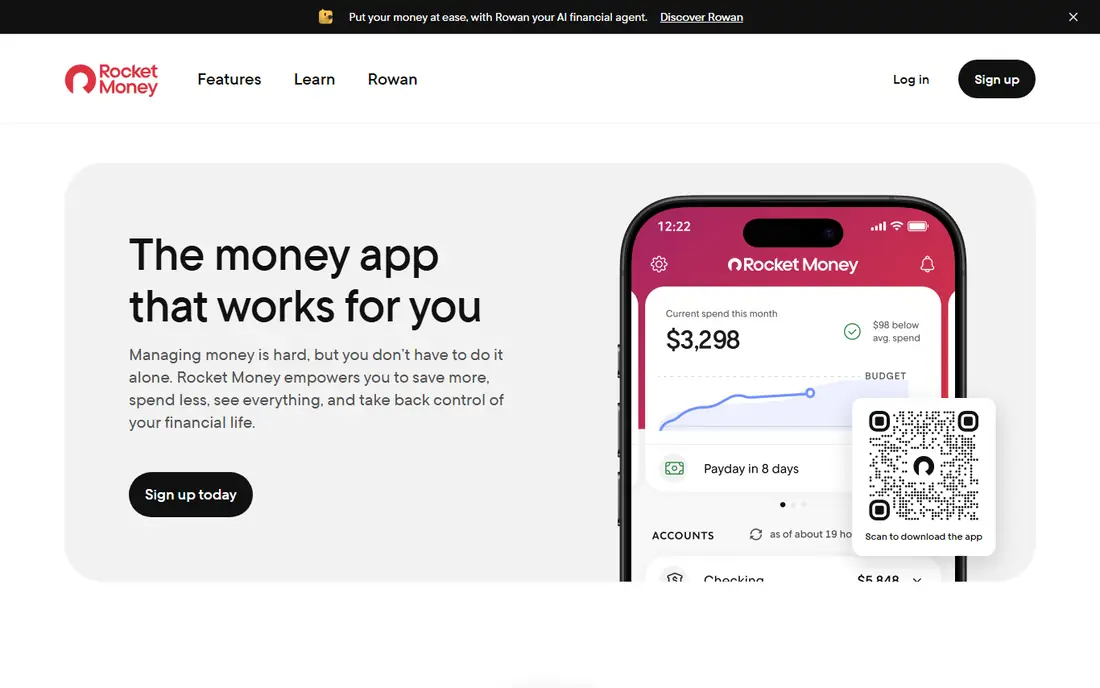
Rocket Money, formerly Truebill, is the most complete subscription tracker for users who will connect bank accounts. It scans transactions, lists recurring charges, flags price increases, and shows spending by category, catching subscriptions most people forget. The free tier covers tracking and basic alerts, which is enough for many users.
Cancellation help sits on paid plans, and the bill negotiation service takes a share of savings when it succeeds. Bank connection is also required for automatic detection, though manual entry exists. Rocket Money suits users who want the fullest automatic picture and who accept paid extras for cancellation help.
What we like- Best automatic subscription detection
- Spending analytics
- Bill negotiation on paid plans
Watch out for- Cancel concierge needs a paid plan
- Bank connection required for full value
- Negotiation takes a cut
Starting priceFree app
Free planFree plan
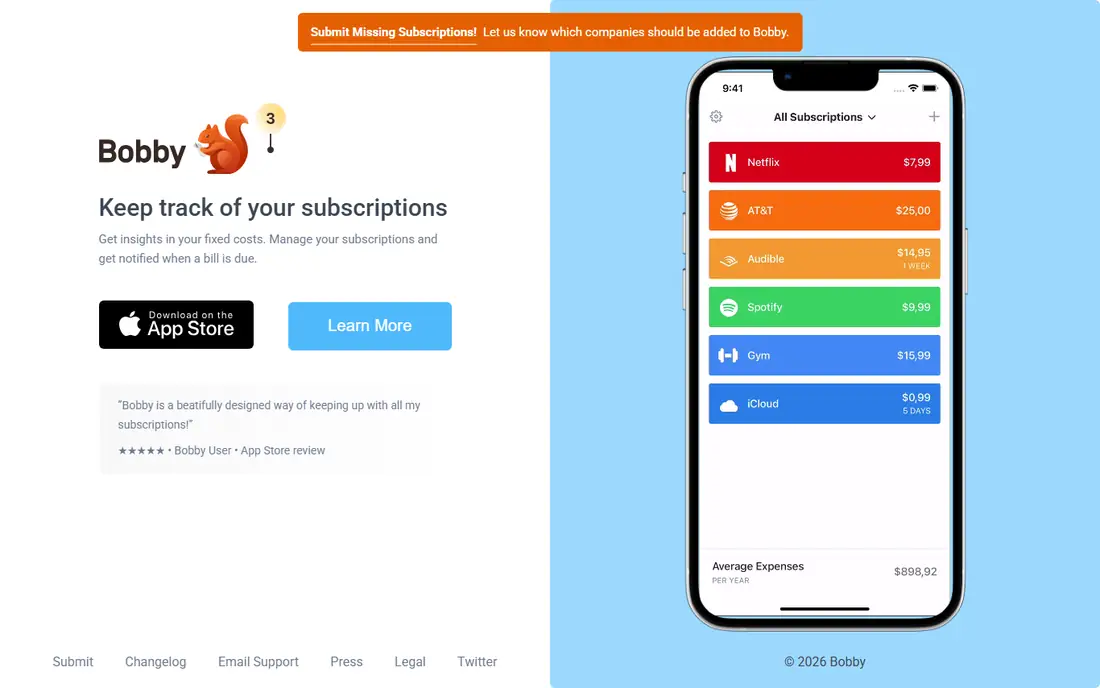
Bobby is the simplest tracker on this list: add each subscription with its cost and renewal date, and the app shows your monthly and yearly totals with reminders before renewals. No bank connection is needed, which appeals to privacy-conscious users, and the interface stays clean even with many subscriptions.
All entry is manual, so setup takes time and forgotten subscriptions stay forgotten until you add them. The app is also iPhone-focused, with Android support thinner. Bobby suits users who prefer privacy and simplicity, and who will spend twenty minutes entering subscriptions once for ongoing clarity.
What we like- Clean manual list
- No bank connection needed
- Renewal reminders
Watch out for- All entry is manual
- No automatic detection
- IPhone-focused
Starting priceFree
Free planFree plan
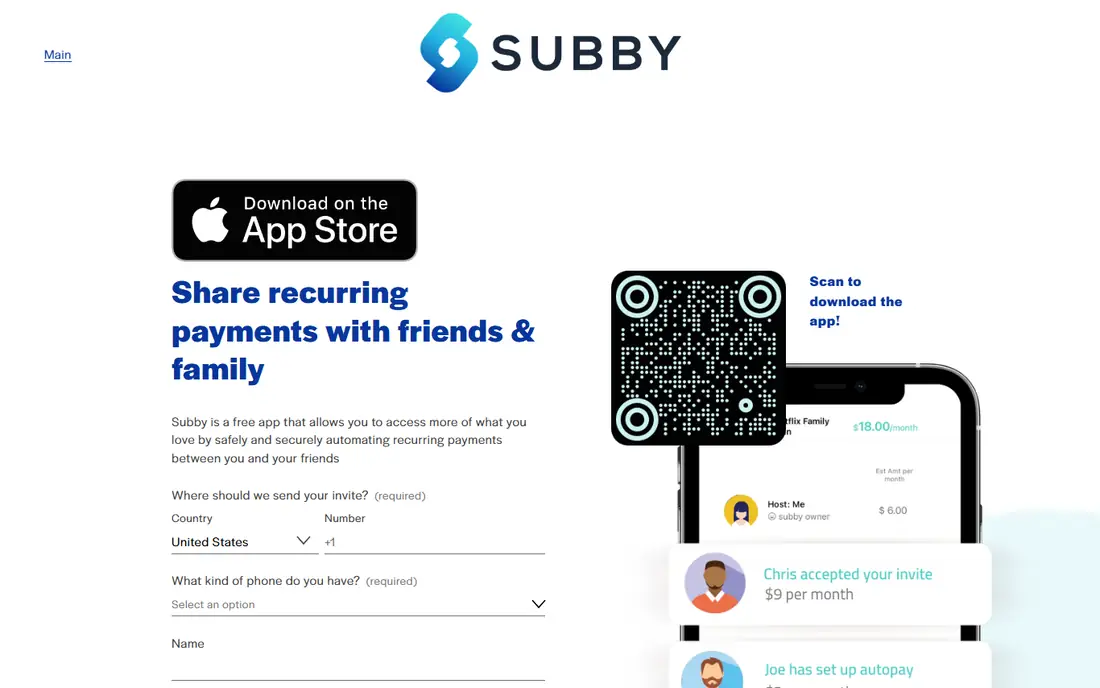
Subby is a web-based tracker that works from any browser without an install, with email reminders before renewals and shared lists for households. That web-first design suits families and small teams who want one shared view of subscriptions across members.
Entry is manual, the interface is basic, and analytics are thinner than bank-linked rivals. Subby suits households that want shared tracking and email reminders without connecting bank accounts or installing apps.
What we like- Web-based, no install needed
- Email reminders
- Shared lists for households
Watch out for- Manual entry only
- Interface is basic
- Fewer analytics than Rocket Money
Starting priceFree
Free planFree plan
TrackMySubs is a straightforward web tracker: add subscriptions with renewal dates and payment methods, get email reminders before charges, and see totals by period. Payment method notes help households remember which card each subscription bills, which matters when cards expire.
Entry is manual, the free tier caps how many subscriptions you can track, and the design is plain. TrackMySubs suits users who want simple web reminders and who have a modest subscription count within the free cap.
What we like- Simple web tracking
- Renewal reminders
- Payment method notes
Watch out for- Manual entry only
- Free tier caps subscriptions
- Design is plain
Starting priceSee website
Free planFree plan
PocketSmith is a full budgeting tool that includes subscription tracking inside cash-flow forecasts, showing how recurring charges affect future balances. Bank feeds import transactions automatically, and forecasts project months ahead, which helps users see the long-term cost of subscriptions rather than just this month's total.
Subscription tracking is one feature among many, so users who want only tracking may find the full tool heavy, and the learning curve is steeper than Bobby or Subby. Full features need a paid plan. PocketSmith suits budgeters who want subscriptions inside a complete financial picture.
What we like- Subscriptions inside full cash-flow forecasts
- Bank feeds
- Strong budgeting
Watch out for- Subscription tracking is one feature among many
- Learning curve
- Full features need paid plan
Starting priceFree app
Free planFree plan
Hiatus combines subscription tracking with bill negotiation, scanning for recurring charges and offering to negotiate bills such as phone and internet for a share of savings. The spending overview gives a quick monthly picture, and setup is simple for new users.
Negotiation takes a cut of savings when it succeeds, and feature depth varies by bill type and provider. The user base is smaller than Rocket Money, so community guidance is thinner. Hiatus suits users who want tracking plus negotiation in one app and who accept shared-savings fees.
What we like- Subscription tracking plus bill negotiation
- Spending overview
- Simple setup
Watch out for- Negotiation takes a share of savings
- Feature depth varies
- Smaller user base
Starting priceFree
Free planFree plan
Trim finds subscriptions from bank data and offers bill negotiation, with text-based updates that suit users who prefer messages over dashboards. Its savings focus appeals to users who want one service watching both subscriptions and bills, and the free tier covers basic tracking.
Negotiation fees apply to savings it finds, bank connection is needed for full use, and the chat-based interface suits some users better than others. Trim suits users who want savings help by text and who are comfortable connecting accounts for automatic detection.
What we like- Finds subscriptions and negotiates bills
- Text-based updates
- Savings focus
Watch out for- Negotiation fees apply
- Bank connection needed for full use
- Interface is chat-based
Starting priceSee website
Free planFree trial
Copilot Money is the design-led pick for Apple users, with smart subscription detection, clean budgeting, and a polished interface across iPhone, iPad, and Mac. Recurring charges are flagged automatically from connected accounts, and the app shows upcoming renewals inside a full spending view.
Copilot Money is Apple-only, there is no lasting free tier beyond a trial, and the subscription price runs higher than rivals. Copilot Money suits Apple users who want the best-designed finance app and who will pay for it, rather than users seeking a free tracker.
What we like- Beautiful Apple-first design
- Smart subscription detection
- Strong budgeting
Watch out for- Apple-only
- No real free tier beyond trial
- Subscription cost is higher
Is your product missing or out of date?
We review this list regularly. Vendors can request a listing, send updated pricing or ask about featured placement.

Shihab Mia · Founder, Rankite
Shihab has 5+ years in B2B and SaaS SEO. He writes Rankite's software buying guides from pricing pages, documentation and public user reviews. More about Shihab.