How we make this list: we compare pricing pages, product documentation and public user reviews. Rankite is independent; if a vendor ever pays for a featured spot, that listing is clearly labeled Partner.
Key takeaways
- A RIP (raster image processor) turns your design files into printer-ready data and controls color, nesting and cutting, so the wrong one costs you media and reprints.
- ONYX, Caldera and Fiery XF are the enterprise-grade choices for multi-printer shops, all sold quote-based with trials or demos.
- SAi Flexi is the most transparent on price at $44.99 per month for design plus RIP, ideal for sign shops that also cut vinyl.
- If you own a Roland printer, VersaWorks 7 comes bundled free and is genuinely capable; only buy a third-party RIP when you add a second printer brand.
- Shiraz Rosetta and Ergosoft serve the mid-market with lease and trial options, while Wasatch SoftRIP and ColorGATE target specialty and industrial workflows.
Quick comparison
| Tool | Best for | Starting price | Free plan |
|---|
 ONYX ONYX | High-volume wide-format production shops | See website (quote-based, tiered by edition) | 15-day free trial |
 CalderaRIP CalderaRIP | Shops where color accuracy is the selling point | See website (quote-based) | Demo on request |
 Fiery XF Fiery XF | Mixed fleets of large-format printers | See website (quote-based) | Free trial |
 Fiery Digital Factory Fiery Digital Factory | DTF, DTG, UV and sublimation specialty shops | See website (quote-based) | Free trial |
 SAi Flexi SAi Flexi | Sign shops that design, print and cut in one workflow | $44.99 per month (Flexi Design); $87.99 per month (Flexi Complete) | 7-day free trial |
 Wasatch SoftRIP Wasatch SoftRIP | Shops that want RIP power without RIP complexity | See website (sold through resellers, printer-specific editions) | Trial available |
 ColorGATE Productionserver ColorGATE Productionserver | Industrial, packaging and decor printing | See website (quote-based) | Demo on request |
 Ergosoft RIP Ergosoft RIP | Textile, dye-sublimation and mixed wide-format production | See website (quote-based) | Personalized trial |
 Shiraz Rosetta RIP Shiraz Rosetta RIP | Budget-conscious shops that need client/server RIP | See website (lease-based pricing) | Free trial |
 Roland VersaWorks 7 Roland VersaWorks 7 | Owners of Roland DG printers | Free (bundled with Roland DG printers) | Yes, included with the printer |
Is your product missing or out of date?
We review this list regularly. Vendors can request a listing, send updated pricing or ask about featured placement.
The best RIP software
Picture a sign shop owner who just bought a second printer from a different brand. Her old RIP only drives the first machine, colors drift between the two, and every vehicle wrap becomes a guessing game. That is the moment RIP software stops being a technical detail and becomes a business decision. Caldera says more than 15,000 print providers use its software, which shows how many shops have faced exactly this problem. I compared the ten RIP products that matter in 2026, using vendor documentation, trade press and current pricing pages.
Starting priceSee website (quote-based, tiered by edition)
Free plan15-day free trial
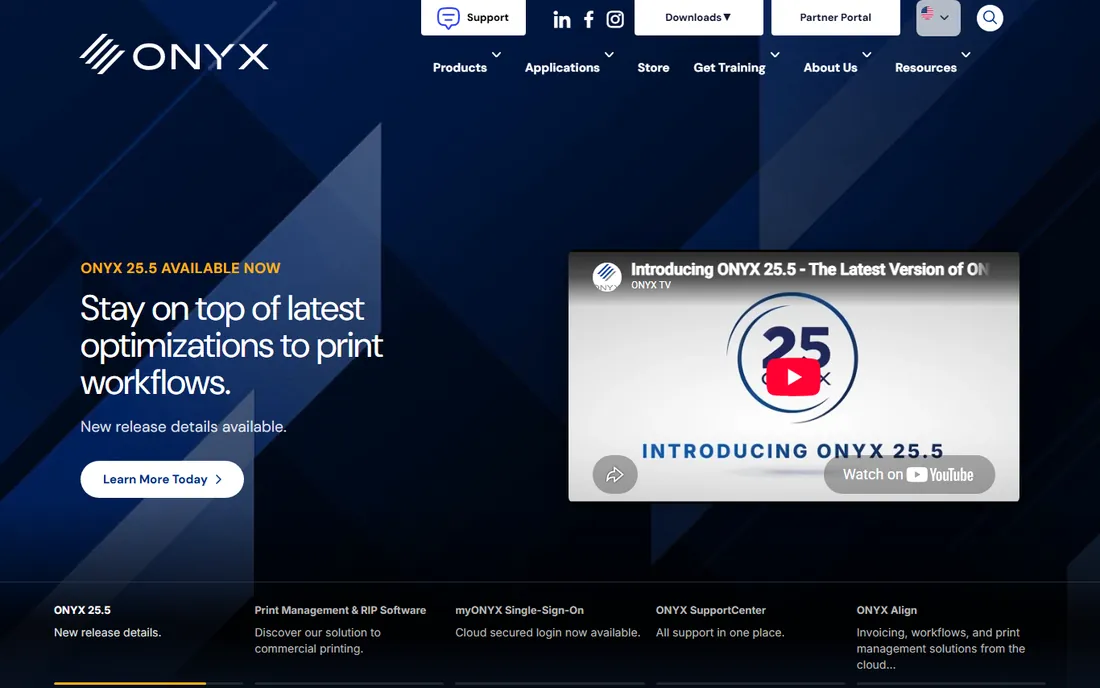
ONYX has been the wide-format workhorse since 1989, and version 25.5 (released October 2026) shows why it stays there. The new spectral color tools and 8-channel ICC profiling give color-critical shops tighter control, while the Adobe PDF Print Engine 7.1 handles complex files without choking. Three editions scale from a single RIP station (RIPCenter) to full multi-printer automation (Thrive).
The honest catch is buying it. Pricing is quote-based through resellers, and the feature differences between editions take a call to untangle. Shops that print daily on two or more machines will earn the cost back in saved media and fewer reprints. A one-printer startup should trial it against the bundled RIP that came with its machine first.
What we like- Deep color management with new spectral profiling in 25.5
- QuickSets automation and nesting cut media waste
- Drives 120+ printer brands
Watch out for- Quote-based pricing hides the real cost
- Learning curve for the full Thrive workflow
- Windows only
#2
CalderaRIP
Best for: Shops where color accuracy is the selling point
Visit caldera.com
Starting priceSee website (quote-based)
Free planDemo on request
Caldera's pitch is consistency: the same file prints the same on every device in the shop. Version 19.3 adds automatic ink-limit recommendations and new ink-saving presets, which matter when ink is one of your biggest variable costs. PrimeCenter, its prepress automation tool, turns nesting and file prep into a few clicks.
Caldera runs on Linux, which is a plus for stability but means your operators learn a new environment. Support gets strong reviews from long-term users. If your clients are brands with strict color standards, Caldera belongs on your shortlist. If you run one eco-solvent printer and mostly print banners, it is more RIP than you need.
What we like- Excellent color management and ink-saving presets
- PrimeCenter automates nesting and prepress
- Strong textile and DTF modules
Watch out for- Quote-based pricing
- Linux-based workflow feels unfamiliar to Windows shops
- Advanced features need training
Starting priceSee website (quote-based)
Free planFree trial
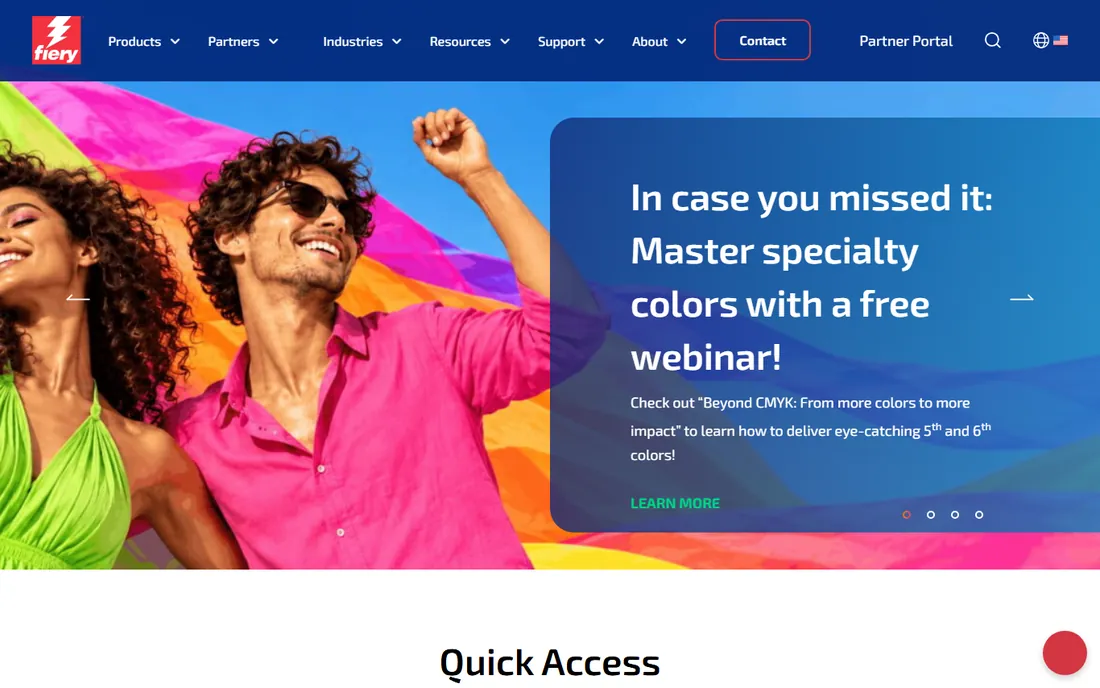
Fiery XF is the safe corporate choice. It talks to nearly every large-format printer on the market, so a shop adding a new machine rarely needs new RIP software. ColorGuard extends the same color control to large format that Fiery is known for in commercial print, and version 8's speed improvements shorten the RIP queue on busy days.
You buy through dealers and the pricing reflects the enterprise positioning. The free trials help, but expect a consultative sales process rather than a buy button. For print providers running three or more devices, or planning to, XF's breadth is the argument. Smaller shops get similar results cheaper elsewhere.
What we like- Drives over 2,400 printer models and 2,100 cutter types
- Up to 11x faster job processing in version 8
- Command WorkStation manages everything centrally
Watch out for- Enterprise pricing and sales process
- The full Fiery ecosystem has many add-ons to evaluate
- Overkill for single-printer shops
#4
Fiery Digital Factory
Best for: DTF, DTG, UV and sublimation specialty shops
Visit fiery.com
Starting priceSee website (quote-based)
Free planFree trial
Digital Factory is Fiery's answer to the DTF and DTG boom. It handles the fiddly parts of garment and specialty printing, white ink underbases, pretreatment-aware color, and nesting on costly media, with color management powered by Fiery technology. Version 12 keeps the interface modular so a two-person apparel shop is not overwhelmed.
This is a specialist, not a generalist. If your shop prints apparel today and vehicle wraps tomorrow, you may end up buying twice. But if DTF or UV printing is your core business, a RIP designed around those processes beats a general wide-format RIP with a specialty module bolted on.
What we like- Built for specialty processes with white ink management
- True-shape nesting saves expensive film and garments
- Approachable interface for the category
Watch out for- Narrower device focus than Fiery XF
- Quote-based pricing
- Shops that later add signage printers may need XF too
#5
SAi Flexi
Best for: Sign shops that design, print and cut in one workflow
Visit thinksai.com
Starting price$44.99 per month (Flexi Design); $87.99 per month (Flexi Complete)
Free plan7-day free trial
Flexi is the sign industry's default for a reason: it is the whole shop in one program. You design the banner, RIP it, and send cut paths to the vinyl cutter without leaving the app. The subscription includes all drivers, updates and phone support, and the Complete tier at $87.99 a month covers the full production workflow.
The subscription math deserves a look. At $87.99 a month you pass $1,000 a year quickly, and long-term owners sometimes miss the old perpetual licenses. But for a working sign shop, one monthly payment that covers design, RIP and cutting is simpler than three separate tools. The 7-day trial is short, so have a real job ready when you start it.
What we like- Design, RIP, vinyl cutting and print-and-cut in one subscription
- Transparent monthly pricing
- Drives up to 5 printers and cutters
Watch out for- Design tools lag behind Illustrator for complex artwork
- Monthly cost adds up over years
- Print-only shops pay for cutting features
#6
Wasatch SoftRIP
Best for: Shops that want RIP power without RIP complexity
Visit wasatch.com
Starting priceSee website (sold through resellers, printer-specific editions)
Free planTrial available
Wasatch's tagline is "sophisticated RIP software made easy," and users say it delivers. Setup is straightforward, the workflow is logical, and the color quality satisfies demanding clients. Printer-specific editions, such as the Epson or Mimaki editions, bundle exactly the drivers you need at a lower price than the full version.
Pricing runs through resellers, and listings show editions roughly from $1,500 to $3,000, but confirm with a dealer since bundles change. Wasatch suits the shop graduating from a bundled RIP: you get professional color and layout controls without hiring a RIP specialist to run them.
What we like- Simple setup and intuitive workflow
- Strong color quality out of the box
- Editions tailored to specific printer brands
Watch out for- No public pricing, reseller quotes vary
- Fewer high-end automation features than ONYX or Caldera
- Smaller user community
#7
ColorGATE Productionserver
Best for: Industrial, packaging and decor printing
Visit colorgate.com
Starting priceSee website (quote-based)
Free planDemo on request
ColorGATE lives where printing gets industrial: single-pass machines, packaging lines and decor surfaces. The Productionserver's modular design lets a plant start with one line and scale to a full facility, and its color technology handles the unusual inks and substrates these applications demand.
This is not sign-shop software. The sales process is consultative, pricing is quoted, and you will want integration support. But if you print on anything stranger than vinyl and paper, ColorGATE's industrial focus is exactly what the generalist RIPs lack.
What we like- Strong in industrial applications like ceramics, textiles and packaging
- Modular architecture scales from one printer to full plants
- German engineering reputation
Watch out for- Quote-based enterprise pricing
- Interface prioritizes function over friendliness
- Smaller North American dealer network
#8
Ergosoft RIP
Best for: Textile, dye-sublimation and mixed wide-format production
Visit ergosoft.net
Starting priceSee website (quote-based)
Free planPersonalized trial
Ergosoft, based in Switzerland, has spent 30 years on color and production, with particular strength in textiles and dye-sub. The 2026 releases improved color precision measurably and added AI-assisted support inside the app. Its REST API lets larger shops wire the RIP into their MIS or web-to-print systems.
The company claims 10,000 customers in 70 countries, so it is established, just less visible in the US than ONYX or Fiery. Pricing is quoted and modular: JobComposer editions plus drivers plus options. Get the full quote in writing before you commit, and trial it on your own textile files.
What we like- Deep textile and sublimation expertise
- ColorGPS profiling and spot-color tools
- REST API for automation into existing systems
Watch out for- Quote-based pricing
- Swiss company with thinner US support coverage
- Modular pricing can surprise at checkout
Starting priceSee website (lease-based pricing)
Free planFree trial
Shiraz has been quietly selling RIPs since the early 1990s, and the current Rosetta RIP keeps the formula: a real client/server system where designers submit jobs to a central RIP, priced for shops that cannot justify ONYX or Caldera. The Mini through Excel editions scale by printer size, and licenses move between Windows and Mac.
The lease model is the trade-off. You pay on subscription and stop working if you stop paying, which stings for a product category that traditionally sold perpetually. But the entry cost is lower than the big names, and 30,000 installations suggest the value holds up. Trial it against Wasatch before deciding.
What we like- True client/server architecture at a mid-market price
- Runs on Windows and Mac
- 30,000 installations show staying power
Watch out for- Lease model means you never own it
- Smaller vendor with a quieter update cadence
- Interface feels dated next to ONYX 25
Starting priceFree (bundled with Roland DG printers)
Free planYes, included with the printer
VersaWorks 7 is the RIP most Roland owners already have, and many never need anything else. It handles everyday sign and graphics work, manages Roland's ink configurations correctly, and costs nothing beyond the printer. For a single-printer shop, it is the rational choice.
Its limit is its virtue: it only drives Roland machines. The day you add a Mimaki or HP printer, you need a third-party RIP anyway, and many shops then standardize everything on ONYX or Flexi. Until that day, spend your software budget on design tools instead.
What we like- Free with the printer and genuinely capable
- Tuned specifically for Roland inks and media
- Simple enough for beginners
Watch out for- Only drives Roland devices
- Adding a second printer brand means buying another RIP
- Fewer advanced nesting options
How we chose
We mapped the RIP market through trade press (PRINTING United 2026 coverage, Wide Format Online, PetaPixel's print coverage), vendor documentation and reseller listings. Every product above is shipping today with current versions verified on vendor sites in October 2026. Prices come from vendor pricing pages where published; most enterprise RIPs are quote-based, and we say so rather than guessing. We favored shipping products with real user bases over announcements, and we weighted device support breadth, color management depth and honest pricing transparency.
Matching the RIP to your printer and workload
Start with your printers, not the software. Every RIP publishes a supported-device list, and a RIP that does not drive your exact model is useless no matter how good its color engine is. Check the list before the trial, and confirm cutter support too if you do print-and-cut.
Then be honest about volume. A shop running one printer eight hours a day needs reliability and good defaults more than automation APIs. A shop running four printers needs nesting, hot folders and job costing. The enterprise RIPs earn their quotes at volume; below that volume, Flexi, Wasatch or your bundled RIP leaves more money for media and ink.
Finally, trial with your own files. Vendor demos use perfect test images. Your problem files, the transparent PNG from a client, the 10-foot banner with fine text, are what will break a weak RIP. Run those through every candidate before you sign.
The hidden costs of RIP software
The license is only the first line of the invoice. Most shops need a spectrophotometer for profiling, which runs several hundred to a few thousand dollars, and the RIP that supports your exact device may be worthless without it. Training is the next cost: plan a week of slower production while operators learn a new workflow, more for Caldera's Linux environment or ONYX Thrive's full automation.
Support contracts and upgrades follow. Some vendors bundle a year of support and charge annually after; others include updates in the subscription. Ask what happens when your printer manufacturer releases a new model: driver updates should be included, not billed. And if you lease, like Shiraz Rosetta, confirm what happens to your profiles and queues if you cancel. The cheapest RIP is the one you only buy once.
Frequently asked questions
What does RIP software actually do?
A RIP converts your design files into the dot patterns your printer understands, managing color conversion, ink limits, halftoning and layout. It also handles nesting jobs on media, tiling oversized prints and sending cut paths to finishing devices. Without one, your printer driver makes all those decisions with far less control.
Do I need RIP software if my printer came with one?
Often not at first. Bundled RIPs like Roland VersaWorks or Mimaki RasterLink handle everyday work well. Buy a third-party RIP when you add a printer from another brand, need tighter color control for brand work, or want automation that the bundled RIP lacks.
Why is most RIP software quote-based instead of listed pricing?
RIP pricing depends on how many printers, users and options you need, so vendors quote configurations rather than publishing one price. SAi Flexi is the exception with public monthly pricing. Always get the full configuration quoted in writing, including drivers, support and upgrades.
Can one RIP drive printers from different brands?
Yes, and that is the main reason shops buy third-party RIPs. ONYX, Fiery XF, Caldera and Ergosoft all support hundreds of printer models across brands, letting one workflow drive a mixed fleet with consistent color.
Is a subscription RIP or a perpetual license better?
It depends on your planning horizon. Subscriptions like Flexi spread the cost and always include updates. Perpetual-style purchases like Wasatch editions cost more upfront but you keep running the version you bought. Leases like Shiraz Rosetta sit in between. Calculate three years of each before you choose.
Sources we checked (14)
- https://onyxgfx.com
- https://onyxgfx.com/onyx-25-5-rip-software-coming-october-2026/
- https://caldera.com
- https://www.fiery.com
- https://www.texintel.com/press-room/fiery-09-26-ph-fiery-powers-every-corner-of-the-print-room-at-printing-united-2026
- https://www.thinksai.com
- https://www.swingdesign.com/pages/sai-flexi-design-subscription-software
- https://wasatch.com
- https://itnh.com/store/wasatch-softrip-shortware.html
- https://colorgate.com
- https://ergosoft.net
- https://www.shiraz-software.com
- https://www.rolanddga.com
- https://gitnux.org/best/large-format-printing-software/
Is your product missing or out of date?
We review this list regularly. Vendors can request a listing, send updated pricing or ask about featured placement.

Shihab Mia · Founder, Rankite
Shihab has spent more than a decade helping SaaS and e-commerce brands grow through search. He writes Rankite's software buying guides from pricing pages, documentation and public user reviews. More about Shihab.