How we make this list: we compare pricing pages, product documentation and public user reviews. Rankite is independent; if a vendor ever pays for a featured spot, that listing is clearly labeled Partner.
Key takeaways
- Twitch still owns live gaming culture, but its standard 50/50 subscription split means half your sub revenue stays with the platform unless you earn the Plus tier.
- Kick pays the best headline split at 95/5 on subscriptions, though its audience is far smaller than Twitch or YouTube.
- YouTube Live is the strongest all-rounder for businesses: the largest potential audience, 70% creator share on memberships and Super Chat, and every stream doubles as searchable video.
- Restream and StreamYard are not destinations. They send one broadcast to many platforms at once, and they pair well with any destination on this list.
- Dacast and Vimeo fit companies that stream to their own websites and want paywalls, branding and viewer data instead of a public platform's audience.
Quick comparison
| Tool | Best for | Starting price | Free plan |
|---|
 Twitch Twitch | live gaming and community building | $0 (free to stream) | Yes |
 YouTube Live YouTube Live | biggest audience plus searchable replays | $0 (free to stream) | Yes |
 Kick Kick | highest subscription revenue split | $0 (free to stream) | Yes |
 TikTok Live TikTok Live | short-form audiences and virtual gifts | $0 (free to stream) | Yes |
 Facebook Live Facebook Live | reaching an existing Facebook audience | $0 (free to stream) | Yes |
 Restream Restream | broadcasting to 30+ platforms at once | $16 per month (billed annually) | Yes |
 StreamYard StreamYard | browser-based studio with guests | $44.99 per month ($35.99 billed annually) | Yes |
 Dacast Dacast | paywalled streams on your own site | $39 per month (billed annually) | Free trial (14 days) |
 Vimeo Vimeo | professional branded live events | $75 per month (billed annually) | Yes |
Is your product missing or out of date?
We review this list regularly. Vendors can request a listing, send updated pricing or ask about featured placement.
Starting price$0 (free to stream)
Free planYes
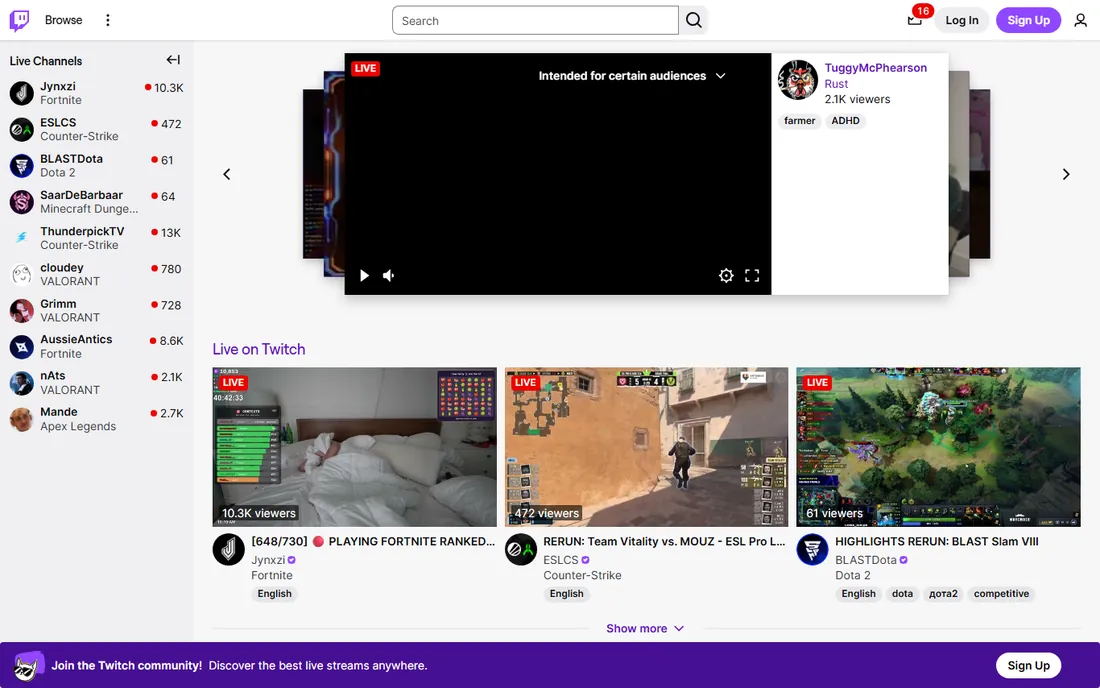
Twitch remains the default home of live streaming culture. Going live is free, and monetization opens through the Affiliate program once you hit modest thresholds: 50 followers, 500 total minutes broadcast, 7 unique broadcast days and an average of 3 viewers over 30 days. Affiliates and Partners earn through subscriptions, Bits, ad revenue and hype trains.
The money terms are the weak point. The standard subscription split is 50/50, so a $5.99 sub nets you about $3 before payout fees. Twitch does offer a Plus program that lifts the split to 60/40 and then 70/30 for streamers who maintain high sub counts, but most small streamers never qualify.
Pick Twitch if live interaction is the product, especially for gaming, esports or just-chatting formats. Go in knowing the first year is mostly a grind for audience, and the platform keeps half your subscription money until you earn better terms.
What we like- Largest dedicated live-streaming audience
- Mature monetization with subs, bits and ads
- Strong chat culture and discovery for regular streamers
Watch out for- Standard sub split is only 50/50
- Discoverability is brutal for new streamers
- Non-gaming content gets less algorithmic love
Starting price$0 (free to stream)
Free planYes
YouTube Live turns every broadcast into two assets: the live event and the replay, which keeps earning views through search long after you sign off. Anyone can stream from a desktop; mobile streaming needs 50 subscribers, and full Partner Program monetization requires 1,000 subscribers plus watch-time or Shorts-view thresholds. Once eligible, creators keep 70% of revenue from channel memberships, Super Chat and Super Stickers.
For businesses, the search angle is the real prize. A product demo or Q&A streamed on YouTube keeps working as evergreen content, something no Twitch VOD does. The trade-off is live energy: YouTube's audience arrives for videos, not for hanging out, so concurrent viewership and chat participation tend to run lower than on Twitch for comparable channels.
Choose YouTube Live if you want maximum reach and content that keeps paying after the broadcast ends. It is the natural pick for educators, brands and creators who already publish videos and want live as an extension, not a separate world.
What we like- Enormous built-in audience
- Streams become searchable videos automatically
- 70% creator share on Super Chat and memberships
Watch out for- Live discovery lags behind VOD
- Monetization requires YouTube Partner Program eligibility
- Chat culture is thinner than Twitch
Starting price$0 (free to stream)
Free planYes
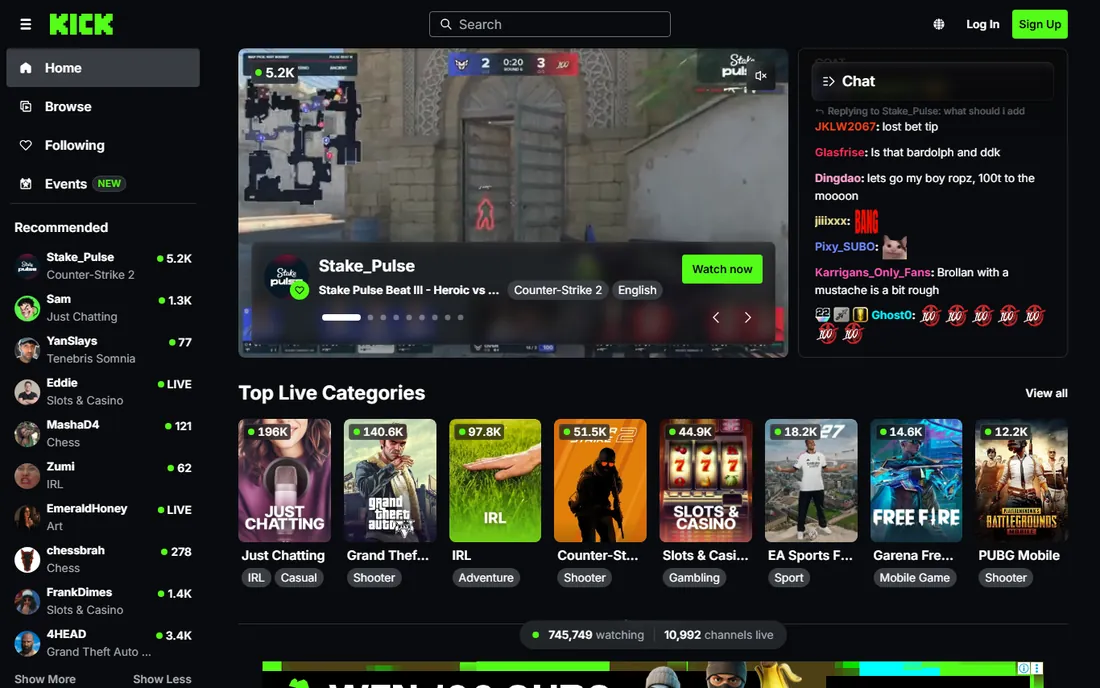
Kick's pitch is simple: keep almost everything you earn. The platform takes just 5% of subscription revenue against Twitch's 50%, and it has attracted big-name streamers with headline contracts. For a mid-size streamer, the same subscriber count can mean nearly double the take-home pay.
The audience gap is real. Kick's viewership is a fraction of Twitch's, so raw earning potential depends on whether your viewers will follow you there. The platform's permissive content stance has drawn controversy, which makes some advertisers wary. Tooling is thinner too: fewer bots, overlays and analytics integrations than the mature Twitch ecosystem.
Kick fits streamers whose income comes mainly from subscriptions and who can bring or build an audience on the platform.
What we like- 95/5 subscription split in the creator's favor
- Looser content rules than Twitch
- Lower competition makes discovery easier
Watch out for- Much smaller audience than Twitch or YouTube
- Brand safety concerns for corporate sponsors
- Fewer third-party tools and integrations
Starting price$0 (free to stream)
Free planYes
TikTok Live is where short-form creators turn followers into income. Viewers buy coins and send virtual gifts during streams, which convert to Diamonds that creators cash out. For creators with an engaged following, a single energetic live session can out-earn a week of video ad revenue. The recommendation feed also pushes live streams to non-followers aggressively.
The gates and the fine print matter. You generally need 1,000 followers to go live, which shuts out brand-new accounts. TikTok's cut of gift revenue is not published clearly and has been estimated at around half, so headline gift totals overstate what you keep. Content is ephemeral: unlike YouTube, a TikTok live leaves almost no lasting asset.
Choose TikTok Live if you already make short-form content and want to monetize an engaged fanbase in real time. It works best as a complement to a TikTok posting habit, not as a standalone streaming strategy.
What we like- Massive young audience with strong discovery
- Virtual gifts convert attention into income
- Going live from the phone takes seconds
Watch out for- Typically requires 1,000 followers to go live
- Gift revenue splits are opaque
- Streams disappear with little replay value
Starting price$0 (free to stream)
Free planYes
Facebook Live makes sense for one specific buyer: someone whose audience already lives on Facebook. Churches, local businesses, community groups and creators with strong Facebook followings can broadcast to Pages, profiles or Groups with no extra software and no follower minimum. Eligible creators can earn through Stars and in-stream ads.
The platform's decline as a creator destination is the honest context. Facebook's user base skews older, organic reach for Pages has fallen for years, and live discovery outside your existing followers is weak. Monetization programs have been revised and restricted repeatedly, so income built on Facebook features is fragile.
Use Facebook Live if your community is already there, particularly for local, faith-based or 35-plus audiences. Do not choose it as a growth platform for a new brand.
What we like- Go live to followers and groups you already have
- No follower threshold for basic streaming
- Stars and in-stream ads for eligible creators
Watch out for- Younger audiences have largely left
- Organic reach keeps shrinking
- Monetization eligibility rules change often
Starting price$16 per month (billed annually)
Free planYes
Restream solves a distribution problem: instead of choosing between Twitch, YouTube and Facebook, you stream to all of them at once. You send one feed to Restream's servers, and it relays to 30+ destinations. The free plan covers the basics, Standard at $16 a month billed annually adds more destinations and removes branding, and Professional at $39 adds full HD and more seats. Chat from every platform merges into one window.
It is infrastructure, not an audience. Restream gives you no viewers, no discovery and no monetization of its own; those come from the destinations you feed. Some platforms restrict multistreaming for partnered creators, so check your Twitch or YouTube agreement before simulcasting. Setup is straightforward but still assumes you have encoding software like OBS or use Restream's browser studio.
Pick Restream if you want maximum reach per broadcast hour and you already have, or plan to build, audiences on several platforms.
What we like- Multistream to 30+ destinations from one feed
- Cloud-based, so your PC does the encoding work once
- Chat aggregation across platforms
Watch out for- Free plan adds Restream branding
- Destinations like Facebook Groups need paid tiers
- You still need encoding software or the studio
Starting price$44.99 per month ($35.99 billed annually)
Free planYes
StreamYard is a virtual studio that runs in your browser. You invite guests with a link, arrange them on screen, add your logo and banners, and stream to YouTube, Facebook, LinkedIn and other destinations. There is nothing to install and no encoding settings to learn, which is why podcasters, coaches and businesses with non-technical hosts keep choosing it. The free plan allows one destination with branding; Core at $44.99 a month ($35.99 billed annually) adds multistreaming and branding, and Advanced at $88.99 adds more seats.
The cost is the honest objection. At roughly $36 to $45 a month, StreamYard charges meaningfully more than Restream for overlapping multistreaming features; you are paying for the studio interface and guest workflow. Stream quality caps and recording limits vary by tier, so check the plan details against how many hours you actually broadcast.
Choose StreamYard if your streams involve guests, interviews or panel discussions and you want professional-looking production without learning OBS. For solo streams with no guests, cheaper multistreaming tools do the same distribution job.
What we like- Runs entirely in the browser, no software to install
- Easy guest invites with a link
- Built-in branding, banners and multistreaming
Watch out for- Pricing is steep for solo creators
- Free plan limits you to one destination with branding
- Advanced features need the top tier
Starting price$39 per month (billed annually)
Free planFree trial (14 days)
Dacast is a professional streaming platform for businesses that broadcast on their own websites rather than on public platforms. Plans start at $39 a month billed annually with 2.4 TB of yearly bandwidth, scaling through Event at $63 and Scale at $165 tiers. You get a white-label video player, pay-per-view and subscription paywalls, and analytics that show who watched and for how long.
The trade is audience for control. Nobody discovers your stream on Dacast; every viewer has to come from your own marketing. Bandwidth is metered, so a viral event on the Starter plan can burn through the yearly allowance fast. The platform targets enterprises, houses of worship, fitness businesses and educators selling access to live content.
Pick Dacast when the stream itself is the product: paid workshops, virtual conferences, fitness class subscriptions or internal corporate broadcasts. If you need discovery and free viewers, a public platform plus Restream is the better stack.
What we like- White-label player with your own branding
- Built-in paywall and subscription options
- Detailed viewer analytics
Watch out for- No built-in audience at all
- Bandwidth caps limit hours on lower plans
- Interface feels dated next to newer tools
Starting price$75 per month (billed annually)
Free planYes
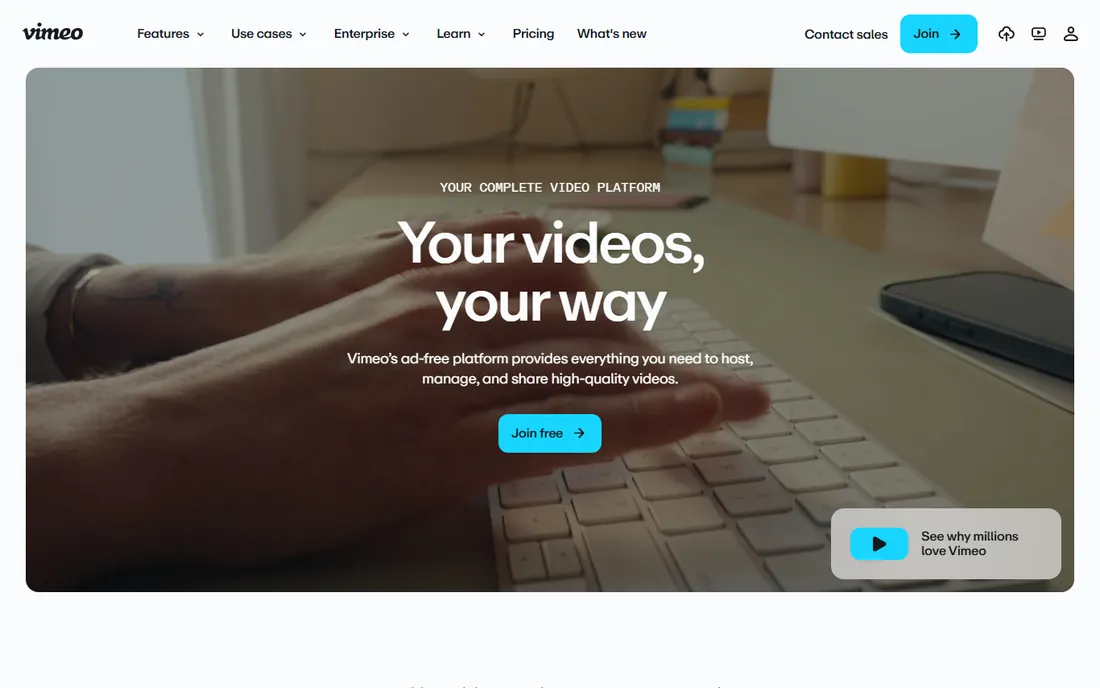
Vimeo rebuilt its offering around professional video, and live streaming sits on the Advanced plan at $75 a month billed annually. What you get is a premium experience: an ad-free player with your logo and colors, simulcasting to social destinations, audience chat and polls, and granular privacy controls. The free tier now includes unlimited public video sharing, which makes Vimeo a workable free host for replays even if you never pay.
It is priced for businesses, not hobbyists. $75 a month is steep if you stream occasionally, and the live audience on Vimeo itself is small; most users simulcast out to YouTube or Facebook and use Vimeo as the branded home base. Support quality is a frequent bright spot in reviews, which matters when a live event has a fixed start time.
Choose Vimeo if your live events need to look like your brand, not like a social platform: town halls, product launches, graduations and client webinars.
What we like- Polished ad-free player with full branding
- Unlimited free public video sharing
- Strong privacy and embed controls
Watch out for- Live features sit on the pricey Advanced tier
- Smaller live audience than YouTube
- Per-seat costs add up for teams
How we chose
We did not test these platforms by streaming on them. We read each vendor's current pricing and feature pages, checked monetization terms in official help documentation, and scanned creator discussions on Reddit plus reviews on G2 and Capterra for recurring complaints about payouts and support.
What to check before you pick a streaming home
The platform decision breaks into four questions. Answer them in order and the right choice usually becomes obvious.
Who finds you
Public platforms bring the audience: TikTok and YouTube have the strongest discovery, Twitch has the most dedicated live viewers, Facebook has whoever you already gathered there. Multistreaming tools like Restream and StreamYard let you hedge across several at once. Dacast and Vimeo bring zero audience, so they only make sense when you already have viewers to direct somewhere.
How you get paid
Twitch and Kick pay through subscriptions with very different splits. YouTube pays 70% on memberships and Super Chat once you clear Partner thresholds. TikTok and Facebook convert attention through gifts and Stars with less transparent cuts. Dacast and Vimeo let you charge viewers directly with paywalls. Model the split at your realistic viewer numbers, not the platform's marketing examples.
What it costs to run
Streaming to public platforms is free, but the supporting tools are not. Budget for multistreaming or studio software, decent audio, and possibly a second monitor before you budget for cameras. Dacast meters bandwidth, so price the plan against your actual streaming hours.
Who owns the relationship
On Twitch, YouTube, TikTok and Facebook, the platform owns the audience data and the recommendation algorithm. An email list or community off-platform is the only insurance. Dacast and Vimeo give you viewer analytics and direct customer relationships, which is part of what the monthly fee buys.
The monetization math in plain numbers
A quick comparison at 500 paying supporters shows why splits matter more than subscriber counts. On Kick's 95/5 split, 500 subscribers at $5 each puts about $2,375 a month in your pocket. The same 500 on Twitch's standard 50/50 split is roughly $1,500 before fees. YouTube memberships at a 70% share land near $1,750. The platform's cut is the single biggest lever on your income.
Gifts and tips are harder to model because the platform cuts are less transparent. Treat TikTok gifts and Facebook Stars as bonus income, not the plan. For businesses selling access, the Dacast and Vimeo math is cleaner: 200 viewers paying $20 for a workshop is $4,000 in gross revenue against a $39 to $75 platform fee.
Frequently asked questions
Can I stream to multiple platforms at the same time?
Yes, with multistreaming tools like Restream or StreamYard. One caution: some partner programs restrict simulcasting, so check your Twitch or YouTube agreement before you multistream as a partnered creator. Affiliates and non-partnered streamers generally face no restrictions.
Do I need 1,000 followers to start streaming?
It depends on the platform. Twitch, YouTube (desktop) and Kick let you go live with no minimum. TikTok Live generally requires 1,000 followers, and YouTube mobile streaming needs 50 subscribers. Monetization always has higher thresholds than basic streaming.
What equipment do I need to start?
Less than most guides suggest. A decent USB microphone matters more than a camera; viewers forgive average video but leave over bad audio. A stable wired internet connection with at least 10 Mbps upload handles 1080p streaming. Everything else can wait until the audience justifies it.
Should a business stream on social platforms or its own site?
Stream where your customers already are for reach, and on your own site for control. Many businesses do both: simulcast to YouTube and Facebook for discovery while embedding a branded Vimeo or Dacast player on their site for the official event.
Can I make money streaming with a small audience?
Yes, but through direct support rather than ads. Fifty true fans paying $5 a month in subscriptions or memberships is $250 in monthly revenue before the platform's cut, which ad revenue would need tens of thousands of views to match.
Sources we checked (15)
- https://www.twitch.tv
- https://www.youtube.com
- https://kick.com/
- https://www.tiktok.com
- https://www.facebook.com/
- https://restream.io/
- https://streamyard.com/
- https://dacast.com/
- https://vimeo.com
- https://www.bizfortune.com/2026/10/best-live-streaming-platforms
- https://streammetrix.com/blog/955-split-kick-still-most-profitable-platform-2026
- https://streamer.guide/blog/kick-streaming-platform-interview-2026
- https://upstream.so/blog/restream-pricing/
- https://podcastpontifications.com/helpful-info/streamyard-pricing/
- https://www.petapixel.com/2026/09/04/vimeo-can-decide-to-change-your-plan-and-bill-you/
Is your product missing or out of date?
We review this list regularly. Vendors can request a listing, send updated pricing or ask about featured placement.

Shihab Mia · Founder, Rankite
Shihab has spent more than a decade helping SaaS and e-commerce brands grow through search. He writes Rankite's software buying guides from pricing pages, documentation and public user reviews. More about Shihab.