How we make this list: we compare pricing pages, product documentation and public user reviews. Ratings come from G2, Capterra or Trustpilot, with the date we checked them.
Key takeaways
- Free splits into three honest kinds here: free software you run on your own photos (digiKam, XnView MP, Adobe Bridge), free cloud storage with a cap (Google Photos 15 GB, iCloud 5 GB, Ente 10 GB), and free software you host yourself (Immich).
- digiKam is the strongest free organizer outright: open source, face recognition, RAW support, and batch tools, with no account and no subscription.
- Google Photos is the easiest free option and the first you will outgrow: its 15 GB is shared with Gmail and Drive, and filling it starts a storage subscription.
- XnView MP is free for personal use and Adobe Bridge is free outright, two different licences worth knowing before you rely on either for paid work.
- Immich gives you a Google Photos style library on your own hardware. The software is free; the computer and drives are not.
Quick comparison
| Tool | Best for | Starting price | Free plan |
|---|
 digiKam digiKam | Serious libraries, fully free | Free | Yes |
 Google Photos Google Photos | Phone photos, zero setup | Free | Yes |
 Apple Photos Apple Photos | iPhone and Mac households | Free | Yes |
 XnView MP XnView MP | Browsing and sorting folders fast | Free | Yes |
 Adobe Bridge Adobe Bridge | Adobe users, free asset manager | Free | Yes |
 Mylio Photos Mylio Photos | Libraries spread across devices | Free | Yes |
 Immich Immich | Your own private photo cloud | Free | Yes |
 Ente Ente | Encrypted cloud, generous free tier | Free | Yes |
Is your product missing or out of date?
We review this list regularly. Vendors can request a listing, send updated pricing or ask about featured placement.
The best photo organizing software free
Starting priceFree
Free planYes
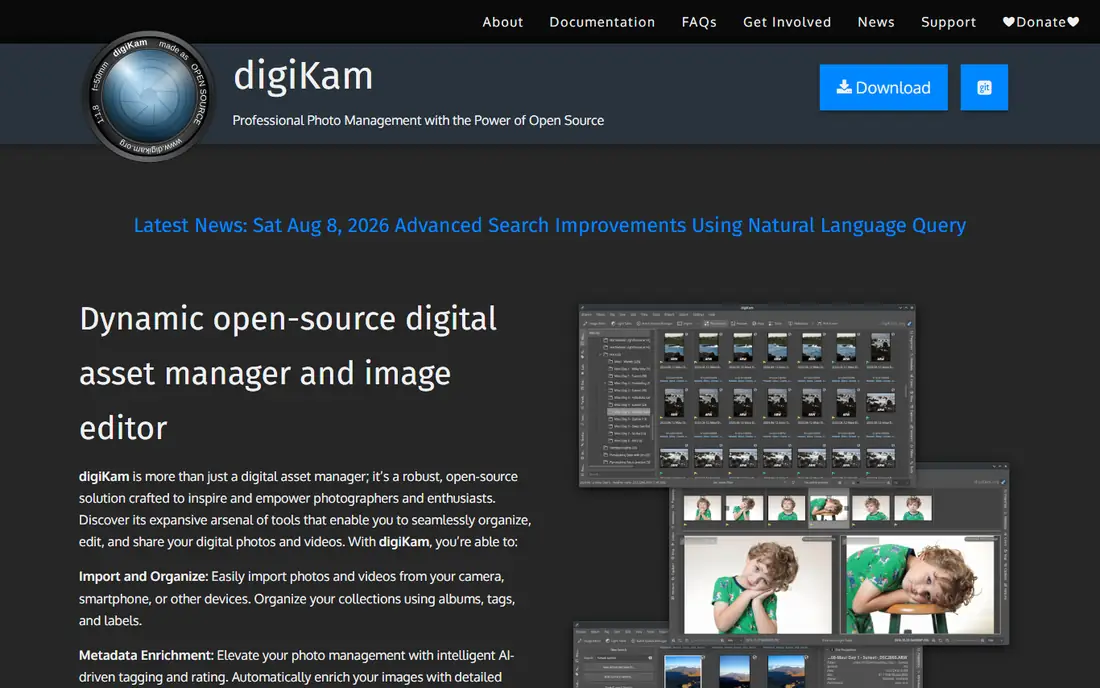
digiKam is the answer this category keeps giving: the free organizer with nothing held back. It catalogues files where they live, tags and rates them, recognises faces, finds duplicates, processes RAW files, and batch renames by the thousand, and it charges nothing, shows no ads, and asks for no account, because it is open source software maintained by its community. FilmLifestyle calls it the strongest free option for serious local cataloguing.
The honest costs are effort and polish. digiKam rewards an hour of setup, choosing your folder structure and metadata habits before importing a decade of photos, and its interface will never be mistaken for Apple's. For a big, scattered library organised once and properly, at zero cost and full privacy, nothing else here is close.
What we like- Completely free and open source, no paid tier, no account, no telemetry
- Professional depth: hierarchical tags, albums, labels, face recognition, duplicate finder, geotagging
- RAW processing and batch tools built in, with libraries past 100,000 images handled
- Runs on Windows, macOS, and Linux, with the database local or on a network share
Watch out for- The interface is the volunteer built tool it is, functional rather than polished
- Setup takes patience, collection roots and metadata choices matter from day one
- No built in cloud sync or phone app, your phone photos arrive by cable or import
- Support is community documentation and forums, not a help desk
Starting priceFree
Free planYes
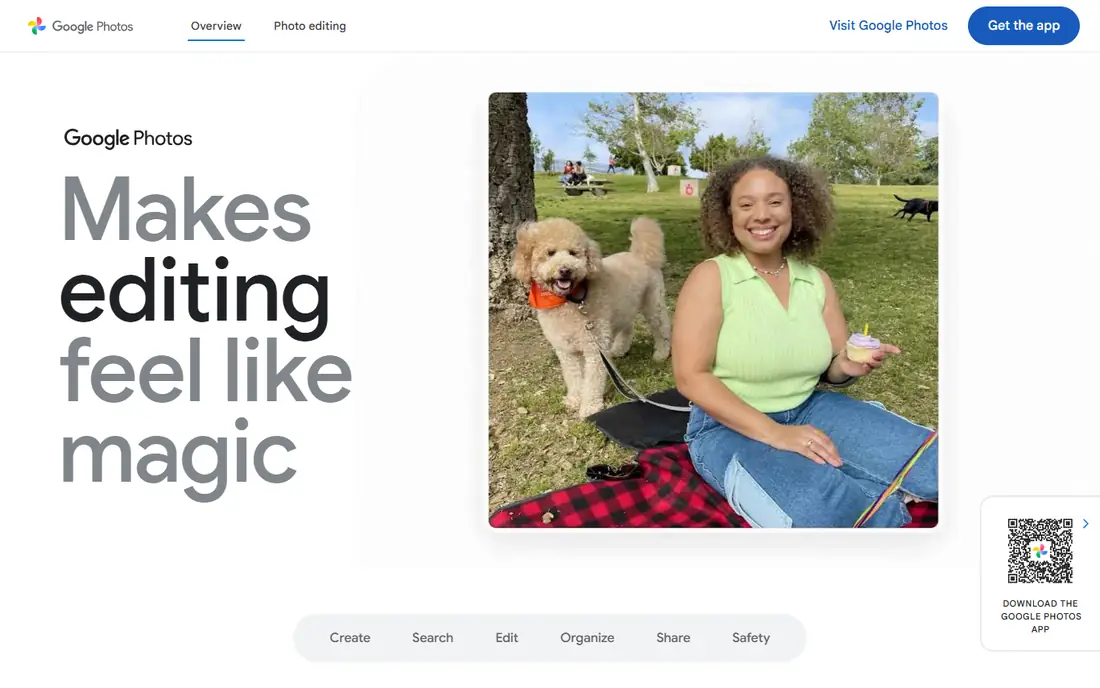
Google Photos is the free organizer most people already have: turn on backup and a searchable, face grouped, map aware library assembles itself. Its search remains the consumer benchmark, and for a phone only photographer under the storage cap it is unbeatable convenience at $0.
The cap is the article's main honesty point: 15 GB sounds large and is shared across Photos, Gmail, and Drive, so the realistic photo budget is smaller, and a modern phone shooting video reaches it quickly. From there Google Photos is a subscription product with a free on ramp. Treat the free tier as a trial with no expiry date, keep originals elsewhere if they matter, and it earns its place here.
What we like- Automatic phone backup: shoot, and the photo is organised, searchable, and shared with no action from you
- Search by people, places, and content is the best in this list
- Free tier is 15 GB, included with any Google account
- Sharing and shared albums are effortless for families
Watch out for- The 15 GB is shared with Gmail and Drive, and heavy mail users start nearly full
- Past the cap, storage becomes a Google One subscription, 2 TB runs about $10 a month
- Uploads on free settings may be compressed from original quality
- Your library lives on Google's terms, export through Takeout is a chore at scale
#3Apple Photos
Best for: iPhone and Mac households4.5/5 on
G2 (814 reviews, checked Oct 2026)
Visit icloud.com
Starting priceFree
Free planYes
Apple Photos is digiKam's opposite: nothing to install, nothing to configure, nothing to learn, and a library that organises itself inside the devices an Apple household already owns. For iPhone photographers it is the default organizer for good reason.
Its free claim is the weakest arithmetic here: 5 GB of iCloud is shared with device backups and mail, so iCloud Photos at original quality exhausts it almost at once, and Apple's real price is the $0.99 and up storage ladder. As the organizing software on hardware you own, it is free and excellent. As a cloud library, budget the subscription from the start and it will not surprise you.
What we like- Built into every iPhone and Mac: no download, no account beyond your Apple ID
- Faces, places, and memories organise automatically, with strong search
- Edits sync across devices through iCloud Photos
- Free with the 5 GB of iCloud storage every Apple account includes
Watch out for- 5 GB of free iCloud fills almost immediately with device backups competing for the same space
- Past it, iCloud storage is a subscription, from $0.99 a month for 50 GB
- Effectively Apple only, Windows and Android users get a thin web version
- Libraries are hard to exit, downloading originals is slow and manual
Starting priceFree
Free planYes
XnView MP is the organizer for people whose photos live in folders and who want to move through them at speed: thumbnails instantly, every format openable, ratings and labels applied from the keyboard, and batch operations that rename or convert a shoot in one pass.
Know its two limits. The licence, free for personal and educational use, means a working photographer should buy the inexpensive commercial licence rather than assume. And the model: XnView shows you folders brilliantly but builds no library wide intelligence over them, so finding one photo across ten years of drives is digiKam work, not XnView work.
What we like- Free for personal use, and famously fast at browsing huge folders
- Views and converts hundreds of image formats, including camera RAW
- Ratings, colour labels, categories, and batch rename and convert built in
- Lightweight: runs happily on older hardware that strains cataloguing apps
Watch out for- The licence is free for personal use, commercial use needs a paid licence
- It browses folders rather than building a deep catalogue, search depth trails digiKam
- Interface density puts beginners off at first
- No cloud or sync features at all
#5Adobe Bridge
Best for: Adobe users, free asset manager4.3/5 on
G2 (349 reviews, checked Oct 2026)
Visit adobe.com
Starting priceFree
Free planYes
Adobe Bridge surprises people by being free: Adobe gives away its asset manager with no subscription, as a front door to its paid tools. For anyone who shoots RAW, it is a serious organizer, previewing folders at speed, editing metadata and keywords, renaming in batches, and passing files to Camera Raw for development.
Its limit is architectural: Bridge is a browser, not a librarian. It organises what you point it at, folder by folder, and builds no unified catalogue with faces and library wide search. Paired with a disciplined folder system it is plenty; asked to remember a scattered decade, it cannot.
What we like- Free to download and use with no Creative Cloud subscription required
- Browses your real folder structure with fast previews, metadata editing, and batch rename
- Tight handoff to Camera Raw and Photoshop for editing
- Keywords, collections, and filters give working organisation over large shoots
Watch out for- No true catalogue: searches cover the folders you browse, so library wide finding is limited
- Performance depends on your disk, nothing is pre indexed
- Adobe steers its development toward Creative Cloud workflows
- No face recognition or automatic organisation
Starting priceFree
Free planYes
Mylio answers the household problem: photos scattered across two phones, a laptop, and an external drive, wanted in one organised library without renting cloud storage for all of it. It links your devices directly, keeps originals where you put them, and presents one tagged, face aware library everywhere. Its free tier is a real starting point for a modest library.
Scope the free tier before you commit a lifetime archive: device counts and library size are where the paid plan draws its line, so check the current limits on Mylio's site against your photo count. For multi device households who dislike subscriptions, Mylio's free start is the most practical here.
What we like- One library across computer, phone, and tablet, organised locally rather than in a rented cloud
- Free tier is genuinely useful for a core library, per current comparisons
- Face tagging, calendar and map views, and natural organisation tools
- Your originals can stay on your own drives while devices carry optimised copies
Watch out for- Larger libraries and the full feature set need the paid plan
- Sync quality depends on your network and devices being awake
- A smaller company than Google or Apple, plan your own backup regardless
- Setup across several devices takes longer than a cloud signup
Starting priceFree
Free planYes
Immich is the enthusiast answer to the Google Photos cap: the same automatic backup and smart library, running on a small computer in your home, free forever. It has grown into the standard self hosted photo platform, with face recognition, map views, sharing, and phone apps, and its optional $25 or $100 product keys fund development without locking features away.
Price it honestly before starting. Free software, yes; free system, no: the hardware, a drive or two with redundancy, the electricity, and your hours are the cost, and the project documentation is blunt that its internal backup does not cover your photos. For technically comfortable households, that trade buys privacy and permanence no subscription can match.
What we like- A Google Photos style experience, automatic phone backup, faces, maps, search, that you host yourself
- Free and open source, no features paywalled, optional paid product keys are support, not licences
- Imports from Google Takeout exist for switchers
- No company can change the price, the terms, or the shutdown date of your library
Watch out for- You are the cloud: a computer or NAS running around the clock, storage, and updates are yours
- Setup needs real technical comfort, roughly 6 GB of memory minimum for the server
- Backups are your problem, the project itself warns to keep a 3-2-1 backup
- If your server dies unmaintained, the library's availability dies with it
#8
Ente
Best for: Encrypted cloud, generous free tier
Visit ente.io
Starting priceFree
Free planYes
Ente is the privacy pick among the clouds: a photo service built so the company itself cannot see your pictures, with end to end encryption, open source apps, and a free tier of 10 GB that is not shared with an email account. For people who want cloud convenience without cloud surveillance, it is the only architecture here that delivers both.
Its trade offs are encryption's own. Features that need a server to look at your photos must run on your device instead, sharing needs key handling your family may find fussy, and losing your recovery key means losing the library, because that is what cannot read your photos actually means. For the privacy motivated, those are acceptable terms; for everyone else, Google's free tier is easier.
What we like- End to end encrypted cloud storage: Ente cannot read your photos, unlike Google or Apple
- 10 GB free, the most generous cloud allowance here after Google's shared pool
- Apps for phone and desktop with automatic backup and sharing
- Open source clients and independently audited encryption claims
Watch out for- Encryption means no web convenience features computed on your photos server side
- Past 10 GB it is a subscription like the rest
- A smaller service: recovery depends on your key discipline, lose it and the photos are gone by design
- Search and smart features run on device and can feel slower
How we chose
We required a genuinely usable free tier or free licence in October 2026, verified against current comparisons rather than vendor claims: Lilach Bullock's photo management comparison for free plan status, FilmLifestyle's review for digiKam, Aiarty's roundup, ContentMavericks for XnView MP and Adobe Bridge's free status, and Ente's published pricing for its 10 GB free tier. Paid only organisers, Lightroom, ACDSee, Excire, Photo Mechanic, appear nowhere, because the keyword says free. Caps and licence limits are stated per entry because free with an asterisk is this category's whole game.
What to look for in free photo organizing software
Count your library before choosing, in gigabytes and in photos. Under 10 GB, the free clouds compete on convenience: Ente for privacy, Google for search, Apple because it is already there. Past 50 GB, no free cloud holds you, and the choice becomes free software on your drives, digiKam for a catalogue, XnView or Bridge for folders, Immich for the cloud experience on your own hardware.
Then interrogate the free licence, because each kind expires differently. Cloud caps expire by growth, and your exit is an export you should test while the library is small. Personal use licences, XnView's, expire by success, the moment the photos earn money. Self hosting never expires but charges rent in attention. Finally, keep a second copy of the originals somewhere the organizer does not manage. Organising software arranges libraries; it is not a backup.
Frequently asked questions
What is the best completely free photo organizer with no limits?
digiKam. It is open source and free without a paid tier, a storage cap, or a photo count limit: the only ceiling is your own disk space. It catalogues, tags, recognises faces, finds duplicates, and processes RAW files on Windows, macOS, and Linux, entirely offline. Its costs are a dated interface and a learning curve. XnView MP and Adobe Bridge are also unlimited and free, but they browse folders rather than building a full catalogue, and XnView's free licence is for personal use.
How much free storage do the cloud photo services give?
Google Photos includes 15 GB free, shared with Gmail and Drive, so the usable photo space depends on your mail. Apple includes 5 GB of iCloud with every account, shared with device backups, which iCloud Photos at full quality exhausts quickly, paid storage starts at $0.99 a month for 50 GB. Ente gives 10 GB free, dedicated to photos and end to end encrypted. Immich has no cap at all, because the storage is your own hardware. Phone cameras shooting video can pass any of these caps within a year or two.
Is Google Photos still free?
Yes, within the 15 GB shared allowance, and with the understanding that uploads can be stored compressed rather than at original quality on space saving settings. It remains the easiest free option: automatic backup, excellent search, effortless sharing. Unlimited free storage ended years ago, so a growing library becomes a Google One subscription, about $10 a month for 2 TB. Keep your own copy of irreplaceable originals rather than treating any sync service as your only archive.
What does free mean for self hosted software like Immich?
The software costs nothing and restricts nothing: no photo limits, no paid features, optional product keys simply support the developers. The system is not free. You provide a computer or NAS to run it, storage with redundancy, electricity, and your time for setup, updates, and backups, which the project itself insists on, recommending a 3-2-1 backup strategy. For a technical household the trade is excellent, permanence and privacy for effort. For anyone else, a capped cloud is the cheaper free.
Sources we checked (0)
Is your product missing or out of date?
We review this list regularly. Vendors can request a listing, send updated pricing or ask about featured placement.

Shihab Mia · Founder, Rankite
Shihab has 5+ years in B2B and SaaS SEO. He writes Rankite's software buying guides from pricing pages, documentation and public user reviews. More about Shihab.