How we make this list: we compare pricing pages, product documentation and public user reviews. Ratings come from G2, Capterra or Trustpilot, with the date we checked them.
Key takeaways
- AirBrush is the closest free Facetune alternative, with core retouching on its free tier without a subscription.
- YouCam Makeup suits makeup-style edits and virtual try-on, with the strongest beauty filter set in this list.
- FaceApp suits viral AI transforms such as age, smile, and hairstyle changes, though its best AI features are paid.
- Facetune suits detailed manual retouching for users who want control over every facial feature.
- Free tiers carry familiar limits: watermarks, locked AI features, ads, and export limits, so test the free tier on a real photo before paying.
Quick comparison
| Tool | Best for | Starting price | Free plan |
|---|
 Facetune Facetune | Detailed manual facial retouch | Free | Yes |
 AirBrush AirBrush | One-tap AI retouch, free | Free | Yes |
 YouCam Makeup YouCam Makeup | Virtual makeup and beauty filters | Free | Yes |
 FaceApp FaceApp | AI face transformations | Free | Yes |
 BeautyPlus BeautyPlus | Beauty retouch plus filters | Free | Yes |
 Perfect365 Perfect365 | Natural-looking makeup overlay | Free | Yes |
 PhotoDirector PhotoDirector | AI portrait enhancement | Free | Yes |
 Meitu Meitu | Unique beauty filters | Free | Yes |
Is your product missing or out of date?
We review this list regularly. Vendors can request a listing, send updated pricing or ask about featured placement.
The best face photo editing apps free
Starting priceFree
Free planYes
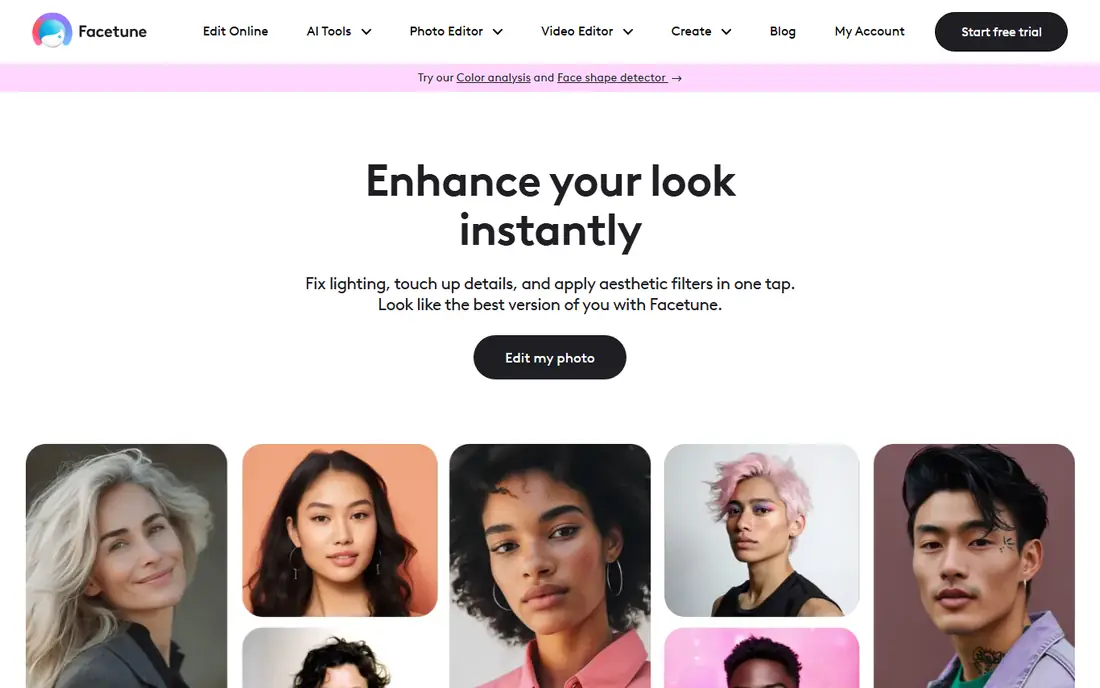
Facetune suits users who want detailed manual control over facial retouching. Its tools cover skin smoothing, reshaping, blemish removal, teeth whitening, and makeup edits, with fine controls that let a portrait editor adjust each feature separately. For a professional headshot or a portfolio portrait, that control beats one-tap filters.
The trade is price and learning curve. Its best tools need in-app purchases, and detailed edits take practice to look natural. Facetune fits best for users who edit faces often and want manual control, with AirBrush as the free alternative for occasional touch-ups.
What we like- Most detailed manual retouch here
- Reshape, smooth, and makeup tools
- Professional portrait results
Watch out for- Best tools need in-app purchases
- Learning curve for detailed edits
- Free tier is limited
Starting priceFree
Free planYes
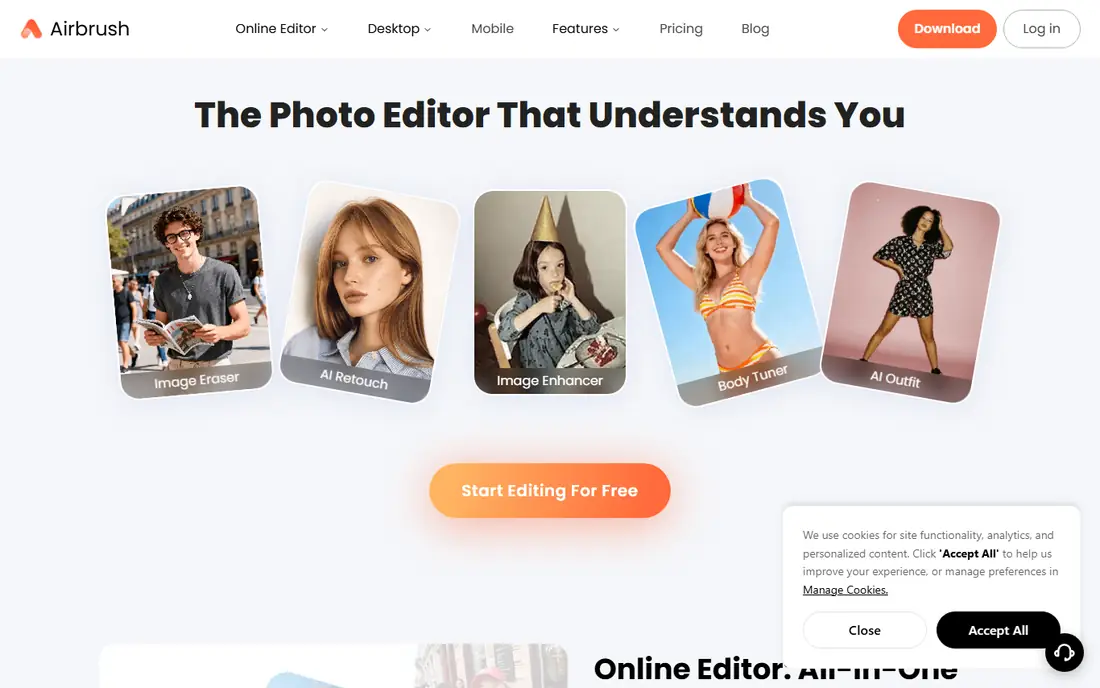
AirBrush is the closest free Facetune alternative. Its free tier covers the core retouching people actually use Facetune for: smoothing, reshaping, blemish removal, and teeth fixes, without a subscription. Its one-tap AI beautification gives a quick polished result for a selfie, while manual tools let a user refine the edit.
The limits are ads and paid AI. Advanced AI features sit behind a subscription, and the free tier carries ads. AirBrush fits best for occasional selfie touch-ups where a free, capable retouch tool is enough.
What we like- Free tier covers core retouching
- One-tap AI beautification
- Smooth, reshape, blemish, and teeth tools
Watch out for- Advanced AI features are paid
- Free tier has ads
- Fewer makeup options than YouCam Makeup
Starting priceFree
Free planYes

YouCam Makeup suits makeup-style edits and virtual try-on. Its beauty filters are rated the best overall in 2026 guides, with realistic lipstick, contour, blush, and eye makeup that can be tried live through the camera before a photo is taken. For beauty content creators and users who want a full glam look, YouCam Makeup is the strongest pick.
The trade is scope and price. Its makeup focus means fewer general photo editing tools than PhotoDirector, and its paid plan starts around $5.99 per month in some guides. YouCam Makeup fits best for beauty and makeup content, with a free tier that covers everyday looks.
What we like- Best beauty filter app overall in 2026 guides
- Realistic virtual makeup try-on
- Real-time camera filters
Watch out for- Paid plan from $5.99 per month in some guides
- Makeup focus means fewer general editing tools
- Free tier limits some looks
Starting priceFree
Free planYes
FaceApp suits viral AI transforms. Its age, smile, hairstyle, and gender-swap effects remain the most convincing in this list for fun transformations, and its free tier still covers the core AI transforms that made it famous. For a social post or a fun edit, FaceApp is the quickest route to a striking result.
The limits are paid AI and privacy. Its best AI features need a subscription, and face data privacy has drawn questions, so users should check its privacy policy and avoid uploading other people's photos without permission. FaceApp fits best for fun AI transforms, not for subtle professional retouching.
What we like- Best AI transforms here: age, smile, hairstyle
- Fun and viral effects
- Easy one-tap use
Watch out for- Best AI features are paid
- Privacy questions around face data
- Less suited to subtle retouching
Starting priceFree
Free planYes
BeautyPlus suits beginners who want a wide set of beauty tools in a simple app. Its skin smoothing, real-time beautification, AI-assisted editing, and makeup tools cover most selfie edits, with detailed controls for eyes, hair color, and small facial features that still look natural when used moderately. Its interface is among the friendliest in this list.
The trade is paid depth and ads. Many advanced tools need a subscription, and the free version contains ads. BeautyPlus fits best for beginners who want a broad beauty toolkit with a gentle learning curve.
What we like- Beginner-friendly interface
- Wide facial editing tools
- Natural-looking skin and beauty edits
Watch out for- Many advanced tools need a subscription
- Free version contains ads
- Reshaping can look overdone if pushed
Starting priceFree
Free planYes
Perfect365 suits users who want a natural-looking makeup overlay without reshaping their face. Its virtual makeup templates and hair color changes give a polished look that stays close to the original photo, which suits professional headshots and dating profile photos where a natural result matters. Its try-on workflow is simple enough for a first-time user.
The limits are scope and price. It does not support facial shape adjustments, and its paid plan starts around $9.99 per month in some guides. Perfect365 fits best for natural makeup edits where reshaping is not wanted.
What we like- Natural-looking makeup overlay
- Hair color changes
- Easy virtual try-on
Watch out for- Paid plan from $9.99 per month in some guides
- No facial shape adjustments
- Makeup focus limits general editing
Starting priceFree
Free planYes
PhotoDirector suits users who want AI portrait enhancement plus broader photo editing in one app. Its AI tools enhance portraits, blur backgrounds, and retouch faces, while its general editing tools cover color, cropping, and effects for the whole photo. For a profile photo or a headshot that also needs background work, PhotoDirector covers both jobs.
The trade is paid AI and scope. Many advanced AI features are paid, it is less suited to real-time AR effects than YouCam Makeup or SNOW, and it is best for photos rather than video workflows. PhotoDirector fits best for portrait enhancement with general editing in one app.
What we like- Strong AI portrait enhancement
- Broader photo editing beyond faces
- Good for profile photos and headshots
Watch out for- Many advanced AI features are paid
- Less suited to real-time AR effects
- Best for photos, not video workflows
Starting priceFree
Free planYes
Meitu suits users who want unique, trendy beauty filters rather than a natural retouch. Its filter styles, AR effects, and social-first sharing give selfies a distinctive look that stands out on social feeds, and its free tier covers everyday filters. For a user who posts often and wants a signature style, Meitu's filter library is a draw.
The limits are naturalness and ads. Its style leans trendy rather than natural, many advanced features are paid, and the free tier carries ads. Meitu fits best for social-first beauty content where a distinctive filter matters more than a subtle retouch.
What we like- Unique beauty filters and styles
- Fun social-first effects
- Easy sharing to social platforms
Watch out for- Many advanced features are paid
- Style leans trendy rather than natural
- Free tier has ads
How we chose
We compared these apps on free retouching depth, makeup and filter quality, AI transform strength, and what the free tier actually includes, since free tiers differ more in limits than in features. Pricing figures come from vendor pages and current comparison guides checked in October 2026, and any figure we could not confirm is marked as See website. We did not claim hands-on testing. Instead we weighed public documentation, pricing pages, and user reviews, plus the practical difference between a manual retouch tool and a one-tap AI filter.
What to check before you pick
Start with the edit type. Subtle retouching points to AirBrush or Facetune, makeup points to YouCam Makeup or Perfect365, AI transforms point to FaceApp, and broader editing points to PhotoDirector. Next, test the free tier on a real photo, since watermarks, locked AI features, ads, and export limits only show up in use. Finally, check privacy: face data is sensitive, so read the app's privacy policy and avoid uploading other people's photos without their permission.
Keeping edits natural and honest
Face filters look best when they enhance the original photo instead of changing it completely. Keep skin smoothing moderate, avoid reshaping facial features too much, reduce filter intensity if the face looks too polished, and use makeup filters that match natural skin tone. For professional or dating photos, disclose heavy edits where the platform asks, and never use an edited photo to misrepresent identity in a job, dating, or verification context.
Free tier limits to expect
Free tiers in this list carry familiar limits: watermarks on some exports, locked AI features, ads, and export limits on resolution or count. If you edit faces often, a paid app such as Facetune for manual control or PhotoDirector for AI enhancement pays for itself fast, but for an occasional selfie touch-up, the free options here are more than enough.
Frequently asked questions
What is the best free face editing app?
AirBrush is the closest free Facetune alternative for core retouching, YouCam Makeup is best for makeup-style edits, and FaceApp is best for AI transforms. For broader free editing that also handles faces cleanly, PhotoDirector covers portraits plus general editing.
Are free face editing apps really free?
Most are free to download with a free tier, but advanced tools, AI features, and ad-free exports are usually paid. Test the free tier on a real photo before paying, since watermarks and locked features only show up in use.
Do face editing apps add watermarks?
Some free tiers add watermarks or limit export resolution, while paid tiers remove them. Check export settings before sharing, since a watermark on a profile photo looks unprofessional.
Is it safe to upload my face to these apps?
Face data is sensitive, so read each app's privacy policy, check data retention and deletion options, and avoid uploading other people's photos without permission. Prefer apps with clear deletion controls for sensitive portraits.
Which app is best for natural-looking edits?
Perfect365 for natural makeup overlay, AirBrush for subtle retouching, and PhotoDirector for AI portrait enhancement all prioritize a natural result. Keep smoothing moderate and filter intensity low for the most natural look.
Can I edit someone else's photo with these apps?
Only with their permission. Editing another person's face without consent, especially for public posts or dating profiles, can mislead viewers and violate platform rules. Get permission first, and disclose heavy edits where required.
Sources we checked (8)
- https://www.facetuneapp.com
- https://www.airbrush.com
- https://www.youcam.com
- https://faceapp.com
- https://www.beautyplus.com
- https://www.perfect365.com
- https://www.cyberlink.com/products/photodirector
- https://www.meitu.com
Is your product missing or out of date?
We review this list regularly. Vendors can request a listing, send updated pricing or ask about featured placement.

Shihab Mia · Founder, Rankite
Shihab has 5+ years in B2B and SaaS SEO. He writes Rankite's software buying guides from pricing pages, documentation and public user reviews. More about Shihab.