How we make this list: we compare pricing pages, product documentation and public user reviews. Rankite is independent; if a vendor ever pays for a featured spot, that listing is clearly labeled Partner.
Key takeaways
- Adobe Lightroom at $11.99 per month remains the standard for photographers who organize and edit in one catalog, with 1TB of cloud storage included.
- Google Photos and Apple Photos are free and already on your devices; they win on convenience and face search, not on professional cataloging.
- Mylio Photos is the standout for privacy: your library syncs across your own devices with no cloud required, free for the base app and $99 per year for Plus.
- digiKam is the best free desktop organizer for large local libraries, while Photo Mechanic at $149 per year is the speed pick for working pros who cull thousands of shots.
Quick comparison
| Tool | Best for | Starting price | Free plan |
|---|
 Adobe Lightroom Adobe Lightroom | Photographers who organize and edit in one place | $11.99/month (billed annually, 1TB plan) | Free trial (7 days) |
 Google Photos Google Photos | Automatic backup and search for phone photographers | Free (15GB shared storage); Google One from $1.99/month | Yes |
 Apple Photos Apple Photos | Households all-in on Apple devices | Free (5GB iCloud); iCloud+ from $0.99/month | Yes |
 ACDSee Photo Studio ACDSee Photo Studio | Windows users who want a fast local organizer | $89/year (365 Home Plan); perpetual licenses from $149.99 | Free trial |
 Mylio Photos Mylio Photos | Private libraries synced across your own devices | Free (base app); Photos+ $99/year | Yes |
 digiKam digiKam | Free desktop cataloging of huge local libraries | Free | Yes |
 Photo Mechanic Photo Mechanic | Working pros who cull thousands of images fast | $149/year (annual subscription); $299 perpetual license | Free trial (30 days) |
Is your product missing or out of date?
We review this list regularly. Vendors can request a listing, send updated pricing or ask about featured placement.
The best photo organizing software
#1
Adobe Lightroom
Best for: Photographers who organize and edit in one place
Visit adobe.com
Starting price$11.99/month (billed annually, 1TB plan)
Free planFree trial (7 days)
Lightroom is the default answer for a reason: it treats organizing as part of the photographic workflow, not an afterthought. Import a shoot, cull with flags and star ratings, keyword the keepers, and your edits travel with the files across desktop, tablet, and phone. The $11.99 per month Photography plan bundles Lightroom, Lightroom Classic, Photoshop, and 1TB of cloud storage, which is fair value if you use even half of it.
The subscription is also the trap. Stop paying and the Develop module locks, leaving you with a catalog you can view but not fully edit. Heavy shooters with hundreds of thousands of images sometimes find the catalog sluggish and graduate to dedicated asset managers. For most photographers, though, Lightroom remains the safest single purchase.
What we like- Best-in-class catalog with flags, ratings, and collections
- Edits sync across desktop and mobile
- 1TB cloud storage included
Watch out for- Subscription never ends
- Catalog can slow with very large libraries
- Leaving means migrating your edits
Starting priceFree (15GB shared storage); Google One from $1.99/month
Free planYes
Nobody chooses Google Photos for its cataloging philosophy; they end up with it because backup just happens. Every photo lands in the cloud, and search for "beach 2023" or a person's face returns results that feel like magic. For phone photographers who never touch a desktop, that is the entire organizing problem solved.
The free 15GB of shared storage runs out quickly once you shoot in original quality, and Google One plans start at $1.99 per month for 100GB. Power users also chafe at limited album controls and metadata editing. It is a backup service with great search, not a photographer's catalog, and it is excellent at being exactly that.
What we like- Backup is automatic and effortless
- Face and object search actually works
- Free tier covers casual shooters
Watch out for- 15GB fills fast with original-quality files
- Compression choices confuse
- Privacy tradeoffs of a Google service
Starting priceFree (5GB iCloud); iCloud+ from $0.99/month
Free planYes

Apple Photos wins by being everywhere Apple users already are. Shoot on iPhone, and the photo appears on the Mac and iPad with faces recognized, places mapped, and Memories assembled without any effort. On-device machine learning keeps the clever features private, which matters to families syncing kids' photos.
The catch is the ecosystem wall. Five gigabytes of free iCloud storage covers almost nothing, so most users pay for iCloud+ starting at $0.99 per month. Mixed households with Android phones or Windows PCs get a second-class experience, and getting a large library out of Apple's system takes patience. Inside the walled garden, though, nothing is smoother.
What we like- Deeply integrated across iPhone, iPad, and Mac
- Face recognition runs on-device
- Memories and curation are genuinely good
Watch out for- 5GB of free iCloud storage is tiny
- Weak on Windows and Android
- Exporting libraries is painful
#4
ACDSee Photo Studio
Best for: Windows users who want a fast local organizer
Visit acdsee.com
Starting price$89/year (365 Home Plan); perpetual licenses from $149.99
Free planFree trial

ACDSee has been organizing photos since before cloud storage existed, and its philosophy shows: point it at a folder and browse instantly, no import step, no catalog lock-in. For Windows photographers with terabytes of local files, that speed is addictive. Batch renaming, metadata presets, and duplicate finding handle the grunt work of large libraries.
Pricing gives you a choice Adobe does not: the 365 Home Plan subscription at $89 per year, or perpetual licenses starting around $149.99 for those done with renting software. The Mac version lags its Windows sibling, and the interface will not win design awards. But as a fast, local, buy-it-once organizer, it has loyalists for good reason.
What we like- Blazing file browser with no import required
- Strong batch rename and metadata tools
- Perpetual license option avoids subscriptions
Watch out for- Windows-centric with a thinner Mac version
- Interface feels dated
- AI features trail Adobe and Google
#5
Mylio Photos
Best for: Private libraries synced across your own devices
Visit mylio.com
Starting priceFree (base app); Photos+ $99/year
Free planYes
Mylio Photos takes the unusual position that your photos should never have to live on someone else's servers. The free app organizes unlimited files on one device with AI SmartTags, face recognition, and calendar views. Pay $99 per year for Photos+ and your phones, computers, and drives sync directly with each other, with optional encrypted vault drives for backup.
That privacy-first design is the whole pitch, and for families wary of cloud scanning it lands hard. The tradeoff is responsibility: you manage your own storage and sync topology instead of outsourcing it to Apple or Google. A 30-day trial of Plus is enough to test whether the device-mesh approach fits your household.
What we like- No cloud required, your devices are the network
- AI tagging and face recognition run locally
- Free app has no file limit
Watch out for- Plus subscription needed for multi-device sync
- Smaller ecosystem than Adobe or Apple
- Setup takes some planning
#6
digiKam
Best for: Free desktop cataloging of huge local libraries
Visit digikam.org
Starting priceFree
Free planYes
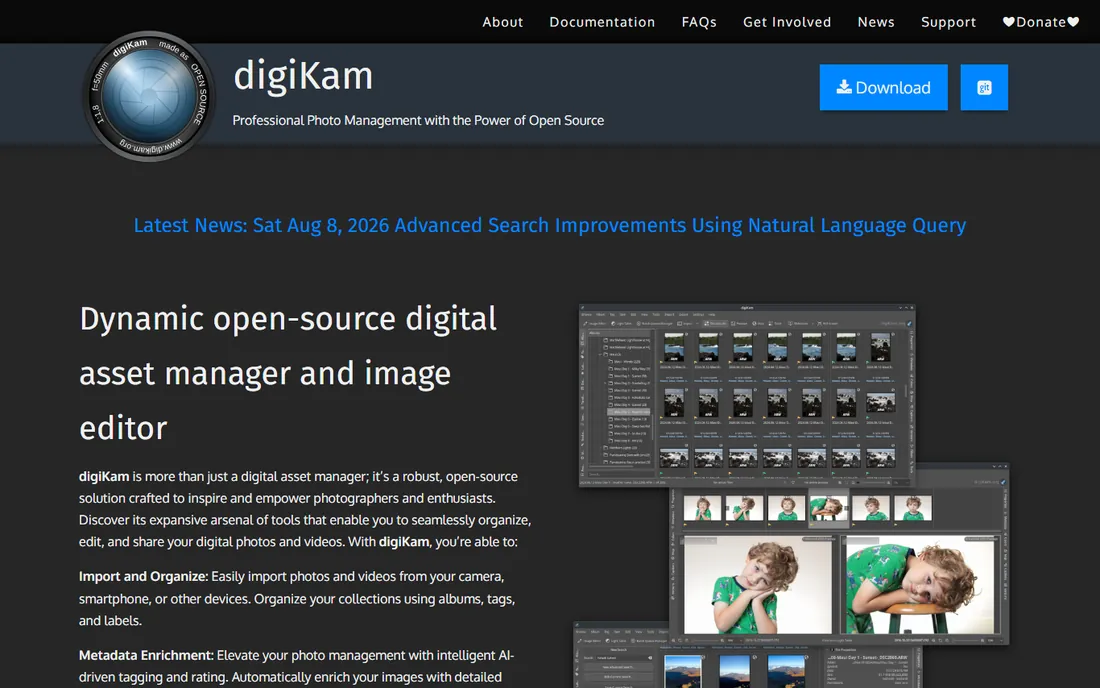
digiKam is the open-source answer to Lightroom's catalog, and it is far more capable than its price suggests. It ingests RAW files from hundreds of cameras, offers tagging, ratings, geolocation, and on-device face recognition, and crucially writes metadata into the files and sidecars using open standards. Your organization survives even if you abandon the program.
There is no phone app, no cloud sync, and no hand-holding. The interface prioritizes function over beauty, and face tagging improves only after you train it. For desktop photographers who want a free, private, standards-based catalog for a lifetime of images, nothing else touches it.
What we like- Completely free and open source
- Handles RAW files and huge libraries
- Writes metadata to files, not a locked catalog
Watch out for- Interface is utilitarian
- Face recognition needs training
- No mobile or cloud story
Starting price$149/year (annual subscription); $299 perpetual license
Free planFree trial (30 days)
Photo Mechanic is not really an organizer in the Lightroom sense; it is the tool professionals use before organizing begins. Ingest a wedding or a football game, and full-resolution previews appear instantly while other programs are still building thumbnails. Cull, rate, caption, and keyword at speed, then hand the selects to Lightroom or Capture One for editing.
Camera Bits sells it three ways: $14.99 per month, $149 per year, or a $299 perpetual license, with a 30-day trial that needs no payment method. Note that Photo Mechanic Plus, the cataloging edition, was discontinued, so buy the standard edition for the ingest-and-cull workflow. Amateurs with a few thousand photos do not need this; pros shooting tens of thousands a month swear by it.
What we like- Fastest ingest and culling in the business
- Rock-solid metadata and captioning tools
- Trusted by news and sports photographers
Watch out for- Not an editor or a full catalog
- Subscription or $299 perpetual is pricey for amateurs
- Overkill for casual libraries
How to pick the right photo organizer
Start with where your photos live, because fighting that reality is how libraries die.
Cloud-first phone photographers
If your camera is your phone, Google Photos or Apple Photos already solved your problem. Pick the one matching your devices, pay for the storage tier your library needs (Google One from $1.99 per month, iCloud+ from $0.99), and stop worrying. Only graduate to Lightroom if you start editing seriously.
Desktop photographers with big libraries
Lightroom is the mainstream pick at $11.99 per month, ACDSee suits Windows users who want speed and a perpetual license, and digiKam is the free, private alternative. All three handle RAW files and hundreds of thousands of images. Choose by budget and by how much you value cloud sync.
Privacy-focused households
Mylio Photos keeps your library on your own devices with no cloud in the middle. The free app organizes one device; $99 per year for Plus syncs the household. It is the only option here where no company ever holds your originals.
Working professionals
Photo Mechanic for culling speed plus Lightroom for cataloging and editing is the industry-standard pair. The combined cost is real, but so is the time saved on deadline.
The migration nobody plans for (but everyone faces)
Every photo organizer eventually forces the same question: what happens to your organization if you leave? Catalogs store ratings, face tags, and collections in proprietary databases, and switching tools can mean losing years of careful work.
Protect yourself with open metadata. Tools like digiKam and Lightroom can write keywords, ratings, and GPS data into the files themselves using EXIF, IPTC, and XMP standards, and any future program can read them. Before committing to a new organizer, test the round trip: tag fifty photos, export them, and check what survives in another program. Face regions and proprietary collections rarely transfer; keywords and star ratings usually do. A weekend of testing now saves a month of re-tagging later.
How we chose
We compared current pricing pages and documentation for the most widely used photo organizers, checked public reviews on G2, Capterra, and Reddit for reliability and migration complaints, and weighted each tool for a realistic buyer: someone with tens of thousands of photos who needs to find any of them in seconds. No hands-on testing is claimed; these picks reflect documented capabilities, pricing, and reviewer consensus.
Frequently asked questions
What is the best free photo organizing software?
Google Photos for phone photographers, Apple Photos for Apple households, and digiKam for desktop users with large local libraries. All three are genuinely free at useful tiers. digiKam is the only free option that handles professional RAW workflows without a subscription.
Is Lightroom worth $11.99 per month just for organizing?
Only if you also edit. As a pure organizer, Lightroom is overkill; digiKam or ACDSee do the job cheaper. Lightroom earns its subscription when organizing, RAW editing, and cloud sync live in one catalog you use daily.
How do I organize 100,000 photos without losing my mind?
Import everything into one catalog, then work in passes: delete the obvious failures first, rate the keepers, keyword by event and person, and let face recognition handle the rest. Do not try to keyword every photo perfectly on day one; a rough system you maintain beats a perfect system you abandon.
Can I organize photos without uploading them to the cloud?
Yes. digiKam, ACDSee, and the free tier of Mylio Photos all work fully offline with local files. Mylio Photos+ syncs across your own devices without a cloud intermediary. Your photos never have to leave your hardware.
What happens to my photo library if I stop paying for Lightroom?
Your photos and most metadata stay intact, and the Library module keeps working for organizing and exporting. The Develop and Map modules lock, so you cannot make new edits. Export final versions of important edited photos before canceling, and consider writing metadata to files so a future tool can read it.
Sources we checked (7)
- https://www.adobe.com/
- https://photos.google.com/
- https://www.icloud.com/
- https://www.acdsee.com/
- https://mylio.com/
- https://www.digikam.org/
- https://home.camerabits.com/
Is your product missing or out of date?
We review this list regularly. Vendors can request a listing, send updated pricing or ask about featured placement.

Shihab Mia · Founder, Rankite
Shihab has spent more than a decade helping SaaS and e-commerce brands grow through search. He writes Rankite's software buying guides from pricing pages, documentation and public user reviews. More about Shihab.