How we make this list: we compare pricing pages, product documentation and public user reviews. Ratings come from G2, Capterra or Trustpilot, with the date we checked them.
Key takeaways
- Google Photos suits cloud convenience with strong AI search, free up to 15 GB, with extra storage from $1.99 per month.
- Apple Photos suits Apple households, included free with deep device integration and face recognition.
- Mylio Photos suits private multi device libraries, syncing over your own devices and storage with no cloud upload required.
- digiKam is the best free organizer, open source with face recognition and AI auto tagging included.
- Adobe Lightroom remains the default all rounder for photographers, while ACDSee, Excire Foto, and Zoner Studio cover buy once and budget options. Privacy note: cloud sync uploads your photos, including faces, to a provider's servers, so check what face data is stored, where, and whether it can be deleted before enabling cloud backup.
Quick comparison
Is your product missing or out of date?
We review this list regularly. Vendors can request a listing, send updated pricing or ask about featured placement.
The best photo organizer apps
Starting priceFree
Free planYes
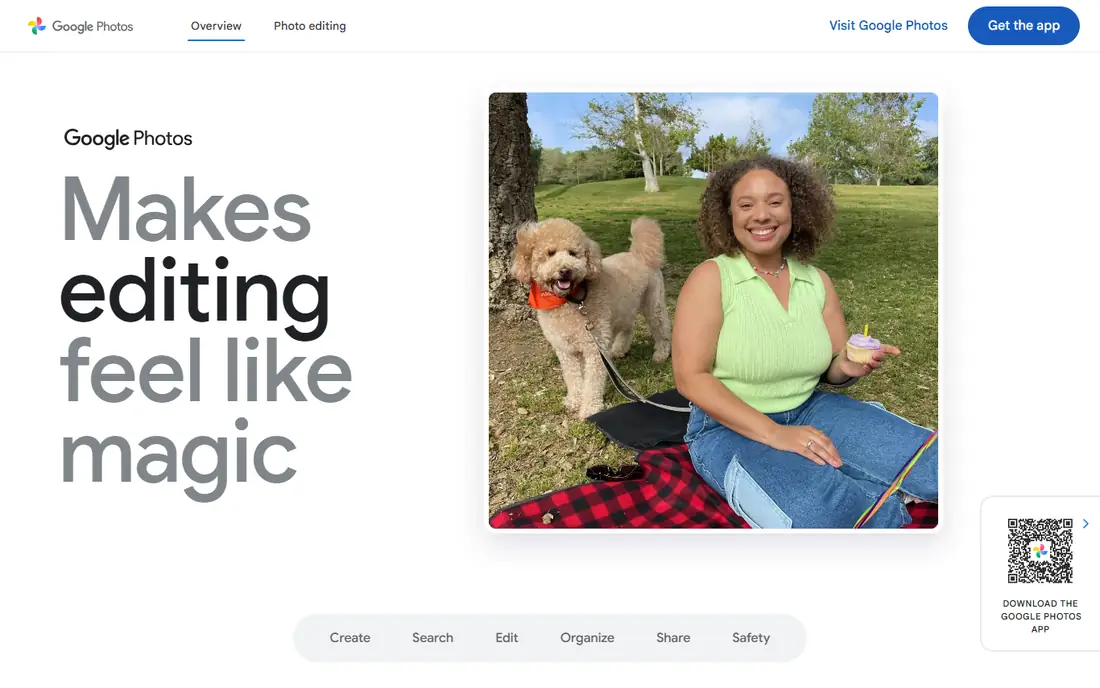
Google Photos is unmatched for cloud convenience: automatic backup from phone and computer, access from any device, and AI based tagging, face recognition, and search that finds photos by plain words like "beach" or "birthday". It is free up to 15 GB shared with Google Drive, with extra storage from $1.99 per month.
The privacy trade is real: cloud sync uploads your photos, including faces, to Google's servers, so check what face data is stored and whether it can be deleted. For a household that wants photos everywhere with minimal effort, Google Photos is the cloud pick.
What we like- Free up to 15 GB shared with Google Drive
- Strong AI tagging, face recognition, and plain word search
- Access from any device
- Automatic backup
Watch out for- Storage beyond 15 GB costs from $1.99 per month
- Face data lives on Google servers
- Original quality uploads count against storage

#2Apple Photos
Best for: Apple households4.5/5 on
G2 (814 reviews, checked Oct 2026)
Visit apple.com
Starting priceFree
Free planYes
Apple Photos suits Apple households, included free on iPhone, iPad, and Mac, with deep device integration and iCloud sync across devices. Face recognition is processed on device rather than on Apple's servers, which is a stronger privacy story than most cloud rivals.
It runs only in the Apple ecosystem, and iCloud storage beyond the free 5 GB costs extra. For an Apple household that wants photos organized with minimal setup, Apple Photos is the included pick.
What we like- Free and included on Apple devices
- Deep iPhone, iPad, and Mac integration
- Face recognition processed on device
- ICloud sync across devices
Watch out for- Apple ecosystem only
- ICloud storage beyond 5 GB costs extra
- Fewer pro editing tools than Lightroom
Starting priceSee website
Free planYes
Mylio Photos suits users who want a private multi device library: it syncs across Mac, Windows, iOS, and Android over your own devices and storage, with no cloud upload required, while AI tags faces, objects, and scenes so a huge archive can be searched in plain words.
Published prices conflict, from $9.99 per month in one comparison to $25 per month in another, so the current rate is listed as "See website". For a user who wants cloud convenience without cloud upload, Mylio is the privacy pick.
What we like- Private multi device library with AI search
- Syncs across Mac, Windows, iOS, and Android over your own devices and storage
- No cloud upload required
- Face, object, and scene tagging
Watch out for- Published prices conflict, from $9.99 to $25 per month in different comparisons
- Setup takes longer than cloud apps
- Smaller community than Google or Apple

#4Adobe Lightroom
Best for: Default all rounder library and editor4.6/5 on
G2 (3,299 reviews, checked Oct 2026)
Visit adobe.com
Starting priceSee website
Free planFree trial
Adobe Lightroom is still the default photo library for most photographers, pairing cataloging with full RAW editing in one app. Lightroom Classic runs from $11.99 per month on annual plans in some comparisons, while cloud Lightroom plans vary, so pricing is listed as "See website" rather than a stale figure.
The subscription model is the main drawback: stop paying and the catalog workflow breaks. For a photographer who wants library and editing in one professional tool, Lightroom is the default pick.
What we like- Default photo library for most photographers
- Central library with metadata, filters, and face recognition
- Built in RAW editing
- Cloud and Classic versions
Watch out for- Subscription only, and the catalog lives or dies with the monthly payment
- Pricing varies by plan and region
- Learning curve for beginners

#5ACDSee Photo Studio
Best for: Large libraries, buy once options4.4/5 on
G2 (282 reviews, checked Oct 2026)
Visit acdsee.com
Starting price$8.90 per month
Free planFree trial
ACDSee Photo Studio suits photographers who organize huge libraries: it browses existing folders instantly without forcing an import, and its digital asset management tools handle six figure image libraries that choke other editors. Layered editing, RAW processing, and portrait tools are built into the same app.
Pricing varies by edition and model, with subscription from $8.90 per month in one comparison and one time prices from $49.95 to $249.99 in others. For a Windows or Mac photographer with a massive library, ACDSee is the volume pick.
What we like- Fast browsing of existing folders without forced import
- Keywording, facial recognition, ratings, and metadata for six figure libraries
- Layered editing and RAW built in
Watch out for- Interface has a learning curve
- One time prices vary, from $49.95 to $249.99 by edition
- AI credits and cloud extras push toward ongoing costs
Starting priceFree
Free planYes
digiKam is the best free photo library software, full stop: open source, no subscription, with face recognition and AI auto tagging included, plus metadata, filters, visual similarity, duplicate detection, and built in RAW editing. It indexes up to 100,000 files across macOS, Windows, and Linux.
The interface feels less polished than commercial rivals, and there is no cloud sync built in. For a user who wants full organizing power at zero cost, digiKam is the free pick.
What we like- Free and open source with no paid tier
- Face recognition and AI auto tagging included
- Metadata, filters, visual similarity, and duplicate detection
- Built in RAW editing
Watch out for- Interface feels less polished than commercial rivals
- Setup and learning curve for beginners
- No cloud sync built in
Starting price$249 one-time
Free planFree trial
Excire Foto suits users who want AI photo tagging without a subscription: a $249 one time purchase buys face recognition, AI text search, visual similarity, and duplicate detection, so a huge archive can be searched in plain words without monthly fees.
There is no editor built in, so it pairs with whatever editor you like, and $249 is a high upfront price. For a user who wants AI search with a single payment, Excire is the buy once AI pick.
What we like- AI photo tagging without a subscription
- $249 one time purchase
- Face recognition, AI text search, visual similarity, and duplicate detection
- 14 day free trial
Watch out for- $249 is a high upfront price
- No editor built in
- Central library model needs import

#8Zoner Studio
Best for: Affordable all in one for Windows4.5/5 on
Capterra (40 reviews, checked Oct 2026)
Visit zoner.com
Starting price$5.99 per month
Free planFree trial
Zoner Studio suits Windows users who want a Lightroom like experience with a friendlier interface, at $5.99 per month with built in organizing and editing, layer support, and RAW development. It balances ease of use and power better than most budget rivals.
It is Windows focused, and the 7 day free trial is short. For a Windows user who wants an affordable all in one, Zoner is the budget pick.
What we like- Affordable all in one at $5.99 per month
- Built in organizing and editing
- Layer support and RAW development
- Friendly interface
Watch out for- Windows focused
- 7 day free trial is short
- Smaller community than Lightroom
How we chose
We ranked organizers by library model, search power, editing depth, price model, and privacy. Cloud apps scored on convenience and AI search, desktop apps scored on control and buy once options, and free tools scored on what they include without payment. Prices are vendor list prices as of October 2026, with conflicts noted rather than hidden.
We noted the privacy trade plainly. Cloud sync uploads photos, including faces, to a provider's servers, and face recognition data handling differs sharply: Apple processes faces on device, Google stores face data on its servers, and Mylio avoids cloud upload entirely by syncing over your own devices. Check what face data is stored, where, and whether it can be deleted before enabling cloud backup.
Buying guide
Start with library size and platform. A phone only household suits Google Photos or Apple Photos, while a photographer with tens of thousands of images suits Lightroom, ACDSee, or digiKam. Check platform support first: Apple Photos is Apple only, Zoner is Windows focused, and digiKam covers macOS, Windows, and Linux.
Next, decide on cloud versus local. Cloud backup protects against device loss but uploads faces and personal photos to a provider, so read the privacy terms and deletion options. Local libraries with Mylio style device sync keep photos off third party servers but need your own backup discipline.
Finally, trial with your real library before committing. Import a few thousand photos, test face recognition accuracy, search speed, and duplicate detection, and check whether the catalog survives if you stop paying. A subscription catalog that breaks on cancellation costs more than its monthly fee suggests.
Frequently asked questions
What is the best free photo organizer app?
digiKam is the best free organizer, open source with face recognition, AI auto tagging, and RAW editing at no cost. Google Photos and Apple Photos are free for cloud and Apple households respectively.
Which photo organizer is best for privacy?
Mylio Photos, which syncs over your own devices with no cloud upload required, and Apple Photos, which processes face recognition on device. Check each provider's face data storage and deletion options.
Is Lightroom worth the subscription?
For photographers who want library and RAW editing in one professional tool, yes, but the catalog lives or dies with the monthly payment. Buy once options like ACDSee and Excire suit users who dislike subscriptions.
Can I organize photos without cloud upload?
Yes. digiKam, Excire Foto, and ACDSee run locally, and Mylio syncs across your own devices without a cloud upload. Keep your own backups if you skip cloud storage.
How many photos can these apps handle?
digiKam indexes up to 100,000 files, ACDSee handles six figure libraries, and cloud apps scale with storage plan. Test with your real library size before committing.
Sources we checked (0)
Is your product missing or out of date?
We review this list regularly. Vendors can request a listing, send updated pricing or ask about featured placement.

Shihab Mia · Founder, Rankite
Shihab has 5+ years in B2B and SaaS SEO. He writes Rankite's software buying guides from pricing pages, documentation and public user reviews. More about Shihab.
 Google Photos
 Mylio Photos
 digiKam
 Excire Foto