How we make this list: we compare pricing pages, product documentation and public user reviews. Rankite is independent; if a vendor ever pays for a featured spot, that listing is clearly labeled Partner.
Key takeaways
- The best free photo management software: Adobe Bridge (free forever) and digiKam (free and open source), with no subscription and no feature locks.
- Lightroom is the mainstream pick at $11.99/month with 1TB of cloud storage and editing built in; Mylio Photos keeps your library local and private for $99.99/year.
- One-time licenses still exist for buyers who refuse subscriptions: Excire Foto at $249 and ACDSee Photo Studio Home 2027 at $119.99.
- Sports and event photographers should look at Photo Mechanic ($149/year), the fastest ingest-and-cull tool on this list; Apple users get Apple Photos free with every device.
Quick comparison
| Tool | Best for | Starting price | Free plan |
|---|
 Adobe Bridge Adobe Bridge | Anyone wanting free, serious photo organization without leaving the Adobe ecosystem | $0 (free download) | Yes (fully free, no paid tier) |
 Adobe Lightroom Adobe Lightroom | Photographers who want a synced cloud library and pro editing in one app | $11.99/month (Lightroom 1TB plan, annual billed monthly) | Free trial (7 days, per reviewers) |
 Mylio Photos Mylio Photos | People with devices everywhere who want their library synced without cloud storage fees | $9.99/month or $99.99/year (Mylio Photos+) | Yes (free app with core features) |
 Excire Foto Excire Foto | Photographers who want AI to keyword and cull their libraries automatically | $249 one-time (Excire Foto 2027) | Free trial (14 days, on excire.com/en/trial) |
 ACDSee ACDSee | Windows photographers who want a fast desktop organizer with a one-time license | $119.99 one-time (Photo Studio Home 2027); 365 subscription $9.99/month or $99.99/year | Free trial (15 days, on acdsee.com) |
 digiKam digiKam | Power users and Linux photographers who want a free, full-featured DAM | $0 (free, open source under the GPL) | Yes (the entire app is free) |
 Photo Mechanic Photo Mechanic | Sports, news and event photographers who cull thousands of images on deadline | $149/year (Standard); $249/year (Plus) | Free trial (30 days, per reviewers) |
 Apple Photos Apple Photos | Apple device owners who want photo management with zero setup | $0 (included with every Mac, iPhone and iPad); iCloud+ storage from $0.99/month for 50GB | Yes (the app itself is free) |
Is your product missing or out of date?
We review this list regularly. Vendors can request a listing, send updated pricing or ask about featured placement.
The best photo management software
The problem with photo libraries is never taking the photos. It is finding one image, six months later, inside a pile of drives, phone backups and folders named "New Folder (3)". At that point the software you chose stops being a nice-to-have and becomes the difference between a searchable archive and a digital attic. The eight tools below cover the real options: free organizers, subscription cloud libraries, one-time-license desktop apps and the pro ingest tools photographers actually use on deadline.
#1
Adobe Bridge
Best for: Anyone wanting free, serious photo organization without leaving the Adobe ecosystem
Visit adobe.com
Starting price$0 (free download)
Free planYes (fully free, no paid tier)
Adobe Bridge is the sleeper pick of this entire list, because Adobe gives it away free and almost nobody outside the design world knows it. It is a full digital asset manager: you point it at any folder, and it shows thumbnails, previews, metadata and ratings without ever importing or duplicating your files. Your folder structure stays exactly as you built it, which people with years of organized archives love.
For businesses that already use Photoshop or Illustrator, Bridge is the natural hub, since it previews and catalogs Adobe file types natively. Batch renaming, keyword templates and copyright metadata are all included, and Camera Raw opens inside it for basic edits. The honest limits are that there is no cloud sync, no phone app and no AI culling, so it fits photographers who want control of their own files rather than a managed ecosystem. It costs nothing, so there is no reason not to try it first.
What we like- Free forever with no subscription
- Powerful metadata, keywording and batch renaming
- Reads Photoshop and Illustrator files natively
- Works with any folder structure, no import required
Watch out for- No cloud sync or mobile app
- Editing is limited to Camera Raw, not a full editor
- Large collections can feel slower than catalog-based apps
#2
Adobe Lightroom
Best for: Photographers who want a synced cloud library and pro editing in one app
Visit adobe.com
Starting price$11.99/month (Lightroom 1TB plan, annual billed monthly)
Free planFree trial (7 days, per reviewers)
Lightroom is the default answer to best photo management software for a reason: it combines the organizer and the editor into one app that syncs everywhere. Shoot a wedding on the camera, import on the laptop, and the full-resolution files appear on the phone and the web, edited and rated. The Lightroom 1TB plan runs $11.99 per month billed annually ($119.88 prepaid per year, per Adobe's own plan FAQ), and the mobile and web apps stay in sync automatically.
The tradeoff is total commitment to Adobe's subscription model. There is no way to buy it once, and the catalog model has a learning curve: Lightroom Classic keeps everything in a local catalog file, while the cloud Lightroom stores full-res originals on Adobe's servers. Search and organization are strong in both, with keywords, flags, collections and albums. If you edit raw files seriously and want your library on every device, this is the pick. If you only need organization, the free tools below do the job without the monthly bill.
What we like- Full-resolution cloud sync across desktop, mobile and web
- Industry-standard raw editing and presets
- Powerful search, albums and keywording
- Lightroom Classic included on the photography plan
Watch out for- Subscription only, no purchase option
- The cloud plan pushes you toward Adobe storage
- Catalog confusion between Lightroom and Lightroom Classic frustrates beginners
#3
Mylio Photos
Best for: People with devices everywhere who want their library synced without cloud storage fees
Visit mylio.com
Starting price$9.99/month or $99.99/year (Mylio Photos+)
Free planYes (free app with core features)
Mylio Photos solves a specific problem well: you have a phone, a laptop, a desktop and a big external drive, and you want one library across all of them without paying Adobe or Apple for cloud storage every month. Instead of uploading everything to a server, Mylio syncs files directly between your devices, so a 4TB library costs you nothing extra. The Plus plan is $9.99 per month or $99.99 per year, and there is a genuinely usable free app plus a 30-day trial of Plus.
Organization features include timeline and calendar views, face tagging, ratings and duplicate detection. It is not the fastest editor on this list and its AI search lags behind Lightroom and Excire, but that is not the point. Mylio is for people who want their photos under their own roof: photographers with terabytes of files, families with years of phone photos, and anyone uncomfortable handing a lifetime of images to a cloud vendor. If that describes you, the local-first model is worth the setup time.
What we like- Syncs your library across devices over local networks with no cloud required
- Strong privacy story, your files stay on your hardware
- Good duplicate detection and calendar/timeline views
- One subscription covers the whole family
Watch out for- AI organization is weaker than Adobe's or Excire's
- Setup takes effort if you have multiple devices and drives
- The free app's device limit pushes serious users to Plus
#4
Excire Foto
Best for: Photographers who want AI to keyword and cull their libraries automatically
Visit excire.com
Starting price$249 one-time (Excire Foto 2027)
Free planFree trial (14 days, on excire.com/en/trial)
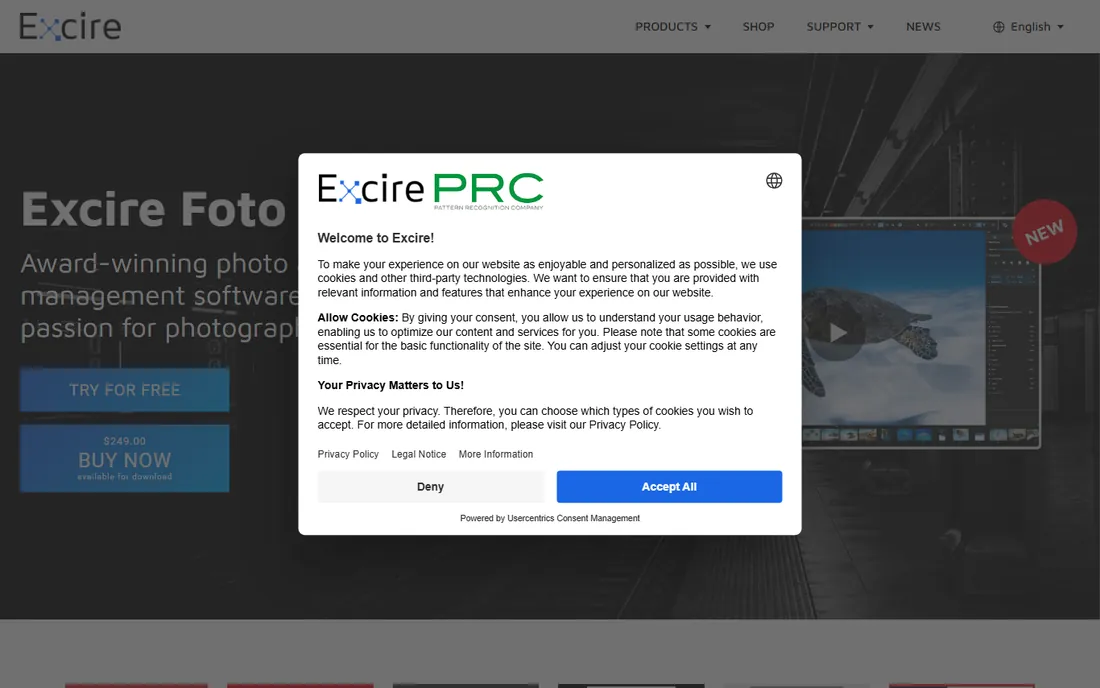
Excire Foto exists for one job: turning a mountain of untagged photos into a searchable library without you doing the tagging. Its AI analyzes your images and writes keywords for content, scenes, people and aesthetics, then its culling tools rank shots by sharpness and exposure so you can pick the keepers from a 3,000-image shoot in minutes. The current version, Excire Foto 2027, costs $249 as a one-time purchase (reviewers reported a launch promo at $219), with a 14-day free trial on the vendor's own site.
This is not really a Lightroom competitor. Many users run it alongside Lightroom or Bridge: Excire does the AI keywording and culling, then the main app handles editing and publishing. If you already have an organized library and just want faster culling, look at Photo Mechanic instead. But if your archive is a keywordless mess and the thought of tagging it manually makes you close the app, Excire's AI is the fastest way out. The one-time price pays for itself the first time it saves you a weekend.
What we like- AI keywording that tags thousands of images hands-free
- Fast culling tools that surface the sharpest, best-exposed shots
- One-time purchase, no subscription
- Runs locally with no cloud upload required
Watch out for- Organization and editing are thinner than Lightroom's
- Aimed at Lightroom users as a companion, not a full replacement
- The $249 price stings if you only keyword occasionally
#5
ACDSee
Best for: Windows photographers who want a fast desktop organizer with a one-time license
Visit acdsee.com
Starting price$119.99 one-time (Photo Studio Home 2027); 365 subscription $9.99/month or $99.99/year
Free planFree trial (15 days, on acdsee.com)

ACDSee has been organizing photos since before most of this list existed, and it still appeals to the same buyer: someone who wants a fast desktop app and a license they own. Photo Studio Home 2027 lists at $119.99 as a one-time purchase (an intro offer at $59.95 ran through September 2026), while the 365 subscription is $9.99 per month or $99.99 per year. A free 15-day trial of the full app is right on the homepage.
Where ACDSee earns its keep is speed on local files. Point it at a folder with 50,000 raw files and it browses and previews them without the import step that slows down catalog apps. Digital asset management, batch processing, layers-based editing and face detection are all in the higher tiers. The product lineup genuinely needs a map (Home, Professional, Ultimate, plus the 365 subscription line), so read the edition comparison before buying. For a Windows-based photographer or small studio that wants to pay once and own the software, this is the most complete option.
What we like- One-time license option still available
- Genuinely fast browsing of large local folders
- Solid raw editing and batch tools included
- Free 15-day trial of the full app
Watch out for- Mac version lags the Windows product
- Cloud/mobile story is thin next to Adobe and Apple
- The product lineup (Home, Professional, Ultimate, 365) confuses buyers
#6
digiKam
Best for: Power users and Linux photographers who want a free, full-featured DAM
Visit digikam.org
Starting price$0 (free, open source under the GPL)
Free planYes (the entire app is free)
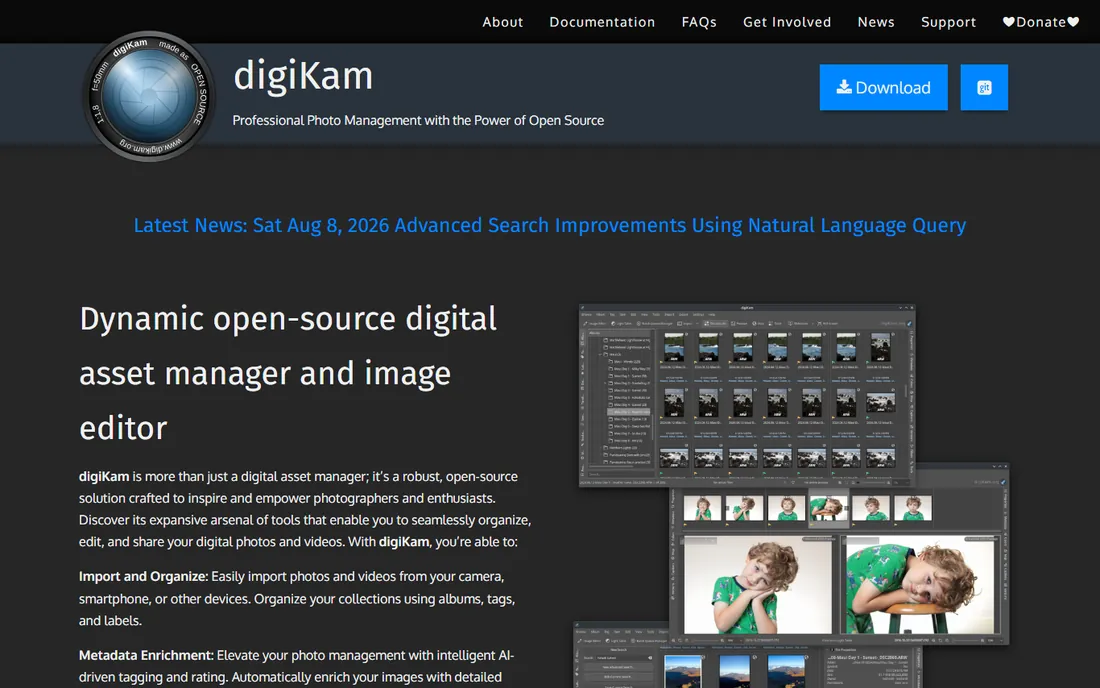
digiKam is the answer when the budget is zero and the library is serious. It is a full open-source digital asset manager that does nearly everything the paid apps do: albums, tags, ratings, face detection, geotagging, metadata editing, batch processing and raw support, across Windows, Mac and Linux. There is no free tier because there is no paid tier; the whole application is free under the GPL, maintained by volunteers.
The price of free is polish. The interface is functional rather than beautiful, and the learning curve is real: expect an afternoon of setup before it feels natural. There is no cloud sync and no mobile app, so it fits photographers who work at a desk, especially on Linux where the commercial options are thin. For archivists, institutions and hobbyists with big libraries and no software budget, digiKam is not a compromise. It is the most capable free photo manager that exists.
What we like- Completely free with no upsells, ads or feature locks
- Deep organization (albums, tags, face detection, geolocation, metadata)
- Runs on Windows, Mac and Linux
- Handles huge libraries and raw files well
Watch out for- Interface looks dated next to commercial apps
- Setup and learning curve are steeper
- No cloud sync or mobile app
- Support is community-based
#7
Photo Mechanic
Best for: Sports, news and event photographers who cull thousands of images on deadline
Visit camerabits.com
Starting price$149/year (Standard); $249/year (Plus)
Free planFree trial (30 days, per reviewers)
Photo Mechanic does not try to be your library. It tries to be the fastest way to get 4,000 images off a card, renamed, captioned, culled to 400 keepers and filed, before the deadline hits. Wire photographers and sports shooters have used it for decades because it renders raw previews near-instantly, where Lightroom makes you wait. The current pricing is $149 per year for Standard and $249 per year for Plus (from Camera Bits' own site), with a 30-day free trial reported by reviewers.
If you shoot portraits on weekends and edit 40 images, this is overkill. If you shoot a tournament and deliver 300 selects the same night, it pays for itself in the first month. Ingest applies your renaming scheme, metadata templates and backup copies in a single pass, and the contact-sheet culling workflow is still the benchmark everything else is measured against. Pair it with Lightroom, Bridge or Excire for editing and long-term archiving. Photo Mechanic is a specialist tool, and specialists are worth paying for when the work demands them.
What we like- The fastest image browsing and culling in the business, bar none
- Ingest with renaming, metadata templates and backup in one pass
- Rock-solid on huge shoots
- Trusted by wire-service photographers
Watch out for- Annual subscription now, no more perpetual license
- Not an editor or a full DAM, it is an ingest-and-cull specialist
- $149 per year is steep if you do not shoot volume
Starting price$0 (included with every Mac, iPhone and iPad); iCloud+ storage from $0.99/month for 50GB
Free planYes (the app itself is free)
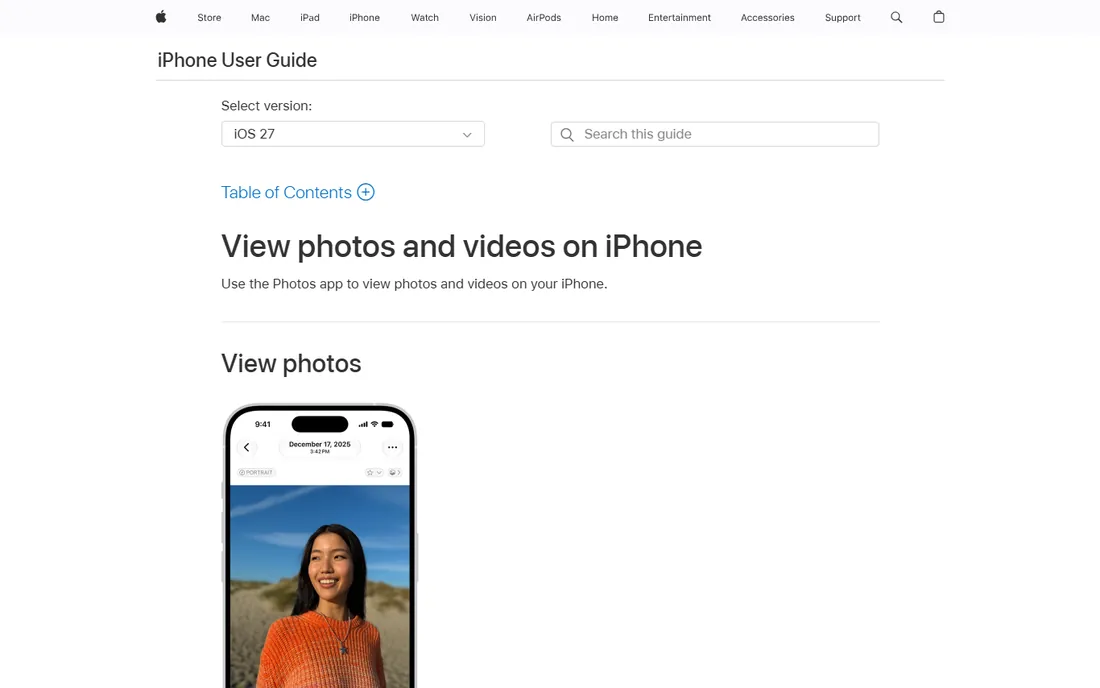
For anyone inside the Apple ecosystem, Apple Photos is the path of least resistance, and it is better than its reputation suggests. It is free on every Mac, iPhone and iPad, syncs the full library through iCloud, and its on-device search, face grouping and Memories features genuinely compete with paid apps for everyday organization. Shared Albums make it the easiest way to keep a family's photos in one place. Paid iCloud+ storage starts at $0.99 per month for 50GB (per Apple's own support pages), though the app itself costs nothing.
The limits show up when you outgrow casual use. Your files live inside the Photos library database, not in folders you control, which archivists hate. Keywording and batch metadata tools are basic, there is no serious raw workflow, and Windows or Android users are locked out. But for the small business owner whose "photo management" means finding the product shots from last spring on the phone, Apple Photos already does it, already syncs, and costs nothing. Start here before buying anything.
What we like- Free on every Apple device with iCloud sync
- Surprisingly good search, Memories and face grouping
- Shared Albums for families
- Edits sync everywhere automatically
Watch out for- Apple-only, no real Windows or Android story
- Library lives inside the Photos database, not your folders
- Advanced DAM features (keywording, batch metadata) are thin
How we chose
We started with the searches buyers actually run: best photo management software, photo organizer software, photo library manager and digital asset management software. For each candidate we opened the vendor's own site and pricing page, checked the current price and plan structure, and compared it against public reviews on G2 and Capterra and practitioner discussion on Reddit. Where a price or trial length could not be confirmed on the vendor's own page, we labeled it "per reviewers" or wrote "See website" rather than stating a number as fact. Shut-down or folded-in products were excluded, and every URL below was copied from the vendor's site after opening it.
What to look for in photo management software
Start with the workflow, not the feature list. If you edit raw files and want them on every device, you need a cloud library like Lightroom or a local-sync tool like Mylio. If you only need to organize and find images, Bridge or digiKam do it free. If you shoot volume on deadline, culling speed matters more than editing, which is Photo Mechanic's whole pitch.
Three questions settle most decisions. First, subscription or buy once: subscriptions get you cloud sync and continuous updates, while Excire and ACDSee still sell licenses you own. Second, where do the files live: catalog apps and cloud libraries manage your files for you, while Bridge and digiKam work with your existing folders. Third, how big is the library: cloud plans get expensive past a terabyte, which is where local-first tools win. Answer those three and the shortlist usually narrows to two or three names.
Local storage vs cloud storage: where your library should live
This is the real fork in the road, and most buyers do not think about it until they are locked in. Cloud libraries (Lightroom, Apple Photos) put your full-resolution originals on someone else's servers and sync them to every device. It is convenient, it is automatic, and the bill grows with the library: a 4TB archive on cloud storage costs real money every year, forever.
Local-first tools (Mylio, Bridge, digiKam, ACDSee) keep your files on your own drives. You pay nothing per gigabyte, you control the backups, and nobody can change the terms on your archive. The cost is responsibility: you manage the drives, the backups and the syncing. For working photographers with terabytes of raw files, local is usually cheaper and faster. For casual shooters with a phone and a laptop, the cloud's convenience is worth the small storage fee. Pick the model that matches how you already work, because migrating a 3TB library later is a weekend you will not get back.
Frequently asked questions
What is the best free photo management software?
Adobe Bridge and digiKam. Bridge is free from Adobe with strong metadata and batch tools and no subscription; digiKam is free and open source with deeper organization features like face detection and geotagging. Apple Photos is also free if you are on Apple devices. Between the three, Bridge is the easiest start, digiKam is the most capable, and Apple Photos is the most automatic.
Is Lightroom worth $11.99 per month?
If you edit raw photos and want your library synced across desktop, phone and web, yes. The Lightroom 1TB plan at $11.99 per month (billed annually) combines a pro editor with full-resolution cloud sync, which no free tool matches. If you only need to organize images and edit elsewhere, Bridge or digiKam cost nothing and do the job.
Can I buy photo management software instead of subscribing?
Yes, though the options are shrinking. Excire Foto sells a one-time license at $249, and ACDSee Photo Studio Home 2027 lists at $119.99 one-time. Both are desktop apps with no monthly bill. Everything cloud-synced on this list (Lightroom, Mylio Photos+, Photo Mechanic) is subscription-based.
What is the difference between Lightroom and Lightroom Classic?
Lightroom (cloud) stores full-resolution originals on Adobe's servers and syncs to all devices; Lightroom Classic keeps everything in a local catalog on your computer. They have different interfaces and workflows, which confuses new buyers. The 1TB cloud plan includes Lightroom Classic, so subscribers can use either.
Which photo manager is best for a huge existing library?
Mylio Photos or Adobe Bridge. Mylio syncs a large library across devices without cloud storage fees, and Bridge works directly on your existing folders without importing anything. Both avoid the cost and time of uploading terabytes to the cloud.
Do I need photo management software if I use Google Photos or iCloud?
Maybe not. If your photos live on a phone and you are happy with automatic backup and search, Apple Photos or Google Photos already handle it. Dedicated software earns its keep when you shoot raw files, need keywording and metadata, manage tens of thousands of images, or want your archive in folders you control.
Sources we checked (9)
- https://www.adobe.com/products/bridge.html
- https://www.adobe.com/products/photoshop-lightroom.html
- https://helpx.adobe.com/uk/lightroom/desktop/kb/lightroom-1tb-plan-faq.html
- https://mylio.com/
- https://excire.com/en/excire-foto/
- https://acdsee.com/
- https://digikam.org/
- https://camerabits.com/
- https://support.apple.com/photos
Is your product missing or out of date?
We review this list regularly. Vendors can request a listing, send updated pricing or ask about featured placement.

Shihab Mia · Founder, Rankite
Shihab has spent more than a decade helping SaaS and e-commerce brands grow through search. He writes Rankite's software buying guides from pricing pages, documentation and public user reviews. More about Shihab.