How we make this list: we compare pricing pages, product documentation and public user reviews. Ratings come from G2, Capterra or Trustpilot, with the date we checked them.
Key takeaways
- OCR translation for Uzbek needs two skills at once, reading Uzbek text from images and translating it accurately, and few tools do both well.
- Google Translate leads on Uzbek camera translation, while Yandex and Microsoft Translator add useful alternatives for documents and speech.
- Uzbek uses Latin script officially, but older documents use Cyrillic, so check which script your tool reads before you rely on it.
- Accuracy drops on handwriting, low light photos, and stylized fonts, so clean scans beat phone photos for important documents.
- Test each tool on your actual documents, since Uzbek translation quality varies by topic and text type.
Quick comparison
Is your product missing or out of date?
We review this list regularly. Vendors can request a listing, send updated pricing or ask about featured placement.
The best ocr translation software for uzbek language
Starting priceFree
Free planFree
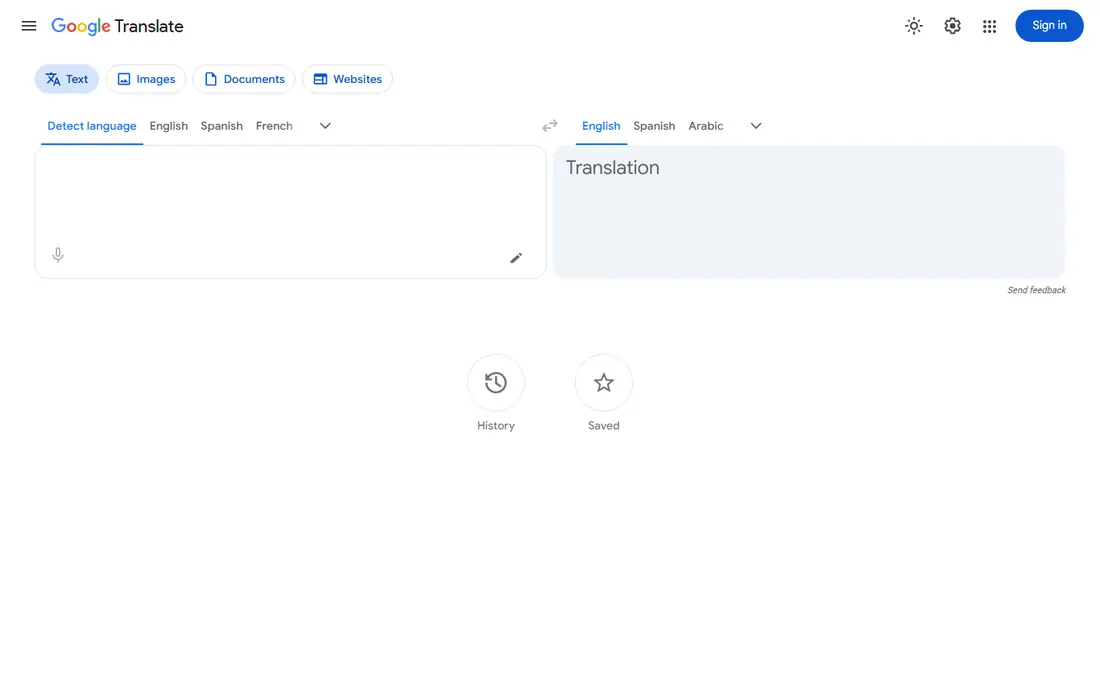
Google Translate supports Uzbek across text, camera, and document translation, with camera mode that reads Uzbek text from signs, menus, and pages in real time. Document upload translates files while keeping basic layout, and offline language packs help when connectivity is poor. The app is free, which makes it the default starting point for Uzbek OCR translation.
Accuracy varies by topic, with everyday text translating better than legal or technical documents, so important translations need human review. Handwriting and poor photos reduce OCR quality. For most Uzbek OCR translation needs, Google Translate offers the best balance of language support, camera OCR, and price.
What we like- Uzbek support
- Camera OCR
- Offline packs
- Document translation
Watch out for- Accuracy varies by topic
- Formal documents need review
Starting priceFree
Free planFree
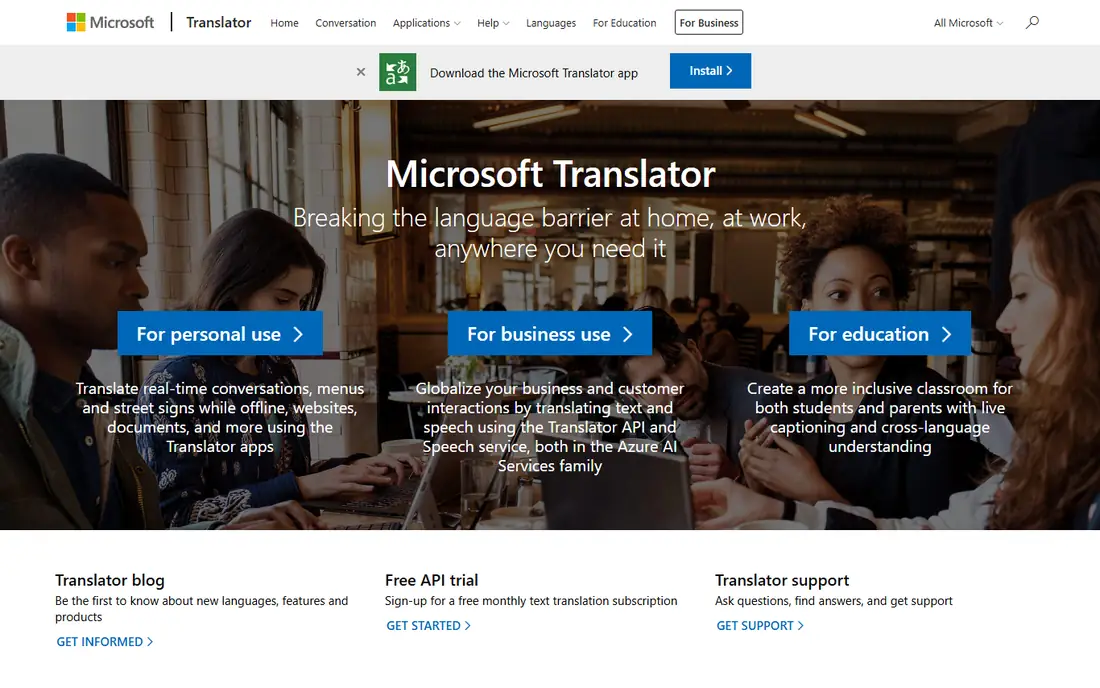
Microsoft Translator supports Uzbek for text, speech, and conversation translation, with document translation for files and a conversation mode for live multi person chats. The service integrates with Office apps, so Word documents can be translated in place. A free tier covers everyday use.
Camera OCR is thinner than Google Translate, and Uzbek quality lags better resourced languages such as English, Spanish, or Russian. For a user who works in Office and needs Uzbek document or conversation translation, Microsoft Translator adds useful coverage.
What we like- Uzbek support
- Conversation mode
- Document translation
Watch out for- Camera OCR is thinner
- Uzbek quality lags major languages
Starting priceFree
Free planFree
Yandex Translate supports Uzbek with text, image, and document translation, and its strength in Russian helps with Central Asian documents that mix Uzbek and Russian text. Image translation reads text from photos, and the service handles both Latin and Cyrillic Uzbek input. The free tier covers most personal use.
Translation quality varies by topic, and some users note the service context, though language quality itself is the main concern for most use. For Uzbek documents with Russian mixed in, Yandex gives a strong second opinion beside Google Translate.
What we like- Uzbek plus Russian
- Image translation
- Central Asia focus
Watch out for- Quality varies
- Political context noted by some users
Starting priceSee website
Free planFree trial
Lingvanex Translator lists Uzbek among its supported languages, with apps for mobile and desktop, offline translation, and API options for developers. The translator handles text well, and the company emphasizes language breadth, which suits users who need Uzbek alongside less common languages. A free trial lets users test Uzbek quality.
OCR is more limited than dedicated camera translation apps, so Lingvanex suits text translation after OCR more than direct photo translation. For a user who needs Uzbek text translation with offline use, Lingvanex offers a solid alternative.
What we like- Wide language list including Uzbek
- Offline apps
- API options
Watch out for- Smaller brand
- OCR is limited compared with camera apps

#5iTranslate
Best for: Mobile camera translation4.8/5 on
G2 (2 reviews, checked Oct 2026)
Visit itranslate.com
Starting priceSee website
Free planFree trial
iTranslate offers camera translation, conversation mode, and offline language packs on mobile, with Uzbek among its supported languages. The camera mode suits travel signs and menus, while conversation mode helps live chats with Uzbek speakers. The interface is simple for mobile use.
Uzbek coverage is thinner than Google or Yandex, and premium features such as offline packs and unlimited camera use sit behind a subscription. For a mobile user who wants a polished camera translator with Uzbek support, iTranslate is worth testing beside free rivals.
What we like- Camera translation
- Conversation mode
- Offline packs
Watch out for- Uzbek coverage is thinner
- Premium features are paid
Starting priceFree
Free planFree
Google Lens recognizes text in images with strong OCR, then hands the text to Google Translate for Uzbek translation. The flow suits photos of signs, labels, and pages where you want to select specific text rather than translate a whole document. Lens is free and built into many Android phones and the Google app.
Lens alone is not a full translator, since longer documents and formatting need Google Translate or a document tool. For image OCR that feeds into Uzbek translation, Lens gives the strongest free recognition available.
What we like- Strong OCR
- Translate integration
- Free
Watch out for- Not a full translator
- Needs Translate for full text

#7ABBYY FineReader
Best for: Document OCR accuracy4.5/5 on
G2 (294 reviews, checked Oct 2026)
Visit abbyy.com
Starting priceSee website
Free planFree trial
ABBYY FineReader, now ABBYY FineReader PDF, provides high accuracy document OCR with layout preservation, which matters for scanned Uzbek books, contracts, and forms. Recognized text exports cleanly to Word or text, where Google Translate, Microsoft Translator, or Yandex can translate it. Language support covers many scripts, including Latin and Cyrillic Uzbek text.
Translation is a second step, not built in, and FineReader is paid software, so the workflow costs more than free camera apps. For important Uzbek documents where OCR accuracy matters most, FineReader plus a translator gives the best result.
What we like- High OCR accuracy
- Layout preservation
- Many languages
Watch out for- Translation needs a second step
- Paid software
Starting priceFree
Free planFree
Adobe Scan turns phone photos into clean, searchable PDF scans with OCR, which then translate well in Google Translate or Microsoft Translator. The app cleans edges, improves contrast, and recognizes text, giving better input than a raw photo for translation tools. A free tier covers basic scanning.
Translation is a second step, and Uzbek OCR accuracy varies with scan quality, though clean scans help greatly. For a user who scans Uzbek paper documents on a phone before translating, Adobe Scan improves the input that translation tools receive.
What we like- Clean mobile scans
- OCR text
- Acrobat integration
Watch out for- Translation needs a second step
- Uzbek OCR varies
How we chose
We compared Uzbek language support, OCR quality, camera translation, document handling, script coverage for Latin and Cyrillic Uzbek, pricing, and public user feedback. We favored tools that actually support Uzbek, rather than generic OCR tools with no Uzbek translation, and tools that handle real documents, not only short phrases. No hands on testing is claimed, and prices are shown as Free where a free tier exists, or See website where pricing varies.
Getting accurate Uzbek OCR translations
Start with a clean image, since OCR quality decides translation quality before any translator runs. Scan pages flat in good light, or use Adobe Scan or FineReader to clean phone photos, and check that the recognized text matches the original before translating. For Cyrillic Uzbek documents, confirm the tool reads Cyrillic script, since some tools assume Latin Uzbek and misread older texts.
Checking translations and handling scripts
Compare two translators on important passages, such as Google Translate and Yandex, since agreement raises confidence and disagreement flags a passage for human review. Watch for names, numbers, dates, and legal terms, which machine translation mangles most often, and keep the original text beside the translation for review. For official documents, use a human translator for the final version, since machine translation suits understanding, not legal submission. A careful workflow, clean scan plus two translators plus human review, beats any single tool for Uzbek documents that matter.
Everyday use and travel tips
For travel signs and menus, Google Translate camera mode gives instant results, and downloading the Uzbek offline pack before you travel helps where data is poor. For conversations, Microsoft Translator or iTranslate conversation modes handle live speech better than camera tools. Save frequent phrases and document translations offline, and carry a paper backup for critical addresses or medical details, since phone batteries and data fail at the worst times.
Before you decide
For handwritten Uzbek notes, photograph each page in daylight with the phone held steady, since handwriting already strains OCR and motion blur makes recognition fail entirely. Keep the original Uzbek document saved alongside every translation, so a reviewer can check names, numbers, and dates against the source instead of trusting the machine output alone. When a document mixes Uzbek and Russian, translate it in two passes, once for each language, and compare the results, since mixed language pages confuse single pass translation. Download the Uzbek offline pack in Google Translate before travel, because rural areas and border crossings often lack reliable data and offline packs keep camera translation working. Ask a native Uzbek speaker to review translations of contracts, medical forms, or school records before you act on them, since small errors in those texts carry real consequences. If a scanned page keeps failing OCR, split it into smaller sections and scan each part separately, since large dense pages overwhelm phone cameras and small crops read far better.
Frequently asked questions
Which tool is best for Uzbek camera translation?
Google Translate leads for Uzbek camera translation, with Uzbek support, real time camera OCR, and free offline packs. Yandex Translate offers a useful second opinion, especially for documents mixing Uzbek and Russian. Test both on your actual signs and pages, since quality varies by text type.
Does Uzbek use Latin or Cyrillic script?
Uzbek officially uses Latin script, but older documents, Soviet era texts, and some publications use Cyrillic. Check which script your document uses before you pick a tool, since some OCR tools handle one script better than the other. Google Translate and Yandex handle both scripts for Uzbek input.
Can machine translation handle legal Uzbek documents?
Machine translation helps you understand a legal document, but it should not be the final version for official use, since legal terms and names translate unevenly. Use OCR plus machine translation for understanding, then a human translator for any document you submit or sign. Keep the original beside the translation during review.
Is Uzbek supported by DeepL?
DeepL does not list Uzbek among its supported languages as of this writing, so Uzbek users should use Google Translate, Microsoft Translator, Yandex, or Lingvanex instead. Check the vendor language list before you buy a tool for Uzbek, since language lists change. A tool without Uzbek support cannot help, however good its other languages are.
How can I improve OCR accuracy for Uzbek?
Use clean, flat scans in good light, avoid handwriting where possible, and clean phone photos with Adobe Scan or FineReader before translating. Check recognized text against the original, and re scan pages with errors rather than translating bad OCR. Good input matters more than picking between top translators.
Sources we checked (8)
- https://translate.google.com
- https://translator.microsoft.com
- https://translate.yandex.com
- https://lingvanex.com
- https://www.itranslate.com
- https://lens.google
- https://www.abbyy.com
- https://www.adobe.com/acrobat/mobile/scanner-app.html
Is your product missing or out of date?
We review this list regularly. Vendors can request a listing, send updated pricing or ask about featured placement.

Shihab Mia · Founder, Rankite
Shihab has 5+ years in B2B and SaaS SEO. He writes Rankite's software buying guides from pricing pages, documentation and public user reviews. More about Shihab.
 Google Translate
 Microsoft Translator
 Yandex Translate
 Lingvanex Translator
 Google Lens
 Adobe Scan