How we make this list: we compare pricing pages, product documentation and public user reviews. Rankite is independent; if a vendor ever pays for a featured spot, that listing is clearly labeled Partner.
Key takeaways
- DisplayCAL is free and the enthusiast standard: deep control, hardware LUT support, no cost.
- Calman Home ($249, Portrait Displays store) is the guided pick for home theater and monitor calibration with AutoCal support.
- basICColor display is the professional's choice for print matching, but pricing is only available through the vendor.
- You still need a colorimeter: software alone cannot measure your screen, so budget $150 to $300 for the sensor.
- Brand-locked tools (EIZO ColorNavigator, BenQ Palette Master) are free and excellent if you own those monitors.
Quick comparison
| Tool | Best for | Starting price | Free plan |
|---|
 DisplayCAL DisplayCAL | Enthusiasts and professionals who want the deepest free calibration control | Free | Yes |
 Calman Home Calman Home | Home theater owners and monitor users who want guided, professional-grade calibration | $249 one-time | No |
 basICColor display basICColor display | Print, prepress and photography professionals matching screen to output | See website | Free trial (demo) |
 ArgyllCMS ArgyllCMS | Technical users and developers who want open-source profiling without a GUI | Free | Yes |
 Datacolor Spyder Datacolor Spyder | Beginners who want a sensor and software in one guided bundle | See website | No |
 Calibrite Display Calibrite Display | Photographers and studios standardizing on the former X-Rite ecosystem | See website | No |
 EIZO ColorNavigator EIZO ColorNavigator | EIZO monitor owners who want free, perfect hardware calibration | Free | Yes |
 BenQ Palette Master Ultimate BenQ Palette Master Ultimate | BenQ monitor owners wanting free hardware calibration | Free | Yes |
Is your product missing or out of date?
We review this list regularly. Vendors can request a listing, send updated pricing or ask about featured placement.
The best monitor calibration software
One published test of basICColor display measured a calibrated iMac at a delta E of 0.11, essentially perfect color. Out of the box, most monitors ship with a delta E of 3 to 5 or worse, which is visibly wrong to anyone editing photos or grading video. The gap between those two numbers is what calibration software closes. These eight tools range from free open-source profilers to professional suites, and the right one depends on your monitor, your sensor and how much hand-holding you want.
#1
DisplayCAL
Best for: Enthusiasts and professionals who want the deepest free calibration control
Visit displaycal.net
Starting priceFree
Free planYes
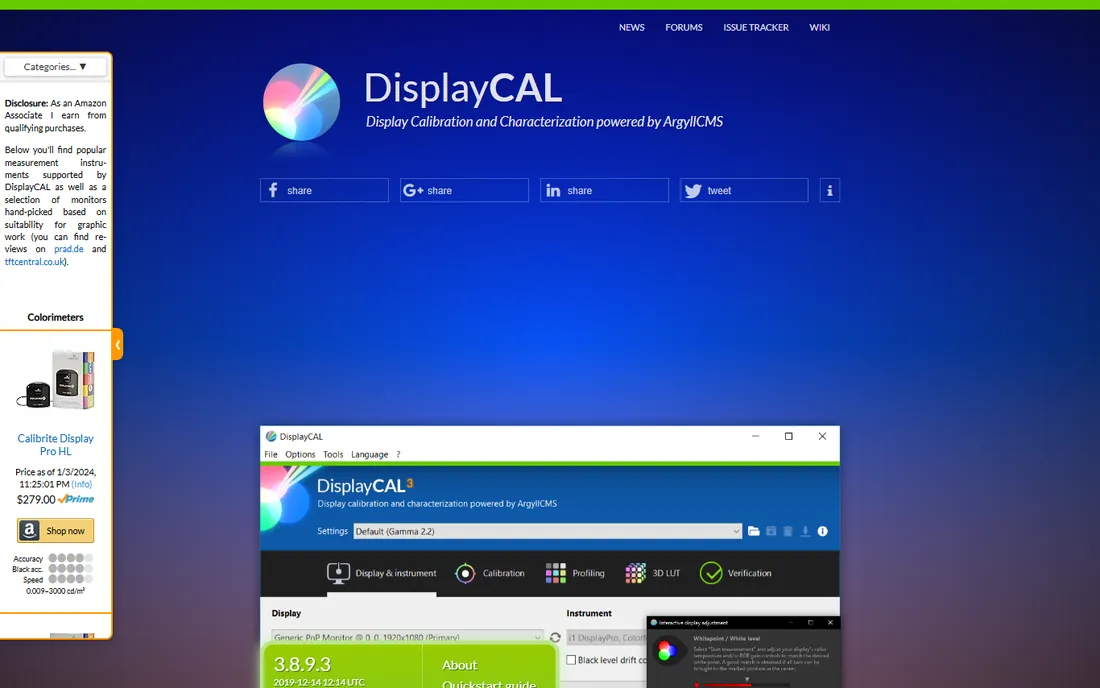
DisplayCAL is the reason many photographers never pay for calibration software. Built on ArgyllCMS, it offers everything from quick calibrations to exhaustive profiling with custom test charts, profile verification and 3D LUT generation for video work. It talks to most colorimeters on the market and supports hardware LUT calibration on monitors from EIZO, NEC and BenQ.
The honest catch is the interface, which prioritizes completeness over friendliness. First-time users should follow a guide rather than clicking around, and the project moves slowly between releases. If you want free software that does everything the paid tools do, this is it; if you want to be guided, Calman or a vendor bundle fits better.
What we like- Completely free with professional-grade controls (testcharts, verification, 3D LUTs)
- Supports hardware calibration on many monitors
- Huge community and documentation
Watch out for- Interface is dense and dated, with a real learning curve
- Development is community-driven, so updates are slow
#2
Calman Home
Best for: Home theater owners and monitor users who want guided, professional-grade calibration
Visit portrait.com
Starting price$249 one-time
Free planNo
Calman Home brings Hollywood-style calibration to consumers at a fixed $249. The software walks you through meter placement, pattern generation and adjustment with a guided workflow, and AutoCal automates the process on supported displays. It includes monitor calibration workflows alongside the TV editions, plus a year of updates and support in the price.
The honest catch is the edition maze: Calman Home comes in TV-brand-specific versions, so you need the right one for your display, and the software runs on Windows only. It also assumes you own a compatible colorimeter. For a guided experience with professional credibility behind it, though, $249 with no subscription is straightforward value.
What we like- $249 price published plainly in the Portrait Displays store
- Guided workflows with AutoCal for supported TVs and monitors
- Includes a year of updates and email support
Watch out for- TV-focused editions (Sony, Panasonic, Philips, Samsung, LG) mean checking which version fits your display
- Windows-only software
#3
basICColor display
Best for: Print, prepress and photography professionals matching screen to output
Visit basiccolor.de
Starting priceSee website
Free planFree trial (demo)
basICColor display is the calibrator's calibrator: German-engineered software aimed at prepress and professional photography, where the screen must match the printed page. Version 6 offers eight ready-made workflows plus a workflow editor, hardware LUT calibration for supported professional monitors, and validation reports that document your results. Reviewers have measured results down to delta E 0.11 on consumer hardware.
The honest catch is buying it. Current pricing is not published on the vendor's site; historical pricing put the standard version around 100 euros and the Pro version higher, but you need to contact basICColor for a quote. Licensing is per machine. If color accuracy is billable work for you, it is worth the inquiry; if not, DisplayCAL does the same job free.
What we like- Considered by many experts the most professional software in its class
- Fully automated hardware calibration for supported EIZO, NEC and Quato displays
- One-click workflows plus deep custom targets
Watch out for- Vendor does not publish current pricing publicly
- Licensing is per-machine, which complicates multi-display setups
#4
ArgyllCMS
Best for: Technical users and developers who want open-source profiling without a GUI
Visit argyllcms.com
Starting priceFree
Free planYes
ArgyllCMS is the engine room of open-source color management: a command-line suite that calibrates displays, printers and scanners with a precision that commercial tools license rather than replicate. DisplayCAL is essentially a graphical front end for it. If you can live in a terminal, you get reference-grade profiling for free, scriptable across a whole studio of machines.
The honest catch is the audience. There is no graphical interface, no wizard, no hand-holding; you are expected to understand terms like "test chart" and "tone response curve" before you start. Most buyers should use DisplayCAL instead and let it drive ArgyllCMS for them. Developers and color scientists, though, will find nothing more powerful at any price.
What we like- Free, open-source color management system of enormous depth
- The engine behind DisplayCAL and many commercial tools
- Scriptable for automated and batch calibration
Watch out for- Command-line only, which excludes most non-technical users
- Documentation assumes you already understand color science
#5
Datacolor Spyder
Best for: Beginners who want a sensor and software in one guided bundle
Visit datacolor.com
Starting priceSee website
Free planNo
Datacolor's Spyder line is how most photographers first calibrate: you buy the colorimeter, the software comes with it, and a wizard walks you through the process in minutes. The current Spyder software covers single and multi-monitor setups with before/after comparison, and the guided approach means no color science knowledge is required.
The honest catch is the ceiling. Spyder's software is deliberately simple, which is perfect for a first calibration and limiting for the second year. Serious users often keep the Spyder sensor and switch to DisplayCAL for deeper control. Pricing is bundle-based, so check Datacolor's site for the current kit prices. Buy it for the simplicity; keep it for the sensor.
What we like- Bundled sensor-plus-software kits remove all compatibility guesswork
- Guided step-by-step workflow designed for non-experts
- Long track record with photographers
Watch out for- Software is tied to the hardware bundle, so pricing is opaque without the kit context
- Advanced controls trail DisplayCAL and basICColor
#6
Calibrite Display
Best for: Photographers and studios standardizing on the former X-Rite ecosystem
Visit calibrite.com
Starting priceSee website
Free planNo
Calibrite is the company that inherited X-Rite's photo and video calibration business, and its Display colorimeters are the direct descendants of the industry-standard i1Display Pro. The bundled profiler software handles monitor and projector calibration with a straightforward workflow, and the sensors work with virtually every calibration program on this list.
The honest catch is the storefront. Pricing for software tiers lives in Calibrite's store rather than on a clean pricing page, and the X-Rite-to-Calibrite rebrand still generates confusion in reviews and forums. The practical advice: buy the sensor from Calibrite, then choose your software separately. A Calibrite sensor driving DisplayCAL is one of the best value combinations in calibration.
What we like- Successor to the X-Rite i1Display line, so existing sensors stay supported
- Profiler software with studio-oriented features
- Broad third-party software compatibility (works with DisplayCAL, Calman, basICColor)
Watch out for- Software pricing and tiers are only clear in the vendor's store
- Brand transition from X-Rite still confuses some buyers
#7
EIZO ColorNavigator
Best for: EIZO monitor owners who want free, perfect hardware calibration
Visit eizo.com
Starting priceFree
Free planYes
If you own an EIZO ColorEdge monitor, stop reading and download ColorNavigator: it is free, it writes calibration directly to the monitor's hardware LUT, and it is made by the same company that built the panel. There is no better integration possible, and no reason to pay for anything else. Scheduled recalibration reminders keep the monitor accurate over time.
The honest catch is obvious: it only works with EIZO displays. In a mixed setup with a second non-EIZO monitor, you will need DisplayCAL or similar for the other screen. But this is the model every monitor maker should copy: free, exact, and invisible. EIZO owners have the easiest calibration decision in the industry.
What we like- Free for EIZO owners with direct hardware LUT calibration
- Extremely simple and reliable for supported monitors
- Developed by the monitor maker, so integration is exact
Watch out for- Only works with EIZO monitors
- No use for mixed-brand multi-monitor setups
#8
BenQ Palette Master Ultimate
Best for: BenQ monitor owners wanting free hardware calibration
Visit benq.com
Starting priceFree
Free planYes
BenQ's Palette Master Ultimate follows the EIZO playbook: free software that calibrates supported BenQ monitors through their hardware LUTs. The wizard workflow is approachable, it handles ICC profiles automatically, and for owners of BenQ's SW and PD photography lines it delivers genuinely accurate results at no cost.
The honest catch is the model list. Only supported BenQ monitors get hardware calibration; everyone else should look at DisplayCAL. And while the results are good, the software offers fewer knobs than the professional tools. For its intended audience, though, it removes every excuse: the software is free, the workflow takes minutes, and the monitor you already own gets measurably better.
What we like- Free software with hardware calibration for supported BenQ photography monitors
- Simple wizard-style workflow
- ICC profile management built in
Watch out for- Limited to supported BenQ models
- Fewer advanced controls than DisplayCAL or basICColor
Do you even need a colorimeter?
Software alone cannot calibrate a monitor. Every program on this list except the brand-locked ones needs a measurement device (a colorimeter or spectrophotometer) pressed against your screen to read what it actually displays. Without one, you are adjusting by eye, which is better than nothing but not calibration.
Budget accordingly: a decent colorimeter costs $150 to $300 (Datacolor Spyder and Calibrite Display are the standard picks), on top of any software cost. That makes the free software options even more attractive: a $200 sensor plus free DisplayCAL outperforms a $249 software package with no sensor. Buy the hardware first, then decide whether you need paid software at all.
There is one exception: some professional monitors (EIZO ColorEdge, BenQ SW series, NEC SpectraView) include or bundle everything needed. If you are buying a monitor for color work, factor the calibration ecosystem into the purchase; free first-party software plus hardware LUT support is worth real money over the monitor's life.
What to check before you buy
Start with your monitor. EIZO, BenQ and NEC owners should use the free first-party software before considering anything else; it calibrates the hardware LUT directly, which third-party software cannot always do. Everyone else moves to the general tools.
Then check your sensor. Confirm the colorimeter you own (or plan to buy) is supported by the software: DisplayCAL and ArgyllCMS support the widest range, Calman publishes a compatibility list per edition, and basICColor supports the professional instruments. Buying software before the sensor is backwards.
Finally, be honest about your patience. DisplayCAL and ArgyllCMS reward study with the best free results available; Calman Home and the Spyder bundle trade some depth for guidance. A photographer who calibrates once and wants to get back to work should pay for guidance. A tinkerer who enjoys the process should download DisplayCAL and never look back.
How we chose
We started with the searches photographers and video editors use: monitor calibration software, display calibration software, best software for colorimeter. For each candidate we checked the vendor's own store or site for pricing, then cross-checked features against documentation and practitioner discussion on photography forums and Reddit. Where the vendor publishes no price, we wrote "See website" instead of repeating old reseller figures. Hardware-only bundles without standalone software were excluded.
Frequently asked questions
Do I need a colorimeter, or is software enough?
You need the hardware. Calibration software needs a sensor to measure your screen; without one it can only apply generic profiles, which is not calibration. Budget $150 to $300 for a colorimeter from Datacolor or Calibrite in addition to any software cost.
What is the best free monitor calibration software?
DisplayCAL. It is free, open source, and offers professional-grade controls including hardware LUT calibration on supported monitors. ArgyllCMS is the free command-line engine underneath it. EIZO and BenQ owners should use the free first-party tools instead.
How often should I recalibrate my monitor?
Monthly for color-critical work; quarterly is fine for general photo editing. Backlight aging shifts color over time, which is why EIZO's ColorNavigator and similar tools offer scheduled reminders. If your prints suddenly stop matching your screen, recalibrate immediately.
What is hardware calibration vs software calibration?
Hardware calibration writes corrections to the monitor's internal LUT, preserving smooth gradients; software calibration adjusts the graphics card output, which can cause banding. Hardware calibration needs a supported monitor (EIZO, NEC, BenQ, or others on DisplayCAL's list) and is always preferable.
Is Calman Home worth $249?
If you want guided calibration with professional credibility and AutoCal automation, yes: the price is fixed, published and includes a year of updates. If you are comfortable learning, DisplayCAL plus a colorimeter achieves comparable results for the cost of the sensor alone.
Can I use one colorimeter with multiple monitors?
Yes. All the general tools here calibrate as many monitors as you connect; only the brand-locked tools (ColorNavigator, Palette Master) restrict you. Calibrate each monitor separately, since even two units of the same model drift differently.
Sources we checked (3)
- https://store.portrait.com/consumer-software/calman-home-for-sony.html
- https://www.colourmanagement.net/products/basiccolor/basiccolor-display-software
- https://layersmagazine.com/basiccolor-display-5.html
Is your product missing or out of date?
We review this list regularly. Vendors can request a listing, send updated pricing or ask about featured placement.

Shihab Mia · Founder, Rankite
Shihab has spent more than a decade helping SaaS and e-commerce brands grow through search. He writes Rankite's software buying guides from pricing pages, documentation and public user reviews. More about Shihab.