How we make this list: we compare pricing pages, product documentation and public user reviews. Ratings come from G2, Capterra or Trustpilot, with the date we checked them.
Key takeaways
- CapCut suits social video creators, while LumaFusion suits serious editors on iPad and iPhone.
- VN Video Editor gives pro-level features free, with a clean timeline and no watermark on paid export.
- InShot and PowerDirector suit quick edits with templates, effects, and music.
- Kinemaster, Filmora, and Splice cover layered editing, templates, and fast social cuts.
Quick comparison
Is your product missing or out of date?
We review this list regularly. Vendors can request a listing, send updated pricing or ask about featured placement.
The best mobile video editing apps
Starting priceFree
Free planYes
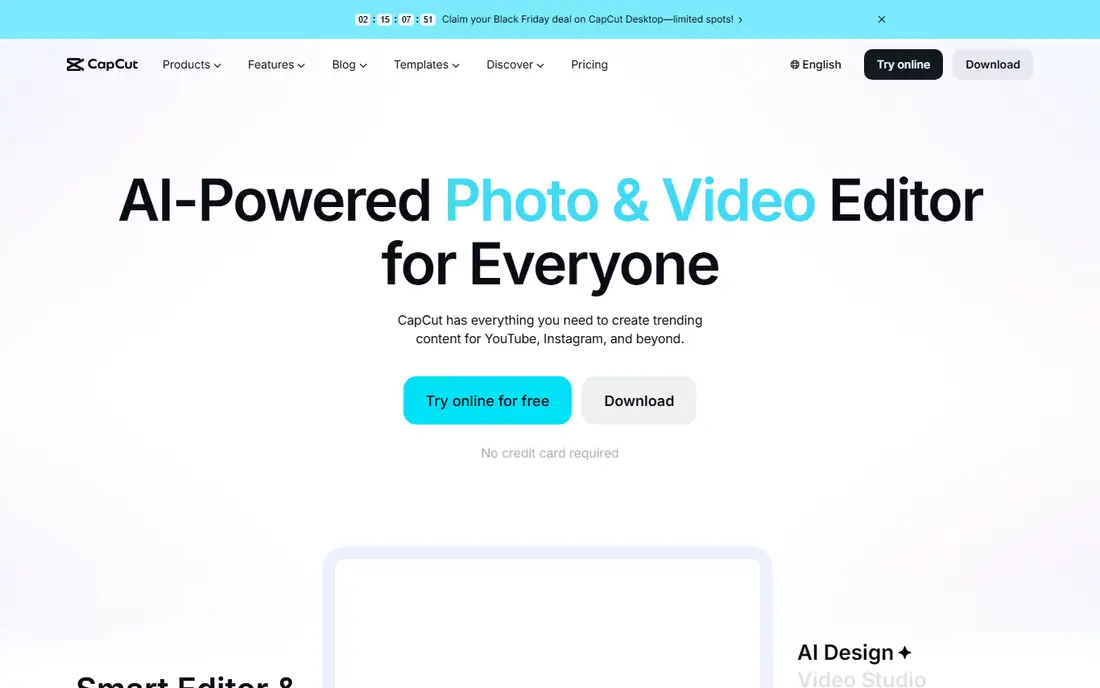
CapCut is the default editor for TikTok, Reels, and Shorts creators, with templates, trending effects, auto captions, and music that match social formats exactly. Editing is fast, with auto-cut, text-to-speech, and one-tap effects that turn raw clips into polished shorts in minutes. That speed suits creators posting daily.
Free exports carry a watermark on some features and limits on cloud storage and premium effects, while Pro opens up the full library. Privacy-conscious users note CapCut owner ByteDance, also behind TikTok, and should review data policies. For social creators, CapCut workflow and template library are unmatched for short-form video in 2026.
What we like- Huge template and effect library
- Auto captions
- Easy TikTok and Reels workflow
Watch out for- Watermark and limits on free tier
- Owned by ByteDance, which some users note for privacy
Starting priceSee website
Free planNo
LumaFusion is the closest thing to a desktop editor on a phone or tablet, with a multi-track timeline, keyframing, color correction, audio mixing, and support for high-resolution projects. It suits YouTubers, journalists, and filmmakers who edit seriously on iPad or iPhone, and its one-time purchase avoids subscriptions entirely.
LumaFusion is iOS only, so Android editors need another app, and beginners face a learning curve before the timeline feels natural. Pricing is a one-time purchase published on the vendor site. For a serious editor on Apple devices, LumaFusion is the professional choice for mobile video work.
What we like- Multi-track timeline
- Professional color and audio tools
- No subscription
Watch out for- IOS only
- Learning curve for beginners
Starting priceFree
Free planYes
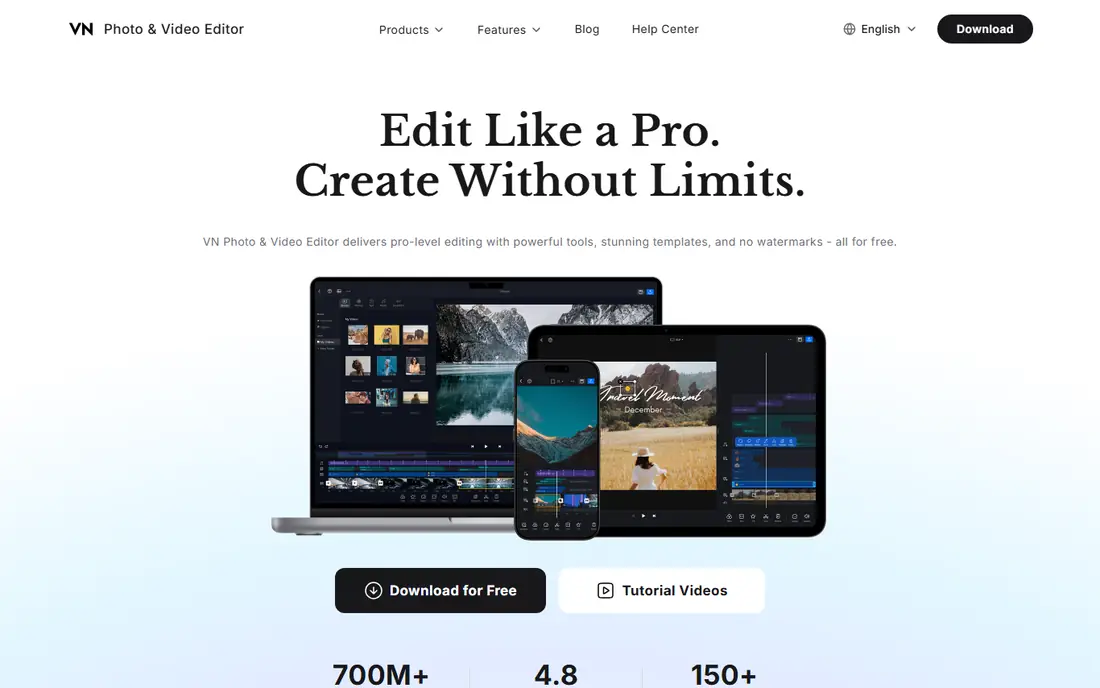
VN Video Editor surprises many users by offering pro-level features free, including a multi-track timeline, keyframes, speed curves, and precise trimming that rival paid editors. The interface is clean for its depth, and exports avoid watermarks on many settings, which suits creators who refuse to pay for basic quality.
The template and effect library is smaller than CapCut, and the interface takes learning for beginners used to one-tap editors. A paid tier adds more features and removes remaining limits. For a creator who wants pro editing without a subscription, VN is the best value on this list by far.
What we like- Multi-track timeline
- Keyframes and curves
- No watermark on many exports
Watch out for- Smaller template library
- Interface takes learning
Starting priceFree
Free planYes
InShot suits quick social edits, with simple trimming, filters, text, stickers, and music that turn a clip into a post in minutes. Its interface is friendly for beginners, and aspect ratios for Reels, TikTok, and YouTube are built in, so sizing never becomes a project. That speed suits casual creators and small businesses.
Free exports carry a watermark, and advanced features such as transitions packs and premium filters need Pro. For a quick, polished social edit without learning a timeline, InShot is the easiest choice for beginners.
What we like- Very easy trimming and filters
- Good for Reels and TikTok
- Fast exports
Watch out for- Watermark on free exports
- Advanced features need Pro
Starting priceFree
Free planYes
Kinemaster gives mobile editors layered power, with multiple video, image, text, and audio layers, chroma key for green screen, and blending modes that suit creative edits. Its asset store adds effects, music, and stickers, and the timeline supports precise control for a phone editor. That depth suits creators who outgrew simple trimmers.
Free exports carry a watermark, and full features need a subscription, which adds up over time. For a creator who wants layered, creative editing on Android or iOS, Kinemaster remains a strong, long-running choice with a large asset store.
What we like- Multi-layer editing
- Chroma key
- Asset store with effects and music
Watch out for- Watermark on free tier
- Subscription for full features

#6PowerDirector
Best for: Templates and effects4.4/5 on
G2 (57 reviews, checked Oct 2026)
Visit cyberlink.com
Starting priceFree
Free planYes
PowerDirector, from CyberLink, brings desktop editing heritage to mobile, with templates, AI tools such as background removal and object detection, stabilization, and a large effect library. Its desktop companion app lets creators start on mobile and finish on a computer, which suits YouTubers with mixed workflows.
Free exports carry a watermark, and the full effect library and AI tools need Premium. For a creator who wants templates, AI help, and a desktop path, PowerDirector gives a strong bridge between mobile and computer editing today.
What we like- Strong templates and AI tools
- Good stabilization
- Desktop companion app
Watch out for- Watermark on free tier
- Premium needed for full effects

#7Filmora
Best for: Beginner-friendly editing4.4/5 on
G2 (613 reviews, checked Oct 2026)
Visit filmora.com
Starting priceFree
Free planYes
Filmora suits beginners who want good-looking video without learning a timeline deeply, with templates, titles, transitions, and music that produce polished results quickly. Its guided workflow helps first-time editors, and sharing to social platforms is built in. That friendliness suits small businesses and new creators.
Free exports carry a watermark, and advanced control trails LumaFusion and VN, so serious editors will outgrow it. A subscription or purchase removes limits. For a beginner who wants attractive video fast, Filmora is the friendliest editor here for first-time creators.
What we like- Very beginner-friendly
- Good templates and titles
- Easy sharing
Watch out for- Watermark on free exports
- Advanced control trails LumaFusion and VN
Starting priceFree
Free planYes
Splice, from GoPro, suits fast social cuts, with a simple timeline, trimming, transitions, and a strong music library that matches action and lifestyle video. Its speed suits creators who shoot on phones or GoPro cameras and want a finished clip in minutes, without template overload.
Advanced features such as layered editing and color tools are thinner than rivals, and the full music and effect library needs Premium. A free tier covers basic edits. For a creator who values speed above depth, Splice is the fastest path from footage to post today.
What we like- Very fast editing
- Good music library
- Simple timeline
Watch out for- Fewer advanced features
- Premium needed for full library
How we chose
We compared vendor pages, product documentation, and public user reviews, and we judged each app on timeline power, effects, templates, export quality, ease of use, and price. Social editors were judged on speed and templates, while serious editors were judged on timeline and color control, since the two jobs differ. We did not claim hands-on testing. Where pricing varied by subscription or purchase, we wrote See website rather than publish a figure that could mislead.
What to check before you pick
Start with your video type: social shorts, YouTube videos, or professional projects. Social creators benefit most from CapCut templates and auto captions, YouTubers from VN or PowerDirector balance of power and ease, and professionals from LumaFusion depth. Check export settings, since resolution, frame rate, and watermark rules decide whether a free tier is usable for published work.
Also check device fit, since LumaFusion is iOS only, while most rivals cover Android and iOS, and check storage, since video projects fill phones quickly. Check music licensing, since app music libraries often cover social use but not commercial use, and a business that uses unlicensed music risks takedowns. Check whether the app works offline, since editors who travel or shoot outdoors need local editing without constant internet.
A further check matters for long-term projects: confirm how the app handles project backup, cloud sync, and export to desktop editors, since a phone-only project that cannot move to a computer becomes a dead end as videos grow longer. Creators who plan to scale from shorts to long-form video should pick an app with a desktop path, such as PowerDirector, or a pro timeline, such as LumaFusion or VN, rather than a template-only app.
Finally, test two apps with the same footage before committing, and compare editing time, export quality, and how the result looks on the platform where it will be published. A template that looks good in the app preview can look cramped on a phone feed, and an export that looks sharp on a tablet can compress poorly on TikTok. Real footage on the real platform is the only fair test.
One more consideration is captions and accessibility: add captions to every published video, since many viewers watch muted, and captions also help viewers with hearing loss and viewers watching in a second language. Apps with auto captions, such as CapCut, speed this work, but always review auto captions for errors, since a wrong caption can change meaning and embarrass a creator. One more consideration is audio: viewers forgive shaky video faster than bad audio, so check each app audio tools, including volume leveling, noise reduction, and music ducking under speech. An editor with strong audio tools, such as LumaFusion, produces more watchable video than an editor with flashy effects but weak audio, especially for talking-head and vlog content.
Frequently asked questions
Which mobile video editor is best overall?
CapCut suits social creators, LumaFusion suits serious Apple editors, and VN suits creators who want pro features free. Pick by video type: social speed favors CapCut, while depth favors LumaFusion or VN for serious work.
Can I edit professional video on a phone?
Yes, LumaFusion and VN handle multi-track timelines, color, and audio well enough for professional short-form and YouTube work today. Long, complex projects still benefit from a desktop editor, but phones now cover most creator needs.
Do free video editors add watermarks?
Many do, including CapCut, InShot, Kinemaster, PowerDirector, and Filmora on free exports, while VN avoids watermarks on many settings and LumaFusion has none as a paid app. Check export settings before publishing, since watermark rules vary by feature.
Is CapCut safe to use?
CapCut is widely used for social video, but privacy-conscious users should review its data policies, since its owner ByteDance also owns TikTok. For sensitive or commercial work, a paid editor with clearer data terms may suit better.
What is the best free video editor without a watermark?
VN Video Editor gives pro features with no watermark on many exports, making it the best free option for watermark-free publishing overall. LumaFusion has no watermark either, but it requires a one-time purchase.
How much storage do video projects need?
Video projects need significant storage, especially at 4K, so always check free space before a long edit and offload finished projects regularly. Cloud backup helps, but large projects upload slowly, so local storage and a desktop path matter greatly for serious work.
Sources we checked (8)
- https://www.capcut.com
- https://www.lumafusion.com
- https://www.vlognow.me
- https://www.inshot.com
- https://www.kinemaster.com
- https://www.cyberlink.com
- https://www.filmora.com
- https://www.splice.com
Is your product missing or out of date?
We review this list regularly. Vendors can request a listing, send updated pricing or ask about featured placement.

Shihab Mia · Founder, Rankite
Shihab has 5+ years in B2B and SaaS SEO. He writes Rankite's software buying guides from pricing pages, documentation and public user reviews. More about Shihab.
 CapCut
 LumaFusion
 VN Video Editor
 InShot
 Kinemaster
 Splice