How we make this list: we compare pricing pages, product documentation and public user reviews. Rankite is independent; if a vendor ever pays for a featured spot, that listing is clearly labeled Partner.
Key takeaways
- Three tools here offer genuinely free CRMs: HubSpot (up to 2 users), Zoho CRM (up to 3 users), and Freshsales (up to 3 users). Everyone else charges from day one or offers only a trial.
- The cheapest paid entry point is $9 per user per month, shared by HubSpot Sales Hub Starter, Copper Starter, Freshsales Growth, and Close Solo (all on annual billing).
- Salesforce sets the ceiling: Starter Suite at $25 per user per month looks approachable, but most growing teams land on Pro Suite at $100, and costs climb with add-ons.
- Gmail-centered teams have a real choice: Copper gives you a full CRM inside Google Workspace from $23 per user per month on Basic, while Streak keeps you in the inbox but charges $49 per user per month for pipelines on Pro.
- Close is the only pick built around calling: Essentials at $35 per user per month (annual) bundles a power dialer-free calling workflow, email, and SMS in one inbox.
Quick comparison
| Tool | Best for | Starting price | Free plan |
|---|
 HubSpot HubSpot | free CRM that grows with you | $9/seat/month (Sales Hub Starter, billed annually) | Yes (free CRM for up to 2 users) |
 Salesforce Salesforce | large or complex sales orgs | $25/user/month (Starter Suite, billed annually) | No (free trial available) |
 Pipedrive Pipedrive | pipeline-first sales teams | $14/seat/month (Lite, billed annually) | No (free trial, 14 days) |
 Zoho CRM Zoho CRM | budget all-in-one CRM | $14/user/month (Standard, billed annually) | Yes (free for up to 3 users) |
 Freshsales Freshsales | low-cost AI-assisted selling | $9/user/month (Growth, billed annually) | Yes (free for up to 3 users) |
 Copper Copper | Google Workspace teams | $9/seat/month (Starter, billed annually) | No (free trial, 14 days) |
 Close Close | high-volume inside sales | $9/user/month (Solo, billed annually) | No (free trial, 14 days) |
 Less Annoying CRM Less Annoying CRM | simplicity-first small businesses | $15/user/month (single plan, no tiers) | No (free trial, 30 days) |
 Streak Streak | Gmail-only solo sellers | $49/user/month (Pro, billed annually) | Limited (free email tools; pipelines need a paid plan) |
Is your product missing or out of date?
We review this list regularly. Vendors can request a listing, send updated pricing or ask about featured placement.
Why most leads go cold before anyone calls back
A lead fills in your contact form on Monday. By Wednesday, nobody has called. By Friday, the prospect signed with a competitor who answered in an hour. That is not a marketing problem. It is a tracking problem. The best lead tracking software exists for one reason: to make sure every inquiry gets logged, assigned, and followed up on time.
I have seen small businesses run their entire sales process on sticky notes and memory, and it always ends the same way. Deals slip through cracks that a simple pipeline would have closed. A CRM does not have to be complicated. It has to be the place where every lead lives, with a next step attached to each one.
The nine tools below cover the full spread: free CRMs for teams starting from zero, pipeline specialists for sales-driven teams, Gmail-native options, and the enterprise-grade choice for companies that will outgrow everything else. Prices come from vendor pricing pages and current third-party verification against those pages, checked in October 2026.
Starting price$9/seat/month (Sales Hub Starter, billed annually)
Free planYes (free CRM for up to 2 users)
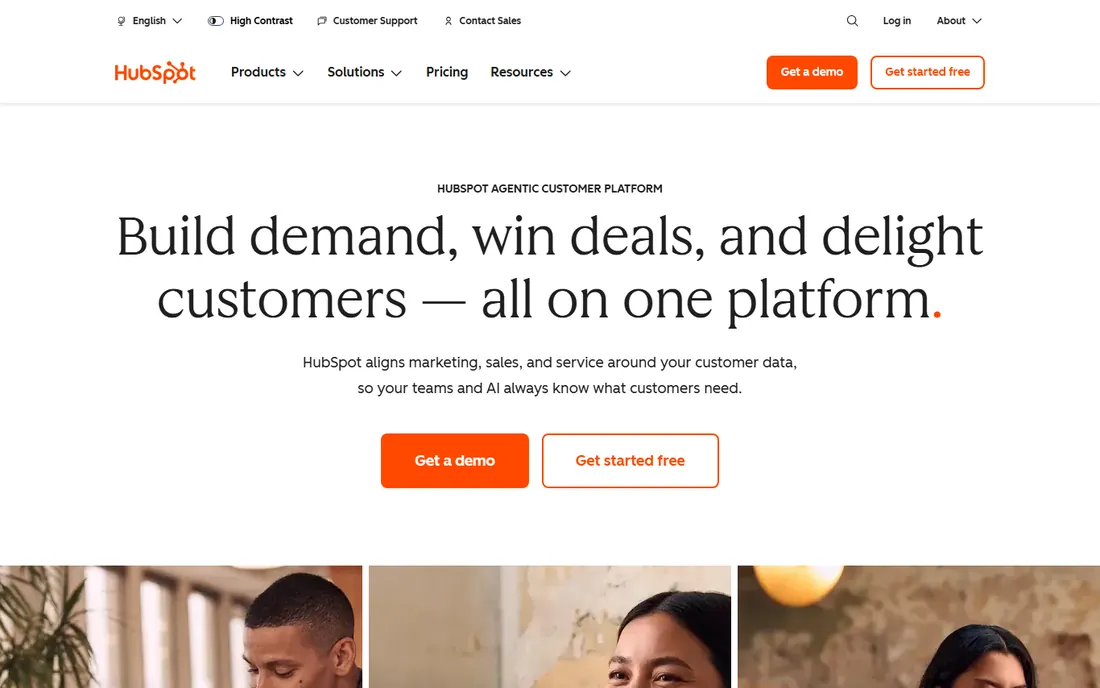
HubSpot is the default answer for a reason. The free CRM gives you contact management, a deal pipeline, email tracking, and meeting scheduling for up to two users, with no time limit. For a founder doing their own follow-up, that is enough to run a real pipeline for free.
The paid ladder is where you need to pay attention. Sales Hub Starter runs $9 per seat per month on annual billing (currently promoted below the $20 list rate), and it removes HubSpot branding while adding email sequences and basic automation. Professional jumps to $90 per seat per month annually, plus a mandatory $1,500 one-time onboarding fee. That is a big step, and it is where forecasting, custom reports, and advanced automation live. Start free, move to Starter when you need sequences, and only consider Professional when forecasting and custom reporting become daily needs.
What we like- Free tier includes real CRM features, not a demo
- Shared database across marketing, sales, and service hubs
- Generous automation and reporting as you upgrade
Watch out for- Per-seat costs jump fast from Starter to Professional
- Onboarding fees apply on Professional and Enterprise
Starting price$25/user/month (Starter Suite, billed annually)
Free planNo (free trial available)
Salesforce is the CRM everything else gets measured against. Starter Suite at $25 per user per month covers basic CRM for up to 10 users: leads, contacts, accounts, opportunities, and email integration. It is a fair entry point, but be honest about where you are headed. Most growing teams land on Pro Suite at $100 per user per month for forecasting, customizable reports and dashboards, and from there Enterprise ($165) and Unlimited ($330) add AI features and deeper controls.
The honest catch is total cost of ownership. Add-ons for sales engagement, advanced AI, and integrations stack up, and getting full value from the platform often means hiring an admin or a consultant. For a five-person team that just needs to track leads and follow up, that is overkill. For a company with complex sales processes, multiple territories, and a decade of growth ahead, nothing else matches it.
What we like- Deepest customization and reporting in the category
- AppExchange marketplace with thousands of integrations
- Scales from startup to enterprise without migrating
Watch out for- Realistic costs for growing teams start at Pro Suite ($100/user/month)
- Often needs an admin or consultant to run well
Starting price$14/seat/month (Lite, billed annually)
Free planNo (free trial, 14 days)
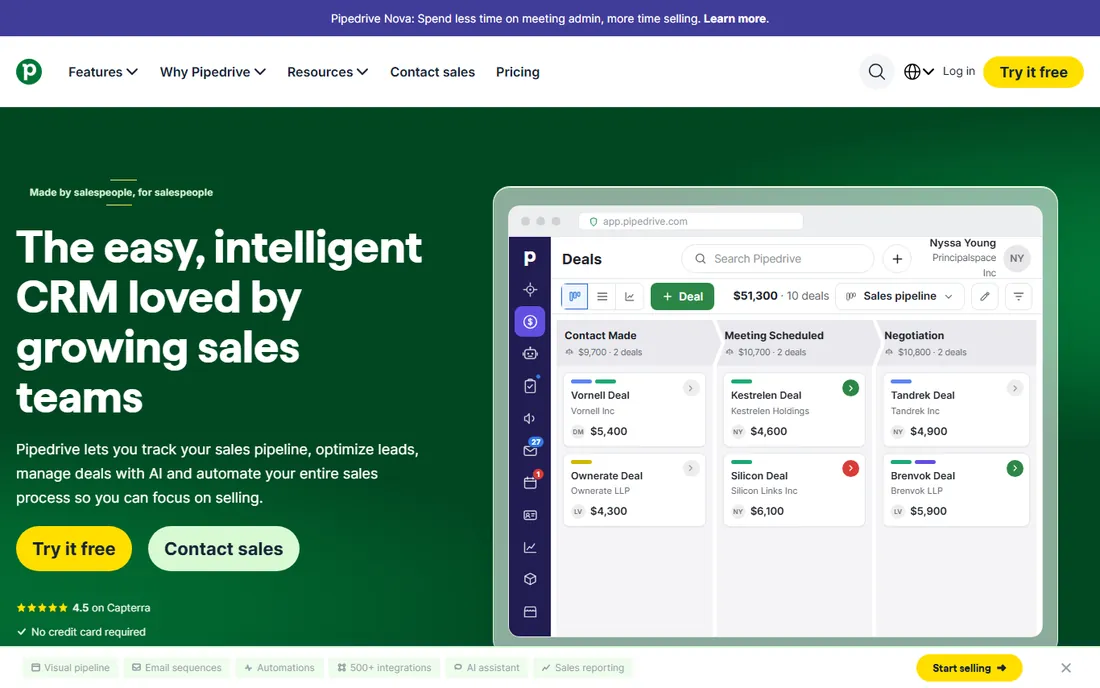
Pipedrive does one thing and does it well: it shows your deals as cards moving through stages, and it nags you about the next activity on each one. That activity-based approach is the whole philosophy. Every deal needs a scheduled next step, or it shows up as overdue. For teams that live and die by follow-up discipline, it works.
Pricing starts at Lite, $14 per seat per month on annual billing, which handles manual pipeline management. Growth at $39 adds two-way email sync and automations, and that is the practical starting point for most sales teams. Premium ($59) bundles lead generation and document tools. Watch the add-ons: LeadBooster, Campaigns email marketing, and Web Visitors cost extra on the lower tiers, so budget the real total, not just the seat price.
What we like- Visual pipeline that sales reps actually enjoy using
- Activity-based selling keeps follow-ups on track
- 400+ integrations
Watch out for- No free plan
- Key features like email campaigns and lead generation are paid add-ons
Starting price$14/user/month (Standard, billed annually)
Free planYes (free for up to 3 users)
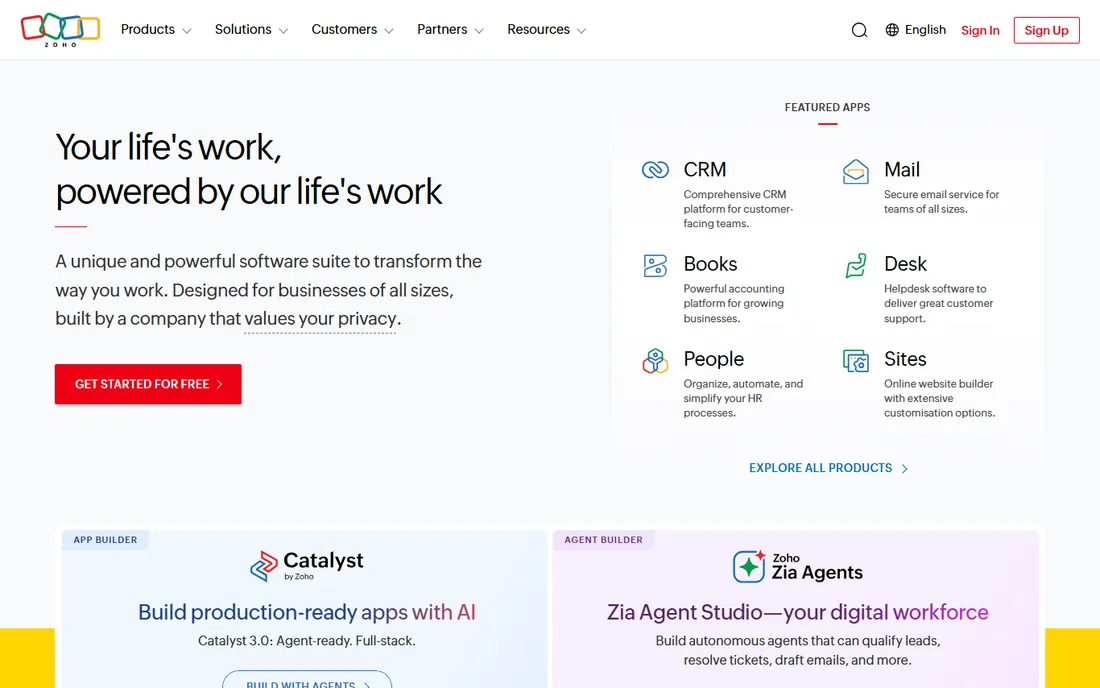
Zoho CRM is the value play. The free edition supports up to three users with lead and contact management, and the paid plans run from Standard at $14 per user per month through Professional ($23), Enterprise ($40), and Ultimate ($52), all on annual billing. At every tier, it undercuts the equivalent HubSpot or Salesforce plan, often by a wide margin.
What you trade is polish. The interface packs a lot in and takes longer to learn, and configuring it to match your process takes real effort. But the feature set is deep: workflow automation, the Zia AI assistant on higher tiers, inventory management on Professional, and the option to bundle with the rest of the Zoho suite through Zoho One. If budget matters more than beauty, start here.
What we like- Free plan for 3 users with real lead management
- Full paid ladder from $14 to $52 stays affordable
- Part of the wider Zoho business app ecosystem
Watch out for- Interface feels busier than rivals
- Setup and customization take more effort
Starting price$9/user/month (Growth, billed annually)
Free planYes (free for up to 3 users)
Freshsales, from Freshworks, is built for small sales teams that want modern features without enterprise pricing. The Growth plan at $9 per user per month on annual billing includes contact management, kanban pipelines, built-in email, chat and phone, and basic workflows, plus Freddy AI lead scoring. That is a lot of software for nine dollars.
The free plan covers up to three users for testing the basics, and the 21-day trial opens up Enterprise-level features without a credit card. Pro ($39) adds sales sequences, territory management, and deal insights; Enterprise ($59) adds forecasting, custom modules, and audit logs. A few popular extras, like branded documents and extra AI agent sessions, are billed separately, so confirm what is included before you commit.
What we like- Cheapest AI-assisted CRM in this roundup
- Built-in phone, email, and chat
- 21-day free trial with Enterprise features
Watch out for- Less customizable than Zoho or Salesforce
- Some AI and marketing features cost extra
Starting price$9/seat/month (Starter, billed annually)
Free planNo (free trial, 14 days)
If your company lives in Gmail, Google Calendar, and Drive, Copper is the CRM that feels like it was built for you. It is the only major CRM Google officially recommends for Workspace users. Emails, calendar events, and Drive files flow into contact records automatically, and the Chrome extension lets reps work pipelines without leaving the inbox.
Starter at $9 per seat per month handles basic contact tracking. Basic at $23 adds pipelines for small teams. Professional at $59 is where workflow automation and unlimited custom reports become available, and that is the plan most growing teams end up on. Business ($99) adds email sequences and lead scoring. The 14-day trial needs no credit card. Just know that only Workspace shops should apply; outside the Google ecosystem, much of the magic disappears.
What we like- Native Google Workspace integration, recommended by Google
- Auto-captures contacts and emails from Gmail
- Short learning curve for Gmail users
Watch out for- No free plan
- Workflow automation only from Professional ($59/seat/month)
Starting price$9/user/month (Solo, billed annually)
Free planNo (free trial, 14 days)
Close is for teams that sell by phone. Instead of bolting a dialer onto a CRM, it was built as one system: leads, email, calls, and SMS share a single inbox and a single activity timeline. Reps can work through a call list without switching tools, and managers get live call coaching on the Scale plan.
Solo at $9 per user per month (annual) suits a single founder doing outbound. Essentials at $35 per user per month (annual, $49 monthly) is the first real team plan, with unlimited leads and contacts plus built-in calling and SMS within usage limits. Growth ($99 annual) adds automated workflows and the power dialer; Scale ($139) adds predictive dialing and advanced permissions. Calling and SMS usage sits outside the seat price, so budget a usage envelope on top.
What we like- Built-in calling, email, and SMS in one inbox
- Power dialer and predictive dialer on higher tiers
- Fast setup with free migration from other CRMs
Watch out for- Per-seat pricing gets expensive past 3-4 users
- Calling and SMS usage billed separately
Starting price$15/user/month (single plan, no tiers)
Free planNo (free trial, 30 days)
Less Annoying CRM has kept the same promise for years: one plan, $15 per user per month, every feature included, no tiers, no contracts, no surprise bills. It is built for the thousands of consultants, agents, and small business owners who have outgrown spreadsheets but want nothing to do with enterprise CRM complexity.
What you get is a clean contact list, a calendar that syncs with Google and Outlook, simple pipelines, and a daily agenda email so follow-ups never slip. What you do not get is automation: no drip campaigns, no lead scoring, no workflow builder, and you cannot send emails from inside the interface. The 30-day trial needs no credit card, which is longer than most competitors offer. If simple and predictable beats powerful and complex, this is your pick.
What we like- One flat price with every feature included
- Human US-based phone and email support
- 30-day trial with no credit card
Watch out for- No marketing automation or advanced workflows
- Cannot send emails from inside the CRM
Starting price$49/user/month (Pro, billed annually)
Free planLimited (free email tools; pipelines need a paid plan)
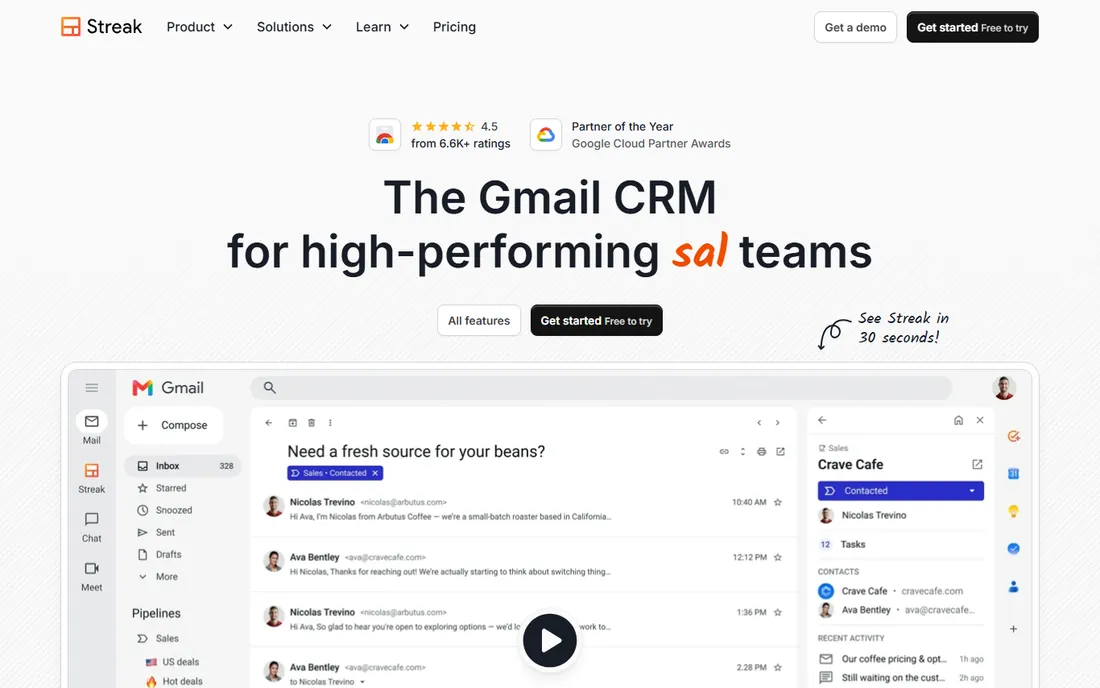
Streak is a Chrome extension that turns Gmail into a CRM. Pipelines sit right inside the inbox, emails get tagged with pipeline stages, and contact history appears in a sidebar whenever you open a thread. For a solo seller or a tiny team that never wants to leave Gmail, the learning curve is basically zero.
The pricing is the catch. Free tools cover email tracking, snippets, and limited mail merge, but actual CRM pipelines start at Pro, $49 per user per month on annual billing ($59 monthly). Pro+ at $69 adds automations, integrations, and advanced reports. Enterprise at $129 needs a 10-user minimum. At these prices, Copper gives Gmail teams a fuller CRM for less, but if you refuse to open a separate app, Streak is the purest inbox play.
What we like- CRM lives entirely inside Gmail, zero learning curve
- Strong mail merge and email tracking
- Unlimited contacts and pipelines on paid plans
Watch out for- Expensive for what you get
- Automations only on Pro+ ($69/user/month)
- Gmail-only, no Outlook support
When a free CRM is enough, and when it is not
A free CRM is enough when you are tracking a few dozen leads, doing your own follow-up, and your sales process fits on one page. HubSpot free (2 users), Zoho free (3 users), and Freshsales free (3 users) all handle that honestly. They log contacts, track a pipeline, and remind you who to call. For a freelancer or a two-person startup, that can carry you for a year or more.
The moment you feel real friction, it is time to pay. The signs are consistent: you need email sequences because manual follow-up stopped scaling, you want more than one or two pipelines, you need reports that show conversion by stage or by rep, or you are adding team members and need permissions and shared inboxes. That is when a $9 to $23 per user plan (Freshsales Growth, Copper Basic, Zoho Standard) earns its keep many times over. The most expensive CRM is the free one that lets deals quietly die.
What to look for in lead tracking software
Picking the best lead tracking software is less about feature lists and more about matching the tool to how your team actually sells. Here is what to weigh.
Lead capture and pipeline design
Every tool here captures leads, but the mechanics differ. Look for web forms, email parsing, and integrations with your website and ad platforms. Then check the pipeline itself: can you rename stages, run multiple pipelines for different products, and set required fields so reps cannot skip qualification? Pipedrive and Salesforce shine here; simpler tools keep pipelines deliberately basic.
Follow-up automation
The number one cause of lost leads is slow or missing follow-up. At minimum, you want task reminders and overdue alerts. One step up: automated email sequences that nurture leads while you sleep (HubSpot Starter, Freshsales Pro, Close Growth). Decide honestly whether you will use automation, because it is the main reason to pay for a higher tier.
Reporting you will actually read
Fancy dashboards nobody opens are worthless. Before buying, list the three reports you need: usually leads by source, conversion rate by stage, and activity per rep. Check that your shortlist produces them without custom development. Zoho and Salesforce offer the deepest reporting; Pipedrive and Close keep it sales-focused and simple.
Email, phone, and integrations
Your CRM should connect to where selling happens. Gmail and Outlook integration is table stakes; check whether it is a deep sync (Copper, Streak) or a basic connector. If your team calls prospects, built-in calling (Close, Freshsales) beats a separate phone system. And confirm the integrations you depend on, accounting, marketing, calendar, exist natively or through Zapier before you commit.
The real price, not the sticker price
Per-user pricing multiplies fast. Five users on a $49 plan is $245 a month before add-ons, and Pipedrive and Close both sell meaningful features as extras. Annual billing usually saves 15 to 30 percent, but only if you are sure about headcount, since most vendors charge for seats whether they are assigned or not. Add up seats, add-ons, onboarding fees, and usage charges for your actual team size before comparing.
How we chose
We started from the vendor's own pricing pages and documentation, then cross-checked current prices against recent third-party pricing trackers that verify against those pages. We read public reviews on G2, Capterra, and Reddit to see where each tool frustrates real users, and we compared feature lists, integration catalogs, and automation depth. We weighted company-size fit heavily: most buyers of lead tracking software are small teams, so tools with honest free plans, low entry prices, and short learning curves scored well, while enterprise platforms earned their place on ceiling and customization. We never claim hands-on testing. Prices were checked in October 2026 and change often, so confirm on the vendor's site before you buy.
Frequently asked questions
What is lead tracking software?
Lead tracking software, usually called a CRM, records every prospective customer in one place: their contact details, every conversation, where they sit in your sales process, and what the next step is. Instead of leads living in inboxes, spreadsheets, and memory, they live in a shared pipeline the whole team can see.
How much does lead tracking software cost for a small business?
In 2026, a small team can start free with HubSpot, Zoho CRM, or Freshsales. Paid plans start at $9 per user per month (HubSpot Starter, Copper Starter, Freshsales Growth, Close Solo on annual billing). A five-person team typically spends $45 to $250 per month depending on the tier, before add-ons.
Is a free CRM really free?
Mostly, with limits. HubSpot's free CRM covers up to 2 users, Zoho and Freshsales cover up to 3, and all three cap features like pipelines, automation, and reporting. They are genuinely free with no time limit, but growing teams usually upgrade within a year for sequences, more pipelines, and better reports.
Can a CRM replace my spreadsheet?
Yes, and that is exactly what tools like Less Annoying CRM and Streak are built for. A CRM adds what spreadsheets cannot: automatic activity logging, follow-up reminders, shared pipelines, and reports. Migration usually means importing a CSV, which every tool here supports, often with a free migration service.
Do I need marketing automation too?
Not at first. Lead tracking is about managing conversations you already have; marketing automation is about generating and nurturing them at scale. HubSpot and Zoho bundle both when you are ready, but most small businesses should nail follow-up discipline in a CRM before paying for automation they will not use.
How long does it take to set up a CRM?
Simple tools (Less Annoying CRM, Streak, Copper) can be running in a day. Mid-range options (Pipedrive, Freshsales, Zoho) typically take a few days to a couple of weeks including data import and pipeline setup. Salesforce implementations can take weeks to months, which is why many buyers hire a consultant.
Sources we checked (16)
- https://hubspot.com/pricing/sales
- https://blog.hubspot.com/sales/hubspot-sales-hub-pricing
- https://www.g2.com/products/agentforce-sales-formerly-salesforce-sales-cloud/pricing
- https://omidsaffari.com/blog/pipedrive-pricing
- https://nethunt.com/blog/top-pipedrive-crm-alternatives/
- https://www.method.me/blog/zoho-crm-cost/
- https://saleoid.com/blog/zoho-crm-pricing-reality/
- https://www.business.com/reviews/freshworks-crm/
- https://www.fahimai.com/how-to-use-freshsales-crm
- https://www.fahimai.com/how-to-use-copper-crm
- https://nethunt.com/blog/google-crm/amp/
- https://omidsaffari.com/blog/close-crm-pricing
- https://www.capterra.com/compare/118921-158946/Less-Annoying-CRM-vs-Gro-CRM
- https://www.softwareadvice.com/crm/less-annoying-crm-profile/
- https://start.streak.com/pricing
- https://nethunt.com/blog/streak-crm-limitations-what-you-cant-do-inside-gmail-based-on-real-use-cases/
Is your product missing or out of date?
We review this list regularly. Vendors can request a listing, send updated pricing or ask about featured placement.

Shihab Mia · Founder, Rankite
Shihab has spent more than a decade helping SaaS and e-commerce brands grow through search. He writes Rankite's software buying guides from pricing pages, documentation and public user reviews. More about Shihab.