How we make this list: we compare pricing pages, product documentation and public user reviews. Rankite is independent; if a vendor ever pays for a featured spot, that listing is clearly labeled Partner.
Key takeaways
- Hurricane Tracker (free basic; premium via in-app purchase) is the specialist: push alerts by region, 65+ maps and NHC updates from a team that does this full-time.
- For radar detail, RadarScope (paid app with Pro subscriptions) shows native radar data the way meteorologists see it; MyRadar (free) is the best free radar alternative.
- Windy.com (free; Premium subscription) is unmatched for forecast models and wind visualization when you want to see where a storm is heading.
- Every app here pulls from the same National Hurricane Center and National Weather Service data; the differences are presentation, alerts and extra maps.
Quick comparison
| Tool | Best for | Starting price | Free plan |
|---|
 Hurricane Tracker Hurricane Tracker | People who want a dedicated hurricane app with expert analysis | Free (basic version; premium via in-app purchase) | Yes |
 Storm Radar Storm Radar | Weather Channel users who want radar with storm layers | Free | Yes |
 MyRadar MyRadar | Fast, free radar with a clean hurricane view | Free | Yes |
 Windy.com Windy.com | Seeing forecast models and where the storm is heading | Free (Premium subscription available) | Yes |
 WeatherBug WeatherBug | Neighborhood-level weather with strong alerting | Free | Yes |
 Weather Underground Weather Underground | Hyperlocal data from personal weather stations | Free | Yes |
 AccuWeather AccuWeather | Minute-by-minute forecasts alongside storm coverage | Free (Premium subscription available) | Yes |
 Storm Shield Storm Shield | Storm-based severe weather alerts that follow you | Free (subscription upgrades available) | Yes |
 RadarScope RadarScope | Enthusiasts and professionals who want raw radar data | See website (paid app with Pro subscriptions) | No |
 Clime Clime | Simple radar and alerts without complexity | Free (subscription available) | Yes |
Is your product missing or out of date?
We review this list regularly. Vendors can request a listing, send updated pricing or ask about featured placement.
The best hurricane tracker app
A hurricane is forming, the cone of uncertainty covers your coastline, and you need to know whether to worry. That is the moment these apps exist for. All ten pull their core storm data from the same official sources (the National Hurricane Center, NOAA, the National Weather Service), so the choice comes down to how the information reaches you: push alerts, radar detail, forecast models, or expert human analysis.
#1
Hurricane Tracker
Best for: People who want a dedicated hurricane app with expert analysis
Visit ezapps.net
Starting priceFree (basic version; premium via in-app purchase)
Free planYes
Hurricane Tracker by EZ Apps has tracked storms on iOS since 2009, and it shows in the depth. Beyond the standard NHC advisories and forecast cones, you get the team's own graphics (exclusive Alert Level and Impact Potential maps), written discussions analyzing each storm, tropical wave and invest details, and dozens of satellite views. Push alerts arrive by region, so you hear about the storm threatening you, not every wave in the Atlantic.
The App Store listing offers a free basic version with a premium upgrade via in-app purchase. The developers are explicit about why they charge: a team creates the graphics and writes the analysis full-time; it is not just repackaged automated data. With a 4.8-star average over 14 years, the audience agrees. If hurricanes are your primary weather worry, start here.
What we like- Built only for hurricanes: push alerts by region when storms form or threaten landfall
- 65+ maps and images
- In-depth written discussions from a dedicated team
- Real-time NHC advisories
Watch out for- Covers the Atlantic, Caribbean, Gulf and Eastern Pacific only (no Western Pacific)
- The premium features that make it special cost extra
#2
Storm Radar
Best for: Weather Channel users who want radar with storm layers
Visit weather.com
Starting priceFree
Free planYes
Storm Radar is The Weather Channel's radar-first app, and its future radar feature is genuinely useful in hurricane season: watch the projected path of precipitation bands hours ahead. The app layers watches and warnings over high-resolution radar, with the forecast data of one of the largest weather operations behind it.
It is a general weather app with strong radar, not a hurricane specialist. You get the storm information, but not the dedicated tropical discussions or the alert-level mapping of Hurricane Tracker. For most users it is the everyday app that happens to handle hurricanes well. Sign in with a Weather Channel account to sync preferences.
What we like- Backed by The Weather Company's forecasting and radar infrastructure
- Future radar projections show where storms are heading
- Familiar interface for Weather Channel users
Watch out for- Ad-supported free experience
- Hurricane-specific depth trails the dedicated trackers
Starting priceFree
Free planYes
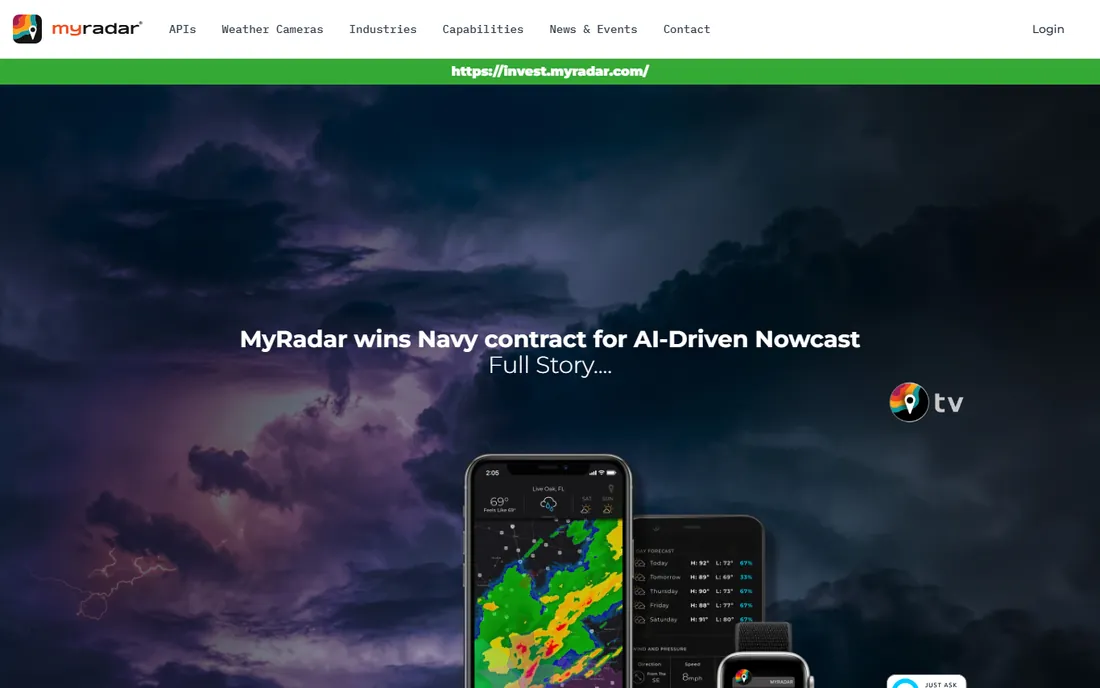
MyRadar is the app weather enthusiasts recommend to normal people. It opens fast, shows gorgeous animated radar, and includes hurricane tracking without charging or demanding an account. During an approaching storm, the speed matters: you check the radar ten times a day, and MyRadar never makes you wait.
The trade for free and fast is depth. There are no meteorologist-written discussions, no alert-level maps, no push alerts tuned to storm regions the way Hurricane Tracker does them. Pair it with a dedicated tracker: MyRadar for the quick radar check, Hurricane Tracker for the analysis. Both are free at the base level.
What we like- Completely free with no account needed
- Fast, beautiful radar with animated loops
- Hurricane tracking layers included
- Lightweight and quick to load
Watch out for- Fewer expert analysis features than dedicated trackers
- The simplicity that makes it fast also limits depth
#4
Windy.com
Best for: Seeing forecast models and where the storm is heading
Visit windy.com
Starting priceFree (Premium subscription available)
Free planYes
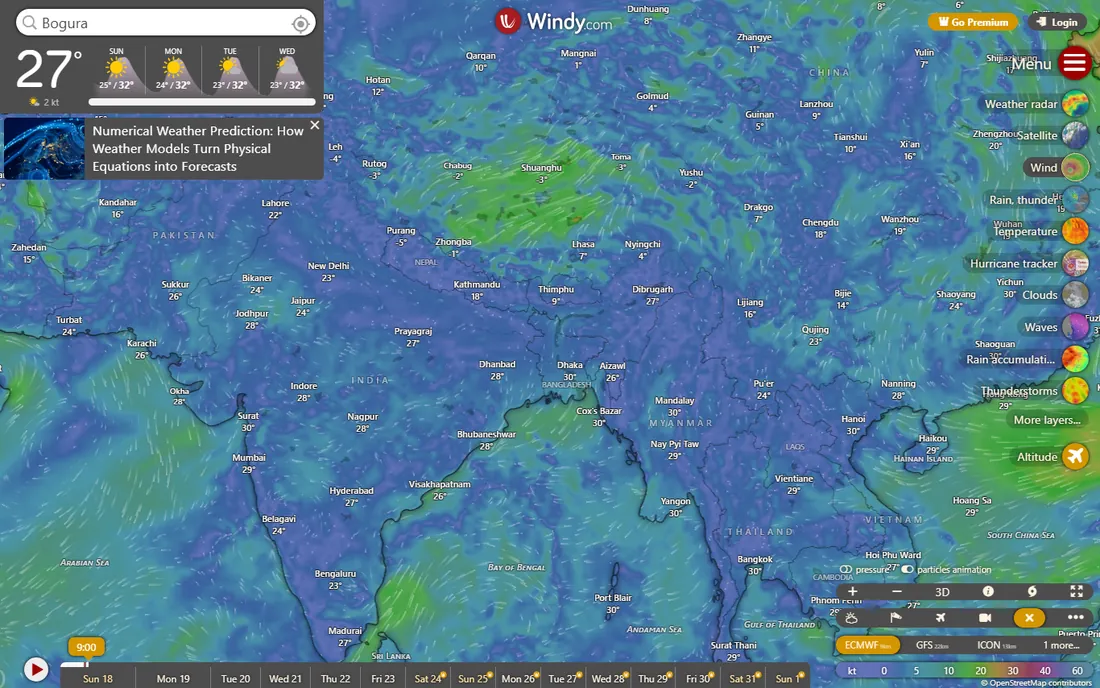
Windy.com is what you open when you want to understand the storm, not just see it. The animated wind maps show the hurricane's circulation, the pressure layers show its intensity, and switching between forecast models (ECMWF, GFS) shows where the models agree and disagree on the track. No other free tool visualizes the atmosphere this well.
The free version covers nearly everything a storm watcher needs; Premium (roughly €25 per year according to user reports) adds longer forecasts and more frequent model updates. Check windy.com for current Premium pricing. For track forecasting and model comparison, this is the essential second app.
What we like- The best visualization of global forecast models (ECMWF, GFS and more)
- Wind, pressure and wave layers show a hurricane's structure
- Free tier is remarkably complete
Watch out for- The model richness overwhelms casual users
- Premium subscription pricing is not published on the main site
Starting priceFree
Free planYes
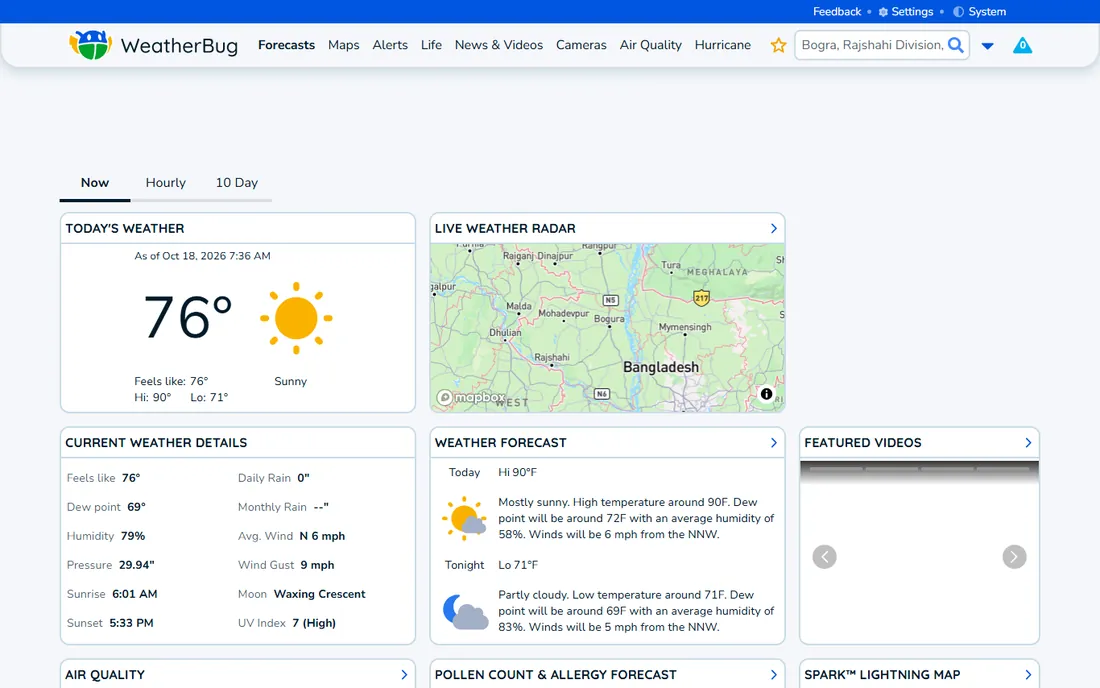
WeatherBug's strength is locality: its network of neighborhood sensors reports conditions near you, not at the distant airport station. During hurricane season, the lightning alerts (spark detection for nearby strikes) and severe weather warnings arrive fast. The app covers hurricanes as part of its severe weather suite.
It is an everything-weather app, so the hurricane experience is one tab among many. The free version carries ads, and the interface pushes premium features. As a daily weather app that handles storm season competently, it works. As a hurricane specialist, the dedicated apps go deeper.
What we like- Dense sensor network gives hyperlocal conditions
- Spark lightning alerts warn of nearby strikes
- Hurricane and severe weather alerts included
- Free
Watch out for- The interface is busy with ads and upsells
- Hurricane-specific tools are thinner than the specialists
Starting priceFree
Free planYes
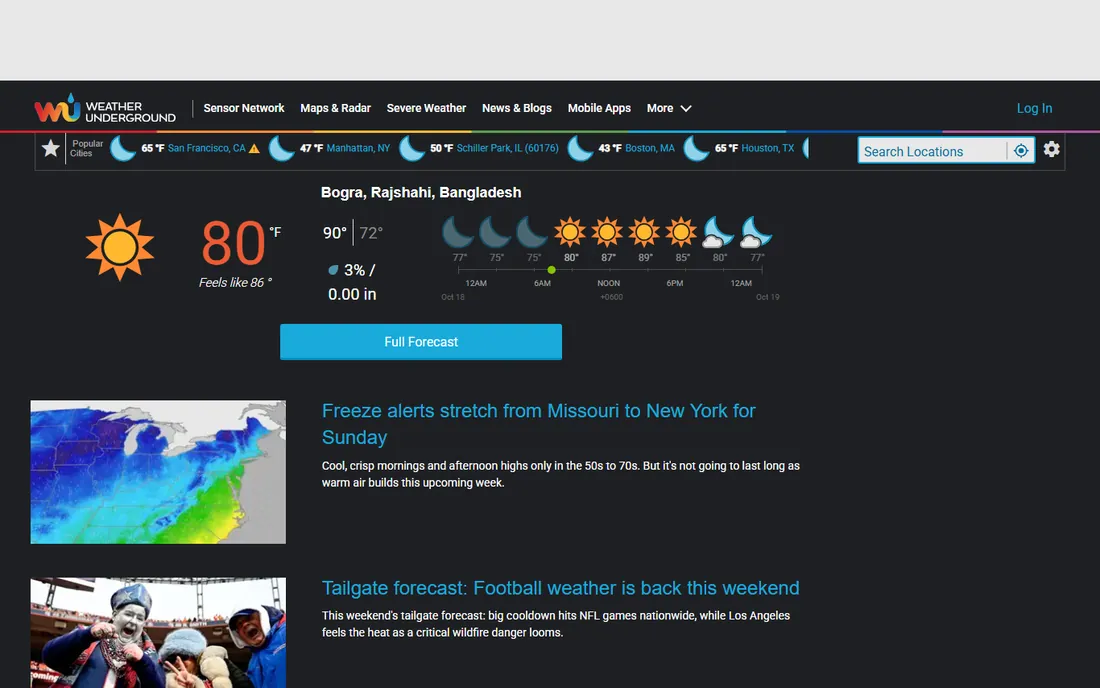
Weather Underground built its reputation on hyperlocal data from thousands of personal weather stations, and that remains its edge: during a hurricane's approach, readings from stations near you show what is actually happening on the ground. Radar, satellite and NWS alerts cover the storm tracking basics.
The app is free with ads. It does not match Hurricane Tracker's tropical specialization or Windy's model visualization, but as a complement it adds ground truth. Weather hobbyists who already use WU on the web will find the app a natural companion in storm season.
What we like- Personal weather station network gives street-level readings
- Detailed radar and satellite views
- Storm tracking with NWS alerts
- Long-trusted by weather hobbyists
Watch out for- The app has changed hands and designs over the years
- The free experience includes ads
Starting priceFree (Premium subscription available)
Free planYes
AccuWeather's hurricane center collects tracks, satellite, spaghetti models and impact information in one place, backed by the company's own forecasting operation. The MinuteCast feature (rain starting in 12 minutes at your location) is genuinely useful when outer bands arrive.
The free tier covers the essentials; Premium removes ads and adds features via subscription. Check the current Premium price in the app, as it varies by platform and promotion. For users who want one app for daily forecasts and storm season, AccuWeather's breadth is the argument.
What we like- MinuteCast gives hyperlocal minute-by-minute precipitation forecasts
- Comprehensive hurricane center with tracks and impacts
- Global coverage
Watch out for- Premium subscription pricing varies
- The app nudges toward premium regularly
Starting priceFree (subscription upgrades available)
Free planYes
Storm Shield, from the E.W. Scripps Company, takes a different approach to warnings: instead of alerting the whole county, it alerts based on the storm's actual path relative to your location. That storm-based targeting means fewer false alarms, which means you pay attention when it does alert. Voice alerts mimic a NOAA weather radio.
The app is now free (it was historically a paid app around $4-$5), with subscription upgrades available for enhanced features. It is the alert specialist: less of a tracking map, more of a warning system. In hurricane season, pair it with a tracker: Storm Shield wakes you up, the tracker tells you what is happening.
What we like- Storm-based alerts target your exact location within a county, cutting false alarms
- Voice alerts like a NOAA weather radio
- Follow-me mode alerts wherever you travel
Watch out for- The subscription tiers for upgrades are not clearly priced
- The interface is alert-focused rather than a rich tracking experience
Starting priceSee website (paid app with Pro subscriptions)
Free planNo
RadarScope is the professional's radar. Instead of smoothed consumer images, it shows native Level 2 and Level 3 radar data: reflectivity, velocity, correlation coefficient, the products spotters and meteorologists actually use to judge a storm. During a hurricane's landfall, the velocity couplet and debris signatures tell the real story.
It is a paid app (historically around $9.99) with optional Pro subscriptions (Tier 1 around $9.99, Tier 2 higher) adding longer loops, lightning strikes and advanced features. Check the app store for current pricing. If you can read a velocity image, nothing else on this list matches it. If you cannot, start with MyRadar and graduate here.
What we like- Displays native radar data in its original format, the way meteorologists see it
- Severe weather warnings, storm tracks and hail markers
- Pro tiers add longer loops and lightning data
Watch out for- Paid app with no free tier
- The raw data assumes you know how to read radar products
#10
Clime
Best for: Simple radar and alerts without complexity
Visit clime.com
Starting priceFree (subscription available)
Free planYes
Clime (formerly NOAA Weather Radar) keeps it simple: radar, alerts, forecasts, done. The interface does not overwhelm, the alerts arrive, and the radar animates smoothly. For users who find Windy overwhelming and Hurricane Tracker too specialized, Clime is the middle path.
The free tier covers the basics with a subscription for premium features; check the app store for current pricing. It will not replace a dedicated tracker for storm analysis, but as the app your whole family can understand during an evacuation watch, simplicity is a feature.
What we like- Clean, simple interface focused on radar and alerts
- NOAA weather radio-style alerts
- Quick to check during a storm
Watch out for- Less depth than the specialists
- Subscription details vary by platform
Free vs. paid: what the money buys
The core data is free everywhere: NHC advisories, NWS warnings and satellite imagery cost nothing because taxpayers already paid for them. What paid tiers buy is presentation and convenience. Hurricane Tracker's premium buys human analysis and custom graphics. RadarScope's purchase buys professional-grade radar products. Windy's Premium buys longer model runs.
The honest recommendation: start free. Hurricane Tracker (free basic), MyRadar (free), Windy.com (free) and Storm Shield (free) together cover tracking, radar, models and alerts at zero cost. Pay when a specific limitation bites: you want the expert discussions (Hurricane Tracker premium), you can read raw radar (RadarScope), or you want extended forecasts (Windy Premium). Do not pay for the same NWS warning twice.
What to look for in a hurricane app
First, alerts: the app must push notifications for storms threatening your area, not just show a map. Storm-based alerts (Storm Shield) beat county-wide alerts for relevance. Second, the source: confirm the app uses NHC and NWS data directly, which all ten here do. Third, the track tools: forecast cone, spaghetti models and satellite views are the minimum for following a storm.
Then the extras that match your needs. Radar detail (RadarScope, MyRadar) for watching landfall. Model comparison (Windy) for judging track uncertainty. Expert analysis (Hurricane Tracker) for understanding what the models mean. And reliability: during a major hurricane, download two apps, not one, because servers strain when millions check at once.
Frequently asked questions
Which hurricane tracker app is the most accurate?
They all use the same official data (National Hurricane Center, NOAA, National Weather Service), so accuracy differences come from presentation, not sources. Hurricane Tracker adds expert human analysis; Windy adds model comparison; RadarScope adds raw radar detail. Use two apps and compare.
Do I need a paid hurricane app?
Probably not. The free tiers of Hurricane Tracker, MyRadar, Windy.com and Storm Shield cover tracking, radar, models and alerts. Pay for Hurricane Tracker's premium if you value the expert discussions, or RadarScope if you can read professional radar products.
What is the difference between the forecast cone and spaghetti models?
The cone shows where the storm's center is likely to go, based on historical forecast errors; it says nothing about impacts outside the cone. Spaghetti models show individual model runs, revealing agreement or disagreement. When the spaghetti strands cluster, confidence is high; when they spread, it is not.
Will these apps work if cell service goes down?
No app works without data. Before a storm, download offline maps if offered, screenshot the latest forecast, and keep a battery-powered NOAA weather radio as backup. Apps are for the approach; the radio is for landfall.
Which app is best for tracking hurricanes in the Atlantic?
Hurricane Tracker covers the Atlantic, Caribbean, Gulf and Eastern Pacific with dedicated analysis. Note it does not cover the Western Pacific or Australian region. Windy.com covers the whole globe with forecast models.
How far in advance can apps predict a hurricane's path?
The NHC issues 5-day forecasts with the cone, and models run 7-16 days out (Windy shows these). Skill drops sharply after day 5: treat week-two model runs as scenarios, not forecasts. The cone is the official guidance; everything beyond it is speculation.
How we chose
We started with the apps storm watchers actually recommend: the dedicated trackers, the radar apps, the model visualizers and the alert specialists. For each we checked the App Store listing for pricing and in-app purchases, opened the vendor's site, and confirmed the data sources (NHC, NOAA, NWS). Where app pricing was not published on the vendor's site, we wrote "See website." We checked reputations against user reviews and weather community discussion, and we favored apps with genuinely useful free tiers.
Sources we checked (12)
- https://www.ezapps.net/
- https://www.weather.com/
- https://www.myradar.com/
- https://www.windy.com/
- https://www.weatherbug.com/
- https://www.wunderground.com/
- https://www.accuweather.com/
- https://www.stormshieldapp.com/
- https://www.radarscope.app/
- https://www.clime.com/
- https://apps.apple.com/us/app/hurricane-tracker/id327193945
- https://apps.apple.com/us/app/radarscope/id288419283
Is your product missing or out of date?
We review this list regularly. Vendors can request a listing, send updated pricing or ask about featured placement.

Shihab Mia · Founder, Rankite
Shihab has spent more than a decade helping SaaS and e-commerce brands grow through search. He writes Rankite's software buying guides from pricing pages, documentation and public user reviews. More about Shihab.