How we make this list: we compare pricing pages, product documentation and public user reviews. Ratings come from G2, Capterra or Trustpilot, with the date we checked them.
Key takeaways
- Free music software in 2026 covers the full range, from simple loop-based songwriting to professional multi-track recording and mixing.
- GarageBand is the best starting point on Apple devices, while LMMS and Waveform Free are the strongest fully free desktop studios for Windows users.
- BandLab and Soundtrap work in the browser and on phones, which suits collaboration and songwriting on the go.
- Audacity is not a full studio, but it remains the best free tool for recording and editing audio, and it pairs well with any DAW on this list.
Quick comparison
| Tool | Best for | Starting price | Free plan |
|---|
 GarageBand GarageBand | Apple users making their first songs | Free | Yes |
 Audacity Audacity | Recording, editing and cleaning up audio | Free | Yes |
 LMMS LMMS | Free beat-making and electronic music on any desktop | Free | Yes |
 BandLab BandLab | A free online studio with collaboration built in | Free | Yes |
 Cakewalk Cakewalk | Windows users who want a professional-grade free DAW path | See website | See website |
 Soundtrap Soundtrap | Songwriting in the browser with friends | Free | Yes |
 Waveform Free Waveform Free | A fully featured free DAW with no track limits | Free | Yes |
 Ardour Ardour | Open-source professional recording, editing and mixing | Free | Yes |
Is your product missing or out of date?
We review this list regularly. Vendors can request a listing, send updated pricing or ask about featured placement.
The best free music making software
#1GarageBand
Best for: Apple users making their first songs4.3/5 on
G2 (277 reviews, checked Oct 2026)
Visit apple.com
Starting priceFree
Free planYes
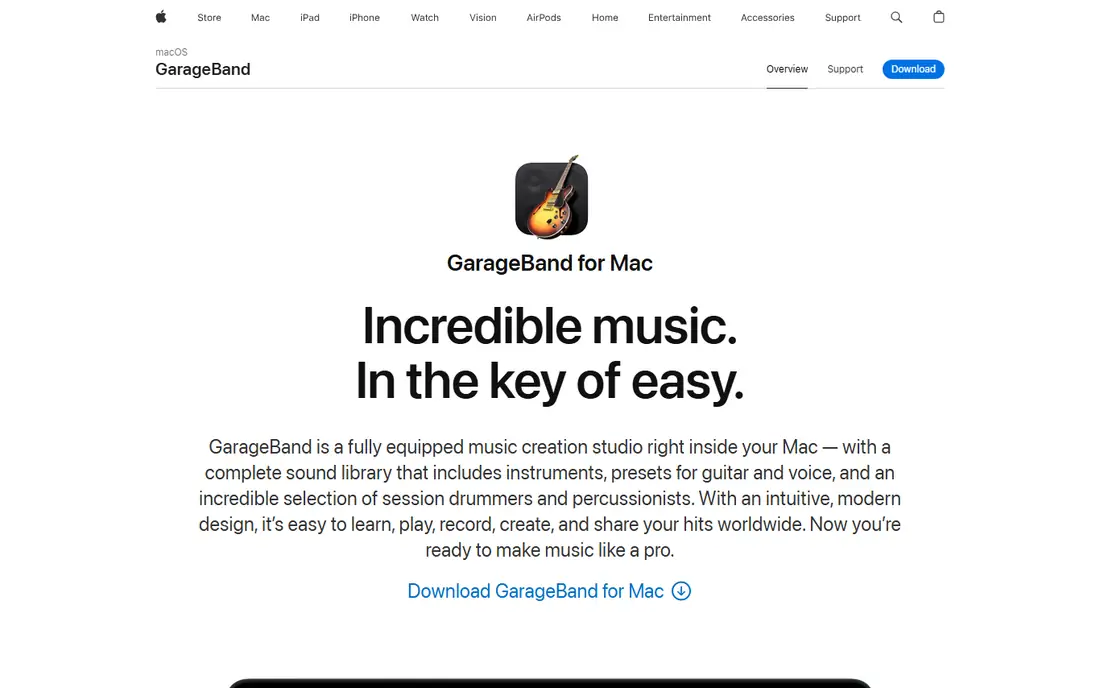
GarageBand is a complete music studio inside your Mac, iPhone or iPad, and it costs nothing. You get a sound library with instruments, presets for guitar and voice, loops across genres like EDM, Hip Hop and Indie, and Drummer, a virtual session player with 28 drummers and three percussionists across six genres. Plug in a guitar or mic, or play software instruments with a USB keyboard, and you can record, arrange and mix up to 255 audio tracks.
The learning curve is gentle: built-in lessons teach piano and guitar, Flex Time fixes timing slips, and Smart Controls give you the right knobs for each instrument without a wall of menus. Sharing is one click to social networks, email or the Music app. The obvious limit is platform: if you use Windows or Android, GarageBand is not an option. For Apple households, though, it is the best free place to start, and projects can move up to Logic Pro when you outgrow it.
What we like- Free on Mac, iPhone and iPad
- Huge sound library with loops and virtual drummers
- Easy path to Logic Pro later
Watch out for- Apple devices only
- No Windows or Android version
- Advanced mixing tools are limited next to paid DAWs
#2Audacity
Best for: Recording, editing and cleaning up audio4.5/5 on
G2 (459 reviews, checked Oct 2026)
Visit audacityteam.org
Starting priceFree
Free planYes
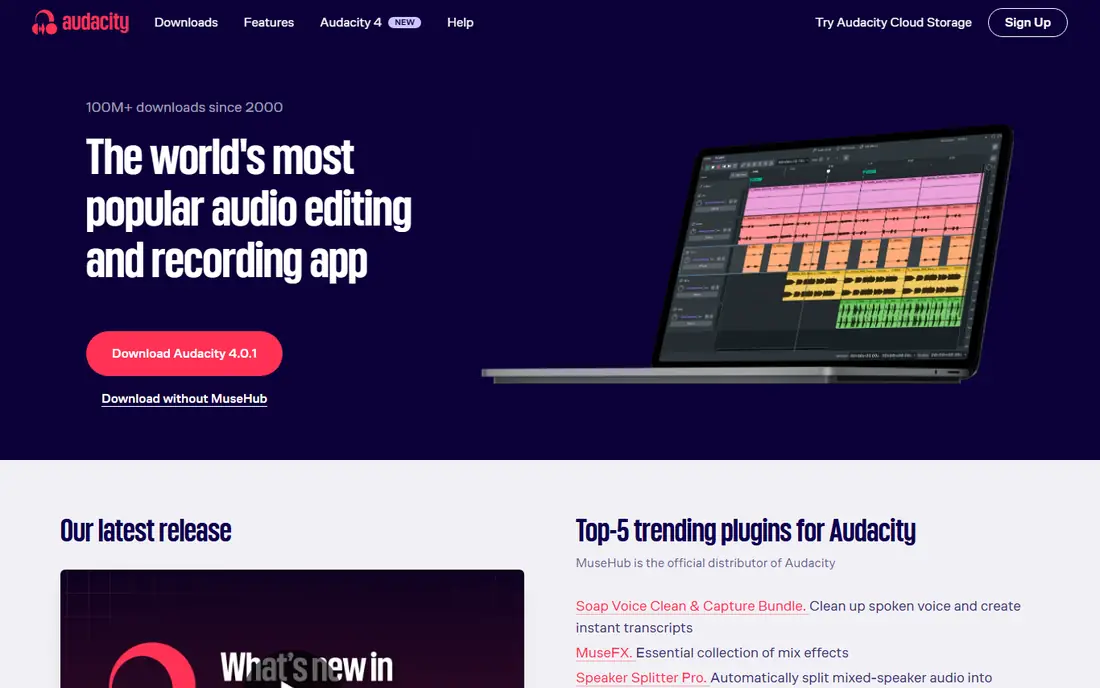
Audacity is the most popular free audio editor in the world, with more than 100 million downloads since 2000, and it does exactly what its name promises. Record from a mic or interface, cut and splice audio, remove noise, adjust pitch and tempo, and export to WAV, MP3, FLAC, Ogg and more. A spectrogram view and scientific analyzers help with detailed work, and VST3, Nyquist and other plugin formats extend it further.
What Audacity is not matters too: it is not a beat-making DAW. There is no piano roll for MIDI melodies and no built-in virtual instruments. Use it alongside a DAW on this list, for example to record vocals or clean up samples before dropping them into LMMS or BandLab. Its companion site Audio.com adds collaboration, versioned backups and sharing. For podcasters, musicians recording live instruments and anyone editing audio, Audacity remains essential and free.
What we like- Free and open source forever
- Runs on Windows, macOS and Linux
- Huge plugin support including VST3
- More than 100 million downloads
Watch out for- An audio editor, not a full DAW, so no MIDI sequencing or virtual instruments
- Interface looks plain next to modern studios
#3LMMS
Best for: Free beat-making and electronic music on any desktop3.3/5 on
G2 (6 reviews, checked Oct 2026)
Visit lmms.io
Starting priceFree
Free planYes
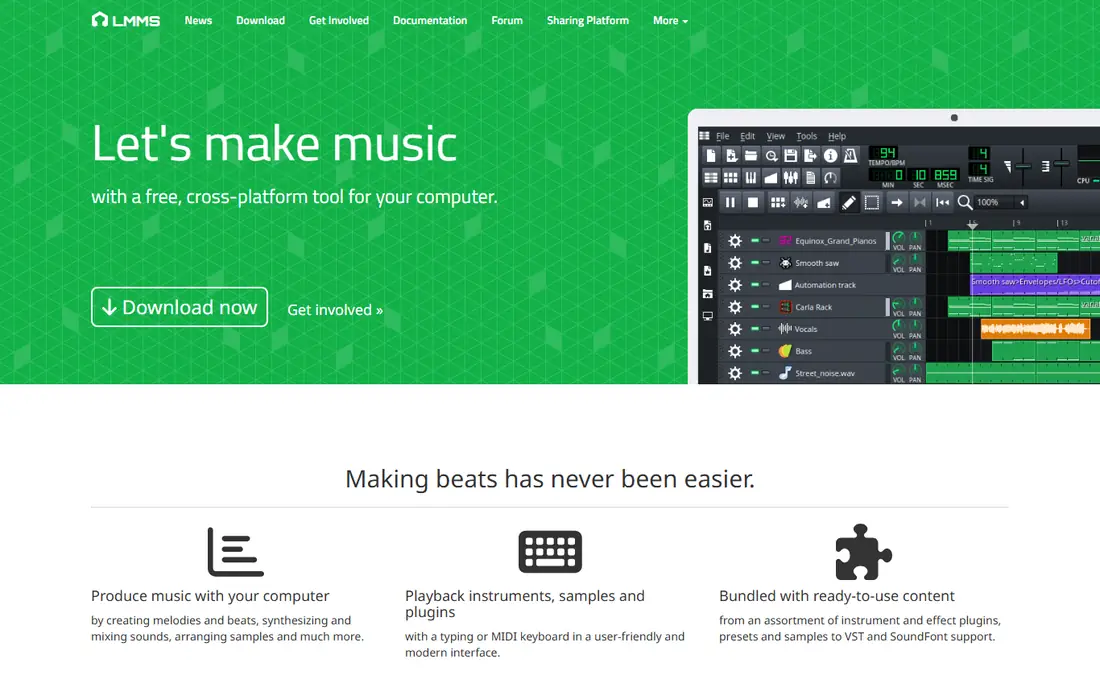
LMMS, short for Linux MultiMedia Studio, is a free, open-source, community-driven project for making music on your computer. It covers composing, sequencing, mixing and automating songs in one interface, with a Beat and Bassline Editor for patterns and a Piano Roll Editor for melodies. Sixteen built-in synthesizers emulate classic sounds, from the Roland TB-303 to the Commodore 64 SID chip, and VST and SoundFont support add more instruments.
LMMS suits electronic producers and beat-makers best, especially on Linux, where commercial DAW choices are thinner. It is less strong for recording live bands, and the interface shows its open-source roots. But for a beginner who wants to make beats, learn synthesis and finish full tracks without paying anything, LMMS is hard to beat.
What we like- 100 percent free and open source
- 16 built-in synthesizers
- VST and SoundFont support
- Runs on Windows, Linux and macOS
Watch out for- Interface feels dated
- Audio recording is weaker than MIDI sequencing
- Smaller community than commercial DAWs
#4BandLab
Best for: A free online studio with collaboration built in4.5/5 on
Capterra (18 reviews, checked Oct 2026)
Visit bandlab.com
Starting priceFree
Free planYes
BandLab is a free online studio used by more than 100 million creators and fans. The Studio runs in the browser and on iOS and Android, with unlimited multi-track projects and free cloud storage, so a song started on your phone is waiting on your laptop. Hundreds of thousands of royalty-free loops, samples and one-shots cover most genres, and up to 50 collaborators can work on one project.
The social side is part of the appeal: you can release tracks, keep 100 percent of earnings through its distribution tools, and build a following on the platform itself. The trade-off is depth. BandLab will not replace a desktop DAW for complex mixing, and its mastering service is a paid extra. For songwriters, students and collaborators who want to start free and work anywhere, it is the most generous free studio available.
What we like- Studio is 100 percent free
- Unlimited multi-track projects and cloud storage
- Up to 50 collaborators per project
- Huge royalty-free loop library
Watch out for- Browser and mobile focus means less depth than desktop DAWs
- Mastering service and some sounds are paid extras
#5
Cakewalk
Best for: Windows users who want a professional-grade free DAW path
Visit cakewalk.com
Starting priceSee website
Free planSee website
Cakewalk has a long history in Windows music production, and its current products, Cakewalk Next and Cakewalk Sonar, carry that forward. Next streamlines song creation with arranger tracks, lyrics tracks and a large sample, instrument and effects collection, while Sonar adds professional recording, mixing and editing tools with a redesigned interface, ProChannel effects, AudioSnap timing tools and ARA support. Both offer unlimited audio and instrument tracks and built-in access to BandLab Sounds loops.
The pricing picture has changed over the years: where Cakewalk by BandLab was once a straight free download, current access is described on the site as unrestricted access with membership, so check the membership terms on the site before you plan around it. For Windows producers who want deep recording and mixing tools in the Cakewalk tradition, it remains a serious option, with Next as the friendlier entry point.
What we like- Unlimited audio and instrument tracks
- Professional recording, mixing and editing tools
- BandLab Sounds loop library built in
- Arranger and lyrics tracks
Watch out for- Current products are offered through membership, so check the current terms before committing
- Windows-focused history, with macOS support newer
#6Soundtrap
Best for: Songwriting in the browser with friends3.7/5 on
G2 (17 reviews, checked Oct 2026)
Visit soundtrap.com
Starting priceFree
Free planYes
Soundtrap, now part of Spotify, is a browser-based studio built for collaboration. Open it on any device, record vocals or instruments, build beats with the Patterns beatmaker, play virtual instruments and synths, and polish tracks with reverb, EQ, delay, compression and more. New sound packs arrive every two weeks across genres like Phonk, Drill, Lo-Fi, K-Pop and UK Drill, and the library holds more than 24,000 loops plus hundreds of presets.
The standout feature is making music together in real time: bandmates can join a session with video and chat, leave comments on shared projects, and rely on auto-save to keep everything in sync. Free access covers the core studio, while vocal tuning, automation and larger libraries sit on paid plans. For classrooms, bands and remote collaborators, Soundtrap is the easiest way to write a song together without installing anything.
What we like- Runs fully in the browser, no install
- Real-time collaboration with video and chat
- 24,000-plus loops and hundreds of presets
- Virtual instruments and beatmaker
Watch out for- Advanced features like vocal tuning and automation need paid plans
- Free tier is more limited than BandLab
Starting priceFree
Free planYes
Waveform Free from Tracktion calls itself the best fully featured, completely unlimited free DAW, and the feature list backs that up. You get multi-track recording, MIDI and step-clip programming, a rack environment for effects chains, retrospective recording so you never lose a take, and a pattern generator for ideas. It ships with 14 built-in audio effects, 8 MIDI effects, 11 utility plugins and 4 instruments, and supports VST, VST3 and AU plugins.
It runs on macOS 13 or later, Windows 10 and 11, and Ubuntu Linux. Expansion packs from $30 add multi-channel support, a clip launcher, DJ mix tools, pro video and deeper recording and MIDI features, so you can pay only for what you need later. For a Windows or Linux user who wants a real DAW free, with no track or project limits, Waveform Free is the strongest pick on this list.
What we like- Completely unlimited free DAW
- Runs on macOS, Windows and Linux
- VST, VST3 and AU plugin support
- 14 built-in audio effects and 4 instruments
Watch out for- Advanced features are paid expansion packs from $30
- Interface takes time to learn
#8Ardour
Best for: Open-source professional recording, editing and mixing4.1/5 on
G2 (11 reviews, checked Oct 2026)
Visit ardour.org
Starting priceFree
Free planYes
Ardour is a free and open-source digital audio workstation aimed at people who record, edit, mix and master audio and MIDI for hours at a time. It offers any number of tracks and busses, non-destructive editing with unlimited undo, flexible routing where any signal can connect to any destination, and full sample-accurate automation for AudioUnit, LV2, VST2, VST3 and LADSPA plugins. A video timeline with frame-accurate sync makes it useful for film soundtracks too.
The latest release, Ardour 9.8, adds key and scale support for composing. The learning curve is the steepest here, and the interface favors engineers over beginners. One pricing note: Ardour is open source and free, but ready-to-run official downloads ask for a contribution to support development, while free builds are available from source. For serious recordists who want professional tools without a subscription, Ardour is the open-source answer.
What we like- Free and open source
- Any number of tracks and busses
- Sample-accurate plugin automation
- Video timeline for soundtracks
- Runs on macOS, Windows and Linux
Watch out for- Steep learning curve
- Official ready-to-run downloads ask for a contribution, with free builds from source
- Interface prioritizes function over polish
How we chose
We compared vendor homepages, feature lists and music production guides in October 2026, and opened each homepage to confirm it loads and belongs to the product named. We weighted true free availability, recording and MIDI capability, plugin support, cross-platform availability and learning curve, since a free tool only helps if a beginner can finish a song with it.
What to look for in free music making software
Start with your device. Apple users should start with GarageBand, since it is free, polished and already on their hardware. Windows and Linux users should look at LMMS for beats, Waveform Free for a full DAW, or Ardour for serious recording. Chromebook or shared-computer users should pick a browser studio like BandLab or Soundtrap.
Then match the tool to the job. Beat-makers need a piano roll, step sequencer and synths, which LMMS, BandLab and Waveform Free all provide. Live instrument recordists need strong audio recording and editing, which points to Ardour, Cakewalk or Waveform Free, with Audacity alongside for editing. Collaborators should pick BandLab or Soundtrap, where sharing is built in rather than bolted on.
Finally, read the free tier carefully. "Free" can mean fully free and open source, like Audacity and LMMS, free with paid extras, like BandLab and Waveform Free, or a membership model, like current Cakewalk. All eight tools here let you start without paying, so try two for a week each and keep the one where you actually finished a track.
Frequently asked questions
What is the best free music making software for beginners?
GarageBand on Apple devices, or BandLab in the browser. Both are free, come with loops and instruments, and let you finish a song without reading a manual first.
Is there a fully free DAW with no limits?
Yes. Waveform Free has no track or project limits, and LMMS and Ardour are free and open source. Paid extras exist in Waveform Free, but the core DAW is free.
Can I make professional-quality music with free software?
Yes. The tools here record, mix and export at professional quality. What paid DAWs add is usually workflow speed, larger sound libraries and support, not basic sound quality.
What is the best free software for recording vocals?
Audacity for simple recording and editing, or Ardour, Waveform Free or Cakewalk for multi-track vocal sessions with effects and mixing. A decent microphone matters more than the software choice.
Do I need to pay for loops and samples?
No. BandLab, Soundtrap, GarageBand and LMMS all include free loops and sounds. Paid packs add variety, but you can make complete songs with the free libraries alone.
Is Audacity a DAW?
Not quite. Audacity is an audio editor and recorder, excellent for cutting and cleaning audio, but it lacks MIDI sequencing and virtual instruments. Pair it with a DAW like LMMS or Waveform Free for full song production.
Sources we checked (8)
- https://www.apple.com/mac/garageband/
- https://www.audacityteam.org
- https://lmms.io
- https://www.bandlab.com
- https://www.cakewalk.com
- https://www.soundtrap.com
- https://www.tracktion.com/products/waveform-free
- https://ardour.org
Is your product missing or out of date?
We review this list regularly. Vendors can request a listing, send updated pricing or ask about featured placement.

Shihab Mia · Founder, Rankite
Shihab has 5+ years in B2B and SaaS SEO. He writes Rankite's software buying guides from pricing pages, documentation and public user reviews. More about Shihab.