How we make this list: we compare pricing pages, product documentation and public user reviews. Ratings come from G2, Capterra or Trustpilot, with the date we checked them.
Key takeaways
- Free deck design software helps you plan size, shape, stairs, and railings in 3D before you buy lumber or hire a builder.
- Trex, TimberTech, and Decks.com designers lead on deck specific planning with material lists, while SketchUp and Planner 5D lead on general 3D design.
- A design tool does not replace local building codes, permits, or structural rules, so check your local requirements before you build.
- Measure your yard and house carefully, since a design based on guessed dimensions wastes lumber and money.
- Start with a simple rectangular deck, then add features such as stairs, benches, and lighting once the basic plan works.
Quick comparison
Is your product missing or out of date?
We review this list regularly. Vendors can request a listing, send updated pricing or ask about featured placement.
The best free deck design software
Starting priceFree
Free planFree
Trex Deck Designer, a free web tool, lets users design a deck with Trex composite boards, colors, railings, and stairs, viewing the result in 3D from several angles. The tool generates a material list for Trex products, which helps budgeting and ordering, and templates cover common deck shapes. The interface suits DIY homeowners planning a Trex deck.
Materials are Trex only, so users wanting wood or other composites need a general tool, and advanced features such as custom framing are limited. For a homeowner planning a Trex composite deck, this designer offers the most brand accurate preview.
What we like- Trex materials and colors
- 3D views
- Material lists
Watch out for- Trex only materials
- Advanced features are limited
Starting priceFree
Free planFree
TimberTech Deck Designer, a free web tool, lets users plan a deck with TimberTech composite boards, colors, and railing options, viewing the design in 3D and getting cost estimates. The tool suits homeowners who already chose TimberTech, since material lists and colors match the brand catalog. Templates help beginners start from a standard deck shape.
Materials are TimberTech only, and features stay basic compared with general 3D tools, with limited custom framing or terrain options. For a TimberTech deck plan with brand accurate materials and costs, this designer gives a clear starting point.
What we like- TimberTech materials
- 3D views
- Cost estimates
Watch out for- TimberTech only materials
- Features are basic
Starting priceFree
Free planFree
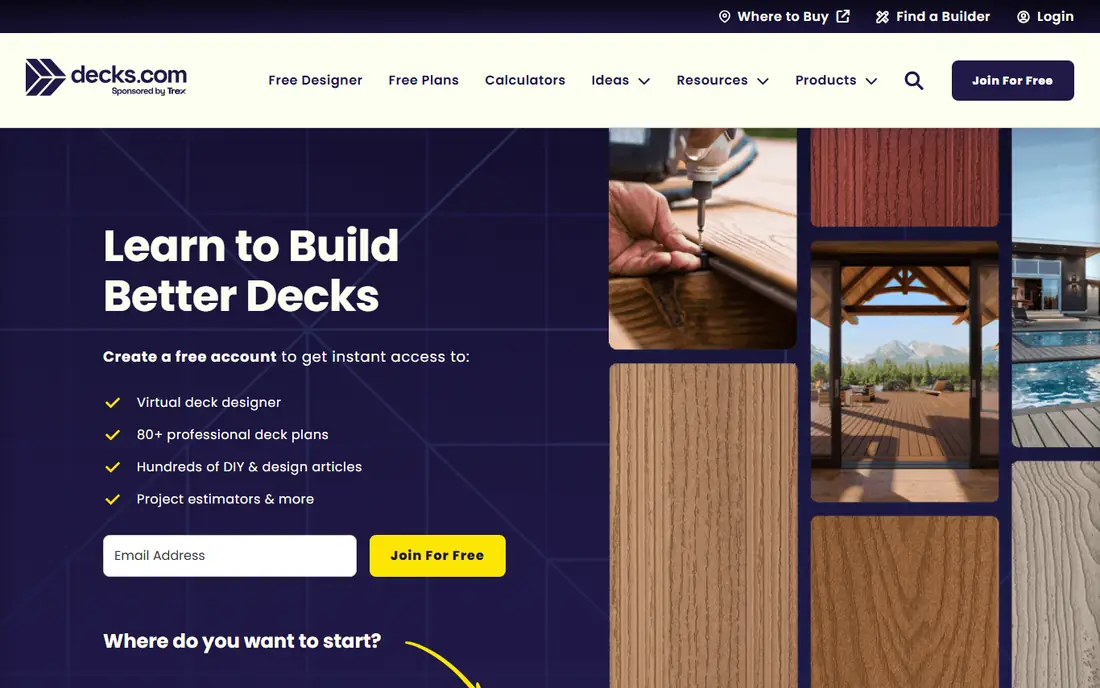
Decks.com Deck Designer, a free web tool, helps users plan general decks with shapes, stairs, and railings, plus guides on building, materials, and costs. The tool suits DIY builders who want a simple plan without brand lock in, since it covers wood and composite options broadly. Guides beside the designer explain framing, footings, and code basics.
Design depth is basic compared with SketchUp, and 3D views are simpler, so complex multi level decks need a stronger tool. For a simple general deck plan with helpful guides, Decks.com offers a friendly free start.
What we like- General deck designs
- Guides
- Material options
Watch out for- Design depth is basic
- 3D views are simpler

#4SketchUp Free
Best for: General 3D design4.5/5 on
G2 (1,327 reviews, checked Oct 2026)
Visit sketchup.com
Starting priceFree
Free planFree
SketchUp Free, a web based 3D modeling tool, lets users design decks from scratch with precise dimensions, custom shapes, and a huge 3D warehouse of components. The tool suits users who want full control, including multi level decks, custom stairs, and yard layouts, with measurements that match real construction. The free web version covers core modeling well.
A learning curve comes with full 3D modeling, and deck specific features such as automatic material lists need manual work or extensions. For a DIY builder who wants precise, custom deck design, SketchUp Free offers the most powerful free option.
What we like- Powerful 3D modeling
- Huge library
- Web based
Watch out for- Learning curve
- Deck specific features need building

#5Planner 5D
Best for: Easy 3D home design4.7/5 on
G2 (178 reviews, checked Oct 2026)
Visit planner5d.com
Starting priceFree
Free planFree
Planner 5D offers easy drag and drop 3D home design, including outdoor spaces and decks, with a large catalog of items and 3D views that suit visual planners. Users draw a yard, add a deck shape, place furniture and plants, and view the result in 3D, which helps homeowners picture the finished space. The free tier covers basic design well.
Deck features are general rather than deck specific, with no automatic framing or material lists, and the full catalog sits behind a paid plan. For a homeowner who wants to visualize a deck in the whole yard, Planner 5D offers the friendliest 3D planner.
What we like- Easy drag and drop
- 3D views
- Large catalog
Watch out for- Deck features are general
- Full catalog is paid
Starting priceFree
Free planFree
RoomSketcher lets users draw floor plans and outdoor areas, including decks, with 3D views and easy sharing for builders and family. The tool suits homeowners who want a clean plan view plus a 3D preview, without learning full 3D modeling. Measurements and room labels help builders understand the design.
Deck features are basic, with no framing or material automation, and advanced tools sit on paid plans. For a simple deck plus yard plan that a builder can read easily, RoomSketcher offers a clear, shareable option.
What we like- Floor plans
- 3D views
- Easy sharing
Watch out for- Deck features are basic
- Advanced tools are paid

#7Cedreo
Best for: Professional 3D plans4.6/5 on
G2 (8 reviews, checked Oct 2026)
Visit cedreo.com
Starting priceSee website
Free planFree trial
Cedreo provides professional 3D home design with fast rendering, client ready views, and tools for builders and remodelers who present designs to customers. The tool suits pros who need polished deck and yard visuals quickly, with templates and a large catalog. A free trial lets users test rendering quality before paying.
Only a trial is free, and pricing targets professionals, so DIY users may prefer fully free tools. For a builder or designer who presents deck plans to clients, Cedreo offers the most polished visuals.
What we like- Professional 3D plans
- Fast rendering
- Client views
Watch out for- Free trial only
- Pricing for pros

#8SmartDraw
Best for: Diagrams and deck plans4.5/5 on
G2 (394 reviews, checked Oct 2026)
Visit smartdraw.com
Starting priceSee website
Free planFree trial
SmartDraw offers diagram and plan templates, including deck plans, with drag and drop shapes, measurements, and sharing for builders and homeowners. The tool suits users who want a clean 2D plan with dimensions, rather than a full 3D model, and templates speed up standard deck shapes. Sharing and printing options help communicate the plan to a builder.
Only a trial is free, and 3D views are limited compared with SketchUp or Planner 5D. For a clear 2D deck plan with dimensions, SmartDraw offers a fast, template driven option.
What we like- Diagram templates
- Deck plan templates
- Sharing
Watch out for- Free trial only
- 3D views are limited
How we chose
We compared deck specific features, 3D quality, material lists, cost estimates, ease of use, pricing, and public DIY builder feedback. We favored tools with free tiers that actually design a deck, not only view one, and tools that help with materials and costs. No hands on testing is claimed, and prices are shown as Free where a free tier exists, or Free trial where only a trial is free.
Designing a deck that passes inspection and fits your yard
Measure your house wall, yard boundaries, slopes, and setbacks before you design, since a deck that ignores setbacks or slopes fails permits and wastes work. Check local building codes for deck height, railing rules, stair widths, footing depths, and permit needs, since codes vary by city and county. Design footings, beams, and joists to code, or hire a structural professional for raised or multi level decks, since a pretty design with weak framing is dangerous.
Materials, costs, and hiring help
Compare wood, composite, and PVC materials on cost, maintenance, and lifespan, not only upfront price, since wood needs staining and sealing while composite costs more but needs less care. Get a material list from your design tool, then price lumber and hardware at two suppliers, since prices vary and a list prevents overbuying. If you hire a builder, share the design file and material list, get written quotes from two or three builders, and confirm permits, timelines, and warranties in writing. A clear design plus written quotes prevents most deck project disputes.
Features, lighting, and long term care
Add features in order of use, such as stairs to the yard first, then seating, shade, and lighting, since a deck used daily needs access and comfort before decoration. Plan lighting for stairs and edges, since night safety matters more than decorative lights, and choose weather rated fixtures for outdoor use. Budget for yearly care, including cleaning, sealing wood decks, and checking fasteners and railings, since a maintained deck lasts decades while a neglected deck rots early. A deck designed for real use, not only looks, serves a home for years.
Before you decide
Walk your yard after rain and note where water pools, since a deck built over a wet spot rots faster and drainage work belongs in the plan, not after. Mark the deck outline on the ground with string and stakes, then live with the outline for a week, checking sun, shade, and traffic flow before you commit. Choose stair locations where people naturally walk to the yard, not where they look best on paper, because awkward stairs get ignored and grass paths appear.
Frequently asked questions
What is the best free deck design software?
Trex Deck Designer suits Trex composite decks, TimberTech Designer suits TimberTech decks, and SketchUp Free suits custom decks with precise control. Decks.com suits simple general plans, while Planner 5D suits visualizing a deck in the whole yard. Pick by material choice and design complexity.
Do I need a permit to build a deck?
Often, since many cities require permits for decks above a certain height, attached decks, or decks with roofs, while small ground level decks may not need one. Check your local building department before you build, since rules vary by city and county. A permit also protects resale value and insurance coverage.
Can free deck software generate a material list?
Brand designers such as Trex and TimberTech generate material lists for their products, while general tools such as SketchUp need manual lists. Use the brand list as a starting point, then confirm quantities with a builder or supplier, since waste, cuts, and local framing rules affect totals. A list plus a supplier check beats guessing.
Is composite or wood better for a deck?
Composite costs more upfront but needs less maintenance and lasts longer without staining, while wood costs less upfront but needs regular sealing and staining. Climate, budget, and maintenance willingness decide the choice, since a shaded, wet yard favors composite while a dry climate suits wood. Compare total cost over ten years, not only day one price.
How much does a DIY deck cost?
Costs vary by size, material, height, and location, with small ground level wood decks costing far less than large raised composite decks. Use a design tool material list, price it at two suppliers, and add permit, tool, and hardware costs for a realistic total. Get builder quotes too, since a complex deck may cost less professionally built than DIY with mistakes.
Sources we checked (8)
- https://www.trex.com/design/design-tools/
- https://www.timbertech.com/design/design-tools/
- https://www.decks.com
- https://www.sketchup.com/plans-and-pricing/sketchup-free
- https://planner5d.com
- https://www.roomsketcher.com
- https://cedreo.com
- https://www.smartdraw.com
Is your product missing or out of date?
We review this list regularly. Vendors can request a listing, send updated pricing or ask about featured placement.

Shihab Mia · Founder, Rankite
Shihab has 5+ years in B2B and SaaS SEO. He writes Rankite's software buying guides from pricing pages, documentation and public user reviews. More about Shihab.
 Trex Deck Designer
 TimberTech Deck Designer
 Decks.com Deck Designer
 RoomSketcher