How we make this list: we compare pricing pages, product documentation and public user reviews. Ratings come from G2, Capterra or Trustpilot, with the date we checked them.
Key takeaways
- Planner 5D is the best free all-rounder, with 2D and 3D design, AI floor plan recognition, and 100 million plus users.
- RoomGPT is the fastest free starting point, turning one photo into a redesigned room.
- RoomSketcher offers a genuinely free plan with 2 projects and 4,000 plus items.
- Homestyler and Coohom provide free 3D software with large model libraries.
- Free plans vary widely: check export limits, watermarks, and render quality before committing to a design.
Quick comparison
Is your product missing or out of date?
We review this list regularly. Vendors can request a listing, send updated pricing or ask about featured placement.
The best free AI interior design apps

#1Planner 5D
Best for: Free all-round design4.7/5 on
G2 (178 reviews, checked Oct 2026)
Visit planner5d.com
Starting priceFree
Free planFree
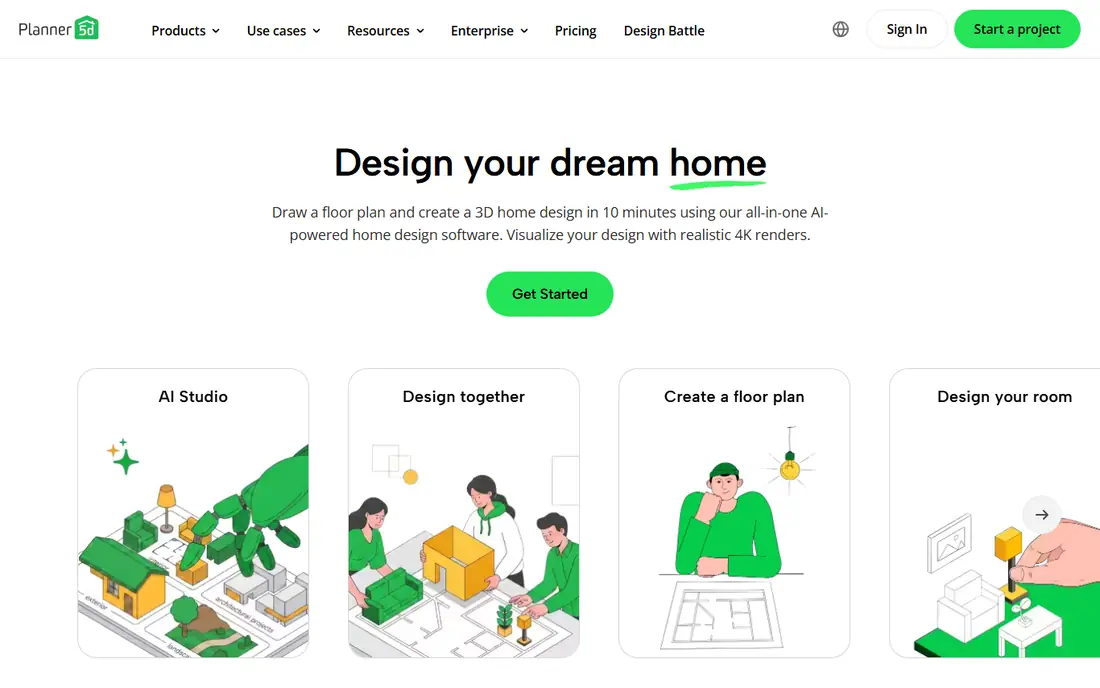
Planner 5D is the largest free interior design platform here, with over 100 million users and 540 million homes designed. Users build rooms in 2D and 3D, furnish from over 8,000 items, and use AI floor plan recognition to convert a sketch into a plan, with 4K renders for finished designs. The free tier covers core design well, making Planner 5D the default first try for anyone redesigning a room without paying.
What we like- 100 million plus users
- 540 million homes designed
- 8,000 plus items
- AI floor plan recognition
- 4K renders
- 2D and 3D design with custom dimensions
Watch out for- Advanced renders and full catalog may need a paid plan
- Free export options limited in published descriptions
Starting priceFree
Free planFree
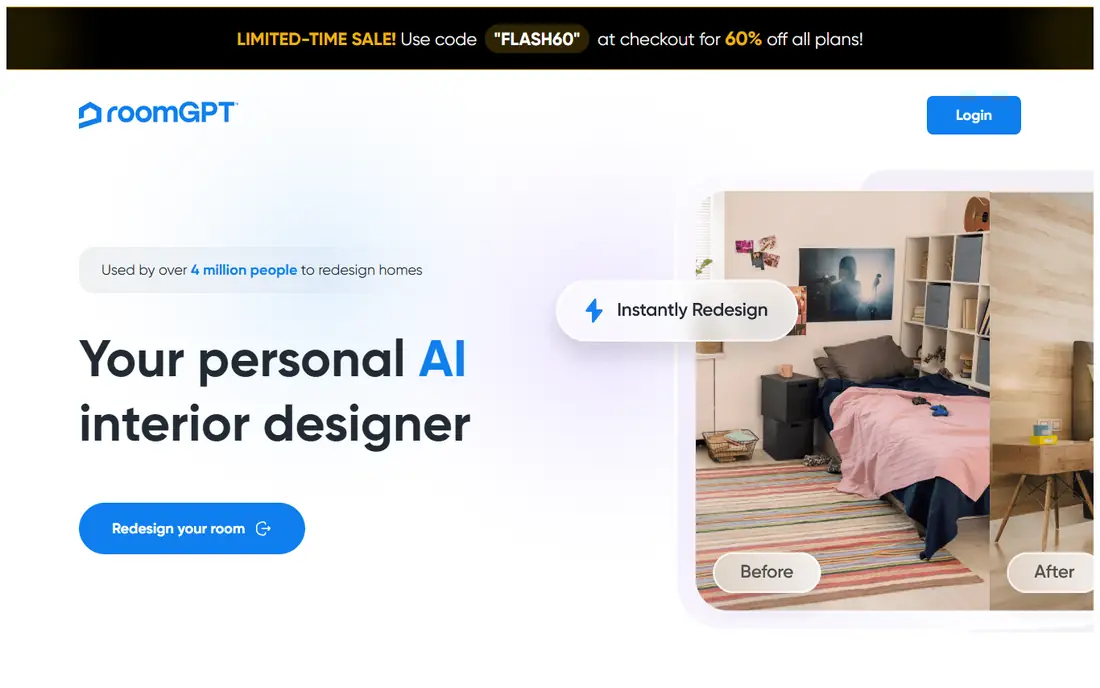
RoomGPT takes the fastest path to a new room: upload one photo, pick a style, and get a redesigned version back. With over 4 million users, it suits renters and homeowners who want inspiration before committing to paint or furniture. The free tier covers initial generations, though heavy users hit limits. RoomGPT suits the earliest stage of a project, where seeing a styled version of the actual room matters more than precise measurements.
What we like- Redesigns a room from a single photo
- 4 million plus users
- Instant style previews without drawing a floor plan
- Simple enough for first-time designers
Watch out for- Free generation limits apply in published descriptions
- Photo-based output needs manual refinement for exact layouts
Starting priceFree
Free planFree
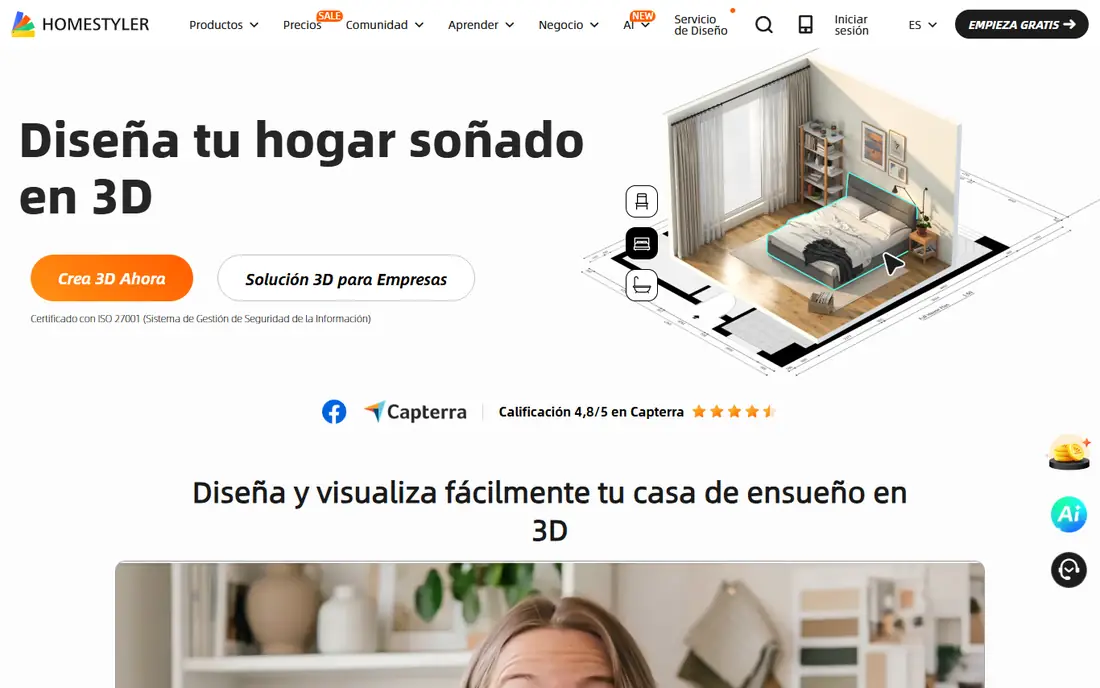
Homestyler offers free 3D design software with one-click AI floor plan conversion, over 10 million branded 3D models, and more than 500 templates for quick starts. Users design in 2D, decorate in 3D, and render images for sharing or contractor briefs. The homepage pricing is unclear, so the boundary between free and paid features needs an in-app check. Homestyler suits users who want real product models from real brands in their designs.
What we like- 10 million plus branded 3D models
- One-click AI floor plan conversion
- 500 plus templates
- Free 3D design software
- 4K images and video renders in paid tiers
Watch out for- Homepage pricing unclear, so paid limits need an in-app check
- Model-heavy catalog can slow older devices
Starting priceFree
Free planFree
RoomSketcher is the most transparent free plan here: 2 projects, 1 AI Convert, and access to over 4,000 items at no cost. Users draw floor plans, furnish in 3D, and view designs from any angle, with a user base of over 10 million people in more than 170 countries. The free plan suits a single-room project or a first home layout, while multi-room renovations will need a paid tier. RoomSketcher suits users who want accurate floor plans first and decoration second.
What we like- Free plan with 2 projects, 1 AI Convert, and 4,000 plus items
- 10 million plus users in 170 plus countries
- 2D and 3D floor plans
- Drag-and-drop furnishing
- Professional-quality renders on paid tiers
Watch out for- Free plan limited to 2 projects
- AI Convert limited to 1 on the free plan
Starting priceFree
Free planFree
DecorMatters combines AI design with a large community: over 21 million community designs, an AI room designer with edit and refine tools, AR preview to place furniture in the actual room, and design games that let users test styles against community votes. The community angle helps uncertain decorators, since real designs from real users show what works. DecorMatters suits users who want inspiration and feedback alongside AI tools.
What we like- 21 million plus community designs
- AI room designer, edit, and refine tools
- AR preview for seeing furniture in the real room
- Design games and challenges
- Community feedback on designs
Watch out for- Homepage shows no pricing, so paid limits need an in-app check
- Game mechanics may distract from serious planning

#6HomeByMe
Best for: Free 3D decorating4.9/5 on
G2 (5 reviews, checked Oct 2026)
Visit home.by.me
Starting priceFree
Free planFree
HomeByMe offers free 3D software for designing in 2D, decorating in 3D, and producing 4K images of finished rooms. A branded catalog lets users place real products from real manufacturers, which helps when the design must convert into a shopping list. Projects share easily with family or contractors. HomeByMe suits users planning a real purchase, since branded models map directly to products that can be bought.
What we like- Free 3D software
- 2D design, 3D decorate, and 4K images
- Branded product catalog for real furniture
- Shareable projects for family or contractor review
Watch out for- Homepage shows no pricing tiers, so paid limits need an in-app check
- Catalog depth varies by region

#7Coohom
Best for: Free 3D renders4.4/5 on
G2 (139 reviews, checked Oct 2026)
Visit coohom.com
Starting priceFree
Free planFree
Coohom provides free 3D software with free templates and browser-based photorealistic renders, requiring no install. The template-led workflow suits users who want a fast start, with rooms that can be customized after choosing a base layout. The homepage extract emphasized templates over editing detail, so users needing precise custom dimensions should confirm editing depth in the app. Coohom suits users who want quick, good-looking renders without installing software.
What we like- Free 3D software
- Free templates
- Browser-based photorealistic renders
- No install required
- Template-led workflow for quick starts
Watch out for- Homepage extract emphasized templates over editing detail, so advanced editing depth should be confirmed in the app
- Render limits on the free tier unclear
Starting priceSee website
Free planFree trial
Foyr is the professional option here, with a catalog of over 60,000 products, an AI design assistant, product search, and enhanced rendering, used by over 1.5 million design professionals. The free entry is a trial rather than a permanent free plan, and homepage pricing is not shown. Foyr suits users who want professional-grade output for a client project or a serious renovation, and who will pay after testing the trial.
What we like- 60,000 plus product catalog
- 1.5 million plus design professionals
- AI design assistant, product search, and enhanced rendering
- Professional-grade floor plans and 3D views
Watch out for- No free plan beyond a trial
- Homepage shows no pricing
- Professional focus may exceed casual users
How we chose
We verified each vendor homepage during this batch and compared free scope honestly, separating permanent free plans from trials. Prices not shown on homepages are recorded as "See website" rather than invented, and free-tier limits are stated where the homepage confirms them.
How to pick the right free interior design app
Start with the project type. For a quick style test, RoomGPT's one-photo redesign gives an answer in minutes. For a measured renovation, RoomSketcher's free floor plans or Planner 5D's full design tools fit better. For shopping a real room, Homestyler and HomeByMe with branded models convert designs into purchase lists.
Then check the free limits that matter. Export resolution, watermarks, project counts, and render counts decide whether a free plan survives a real project: RoomSketcher's 2-project limit is fine for one room but not a whole house, while Planner 5D's broad free tier covers more. Finally, measure twice: AI-generated rooms look convincing but can distort dimensions, so verify wall lengths, door swings, and furniture sizes against the real room before ordering anything.
Lighting deserves attention in every design, since a room that looks bright in a render can feel dark in reality. Check window direction and size, note which hours bring direct sun, and place mirrors and light colors where they bounce daylight deeper into the room. In the app, test both day and evening lighting views where offered, since a scheme that works at noon may fail at dinner time.
Budget tracking belongs inside the design process, not after it. Build the room with branded models where possible, export the item list, and price each piece before falling in love with the layout. A design that needs a 5,000-dollar sofa to work is a different project from one built around pieces already owned, and free apps help most when they keep the plan honest about cost from the start.
Color choices also benefit from testing in the app before buying paint. A shade that looks calm on a phone screen can feel cold on a full wall, so sample the top two or three colors on a test board in the real room and view them at different times of day. Use the app to compare bold accent walls against neutral schemes, and keep the strongest colors for accessories that are cheap to change if tastes shift. Storage planning rounds out a good design: measure closets, plan built-ins where walls allow, and leave clear walkways of comfortable width so the finished room feels open rather than crowded. Share the finished design with everyone who uses the room before ordering, since a layout that suits one person may block another person's daily routine. A short review round now prevents expensive returns and rearrangements later, and it often surfaces practical needs that the first design missed entirely, such as outlets, pet spaces, reading nooks, play areas, or work-from-home corners. Start with one room first, and learn the app fully there before expanding.
Frequently asked questions
What is the best completely free AI interior design app?
Planner 5D leads for free scope, with 2D and 3D design, AI floor plan recognition, and a large item library. RoomSketcher offers the clearest free plan with 2 projects and 4,000 plus items.
Can I redesign a room from just a photo for free?
Yes. RoomGPT redesigns a room from a single photo on its free tier, though free generation limits apply and output needs manual refinement for exact layouts.
Do free interior design apps include real furniture brands?
Yes. Homestyler offers over 10 million branded 3D models, and HomeByMe and Foyr include branded catalogs for real-product planning.
Are AI room designs accurate for measurements?
Not always. AI tools can distort dimensions, so verify wall lengths, door swings, and furniture sizes against the real room before ordering furniture or starting work.
Can I use these apps without installing software?
Yes. Coohom and RoomGPT run in the browser, while Planner 5D, Homestyler, and RoomSketcher offer web apps alongside mobile versions.
Which free app is best for a whole-house renovation?
Planner 5D suits whole-house work best on a free tier, while RoomSketcher's 2-project free limit fits single rooms. Whole-house projects usually need a paid plan for unlimited projects and renders.
Sources we checked (8)
- https://planner5d.com/
- https://roomgpt.io/
- https://www.homestyler.com/
- https://www.roomsketcher.com/
- https://decormatters.com/
- https://home.by.me/
- https://www.coohom.com/
- https://foyr.com/
Is your product missing or out of date?
We review this list regularly. Vendors can request a listing, send updated pricing or ask about featured placement.

Shihab Mia · Founder, Rankite
Shihab has 5+ years in B2B and SaaS SEO. He writes Rankite's software buying guides from pricing pages, documentation and public user reviews. More about Shihab.
 RoomGPT
 Homestyler
 RoomSketcher
 DecorMatters
 Foyr
Foyr