How we make this list: we compare pricing pages, product documentation and public user reviews. Ratings come from G2, Capterra or Trustpilot, with the date we checked them.
Key takeaways
- Planner 5D is the easiest starting point for most beginners, with a real free plan and Premium at $4.99 per month billed annually.
- RoomSketcher suits anyone who wants measured 2D floor plans plus 3D walkthroughs, with Pro at $12 per month billed annually.
- SketchUp Free remains the best free way to learn true 3D modeling, while paid plans start at $129 per year for Go.
- Sweet Home 3D is the only fully free, offline, open-source option here, ideal if you refuse subscriptions.
- Free tiers differ sharply. Some limit exports, watermark renders, or lock half the furniture catalog, so check what the free version really lets you do before starting a project.
Quick comparison
| Tool | Best for | Starting price | Free plan |
|---|
 Planner 5D Planner 5D | Easy room decorating | $4.99 per month | Yes |
 RoomSketcher RoomSketcher | Measured plans plus 3D walkthroughs | $12 per month | Yes |
 SketchUp SketchUp | True 3D modeling | $129 per year | Yes |
 Floorplanner Floorplanner | Quick plans without installing anything | Free | Yes |
 Sweet Home 3D Sweet Home 3D | Free offline design | Free | Yes |
 magicplan magicplan | Scanning existing rooms | See website | Yes |
 SmartDraw SmartDraw | Office and diagram layouts | $9.95 per user per month | No |
 HomeByMe HomeByMe | Photorealistic room visuals | Free | Yes |
Is your product missing or out of date?
We review this list regularly. Vendors can request a listing, send updated pricing or ask about featured placement.
The best floor plan software
#1Planner 5D
Best for: Easy room decorating4.7/5 on
G2 (178 reviews, checked Oct 2026)
Visit planner5d.com
Starting price$4.99 per month
Free planYes
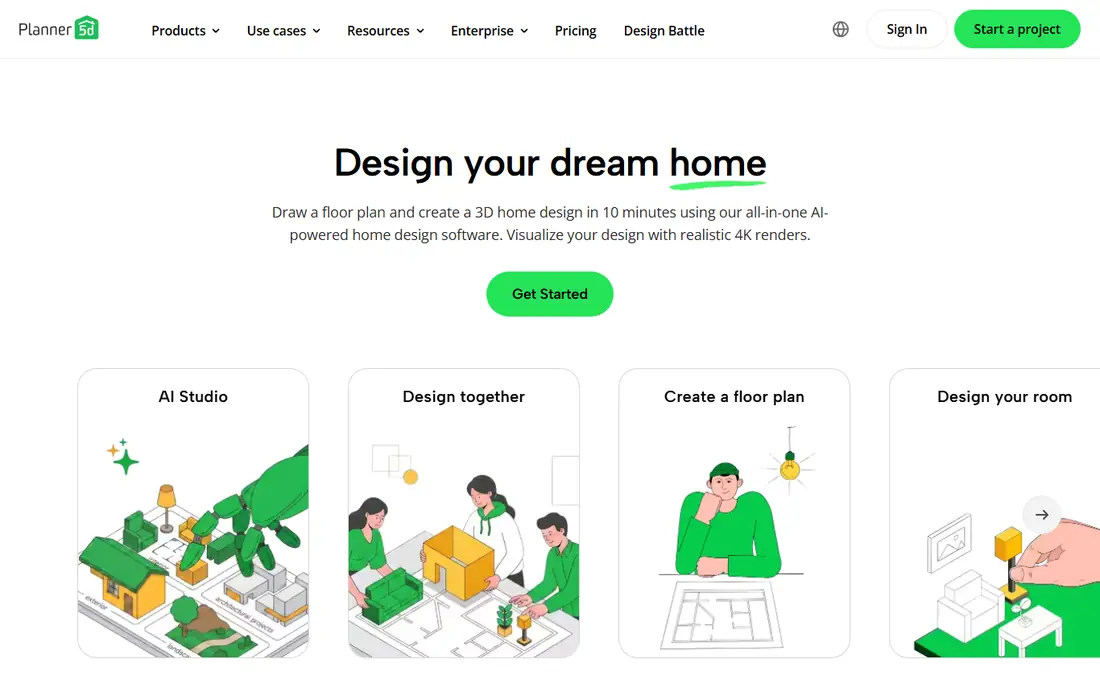
Planner 5D is the easiest starting point for most beginners, with a real free plan covering unlimited projects across web and mobile, plus AI-assisted floor plans and room scanning on iOS. Its furniture catalog is enormous, and paid renders look photorealistic, which helps homeowners test layouts before moving furniture.
The free tier is limited in ways that matter: renders carry watermarks at low resolution, and about half the furniture and material catalog is locked behind Premium at $4.99 per month billed annually. For a beginner who wants the biggest catalog and can accept paying eventually, Planner 5D is the best first tool.
What we like- Easiest starting point for beginners
- Unlimited free projects
- Huge furniture catalog
- AI-assisted floor plans and 4K renders
Watch out for- Free renders watermarked and low resolution
- About half the catalog locked behind Premium
- Ads in the free tier
#2RoomSketcher
Best for: Measured plans plus 3D walkthroughs4.5/5 on
G2 (149 reviews, checked Oct 2026)
Visit roomsketcher.com
Starting price$12 per month
Free planYes
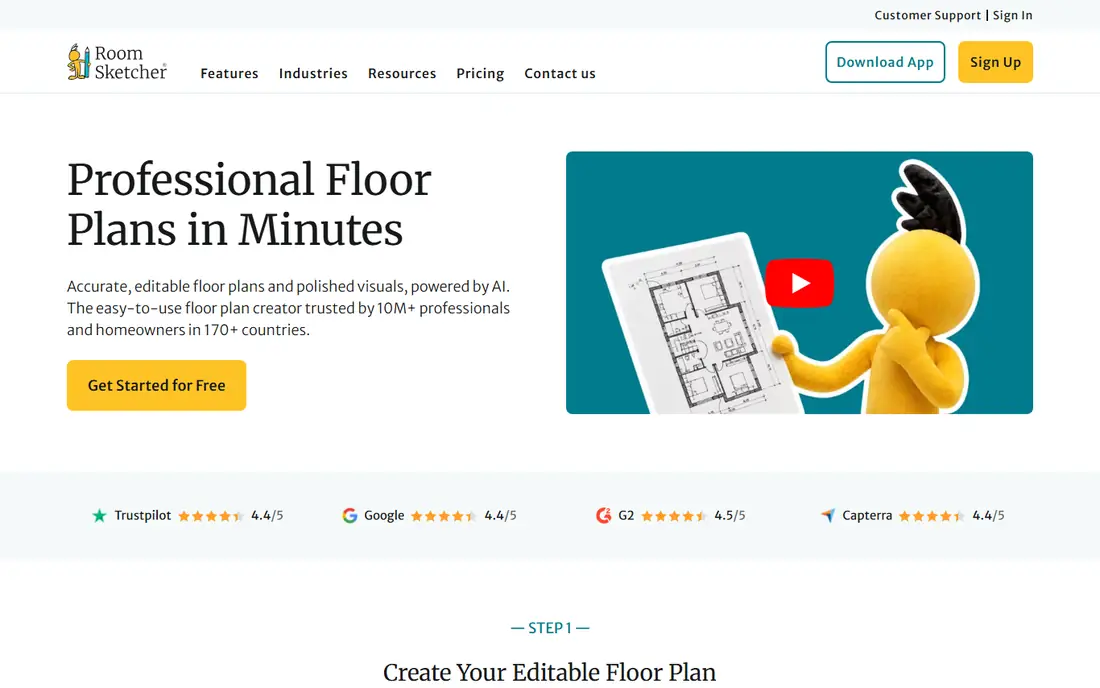
RoomSketcher suits anyone who wants measured 2D floor plans plus 3D walkthroughs, especially real estate agents and interior designers. Its floor plan output looks clean and professional, with dimensions that clients and builders can use, and 3D walkthroughs help buyers picture a space.
The free tier is more preview than working tool: projects live in a 10-project archive, 3D snapshots are watermarked, and exporting a floor plan costs $38 per level. Pro at $12 per month billed annually uses 5 credits per month rather than unlimited use, and one guide reports $24 per month, so confirm the plan. For client-ready plans, RoomSketcher is worth the price.
What we like- Measured 2D floor plans plus interactive 3D walkthroughs
- Clean listing-ready output
- Pro at $12 per month billed annually
Watch out for- Free tier is a preview, not a working tool
- Exporting a plan costs $38 per level on free
- Pro uses a credits system, not unlimited use
#3SketchUp
Best for: True 3D modeling4.5/5 on
G2 (1,327 reviews, checked Oct 2026)
Visit sketchup.com
Starting price$129 per year
Free planYes

SketchUp remains the best free way to learn true 3D modeling, with SketchUp Free offering a web version for personal use and Go at $129 per year adding desktop and iPad apps. Its extension library and 3D model warehouse cover almost any object, and skills transfer to professional architecture and design work.
The learning curve is steeper than drag-and-drop planners, and the free version is web-only and non-commercial. For a user who wants real 3D modeling skills rather than a quick room sketch, SketchUp is the strongest long-term investment here.
What we like- Best free way to learn true 3D modeling
- Go plan at $129 per year
- Huge extension and model library
- Works on web, iPad, and desktop
Watch out for- Learning curve steeper than Planner 5D
- Free version is web-only and non-commercial
- Pro at around $399 per year for professional work
Starting priceFree
Free planYes
Floorplanner is the fastest way to draw a floor plan without installing anything. It runs fully in a browser, offers 5 free projects, and shares plans by link, which suits agents and homeowners who need a quick listing plan rather than a design project.
Free exports are limited to standard definition, and furniture options are fewer than Planner 5D. For a quick, polished floor plan for a listing or a renovation discussion, Floorplanner is the most efficient tool here.
What we like- Quick floor plans in a browser with nothing to install
- 5 free projects
- Subscription from around $5 per month
- Easy sharing links
Watch out for- Free exports limited to standard definition
- Fewer furniture options than Planner 5D
- 3D visuals less polished than RoomSketcher
Starting priceFree
Free planYes
Sweet Home 3D is the only fully free, offline, open-source option on this list, ideal if you refuse subscriptions. It covers 2D plans and 3D views with no project caps, no watermarks, and no locked catalog, and it runs on Windows, Mac, and Linux without an internet connection.
The interface looks dated, and renders are less photorealistic than paid tools. For a homeowner or student who wants a real floor plan tool at zero cost, Sweet Home 3D is unmatched, and its offline nature suits anyone working without reliable internet.
What we like- Completely free and open source
- Works offline on Windows, Mac, and Linux
- No subscriptions, watermarks, or project caps
Watch out for- Interface looks dated
- Smaller furniture catalog than Planner 5D
- 3D renders less photorealistic than paid tools
#6magicplan
Best for: Scanning existing rooms4.3/5 on
G2 (12 reviews, checked Oct 2026)
Visit magicplan.app
Starting priceSee website
Free planYes
magicplan is the best tool for existing rooms, since it scans a room with a phone camera and builds a measured floor plan from the scan. That workflow suits renovation work, insurance documentation, and contractors who need plans of spaces that already exist rather than designs for new ones.
Pricing is plan-based and varies, with around $40 per project reported in some guides, and scan accuracy needs checking on complex rooms with unusual angles. For measuring an existing space fast, magicplan beats manual drawing by a wide margin.
What we like- Scans existing rooms with a phone camera
- Exports PDF, JPG, PNG, SVG, CSV, DXF, OBJ, and more
- 2 free projects
- Strong for renovation work
Watch out for- Pricing is plan-based and varies
- Around $40 per project reported in some guides
- Scan accuracy needs checking on complex rooms
#7SmartDraw
Best for: Office and diagram layouts4.5/5 on
G2 (394 reviews, checked Oct 2026)
Visit smartdraw.com
Starting price$9.95 per user per month
Free planNo
SmartDraw suits office and commercial layouts more than home decorating. Its template library covers office plans, seating charts, and evacuation diagrams alongside residential plans, and its 2D drafting is precise for professional documents.
It is a 2D tool first, so 3D walkthroughs are weaker than RoomSketcher or Planner 5D, and there is no free plan, only trial access in some guides. For a business user who needs office layouts and diagrams in one tool, SmartDraw fits well.
What we like- Strong for office layouts and diagrams
- 2D plans with templates
- Integrates with common business tools
Watch out for- No free plan, only a trial in some guides
- 2D focus, weaker 3D than rivals
- Pricing not always shown on the buy page
#8HomeByMe
Best for: Photorealistic room visuals4.9/5 on
G2 (5 reviews, checked Oct 2026)
Visit home.by.me
Starting priceFree
Free planYes
HomeByMe suits anyone who wants photorealistic room visuals with brand-name furniture. Its free tier covers decorating and basic renders, and paid plans add 4K renders, which help homeowners and designers show clients how a room will actually look.
Paid pricing is not always published, and the catalog skews toward partner brands. For visual presentation rather than measured construction documents, HomeByMe is the prettiest tool here.
What we like- Photorealistic room visuals with brand-name furniture
- Free tier for decorating
- 4K renders on paid plans
- Web-based
Watch out for- Paid pricing not always published
- Furniture catalog skews to partner brands
- Less suited to measured construction plans
How we chose
We compared tools on ease of use, measured accuracy, 2D and 3D output, free tier honesty, export options, and pricing transparency, using 2026 guides and vendor pages. We included only tools with a credible current product and left out AI photo filters that make pretty pictures without real measurements. Prices change often in this category, and RoomSketcher pricing conflicts across guides, so we flagged the range rather than presenting one figure as certain. We also weighted export honesty heavily, since a tool that will not let you take your plan out is a poor choice no matter how pretty its renders look.
How to pick floor plan software
Start with your job. A quick listing plan points to Floorplanner. Beginner decorating points to Planner 5D. Measured client plans point to RoomSketcher. True 3D modeling points to SketchUp. Zero budget points to Sweet Home 3D. Scanning an existing room points to magicplan. Office layouts point to SmartDraw. Photorealistic visuals point to HomeByMe.
Check the free tier before you start
Free apps are great for testing furniture, but if you need a plan with exact measurements to hand to a builder, expect to pay. Check export costs, watermark rules, and catalog locks before investing hours in a project, since switching tools mid-project wastes the work. Measure twice in the tool as well: enter wall lengths from a tape measure rather than estimating, and confirm door swings and window positions before ordering furniture or booking a contractor.
Frequently asked questions
What is the best floor plan software?
Planner 5D is the easiest for beginners, RoomSketcher is best for measured client plans, SketchUp is best for true 3D modeling, and Sweet Home 3D is best free and offline. The right tool depends on whether you need a quick sketch, a client plan, or construction detail.
Is there really free floor plan software?
Yes. Sweet Home 3D is fully free with no caps or watermarks, Planner 5D offers unlimited free projects with watermarked renders, and Floorplanner offers 5 free projects. Paid plans remove watermarks, raise export quality, and open full catalogs.
Can I scan a room with my phone to make a floor plan?
Yes, with magicplan, which scans rooms with a phone camera and builds measured plans from the scan. Planner 5D also offers room scanning on iOS. Check scan accuracy on complex rooms before handing plans to a builder.
Do I need exact measurements for a renovation?
Yes, if a builder will work from the plan. Free tools often lack measurement precision or charge for measured exports, so RoomSketcher Pro or SketchUp fits better for construction work than a free decorating app.
What is the cheapest good floor plan software?
Sweet Home 3D at free, followed by Planner 5D Premium at $4.99 per month billed annually and Floorplanner from around $5 per month. For a one-time project, a single month of Planner 5D or Floorplanner covers most home plans.
Can floor plan software replace an architect?
No. These tools help you plan layouts and communicate ideas, but structural changes, permits, and building codes need licensed professionals. Use floor plan software to explore ideas, then hand measured plans to an architect or builder for execution.
Sources we checked (8)
- https://planner5d.com
- https://www.roomsketcher.com
- https://www.sketchup.com
- https://floorplanner.com
- https://www.sweethome3d.com
- https://www.magicplan.app
- https://www.smartdraw.com
- https://home.by.me
Is your product missing or out of date?
We review this list regularly. Vendors can request a listing, send updated pricing or ask about featured placement.

Shihab Mia · Founder, Rankite
Shihab has 5+ years in B2B and SaaS SEO. He writes Rankite's software buying guides from pricing pages, documentation and public user reviews. More about Shihab.