How we make this list: we compare pricing pages, product documentation and public user reviews. Rankite is independent; if a vendor ever pays for a featured spot, that listing is clearly labeled Partner.
Key takeaways
- dBpoweramp is the premium pick for bit-perfect ripping, with AccurateRip verification and a 21-day free trial.
- Exact Audio Copy remains the free gold standard for secure ripping on Windows.
- fre:ac, MusicBee, MediaMonkey and foobar2000 all rip CDs for free, each inside a broader audio toolkit.
- Apple Music (formerly iTunes) is the simplest option for Mac users who just want CDs in their library.
The best CD ripping software
CDs were supposed to be dead a decade ago, yet here we are: vinyl-style collectors, archivists digitizing thousand-disc collections, and audiophiles who want lossless files without streaming compression. Ripping a CD well is not just copying files; it is error-checked extraction, accurate metadata, and encoding to a format that will still play in twenty years. These eight tools cover the spectrum from forensic-grade rippers to free all-rounders.
#1
dBpoweramp
Best for: Bit-perfect, verified ripping with the best metadata in the business
Visit dbpoweramp.com
Starting priceSee website
Free planFree trial (21 days)
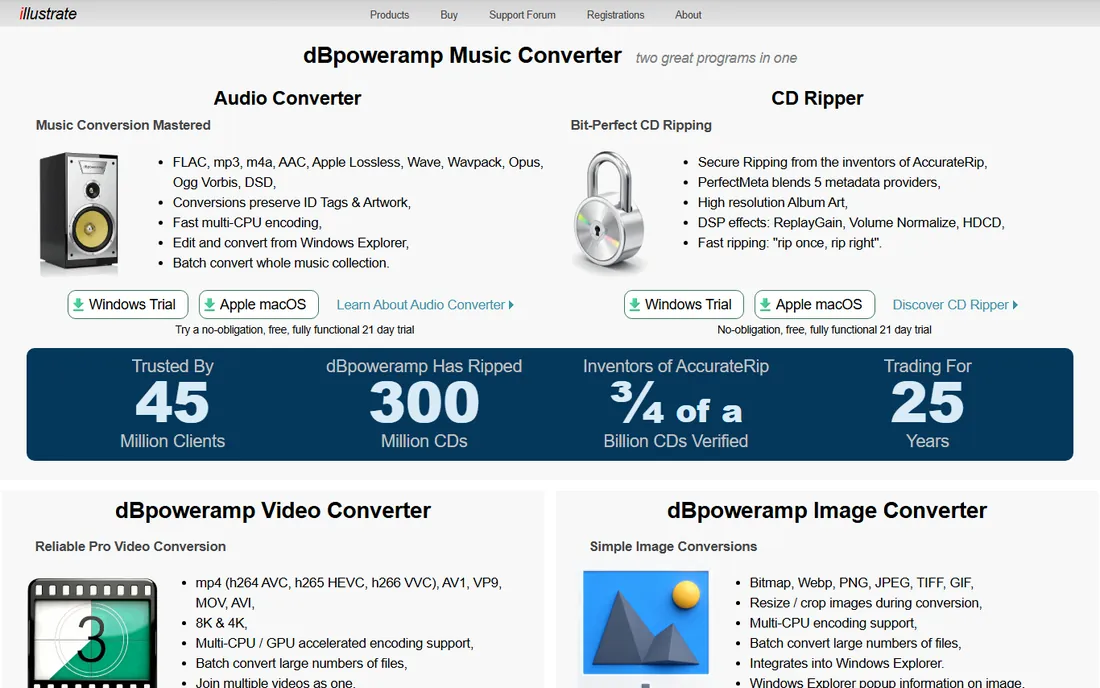
dBpoweramp is the ripper audiophiles recommend when accuracy matters. Its CD Ripper uses AccurateRip, the verification database the company invented, to confirm your rip is bit-identical to rips by other users worldwide. PerfectMeta pulls metadata and high-resolution album art from five providers, and DSP effects handle ReplayGain, volume normalization and HDCD decoding during the rip.
The vendor offers a free, fully functional 21-day trial with no obligation. Pricing was not published on the homepage, so start the trial to evaluate. For anyone archiving a serious collection in FLAC or Apple Lossless, dBpoweramp's "rip once, rip right" approach is the professional choice.
What we like- Secure ripping from the inventors of AccurateRip, with error verification against other users' rips
- PerfectMeta blends five metadata providers
- Fast multi-CPU encoding and DSP effects
Watch out for- No published pricing on the homepage, so you must start the trial to see costs
- Windows and macOS only
- The full feature set can overwhelm casual rippers
Starting priceFree (for non-commercial use)
Free planYes
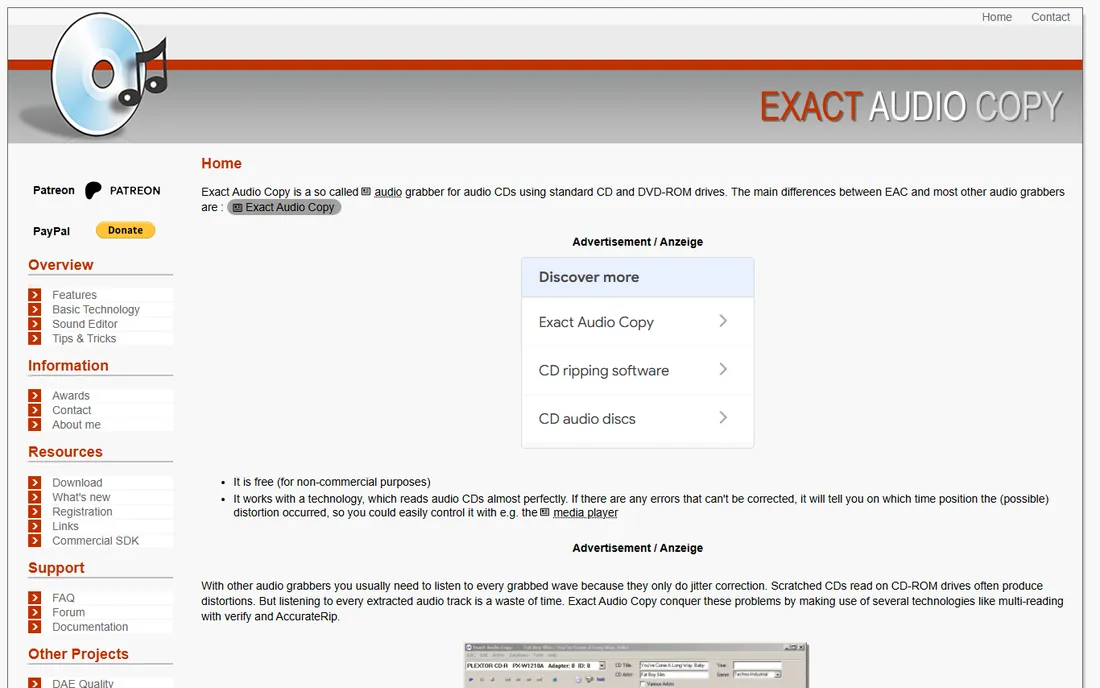
Exact Audio Copy (EAC) has been the free secure-ripping standard since the late 1990s, and it is still maintained. Its approach is paranoid in the best way: it reads each sector multiple times, compares results, and uses AccurateRip to verify against the global database. If a scratch defeats correction, EAC reports the exact time position of the distortion instead of silently writing bad audio.
The trade-off is usability: EAC's interface and setup wizard feel frozen in time, and beginners should follow a setup guide. But for a free ripper that treats your CDs with laboratory seriousness, nothing else comes close. Non-commercial users pay nothing.
What we like- Completely free for non-commercial use
- Legendary secure-reading technology with multi-read verification and AccurateRip
- Tells you exactly where uncorrectable errors occurred
Watch out for- Windows only
- The interface has barely changed in two decades
- Configuration is intimidating for beginners
#3
fre:ac
Best for: Free, open-source ripping and conversion on any operating system
Visit freac.org
Starting priceFree
Free planYes
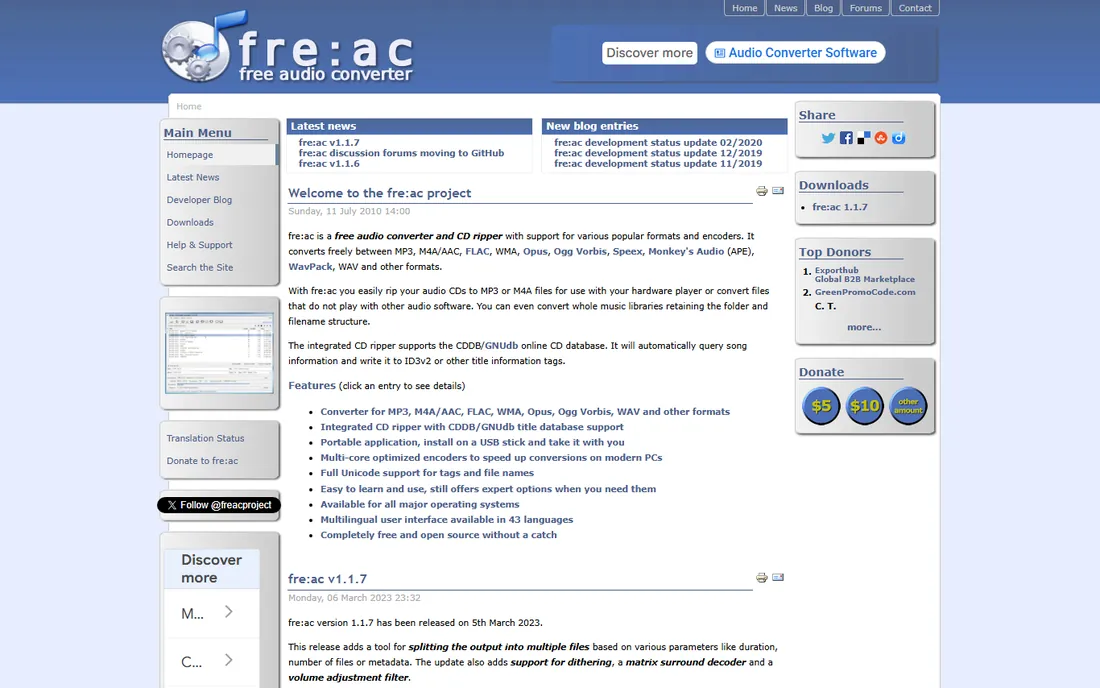
fre:ac is the cross-platform free option: an audio converter with an integrated CD ripper that handles MP3, M4A/AAC, FLAC, Opus, Ogg Vorbis, WMA and more. It queries the CDDB/GNUdb database for track names automatically, supports full Unicode tagging, and can even run portably from a USB stick.
It is not a secure ripper in the EAC sense; it prioritizes flexibility and format support over forensic verification. For users who want one free tool that rips CDs and converts between formats on any OS, fre:ac is the practical answer. The 43-language interface and genuinely clean open-source licensing are bonuses.
What we like- Completely free and open source with no adware
- Integrated CD ripper with CDDB/GNUdb metadata lookup
- Runs on Windows, macOS, Linux, FreeBSD and Haiku
- Multi-core optimized encoders
Watch out for- The interface is utilitarian
- Secure-ripping verification is less rigorous than EAC or dBpoweramp
- Development pace is community-driven
Starting priceFree
Free planYes
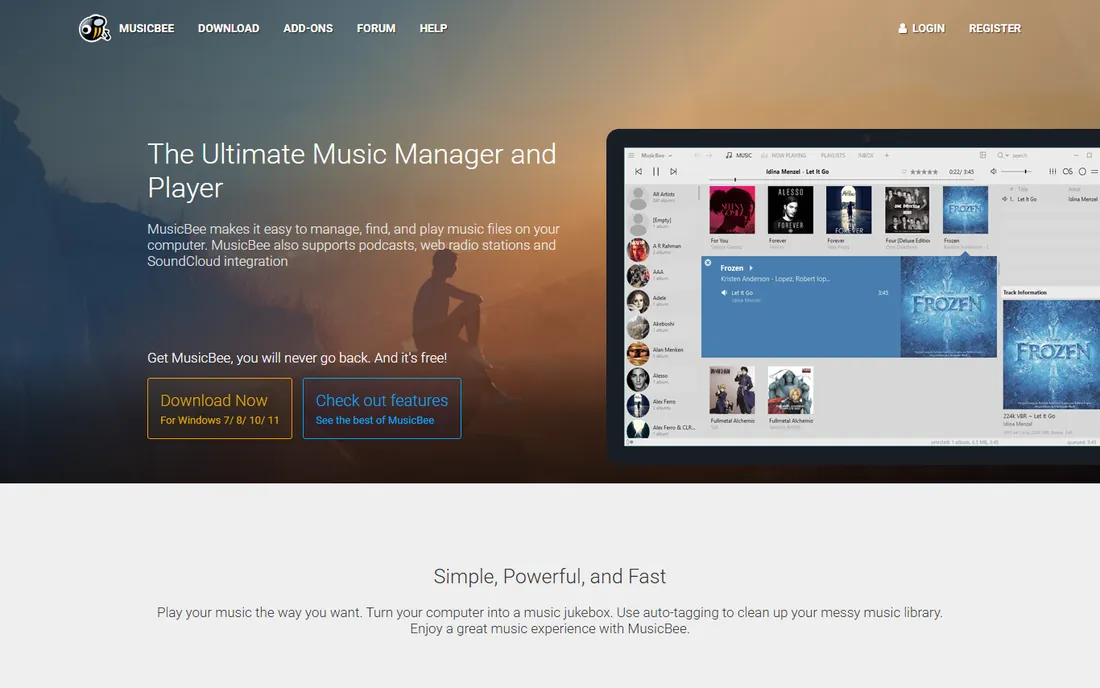
MusicBee is primarily a music manager and player that happens to rip CDs well. If your goal is a clean, organized library rather than archival perfection, its workflow is ideal: rip the CD, let auto-tagging fix the metadata, and enjoy gapless playback with WASAPI/ASIO support for good DACs. It handles libraries of 100,000+ tracks without breaking a sweat.
As a ripper it is straightforward rather than forensic: no multi-read secure mode to match EAC. But most users ripping a personal collection do not need that; they need speed, good metadata and a player they will actually use. MusicBee delivers all three for free on Windows.
What we like- Free music manager and player with built-in CD ripping
- Excellent auto-tagging and library organization
- Lightweight with skins and plugins
Watch out for- Windows only
- Ripping is a feature, not the focus, so no AccurateRip-level verification
- Groove Music integration is a legacy of an older era

#5
MediaMonkey
Best for: Ripping and organizing huge collections across PC and phone
Visit mediamonkey.com
Starting priceFree (Gold upgrade available, see website for current price)
Free planYes
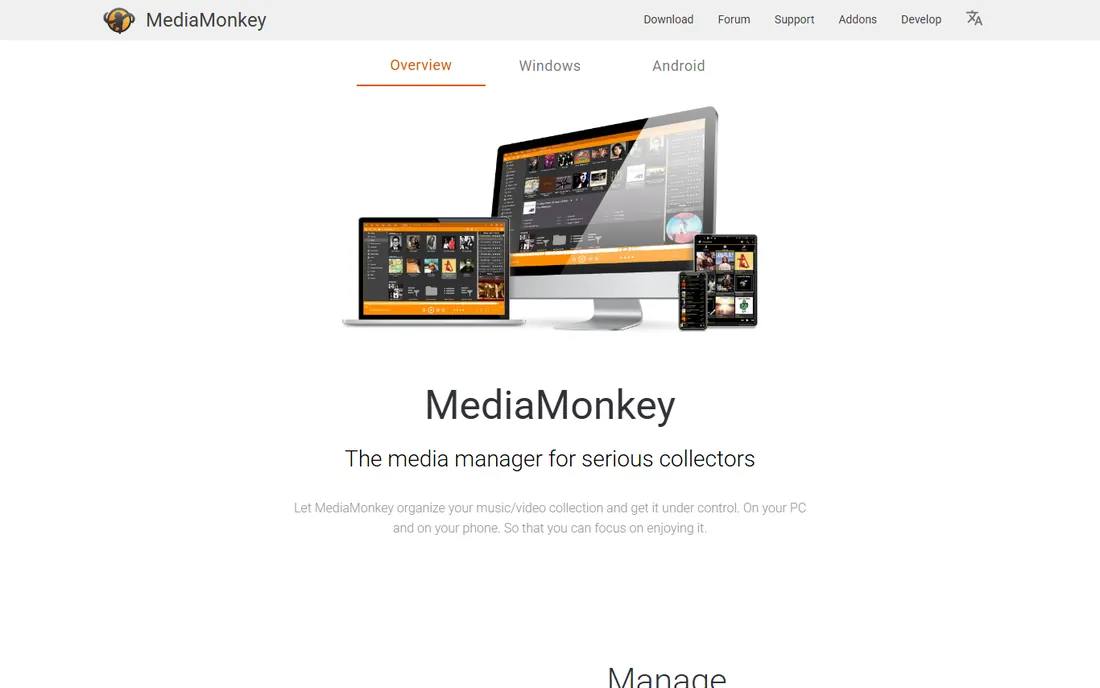
MediaMonkey's pitch is control over large collections: rip CDs, auto-tag artwork and metadata, organize files automatically, convert formats for devices, and sync with Android phones and DLNA players. For collectors with thousands of discs, the batch workflow and duplicate management matter more than ripper theology.
The free version handles ripping and core management; Gold adds the advanced automation. Like MusicBee, it is a library manager first and a ripper second, so forensic verification is not its game. Choose it when the collection, not the individual rip, is the project.
What we like- Free jukebox with CD ripping, conversion and device sync
- Manages 100,000+ files with auto-tagging and duplicate removal
- Android app for on-the-go sync
Watch out for- The free version covers ripping but advanced features sit in the paid Gold tier
- Interface is dense with options
- Video features add weight for audio-only users

#6
foobar2000
Best for: Minimalist audiophiles who want a free, precise player-ripper
Visit foobar2000.org
Starting priceFree
Free planYes
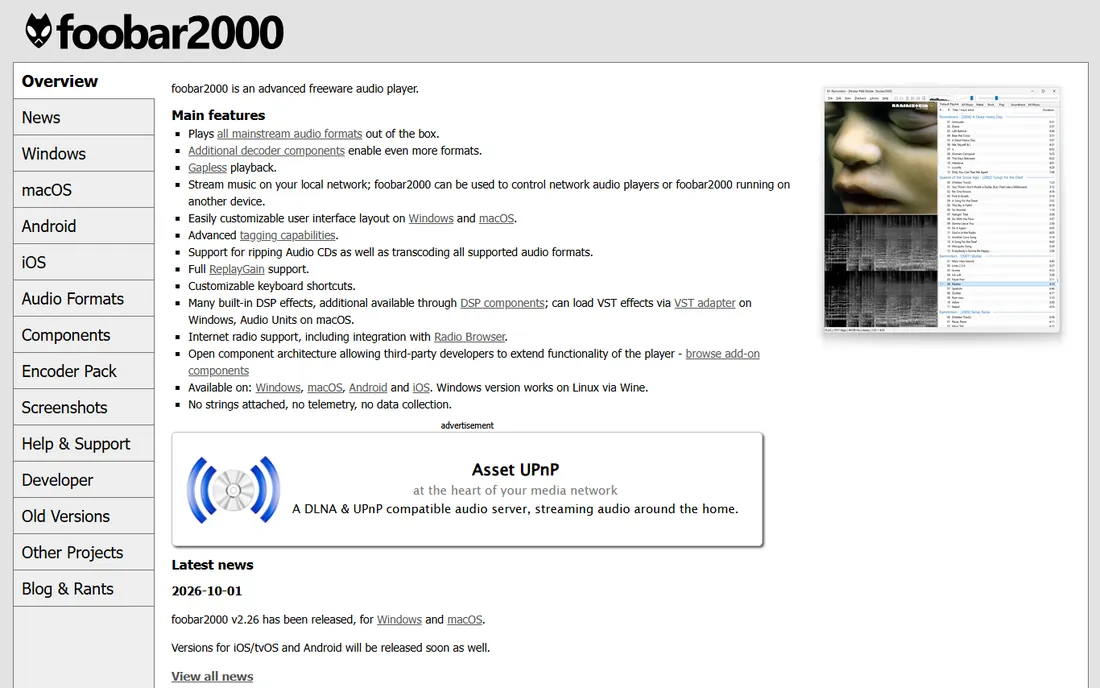
foobar2000 is the audiophile's toolkit: a free, no-nonsense audio player that rips CDs, transcodes formats, applies DSP effects and manages metadata with precision. Its open component architecture means the community has built rippers, encoders and visualizations for every need. The 2026 releases keep it current on Windows and macOS.
The learning curve is real: foobar2000 assumes you know what ReplayGain and DSP chains are. But for technical users who want a free, private (no telemetry at all) and endlessly customizable audio environment that includes ripping, it remains unmatched.
What we like- Advanced freeware audio player with built-in CD ripping and transcoding
- Gapless playback, ReplayGain and full tagging
- No telemetry or data collection
- Tiny resource footprint
Watch out for- Spartan default interface that needs customization to shine
- The component ecosystem assumes technical users
- MacOS and mobile versions trail the Windows build

#7
CUETools
Best for: Verifying and repairing rips with cue sheets and AccurateRip data
Visit cuetools.net
Starting priceFree
Free planYes
CUETools occupies a unique niche: rather than ripping, it verifies, repairs and converts. Point it at a rip and it checks the audio against AccurateRip data, fixes offsets, and converts between formats, including splitting or joining cue-sheet images. Archivists use it alongside EAC to validate large digitization projects.
It is free and open source, but it is not where beginners should start; pair it with EAC or dBpoweramp for the ripping itself. Note: the vendor site could not be fully verified during research, so confirm the current download source before installing. For the verification step of a serious archive, CUETools is the specialist instrument.
What we like- Free and open source
- Verifies existing rips against the AccurateRip database
- Can repair rips and convert between single-file and tracked cue images
Watch out for- A specialist tool, not a friendly everyday ripper
- The interface assumes you understand cue sheets
- Development is community-paced

#8
Apple Music (formerly iTunes)
Best for: Mac and Windows users who want the simplest possible CD import
Visit apple.com
Starting priceFree (app included; Apple Music subscription not required for ripping)
Free planYes
For most people, the best CD ripper is the one already on the computer. Apple's Music app imports CDs with a single click, fetches track names automatically, and encodes to AAC or Apple Lossless. There is no secure mode, no AccurateRip and no FLAC, but for getting a CD into a phone or a home library, the friction is zero.
Apple Music the subscription is irrelevant here: ripping works without it. This is the right choice for casual users and for anyone whose library lives in the Apple ecosystem. Archivists and audiophiles should pick from the tools above; everyone else can stop reading and insert the disc.
What we like- Already installed on every Mac and available free on Windows
- One-click CD import with automatic Gracenote metadata
- Apple Lossless encoding built in
Watch out for- No secure-ripping verification
- Limited format choices (no FLAC output)
- Metadata editing is basic
- Windows users need the separate Apple Music app
How we chose
We defined CD ripping software as tools that extract audio from CDs to digital files, including dedicated secure rippers and broader audio tools with ripping built in. For each candidate we opened the vendor's homepage, confirmed the product is current, and recorded pricing only where published. Most tools in this category are free; dBpoweramp's pricing was not published, so we wrote "See website."
Quick comparison
| Tool | Best for | Starting price | Free plan |
|---|
| dBpoweramp | Bit-perfect, verified ripping with the best metadata in the business | See website | Free trial (21 days) |
 Exact Audio Copy Exact Audio Copy | Free, forensic-grade secure ripping on Windows | Free (for non-commercial use) | Yes |
| fre:ac | Free, open-source ripping and conversion on any operating system | Free | Yes |
 MusicBee MusicBee | Ripping CDs as part of managing a large music library | Free | Yes |
| MediaMonkey | Ripping and organizing huge collections across PC and phone | Free (Gold upgrade available, see website for current price) | Yes |
| foobar2000 | Minimalist audiophiles who want a free, precise player-ripper | Free | Yes |
| CUETools | Verifying and repairing rips with cue sheets and AccurateRip data | Free | Yes |
| Apple Music (formerly iTunes) | Mac and Windows users who want the simplest possible CD import | Free (app included; Apple Music subscription not required for ripping) | Yes |
Is your product missing or out of date?
We review this list regularly. Vendors can request a listing, send updated pricing or ask about featured placement.
Secure ripping versus fast ripping: does it matter?
Secure rippers (EAC, dBpoweramp) read each disc section multiple times and verify the result against AccurateRip's database of other users' rips. Fast rippers read once and trust the drive. On a pristine disc, both produce identical files. On a scratched or aging disc, the secure ripper either corrects the errors or tells you exactly where they are; the fast ripper may bake in clicks and skips you will not notice until later.
For a one-time archive of a collection you may sell or store away, secure ripping is worth the slower speed: you get one chance to do it right. For ripping a new CD to put on your phone this week, any tool on this list is fine. Match the paranoia to the permanence of the job.
Choosing the right CD ripper
Start with your operating system and your goal. Windows archivists: Exact Audio Copy, free and forensic, or dBpoweramp if you want the best metadata and a smoother experience. Cross-platform or Linux users: fre:ac. Library managers who rip as part of organizing: MusicBee or MediaMonkey. Technical minimalists: foobar2000. Mac users who just want it done: Apple Music.
Then pick your format. FLAC is the archival standard: lossless, open, and playable everywhere except Apple-only ecosystems. Apple Lossless (ALAC) is the equivalent for Apple households. MP3 or AAC at high bitrates remain the practical choice for phones and cars with limited storage. Whatever you choose, keep the lossless originals: storage is cheap, re-ripping a thousand CDs is not.
Frequently asked questions
What is the best format to rip CDs to?
FLAC for archival: it is lossless (bit-identical to the CD), open, and widely supported. Apple Lossless is the equivalent inside Apple's ecosystem. For portable use, high-bitrate AAC or MP3 saves space with quality most listeners cannot distinguish from lossless. Rip once to lossless, then convert copies for devices.
What is AccurateRip and why does it matter?
AccurateRip is a crowdsourced database of CD rip checksums. When your rip's checksum matches rips by other users worldwide, you know it is bit-perfect without listening to every track. dBpoweramp invented it; Exact Audio Copy and CUETools also use it. It is the closest thing the ripping world has to a guarantee.
Can I rip copy-protected CDs?
Most commercial audio CDs are not copy-protected in a way that stops ripping; the tools above handle them normally. A small number of discs from the early 2000s used copy-protection schemes that can cause problems. Secure rippers report read errors on these, which at least tells you what is happening. Modern CDs do not use these schemes.
How long does it take to rip a CD?
A fast rip takes five to ten minutes; a secure rip with verification can take fifteen to thirty minutes on a difficult disc. Batch-ripping a large collection is a background project measured in weeks: a thousand CDs at ten minutes each is over 160 hours of drive time. dBpoweramp's batch ripper and multiple drives speed this up for serious archivists.
Is it legal to rip CDs I own?
In the US, ripping CDs you own for personal use is widely considered fair use, though the law has gray areas around circumventing copy protection. Laws vary by country: some explicitly allow private copying, others do not. This article is not legal advice; check your local law. Sharing or distributing ripped files is copyright infringement everywhere.
Sources we checked (8)
- https://dbpoweramp.com/
- https://exactaudiocopy.de/
- https://freac.org/
- https://getmusicbee.com/
- https://mediamonkey.com/
- https://foobar2000.org/
- https://cuetools.net
- https://www.apple.com
Is your product missing or out of date?
We review this list regularly. Vendors can request a listing, send updated pricing or ask about featured placement.

Shihab Mia · Founder, Rankite
Shihab has spent more than a decade helping SaaS and e-commerce brands grow through search. He writes Rankite's software buying guides from pricing pages, documentation and public user reviews. More about Shihab.