How we make this list: we compare pricing pages, product documentation and public user reviews. Rankite is independent; if a vendor ever pays for a featured spot, that listing is clearly labeled Partner.
Key takeaways
- Audacity is the free, open-source standard for recording and editing; Adobe Audition is the pro editing suite inside Creative Cloud.
- Voicemeeter is the free virtual mixer for routing audio between apps on Windows; EarTrumpet fixes Windows volume control per app.
- Mixxx, VirtualDJ and Serato are DJ mixers: Mixxx is free and open source, VirtualDJ is free for home use, Serato DJ Lite starts free.
- NCH MixPad is the straightforward paid multitrack mixer for music production basics.
The best audio mixer software
"Audio mixer software" covers two different jobs. The studio job is mixing recorded tracks: multitrack editing, effects, levels and mastering. The live job is mixing sound in real time: DJ sets, streaming audio routing, and per-app volume control. These eight tools cover both, from free open-source staples to professional suites.
Starting priceFree (open source)
Free planYes
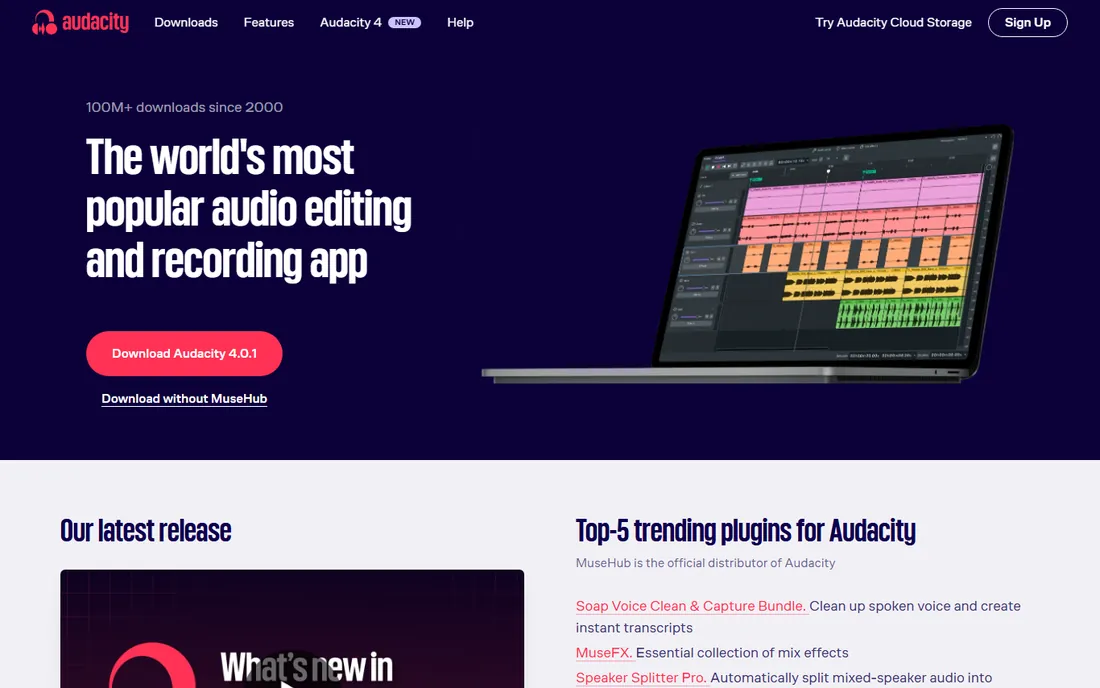
Audacity is the world's most popular audio editor for a reason: record live audio, digitize recordings, edit and mix multitracks, apply effects, and export to every major format, all free. Plugin support (VST3, Nyquist) extends it enormously, and the spectrogram view serves analysis work that paid tools charge for.
For podcasters, educators, musicians on a budget and anyone who needs to get audio work done without spending, Audacity is the default answer. Power users who outgrow it usually move to a full DAW, but many never need to.
What we like- Free forever and open source on Windows, Mac and Linux
- Multitrack recording and editing with VST3 and Nyquist plugin support
- Spectrogram view and deep analysis tools
Watch out for- The interface is functional rather than modern (Audacity 4 is improving this)
- No real-time non-destructive effects workflow like paid DAWs
- Collaboration lives in the separate Audio.com companion

#2
Adobe Audition
Best for: Professional audio editing and mixing inside the Adobe ecosystem
Visit adobe.com
Starting priceSee website
Free planNo
Adobe Audition is the professional audio workstation: multitrack mixing, spectral editing, noise reduction and restoration, loudness metering for broadcast standards, and round-trip workflows with Premiere Pro. It is the audio side of the video production pipeline many creators already live in.
It is paid software on a Creative Cloud subscription; check Adobe's site for current plans and trial terms. For podcasters and video creators already paying for Creative Cloud, Audition is the natural step up from Audacity.
What we like- Pro-grade multitrack mixing, waveform editing and restoration tools
- Tight integration with Premiere Pro for video workflows
- Essential Sound panel speeds up common tasks
Watch out for- Subscription-only via Creative Cloud
- Pricing is not published on the homepage
- Overkill for simple recording and editing

#3
VB-Audio Voicemeeter
Best for: Free virtual audio mixing and routing between apps on Windows
Visit vb-audio.com
Starting priceFree (donationware)
Free planYes
Voicemeeter is the tool streamers, podcasters and remote workers use to route audio like a hardware mixer: send your mic through effects to Discord, mix game audio separately from voice for the stream, record each source independently. It creates virtual audio devices that any Windows app can use as inputs and outputs.
It is donationware: fully functional, with the vendor asking for a donation. The learning curve is real, but for the "make my Windows audio do impossible things" job, nothing else free comes close.
What we like- Mixes and routes audio between applications, microphones and outputs in real time
- Voicemeeter, Banana and Potato versions scale from simple to complex
- Donationware, so the full app is free
Watch out for- Windows-only
- The interface is dense and technical
- Setup requires understanding virtual audio devices

#4
Mixxx
Best for: Free, open-source DJ mixing with real hardware support
Visit mixxx.org
Starting priceFree (open source)
Free planYes
Mixxx integrates the tools DJs need for creative live mixes: four-deck mixing, BPM and musical key detection, sync lock, effects, samplers, vinyl timecode control, and broad DJ controller support with customizable mappings. It is free open source and always will be, maintained by DJs and programmers.
For learning DJing or playing gigs without a software budget, Mixxx is fully capable. Commercial rivals offer more polish and catalog integrations; Mixxx offers freedom and zero cost.
What we like- Completely free with no company behind it, community-driven
- BPM and key detection, sync lock, effects chaining and vinyl control
- Built-in mappings for DJ controllers and programmable MIDI/HID mapping
Watch out for- The interface is less polished than commercial DJ software
- No built-in streaming catalog integrations
- Smaller tutorial ecosystem than Serato or VirtualDJ
Starting priceFree (home use; professional licenses on site)
Free planYes
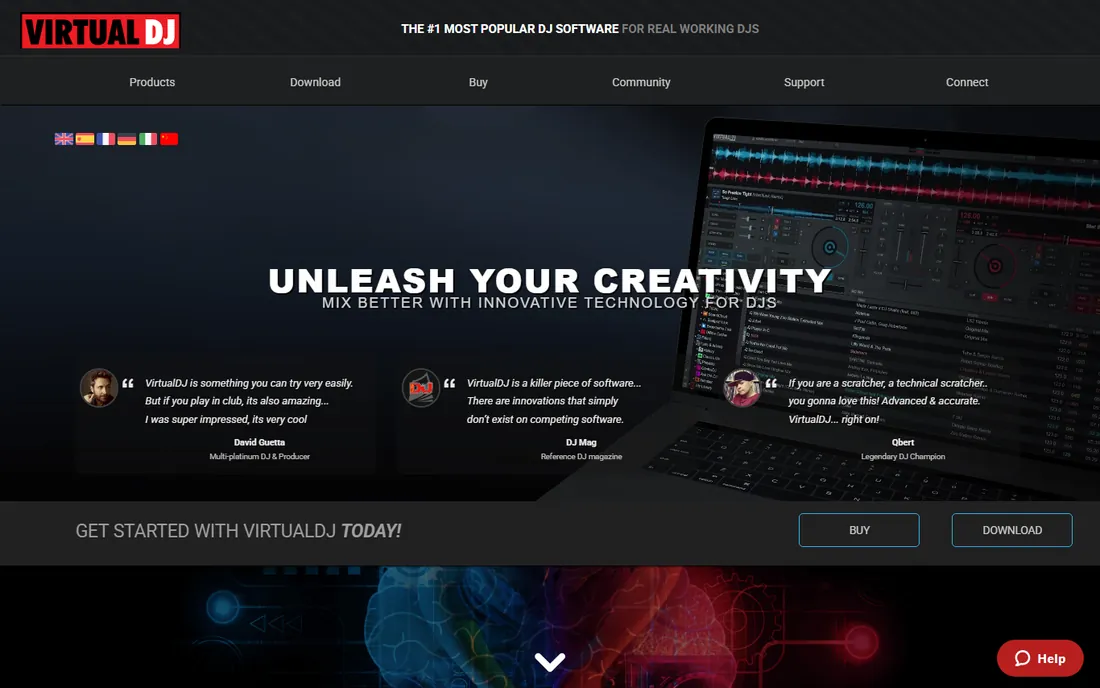
VirtualDJ is the most downloaded DJ software on the planet, and the 2026 version pushes real-time stem separation: isolate or remove vocals, instruments and drums live for mashups and transitions. It runs standalone with just a laptop, supports hundreds of controllers, and mixes audio, video and karaoke.
Free for home practice and learning, paid for professional use; check the site for current license terms. For DJs who want the most advanced features first, VirtualDJ's innovation pace is the draw.
What we like- Free for non-professional use with real-time stem separation in the 2026 version
- Supports 300+ controllers with plug-and-play setup
- Video and karaoke mixing built in
Watch out for- Professional use requires a paid license
- The feature depth can overwhelm beginners
- The marketing is louder than the documentation

#6
Serato DJ
Best for: Club-standard DJ software with a free entry point
Visit serato.com
Starting priceSee website
Free planYes (Serato DJ Lite)

Serato is the DJ software of the club booth: DJ Pro for professionals, DJ Lite free for beginners, plus Sample, Studio and Hex FX for producers. Streaming integrations with Spotify and Apple Music mean millions of songs ready to mix, and the hardware support covers the industry's standard controllers and mixers.
For DJs aiming at real gigs, learning on Serato means learning the club standard. Start with DJ Lite free, upgrade to Pro when the gigs justify it.
What we like- Industry-standard reliability trusted by professional DJs
- DJ Lite is free to start
- Streaming integrations (Spotify, Apple Music) expand the library
- Hardware ecosystem is extensive
Watch out for- DJ Pro is paid with pricing on the site
- Historically more closed hardware ecosystem than VirtualDJ
- The free Lite version has feature limits

#7
EarTrumpet
Best for: Per-app volume control and audio device switching on Windows
Visit eartrumpet.app
Starting priceFree
Free planYes
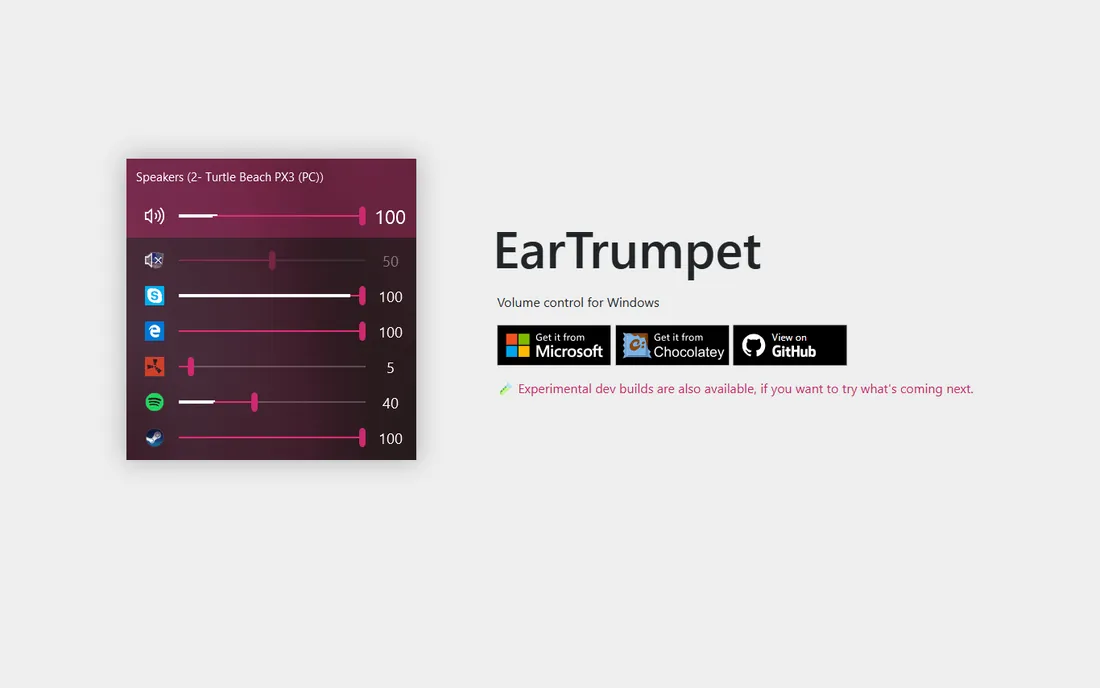
EarTrumpet fixes the most annoying gap in Windows audio: proper per-application volume control. Set your browser quiet, your game loud, and your call in the middle, and switch output devices per app, all from a clean flyout. It is free from the Microsoft Store, Chocolatey or GitHub.
It is not a mixer in the production sense; pair it with Voicemeeter when you need routing, or use it alone when you just want civilized volume control. Every Windows user who has fought the default mixer should install it.
What we like- Replaces Windows' limited volume mixer with per-app sliders
- Quick audio output switching per app
- Free and open source via the Microsoft Store and GitHub
Watch out for- Windows-only
- It is a volume controller, not a mixer with effects
- Does not route audio between apps like Voicemeeter

#8
NCH MixPad
Best for: Simple multitrack music mixing and production
Visit nch.com.au
Starting priceSee website
Free planSee website
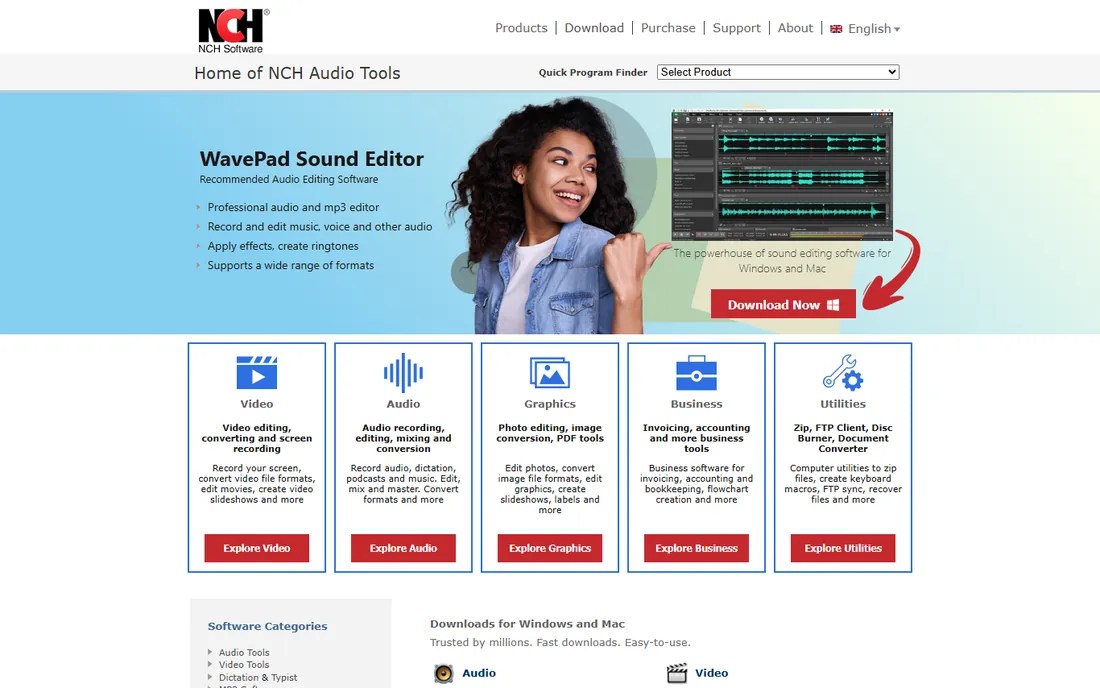
MixPad is NCH Software's multitrack mixer: record, edit and mix unlimited audio tracks, add effects and VST plugins, and export finished mixes. It sits between Audacity's simplicity and a full DAW's complexity, aimed at musicians and podcasters who want mixing without a learning cliff.
Check the NCH site for current pricing and trial terms. For straightforward music mixing on a budget, it is a practical middle ground; for free, Audacity covers much of the same ground.
What we like- Straightforward multitrack mixing with effects, VST support and beat designer
- Records and mixes music, voice and other audio
- Part of NCH's broad, affordable audio suite
Watch out for- Pricing is not published on the homepage
- The interface is dated next to modern DAWs
- Advanced producers will outgrow it
How we chose
We defined audio mixer software broadly: multitrack mixers and editors (studio job) plus live mixers, DJ software and audio routing tools (live job). For each candidate we opened the vendor's homepage, confirmed the product is current, and recorded pricing only where published. Full DAWs like Ableton and FL Studio are a separate category; these eight are the mixing-focused tools buyers actually search for.
Quick comparison
| Tool | Best for | Starting price | Free plan |
|---|
 Audacity Audacity | Free recording, editing and mixing for podcasts, music and voice | Free (open source) | Yes |
| Adobe Audition | Professional audio editing and mixing inside the Adobe ecosystem | See website | No |
| VB-Audio Voicemeeter | Free virtual audio mixing and routing between apps on Windows | Free (donationware) | Yes |
| Mixxx | Free, open-source DJ mixing with real hardware support | Free (open source) | Yes |
 VirtualDJ VirtualDJ | Feature-packed DJ mixing, free for home use | Free (home use; professional licenses on site) | Yes |
| Serato DJ | Club-standard DJ software with a free entry point | See website | Yes (Serato DJ Lite) |
| EarTrumpet | Per-app volume control and audio device switching on Windows | Free | Yes |
| NCH MixPad | Simple multitrack music mixing and production | See website | See website |
Is your product missing or out of date?
We review this list regularly. Vendors can request a listing, send updated pricing or ask about featured placement.
Studio mixing versus live mixing: know your job
The studio job (Audacity, Audition, MixPad) is about recorded audio: multiple tracks, editing, effects, and a finished file. The live job (Mixxx, VirtualDJ, Serato) is about real-time performance: beatmatching, transitions, and reading a crowd. The routing job (Voicemeeter, EarTrumpet) is about controlling sound between apps on your computer.
Buying the wrong kind wastes your time: a DJ app will not edit your podcast well, and an editor will not mix your live set. Podcasters and musicians: start with Audacity free, consider Audition or MixPad when you need more. DJs: start with Mixxx or Serato DJ Lite free. Streamers and remote workers: Voicemeeter plus EarTrumpet covers the Windows audio plumbing.
Choosing the right audio mixer software
Start with the job and the budget. Recording and editing: Audacity (free) or Adobe Audition (paid, Creative Cloud). DJing: Mixxx (free), Serato DJ Lite (free) or VirtualDJ (free for home use). Windows audio routing: Voicemeeter (donationware) and EarTrumpet (free). Simple multitrack music mixing: MixPad.
Then check compatibility with your hardware and workflow: DJ controller support (Mixxx and VirtualDJ map broadly; Serato pairs with club-standard gear), plugin formats (VST3 in Audacity and MixPad), and OS (Voicemeeter and EarTrumpet are Windows-only). Download the free options first; most buyers in this category never need to pay.
Frequently asked questions
What is the best free audio mixer software?
Audacity for recording, editing and mixing; Mixxx for DJing; Voicemeeter for routing audio between Windows apps; EarTrumpet for per-app volume control. All are free and cover the core jobs. Most users should exhaust the free options before paying, since they are genuinely capable.
Can Audacity do everything Adobe Audition does?
Not quite. Audacity handles recording, multitrack editing, effects and mixing well, but Audition adds spectral editing, advanced restoration, loudness metering for broadcast, and Premiere Pro integration. For podcasts and basic music work, Audacity suffices; for professional post-production, Audition earns its subscription.
What is the difference between Mixxx, VirtualDJ and Serato?
All three are DJ mixing apps. Mixxx is free and open source with broad controller support. VirtualDJ is free for home use with the most aggressive feature innovation (real-time stem separation). Serato is the club standard with a free Lite version and the deepest pro hardware ecosystem. Learn on any; gig on Serato or VirtualDJ.
Do I need Voicemeeter or is EarTrumpet enough?
Different jobs. EarTrumpet gives per-app volume control and output switching: enough for most users. Voicemeeter routes audio between apps like a hardware mixer: mic through effects to Discord while game audio goes to the stream separately. Install EarTrumpet first; add Voicemeeter when you need routing.
Can I use DJ software without a controller?
Yes. Mixxx, VirtualDJ and Serato DJ Lite all work with just a laptop keyboard and mouse for practice and learning. A controller adds tactile control for real performances, and all three support broad hardware when you are ready. Start software-only to learn the fundamentals.
Sources we checked (8)
- https://audacityteam.org/
- https://www.adobe.com
- https://vb-audio.com/
- https://mixxx.org/
- https://virtualdj.com/
- https://serato.com/
- https://eartrumpet.app/
- https://nch.com.au/
Is your product missing or out of date?
We review this list regularly. Vendors can request a listing, send updated pricing or ask about featured placement.

Shihab Mia · Founder, Rankite
Shihab has spent more than a decade helping SaaS and e-commerce brands grow through search. He writes Rankite's software buying guides from pricing pages, documentation and public user reviews. More about Shihab.