How we make this list: we compare pricing pages, product documentation and public user reviews. Ratings come from G2, Capterra or Trustpilot, with the date we checked them.
Key takeaways
- Canva and Adobe Express cover everyday brand content for free, while dedicated logo makers produce a sharper identity faster.
- Tailor Brands is the only tool here that pairs branding with LLC formation and compliance, which suits first-time founders.
- Logo makers differ on what you actually own: Brandmark and DesignEvo include copyright with paid packages, while free downloads often carry limits.
- Wix's logo maker now runs under the Wixel brand, and its free plan works on AI credits, so heavy AI editing runs out faster than manual editing.
Quick comparison
Is your product missing or out of date?
We review this list regularly. Vendors can request a listing, send updated pricing or ask about featured placement.
#1Canva
Best for: Everyday brand content4.7/5 on
G2 (7,678 reviews, checked Oct 2026)
Visit canva.com
Starting priceFree
Free planYes
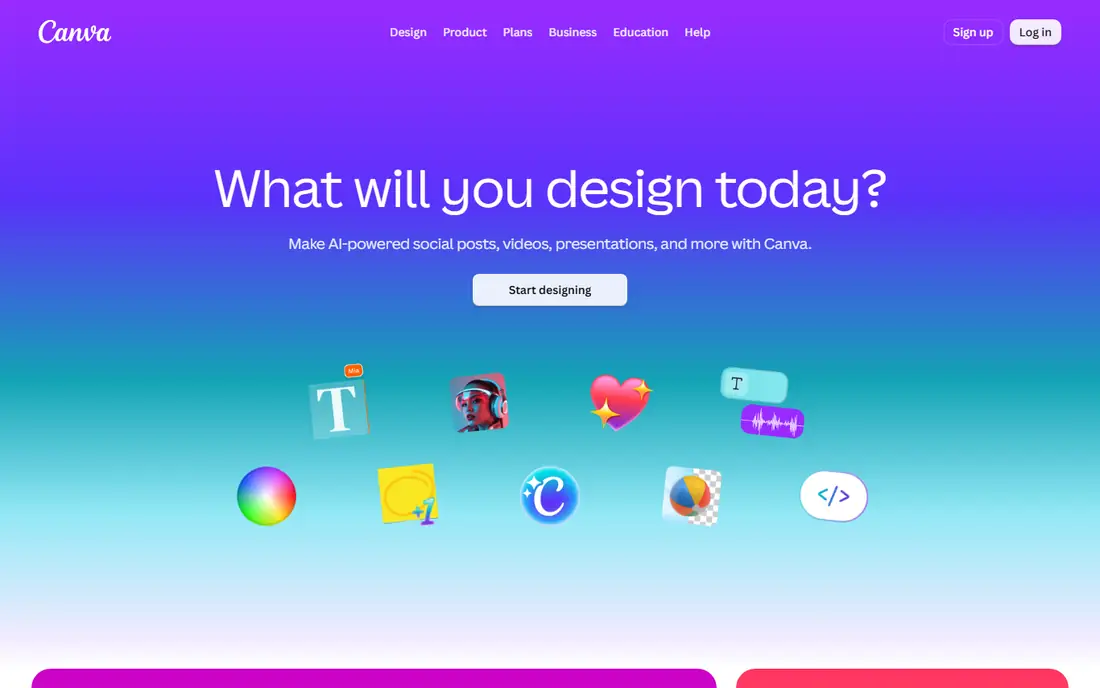
Canva is the default design tool for startups that need a lot of content fast. Social posts, pitch decks, business cards, invoices and simple videos all come from one editor, and the brand kit keeps your colors, fonts and logos in one place so every new design starts on-brand. The free plan covers most of what an early startup needs, including thousands of templates and basic brand kit features.
The catch is originality. A logo built from a popular Canva template can look familiar, and true trademark-grade distinctiveness is hard to guarantee from template parts. Advanced brand controls, such as locked templates and multi-brand kits, sit behind the Pro plan. Use Canva for the volume of daily brand content, and pair it with a dedicated logo maker for the mark itself.
What we like- Huge template library
- Brand kit stores colors, fonts and logos
- Team collaboration built in
Watch out for- Logo originality is limited by template use
- Advanced brand controls need a paid plan

#2Looka
Best for: Logo and brand kit in one go2.7/5 on
G2 (16 reviews, checked Oct 2026)
Visit looka.com
Starting priceSee website
Free planNo
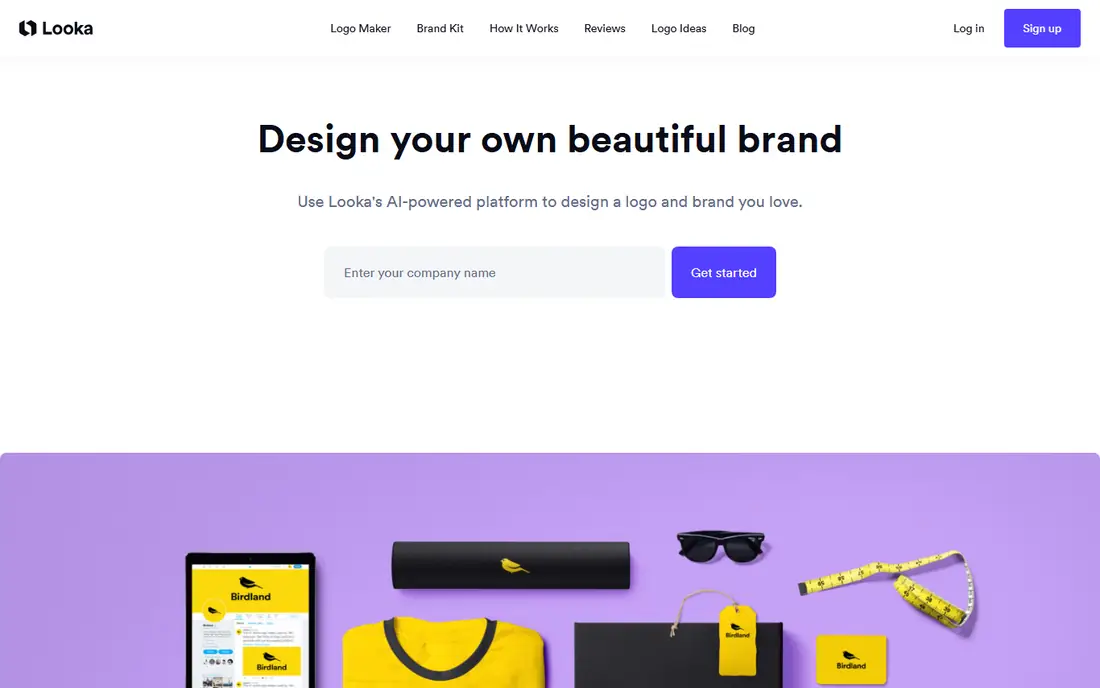
Looka asks a few questions about your industry, style and colors, then generates a large set of logo concepts you can refine in the editor. The appeal is speed: a founder can move from a blank page to a shortlist in one sitting, and the brand kit bundles the logo with social media templates, business card designs and a brand guidelines document.
Looka's homepage returned only a verification page during our check, so pricing details are listed as "See website" rather than guessed. The model is familiar from the category: designing is free, while high-resolution downloads and the full brand kit require a paid package. In crowded categories like coffee or fitness, expect to spend extra time customizing, since the base concepts draw on common icon styles.
What we like- Generates many logo concepts from a short questionnaire
- Brand kit includes social templates and business cards
Watch out for- Full downloads require a paid package
- Designs can feel generic in crowded categories
#3Adobe Express
Best for: On-brand social and marketing content4.5/5 on
G2 (855 reviews, checked Oct 2026)
Visit adobe.com
Starting priceFree
Free planYes
Adobe Express is a free design, photo and video tool aimed at creating on-brand content quickly. It offers templates, one-click edits like background removal and resizing, and generative AI features Adobe describes as commercially safe. A free plan is available, with a 30-day trial for the Premium plan, and team features help keep projects consistent across collaborators.
Express is stronger for ongoing content than for the logo itself. It will not generate a distinctive brand mark the way Looka or Brandmark will, and the best templates and AI features sit behind Premium. Startups already in the Adobe ecosystem, or those producing a steady stream of social and marketing graphics, get the most from it.
What we like- Free plan with templates, photo and video tools
- Commercially safe generative AI features
- Team brand controls
Watch out for- Premium features need a paid plan
- Less focused on logo creation than dedicated makers
Starting price$199 per year
Free planNo
Tailor Brands is the broadest tool on this list. It forms your LLC, tracks compliance deadlines with an AI assistant called Navi, and bundles branding tools including logo design, a DIY website, a domain, a digital business card and a social media post maker. The Lite plan starts at $0 plus state fees, but the branding bundle appears in the Essential plan at $199 per year and the Elite plan at $249 per year.
That breadth is the point for first-time founders who want one dashboard instead of five vendors. The trade-off is depth: the logo maker and website builder are solid but not best-in-class, and the annual price climbs once you add formation and compliance. If you only need a logo, a dedicated maker is cheaper. If you are also forming a company, Tailor Brands removes a lot of separate admin.
What we like- LLC formation, compliance and branding in one dashboard
- AI assistant tracks filings and deadlines
- Logo and website tools included
Watch out for- Branding tools require the higher tiers
- Formation fees add state fees on top
Starting priceSee website
Free planNo
Brandmark calls itself the most advanced AI logo design tool, and its pitch is simple: generate unlimited logos for free, pay once when you find one you like, and keep access to the branding tools forever. The purchase includes logo source files, a brand guide, business card designs, social graphics, presentation templates and mockups, with full copyright for commercial and personal use.
The one-time model suits startups that dislike subscriptions. You can revise your logo at any time after purchase, and the team offers free tweaks if a design needs a human touch. The limit is that free generation does not include free high-resolution downloads, so budget for the package price, and check the pricing page before you fall in love with a concept.
What we like- Generates unlimited logos free
- One-time payment, no subscription
- Full copyright included with purchase
Watch out for- No free high-resolution download
- Smaller asset range than full brand kits
#6
Wix Logo Maker (Wixel)
Best for: Free logo design
Visit wix.com
Starting priceFree
Free planYes
Wix's logo maker now operates under the Wixel brand, an AI design agent for social posts, reels and logos. The flow is familiar: enter your business name, answer questions about your brand, or start from a template, then customize colors, fonts, icons and layout. On the free plan you get AI credits for generation and AI editing, while manual changes stay free, and finished logos download in high-resolution SVG or PNG at no cost.
The credit system is the thing to understand before you start. Each AI generation spends credits, so a long session of AI revisions can run out, while manual tweaking costs nothing. The rebrand from Wix Logo Maker to Wixel is also worth noting, since older guides and bookmarks may use either name. For a genuinely free logo with vector downloads, it is one of the strongest options here.
What we like- Free plan with AI credits
- Download in SVG or PNG at no cost
- Brand themes extend the logo across designs
Watch out for- AI generations consume credits
- The tool now runs under the Wixel name, which can confuse returning users
Starting priceFree
Free planYes
Renderforest is an all-in-one visual platform: AI video generation, logo design, mockups, graphics and a website builder. Its free plan includes access to basic templates and tools, which is enough to create a logo, an animated intro and a few social clips. The platform also integrates current AI models for video and image generation, so a startup can produce a launch video and a logo in the same workspace.
The free plan's limit is visible on every export: a Renderforest watermark and standard resolution. Paid plans remove the watermark and open up Full HD and 4K exports plus full commercial usage rights. If video is part of your brand from day one, Renderforest covers more ground than a logo-only tool. If you only need a static logo, the watermark makes the free tier a trial, not a final deliverable.
What we like- Free plan covers logos, videos and websites
- 1,200+ video templates
- Animated logo intros
Watch out for- Free exports carry a watermark and limited resolution
- Paid plans needed for HD and 4K

#8DesignEvo
Best for: Template-driven logo design4.0/5 on
G2 (37 reviews, checked Oct 2026)
Visit designevo.com
Starting priceSee website
Free planNo
DesignEvo is a free logo maker with more than 10,000 templates, millions of free vector icons and over 100 fonts. You can open the editor without downloading anything and build a logo in about five minutes, then save projects to your account for later edits. The Basic package provides high-resolution JPG and PNG files, while the Plus package adds vector files (PDF, SVG), the font files used in your design, and copyright ownership.
The model is design-free, download-paid, which is standard in this category. The template library is the real strength: searching by keyword across 10,000 starting points beats a blank canvas for most founders. The weakness is the same as any template tool: a lightly edited template can look generic, so change the icon, colors and typography enough that the result reads as yours, not as a category default.
What we like- 10,000+ templates
- No download needed to start
- Vector files and font files in the Plus package
Watch out for- High-resolution downloads require a paid package
- Template-based designs need customization to stand out
How we chose
We looked for tools a startup founder can actually use without hiring a designer, covering the logo itself, the wider brand kit, and the everyday content that keeps a brand consistent. Each tool's homepage was opened to confirm it loads and matches the product, and pricing was taken from the vendor's own pages where visible. Where a homepage only returned a verification or notice page, we said so and left the price as "See website" instead of guessing. Tools that only sell agency services, or that no longer offer a self-serve product, were left out.
Match the tool to the job you actually have this month. If you need a logo and nothing else, a dedicated maker like Brandmark, Looka or DesignEvo will get you there fastest, and a one-time purchase avoids another monthly bill. If you need a logo plus a stream of social posts, pitch decks and ads, Canva or Adobe Express will carry more of the daily load, with a logo maker used once for the mark itself.
Check ownership before you pay. Some free downloads limit commercial use or resolution, and some packages include copyright while others do not. Test the logo at small sizes, in black and white, and next to competitors in your category. A mark that only works in full color at large sizes will fail as a profile picture, a favicon and a printed receipt. Finally, keep your brand assets in one place from the start: colors, fonts, logo files and templates saved in a shared folder save more time over a year than any single tool choice.
Frequently asked questions
How much should a startup spend on branding tools?
Very little at first. A free logo from Wixel or a one-time package from Brandmark or DesignEvo, plus a free Canva or Adobe Express plan for content, covers most startups under $250 in the first year. Spend more only when a specific limit, like watermarked exports or missing vector files, blocks real work.
Can I trademark a logo made with a logo maker?
It depends on the tool's terms and how distinctive the result is. Packages from Brandmark and DesignEvo's Plus tier include copyright ownership, which is a start, but trademark registration also requires the mark to be distinctive in your category. Ask a trademark attorney before filing, especially in a crowded market.
Is a free logo good enough for a real business?
Yes, if the design is distinctive and you have high-resolution files. A free SVG or PNG from Wixel works fine on a website, packaging and social profiles. What free tiers often lack is the full brand kit: guidelines, business cards and social templates that paid packages bundle.
What is the difference between Canva and a logo maker?
Canva is a general design tool for ongoing content, while a logo maker is built to generate a brand mark and its variations. Use a logo maker once for the identity, then Canva or Adobe Express daily for the content that carries it.
Why did Wix Logo Maker become Wixel?
Wix rebranded its design tool as Wixel, an AI design agent covering logos, social posts, reels and more. The logo maker still lives at the same address, and the free plan still offers logo downloads, but guides written before the rebrand will use the old name.
Should I use Tailor Brands if I only need a logo?
No. Tailor Brands makes sense when you also need LLC formation, compliance tracking or a business website. For a logo alone, a dedicated maker is cheaper and more focused.
Sources we checked (8)
- https://www.canva.com
- https://looka.com
- https://www.adobe.com/express/
- https://www.tailorbrands.com
- https://brandmark.io
- https://www.wix.com/logo/maker
- https://www.renderforest.com
- https://www.designevo.com
Is your product missing or out of date?
We review this list regularly. Vendors can request a listing, send updated pricing or ask about featured placement.

Shihab Mia · Founder, Rankite
Shihab has 5+ years in B2B and SaaS SEO. He writes Rankite's software buying guides from pricing pages, documentation and public user reviews. More about Shihab.
 Tailor Brands
 Brandmark
 Renderforest