How we make this list: we compare pricing pages, product documentation and public user reviews. Ratings come from G2, Capterra or Trustpilot, with the date we checked them.
Key takeaways
- YouTube still offers the widest free reach for long videos and search-based discovery, while TikTok and Instagram Reels lead for short-form reach.
- Vimeo, Wistia, and Vidyard fit business videos better, because they offer cleaner players, privacy controls, and lead capture without unrelated recommendations.
- Loom is the fastest option for work messages, since a short screen recording often replaces a meeting or a long email thread.
- Twitch is a live-first choice, not a general video host, so use it when real-time interaction matters more than polished uploads.
- Most creators do best with two platforms: one for discovery, and one for controlled hosting or client delivery.
Quick comparison
| Tool | Best for | Starting price | Free plan |
|---|
 YouTube YouTube | Widest free reach | Free | Yes |
 TikTok TikTok | Short-form viral reach | Free | Yes |
 Instagram Reels Instagram Reels | Short video inside Instagram | Free | Yes |
 Vimeo Vimeo | Professional ad-free hosting | See website | Yes |
 Dailymotion Dailymotion | Free alternative uploads | Free | Yes |
 Twitch Twitch | Live streaming community | Free | Yes |
 Loom Loom | Quick work video messages | See website | Yes |
 Wistia Wistia | Business video marketing | See website | Yes |
 Vidyard Vidyard | Sales and marketing video | See website | Yes |
Is your product missing or out of date?
We review this list regularly. Vendors can request a listing, send updated pricing or ask about featured placement.
The best app to share videos
Starting priceFree
Free planYes
YouTube remains the default place to publish a video that needs to be found. Search, suggested videos, and playlists give a video a longer life than a feed post, and creators can mix Shorts with long-form uploads in one channel. For tutorials, reviews, and explainers, that search life is a real advantage.
The downside is control. After your video ends, YouTube may suggest unrelated content, and ads can interrupt playback. Businesses that need a clean, branded player often host on YouTube for reach and use a second platform for website embeds and client work.
What we like- Largest video audience and strong search discovery
- Free uploads, playlists, and analytics
- Supports short and long videos
Watch out for- Viewer recommendations can pull people away
- Ads appear unless viewers pay for Premium
#2TikTok
Best for: Short-form viral reach4.8/5 on
G2 (12 reviews, checked Oct 2026)
Visit tiktok.com
Starting priceFree
Free planYes
TikTok is built for discovery by people who do not follow you yet. A short, clear video can reach a large audience without an existing following, which is why many creators start there. The editing tools, sounds, and trends are part of the format, not extras added later.
That strength is also a limit. Long explanations, detailed tutorials, and evergreen guides fit poorly in short clips. TikTok works best as a discovery channel that points viewers to a longer video, a website, or a newsletter, rather than as the only home for your work.
What we like- Strong recommendation feed for new creators
- Built-in editing, effects, and sounds
- Fast posting from a phone
Watch out for- Short format limits depth
- Reach depends heavily on the recommendation feed
Starting priceFree
Free planYes
Instagram Reels make sense when your audience already lives on Instagram. Followers see your short videos in the same app where they already follow your photos and Stories, so you do not need to build a new audience from zero. Brands, local businesses, and lifestyle creators often get faster traction here than on a new platform.
Reels are not a full video hosting service. You cannot build a searchable library of long tutorials in the same way as on YouTube, and your reach still depends on Instagram's feed. Use Reels for short, visual updates, and keep longer work elsewhere.
What we like- Reaches an existing Instagram audience
- Easy cross-posting to Stories and feed
- Strong for brands and lifestyle creators
Watch out for- Discovery is tied to Instagram
- Video length and format limits apply
#4Vimeo
Best for: Professional ad-free hosting4.3/5 on
G2 (722 reviews, checked Oct 2026)
Visit vimeo.com
Starting priceSee website
Free planYes
Vimeo is the choice when presentation matters more than public reach. The player looks clean on a website or portfolio, there are no unrelated recommendations after playback, and privacy settings let you share a video with a client or a team without making it public. Filmmakers, agencies, and freelancers use it for work they want to present well.
The trade-off is audience. Few people browse Vimeo for new videos the way they browse YouTube, so Vimeo rarely grows an audience on its own. Treat it as a professional host and delivery tool, and use YouTube or social apps for discovery.
What we like- Clean ad-free player with privacy controls
- Good for portfolios and client delivery
- Strong video quality
Watch out for- Free plan limits weekly uploads
- Audience discovery is far smaller than YouTube
Starting priceFree
Free planYes
Dailymotion gives creators a free place to publish videos outside the YouTube system. It can serve as a backup host, a second distribution channel, or a simple embed option for a website. For creators who want their videos in more than one place, it adds reach with little extra work.
In the US, the audience is much smaller than YouTube, and discovery tools are less developed. Dailymotion is best viewed as a supporting channel, not a replacement for a main platform. If your audience is international, its value rises, since its catalog has broad global use.
What we like- Free uploads with a large catalog
- Useful as a second distribution channel
- Supports longer videos
Watch out for- Smaller US audience than YouTube
- Monetization and discovery are weaker
#6Twitch
Best for: Live streaming community4.4/5 on
G2 (59 reviews, checked Oct 2026)
Visit twitch.tv
Starting priceFree
Free planYes
Twitch is designed for live video, not for a library of edited uploads. Chat, subscriptions, and channel points create a community around a live broadcast in a way that a pre-recorded upload cannot match. Gamers, musicians, and live event hosts use it to build a regular audience that returns at set times.
If you mainly publish edited videos, Twitch will feel like the wrong tool. Past broadcasts can be saved, but they do not get the same search life as YouTube videos. Use Twitch when live interaction is the point, and clip or repost highlights elsewhere for lasting discovery.
What we like- Live chat and community tools built in
- Subscriptions and viewer support
- Strong for gaming and live events
Watch out for- Live-first design makes polished uploads awkward
- Older streams are harder to discover than YouTube videos
#7Loom
Best for: Quick work video messages4.7/5 on
G2 (2,415 reviews, checked Oct 2026)
Visit loom.com
Starting priceSee website
Free planYes
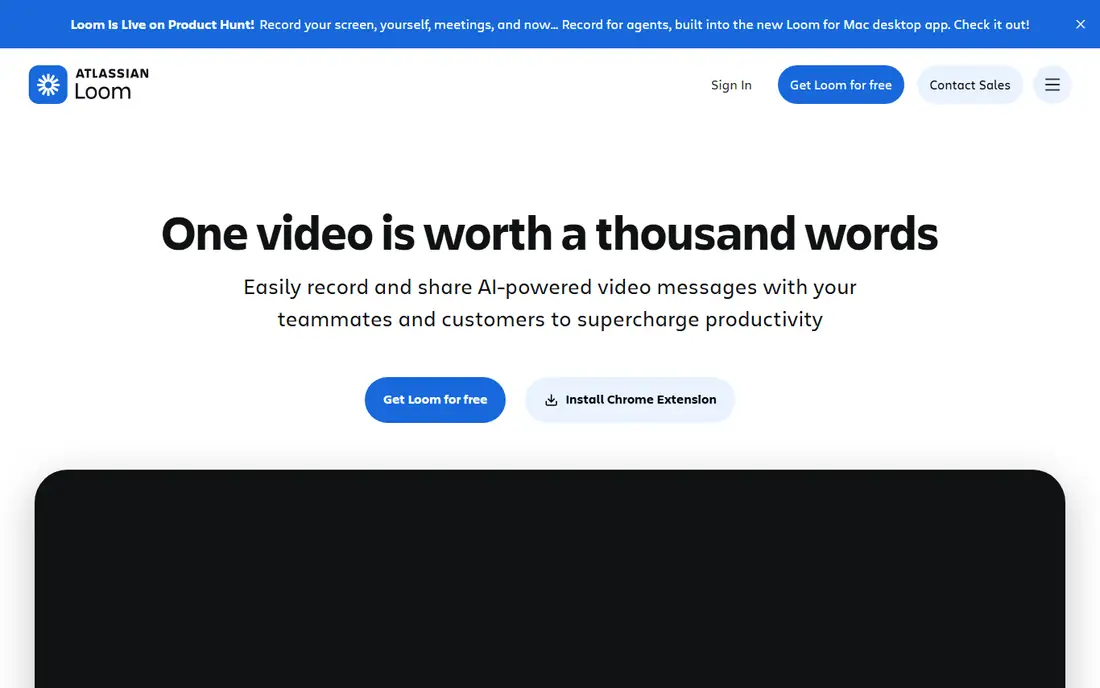
Loom changes how teams share simple explanations. Instead of writing a long message or booking a meeting, you record your screen, talk through the point, and send a link. Viewers can comment at specific moments, which keeps feedback tied to the exact part of the video.
Loom is a work tool, not a creator platform. There is no public feed or discovery engine, and free plans limit video length. For internal updates, client walkthroughs, and support explanations, it is one of the fastest sharing options available.
What we like- Fast screen and camera recording
- Shareable links with comments
- Reduces meetings for simple updates
Watch out for- Not built for public audience growth
- Free plan limits recording length and features
#8Wistia
Best for: Business video marketing4.6/5 on
G2 (1,192 reviews, checked Oct 2026)
Visit wistia.com
Starting priceSee website
Free planYes
Wistia is built for companies that put video on their own website and want to know what happens next. The player can carry your branding, collect viewer emails, and show where viewers stop watching. That data helps marketing teams improve a landing page video or a product demo in a concrete way.
Wistia does not help strangers find your video, because it is a hosting and marketing tool, not a social feed. Pricing also rises with usage, so small teams should start with the free plan and check costs before they move a large library over. For business video on a company site, it is a strong fit.
What we like- Branded player with lead capture
- Detailed viewer analytics
- Good for website embeds and webinars
Watch out for- Paid plans are needed for higher volume
- No public discovery audience
#9Vidyard
Best for: Sales and marketing video4.5/5 on
G2 (832 reviews, checked Oct 2026)
Visit vidyard.com
Starting priceSee website
Free planYes
Vidyard focuses on video as a sales and marketing message. A salesperson can record a short personal video, send it by email, and see when the prospect watches it and for how long. That feedback helps teams follow up at the right moment, rather than guessing whether a message was seen.
For general creators, Vidyard is narrower than YouTube or Vimeo, because its tools are built around outreach and lead tracking. For sales teams, support teams, and marketers who send video messages every day, that focus is the reason to choose it over a general host.
What we like- Personal video for sales outreach
- Viewer tracking and CRM links
- Easy sharing by link or email
Watch out for- Best value comes with sales and marketing use
- General creators will find it narrow
How we chose
We compared pricing pages, product documentation, and public reviews on G2, Capterra, and Reddit, and checked each platform for upload limits, privacy controls, player quality, analytics, and audience fit. We looked at free plans, paid tiers, mobile apps, and business features, and we kept only platforms that are active and widely available in the US. We did not claim hands-on testing.
A video app is only useful if it matches what you want the video to do. Reach, control, and speed point to different tools, and trying to get all three from one app usually leads to a compromise.
For creators who want growth
Start with YouTube for long videos and search, and add TikTok or Instagram Reels for short-form discovery. Post the same idea in different lengths, rather than the same file everywhere, so each platform gets a version that fits its format.
For businesses and client work
Use Vimeo, Wistia, or Vidyard for the version that lives on your website or goes to a client. Keep YouTube or social apps for public reach, and keep the controlled version free of ads and unrelated recommendations.
For teams and private sharing
Loom is the fastest choice for internal explanations, while Vimeo privacy settings and unlisted YouTube links work for wider private sharing. Check privacy settings before you share anything sensitive, and avoid public links for internal or client-only material.
Frequently asked questions
What is the best app to share videos for free?
YouTube is the best free option for most people, because it offers free uploads, a huge audience, and search discovery. TikTok and Instagram Reels are also free and better for short videos. For ad-free professional hosting, Vimeo offers a free plan with upload limits.
Which platform is best for business videos?
Vimeo, Wistia, and Vidyard are the strongest business choices, because they offer clean players, privacy controls, and viewer analytics. YouTube is still useful for public reach, but its recommendations and ads make it weaker for website embeds and client delivery.
Can I share the same video on multiple platforms?
Yes, and most creators do. You can upload a long video to YouTube, cut short clips for TikTok and Reels, and host a branded version on Vimeo or Wistia for your website. Check each platform's format and length limits, and adjust captions and titles for each audience.
Is TikTok or YouTube better for new creators?
TikTok often gives faster early reach for short videos, because its feed shows new creators to new viewers. YouTube gives longer-lasting discovery through search, which helps tutorials and guides keep finding viewers over time. Many new creators use both, with TikTok for discovery and YouTube for depth.
What is the best app for sharing private videos?
Vimeo offers the clearest privacy controls for professional sharing, with password protection and private links on paid plans. Loom works well for work messages, and unlisted YouTube links work for simple private sharing. Avoid public posts for anything that should stay private.
Do I need to pay to share videos?
No, for most personal and creator use. YouTube, TikTok, Instagram, Dailymotion, and Twitch all offer free sharing. Paid plans matter when you need more storage, longer videos, branded players, lead capture, or detailed analytics, which is common for business use.
Sources we checked (9)
- https://www.youtube.com
- https://www.tiktok.com
- https://www.instagram.com
- https://www.vimeo.com
- https://www.dailymotion.com
- https://www.twitch.tv
- https://www.loom.com
- https://www.wistia.com
- https://www.vidyard.com
Is your product missing or out of date?
We review this list regularly. Vendors can request a listing, send updated pricing or ask about featured placement.

Shihab Mia · Founder, Rankite
Shihab has 5+ years in B2B and SaaS SEO. He writes Rankite's software buying guides from pricing pages, documentation and public user reviews. More about Shihab.