How we make this list: we compare pricing pages, product documentation and public user reviews. Ratings come from G2, Capterra or Trustpilot, with the date we checked them.

Key takeaways
- Remini is the fastest option for phone-based face restoration, but weekly pricing adds up quickly for large archives.
- VanceAI gives the most restoration-specific browser workflow, with credits and a genuine free tier for testing.
- MyHeritage is the natural pick if you already build a family tree, since its photo tools bundle with the genealogy subscription.
- Topaz Photo AI is the one-time purchase for photographers who want full manual control, while Fotor and Photomyne suit budget and album-scanning jobs.
Quick comparison
| Tool | Best for | Starting price | Free plan |
|---|
 Remini Remini | Quick mobile face restoration | See website | Free trial |
 VanceAI Photo Restorer VanceAI Photo Restorer | One-click restoration in a browser | $9 per month (Starter, billed annually) | Yes (free credits) |
 MyHeritage MyHeritage | Family historians with photo archives | See website | Yes (limited number of photos) |
 Topaz Photo AI Topaz Photo AI | Photographers wanting full control | $199 one-time | Free trial (fully featured, cannot save) |
 Fotor Fotor | Budget all-in-one photo editing | $8.99 per month | Yes (limited) |
 Photomyne Photomyne | Digitizing whole albums with a phone | $5.99 per month | Free trial (3 days) |
 PhotoGlory PhotoGlory | Manual desktop restoration | See website | Free trial |
 AKVIS Retoucher AKVIS Retoucher | Manual scratch and damage repair | $87 one-time (Home licence) | Free trial (10 days) |
Is your product missing or out of date?
We review this list regularly. Vendors can request a listing, send updated pricing or ask about featured placement.
The best apps to restore old photos
#1Remini
Best for: Quick mobile face restoration4.6/5 on
G2 (13 reviews, checked Oct 2026)
Visit remini.ai
Starting priceSee website
Free planFree trial
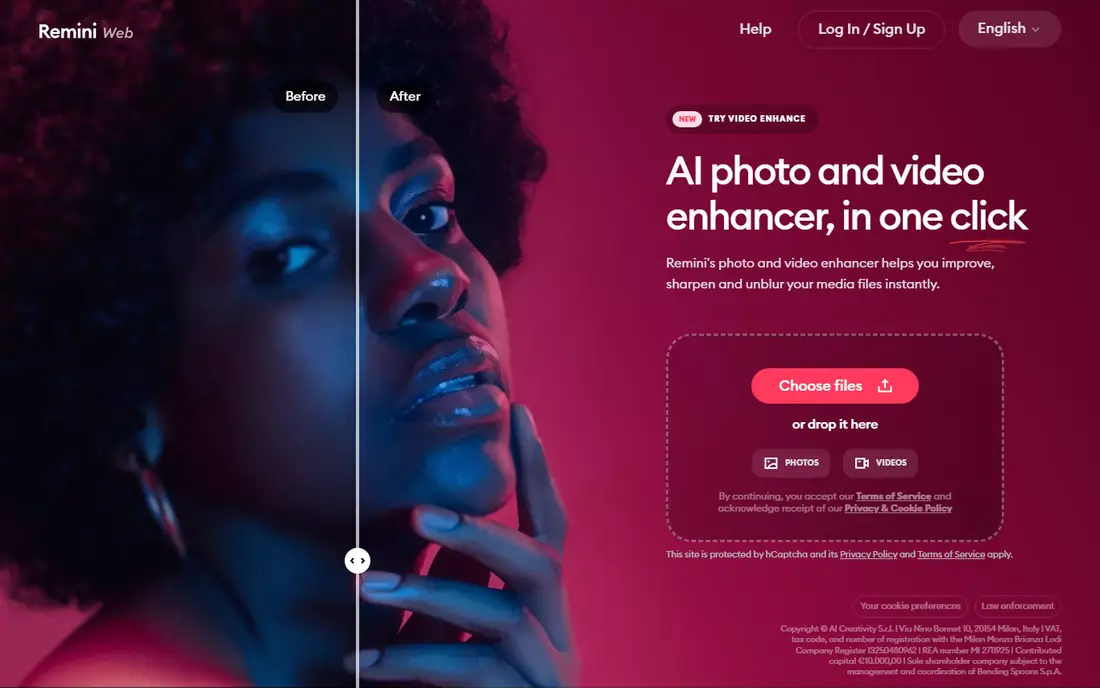
Remini is the app most people reach for first, because it restores a faded portrait on a phone in seconds with one tap. Its face restoration is tuned for portraits, recovering eyes, skin texture and hair detail that broader tools soften. For a single precious photo, or a handful of portraits to share with family, that speed is hard to beat.
The pricing model is the catch: weekly rates cited at $6.99 to $9.99 per week across guides mean a month of casual use costs more than a month of most rivals, and the free tier carries ads and daily limits. Remini fits quick mobile jobs and small batches, not whole-archive restoration, where a credit-based browser tool costs far less.
What we like- Fastest phone-based face restoration
- Simple one-tap workflow
- Strong on portraits
Watch out for- Weekly pricing adds up fast
- Free tier has daily limits and ads
#2VanceAI Photo Restorer
Best for: One-click restoration in a browser4.5/5 on
G2 (15 reviews, checked Oct 2026)
Visit vanceai.com
Starting price$9 per month (Starter, billed annually)
Free planYes (free credits)
VanceAI Photo Restorer combines scratch removal, noise reduction, face improvement and colorization into one browser workflow built specifically for old photos. The Starter plan shows $9 per month on the annual-plan view with 200 credits per month in one vendor-checked comparison, while another guide cites $5.94 per month on annual billing for 100 credits, so confirm the current credit allowance before buying. Batch processing handles whole folders at once.
Credits are the limit: each full-resolution download uses credits, so a large batch with colorization can drain a plan in about a week. VanceAI fits family archives of moderate size, where one month of a paid plan plus the free credits covers the project, and where browser convenience beats desktop software.
What we like- Most restoration-specific browser workflow
- Scratch, fading and face repair in one pass
- Batch processing
Watch out for- Credit limits drain fast on large batches
- Web processing needs an internet connection
Starting priceSee website
Free planYes (limited number of photos)
MyHeritage is the natural pick for anyone already building a family tree, since its photo enhancer and colorizer bundle with the genealogy subscription that starts around $129 per year for full features in one comparison. Face enhancement is the core strength, with colorization for black-and-white portraits, and restored photos sit inside the family tree where relatives can find them.
The free tier covers only a limited number of photos, with one guide citing 10 free photos and another citing 5 enhancements, so test it on your best portraits before paying. MyHeritage fits family historians whose photo project is part of a wider genealogy effort, rather than a standalone restoration job.
What we like- Face enhancement plus colorization
- Bundles with genealogy subscription
- Family tree context for photos
Watch out for- Free tier limited to a handful of photos
- Full features need the genealogy subscription
#4Topaz Photo AI
Best for: Photographers wanting full control4.3/5 on
G2 (2 reviews, checked Oct 2026)
Visit topazlabs.com
Starting price$199 one-time
Free planFree trial (fully featured, cannot save)
Topaz Photo AI is the photographer's choice: a desktop application with upscaling, sharpening and noise reduction that reconstructs detail other tools cannot, especially on badly damaged originals. The one-time price of $199 in one category guide, against $252 per year in another, reflects changing licence terms, so confirm the current offer; the free trial is fully featured but cannot save. Local processing keeps photos on your computer.
That control comes with a learning curve and the highest upfront cost in this list. Topaz fits photographers and serious archivists who want to own the software, work locally, and tune every restoration by hand rather than accept a one-click result.
What we like- One-time purchase, not a subscription
- Full manual control
- Best detail reconstruction on badly damaged originals
Watch out for- Highest upfront cost here
- Desktop only
- Learning curve for non-photographers
#5Fotor
Best for: Budget all-in-one photo editing4.2/5 on
G2 (342 reviews, checked Oct 2026)
Visit fotor.com
Starting price$8.99 per month
Free planYes (limited)
Fotor is the budget all-in-one: a browser photo editor with one-click restoration alongside cropping, filters, collage and design tools. Pro costs $8.99 per month in one guide and $39.99 per year on annual billing in another, and the free tier handles small batches of lightly damaged photos. For a user who also edits everyday photos, that breadth is good value.
Restoration depth trails VanceAI and Topaz, especially on heavy scratches or torn areas, since Fotor is a general editor first. Fotor fits casual users with a few faded photos and a need for general editing, not archivists restoring a damaged collection.
What we like- Quick one-click fixes in a browser
- Full photo editor beyond restoration
- Low cost
Watch out for- Restoration depth trails dedicated tools
- Free tier limited
Starting price$5.99 per month
Free planFree trial (3 days)
Photomyne solves the step before restoration: digitizing the album itself. Point a phone at an album page and it detects, crops and organizes each photo, then applies restoration to the results. The subscription costs $5.99 per month in one guide and $59.99 per year in another, with a 3-day free trial that demands quick testing.
Scan quality depends on lighting and page flatness, so the best results come from even light and a steady hand. Photomyne fits families with boxes of albums to digitize, where scanning speed matters as much as restoration quality, and where a phone is the only scanner available.
What we like- Scans whole album pages with a phone
- Auto-crops and organizes
- Restoration built in
Watch out for- Short 3-day trial
- Subscription needed for full features
- Scanning quality depends on lighting
#7PhotoGlory
Best for: Manual desktop restoration4.0/5 on
G2 (33 reviews, checked Oct 2026)
Visit photoglory.net
Starting priceSee website
Free planFree trial
PhotoGlory is a desktop restoration tool built specifically for old photos, with manual brushes and tools for tears, scratches, stains and fading that one-click tools cannot handle well. Because it runs on your computer, photos never upload to a server, which matters for sensitive family images. A free trial lets you test the workflow before buying.
Pricing is not published as a simple entry rate in the sources checked, so this article marks it "See website". Manual restoration takes real time, so PhotoGlory fits users with a small number of badly damaged photos worth individual attention, rather than bulk archive jobs.
What we like- Manual control over tears, scratches and stains
- Desktop processing keeps photos private
- Built for old photos
Watch out for- No published simple entry price in sources checked
- Manual work takes time
#8
AKVIS Retoucher
Best for: Manual scratch and damage repair
Visit akvis.com
Starting price$87 one-time (Home licence)
Free planFree trial (10 days)
AKVIS Retoucher is the manual repair specialist: it removes scratches, dust, stains and small tears with tools that let you control exactly what gets rebuilt, and it works standalone or as a Photoshop plugin. The Home licence costs $87 one-time, with a 10-day free trial. For a photo torn in half or missing a corner, manual tools like these are the only reliable route, since no one-click tool rebuilds missing areas well.
There is no AI one-click pass, and the interface assumes some editing comfort. AKVIS fits users with damaged originals that need careful manual work, and editors who already use Photoshop and want a dedicated retouching tool.
What we like- One-time licence
- Precise manual repair for scratches and damage
- Photoshop plugin option
Watch out for- Manual only, no AI one-click pass
- Interface aimed at editors, not beginners
How we chose
We compared tools on restoration quality by damage type, pricing model, free tier quality, privacy of processing and the limits reviewers cite most often. Sources included vendor pricing pages and independent comparisons checked in October 2026, including an eleven-tool restoration guide and a ten-tool fix-old-photos guide. Where prices conflicted across guides, the article uses the most recent vendor-checked figure or says "See website". We did not claim hands-on testing.
What to check before you sign
Start by sorting your photos by damage type. Light fading and blur suit one-click tools like Remini and VanceAI, while tears, stains and missing areas need manual tools like PhotoGlory, AKVIS or Photoshop. Buying only one kind of tool either wastes hours on easy photos or leaves hard photos half-fixed.
Next, count photos against credit limits before paying. Weekly and credit-based plans drain fast on large archives, while a one-month subscription or a one-time licence may cover the whole project for less. Keep the untouched scan and treat every restored file as a separate copy, so a bad AI guess never destroys the original.
Finally, check privacy. Web tools process photos on their servers, which is how the AI works, while desktop tools keep everything local. Read the vendor's privacy policy if the photos are sensitive, and prefer local processing for anything you would not post publicly.
Frequently asked questions
What is the best app to restore old photos?
For most people, VanceAI Photo Restorer for browser-based bulk work, Remini for quick phone portraits, and Topaz Photo AI for the highest quality on badly damaged originals. The right pick depends on damage type, batch size and whether you prefer mobile, browser or desktop.
Can I restore old photos for free?
Yes, within limits. MyHeritage enhances a handful of photos free, VanceAI offers free credits, Fotor offers a limited free tier, and PhotoGlory and AKVIS offer free trials. For a small family project, the free options may be all you need.
Can software fix torn or creased photos?
AI tools handle light creases and small tears, but large tears and missing areas need manual repair in Photoshop, AKVIS Retoucher or PhotoGlory, where you control the reconstruction. No one-click tool reliably rebuilds a photo torn in half.
Is it safe to upload family photos to restoration websites?
Web tools process your photos on their servers, which is how the AI works. Desktop tools keep everything on your computer. Read the vendor's privacy policy if the photos are sensitive, and prefer local processing for anything you would not post publicly.
How much does photo restoration software cost?
From free tiers to $5.99 to $9 per month for VanceAI, Fotor and Photomyne, weekly rates at Remini, and one-time licences of $87 for AKVIS and $199 for Topaz Photo AI. Most family archives can be restored for under $50 total by using free tiers and a single month of a paid tool.
Will AI restoration change what my ancestors looked like?
AI fills in detail it guesses, so it can alter faces subtly, especially on badly damaged portraits. Compare the restored version against the original scan, keep the original untouched, and be cautious with faces where accuracy matters more than polish.
Sources we checked (4)
- https://screenapp.io/blog/best-ai-photo-restoration-tools
- https://rankite.com/blog/best-software-to-fix-old-photos
- https://rankite.com/blog/best-software-for-restoring-old-photos
- https://vanceai.com/old-photo-restoration/enhance-old-photo-with-myheritage-photo-enhancer-and-best-alternative/
Is your product missing or out of date?
We review this list regularly. Vendors can request a listing, send updated pricing or ask about featured placement.

Shihab Mia · Founder, Rankite
Shihab has 5+ years in B2B and SaaS SEO. He writes Rankite's software buying guides from pricing pages, documentation and public user reviews. More about Shihab.