How we make this list: we compare pricing pages, product documentation and public user reviews. Ratings come from G2, Capterra or Trustpilot, with the date we checked them.
Key takeaways
- Canva has the largest free flyer template library, while Adobe Express offers tidier typography and a cleaner free starting point.
- Print quality depends on the export, not the editor: confirm a PDF at 300 DPI with bleed before sending a flyer to a print shop.
- Every app here offers a usable free tier, but premium assets, background removal and brand kits usually sit behind a paid plan.
- Mobile-first makers like PosterMyWall suit quick event flyers, while Canva and Visme suit flyers that also become social posts.
Quick comparison
Is your product missing or out of date?
We review this list regularly. Vendors can request a listing, send updated pricing or ask about featured placement.
The best app to make flyers free
#1Canva
Best for: Largest free flyer template library4.7/5 on
G2 (7,678 reviews, checked Oct 2026)
Visit canva.com
Starting priceFree
Free planYes
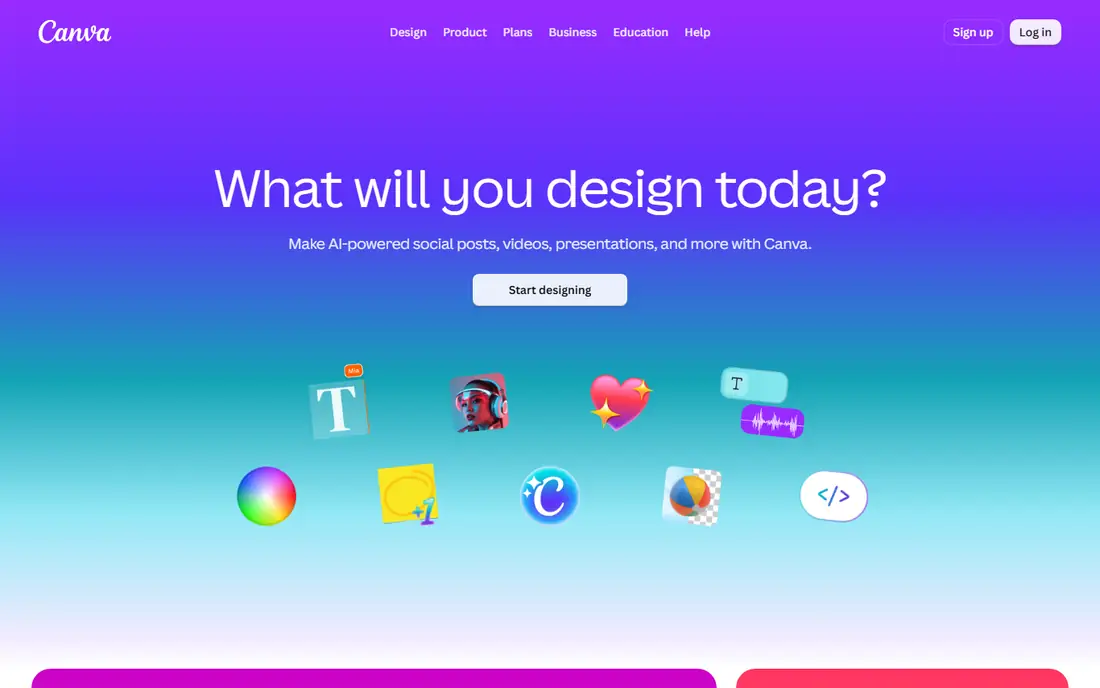
Canva is the safest first pick for free flyers because the template library is simply the largest. Search for a sale, a party, a class or a restaurant opening, and dozens of layouts appear, each editable by dragging text and swapping photos. The editor runs in the browser and on phones, so a flyer started on a laptop can be finished on a phone at the venue. PDF Print export is available on the free tier, which matters for anyone heading to a print shop.
The catch is asset licensing and print setup. Individual photos and graphics inside a free template can carry their own terms, and the export dialog needs a manual check for bleed and crop marks before printing. Canva Pro at $12.99 per month adds brand kits, background removal and premium assets, but the free tier covers most one-off flyers well. For a first flyer with no budget, start here.
What we like- Thousands of free flyer templates
- PDF Print export on the free tier
- Works on web and mobile with shared projects
Watch out for- Premium photos and graphics cost extra
- Brand kits need Pro at $12.99 per month
- Free exports need a bleed check before printing

#2Adobe Express
Best for: Clean, brand-ready flyers fast4.5/5 on
G2 (855 reviews, checked Oct 2026)
Visit adobe.com
Starting priceFree
Free planYes
Adobe Express suits flyers that need to look premium without much design time. Templates are fewer than Canva's, but the typographic defaults are stronger, so a short headline and one photo often look finished with little editing. Adobe fonts and stock assets carry the design, and the free tier exports a PDF that print shops accept. For promo flyers that must look brand-ready in a hurry, Express is a strong second option.
The limits are scope and paywalls. Background removal, some AI tools and video options need Premium at $9.99 per month, and the layout range is narrower, so more of the design work lands on you when the template does not fit. An Adobe account is required even for free use. Pick Express when clean type and a professional finish matter more than having hundreds of templates to browse.
What we like- Tidy templates with strong typography
- Adobe fonts and stock access
- PDF Print export that suits print shops
Watch out for- Fewer layouts than Canva
- Background removal and video features need Premium at $9.99 per month
- Account required

#3VistaCreate
Best for: Fast social and print flyers4.5/5 on
G2 (171 reviews, checked Oct 2026)
Visit vistacreate.com
Starting priceFree
Free planYes
VistaCreate, formerly Crello, is built for speed: pick a template, swap the text and photo, resize for a story or a post, and export. The library claims more than 200,000 templates, and the editor keeps the common flyer sizes one click away, which helps when one design must become a printed flyer and an Instagram post. The free tier covers most casual flyers, with a good share of templates and photos included.
Premium assets and brand kits need Pro at $10 per month, and the user community is smaller than Canva's, so finding tutorials takes a little more effort. Still, for a small business that makes a flyer every week, VistaCreate's speed and template depth make it a practical free choice. Use it when you value fast resizing and a large template set over deep brand controls.
What we like- Large template library with 200,000 plus templates
- Quick resizing for social sizes
- Free tier covers most flyer jobs
Watch out for- Pro at $10 per month for premium assets
- Brand kit features need the paid tier
- Smaller community than Canva
Starting priceFree
Free planYes
PosterMyWall is the local business pick. Templates lean toward events, restaurants, gyms, churches and schools, which matches the flyers most people actually make. A weekly event flyer can be cloned, updated with a new date and re-exported in minutes, and built-in social scheduling posts the same design to social accounts. For a venue or a club with a regular calendar, that repeat workflow saves real time.
The free tier has limits on high resolution downloads, and Premium starts from $13 per month for full access. Design depth is basic next to Canva, with fewer fine controls over type and layout. Pick PosterMyWall when the flyer is a recurring announcement and speed matters more than pixel-level design control.
What we like- Strong event and local business templates
- Built-in social scheduling
- Very fast for repeat weekly flyers
Watch out for- Premium from $13 per month for full downloads
- Free tier has limits on high resolution exports
- Design depth is basic
Starting priceFree
Free planYes
Microsoft Designer takes a different route: type what the flyer is for, and it generates design options to edit, rather than asking you to browse templates first. That prompt-first flow suits users who know the message but not the layout, and the results are clean and simple rather than busy. For someone who finds template browsing slow, Designer can produce a usable flyer in a few minutes.
The trade off is control and depth. Template variety is thinner than Canva's, AI results vary in quality and usually need text fixes, and some features use credits tied to a Microsoft account. Still, as a free starting point for a quick announcement flyer, Designer is genuinely useful, especially for users already comfortable with Microsoft apps. Use it when you want a fast first draft, not a finished brand piece.
What we like- Type an idea and get design options fast
- Clean, simple layouts
- Fits users already in Microsoft tools
Watch out for- Template depth is thinner than Canva
- AI results vary and need editing
- Some features need a Microsoft account and credits

#6Visme
Best for: Flyers with charts and data4.5/5 on
G2 (512 reviews, checked Oct 2026)
Visit visme.co
Starting priceFree
Free planYes
Visme suits flyers that carry numbers: a fundraiser progress update, a school report night, a business open house with stats. Charts, maps and data widgets sit inside the editor, so a flyer can show a bar chart or a timeline without building it elsewhere first. The same tool also makes presentations and documents, which helps teams that reuse one design across formats.
The free tier limits downloads and some exports, and Starter starts from $12.25 per month for fuller access. The editor is also deeper than a simple flyer maker, so a first flyer takes longer than in Canva or PosterMyWall. Pick Visme when the flyer must present data clearly, and use a simpler maker when the flyer is only a headline, a photo and a date.
What we like- Charts, maps and data widgets built in
- Good for reports and data-heavy flyers
- Presentations and documents in the same tool
Watch out for- Starter from $12.25 per month for full exports
- Learning curve is steeper than simple makers
- Free tier limits downloads

#7Venngage
Best for: Infographic-style flyers4.7/5 on
G2 (133 reviews, checked Oct 2026)
Visit venngage.com
Starting priceFree
Free planYes
Venngage is the pick for flyers that explain something: a how-to workshop, a safety notice, a multi-step event schedule. Its infographic templates organize information into steps, timelines and comparisons, with icons and charts built in, so a dense flyer stays readable. Schools, nonprofits and health programs use this style often, and Venngage handles it better than a general design app.
Free access covers a useful set of templates, but many premium templates and features need a paid plan, and print export needs the same bleed and resolution check as any other maker. For a simple party flyer, Venngage is more tool than needed. For a flyer that must teach or explain, its structure is the advantage.
What we like- Strong infographic and poster templates
- Good for step-by-step and how-to flyers
- Icons and charts included
Watch out for- Premium features need a paid plan
- Free tier limits template access
- Print export needs a settings check

#8Piktochart
Best for: Simple flyers for teams4.4/5 on
G2 (163 reviews, checked Oct 2026)
Visit piktochart.com
Starting priceFree
Free planYes
Piktochart rounds out the list for teams that want one simple tool for flyers, infographics and short reports. The editor is straightforward, sharing and folders keep team projects organized, and the infographic roots show in clean layouts for schedules and announcements. For a small team that makes flyers alongside reports, keeping both in one account is convenient.
The flyer template range is smaller than Canva's, and advanced features and higher project limits need a paid plan. Free users also face limits on active projects, so heavy users will hit the ceiling. Pick Piktochart when a team needs simple, shared flyer making, and pick Canva when template variety is the priority.
What we like- Simple editor with infographic roots
- Team sharing and folders
- Presentations and reports in the same account
Watch out for- Flyer template range is smaller than Canva
- Advanced features need a paid plan
- Free tier limits active projects
How we chose
We judged these apps on free tier usefulness, template depth for common flyer types, export quality for print and social, and ease of use for non-designers. Pricing pages and public feature guides supplied the facts, with Canva Pro at $12.99 per month, Adobe Express Premium at $9.99 per month, VistaCreate Pro at $10 per month, PosterMyWall Premium from $13 per month and Visme Starter from $12.25 per month. Tools with thin free tiers or no print-ready export did not make the list.
We also weighed print readiness heavily, since a flyer that looks good on screen but prints soft is a failed flyer. Every app here can export a PDF, but the bleed and resolution settings still need a manual check before printing. No app here was tested hands-on for this guide; the picks rest on published features, pricing and documented export behavior.
What to check before you print
Start with the end use. A social-only flyer needs only a PNG or JPG at the right size, while a printed flyer needs a PDF at 300 DPI with 0.125 inch of bleed and a safe margin for text. Open the export dialog before you design, and confirm those settings exist on the free tier, since some apps gate high resolution exports behind a paid plan.
Keep text short and check the license on photos. Two fonts and two or three colors keep a flyer readable, and a headline, a date, a place and one call to action cover most events. For photos, prefer the app's own stock library or your own images, and check the terms before using a template photo on a commercial flyer. Print one test copy at home before ordering a full run, and check that small text stays legible at real size.
Frequently asked questions
What is the best completely free flyer maker?
Canva's free tier is the best starting point, with the largest template library and PDF Print export included. Adobe Express is a strong second for cleaner typography. Both are free for most one-off flyers, with paid plans only for premium assets and brand tools.
Can I print a flyer made in a free app?
Yes, if the export is print-ready. Choose PDF Print, confirm 300 DPI resolution, add 0.125 inch of bleed, and keep text inside a safe margin. Print one test copy first, and check small text at real size before ordering a full run from a print shop.
Do free flyer apps add watermarks?
Most apps on this list do not watermark free exports, but they may limit resolution or premium assets instead. PosterMyWall and some makers limit high resolution downloads on the free tier. Check the export preview and the download terms before finalizing a design.
Which flyer app is best on a phone?
Canva and PosterMyWall both offer full mobile apps that handle template editing, photo swaps and exports on a phone. Adobe Express also works well on mobile. For a quick event flyer made entirely on a phone, PosterMyWall is the fastest of the three.
Can I use free templates for a business flyer?
Usually yes for the app's own templates, but check the license on individual photos and graphics inside a template. Some stock assets carry separate terms. For commercial use, prefer the app's stock library or your own photos, and keep a note of the license for anything you reuse.
How many words should a flyer have?
As few as possible. A headline, a date, a place and one call to action cover most flyers. Extra detail belongs on a linked page or a second side, not crammed onto the front. If a reader cannot grasp the event in three seconds, cut text before adding design.
Sources we checked (0)
Is your product missing or out of date?
We review this list regularly. Vendors can request a listing, send updated pricing or ask about featured placement.

Shihab Mia · Founder, Rankite
Shihab has 5+ years in B2B and SaaS SEO. He writes Rankite's software buying guides from pricing pages, documentation and public user reviews. More about Shihab.
 PosterMyWall
 Microsoft Designer