How we make this list: we compare pricing pages, product documentation and public user reviews. Ratings come from G2, Capterra or Trustpilot, with the date we checked them.
MagicSchool AI is the best AI tool for teacher productivity in 2026, because its free plan covers more than 80 teacher tools for planning, grading support, differentiation and parent communication in one place. Brisk Teaching is the strongest alternative, because it works inside Google Docs and Slides, so feedback and quizzes happen where the work already lives.
Key takeaways
- MagicSchool AI wins on breadth, with more than 80 teacher tools on a free plan that costs nothing to start.
- Brisk Teaching saves the most time on grading, because its feedback tools sit inside Google Docs.
- Every tool on this list has a free tier or free trial, so a teacher can test a real week of work before paying.
- Paid plans for one teacher run from about $4.17 a month for Eduaide Pro to about $18 a month for Wayground, with several prices in conflict across sources.
- Check your district data agreement before students use any of these tools, since privacy terms differ widely.
How we picked
We ranked these tools by time saved across a full teaching week, not by one feature. Grading, lesson planning, differentiation, admin and parent communication all counted. Prices below are third-party reported and checked 14 Nov 2026, because several vendors changed plans during 2026 and sources disagree on some prices. Where sources conflict, we flag the conflict in the tool entry. We did not test these tools in a live classroom.
| Tool | Best for | Starting price | Free plan |
| MagicSchool AI | All-in-one planning, grading and admin | $8.33 per month billed annually | Yes, 80-plus tools with usage limits |
| Brisk Teaching | Feedback and quizzes inside Google Docs | Quote only, Pro reported at $99.99 a year | Yes, 20-plus tools |
| Eduaide.AI | Pedagogy-first lesson planning | $4.17 per month billed annually | Yes, up to 8 resources a month |
| Diffit | Leveled reading for mixed-ability classes | $14.99 per month | Yes, Basic with 90-day content window |
| Wayground (formerly Quizizz) | AI quizzes and formative assessment | Quote only, $18 a month reported | Yes, Basic with 20 activities |
| Curipod | Interactive live lessons | $7.50 per month reported | Yes, weekly sessions |
| SchoolAI | Monitored student AI activities | Quote only, $9.99 a month reported | Yes, free trial with 5 Space launches a year |
| Twee | English and language lesson materials | $6.50 per month billed annually | Yes, trial of 5 runs |
A teacher can save roughly 6 to 8 hours a week with these tools, based on the worked example below. The biggest savings come from grading and lesson planning, the two largest blocks of after-hours work.
A worked time-savings example: grading plus planning
Take a secondary teacher with 5 classes of 30 students, teaching 5 lessons a week and setting 2 short written assignments per class each week. That is 300 pieces of student work a week and 5 lesson plans.
Grading first. Brisk Teaching drafts targeted feedback on a Google Doc in seconds, and MagicSchool drafts rubric-based comments. If AI drafting cuts 2 minutes from each piece of work, that is 600 minutes, or 10 hours, before review time. Allow 1 minute of review per piece, and the net saving on grading is about 5 hours a week.
Planning next. A lesson plan that takes 60 minutes by hand takes about 25 minutes when Eduaide or MagicSchool drafts it and the teacher edits it. That saves 35 minutes per lesson, or about 3 hours across 5 lessons a week. Admin adds about 24 minutes a week, since MagicSchool drafts a parent email in about 2 minutes plus review, against 10 minutes by hand.
Add the three parts and the total is about 8 hours a week. Grading carries the largest saving, which is why Brisk ranks second even though MagicSchool covers more tasks.
Start with MagicSchool AI if you want one tool that covers most jobs, and add Brisk Teaching if you grade in Google Docs. Teachers who plan in detail should add Eduaide, and language teachers should add Twee. Add a second tool only when the first one leaves a gap you feel every week.
Quick comparison
| Tool | Best for | Starting price | Free plan |
|---|
 MagicSchool AI | All-in-one planning, grading support, differentiation and admin | $8.33 per user per month billed annually ($99.96 a year), or $12.99 billed monthly, checked 14 Nov 2026 | Yes. Forever Free includes 80-plus teacher tools, the Raina chatbot, quizzes and class writing feedback, with generation limits that the pricing page does not number. |
 Brisk Teaching | Feedback and quiz creation inside Google Docs, Slides and YouTube | Quote only on the vendor plans page, checked 14 Nov 2026. Third-party sources report Educator Pro at $99.99 a year, which conflicts with the vendor page. | Yes. Free for teachers, with 20-plus tools, a 14-day Premium trial on sign-up, and Brisk Boost student activities. |
 Eduaide.AI | Pedagogy-first lesson planning with named teaching strategies | $5.99 per month, or $49.99 a year ($4.17 a month billed annually), checked 14 Nov 2026 | Yes. Free gives 24 credits a month, enough for up to 8 resources, with no credit card required. Note a conflict: some sources report the free limit as about 15 generations a month instead of 24 credits. |
 Diffit | Turning one text into leveled readings for mixed-ability classes | $14.99 per month, or $149.99 a year, checked 14 Nov 2026 | Yes. Basic is free and covers leveled passages, comprehension questions, vocabulary and graphic organizers, with access to content made in the last 90 days only. |
 Wayground (formerly Quizizz) | AI-generated quizzes, gamified review and formative assessment | Quote only on the vendor plans page, checked 14 Nov 2026. Third-party sources report an individual plan at $18 a month billed annually ($216 a year), which conflicts with the vendor page showing no public price. | Yes. Basic is free for individual teachers, with storage for up to 20 activities and 10 AI credits a month reported by third-party testing in September 2026. |
 Curipod | Interactive live lessons with polls, word clouds and drawing | $7.50 per month billed annually reported by third-party sources, checked 14 Nov 2026. Note a conflict: other sources report that Curipod has no published individual paid tier and sells only school and district plans by quote. | Yes. Free gives weekly teaching sessions, with student responses capped at about 1,000 characters and monthly caps on translation and AI feedback. |
 SchoolAI | Teacher-monitored AI activities where students chat with AI safely | Quote only on the vendor pricing page, checked 14 Nov 2026. Note a conflict: third-party sources report a Teacher Pro plan at $9.99 a month, while other sources checked in October 2026 found no public price for Pro or Scale. | Yes, a free trial with 5 Space launches a year, plus Chat with Dot and basic progress tracking. Each run of a Space counts as one launch. |
 Twee | English, ESL and world-language lesson materials at CEFR levels | $6.50 per month billed annually for Basic, or $10.50 per month billed annually for Pro, checked 14 Nov 2026. Note a conflict: other sources report Pro at about $11.95 a month or $7.49 a month billed annually. | Yes, a trial of 5 one-time tool runs plus 500 audio credits, with free access to the ESL lesson and worksheet library. It is not a recurring monthly allowance. |
Is your product missing or out of date?
We review this list regularly. Vendors can request a listing, send updated pricing or ask about featured placement.
#1MagicSchool AI
Best for: All-in-one planning, grading support, differentiation and admin4.7/5 on
G2 (7 reviews, checked Oct 2026)
Visit magicschool.ai
Starting price$8.33 per user per month billed annually ($99.96 a year), or $12.99 billed monthly, checked 14 Nov 2026
Free planYes. Forever Free includes 80-plus teacher tools, the Raina chatbot, quizzes and class writing feedback, with generation limits that the pricing page does not number.

MagicSchool AI covers the most classroom tasks in one place, which is why it ranks first. Instead of one chat box, it gives purpose-built tools that ask for grade level, subject and standards up front, so the first draft lands close to usable. Plus adds unlimited generations, unlimited output history and more than 50 student tools. The trade-off is breadth against depth. A single-purpose tool may beat it on one job, but no other tool on this list covers as many jobs for free.
What we like- Widest free toolbox in this category, with lesson planners, rubric builders, quiz generators, IEP drafters and parent-email tools. Lists FERPA, COPPA, SOC 2 and GDPR compliance.
Watch out for- The free plan gives no published generation limit, so a teacher cannot tell how many plans fit into a month. Student-facing tools sit on the paid Plus tier.
#2
Brisk Teaching
Best for: Feedback and quiz creation inside Google Docs, Slides and YouTube
Visit briskteaching.com
Starting priceQuote only on the vendor plans page, checked 14 Nov 2026. Third-party sources report Educator Pro at $99.99 a year, which conflicts with the vendor page.
Free planYes. Free for teachers, with 20-plus tools, a 14-day Premium trial on sign-up, and Brisk Boost student activities.
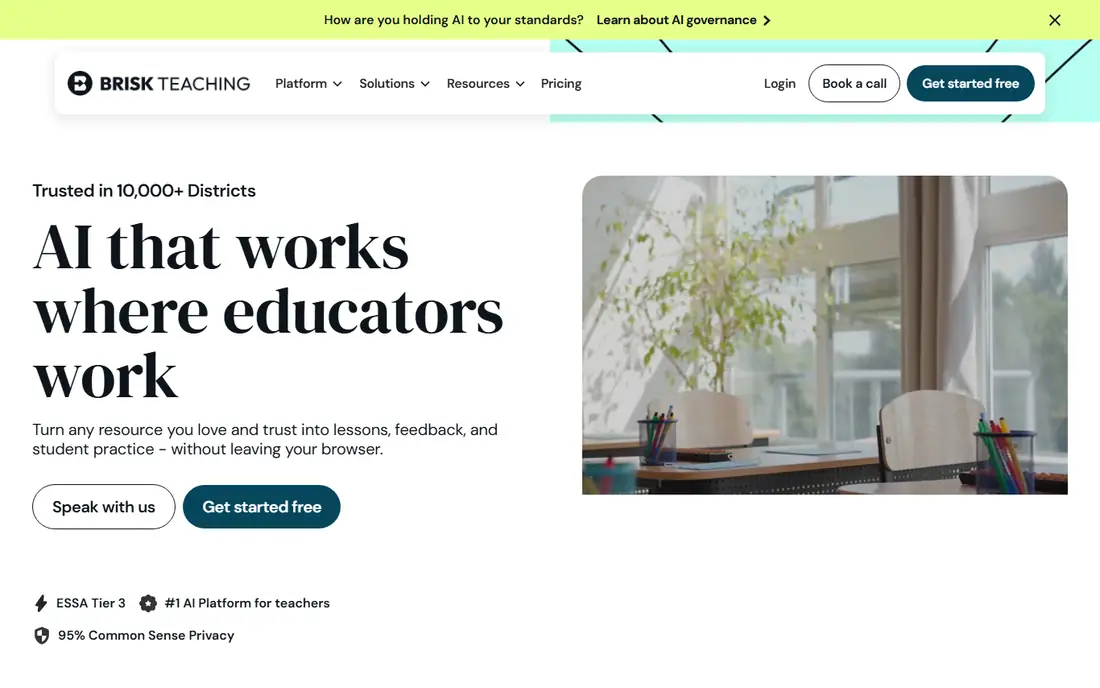
Brisk Teaching saves time where teachers actually work. Open a student essay in Google Docs and Brisk drafts targeted comments, adjusts reading level or builds a quiz without moving the document. It also works on Slides, PDFs, YouTube videos and LMS pages. That in-place design is the reason it ranks second on time saved, because grading feedback is the largest weekly time sink. The main weakness is platform lock-in. If your school runs Microsoft tools instead of Google Workspace, Brisk loses much of its value.
What we like- Runs as a Chrome and Edge extension inside the apps teachers already use, so there is no copying and pasting. Five feedback tools are on the free plan, and Brisk Boost activities are on every plan.
Watch out for- It only works in Chrome and Edge, with no mobile version, so schools that run on phones or tablets are poorly served. The free plan has an unpublished usage limit.
#3
Eduaide.AI
Best for: Pedagogy-first lesson planning with named teaching strategies
Visit eduaide.ai
Starting price$5.99 per month, or $49.99 a year ($4.17 a month billed annually), checked 14 Nov 2026
Free planYes. Free gives 24 credits a month, enough for up to 8 resources, with no credit card required. Note a conflict: some sources report the free limit as about 15 generations a month instead of 24 credits.
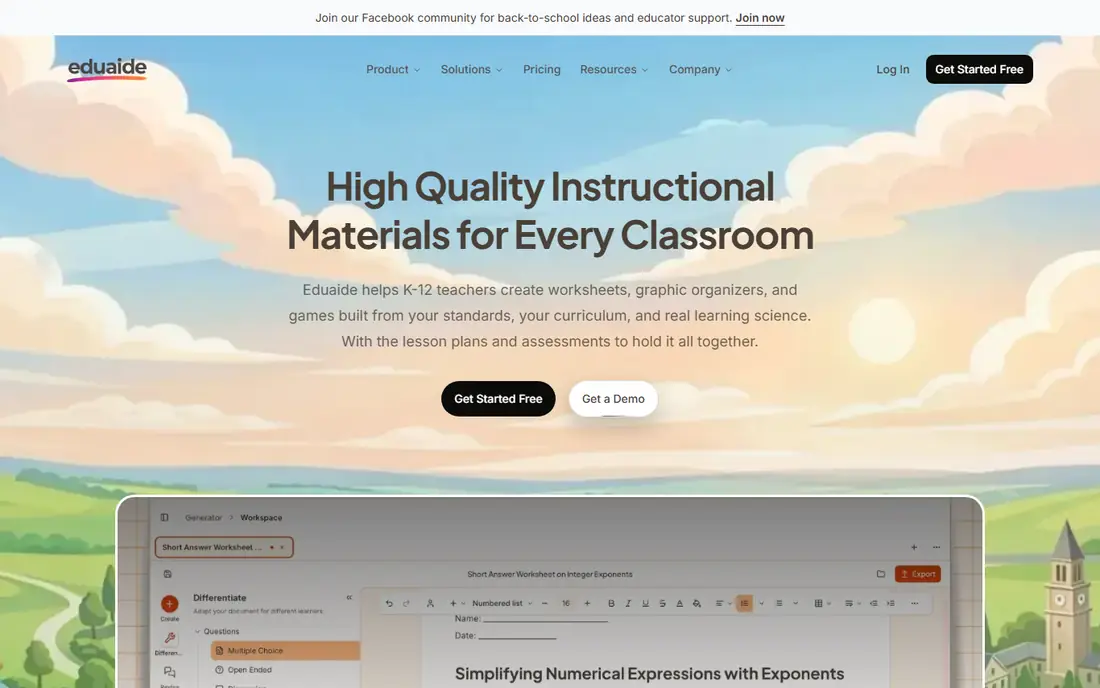
Eduaide is the planning specialist on this list. Each resource type has its own form, so a lesson plan, worksheet, graphic organizer or assessment arrives in the format you chose, aligned to the standards you picked. Its Teaching Assistant mode asks clarifying questions about grade, standard and prior knowledge before generating, which produces more classroom-ready drafts than a bare prompt.
What we like- Built by two practicing public-school teachers, with more than 100 generators mapped to real strategies such as 5E, Backward Design and Universal Design for Learning. Pro at $49.99 a year is the cheapest unlimited paid plan here.
Watch out for- The free plan runs out fast in a heavy planning week, since 8 resources a month is roughly two a week. It is teachers-only, with no student accounts.
#4
Diffit
Best for: Turning one text into leveled readings for mixed-ability classes
Visit web.diffit.me
Starting price$14.99 per month, or $149.99 a year, checked 14 Nov 2026
Free planYes. Basic is free and covers leveled passages, comprehension questions, vocabulary and graphic organizers, with access to content made in the last 90 days only.
Diffit solves a problem that eats hours in mixed-ability classrooms. A teacher pastes an article and gets the same content at five or more reading levels, plus vocabulary support and comprehension questions, ready to print or share. That collapses manual leveling work into seconds, which is why it ranks fourth despite its narrow scope. First-year teachers can apply for free Premium access, and new accounts start with a 60-day Premium trial.
What we like- Does one job very well, turning a text, PDF, link or video into the same content at several reading levels in seconds. The free tier has no generation cap, and there are no student logins, so no student data is collected.
Watch out for- At $14.99 a month it is one of the pricier subscriptions here. The free plan drops Google Docs export, longer text inputs and standards alignment, and older resources disappear after 90 days.
#5
Wayground (formerly Quizizz)
Best for: AI-generated quizzes, gamified review and formative assessment
Visit wayground.com
Starting priceQuote only on the vendor plans page, checked 14 Nov 2026. Third-party sources report an individual plan at $18 a month billed annually ($216 a year), which conflicts with the vendor page showing no public price.
Free planYes. Basic is free for individual teachers, with storage for up to 20 activities and 10 AI credits a month reported by third-party testing in September 2026.
Quizizz rebranded to Wayground in June 2025, and the product is now presented as Wayground, formerly Quizizz. The gamified elements teachers chose Quizizz for, including power-ups, redemption questions and retakes, are still part of the product, and the rebrand added an AI generation hub, curriculum alignment tools and prebuilt lesson bundles. A teacher can generate a quiz from a topic or a file, run it live or as homework, and get results recorded automatically.
What we like- One of the largest community activity libraries, with gamified quizzes, self-paced homework mode and more than 25 accommodations. Existing Quizizz accounts, libraries and saved activities carried over to the Wayground rebrand.
Watch out for- The free plan stores only 20 activities, so a teacher who builds quizzes every week hits the ceiling fast. The paid individual price, if the reported $18 a month is current, is the most expensive entry price on this list.
#6Curipod
Best for: Interactive live lessons with polls, word clouds and drawing4.5/5 on
G2 (2 reviews, checked Oct 2026)
Visit curipod.com
Starting price$7.50 per month billed annually reported by third-party sources, checked 14 Nov 2026. Note a conflict: other sources report that Curipod has no published individual paid tier and sells only school and district plans by quote.
Free planYes. Free gives weekly teaching sessions, with student responses capped at about 1,000 characters and monthly caps on translation and AI feedback.
Curipod makes a lesson something students do rather than something they only watch. Describe a topic and grade level and it generates a deck with interaction points built in, plus AI feedback on student writing during the lesson. That saves the time of building polls and activities by hand, and it gives the teacher live responses to read instead of waiting for homework. The honest limit is fit. Use it for lessons where participation is the bottleneck.
What we like- Turns a topic into a slide deck with polls, word clouds, drawing activities and open-response prompts that students join from their own devices.
Watch out for- It is a presentation and engagement tool, not a planner or grader, so it saves time only on live delivery. Every student needs a working device, and the free plan caps sessions weekly, so daily classroom use may need a school plan.
#7
SchoolAI
Best for: Teacher-monitored AI activities where students chat with AI safely
Visit schoolai.com
Starting priceQuote only on the vendor pricing page, checked 14 Nov 2026. Note a conflict: third-party sources report a Teacher Pro plan at $9.99 a month, while other sources checked in October 2026 found no public price for Pro or Scale.
Free planYes, a free trial with 5 Space launches a year, plus Chat with Dot and basic progress tracking. Each run of a Space counts as one launch.
SchoolAI is the student-facing tool on this list. Instead of giving students an open chatbot, a teacher builds a Space with a goal, a scope and standards alignment, then students work inside it while the teacher sees every conversation. That visibility is the product, and it is what makes student AI use acceptable in a classroom. Its productivity value for teachers is narrower than MagicSchool or Brisk, so rank it lower unless student-facing AI is your priority.
What we like- Teachers build custom AI learning environments called Spaces, then watch every student conversation live through Mission Control, with safety alerts. Lists FERPA, COPPA and SOC 2 Type 2 compliance.
Watch out for- Five launches a year is a trial, not a working allowance, so a teacher who runs Spaces weekly will exhaust it in the first term. Unlimited Spaces and full student portal access need a school or district plan, which individual teachers cannot buy on their own.
#8
Twee
Best for: English, ESL and world-language lesson materials at CEFR levels
Visit twee.com
Starting price$6.50 per month billed annually for Basic, or $10.50 per month billed annually for Pro, checked 14 Nov 2026. Note a conflict: other sources report Pro at about $11.95 a month or $7.49 a month billed annually.
Free planYes, a trial of 5 one-time tool runs plus 500 audio credits, with free access to the ESL lesson and worksheet library. It is not a recurring monthly allowance.
Twee earns its place for language teachers and no one else. Pick a topic, a level and an activity, and it writes a reading text, a dialogue, a gap fill, a matching activity or a set of discussion questions pitched at the CEFR band you chose. It can also build exercises from a YouTube video or song lyrics, which saves real prep time in language classes. Outside language teaching its templates are far less useful than the generalists above.
What we like- Built for language teachers, with CEFR targeting from A1 to C2, YouTube video-to-exercise generation, dialogues, gap fills and phonetic transcriptions. Pro adds a CEFR level checker, AI checking of student responses and export to PDF, Google Forms and Google Docs.
Watch out for- The free trial of 5 runs is gone within a lesson or two, because one lesson can take several runs as you regenerate, so regular use means paying. It uses CEFR levels, not WIDA, which limits its fit for US English learner programs.
Frequently asked questions
How much does AI for teachers cost
Most of these tools cost nothing to start, and paid plans for one teacher run from about $4.17 a month for Eduaide Pro to about $18 a month for Wayground, based on third-party reports checked 14 Nov 2026. MagicSchool Plus is $8.33 a month billed annually, Diffit is $14.99 a month, and several vendors publish no individual price at all.
Are these AI tools free for teachers
Yes, every tool on this list has a free tier or free trial, but the limits differ a lot. MagicSchool gives more than 80 tools with an unpublished generation cap, Brisk gives more than 20 tools, and Diffit gives unlimited core generations with a 90-day content window. SchoolAI and Twee are trials rather than ongoing free plans, with 5 Space launches a year and 5 tool runs respectively.
Which AI tool saves teachers the most time
Brisk Teaching saves the most time on grading, because its feedback tools work inside Google Docs where the marking already happens. MagicSchool saves the most time overall, because it covers planning, grading support, differentiation and admin in one account. In our worked example, a teacher with 5 classes of 30 students saves about 5 hours a week on grading and about 3 hours on planning.
Is student data safe with these AI tools
It depends on the tool and your district agreement. MagicSchool, Brisk, Diffit and SchoolAI all state FERPA and COPPA compliance, and several add SOC 2 certification. That does not replace a signed data-processing agreement with your school or district, so check what your district requires before students use any of these tools.
Can AI tools replace lesson planning
No. These tools draft lesson plans, quizzes and feedback in seconds, but a teacher still needs to check the content for accuracy, fit with the class and alignment to standards. AI output varies by subject and needs review, especially for factual material. The time saved comes from drafting and formatting, not from removing the teacher from the process.
Sources we checked (18)
- https://www.stork.ai/en/magicschool-ai
- https://dupple.com/learn/free-ai-tools-for-teachers
- https://www.briskteaching.com/solution-guides/schoolai-alternatives
- https://www.exploreai.directory/compare/brisk-teaching/vs/magicschool
- https://fltmag.com/brisk-teaching/
- https://www.eduaide.ai/compare/eduaide-vs-chatgpt-for-teachers
- https://www.chalkbox.org/guides/eduaide-vs-brisk-teaching/
- https://www.conversiongems.com/tools/diffit
- https://dupple.com/learn/free-ai-tools-for-teachers
- https://pdfquiz.com/blog/what-happened-to-quizizz-wayground-rebrand
- https://quiz-maker-review.com/the-ultimate-wayground-review/
- https://www.toolglade.com/tool/curipod
- https://www.toolentra.com/for/teachers/curipod-review
- https://dupple.com/learn/free-ai-tools-for-teachers
- https://www.toolentra.com/for/teachers/school-ai-review
- https://toolchase.com/tool/twee/
- https://www.edugenius.app/blog/twee-vs-knowt-which-is-better-for-teachers
- https://resources.rework.com/tools/ai-tools/best-ai-tools-for-teachers-2026
Is your product missing or out of date?
We review this list regularly. Vendors can request a listing, send updated pricing or ask about featured placement.

Shihab Mia · Founder, Rankite
Shihab has 5+ years in B2B and SaaS SEO. He writes Rankite's software buying guides from pricing pages, documentation and public user reviews. More about Shihab.