How we make this list: we compare pricing pages, product documentation and public user reviews. Ratings come from G2, Capterra or Trustpilot, with the date we checked them.
Key takeaways
- These tools do three different jobs, sharpening and enhancing faces, repairing damage like scratches and fading, and colourising black and white prints. Most tools do one job well and the others adequately, so match the tool to your shoebox.
- Restore your own family photos freely. Be careful with identifiable photos of living people: uploading a person's face to a cloud service is sharing their likeness, and some services keep uploads to train models. Ask, or choose a desktop tool that never uploads.
- AI enhancement invents detail. A restored face is partly a plausible reconstruction, so keep the original scan untouched forever, and label restored prints as restored when the photo is evidence, for genealogy records, insurance or anything legal.
- Watch the billing shape more than the headline: Remini's weekly subscriptions are the classic trap in this category, and a focused weekend on one monthly plan restores most family archives for under 50 dollars total.
Quick comparison
| Tool | Best for | Starting price | Free plan |
|---|
 MyHeritage MyHeritage | Family history archives and faces | See website | Yes |
 Remini Remini | Fast face restoration on a phone | See website | Yes |
 Topaz Photo Topaz Photo | Serious repair and upscaling on desktop | See website | Free trial |
 VanceAI Photo Restorer VanceAI Photo Restorer | One click repair in a browser | See website | Yes |
 Adobe Photoshop Adobe Photoshop | Manual control over hard damage | See website | Free trial |
 Let's Enhance Let's Enhance | Upscaling small prints for reprinting | $9 per month | Yes |
 Palette Palette | Colourising black and white photos | $6 per month | Yes |
 Fotor Fotor | Quick fixes and light restoration | $8.99 per month | Yes |
Is your product missing or out of date?
We review this list regularly. Vendors can request a listing, send updated pricing or ask about featured placement.
Starting priceSee website
Free planYes
MyHeritage is the family historian's home: restore the photo, attach it to the person, share it with cousins, all in one archive.
If your project is one shoebox and no tree, the dedicated tools below will do it cheaper. If the tree exists, this is where its photographs should be repaired.
What we like- MyHeritage built its photo suite for genealogists: an enhancer that sharpens faces in group photos, a colouriser, a repair tool for scratches and damage, and the famous, divisive animation feature, all sitting inside the family tree where the photos belong. A limited number of enhancements are free per account. For someone already building a tree, the archive and the tools in one place is a genuine workflow advantage no rival here offers.
Watch out for- Full use rides on the annual MyHeritage subscription sold for genealogy, so the photo tools alone rarely justify it
- Buy it for the tree and get the photos as a bonus. Free enhancements carry limits and, per user reports, watermarking on some outputs. Uploading is the model, with photos processed on its servers. The animation feature delights some relatives and disturbs others, a family conversation to have before the reunion, not after.
#2Remini
Best for: Fast face restoration on a phone4.6/5 on
G2 (13 reviews, checked Oct 2026)
Visit remini.ai
Starting priceSee website
Free planYes
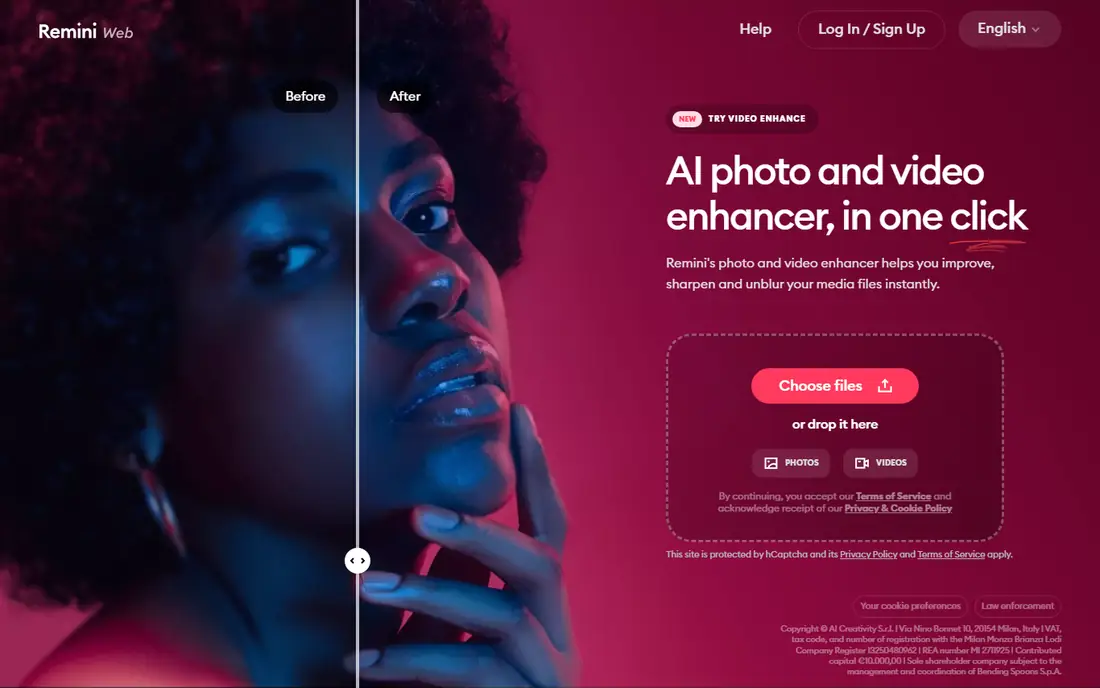
Remini is a brilliant demo and a dangerous subscription. Use the free tier to learn what restoration can do, set a cancellation reminder the minute you subscribe to anything, and do archive scale work elsewhere.
Judge its results against a relative who knew the person. The family memory is the ground truth no benchmark has.
What we like- Remini made AI face restoration famous on phones: feed it a blurry, faded portrait and it returns a startlingly clear face in seconds, with old photo modes for scratches and colour alongside. The free tier, ad supported with daily caps and watermarked exports, is enough to test your worst photo today. For phone stored family pictures, nothing is faster from download to result.
Watch out for- Its pricing is the category's cautionary tale: weekly subscriptions, with Pro reported around 9.99 dollars a week in store listings, are engineered for people who forget to cancel, and a month of forgetting costs more than every rival's year. The face it returns is a reconstruction that can drift from the person, especially on very degraded originals. Cloud processing applies. Batch work on a phone is slow going for a real archive.
#3Topaz Photo
Best for: Serious repair and upscaling on desktop4.3/5 on
G2 (2 reviews, checked Oct 2026)
Visit topazlabs.com
Starting priceSee website
Free planFree trial
Topaz is the quality and privacy summit of this list: local processing, manual control, the best reconstruction models, at a professional price.
For a one off family archive it is overkill unless the photos are precious and damaged. For anyone restoring regularly, it is the tool the others are approximating.
What we like- Topaz Photo, from Topaz Labs, is the photographer's restoration bench: denoise, sharpening, face recovery, dust and scratch removal and upscaling models that run on your own computer, so the archive never leaves your desk. Its controls let you dial the reconstruction back, the antidote to the plastic look one click tools produce. It works standalone or as a plugin beside Lightroom and Photoshop. A preview trial lets you test everything before paying, though exports need a plan.
Watch out for- Topaz replaced its old one time licence with subscriptions, reported around 39 dollars a month or about 199 dollars a year, which long time users resent and new users must budget
- Check the live price, as promotions swing it widely. Processing is slow on older machines. It repairs and enhances superbly but does not colourise as a speciality. The learning curve is a photographer's, not a grandchild's.
#4VanceAI Photo Restorer
Best for: One click repair in a browser4.5/5 on
G2 (15 reviews, checked Oct 2026)
Visit vanceai.com
Starting priceSee website
Free planYes
VanceAI is the sensible project tool for a bounded archive: a few hundred photos, one month, damage focused, done.
Count your photos before choosing a credit pack. The arithmetic of credits versus a flat subscription flips around a few dozen images, and the shoebox always contains more photos than you estimated.
What we like- VanceAI's Photo Restorer is the focused web tool: upload, and it targets the classic damage set, scratches, spots, fading, blur and noise, in one pass, with a small set of free credits each month to test on your own photos before paying. Its credit model suits project work: buy a month, restore the shoebox, let it lapse. Sibling tools on the same credits handle upscaling and colourising. For browser convenience against damage, it is the most restoration specific option here.
Watch out for- Credit pricing and plan names shift, and published monthly figures conflict between sources, so the field says See website and the checkout page is the authority. Cloud processing, with the usual retention questions. Very torn or missing areas exceed what one click repair can honestly rebuild. Per photo credits punish large archives compared with a flat month of Topaz or Photoshop.
#5Adobe Photoshop
Best for: Manual control over hard damage4.6/5 on
G2 (13,426 reviews, checked Oct 2026)
Visit adobe.com
Starting priceSee website
Free planFree trial
Photoshop is for the archive's hardest ten photos and for anyone who already knows it. Everyone else should start with the automatic tools and escalate only the photos that defeat them.
That division of labour is the professional workflow, incidentally: automate the many, hand craft the few, and keep every original untouched beneath the work.
What we like- Photoshop remains the court of last resort: its Neural Filters include photo restoration and colourise tools, and around them sits thirty years of manual repair capability, clone stamping, healing, content aware reconstruction, layer by layer control over exactly what the AI proposes. For a photo torn across a face, or a group portrait needing one person rebuilt from another print, a skilled hour in Photoshop does what no one click tool honestly can. It arrives in Adobe's photography plans, with pricing best confirmed on Adobe's page.
Watch out for- Skill is the price: Photoshop rewards expertise and punishes beginners, and its AI features are one panel in a cathedral. Generative features process in Adobe's cloud, while classic tools stay local, so privacy handling needs a moment's thought per feature. Subscription only. For simple fading and scratches it is a sledgehammer at a thumb tack.
#6Let's Enhance
Best for: Upscaling small prints for reprinting4.6/5 on
G2 (24 reviews, checked Oct 2026)
Visit letsenhance.io
Starting price$9 per month
Free planYes
Let's Enhance is the finisher: repair in VanceAI or Topaz, colourise in Palette, then upscale here for the print run.
Plan the project in that order and each tool does the job it is actually best at, which is cheaper and better than asking one subscription to do everything.
What we like- Let's Enhance specialises in the last step of most restoration projects: making a small, soft scan big and clean enough to print. Its upscaling, sharpening and colour correction run on a simple credit system, one image one credit, with 100 credits at 9 dollars a month billed annually in current listings and a few watermarked credits free at signup. Batch processing suits archive work. For the frame on the wall outcome, it is purpose built.
Watch out for- Upscaling is not restoration: it will not remove the scratch or rebuild the torn corner, so it pairs with a repair tool rather than replacing one. Credits expire with the plan cycle on most tiers. Cloud processing. Monthly billing without annual commitment costs more per credit.
Starting price$6 per month
Free planYes
Palette is the specialist that understands its moment: colour is where a restored photo stops being a document and becomes a person again.
Use its filter range deliberately, and keep the black and white original as the archival copy. Future relatives deserve both versions and the honesty about which is which.
What we like- Palette does one thing with unusual taste: it colourises black and white photographs, offering a gallery of colour filters per image so you choose the rendering, a sunny afternoon or a muted studio tone, rather than accepting one algorithm's guess. Plans run from about 6 dollars a month billed annually, with a free HD credit to test. For the emotional centrepiece of a restoration project, the colourised portrait of a grandparent, its choices respect the photo.
Watch out for- Colourisation is interpretation, not recovery: the uniform was not necessarily that green, and captions should say the photo was colourised, especially in family histories. It does not repair damage, so damaged prints need a repair pass first. Cloud processing. Beyond colour, you are paying for a single, if lovely, trick.
#8Fotor
Best for: Quick fixes and light restoration4.2/5 on
G2 (342 reviews, checked Oct 2026)
Visit fotor.com
Starting price$8.99 per month
Free planYes
Fotor is the gateway tool: light damage, few photos, zero intimidation. Many family projects genuinely end here, happily.
Escalate only the photos it cannot fix. A tool you understand beats a stronger one you abandon by the second evening.
What we like- Fotor is the friendly generalist: a browser editor with one click enhance, an old photo restorer for fading and scratches, colourising and a full set of ordinary photo tools around them, at about 8.99 dollars a month for Pro in current listings with a limited free tier. For a small project by a non technical user, its learning curve is the gentlest here, and the same subscription covers the birthday cards and collages that follow the restoration weekend.
Watch out for- Its restoration depth is the lightest in this list
- Seriously damaged photos will show its limits quickly. Free outputs carry restrictions. Cloud processing with the usual questions. It is a starting point priced like a habit, so cancel when the project ends.
How we chose
We selected AI restoration tools across the three real jobs, enhancement, repair and colourising, spanning phone, browser and desktop, with privacy architecture, local versus cloud, treated as a selection factor. Prices are from vendor pages and August to October 2026 pricing reporting; several vendors changed models this year, Remini's weekly billing and Topaz's move to subscription among them, and conflicting figures are marked See website rather than resolved falsely. No tool was hands on tested for this guide; quality judgements rest on published features and current comparison coverage.
How to run a family restoration project
Scan once, properly. A flatbed scan at 600 dpi or better, saved as a TIFF or high quality file, is the master everything derives from. Phone photos of prints are the false economy of this hobby: glare and low resolution limit every tool downstream.
Keep three folders: originals, untouched forever; working copies, where restoration happens; and prints, the finished labelled versions. The labelling matters: name restored files as restored, so nobody in 2086 mistakes an AI reconstruction for the camera's evidence.
Share the faces question around the family before uploading living people's photos anywhere, and use Topaz or Photoshop's local tools for anything sensitive. Consent costs one message; the alternative costs trust, which is the actual family archive.
Frequently asked questions
Can AI really restore a badly damaged photo?
Partly, and the honest boundary matters. Fading, scratches, spots, blur and moderate tears respond well. Missing content, half a face, a person cut off at the frame, cannot be recovered, only invented, and invented content should never be presented as the original. Photoshop in skilled hands extends the boundary furthest. For most family photos, which are faded and scratched rather than destroyed, the automatic tools here will delight you.
Is it safe to upload family photos to these websites?
It is a decision, not a default. Web tools process images on their servers; reputable ones state retention and deletion terms in their privacy policies, which you should read before uploading anything sensitive. Photos of living people, above all children, deserve the subject's or a parent's agreement. For archives you would not post publicly, the desktop tools, Topaz and Photoshop's local features, keep everything on your own machine and remove the question entirely.
Why does the restored face sometimes look like a different person?
Because the AI is reconstructing, not remembering. From a blurred or damaged face it generates the most probable face that fits the remaining pixels, and probability smooths away exactly the quirks that made the person themselves. Reducing the enhancement strength, Topaz and Photoshop allow this, keeps results closer to the evidence. Comparing against other photos of the same person, and asking relatives who knew them, is the human quality check.
How much should a family archive cost to restore?
Under 50 dollars is achievable for most shoeboxes: free tiers for testing, then one month of a repair tool and, if wanted, one of a colouriser or upscaler, cancelled when done. The traps are weekly billing, Remini's model, and subscriptions left running after the project. Photomyne style scanning apps help if the prints are not yet digitised. A professional human restorer charges far more per photo and remains the right call for the handful of images that matter most and defeat the AI.
Should restored photos be labelled as restored?
Yes, wherever the photo serves as a record: family histories, memorials, publications, claims. A simple caption, restored and colourised from the original print, 2026, preserves trust in the archive and costs nothing. Purely personal display, the framed print in your hall, is your own choice, though even there, telling the story of the restoration is part of the pleasure. The original scan, kept untouched, is what makes the honesty possible.
Sources we checked (0)
Is your product missing or out of date?
We review this list regularly. Vendors can request a listing, send updated pricing or ask about featured placement.

Shihab Mia · Founder, Rankite
Shihab has 5+ years in B2B and SaaS SEO. He writes Rankite's software buying guides from pricing pages, documentation and public user reviews. More about Shihab.