How we make this list: we compare pricing pages, product documentation and public user reviews. Ratings come from G2, Capterra or Trustpilot, with the date we checked them.
Key takeaways
- VanceAI Photo Restorer gives the most restoration-specific workflow in a browser.
- MyHeritage is the natural pick for family historians building a family tree.
- Topaz Photo AI is the one-time purchase for photographers who want full control.
- Remini is the fastest option for phone-based face restoration.
- Fotor, Hotpot.ai, and similar tools offer usable free tiers for small batches.
Quick comparison
Is your product missing or out of date?
We review this list regularly. Vendors can request a listing, send updated pricing or ask about featured placement.

#1VanceAI Photo Restorer
Best for: One-click browser restoration4.5/5 on
G2 (15 reviews, checked Oct 2026)
Visit vanceai.com
Starting priceSee website
Free planYes
VanceAI Photo Restorer gives the most restoration-specific workflow in a browser, with models tuned for the two most common print problems: scratches and color fading. Upload a scan, and the tool repairs damage, restores color, and sharpens detail in one pass, with output tuned to survive printing for frames or family books. Credits roll over on paid plans, and a genuine free tier lets you test on a few photos before paying.
Pricing has varied across published sources, so check the current page before subscribing. Web processing means photos leave your computer, which matters for sensitive family images. For a user with fifty damaged prints and a small budget, VanceAI offers the most focused restoration workflow online.
What we like- Most restoration-specific browser workflow
- Handles fading, scratches, and blur
- Credits roll over
- Genuine free tier
Watch out for- Pricing changed often across sources
- Web processing means uploads leave your computer
- Upsell prompts are persistent
Starting priceSee website
Free planYes
MyHeritage approaches restoration as part of family history, not as a standalone trick. Its photo tools enhance and colorize old family photos, then slot results into family trees, tagging and archive workflows that no pure restoration tool offers. If your goal is a documented family archive rather than a fixed-up image file, the surrounding platform matters as much as the AI.
The free tier is deliberately thin, a handful of restorations to demonstrate the feature, then a subscription aimed at genealogy users. For a family historian already building a tree, MyHeritage is the natural pick, since restored photos land directly in the archive.
What we like- Enhancement and colorization tuned for historical photos
- Genealogy integration for tagging and archives
- Trusted brand
Watch out for- Very limited free restorations
- Full value needs a genealogy subscription
- Free exports carry watermarks

#3Remini
Best for: Quick mobile face restoration4.6/5 on
G2 (13 reviews, checked Oct 2026)
Visit remini.ai
Starting priceSee website
Free planYes
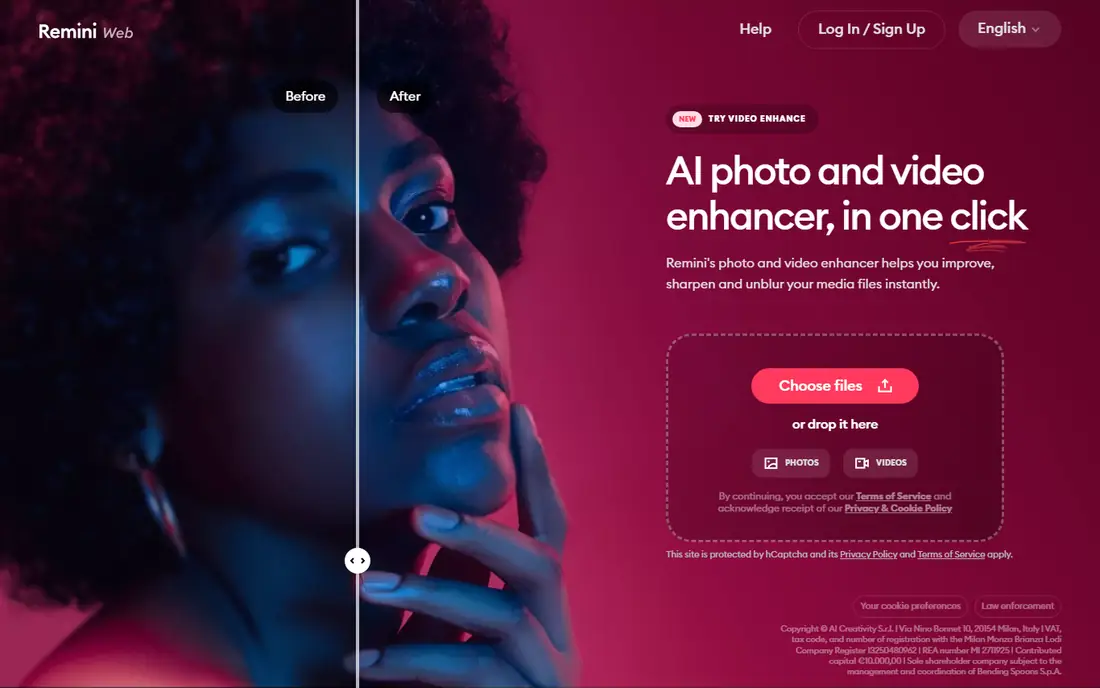
Remini is the fastest option for phone-based face restoration. Its face models are tuned for rescuing an old, blurry, or damaged family photo, and the mobile workflow handles one photo at a time with minimal steps. For that one precious portrait, Remini often produces the most striking face recovery of any tool here.
Weekly billing makes it the dearest tool for ongoing use, so it suits a handful of important photos better than regular work. Results can over-smooth skin texture, and there is no batch processing or fine control over strength. Treat Remini as a rescue tool for faces, not an archive workflow.
What we like- Fastest phone-based face restoration
- Simple one-photo workflow
- Strong face reconstruction for blurry portraits
Watch out for- Weekly pricing adds up fast
- No batch processing
- Results can over-smooth skin
- Free tier has ads and limits

#4Topaz Photo AI
Best for: Photographers and full control4.3/5 on
G2 (2 reviews, checked Oct 2026)
Visit topazlabs.com
Starting price$199 one-time
Free planFree trial
Topaz Photo AI is the only one-time purchase aimed at photographers who want full manual control. Denoise, sharpen, and upscale models reconstruct detail other tools cannot, and local processing keeps photos on your computer, which suits sensitive archives. Batch processing handles whole folders, and the free trial previews everything before paying, though it cannot save.
At $199, it costs more upfront than a month of any subscription, but for ongoing work it pays for itself within a quarter versus subscription tools. For a photographer or archivist restoring many photos with privacy in mind, Topaz Photo AI is the quality leader.
What we like- One-time purchase, no subscription
- Best denoise, sharpen, and upscale quality
- Local processing keeps photos private
- Batch processing
Watch out for- $199 upfront
- Free trial cannot save
- Needs a capable computer
- Learning curve for best results

#5Adobe Photoshop
Best for: Full manual control4.6/5 on
G2 (13,426 reviews, checked Oct 2026)
Visit adobe.com
Starting priceFrom $22.99 per month
Free planFree trial
Photoshop with Neural Filters gives full control over restoration. AI handles initial enhancement, while manual tools repair large tears, missing areas, and creases that no one-click tool reliably rebuilds. For badly damaged originals, a photo torn in half, or a restoration that must look historically accurate, Photoshop is the only tool here that reaches professional standards.
At $22.99 a month with a steep learning curve, it is overkill for quick fixes. For a single precious photo, try a free tool first to see what is possible, then do the final pass in Photoshop if the result matters.
What we like- Full control over every repair
- Neural Filters for AI restoration
- Manual tools for large tears and missing areas
Watch out for- $22.99 a month
- Steep learning curve
- Overkill for one-click restoration

#6Fotor
Best for: Budget all-in-one editing4.2/5 on
G2 (342 reviews, checked Oct 2026)
Visit fotor.com
Starting priceFrom $39.99 per year
Free planYes
Fotor is a budget all-in-one photo editor with a usable one-click restoration feature. At $39.99 a year for Pro billed annually, it costs less than most dedicated tools, and the free tier handles small batches. Editing tools beyond restoration, from cropping to filters, mean one app covers the whole workflow after repair.
Free exports carry watermarks, and restoration is less specialized than VanceAI or Topaz. For a user who wants restoration plus general editing at a low yearly price, Fotor is the best budget bundle.
What we like- Budget all-in-one photo editing
- One-click restoration
- Free tier for small batches
- Editing tools beyond restoration
Watch out for- Watermark on free exports
- Restoration less specialized than VanceAI
- Advanced features need Pro
Starting priceSee website
Free planYes
Hotpot.ai offers fast online restoration and colorization without an account for basic use. Upload a photo, restore it, colorize it, and download the result in minutes, with pay-per-photo options for occasional users. The simple interface suits a user who wants one photo fixed without learning software.
Control is limited compared with desktop tools, and badly damaged photos may need Photoshop instead. For a quick, cheap, no-account restoration of a few photos, Hotpot.ai is the most frictionless option.
What we like- Fast online restore and colorize
- No account needed for basic use
- Pay-per-photo options
- Simple interface
Watch out for- Less control than desktop tools
- Web processing only
- Quality varies on badly damaged photos
Starting price$87 one-time
Free planFree trial
AKVIS Retoucher suits users who want manual control over scratch and damage repair. Select damaged areas and the tool reconstructs them, with a one-time Home license at $87 and a 10-day free trial. It works standalone or as a Photoshop plugin, so it fits an existing editing workflow.
Manual repair takes time, and AI automation is thinner than Topaz or VanceAI. For a user restoring photos with scratches, dust, and small tears who wants to control each repair, AKVIS Retoucher offers desktop precision at a one-time price.
What we like- Manual control over scratch and damage repair
- One-time Home license
- Works as standalone or plugin
- 10-day trial
Watch out for- Manual work takes time
- AI features thinner than Topaz
- Interface feels dated
How we chose
We compared tools on restoration quality, face handling, colorization, batch processing, privacy, and pricing, using vendor pages and published comparisons from 2026. We favored tools US users can use today with a distinct strength. We did not claim hands-on testing, and where prices varied across sources we wrote See website. Web tools process photos on their servers, while desktop tools keep everything local, so privacy matters for sensitive family photos.
Start with the photo, not the tool. Light fading and small scratches need only a one-click web tool like VanceAI or Hotpot.ai. Faces matter most in family photos, so Remini or MyHeritage suit portraits. Badly damaged originals need Photoshop or AKVIS manual repair. Large archives need batch processing, which favors Topaz Photo AI or VanceAI credits.
Then mind the mistakes that make restored photos look fake. Over-smoothing skin at full strength turns real people into plastic figures, so keep face enhancement low and compare the restored face against the original scan. AI-invented faces change features, so dial back when features shift. Denoise before sharpening, since sharpening first sharpens grain into the image, and watch for over-sharpening halos around edges. Finally, treat colorization as a guess, not historical fact: label colorized versions and keep the original monochrome scan.
Also plan the archive. Scan originals at high resolution before any AI work, keep the original scan untouched, and save restored versions as separate files. Most family archives can be restored for under $50 total by using free tiers and a single month of a paid tool, so start free, test on your hardest photos, and pay only for the tool that handles them best. For sensitive photos, prefer desktop tools that process locally, and read privacy policies before uploading family images to any web service.
Common mistakes waste money and quality. Users subscribe for a year to restore ten photos, when a month or free tier would cover them. Others colorize every photo and lose the historical record, so keep monochrome originals. Restoration works best with restraint: fix damage, restore color gently, and stop before the photo looks like a modern digital image rather than a rescued memory.
Frequently asked questions
What is the best AI photo restoration tool overall?
VanceAI Photo Restorer for most people, with Topaz Photo AI for the highest quality on badly damaged originals and MyHeritage for family historians.
Can I restore old photos for free?
Yes, within limits. MyHeritage offers limited free photos with watermarks, VanceAI has a free tier, and Hotpot.ai works without an account for basic use.
Can software fix torn photos?
AI tools handle light creases and small tears, but large tears and missing areas need manual repair in Photoshop or AKVIS Retoucher. No one-click tool reliably rebuilds a photo torn in half.
Is it safe to upload family photos to restoration websites?
Web tools process photos on their servers, which is how the AI works. Desktop tools like Topaz and Photoshop keep everything local. Prefer local processing for photos you would not post publicly.
How much does photo restoration cost?
From free for small batches to $199 one-time for Topaz Photo AI, with monthly tools in between. Most family archives cost under $50 total using free tiers and one paid month.
Why do restored faces sometimes look wrong?
AI face enhancement invents detail when the original is blurry, which can change features or over-smooth skin. Compare against the original scan and dial back strength when features shift.
Sources we checked (8)
- https://vanceai.com
- https://www.myheritage.com
- https://remini.ai
- https://www.topazlabs.com/topaz-photo-ai
- https://www.adobe.com/products/photoshop.html
- https://www.fotor.com
- https://hotpot.ai
- https://akvis.com/en/retoucher/
Is your product missing or out of date?
We review this list regularly. Vendors can request a listing, send updated pricing or ask about featured placement.

Shihab Mia · Founder, Rankite
Shihab has 5+ years in B2B and SaaS SEO. He writes Rankite's software buying guides from pricing pages, documentation and public user reviews. More about Shihab.
 MyHeritage
 Hotpot.ai
 AKVIS Retoucher