How we make this list: we compare pricing pages, product documentation and public user reviews. Ratings come from G2, Capterra or Trustpilot, with the date we checked them.
Key takeaways
- AI journaling apps differ mainly in how the AI responds, from open chat and follow-up questions to pattern reports across many entries.
- Rosebud suits conversational reflection with memory across entries, while Reflection suits guided practices with AI follow-ups inside each entry.
- Day One remains the strongest long-term journal, with AI as an optional extra rather than the main reason to use it.
- Mindsera, Life Note, and DeepJournal suit writers who want analysis, frameworks, or mentor-style replies, rather than a simple daily prompt.
- Privacy terms matter more here than in most app categories, so check encryption, opt-in settings, and export options before writing personal entries.
Quick comparison
| Tool | Best for | Starting price | Free plan |
|---|
 Rosebud Rosebud | Conversational AI reflection | $12.99 per month | Free trial |
 Reflection Reflection | Guided journaling with AI coach | $8.00 per month | Yes |
 Day One Day One | Long-term multimedia journal | $49.99 per year | Yes |
 Mindsera Mindsera | Framework-based thinking analysis | $14.99 per month | Yes |
 Stoic Stoic | Short morning and evening routines | See website | Yes |
 Reflectly Reflectly | Light mood-led journaling | See website | Yes |
 Journey Journey | Cross-platform rich journaling | See website | Yes |
 Life Note Life Note | Mentor-style replies to entries | See website | Yes |
 DeepJournal DeepJournal | Connected memory across entries | See website | Yes |
Is your product missing or out of date?
We review this list regularly. Vendors can request a listing, send updated pricing or ask about featured placement.
The best ai journaling app
Starting price$12.99 per month
Free planFree trial
Rosebud works like a reflective conversation partner. A writer types or speaks an entry, Rosebud asks follow-up questions, and later entries can draw on earlier ones to show recurring themes. Weekly reports pull those threads together, which helps a writer see a pattern that a single entry would hide. For people who find a blank page hard to start, that back-and-forth structure is often the reason the habit sticks.
The main limit is price and access. Rosebud retired its free plan in late September 2026, so new users now start with a trial and then a paid Bloom plan. Writers who want a free AI journal, or who prefer to write without replies, will find better value elsewhere. Rosebud fits writers who want dialogue, memory, and regular summaries, and who are willing to pay for that specific combination.
What we like- Remembers past entries and surfaces patterns over time
- Weekly reflection reports summarise themes and mood trends
- Voice entry suits writers who prefer speaking
Watch out for- No permanent free plan since late September 2026
- The chat style may feel too conversational for writers who want a quiet page
Starting price$8.00 per month
Free planYes
Reflection combines guided practices with an AI coach that responds inside entries. A writer can start from a practice on gratitude, stress, goals, or self-examination, then receive follow-up questions that push the entry further. Over time, the app also looks across entries for patterns, which gives a writer a wider view than a single day provides. Cross-platform support covers iOS, Android, macOS, and web, so entries are not tied to one device.
Free-form writers may find the guided approach too structured. The app wants to lead with practices and prompts, and a writer who only wants a blank page may feel nudged toward a framework. Paid features also gate some of the deeper AI tools. Reflection fits writers who like structure, coaching questions, and a privacy-first setup with opt-in AI, rather than writers who want total freedom on a blank page.
What we like- More than 100 guided journaling practices
- AI follow-up questions inside entries and pattern insights across the journal
- Encryption with opt-in AI processing
Watch out for- The guided structure can feel prescriptive for free-form writers
- Some advanced AI features need the paid tier
Starting price$49.99 per year
Free planYes
Day One is the long-term archive in this list. Entries can include photos, videos, audio, drawings, location, weather, and music, and the app organises them by calendar, timeline, map, and tags. That richness makes old entries feel vivid years later, and export options help a writer keep the archive outside the app. AI features exist on the Gold plan, with daily prompts, entry summaries, and deeper prompts, but they are an addition to a traditional journal, not the core product.
Writers who want deep AI analysis in every entry should look at Rosebud, Reflection, or Mindsera instead. Day One also gates many features behind Silver or Gold yearly plans, while the free Basic plan limits photos and journals. Day One fits writers who care most about keeping a private, searchable life record for years, with AI as a helpful extra when they want it.
What we like- Mature journal with photos, audio, video, and rich metadata
- End-to-end encryption and strong export options
- On This Day revisits past entries
Watch out for- AI features are light and only on the Gold plan
- Many useful features need a yearly subscription
Starting price$14.99 per month
Free planYes
Mindsera treats journaling as a thinking exercise. Entries are analysed through frameworks drawn from philosophy and psychology, with feedback on patterns, assumptions, and recurring themes. Voice journaling and conversational options let writers speak an entry and still receive structured analysis, rather than only a chat reply. For writers who like to examine how they think, not just what happened, that analytical layer is distinct from the other apps here.
The tone is the trade-off. A writer who wants a warm, simple daily check-in may find framework language heavy, and the free Curious plan does not include AI features. Mindsera fits analytical writers, students of philosophy and psychology, and people who want their journal to challenge their reasoning. It fits less well for writers who want a quick mood note before bed.
What we like- Analysis based on thinking frameworks and cognitive patterns
- Voice journaling and live conversation options
- Cross-entry synthesis highlights recurring biases
Watch out for- The analytical tone can feel academic for casual daily journaling
- Full AI features need the paid Genius plan
Starting priceSee website
Free planYes
Stoic is built for a short daily practice rather than long-form writing. Morning preparation and evening review prompts, mood tracking, quotes, and habit tools give a writer a repeatable routine that takes minutes, not an hour. That brevity helps consistency, especially for writers who have tried longer journals and stopped after a week. The app also offers therapy notes and export options for writers who want to share reflections with a professional.
AI is not the main draw here. Prompts are guided, and an optional paid AI tier adds personalised prompts and reflections, but there is no open-ended chat or deep cross-entry analysis like Rosebud or Mindsera. Stoic fits writers who want a structured mental-health routine with journaling inside it. Writers who want an AI that replies to every entry should choose a dedicated AI journal instead.
What we like- Short structured routines for morning and evening
- Mood tracking and habit tools beside journaling
- A calm interface that keeps sessions brief
Watch out for- AI features are limited compared with dedicated AI journals
- Some premium and AI tiers are sold separately in app
Starting priceSee website
Free planYes
Reflectly starts from mood, not from a blank page. A writer picks a mood, answers a short prompt, and over time the app shows mood correlations and trends. AI-personalised questions add a light reflective layer without turning each session into a long conversation. That low-friction design suits beginners, teenagers, and busy writers who want a daily habit that takes two minutes.
Depth is the limit. Long entries, detailed analysis, and cross-entry memory are not the focus, and writers who grow into longer reflection often move to a fuller journal. Premium prices also vary by store and region, so the exact cost should be checked in the app before buying. Reflectly fits writers who want to start small and track mood. It does not fit writers who want a serious writing and analysis tool.
What we like- Very easy daily check-in with mood and short prompts
- AI-personalised questions based on mood patterns
- A gentle design that suits beginners
Watch out for- Shallow for writers who want long entries or deep analysis
- Premium pricing varies by platform and purchase channel
Starting priceSee website
Free planYes
Journey is the practical choice for writers who use several operating systems. Entries sync across mobile, desktop, and web, and can include text, photos, videos, and audio, with automatic weather and location details. Guided coach programs cover topics such as gratitude and self-care, and export to ePub gives writers a portable book of their journal. That breadth makes Journey useful for travellers, multi-device households, and writers who do not want to be locked to Apple or Android alone.
AI is present in guided coaching and prompts, but it is not the headline feature in the way it is for Rosebud or Mindsera. Writers who want an AI that analyses every entry in depth may find Journey lighter than expected. Journey fits writers who value access everywhere, rich entries, and solid export options, with guided prompts as a bonus rather than the main event.
What we like- Works across iOS, Android, Windows, Linux, Mac, and web
- Rich media entries with weather and location tagging
- Guided coach programs and ePub export
Watch out for- AI features are less central than in Rosebud or Reflection
- Some advanced features need a paid membership
Starting priceSee website
Free planYes
Life Note takes a distinct approach to AI replies. Instead of a generic coach voice, a writer can choose mentor voices inspired by historical thinkers, and receive a reply that reflects that mentor's perspective. A panel option can offer several perspectives on the same entry, which helps a writer see a problem from more than one angle. The free allowance gives new writers a real chance to test the style before paying.
That style is also the risk. Some writers will enjoy a mentor voice, while others will prefer direct questions about their own words, without a historical persona in between. Free users also face limits on replies per week, so regular writers will need the premium tier to keep the same rhythm. Life Note fits writers who enjoy guided reflection through named perspectives. It fits less well for writers who want a neutral, plain-spoken AI coach.
What we like- Replies from named mentor voices grounded in historical thinkers
- A panel option gives several perspectives on one entry
- A clear free entry allowance to start
Watch out for- Mentor-style replies may feel artificial to writers who want plain follow-up questions
- Premium removes entry limits that free users will hit
Starting priceSee website
Free planYes
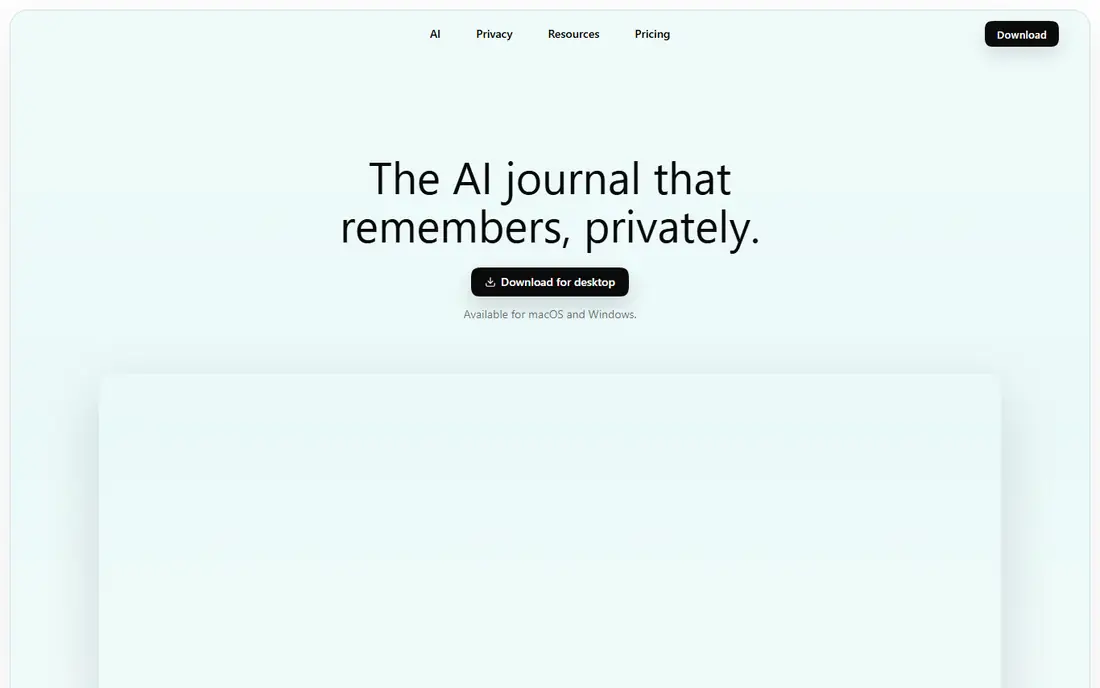
DeepJournal is built around memory. Entries are connected so that a writer can return to earlier thoughts, see how a theme developed, and keep a confidential AI layer over a long journal. That focus suits writers who keep a journal for years and want to find old entries by idea, not just by date. Desktop support on Mac and Windows also suits writers who do most of their reflection at a keyboard, with longer entries than a phone screen encourages.
Mobile-first writers may find the desktop emphasis less convenient, and the smaller community means fewer templates, guides, and third-party integrations than larger journals offer. DeepJournal fits long-term writers who value connected memory and confidential handling of personal writing. Writers who journal mainly on a phone, or who want a large social and template ecosystem, should compare Day One and Journey first.
What we like- Connected memory links entries across months and years
- Confidential AI processing is a stated design goal
- Works on Mac and Windows for desktop writers
Watch out for- Desktop focus may suit mobile-first writers less well
- A smaller app ecosystem than Day One or Journey
How we chose
This list was built from vendor pricing pages and product pages, public documentation, and public reviews on G2, Capterra, Reddit, and app store listings, with attention to AI style, memory across entries, privacy controls, export options, platform support, and free-plan limits. An app made the list only if it is available today and offers AI-guided or AI-analysed journaling, rather than only a blank diary page. Leaders such as Rosebud, Day One, and Reflection sit beside smaller options such as Life Note and DeepJournal, so readers can compare both scale and specialisation. Prices were checked against vendor pages where available, and marked as See website where a vendor page did not confirm a figure on the day of writing.
Choosing an AI journal without regretting the privacy trade
Decide what kind of AI reply you want
AI journals differ more in reply style than in price. Some offer open chat, some offer follow-up questions inside an entry, some offer framework analysis, and some offer mentor voices. Try the free tier or trial with three real entries, and note which reply style actually helps you write more, rather than which demo sounds most impressive.
Read the privacy page before the first personal entry
Check whether AI processing is opt-in, whether entries are encrypted at rest and in transit, whether the vendor trains models on entries, and whether you can export and delete your data. A journal holds personal writing, so a clear privacy page matters more than a polished interface. If a term is unclear, contact support before writing entries you would not want shared.
Keep your own copy outside the app
Export entries regularly in a format you can read without the app, such as Markdown, plain text, or PDF. That habit protects a long journal if pricing changes, an app closes, or you switch platforms. Day One and Journey offer strong export paths, and other apps should be judged on the same test before a yearly plan is bought.
Frequently asked questions
Is an AI journaling app private?
Privacy varies by app, so read each vendor privacy page. Look for encryption, opt-in AI processing, a statement on model training, and export and deletion options. Day One offers end-to-end encryption, Reflection uses opt-in AI processing, and other apps differ in detail. Do not assume that a journal app is private by default.
Can an AI journal replace therapy?
No, an AI journal is a reflection tool, not therapy or medical care. It can help a writer notice patterns, prepare thoughts for a session, and build a consistent writing habit. Writers who are struggling should contact a licensed professional or a local support service. Some apps, including Stoic, offer notes that can be shared with a therapist, but that does not make the app a therapist.
Which AI journaling app has the best free plan?
Reflection, Mindsera, Day One, Stoic, Reflectly, Journey, Life Note, and DeepJournal all offer a free tier or free allowance, but the useful free features differ. Reflection offers guided practices free, Day One offers a basic journal free, and Mindsera offers a free plan without AI features. Rosebud no longer offers a permanent free plan. Compare what is free, not just whether a free tier exists.
Do I need AI in a journal at all?
Not always, and many writers do better with a plain journal and a good prompt. AI helps most when starting is hard, when follow-up questions deepen an entry, or when patterns across entries are hard to see alone. Writers who already write daily, and who value quiet and privacy, may prefer Day One or Journey with AI switched off or unused.
What happens to my entries if I cancel?
That depends on the app, so check export and retention terms before subscribing. Most journals keep entries readable after cancellation, with paid features removed, but access and sync may change. Export regularly, and keep a copy outside the app, so a cancelled plan does not mean a lost journal.
Sources we checked (9)
- https://www.rosebud.app
- https://www.reflection.app
- https://dayoneapp.com
- https://mindsera.com
- https://www.getstoic.com
- https://reflectly.app
- https://journey.cloud
- https://mylifenote.ai
- https://deepjournal.app
Is your product missing or out of date?
We review this list regularly. Vendors can request a listing, send updated pricing or ask about featured placement.

Shihab Mia · Founder, Rankite
Shihab has 5+ years in B2B and SaaS SEO. He writes Rankite's software buying guides from pricing pages, documentation and public user reviews. More about Shihab.