How we make this list: we compare pricing pages, product documentation and public user reviews. Ratings come from G2, Capterra or Trustpilot, with the date we checked them.
Key takeaways
- Anima is the best pure Figma-to-code tool, turning Figma files, URLs, screenshots and prompts into live HTML or React apps.
- v0 is the best prompt-to-app tool, generating working full-stack apps in minutes and deploying to Vercel in seconds.
- Figma, Framer and Webflow are the best design-first platforms, now with AI agents working directly on the canvas.
- Builder.io and Locofy are the best choices for teams that need production code in their own codebase and design system.
Quick comparison
| Tool | Best for | Starting price | Free plan |
|---|
 Figma Figma | Design to production canvas | Free | Yes |
 Framer Framer | AI design agent on canvas | Free | Yes |
 Webflow Webflow | Agentic web platform | Free | Yes |
 v0 v0 | Prompt to full-stack app | Free | Yes |
 Builder.io Builder.io | Production code with agents | See website | No |
 Anima Anima | Figma to HTML or React | Free | Yes |
 Locofy Locofy | Figma to clean frontend code | See website | Yes |
 Uizard Uizard | Prompt to UI prototype | Free | Yes |
Is your product missing or out of date?
We review this list regularly. Vendors can request a listing, send updated pricing or ask about featured placement.
#1Figma
Best for: Design to production canvas4.7/5 on
G2 (1,593 reviews, checked Oct 2026)
Visit figma.com
Starting priceFree
Free planYes
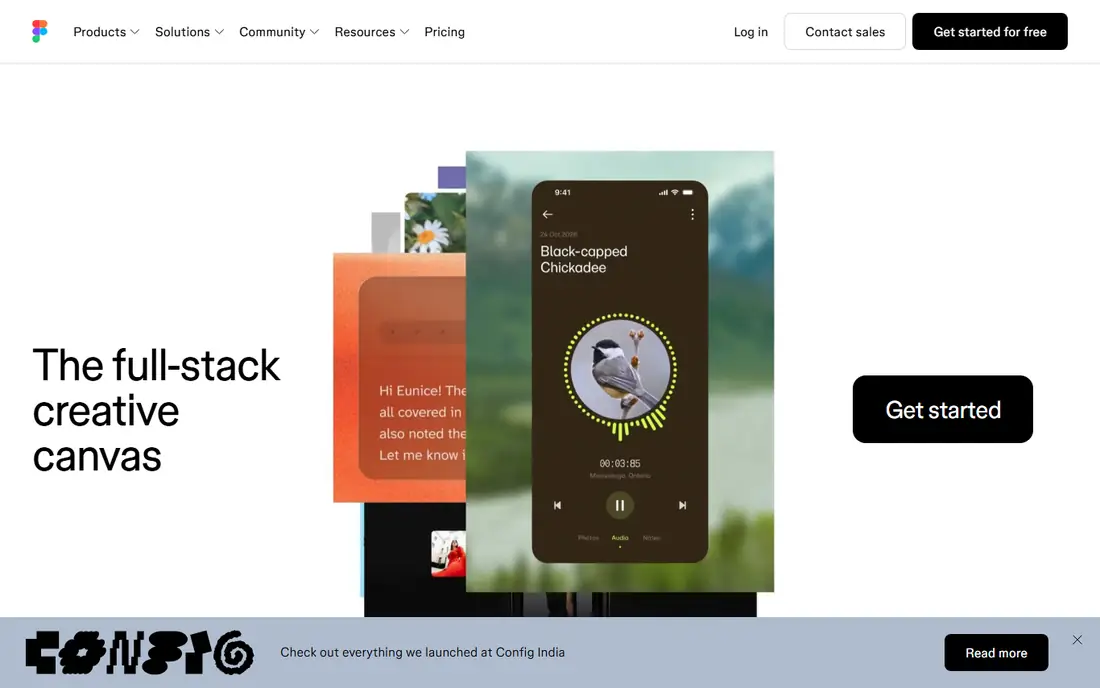
Figma is the collaborative canvas for design, code and AI, and the full-stack creative canvas where whole product teams go from work in progress to shipped product together. Its built-in agent acts as a creative collaborator, adding motion to designs, documenting design systems, implementing feedback and more, while teammates and AI agents work in the same space with shared context. Dev tools take designs all the way to production, and design context, codebase and agents stay connected so what is designed is what gets shipped.
The vendor reports that 95 percent of the Fortune 500 uses Figma, based on data from March 2025. The free plan covers core design work, with paid plans adding the agent depth and team features. For teams that already design in Figma, it is the natural starting point for AI design-to-code work, since the design file itself becomes the source of truth.
What we like- Collaborative canvas for design, code and AI
- Built-in agent for motion, documentation and feedback
- Dev tools that take designs to production
- 95% of the Fortune 500 uses Figma
Watch out for- AI agent features need paid plans for full depth
- Design tool first, so code output needs developer review
- Pricing must be checked on the pricing page
#2Framer
Best for: AI design agent on canvas4.5/5 on
G2 (144 reviews, checked Oct 2026)
Visit framer.com
Starting priceFree
Free planYes
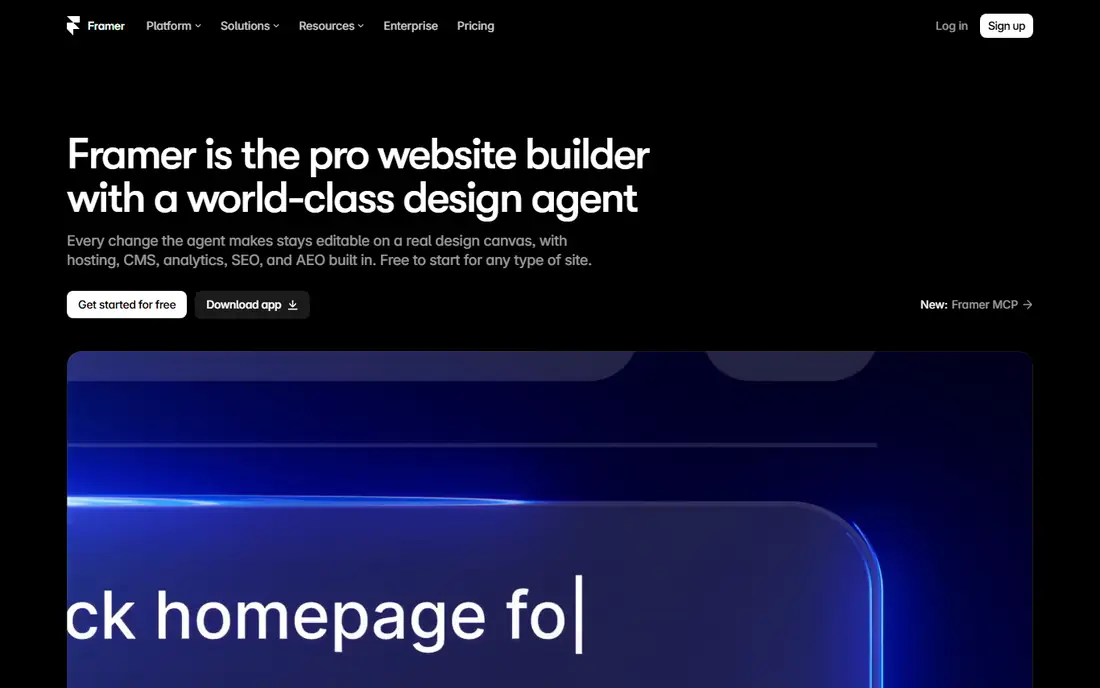
Framer is a free website builder with an AI design agent native to the canvas. The design agent works directly on a site to generate and refine in place, with every change visible, editable and under the user's control. A CMS agent sets up, organizes and updates the entire CMS, connecting it directly to the canvas so content and design stay in sync, while a code agent turns ideas into code for custom effects and complex interactions.
Framer also connects to external agents through MCP, letting teams update copy from Slack, trigger CMS changes from the terminal, or ship from a GitHub pull request using Claude, Codex, Cursor or any MCP-compatible agent. For designers building marketing sites and landing pages with AI help, Framer's agent-on-canvas approach is the most direct design-to-code experience.
What we like- Professional design agent native to the canvas
- CMS agent manages content
- Code agent adds custom effects
- MCP connections to Claude, Codex and Cursor
- Free website builder
Watch out for- Website-focused, less suited to native app code
- Advanced CMS and hosting features need paid plans
#3Webflow
Best for: Agentic web platform4.4/5 on
G2 (995 reviews, checked Oct 2026)
Visit webflow.com
Starting priceFree
Free planYes
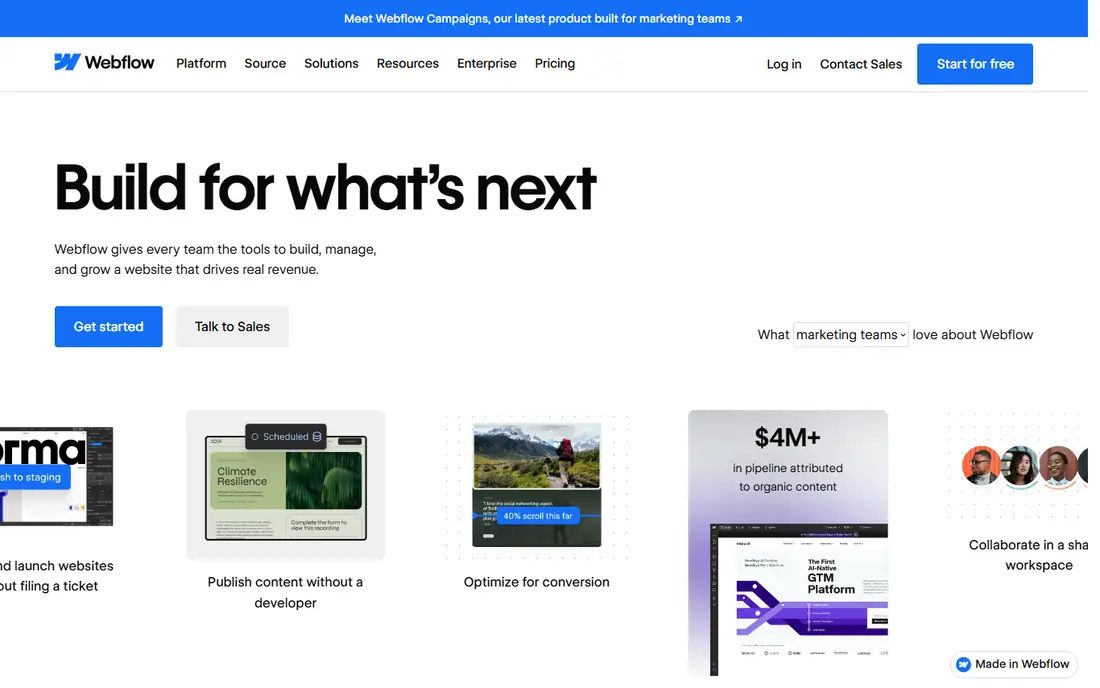
Webflow is the agentic web platform for modern businesses, giving teams the tools to build, manage and grow a website that drives real revenue. Marketing teams can build and launch without filing tickets, editing content in a visual canvas, controlling layout and typography, and publishing content optimized for AI search, SEO and conversion. Agents can be put to work on a site with AI tools like Claude and Cursor, without sacrificing control and governance at scale, and Webflow AI generates content, CMS items and code components.
The platform also covers AEO, showing how AI crawls a site and tracking visibility in AI answers, plus page branching for safe design changes, GSAP-powered interactions, shared libraries for brand consistency, and hosting that processes tens of billions of page views a month. More than 300,000 brands use Webflow. For teams building production marketing sites with AI assistance, Webflow is the most complete platform.
What we like- Agentic platform for building, managing and growing revenue-driving sites
- AI tools like Claude and Cursor work on sites
- AEO visibility tracking
- Page branching
- GSAP-powered interactions
- 300,000+ brands
Watch out for- Learning curve for the visual builder
- Enterprise features need paid plans
- App code output is web-focused
#4v0
Best for: Prompt to full-stack app4.5/5 on
G2 (28 reviews, checked Oct 2026)
Visit v0.dev
Starting priceFree
Free planYes
v0 by Vercel builds full-stack web apps with AI from a simple loop: prompt, build, publish. Users generate working applications in minutes, then publish as live websites in seconds, with GitHub sync for pushing code directly to a repository and one-click deployment to Vercel production. Design mode lets users fine-tune every detail with visual controls and live preview, while templates and design systems speed up starting from ready-made components and full-page designs.
The platform is agentic by default, planning, creating tasks and connecting to databases as it builds, with automatic integrations for favorite tools and APIs. An iOS app lets users build from a phone. For founders, PMs and developers who want a working app from a prompt, v0 is the fastest path from idea to live URL.
What we like- Generate working applications in minutes from a prompt
- Publish as live websites in seconds
- GitHub sync
- One-click Vercel deployment
- Design mode for visual fine-tuning
- Agentic by default
Watch out for- React and Vercel-centric output
- Complex apps still need developer review
- Free tier limits apply
Starting priceSee website
Free planNo
Builder.io is a collaborative platform to build with AI agents, creating real product experiences that stay on brand, in code, and ready to ship. Its visual editor is wired directly into a team's own components and design tokens, so changes are always on-brand and production-ready, while the agentic CMS publishes dynamic content with prompts, running A/B tests, personalizing and scheduling updates with brand and workflow intact. Teams can build apps and UIs from scratch, from Figma designs, or with any existing repo, keeping their framework, Git workflow and review process.
Customer stories cite a 20 percent increase in development capacity at TechStyle Fashion Group and more than 250 new pages launched at Zapier. Pricing was not shown on the homepage, so check the pricing page, and a free trial is offered. For engineering teams that need AI design-to-code output inside their own codebase, Builder.io is the best enterprise-grade choice.
What we like- Visual editor wired directly into real components and design tokens
- Design-to-code from Figma or any repo
- Git workflow preserved
- Agentic CMS with prompts
- MCP connectors
- SOC 2 Type II
Watch out for- No free plan shown
- Enterprise-leaning
- Setup effort to wire into an existing codebase
Starting priceFree
Free planYes
Anima is a design-aware AI agent that generates production-ready applications from Figma files, URLs, screenshots and text prompts. Users can start with a prompt, clone a full website with routes and navigation connected, match a brand from any URL, turn any image into an app, or turn Figma into a live app with responsive HTML or React carrying the design's structure, assets and visual details. Code output covers HTML with clean CSS, Tailwind or inline styles, and React with TypeScript or JavaScript and a preferred UI library.
The platform adds database and authentication, instant version restore, and publish, export or handoff, with an MCP that connects AI coding agents to Anima's app creation environment. More than 1.8 million builders have used Anima, and its engine runs inside Bolt.new and Replit. The homepage shows a free starting price. For pure Figma-to-code conversion, Anima is the best tool on this list.
What we like- Turns Figma, URLs, screenshots and prompts into live HTML or React
- Brand matching from any URL or design system
- Database and auth included
- Version restore
- MCP for AI coding agents
- Engine inside Bolt.new and Replit
Watch out for- Output still needs review for complex interactions
- Free tier limits apply
- Best results need clean Figma files
Starting priceSee website
Free planYes
Locofy turns Figma designs into clean frontend code for any stack, using proprietary design models to convert designs into code that developers can actually use. The workflow connects Figma to GitHub, VS Code, Cursor and Claude, so generated code flows straight into the tools developers already use. A companion product, Hexby, reverses the direction, turning existing codebases and vibe-coded apps from GitHub, Lovable or Bolt into a visual canvas for design iteration with AI coding agents.
That two-way approach is Locofy's distinctive strength: design to code for new work, and code to design canvas for existing work. Pricing was not shown on the homepage, so check the pricing page, and a free plan is available. For teams whose designs live in Figma and who want clean, stack-flexible code, Locofy is a strong specialist pick.
What we like- Turns Figma designs into clean frontend code for any stack
- Proprietary design models
- Works with GitHub, VS Code, Cursor and Claude
- Companion product Hexby turns code into a visual canvas
Watch out for- Homepage shows little pricing detail
- Figma-dependent workflow
- Output needs review for complex apps
#8Uizard
Best for: Prompt to UI prototype4.5/5 on
G2 (46 reviews, checked Oct 2026)
Visit uizard.io
Starting priceFree
Free planYes
Uizard makes UI design easy with AI, centered on Autodesigner, which generates a complete UI design and flow from a text prompt in seconds. Users choose a device, write a prompt, choose a design style, and get an editable design, with additional AI tools for turning screenshots into wireframes, sketches into mockups, and predicting where users will focus with heatmaps. The platform holds 9 AI tools in total, plus a Figma plugin that bridges idea to visualization.
Customer testimonials describe going from zero to a clickable prototype in 30 seconds, and creating two products from a prompt in 60 seconds. That speed makes Uizard the best tool for early-stage exploration: brainstorming, showing concepts to stakeholders, and testing many iterations before committing to code. For production code, pair it with Anima or v0, but for rapid prototyping, Uizard leads.
What we like- Autodesigner generates complete UI designs and flows from a text prompt in seconds
- Screenshot to wireframe
- Sketch to mockup
- Predictive heatmaps
- Figma plugin
- 9 AI tools on the platform
Watch out for- Prototype-focused, not production code
- Homepage shows testimonials rather than product detail
- Advanced features need paid plans
How we chose
We picked tools that genuinely convert design input into usable code or working apps, covering Figma-to-code, prompt-to-app, design agents on canvas, and rapid prototyping. Each homepage was opened to confirm the product exists and matches its description, and pricing was taken from the vendor's own pages where shown. Where a homepage did not display pricing, we wrote "See website" rather than guessing. We favored tools with free plans or free starts, since design-to-code work is best judged by trying real output.
Choosing the right design-to-code workflow
Start from where the design already lives. If it is in Figma, use Anima or Locofy for code, or Figma's own agent for iteration. If there is no design yet, use v0 for a working app from a prompt, or Uizard for fast prototypes to show stakeholders. If the output must land in an existing codebase with a design system, use Builder.io. And if the deliverable is a marketing site, Framer or Webflow will get it live fastest. In every case, review generated code before shipping: AI output is a strong starting point, not a finished product.
Frequently asked questions
What is the best AI design to code tool overall?
Anima is the best pure Figma-to-code tool, and v0 is the best prompt-to-app tool. For teams that design in Figma and want production React or HTML, start with Anima. For founders who want a live app from a prompt, start with v0.
Can AI really turn Figma into production code?
It can generate strong starting code, especially for marketing pages, dashboards and flows, but complex interactions, accessibility and performance still need developer review. Treat AI output as a fast first draft, not a finished release.
What is the difference between Framer and Webflow?
Both build websites with AI agents, but Framer's agent works directly on the canvas with a CMS and code agent, while Webflow is a broader agentic platform with AEO, page branching, shared libraries and enterprise hosting. Framer suits fast site builds, Webflow suits larger marketing operations.
Is there a free AI design to code tool?
Yes. Figma, Framer, Webflow, v0, Anima, Locofy and Uizard all offer free plans or free starts. Builder.io offers a free trial. Free tiers have limits, so check the pricing page before committing to a large project.
Do these tools work with my existing codebase?
Builder.io is built for that, wiring its visual editor into real components and preserving the Git workflow. Locofy exports code into GitHub, VS Code, Cursor or Claude, and Anima's MCP connects AI coding agents to its app environment.
What about Uizard: does it produce code?
Uizard focuses on UI design and prototypes rather than production code. It is best for rapid exploration and stakeholder demos, with code generation handled by tools like Anima or v0 after the design direction is settled.
Sources we checked (8)
- https://www.figma.com
- https://www.framer.com
- https://webflow.com
- https://v0.dev
- https://www.builder.io
- https://www.animaapp.com
- https://www.locofy.ai
- https://uizard.io
Is your product missing or out of date?
We review this list regularly. Vendors can request a listing, send updated pricing or ask about featured placement.

Shihab Mia · Founder, Rankite
Shihab has 5+ years in B2B and SaaS SEO. He writes Rankite's software buying guides from pricing pages, documentation and public user reviews. More about Shihab.