How we make this list: we compare pricing pages, product documentation and public user reviews. Ratings come from G2, Capterra or Trustpilot, with the date we checked them.
What Is the Best Affinity Photo Alternative in 2026
Adobe Photoshop is the best Affinity Photo alternative for most buyers in 2026, because it remains the industry standard for professional retouching, compositing and PSD file compatibility. It costs $22.99 per month on Adobe's annual plan billed monthly, checked 17 November 2026. That said, the question itself changed in late 2025. On 30 October 2025, Canva folded Affinity Photo, Designer and Publisher into a single unified app called Affinity and made it free for everyone, with a free Canva account needed to download and activate it. The old $69.99 one-time price for Affinity Photo no longer applies, so nobody needs an alternative just to save money anymore. People now switch because they want a different workflow, a Linux version, a browser editor, stronger RAW processing, or tools that do not require a Canva account.
Is There a Free Alternative to Affinity Photo
Yes, and this is where the market is strongest. Affinity itself is now free, so the free alternatives compete with a free product rather than a paid one. GIMP is the best free desktop editor, a full open-source pixel editor with layers, masks, filters and a huge plug-in ecosystem, and it runs on Windows, Mac and Linux. Photopea is the best free browser editor, opening PSD, AI, XD and Sketch files in a tab with no install and no account. Both give you the complete feature set at no cost, which is rare.
The honest catch is polish. GIMP's interface feels dated next to Affinity, and its non-destructive adjustment layers are still catching up. Photopea needs an internet connection and shows ads on the free plan, and very large files can strain a browser. If you edit photos a few times a week and can live with those limits, either one covers the job without spending anything. If you edit daily for paying clients, the time saved by a smoother interface in a paid tool is usually worth the price.
Which Affinity Photo Alternative Is Best for RAW Photo Editing
For RAW photography, Capture One is the strongest Affinity Photo alternative, with the best colour handling and tethered shooting in this list. Its Pro plan costs $18 per month on an annual plan, or $349 as a one-time perpetual licence, checked 17 November 2026. Adobe Lightroom is the better pick if you want cloud sync across desktop and mobile plus the largest preset and tutorial ecosystem, at $11.99 per month for the 1TB plan on an annual plan billed monthly. Note that Adobe announced a rise for the Lightroom 1TB plan to $14.99 per month from 20 March 2026, so confirm the live price at checkout.
Luminar Neo sits between the two, with AI tools that automate sky replacement, portrait retouching and object removal in a few clicks. It suits photographers who want fast results with less manual work. The pixel editors in this guide, including Photoshop and Pixelmator Pro, can develop RAW files, but they are not built for cataloguing and batch grading hundreds of images. If RAW volume is your daily work, buy a RAW editor and keep a pixel editor beside it for the few images that need heavy retouching.
Quick comparison
| Tool | Best for | Starting price | Free plan |
|---|
 Adobe Photoshop | Professional retouching, compositing and design work where PSD compatibility matters | $22.99 per month (single app, annual plan billed monthly, checked 17 November 2026) | 7-day free trial; no permanent free plan |
 Adobe Lightroom | Photographers who shoot in RAW and need organisation, presets and cloud sync | $11.99 per month (1TB plan, annual plan billed monthly, checked 17 November 2026) | Lightroom mobile app with limited editing features; no free desktop plan |
 Capture One | Studio photographers and anyone who shoots tethered or needs precise colour control | $18 per month (Pro, annual plan billed monthly) or $349 one-time perpetual licence, checked 17 November 2026 | 7-day free trial; no permanent free plan |
 GIMP | Anyone who wants a free, full-featured desktop editor on Windows, Mac or Linux | Free (open source, checked 17 November 2026) | Yes, the full application is free with no paid tier |
 Pixelmator Pro | Mac and iPad users who want a fast one-time purchase editor with machine learning tools | $49.99 one-time (Mac App Store, checked 17 November 2026) | No free plan; Apple Creator Studio subscription at $12.99 per month includes Pixelmator Pro plus other apps |
 Luminar Neo | Photographers who want AI tools to finish edits quickly with minimal manual work | $129 one-time (Desktop Only licence, checked 17 November 2026; sale prices as low as $99 seen in November 2026) | 7-day free trial; no permanent free plan |
 Corel PaintShop Pro | Windows users who want a full photo editor and design toolkit for one payment | $79.99 one-time (PaintShop Pro, checked 17 November 2026; Ultimate edition $99.99) | 30-day free trial; no permanent free plan |
 Photopea | Anyone who needs Photoshop-style editing in a browser with no install and no account | Free with ads; Premium from $5 per month (one-time passes: 8 euros for 30 days, 50 euros for 365 days, checked 17 November 2026) | Yes, the full feature set is free with ads |
Is your product missing or out of date?
We review this list regularly. Vendors can request a listing, send updated pricing or ask about featured placement.
8 Best Affinity Photo Alternatives Compared
| Tool |
Best for |
Starting price |
Free plan |
| Adobe Photoshop |
Professional retouching and compositing |
$22.99 per month |
7-day trial |
| Adobe Lightroom |
RAW photo organisation and grading |
$11.99 per month |
Mobile app with limited features |
| Capture One |
Studio and tethered RAW photography |
$18 per month |
7-day trial |
| GIMP |
Free desktop editing on any platform |
Free |
Yes, fully free |
| Pixelmator Pro |
Mac users who want a one-time purchase |
$49.99 one-time |
No |
| Luminar Neo |
Fast AI-assisted photo editing |
$129 one-time |
7-day trial |
| Corel PaintShop Pro |
Windows users who want a one-time purchase |
$79.99 one-time |
30-day trial |
| Photopea |
Browser editing with no install |
Free, Premium from $5 per month |
Yes, full features with ads |
Prices checked 17 November 2026 on each vendor's own pricing page. Adobe prices are US list prices on annual plans billed monthly, before tax.
#1Adobe Photoshop
Best for: Professional retouching, compositing and design work where PSD compatibility matters4.6/5 on
G2 (13,426 reviews, checked Oct 2026)
Visit adobe.com
Starting price$22.99 per month (single app, annual plan billed monthly, checked 17 November 2026)
Free plan7-day free trial; no permanent free plan
Adobe Photoshop is the benchmark every other editor here is measured against, and it earns that position through depth. Layers, masks, smart objects, adjustment layers, content-aware fill and generative fill cover retouching and compositing jobs that simpler editors cannot finish. The Photography plan at $19.99 per month adds Lightroom and 1TB of storage for less than Photoshop alone. The subscription is the real downside. At $22.99 a month you pay about $276 a year, every year, and you lose access if you stop paying. For professionals who bill clients, that cost is easy to justify. For hobbyists who edit a few photos a month, it is hard to defend now that Affinity itself is free.
What we like- Industry standard toolset, best PSD compatibility, strong generative AI features, huge plug-in and tutorial ecosystem
Watch out for- Subscription only, so the cost never stops, and the full feature set takes time to learn
#2Adobe Lightroom
Best for: Photographers who shoot in RAW and need organisation, presets and cloud sync4.6/5 on
G2 (3,299 reviews, checked Oct 2026)
Visit adobe.com
Starting price$11.99 per month (1TB plan, annual plan billed monthly, checked 17 November 2026)
Free planLightroom mobile app with limited editing features; no free desktop plan
Adobe Lightroom is the best choice when your work starts with a memory card full of RAW files rather than a single image to retouch. Its catalogue keeps thousands of photos searchable, its presets apply a consistent look across a whole shoot in seconds, and edits sync between desktop, tablet and phone. The 1TB plan at $11.99 per month covers most photographers, and the Photography plan at $19.99 per month adds Photoshop and Lightroom Classic. The weakness is that Lightroom is not a pixel editor. Removing a complex object or compositing two images is slow or impossible without round-tripping to Photoshop. The announced price rise to $14.99 per month also narrows the gap with one-time purchase rivals, so check the live price before you subscribe.
What we like- Excellent RAW processing, cloud sync across devices, huge preset ecosystem, Lightroom Classic included in the Photography plan
Watch out for- Weak layered pixel editing, so heavy retouching needs Photoshop beside it, and Adobe announced a price rise to $14.99 per month for the 1TB plan
#3Capture One
Best for: Studio photographers and anyone who shoots tethered or needs precise colour control4.5/5 on
G2 (78 reviews, checked Oct 2026)
Visit captureone.com
Starting price$18 per month (Pro, annual plan billed monthly) or $349 one-time perpetual licence, checked 17 November 2026
Free plan7-day free trial; no permanent free plan
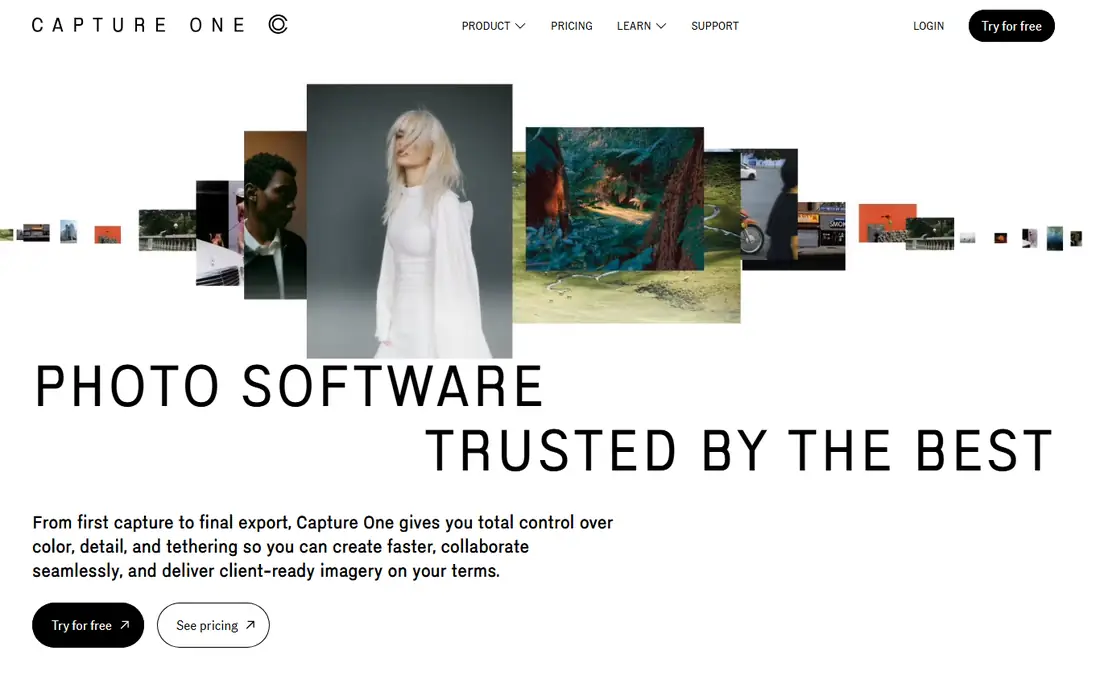
Capture One is the professional's RAW editor, built for studio work where colour accuracy and tethered capture decide whether a shoot succeeds. Its colour editor gives finer control over individual hues than Lightroom, its tethering is faster and more reliable, and its RAW engine pulls impressive detail from high-resolution files. The perpetual licence at $349 is a genuine advantage for photographers who refuse subscriptions, even though it covers only the version you buy and not future feature updates. The trade-off is ecosystem. Fewer presets, fewer plug-ins and fewer tutorials exist for Capture One than for Lightroom, and the interface assumes you already understand RAW workflows. If you shoot portraits, products or fashion in a studio, Capture One is the best choice for the photography side of your work.
What we like- Superb colour grading and RAW detail, best tethered shooting support, perpetual licence option, fast performance with large catalogues
Watch out for- Smaller plug-in and preset ecosystem than Lightroom, and the interface has a steeper learning curve for newcomers
#4GIMP
Best for: Anyone who wants a free, full-featured desktop editor on Windows, Mac or Linux4.3/5 on
G2 (1,484 reviews, checked Oct 2026)
Visit gimp.org
Starting priceFree (open source, checked 17 November 2026)
Free planYes, the full application is free with no paid tier
GIMP, the GNU Image Manipulation Program, is the oldest free alternative in this guide and still the most capable free desktop pixel editor. It handles layers, masks, selections, curves, healing and cloning, opens PSD files, and supports a large library of community plug-ins that add features such as advanced noise reduction and RAW handling. It is the only editor here with a native Linux version, which makes it the default choice for Linux photographers. The interface is the honest drawback. Panels, menus and tool options feel scattered next to the clean layout of Affinity or Pixelmator Pro, and new users face a learning curve before the workflow feels natural. Non-destructive adjustment layers are also less developed than in Photoshop. If your budget is zero and you want a desktop editor rather than a browser tab, GIMP is the best Affinity Photo alternative you can install.
What we like- Completely free with no ads or subscriptions, runs on Linux, large plug-in and script ecosystem, strong layer and mask tools
Watch out for- Dated interface that feels less polished than Affinity, and non-destructive editing is still limited compared with paid rivals
#5Pixelmator Pro
Best for: Mac and iPad users who want a fast one-time purchase editor with machine learning tools4.4/5 on
G2 (91 reviews, checked Oct 2026)
Visit apple.com
Starting price$49.99 one-time (Mac App Store, checked 17 November 2026)
Free planNo free plan; Apple Creator Studio subscription at $12.99 per month includes Pixelmator Pro plus other apps
Pixelmator Pro is the closest thing to the old Affinity deal in 2026, a polished native editor sold once for $49.99 with no subscription. Apple bought the Pixelmator team and completed the acquisition in February 2025, and the app now sits inside Apple Creator Studio as well, but the standalone one-time purchase remains on sale on the Mac App Store. Its machine learning tools are genuinely useful. Super Resolution enlarges images cleanly, the repair tool removes objects convincingly, and background removal takes seconds. Performance on Apple silicon is fast, and the interface feels closer to Affinity than any other editor here. The limits are platform and feature split. There is no Windows or Linux version, and Apple has made some newer tools exclusive to the Creator Studio subscription, so the one-time version may fall behind over time.
What we like- One-time price with no subscription, fast native Mac performance, strong machine learning tools such as Super Resolution and background removal, clean interface
Watch out for- Mac and iPad only, so Windows and Linux users are excluded, and the newest features such as the Warp tool are exclusive to the Apple Creator Studio subscription version
#6Luminar Neo
Best for: Photographers who want AI tools to finish edits quickly with minimal manual work4.4/5 on
G2 (115 reviews, checked Oct 2026)
Visit skylum.com
Starting price$129 one-time (Desktop Only licence, checked 17 November 2026; sale prices as low as $99 seen in November 2026)
Free plan7-day free trial; no permanent free plan
Luminar Neo, now sold simply as Luminar by Skylum, is the fastest editor in this guide for turning a RAW file into a finished image. Sky AI replaces a dull sky in one click, portrait tools smooth skin and relight faces without manual masking, and GenErase removes unwanted objects cleanly. The Desktop Only licence at $129 one-time covers Mac and Windows on two computers, and there is no monthly bill for the core editing tools. The catch is the one-year limit on generative tools. After the first year, GenErase, GenSwap, GenExpand and the AI assistant need a Luminar Prime renewal, which costs $33 a year for the Desktop Only licence. Layered compositing is also thinner than in Photoshop or Affinity. If you want speed over control, Luminar Neo is the best Affinity Photo alternative for you.
What we like- Strong AI tools for sky replacement, portrait retouching and object removal, one-time purchase with no monthly bill, simple interface for beginners
Watch out for- Generative AI tools only work for one year unless you renew Luminar Prime, and layered compositing is weaker than in Photoshop or Affinity
#7Corel PaintShop Pro
Best for: Windows users who want a full photo editor and design toolkit for one payment4.1/5 on
G2 (207 reviews, checked Oct 2026)
Visit paintshoppro.com
Starting price$79.99 one-time (PaintShop Pro, checked 17 November 2026; Ultimate edition $99.99)
Free plan30-day free trial; no permanent free plan
Corel PaintShop Pro is the long-running Windows answer to Photoshop, and it remains one of the cheapest ways to get a full desktop editor without a subscription. The $79.99 one-time licence covers layers, masks, RAW processing, HDR, focus stacking and a large set of creative filters, plus graphic design tools that go beyond pure photo work. The 2026 release added AI panels for generating and remixing images, and Corel runs frequent sales that have cut the Ultimate edition to $59.99, so patient buyers often pay far less than list price. The limits are platform and polish. PaintShop Pro is Windows only, which rules out Mac and Linux users entirely, and the interface packs so many panels and options into one window that beginners can feel lost.
What we like- One-time purchase with no subscription, wide toolkit covering photo editing, RAW handling and graphic design, good AI-assisted tools in the 2026 release, frequent sale prices well below list
Watch out for- Windows only, so Mac users are excluded, and the interface feels crowded next to simpler rivals
#8Photopea
Best for: Anyone who needs Photoshop-style editing in a browser with no install and no account4.6/5 on
G2 (21 reviews, checked Oct 2026)
Visit photopea.com
Starting priceFree with ads; Premium from $5 per month (one-time passes: 8 euros for 30 days, 50 euros for 365 days, checked 17 November 2026)
Free planYes, the full feature set is free with ads
Photopea is the most surprising editor in this guide, a full layered image editor that runs entirely in a browser tab. It opens PSD files with layers and smart objects intact, supports masks, adjustment layers, blend modes and vector tools, and it does all of this without an install, an account or a payment. The free plan includes every editing tool, which makes it the best free Affinity Photo alternative for occasional work and for opening client PSDs on a borrowed computer. Premium is sold as one-time passes rather than a subscription, 8 euros for 30 days or 50 euros for 365 days, and it removes ads while adding storage, more history steps and 3,000 AI credits a month. The browser is also the limit. Very large files and heavy batch work run slower than in a desktop app, and you need an internet connection to load it.
What we like- Free with every editing tool included, opens PSD, AI, XD and Sketch files, runs on any device with a browser, no install or account needed
Watch out for- Browser only, so very large files can be slow, and the free plan shows ads and limits AI credits
Frequently asked questions
Is Affinity Photo still available to buy
No, Affinity Photo is no longer sold as a separate product. On 30 October 2025, Canva merged Affinity Photo, Designer and Publisher into a single app called Affinity and made it free for everyone. The photo editing tools live on as the Pixel Studio inside that app. Existing Affinity Photo 2 licences still work, but no new one-time licences are sold, and the old $69.99 price is history.
Is Affinity really free now
Yes, the unified Affinity app is free for individuals on Mac and Windows, with an iPad version also available. You need a free Canva account to download and activate it, and the core editing tools carry no watermark, trial clock or feature gate. The only paid part is the optional Canva AI Studio inside the app, which needs a paid Canva plan for generative features.
What is the best free Affinity Photo alternative
GIMP is the best free desktop alternative, with a full layer-based editor that runs on Windows, Mac and Linux at no cost. Photopea is the best free browser alternative, opening PSD files in a tab with every tool included. Choose GIMP if you want a permanent desktop install and Linux support, and choose Photopea if you want instant access from any computer.
Which Affinity Photo alternative is best for beginners
Luminar Neo is the easiest starting point, because its AI tools handle sky replacement, portrait retouching and object removal with one click and its interface stays simple. Pixelmator Pro is the next best option for Mac beginners, with a clean layout and helpful machine learning tools. Photoshop is the most powerful choice but also the hardest to learn.
Can I open Affinity Photo files in these alternatives
Affinity's native file format is not supported by other editors, so export your work from Affinity as PSD, TIFF or PNG before switching. Photoshop and Photopea open PSD files most faithfully, including layers. GIMP and Pixelmator Pro also open PSD files, with some limits on smart objects and adjustment layers. Keep your original Affinity files as backups in case you need to return to them.
Sources we checked (10)
- https://www.adobe.com/products/photoshop.html
- https://www.adobe.com/creativecloud/plans.html
- https://www.adobe.com/products/photoshop-lightroom.html
- https://www.captureone.com/en/pricing/capture-one-pro
- https://www.gimp.org
- https://www.apple.com/pixelmator-pro/
- https://skylum.com/luminar/pricing
- https://www.paintshoppro.com
- https://www.photopea.com
- https://affinity.serif.com
Is your product missing or out of date?
We review this list regularly. Vendors can request a listing, send updated pricing or ask about featured placement.

Shihab Mia · Founder, Rankite
Shihab has 5+ years in B2B and SaaS SEO. He writes Rankite's software buying guides from pricing pages, documentation and public user reviews. More about Shihab.