How we make this list: we compare pricing pages, product documentation and public user reviews. Ratings come from G2, Capterra or Trustpilot, with the date we checked them.
Key takeaways
- Affinity Photo is the best overall GIMP alternative in 2026, because the core photo tools are now free in the unified Affinity app from Canva.
- Adobe Photoshop is still the standard for professional client work, at 22.99 dollars a month for the single app plan.
- Photopea is the best free browser based option, with the full feature set at no cost.
- Krita is the best free choice for digital painting, while Paint.NET is the simplest free editor for quick Windows edits.
- Pixelmator Pro and Corel PaintShop Pro are the best one time purchases for Mac and Windows users.
Why do people look for GIMP alternatives?
GIMP has improved a lot, and the 3.0 release brought a cleaner interface and better non-destructive editing. Even so, several gaps push people elsewhere. GIMP still lacks full native CMYK support, which matters for print. Its adjustment layers and non-destructive workflow still feel less polished than Photoshop or Affinity Photo. The plugin ecosystem is powerful but uneven, and some plugins need manual setup.
There are also practical reasons. Some teams need reliable PSD compatibility for files shared with clients. Others need RAW processing built in, rather than a separate tool. And some users want an editor that feels fast and native. None of this makes GIMP a bad editor. It makes GIMP the wrong editor for specific jobs, and the tools below cover those jobs.
How did we compare these GIMP alternatives?
We compared each editor on five points: editing power, file compatibility, platform support, ease of use, and price. Editing power covers layers, masks, retouching, RAW handling, and colour management. File compatibility covers PSD, TIFF, PNG, JPEG, and RAW formats. Platform support matters because several of these tools run on one operating system only. Price is taken from the vendor pricing page or a current reliable source, and each price below was checked on 16 November 2026.
We also weighed the total cost over three years. A 22.99 dollar monthly subscription costs about 827 dollars over three years, while a 49.99 dollar one time purchase costs the same in year three.
Which GIMP alternative is best for you?
| Tool | Best for | Starting price | Free plan |
| Adobe Photoshop | Professional client work and PSD handoff | 22.99 dollars per month | No, 7 day trial |
| Affinity Photo | Best overall replacement for GIMP | Free | Yes |
| Photopea | Browser based editing with no install | Free, Premium from 5 dollars per month | Yes |
| Krita | Digital painting and illustration | Free | Yes |
| Paint.NET | Quick edits on Windows | Free | Yes |
| Pixelmator Pro | Mac users who want a one time purchase | 49.99 dollars one time | No |
| Corel PaintShop Pro | Windows users who want guided edits | 79.99 dollars one time list, often on sale for 47.99 dollars | No, 30 day trial |
| Pixlr | Fast online edits and AI tools | Free, Plus from 1.99 dollars per month billed yearly | Yes |
If you edit photos for clients, pick Photoshop or Affinity Photo. If you paint, pick Krita. If you edit on a shared computer, pick Photopea or Pixlr. If you are on a Mac and hate subscriptions, pick Pixelmator Pro. If you are on Windows and want something simpler than GIMP, pick Paint.NET or PaintShop Pro.
What should you look for in a GIMP alternative?
Start with your file formats. If you exchange PSD files with clients, you need strong PSD support, which points to Photoshop, Affinity Photo, or Photopea. If you work in print, check CMYK support before you buy, since several editors here handle CMYK better than GIMP. Next, check your platform. Pixelmator Pro is Mac only, Paint.NET and PaintShop Pro are Windows only, and the rest run on more than one system or in a browser. Then look at how you edit. Photographers need RAW processing and lens correction. Retouchers need frequency separation and good masks. Designers need text tools and vector support. Illustrators need brush engines. Match the tool to the work you actually do, not to the longest feature list.
Quick comparison
| Tool | Best for | Starting price | Free plan |
|---|
 Adobe Photoshop | Professional client work, photo retouching, and PSD handoff | 22.99 dollars per month for the single app plan, annual plan billed monthly | No, 7 day free trial |
 Affinity Photo | Best overall GIMP replacement for photographers and retouchers | Free, core photo tools included in the unified Affinity app | Yes |
 Photopea | Browser based editing with no install and strong PSD support | Free, Premium from 5 dollars per month | Yes, full feature set with ads |
 Krita | Digital painting, illustration, comics, and concept art | Free | Yes, fully free and open source |
 Paint.NET | Quick and simple photo edits on Windows | Free, direct download from the official site | Yes |
 Pixelmator Pro | Mac users who want a fast native editor with a one time purchase | 49.99 dollars one time on the Mac App Store | No |
 Corel PaintShop Pro | Windows users who want guided edits and a full toolkit in one purchase | 47.99 dollars one time | No, 30 day free trial |
 Pixlr | Fast online edits, social media graphics, and AI powered touch ups | Free, Plus from 1.99 dollars per month billed yearly | Yes, with ads and a daily save limit |
Is your product missing or out of date?
We review this list regularly. Vendors can request a listing, send updated pricing or ask about featured placement.
The 8 best GIMP alternatives
#1Adobe Photoshop
Best for: Professional client work, photo retouching, and PSD handoff4.6/5 on
G2 (13,426 reviews, checked Oct 2026)
Visit adobe.com
Starting price22.99 dollars per month for the single app plan, annual plan billed monthly
Free planNo, 7 day free trial
Photoshop is the editor every other tool here is measured against. Its layers, masking, and retouching brushes are the most refined available, and its non-destructive workflow with Smart Objects and adjustment layers is smoother than GIMP. Camera Raw handles RAW files from nearly every camera, and Generative Fill extends backgrounds and removes objects in seconds. For anyone who hands PSD files to clients, Photoshop removes the compatibility worry entirely. Price checked 16 November 2026: 22.99 dollars a month on an annual plan billed monthly, or 263.88 dollars a year prepaid. The Photography plan, which adds Lightroom and 1TB of storage, costs 19.99 dollars a month. The cost is the real drawback.
What we like- Industry standard for photo editing, strongest PSD compatibility, deep RAW processing through Camera Raw, large plugin and tutorial ecosystem
Watch out for- Subscription cost adds up to about 827 dollars over three years, with an early cancellation fee after the first 14 days
#2Affinity Photo
Best for: Best overall GIMP replacement for photographers and retouchers4.5/5 on
G2 (234 reviews, checked Oct 2026)
Visit affinity.studio
Starting priceFree, core photo tools included in the unified Affinity app
Free planYes
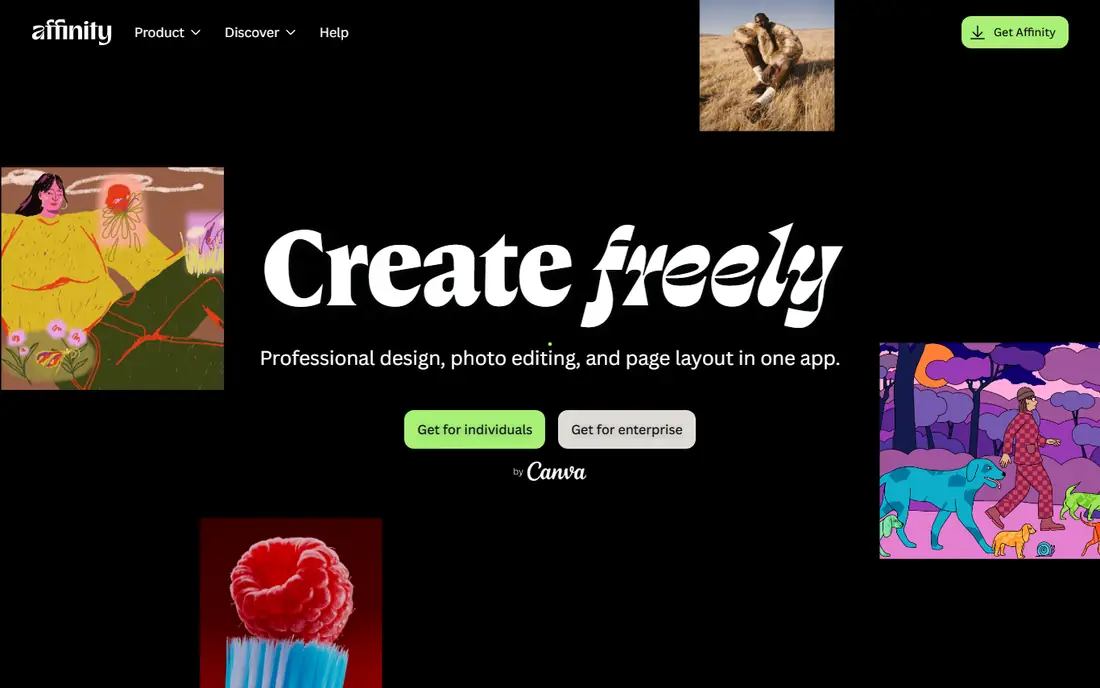
Affinity Photo changed more than any tool in this list in the past year. In October 2025, Canva made the unified Affinity app free, combining Photo, Designer, and Publisher in one download. The core photo tools that used to cost 69.99 dollars as a one time purchase for Photo 2 are now free, with a Canva account needed to sign in. The editor is a genuine Photoshop class tool, with full layer support, live filters, frequency separation, panorama stitching, HDR merge, and a capable RAW developer. It opens PSD files reliably, which makes it the easiest switch for GIMP users. Price checked 16 November 2026: the core app is free, and Canva Pro unlocks AI Studio features such as Generative Fill. The main drawback is the account requirement and the fact that the newest AI tools sit behind a subscription, but for everyday editing the free core is complete.
What we like- Professional layer based editing with no subscription, strong RAW processing, fast performance on Apple silicon and Windows, PSD support
Watch out for- Generative AI tools need a Canva premium subscription, and the app requires a free Canva account
#3Photopea
Best for: Browser based editing with no install and strong PSD support4.6/5 on
G2 (21 reviews, checked Oct 2026)
Visit photopea.com
Starting priceFree, Premium from 5 dollars per month
Free planYes, full feature set with ads
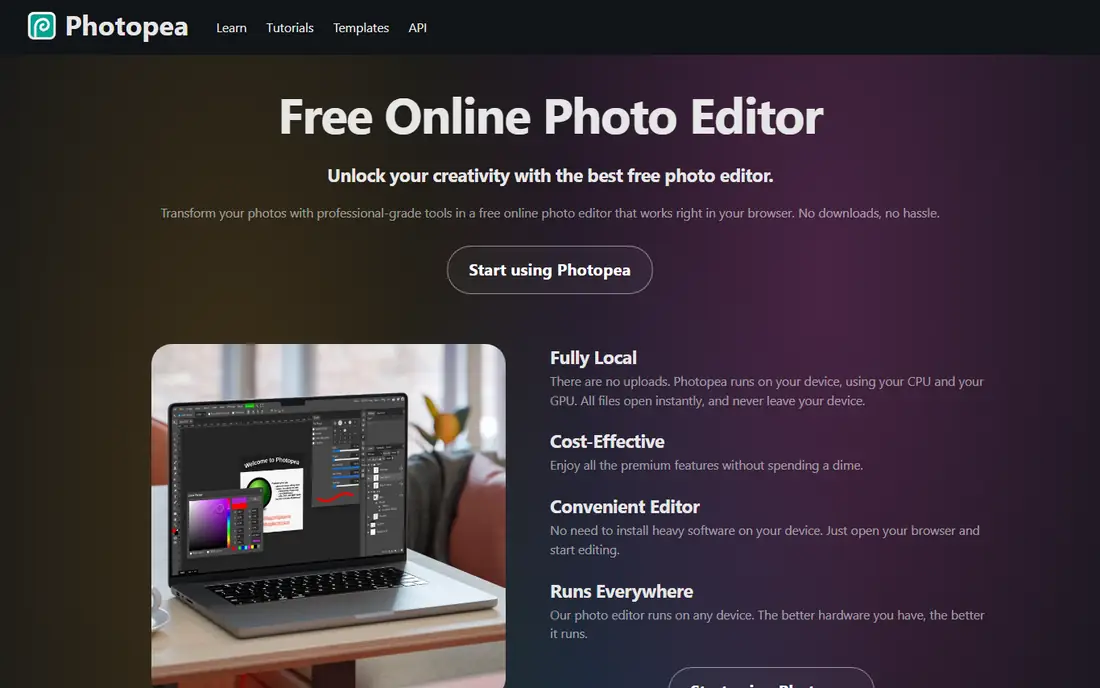
Photopea is the closest thing to Photoshop you can open in a browser tab, and it is the fastest way for a GIMP user to try a different editor. It looks and behaves much like Photoshop, with layers, masks, adjustment layers, and smart objects, and it opens PSD, AI, XD, and Sketch files without converting them first. The free plan includes every editing tool, and Premium only removes ads and adds storage, more history steps, and AI credits. Price checked 16 November 2026: Premium is sold as one time passes of 8 euros for 30 days, 15 euros for 90 days, or 50 euros for 365 days, about 5 dollars a month. The browser only design is the main limit. Very large files can slow down, and you need an internet connection to load the editor.
What we like- Opens in any browser with nothing to install, excellent PSD and AI file support, full feature set on the free plan, works on any operating system
Watch out for- Runs only in a browser, so large files depend on your computer memory and connection, and there is no desktop app for offline work
#4Krita
Best for: Digital painting, illustration, comics, and concept art4.4/5 on
G2 (65 reviews, checked Oct 2026)
Visit krita.org
Starting priceFree
Free planYes, fully free and open source
Krita is free and open source like GIMP, but it is built for a different job. Where GIMP is a general photo editor, Krita is a painting studio, and its brush engines, stabilisers, and drawing assistants are better than anything else in this list for illustration work. It has more than a hundred brushes, wrap around mode for seamless textures, perspective guides, and a frame by frame animation timeline that GIMP does not offer. It also handles layers, masks, and filters well enough for basic photo edits. Price checked 16 November 2026: the download from krita.org is free, with no trial, watermark, or subscription. Paid copies on Steam for 9.99 dollars and the Microsoft Store for 14.99 dollars contain the same program and fund development. The trade off is photo work, since Krita has no lens correction pipeline.
What we like- Excellent brush engines and stabilisers, frame by frame animation timeline, completely free with no locked features, active open source community
Watch out for- Weaker photo retouching and RAW workflow than dedicated photo editors, and no iPad version
Starting priceFree, direct download from the official site
Free planYes
Paint.NET sits between basic paint apps and full editors like GIMP, and that is exactly why many Windows users prefer it. It has layers with blend modes, curves, levels, and special effects, plus unlimited history, in an interface a new user can learn in an afternoon. It renders with the graphics card, so large images stay responsive, and free community plugins add features such as RAW support. Price checked 16 November 2026: the classic edition is free to download from getpaint.net, with no account and no ads. The same app is sold on the Microsoft Store for a one time 14.99 dollars, which adds automatic updates, but the features are identical. It runs only on Windows, and PSD files need a plugin.
What we like- Very easy to learn, fast on modest hardware, layers and unlimited undo, large library of free community plugins
Watch out for- Windows only, and PSD support needs a free community plugin rather than working out of the box
#6Pixelmator Pro
Best for: Mac users who want a fast native editor with a one time purchase4.4/5 on
G2 (91 reviews, checked Oct 2026)
Visit pixelmator.com
Starting price49.99 dollars one time on the Mac App Store
Free planNo
Pixelmator Pro is the editor that feels most at home on a Mac, because it is built with native macOS technology and tuned for Apple silicon. It is fast, the interface is clean, and its machine learning tools handle background removal, repair, and super resolution well. It supports layers, RAW editing, and PSD files, and covers the retouching and design work most GIMP users need. Price checked 16 November 2026: the Mac version costs 49.99 dollars once on the Mac App Store, with updates included and no renewal. Apple also offers Pixelmator Pro inside Apple Creator Studio for 12.99 dollars a month or 129 dollars a year, which adds the iPad app and newer tools such as the Warp Tool. The one time purchase pays for itself in under three months against a Photoshop subscription, but the standalone version is now a step behind on features, and it is Mac only.
What we like- Native macOS interface built for Apple silicon, machine learning tools for upscaling and background removal, solid PSD support, no subscription
Watch out for- Mac only, and the newest features such as the Warp Tool are exclusive to the Apple Creator Studio subscription version
#7Corel PaintShop Pro
Best for: Windows users who want guided edits and a full toolkit in one purchase4.1/5 on
G2 (207 reviews, checked Oct 2026)
Visit corel.com
Starting price47.99 dollars one time
Free planNo, 30 day free trial
PaintShop Pro has been a Photoshop alternative for decades, and the current version pairs a full layer based editor with guided tools that walk beginners through portrait retouching, background replacement, and photo restoration. The 2026 release added AI panels for generating and remixing images, and the editor handles RAW files, HDR, and batch processing. Price checked 16 November 2026: PaintShop Pro lists at 79.99 dollars as a one time purchase and is often on sale for 47.99 dollars, while PaintShop Pro Ultimate lists at 99.99 dollars and is often on sale for less. There is no subscription. The drawbacks are the Windows only platform and an interface that feels less modern than Pixelmator Pro or Affinity Photo. For a Windows user who wants a polished editor and no monthly bill, it is a strong pick.
What we like- One time purchase with no subscription, guided tutorials and AI assisted tools for beginners, good RAW handling, large bundle of creative tools
Watch out for- Windows only, and the interface feels dated next to newer Mac focused editors
#8Pixlr
Best for: Fast online edits, social media graphics, and AI powered touch ups4.4/5 on
G2 (751 reviews, checked Oct 2026)
Visit pixlr.com
Starting priceFree, Plus from 1.99 dollars per month billed yearly
Free planYes, with ads and a daily save limit
Pixlr is a browser based editor with two main apps, Pixlr Editor for layered work and Pixlr Express for quick fixes, plus mobile and desktop apps. It is the quickest tool in this list for the common jobs: remove a background, fix lighting, add text, or resize an image for social media. Its AI tools cover background removal, generative fill, and object removal, and its templates and fonts suit social media work. Price checked 16 November 2026: the free plan costs nothing with ads and a daily save limit, Plus costs 2.49 dollars a month or 1.99 dollars a month billed yearly, Premium costs 9.99 dollars a month or 7.99 dollars a month billed yearly, and Ultra starts at 24.99 dollars a month. Most AI actions consume monthly credits, so heavy users can run out before the month ends.
What we like- Runs in a browser and on mobile, quick AI tools for background removal and generative fill, no install needed, free education plan
Watch out for- AI features use a monthly credit system that can run out on heavy use, and the free plan has ads and a daily limit on saves
Frequently asked questions
Is there a free alternative to GIMP that is better for photo editing?
Yes. Affinity Photo is the strongest free option for photo editing in 2026, since the core photo tools are now free inside the unified Affinity app, with layers, RAW processing, and PSD support included. Photopea is also free and runs in a browser, with a Photoshop style interface. Both beat GIMP for non-destructive editing and file compatibility, while Krita is the better free choice for painting.
Can Affinity Photo fully replace Photoshop?
For most photographers and retouchers, yes. Affinity Photo covers layers, masks, RAW development, frequency separation, panorama stitching, and HDR merge, and it opens PSD files reliably. It falls short on the deepest plugin support, some advanced automation, and the newest generative AI tools, which need a Canva premium subscription. If your clients require native Photoshop files or Photoshop only plugins, keep Photoshop.
Is Photopea really free?
Yes. Photopea is free to use with ads, and the free plan includes every editing tool, with no locked features. Premium removes ads and adds storage, more history steps, and AI credits, and it is sold as one time passes rather than a subscription. A single user pass costs 8 euros for 30 days, 15 euros for 90 days, or 50 euros for 365 days, about 5 dollars a month. Your files stay on your own computer.
Does GIMP support CMYK?
GIMP has limited CMYK support, and this is one of the main reasons print designers look for alternatives. You can work with CMYK in GIMP through plugins and export options, but there is no full native CMYK editing mode like the one in Photoshop or Affinity Photo. If you prepare files for commercial printing, check the CMYK workflow of any alternative before you switch.
Which GIMP alternative is best on a Mac?
Pixelmator Pro is the best Mac only pick, with a native interface, Apple silicon performance, and a 49.99 dollar one time purchase. Affinity Photo is the best cross platform pick for Mac users, since it is free, runs well on Apple silicon, and shares files easily with Windows users. Photoshop is the best choice if you need the industry standard.
Sources we checked (8)
- https://www.adobe.com
- https://affinity.studio
- https://www.photopea.com
- https://krita.org
- https://www.getpaint.net
- https://www.pixelmator.com
- https://www.corel.com
- https://pixlr.com
Is your product missing or out of date?
We review this list regularly. Vendors can request a listing, send updated pricing or ask about featured placement.

Shihab Mia · Founder, Rankite
Shihab has 5+ years in B2B and SaaS SEO. He writes Rankite's software buying guides from pricing pages, documentation and public user reviews. More about Shihab.