How we make this list: we compare pricing pages, product documentation and public user reviews. Ratings come from G2, Capterra or Trustpilot, with the date we checked them.
Key takeaways
- Photopea is the closest free Pixlr replacement for layered, Photoshop-style editing in a browser.
- Canva and Adobe Express suit design-led work, turning edited photos into social posts, flyers, and ads.
- Fotor and BeFunky suit quick enhancement, collages, and batch work without a learning curve.
- PicMonkey suits brand-focused creators who need templates, fonts, and brand kits.
- Polarr suits filter lovers and mobile creators, while PicsArt suits AI-driven social content at scale.
Quick comparison
| Tool | Best for | Starting price | Free plan |
|---|
 Photopea Photopea | Photoshop-style layer editing | Free | Yes |
 Canva Canva | Design-led social content | Free | Yes |
 Adobe Express Adobe Express | Adobe ecosystem templates | Free | Yes |
 Fotor Fotor | Quick AI enhancement | $8.99 per month | Yes |
 BeFunky BeFunky | Collages and batch edits | Free | Yes |
 PicMonkey PicMonkey | Brand templates and fonts | See website | Free trial |
 Polarr Polarr | Filters and mobile editing | See website | Yes |
 PicsArt PicsArt | AI social content at scale | $10.50 per month | Yes |
Is your product missing or out of date?
We review this list regularly. Vendors can request a listing, send updated pricing or ask about featured placement.
The best Pixlr alternatives
#1Photopea
Best for: Photoshop-style layer editing4.6/5 on
G2 (21 reviews, checked Oct 2026)
Visit photopea.com
Starting priceFree
Free planYes
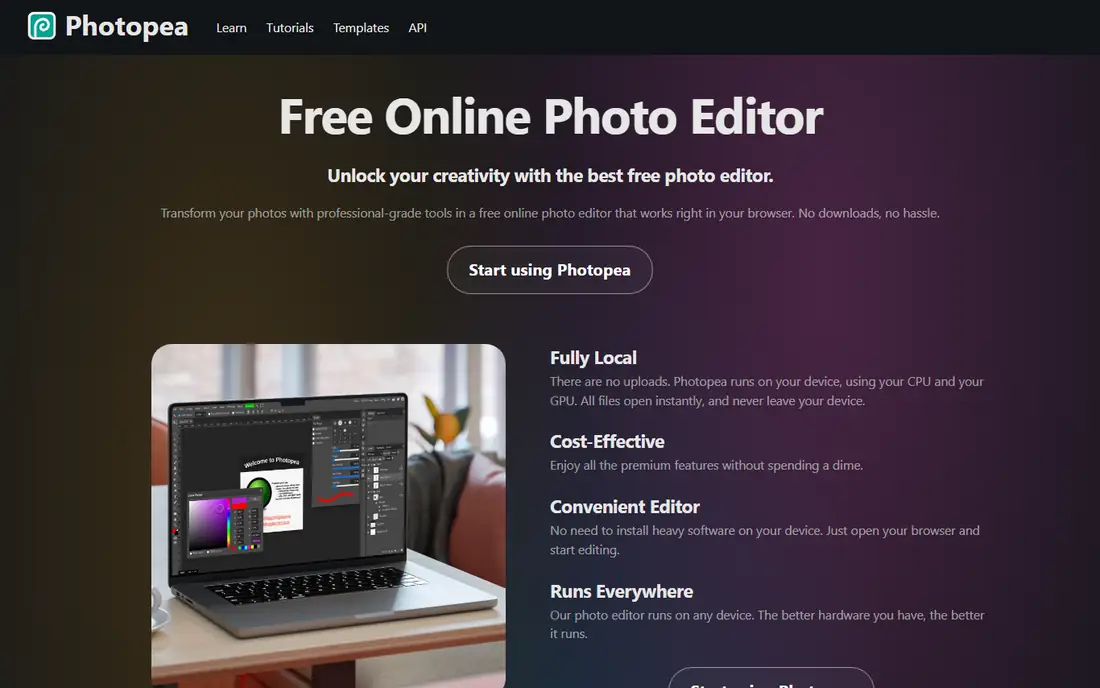
Photopea is the closest free Pixlr replacement. Its homepage describes a free online photo editor running entirely in the browser, with professional-grade tools from cropping and resizing to layering, masking, and blending, full PSD support, vector graphics, and RAW support across DNG, CR2, NEF, and ARW formats. Files open instantly and never leave the device, since Photopea runs on local CPU and GPU.
The trade-offs are ads and complexity. The free version shows ads, and the Photoshop-style interface takes time to learn. For an editor who wants layered, mask-based editing without installing software or paying, Photopea is the best Pixlr alternative.
What we like- Full PSD support for opening and saving files per its homepage
- Layers, masks, smart objects, adjustment layers, and paths
- Files run locally with no uploads
Watch out for- Ad-supported free version
- Performance depends on device hardware
- Interface mirrors Photoshop, so beginners face a learning curve
#2Canva
Best for: Design-led social content4.7/5 on
G2 (7,678 reviews, checked Oct 2026)
Visit canva.com
Starting priceFree
Free planYes
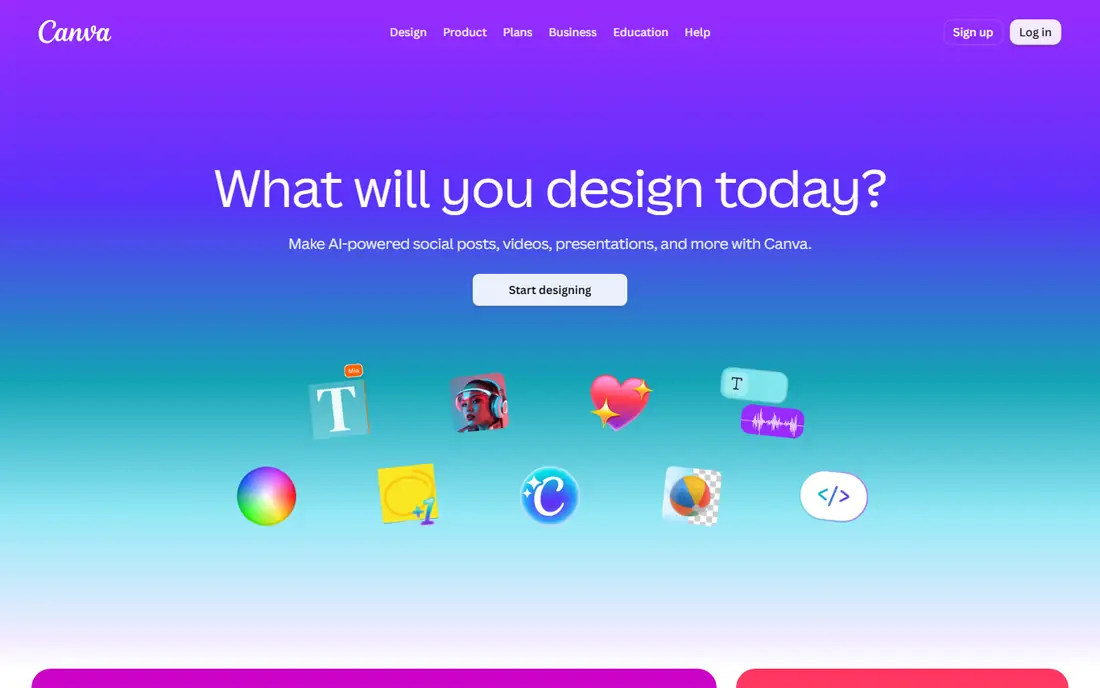
Canva is the design-led Pixlr alternative. It turns edited photos into finished layouts, social posts, presentations, and marketing materials, with a free plan covering basic editing and a large template library. Guides rank Canva among the best free alternatives for content creation, especially for users leaving Pixlr because the free tier has grown restrictive.
The limits are paywalls and export. Premium assets, Magic Studio AI tools, and transparent PNG export require Pro, listed at 120 dollars per year per guides. For a creator who edits photos as part of designing posts and ads, Canva is the best Pixlr alternative.
What we like- More than 250,000 templates per guides
- Photo editing inside a full design workflow
- Free plan covers basic editing and assets
Watch out for- Premium assets and AI tools locked behind Pro
- No CMYK or transparent PNG export on free per guides
- Homepage shows an unsupported-browser notice in this verification, so details come from domain and guide evidence
#3Adobe Express
Best for: Adobe ecosystem templates4.5/5 on
G2 (855 reviews, checked Oct 2026)
Visit adobe.com
Starting priceFree
Free planYes
Adobe Express is the Adobe Pixlr alternative. Its homepage describes a quick and easy create-anything app for social posts, images, videos, and flyers, with one-click photo tools for background removal, resizing, cropping, and JPG to PNG conversion, plus generative AI for images, templates, and similar designs. It suits users who want Adobe-quality templates without learning Photoshop.
The trade-offs are depth and paywall. Adobe Express covers quick edits and design well but lacks Photopea's layered depth, and premium features require payment. For a marketer or small business owner inside the Adobe ecosystem, Adobe Express is a strong Pixlr alternative.
What we like- One-click photo tools including background removal, resize, crop, and format conversion per its homepage
- Generative AI for images and templates
- Free plan plus 30-day trial
Watch out for- Premium features sit behind a paid plan
- Fewer deep editing tools than Photopea
- Some features are desktop-only or app-only
#4Fotor
Best for: Quick AI enhancement4.2/5 on
G2 (342 reviews, checked Oct 2026)
Visit fotor.com
Starting price$8.99 per month
Free planYes
Fotor is the quick-enhancement Pixlr alternative. Its homepage describes an online photo editor with basic adjustments, portrait retouching, background removal, object replacement, AI image generation, and collage creation, plus a batch editor for editing many photos at once. Its FAQ states the free plan allows editing as many images as wanted with watermark-free exports.
The limits are AI credits and depth. Free AI credits are limited, and deep layered editing trails Photopea. For a user who wants one-click enhancement, filters, and collages fast, Fotor is the best Pixlr alternative.
What we like- Free plan allows unlimited edits and watermark-free exports per its FAQ
- Batch photo editor for bulk work
- Generative AI for text-to-image, object replacement, and image expansion
Watch out for- Basic plan has limited AI credits and different export options per guides
- Pro features gated behind payment
- Interface pushes design assets over deep editing
#5BeFunky
Best for: Collages and batch edits4.2/5 on
G2 (108 reviews, checked Oct 2026)
Visit befunky.com
Starting priceFree
Free planYes
BeFunky is the collage Pixlr alternative. Its homepage describes an online creative platform combining a photo editor, collage maker, graphic designer, and AI-powered editing tools in one browser app, with batch workflows that apply edits across entire collections, from bulk background removal to transforming hundreds of images with Artsy effects. The free plan needs no account and covers a wide selection of editing, collage, and design tools.
The trade-offs are paywall and depth. Advanced AI tools, exclusive effects, and batch workflows on Pro require payment. For a creator who makes collages, invitations, and social graphics alongside photo edits, BeFunky is a strong Pixlr alternative.
What we like- Free plan with no account required per its homepage
- Photo editor, collage maker, and graphic designer in one platform since 2007
- Batch editing for backgrounds and Artsy effects
Watch out for- Advanced AI and premium effects require Plus or Pro
- Template access is limited on free
- Depth trails Photopea for layered work
#6PicMonkey
Best for: Brand templates and fonts4.4/5 on
G2 (422 reviews, checked Oct 2026)
Visit picmonkey.com
Starting priceSee website
Free planFree trial
PicMonkey is the brand Pixlr alternative. Its homepage describes a photo editor and graphic design maker for Facebook, Instagram, YouTube, flyers, logos, presentations, and invitations, with millions of stock photos, customizable vector graphics, animations, and brand kits that store logos, fonts, and colors for easy reuse. It is trusted by brands including Amazon, Google, Dell, and Hilton per its homepage.
The limits are free access and editing depth. PicMonkey offers a trial rather than a permanent free plan, and its strength is design and branding more than layered photo editing. For a small business owner building a consistent brand look, PicMonkey is the best Pixlr alternative.
What we like- More than 9,000 graphics and textures, hundreds of fonts, and thousands of templates per its homepage
- Brand kits for logos, fonts, and colors
- Stock photos and video from Shutterstock
Watch out for- No permanent free plan, with trial access only
- Pricing varies by plan
- Photo editing depth trails Photopea
#7Polarr
Best for: Filters and mobile editing4.4/5 on
G2 (45 reviews, checked Oct 2026)
Visit polarr.com
Starting priceSee website
Free planYes
Polarr is the filter Pixlr alternative. Its homepage describes photo and video AI editors with dozens of advanced AI-enabled tools and millions of filters made by creators worldwide, plus Polarr Pro for advanced editing and Polarr Next, described as the first batch RAW editing AI workflow in a browser. It suits mobile creators who build a look from filters and share it across devices.
The trade-offs are depth and free limits. Polarr emphasizes filters and mobile workflows over layered desktop editing, and advanced tools require payment. For a creator who lives by filters and mobile editing, Polarr is a good Pixlr alternative.
What we like- Dozens of AI-enabled tools and millions of creator-made filters per its homepage
- Polarr Next offers batch RAW editing AI workflow in the browser
- Apps on iOS, Android, Mac, and Windows
Watch out for- Homepage extract is thin, showing app links rather than detailed features
- Free version limits advanced tools per guides
- Filter focus means weaker layered editing than Photopea
#8PicsArt
Best for: AI social content at scale4.5/5 on
G2 (797 reviews, checked Oct 2026)
Visit picsart.com
Starting price$10.50 per month
Free planYes
PicsArt is the AI-scale Pixlr alternative. Its homepage describes an AI creative platform for images, video, and audio, with 180 plus AI models, a playground for generating with any model, video editing, retouching, and bulk editing, plus 4.6 million plus AI items generated daily. The Pro plan at 10.50 dollars per month billed annually covers all photo and video editing features, advanced background and object removal, and bulk editing.
The limits are focus and paywall. PicsArt leans toward social and AI content rather than precise layered editing, and premium models require payment. For a creator shipping many social assets with AI help, PicsArt is the best Pixlr alternative.
What we like- AI creative platform with 180 plus AI models per its homepage
- Pro plan at 10.50 dollars per month billed annually confirmed on its homepage
- Bulk edit up to 50 images and 100 GB storage on Pro
Watch out for- Free plan limits premium templates and AI models
- Interface is crowded with social and marketplace features
- Desktop layered editing trails Photopea
How we chose
We compared online photo editors that guides name most often as Pixlr alternatives, favoring distinct strengths: layered editing, design workflows, Adobe templates, quick AI enhancement, collages, brand kits, filters, and AI scale. We opened each homepage to confirm it loads and belongs to the vendor named. Canva showed an unsupported-browser notice during verification and is kept on domain and guide evidence, flagged here. Polarr's homepage extract was thin, showing app links rather than full features, and is flagged as well. Prices come from vendor homepages where published, and quote-based tools are marked See website.
What to check before you switch from Pixlr
Start with the kind of editing you actually do, not the longest feature list. A layered editor needs Photopea, a social designer needs Canva or Adobe Express, and a collage maker needs BeFunky or Fotor. Match the tool to the output.
Check free-plan export limits
Free plans differ most on export size, watermarks, and commercial use. Photopea and Fotor offer watermark-free exports on free, while Canva locks transparent PNG export behind Pro. Test an export at your usual size before building a workflow on a free tier.
Test your file formats
If you work with PSD files, Photopea offers the best browser support. If you work with RAW photos, Photopea and Polarr Next cover RAW workflows, while Canva and Adobe Express suit finished JPG and PNG output better.
Keep Pixlr for one transition project
Run the new editor alongside Pixlr for one project, and compare edit quality, export speed, and template access. If the replacement matches your needs, cancel Pixlr with confidence. If one specific feature blocks you, keep Pixlr for that job only.
Frequently asked questions
Is Photopea really free?
Yes. Photopea offers all premium features free in the browser, supported by ads, with a paid Premium option that changes the experience and some allowances. Files run locally, so nothing uploads to a server.
What is the best Pixlr alternative for beginners?
Canva, BeFunky, and Fotor suit beginners best, thanks to templates, one-click tools, and simple interfaces. Photopea suits users who already know Photoshop-style editing.
Can I edit PSD files without Photoshop?
Yes. Photopea fully supports opening and saving PSD files in the browser, making it the best free option for PSD workflows without installing software.
Which Pixlr alternative is best for social media?
Canva and PicsArt suit social media best, with templates, AI tools, and sizing for every platform. Adobe Express also suits social posts, especially for users inside the Adobe ecosystem.
Do these editors work on mobile?
Yes. Photopea, Canva, Adobe Express, Fotor, BeFunky, Polarr, and PicsArt all offer mobile apps or mobile-friendly web editing, with Polarr and PicsArt leaning most toward mobile-first workflows.
Is there a Pixlr alternative with no account required?
Yes. Photopea and BeFunky both work without an account on their free plans, while Canva, Adobe Express, and PicMonkey require a free account or trial signup.
Sources we checked (10)
- https://www.photopea.com
- https://www.canva.com
- https://www.adobe.com/express/
- https://www.fotor.com
- https://www.befunky.com
- https://www.picmonkey.com
- https://www.polarr.com
- https://picsart.com
- https://playyy.ai/blog/pixlr-alternatives
- https://blog.skylum.com/best-online-photo-editor/
Is your product missing or out of date?
We review this list regularly. Vendors can request a listing, send updated pricing or ask about featured placement.

Shihab Mia · Founder, Rankite
Shihab has 5+ years in B2B and SaaS SEO. He writes Rankite's software buying guides from pricing pages, documentation and public user reviews. More about Shihab.