How we make this list: we compare pricing pages, product documentation and public user reviews. Ratings come from G2, Capterra or Trustpilot, with the date we checked them.
Key takeaways
- GoTo Webinar is the most direct Zoom replacement for recurring programs, with practice mode and simulive, from 59 dollars a month.
- Livestorm suits marketing teams that want attendance-based pricing, from 3 dollars per attendee, with a limited free plan.
- Demio is the simplest no-download room for small marketing teams, at 499 dollars a year for the Starter plan.
- ClickMeeting is the best value for paid and automated webinars, from 30 dollars a month.
- If you already pay for Microsoft 365 or Cisco Webex, Teams and Webex webinars cost nothing extra to start.
Quick comparison
| Tool | Best for | Starting price | Free plan |
|---|
 GoTo Webinar GoTo Webinar | Recurring webinar programs | $59 per month | Free trial |
 Livestorm Livestorm | Marketing webinars, attendance pricing | $3.00 per attendee | Yes |
 Demio Demio | Simple no-download marketing webinars | $499 per year | Free trial |
 ClickMeeting ClickMeeting | Paid and automated webinars | $30 per month | Free trial |
 BigMarker BigMarker | Large virtual events | See website | No |
 WebinarJam WebinarJam | Live sales webinars for creators | $39 per month | Free trial |
 Microsoft Teams Microsoft Teams | Companies on Microsoft 365 | See website | No |
 Webex Webinars Webex Webinars | Enterprises with strict security needs | See website | No |
Is your product missing or out of date?
We review this list regularly. Vendors can request a listing, send updated pricing or ask about featured placement.
The best Zoom alternatives for webinars
#1GoTo Webinar
Best for: Recurring webinar programs4.2/5 on
G2 (804 reviews, checked Oct 2026)
Visit goto.com
Starting price$59 per month
Free planFree trial
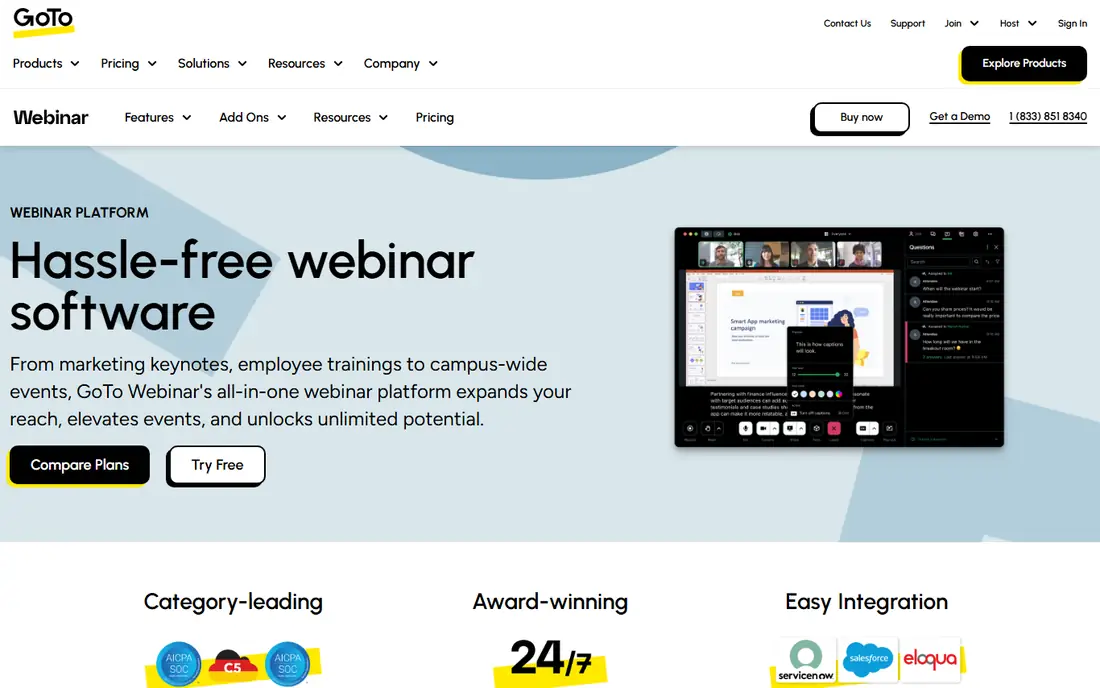
GoTo Webinar is the veteran of this list, and it remains the safest like-for-like Zoom Webinars replacement for teams running training, lectures, or recurring programs. Its homepage highlights the full event lifecycle: branded registration pages, custom forms, practice mode for panelists, and simulive, which broadcasts a pre-recorded session at a scheduled time while presenters engage live.
Plans run from Reach for growing businesses, through the mid-tier plan with more engagement tools and recording options, to Unlimited for larger capacity and integrations. 2026 comparisons put Reach at 59 dollars a month billed annually for up to 500 participants, with a 7-day free trial.
The tradeoff is cost at scale: audience tiers and the mid-tier requirement for simulive push prices up, and there is no free tier. GoTo Webinar is the pick when reliability and training features matter more than the lowest price.
What we like- Practice mode
- Simulive pre-recorded sessions
- Strong CRM and LMS integrations
- Up to 3,000 participants
Watch out for- No free plan
- Simulive starts on the mid-tier plan
- Attendee tiers rise quickly with scale
#2Livestorm
Best for: Marketing webinars, attendance pricing4.4/5 on
G2 (1,740 reviews, checked Oct 2026)
Visit livestorm.co
Starting price$3.00 per attendee
Free planYes
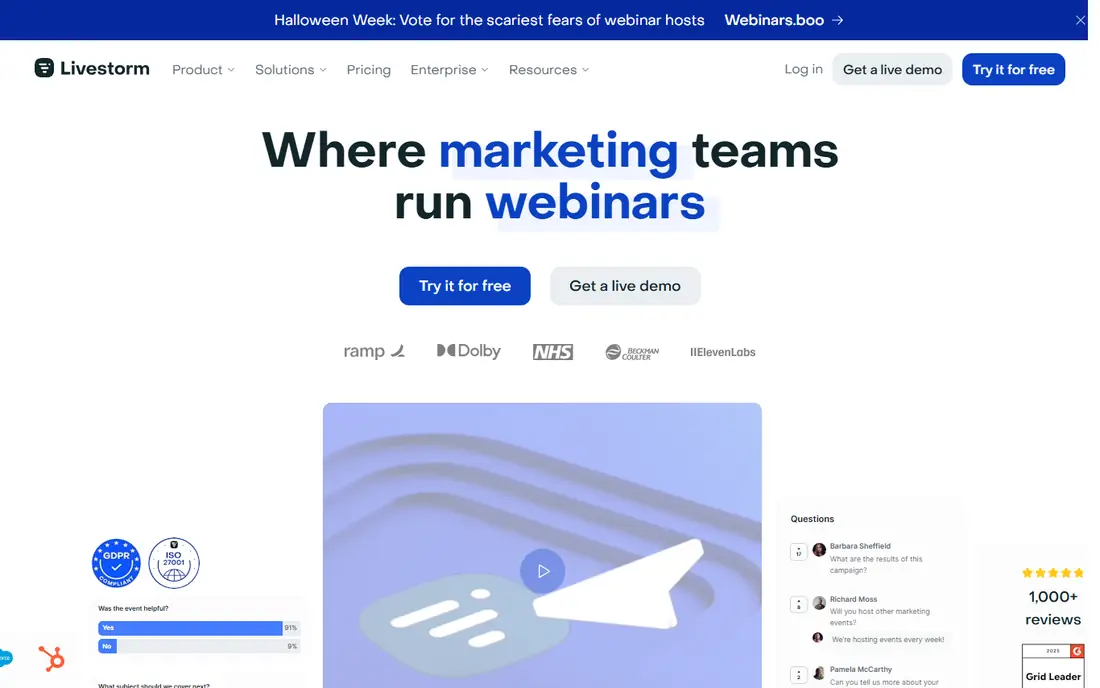
Livestorm is the marketing team's webinar platform, built around registration pages, email cadences, the live room, replays, and analytics in one place, with attendees joining in one click from a browser. Its homepage emphasizes European hosting, ISO 27001 certification, and GDPR compliance, which helps in finance, healthcare, and the public sector.
Pricing is the differentiator: instead of paying per seat or per organizer, Livestorm charges per attendee who actually joins, from 3 dollars per attendee on Pro, with hosts, moderators, and no-shows not using credits. A limited free plan lets you test the platform with no credit card.
The watch-out is the credit model: infrequent users may prefer a flat monthly rate, and native HubSpot sync starts on Pro while Salesforce, Marketo, and Pardot need Enterprise. Livestorm is the pick when attendance fluctuates and you want to pay for people who show up, not seats you own.
What we like- Fully browser-based, no download
- Attendance-based pricing
- EU-hosted and GDPR compliant
- Up to 3,000 live attendees
Watch out for- Credit model is confusing for infrequent users
- Advanced CRM syncs need Enterprise
#3Demio
Best for: Simple no-download marketing webinars4.6/5 on
G2 (172 reviews, checked Oct 2026)
Visit demio.com
Starting price$499 per year
Free planFree trial
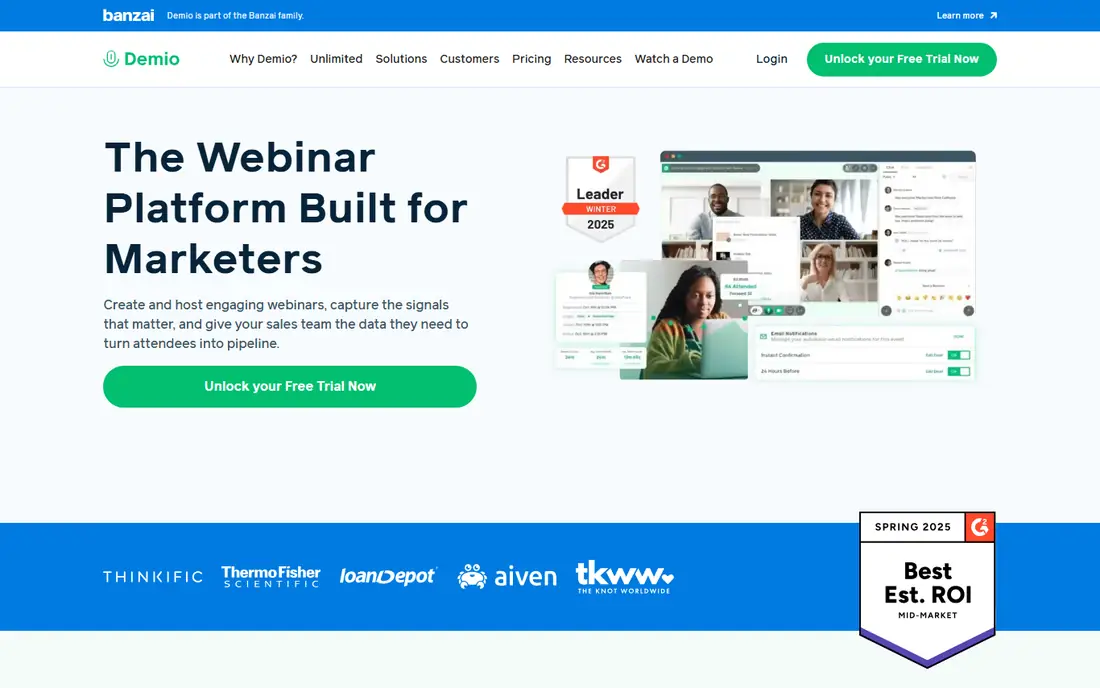
Demio pitches itself as hassle-free webinar software for marketers, and its homepage backs that up with a simple promise: attendees join from the browser, presenters run polls, handouts, and calls to action, and engagement analytics connect the webinar back to pipeline. Marketing, sales, and customer success teams all use it, with a HubSpot certified integration.
The Starter plan costs 499 dollars a year for up to 50 attendees, with a 14-day free trial, and 2026 comparisons confirm that figure. Demio's G2 awards for best estimated ROI and fastest implementation in the mid-market reinforce its ease-of-use story.
The limit is scale and depth: Starter holds only 50 attendees, and Demio lacks the virtual-event breadth of BigMarker or the enterprise controls of Webex. Demio is the pick when a small team wants a room that simply works, without a week of setup.
What we like- Hassle-free browser room
- Timed handouts, polls, and CTAs
- Engagement tracking tied to revenue
- HubSpot certified app
Watch out for- Smaller feature set than BigMarker or Webex
- Starter caps at 50 attendees
Starting price$30 per month
Free planFree trial
ClickMeeting is the most flexible low-cost option here, covering live, automated, on-demand, and paid webinars in one platform. Its homepage explains a useful quirk: presenters can start and run an event on their own, so the host does not need to attend every session, and presenter seats can be added without increasing camera counts.
The Live plan starts at 30 dollars a month for 25 attendees in 2026 comparisons, with higher tiers scaling to 10,000 attendees, and a 30-day free trial is reported by reviewers. Timeline-based interactions let you schedule polls, offers, and page redirects at set moments, which suits paid and automated funnels.
The limits are room size at the entry tier and the 8-camera cap in webinars. ClickMeeting is the pick when you run paid events, automated replays, or multi-presenter training on a budget.
What we like- Paid events and timeline-based automation
- Automated and on-demand modes
- Presenter seats without host presence
Watch out for- Smallest rooms start at 25 attendees
- Maximum 8 simultaneous cameras in webinars
#5BigMarker
Best for: Large virtual events4.7/5 on
G2 (444 reviews, checked Oct 2026)
Visit bigmarker.com
Starting priceSee website
Free planNo
BigMarker is the platform for webinars that become events. Its homepage describes an AI-powered digital experience platform covering webinars, virtual and hybrid events, custom registration with conditional logic, ticketing and payments, mobile event apps, and personalized agendas, with clients including TED, Canva, Amazon Business, and The Wall Street Journal.
Engagement tools include reactions, chat, Q and A with upvoting, polls, CTAs, and breakout rooms, plus simulive webcasts that automate presentations so presenters focus on engagement. Ratings are strong: 4.7 on G2, 4.8 on Capterra, and 4.9 on GetApp.
Pricing is custom and quote-only, with 2026 comparisons noting an entry plan around 1,000 attendees. BigMarker is the pick when your webinar program is really a demand-generation event series, not a weekly team meeting.
What we like- Scales to 500,000 attendees on Enterprise
- Simulive
- Full-service email
- Mobile event apps and ticketing
Watch out for- Quote-only pricing
- Overkill for small weekly webinars
- No free plan
#6WebinarJam
Best for: Live sales webinars for creators3.6/5 on
G2 (59 reviews, checked Oct 2026)
Visit webinarjam.com
Starting price$39 per month
Free planFree trial
WebinarJam is built for coaches, consultants, and course sellers whose webinars need to sell. Its homepage emphasizes live and automated webinars that convert: one-click attendee access, interactive live tools, automated replays with timed offers, and follow-ups that keep revenue flowing after the event ends. The company cites more than 75,000 businesses, 1.1 million webinars, and 200 million live attendees.
The Starter plan costs 39 dollars a month billed annually for 100 attendees, with a 14-day trial for 1 dollar in 2026 comparisons. That entry tier is the cheapest dedicated webinar plan here, but it caps events at one hour.
The tradeoff is polish and scale: WebinarJam's review scores run lower than Livestorm or BigMarker, and larger audiences need higher tiers. WebinarJam is the pick when your webinar is a sales funnel first and a meeting second.
What we like- Live and automated webinars in one tool
- Timed offers and follow-ups
- 1.1 million webinars hosted
- One-click attendee join
Watch out for- Entry plan caps at 100 attendees and 1-hour events
- Lower review scores than rivals here
#7Microsoft Teams
Best for: Companies on Microsoft 3654.4/5 on
G2 (19,330 reviews, checked Oct 2026)
Visit microsoft.com
Starting priceSee website
Free planNo
Microsoft Teams is the obvious Zoom alternative if your company already runs on Microsoft 365. Webinars come at no extra cost with Microsoft 365 Business Standard and above, and town halls reach 10,000 view-only viewers, making Teams the cheapest switch for many organizations since the license is already paid.
The homepage confirms Teams as Microsoft's video conferencing, meetings, and calling platform, with a 2026 Gartner Magic Quadrant citation for unified communications. Registration, presenter controls, and attendance reporting are built in, and attendees join from the Teams app or browser.
The limit is depth: Teams webinars lack the marketing automation, paid-event tooling, and evergreen funnel features of Demio, ClickMeeting, or WebinarJam. Teams is the pick when you already pay for Microsoft 365 and your webinars are internal or simple.
What we like- Webinars included with Microsoft 365 Business Standard and above
- Town halls to 10,000 viewers
- Familiar Teams experience
Watch out for- Webinar features are thinner than dedicated platforms
- Needs a paid Microsoft 365 plan
#8
Webex Webinars
Best for: Enterprises with strict security needs
Visit webex.com
Starting priceSee website
Free planNo
Webex by Cisco is the enterprise answer to Zoom Webinars. Its homepage lists webinars and events among eight integrated workloads in the Webex Suite, alongside meetings, calling, messaging, video messaging, and polling, with an AI assistant, a unified control hub, and enterprise-grade security built in rather than bolted on.
The platform scales from webinars to events of 100,000 attendees in 2026 comparisons, and Cisco cites 95 percent of Fortune 500 companies running Webex. For regulated industries, Cisco's infrastructure and compliance story is the strongest here.
Pricing is custom and quote-only, and the suite's breadth can overwhelm small teams. Webex is the pick when security, compliance, and enterprise scale outweigh price and simplicity.
What we like- Cisco security and compliance
- Webinars and events inside the Webex Suite
- AI assistant
- 95 percent of Fortune 500 run Webex
Watch out for- Custom pricing only
- Enterprise complexity for small teams
- No free plan
How we chose
We compared webinar platforms with real webinar programs using them, pricing from 2026 comparisons, and homepages we opened on 27 October 2026 to confirm they load and belong to the vendor. BigMarker, Microsoft Teams, and Webex pricing are listed as "See website" because pricing is quote-only or bundled with a larger suite. We did not claim hands-on testing.
What to check before you pick
Start from your webinar type. Sales funnels belong on WebinarJam or ClickMeeting; marketing programs on Livestorm or Demio; training on GoTo Webinar; large events on BigMarker or Webex; internal sessions on Teams.
Next, check attendee caps and pricing models, not just the headline rate. A 30 dollar plan holding 25 attendees costs more per head than a 59 dollar plan holding 500, and Livestorm's per-attendee credits can beat both if your show-up rate is low.
Finally, test the attendee experience before committing. Join a test webinar from a phone and a browser, check registration friction, and confirm your CRM sync works. A platform that is easy for presenters but clumsy for attendees will cost you registrations every week.
Frequently asked questions
What is the best Zoom alternative for webinars?
GoTo Webinar is the closest direct replacement for recurring programs, while Livestorm suits marketing teams that want attendance-based pricing. Teams is the best pick if you already pay for Microsoft 365.
Can I run webinars for free?
Livestorm offers a limited free plan, and Zoho Webinar hosts 20 attendees free for up to 60 minutes. Most dedicated platforms here offer trials only, and Zoom's own free plan covers meetings, not webinars.
Which webinar platform handles the largest audiences?
BigMarker scales to 500,000 live attendees on Enterprise, followed by Webex Events at 100,000 and Zoom Webinars at 50,000. GoTo Webinar and Livestorm top out around 3,000 interactive participants.
Do attendees need to download software?
No, on most platforms here. GoTo Webinar, Livestorm, Demio, ClickMeeting, BigMarker, and WebinarJam all let attendees join from a browser, which raises show-up rates.
What is simulive?
Simulive broadcasts a pre-recorded webinar at a scheduled time while presenters engage live in chat and Q and A. GoTo Webinar offers it from the mid-tier plan, and BigMarker includes simulive webcasts.
Should I switch from Zoom if I already use it?
Only if Zoom's webinar pricing or attendee tiers hurt you. Zoom Webinars starts around 66.67 dollars a month billed annually plus a Workplace license, so Teams, GoTo, or Livestorm may cost less for the same audience size.
Sources we checked (8)
- https://www.goto.com/webinar
- https://livestorm.co
- https://www.demio.com
- https://www.clickmeeting.com
- https://www.bigmarker.com
- https://www.webinarjam.com
- https://www.microsoft.com/en-us/microsoft-teams
- https://www.webex.com
Is your product missing or out of date?
We review this list regularly. Vendors can request a listing, send updated pricing or ask about featured placement.

Shihab Mia · Founder, Rankite
Shihab has 5+ years in B2B and SaaS SEO. He writes Rankite's software buying guides from pricing pages, documentation and public user reviews. More about Shihab.