How we make this list: we compare pricing pages, product documentation and public user reviews. Ratings come from G2, Capterra or Trustpilot, with the date we checked them.
Wrike suits teams that run formal projects with dependencies, approvals and resource limits. Monday suits teams that want a visual workspace they can shape without help from an administrator. Wrike gives project managers more structure out of the box. Its Business plan adds request forms, proofing and approvals, time tracking and resource management. Monday gives team leads more freedom to build boards, columns and views that match how they already work, and its Pro plan adds private boards, time tracking, formula columns and 25,000 automation actions a month. If your work needs sign-off steps, client intake or capacity planning, Wrike is the safer choice. If fast adoption matters more, monday is the safer choice.
How do Wrike and monday compare on price for a 10 person team
Wrike Team costs 10 dollars per user per month billed annually, and Wrike Business costs 25 dollars per user per month billed annually. Monday Work Management Basic costs 9 dollars per seat per month billed annually, Standard costs 12 dollars, and Pro costs 19 dollars. Both vendors sell seats in blocks or bands, so a 10 person team does not always pay for exactly 10 seats, and you should confirm the seat count at checkout.
For a 10 person team at list price, Wrike Team costs 1,200 dollars a year and Wrike Business costs 3,000 dollars a year. Monday Basic costs 1,080 dollars a year, Standard costs 1,440 dollars a year, and Pro costs 2,280 dollars a year. Monthly billing costs more: monday Basic rises to 12 dollars, Standard to 14 dollars and Pro to 24 dollars per seat per month. Wrike publishes no monthly price for Business and above.
| Tool | Starting paid price per user per month, billed annually | Free plan | Best for |
| Wrike | 10 dollars, Team | Yes | Structured projects, approvals and resource planning |
| monday Work Management | 9 dollars, Basic | Yes, up to 2 seats | Visual boards and fast team adoption |
| Asana | 10.99 dollars, Starter | Yes, Personal up to 2 users | Cross-team goals and portfolios |
| ClickUp | 9 dollars, Core | Yes | Docs, tasks and goals in one workspace |
| Trello | 5 dollars, Standard | Yes, up to 10 collaborators | Simple boards and light project tracking |
| Jira | 9.70 dollars, Standard, monthly billing for 1 to 100 users | Yes, up to 10 users | Software teams and issue tracking |
| Smartsheet | 9 dollars, Pro | No, 30 day trial only | Spreadsheet style planning and reporting |
| Notion | 10 dollars, Plus | Yes | Docs, wikis and flexible project pages |
Prices checked 17 November 2026. Jira annual pricing is sold in user tiers, so 9.70 dollars is the monthly billing rate for users 1 to 100. ClickUp also shows regular prices of 12 dollars for Core and 25 dollars for Business, with 9 dollars and 17 dollars as the current annual rates. Some visitors still see the older Unlimited plan at 7 dollars and Business at 12 dollars, so confirm which price sheet your checkout shows.
Small teams of 2 to 10 people should start with simplicity and a low monthly cost. Trello Standard at 5 dollars per user per month is the cheapest paid plan in this guide, and its free plan covers up to 10 collaborators. Notion Plus at 10 dollars per member per month also works well for small teams that live in docs. ClickUp Core at 9 dollars gives small teams Gantt charts, custom fields and unlimited storage.
Mid-size teams of 10 to 50 people need automation, permissions and reporting. Monday Pro and Wrike Business both fit this size, with monday winning on ease of use and Wrike winning on approval and resource features. Asana Advanced at 24.99 dollars per user per month fits teams that manage goals and portfolios. Smartsheet Business at 19 dollars per member per month fits teams that plan in sheets.
Large teams and software teams need scale, security and integration depth. Jira Premium at 19.60 dollars per user per month for the first 100 users adds cross-team planning, a 99.9 percent uptime service level and 24/7 support for critical issues. If your team writes code, tracks bugs or runs sprints, Jira is the natural fit even if its setup takes longer than monday or Trello.
First, count the seats you must buy, not the seats you need. Wrike Team covers 2 to 15 users and Business covers 5 to 200 users, while monday paid plans start at 3 seats and sell in fixed blocks. A team of 6 on monday may need to buy 10 seats.
Second, check automation and AI limits. Monday Standard allows 250 automation actions a month for the whole account, while Pro allows 25,000. ClickUp Core allows 1,000 automation actions a month and Business allows 10,000. Notion Business now meters AI in monthly credits. If your team automates status changes every day, the automation cap can force an upgrade within weeks.
Third, check what the free plan really covers. Smartsheet has no free plan for new signups since 28 August 2024. Trello free caps a workspace at 10 collaborators and 10 boards, Asana Personal caps at 2 users, Jira free caps at 10 users, and monday free caps at 2 seats.
Fourth, check the features behind a higher tier. Time tracking starts on Wrike Business, monday Pro, Asana Advanced and ClickUp Business. Proofing and approvals start on Wrike Business and Asana Advanced. Trello only adds Timeline on Premium. If the feature you need sits one tier higher, the real cost is the higher tier.
Quick comparison
| Tool | Best for | Starting price | Free plan |
|---|
 Wrike | Mid-size teams that need approvals, request forms and resource planning | Team 10 dollars per user per month billed annually, Business 25 dollars, Pinnacle and Apex quote only, checked 17 Nov 2026 | Yes, free plan for small teams with task and project management |
 monday Work Management | Teams that want visual boards, fast setup and easy adoption across departments | Basic 9 dollars per seat per month billed annually, Standard 12 dollars, Pro 19 dollars, Enterprise quote only, checked 17 Nov 2026 | Yes, free plan for up to 2 seats, up to 3 boards and 3 docs |
 Asana | Teams that manage goals, portfolios and cross-department work | Starter 10.99 dollars per user per month billed annually (13.49 dollars monthly), Advanced 24.99 dollars billed annually (30.49 dollars monthly), Enterprise quote only, checked 17 Nov 2026 | Yes, Personal plan free for up to 2 users |
 ClickUp | Teams that want tasks, docs, goals and chat in one workspace | Core 9 dollars per user per month billed annually (12 dollars monthly), Business 17 dollars billed annually (25 dollars monthly), Max 100 dollars billed annually, Enterprise quote only, checked 17 Nov 2026 | Yes, Free Forever plan with limited storage and 100 automation actions a month |
 Trello | Small teams that want simple boards and fast onboarding | Standard 5 dollars per user per month billed annually (6 dollars monthly), Premium 10 dollars billed annually (12.50 dollars monthly), Enterprise 17.50 dollars billed annually, checked 17 Nov 2026 | Yes, free plan for up to 10 collaborators per workspace and up to 10 boards |
 Jira | Software teams that track issues, sprints and releases | Standard 9.70 dollars per user per month for users 1 to 100 on monthly billing, Premium 19.60 dollars for users 1 to 100, Enterprise annual only and quote only, checked 17 Nov 2026 | Yes, free plan for up to 10 users |
 Smartsheet | Teams that plan in spreadsheets and need baselines, reports and workload views | Pro 9 dollars per member per month billed annually (12 dollars monthly), Business 19 dollars billed annually (24 dollars monthly), Enterprise quote only, checked 17 Nov 2026 | No free plan for new signups since 28 August 2024, 30 day free trial only |
 Notion | Teams that want docs, wikis and flexible project pages in one workspace | Plus 10 dollars per member per month billed annually (12 dollars monthly), Business 20 dollars billed annually (24 dollars monthly), Enterprise quote only, checked 17 Nov 2026 | Yes, free plan for solo users and small teams with limited blocks and file uploads |
Is your product missing or out of date?
We review this list regularly. Vendors can request a listing, send updated pricing or ask about featured placement.
The eight tools below cover the full range of this comparison. Each entry lists the starting paid price checked on 17 November 2026, the free plan terms, and one real drawback.
#1Wrike
Best for: Mid-size teams that need approvals, request forms and resource planning4.2/5 on
G2 (4,540 reviews, checked Oct 2026)
Visit wrike.com
Starting priceTeam 10 dollars per user per month billed annually, Business 25 dollars, Pinnacle and Apex quote only, checked 17 Nov 2026
Free planYes, free plan for small teams with task and project management
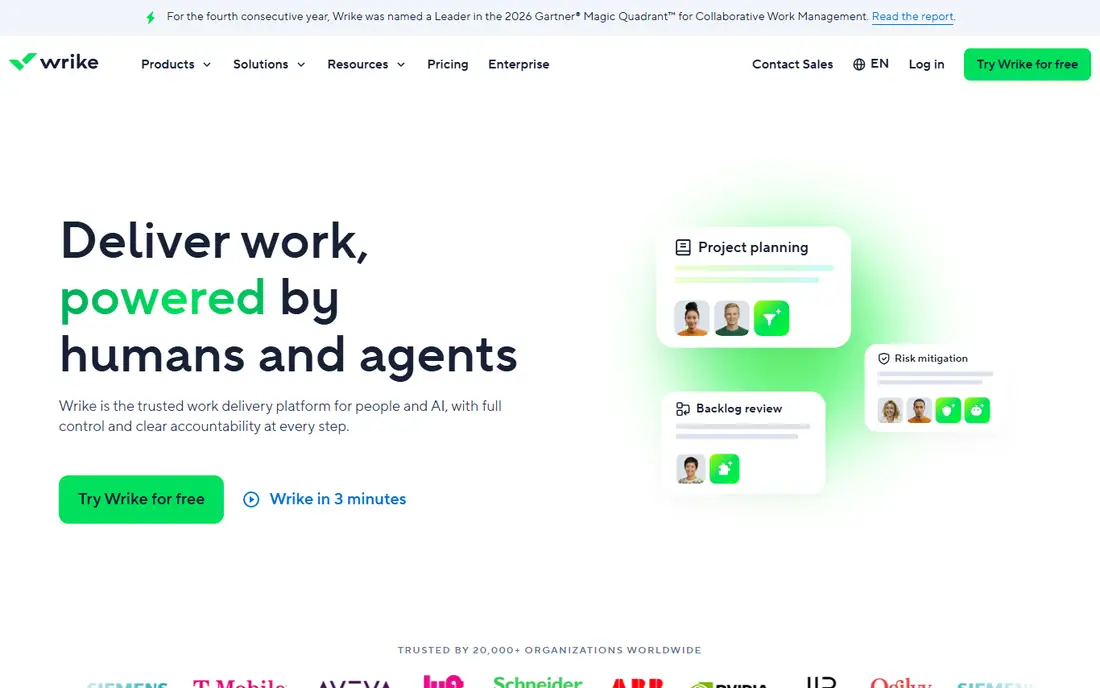
Wrike is a work management platform used by more than 20,000 organisations. Team covers 2 to 15 users and adds Gantt charts, shareable dashboards and starter AI features, with 50 automation actions per user per month. Business covers 5 to 200 users and adds proofing and approvals, request forms, time tracking and resource management, with 200 automation actions per user per month.
What we like- Strong Gantt charts, request forms, proofing and approvals, time tracking and resource management on Business
Watch out for- Business costs more than twice as much as Team, and time tracking, proofing and resource management are not included on Team
#2
monday Work Management
Best for: Teams that want visual boards, fast setup and easy adoption across departments
Visit monday.com
Starting priceBasic 9 dollars per seat per month billed annually, Standard 12 dollars, Pro 19 dollars, Enterprise quote only, checked 17 Nov 2026
Free planYes, free plan for up to 2 seats, up to 3 boards and 3 docs
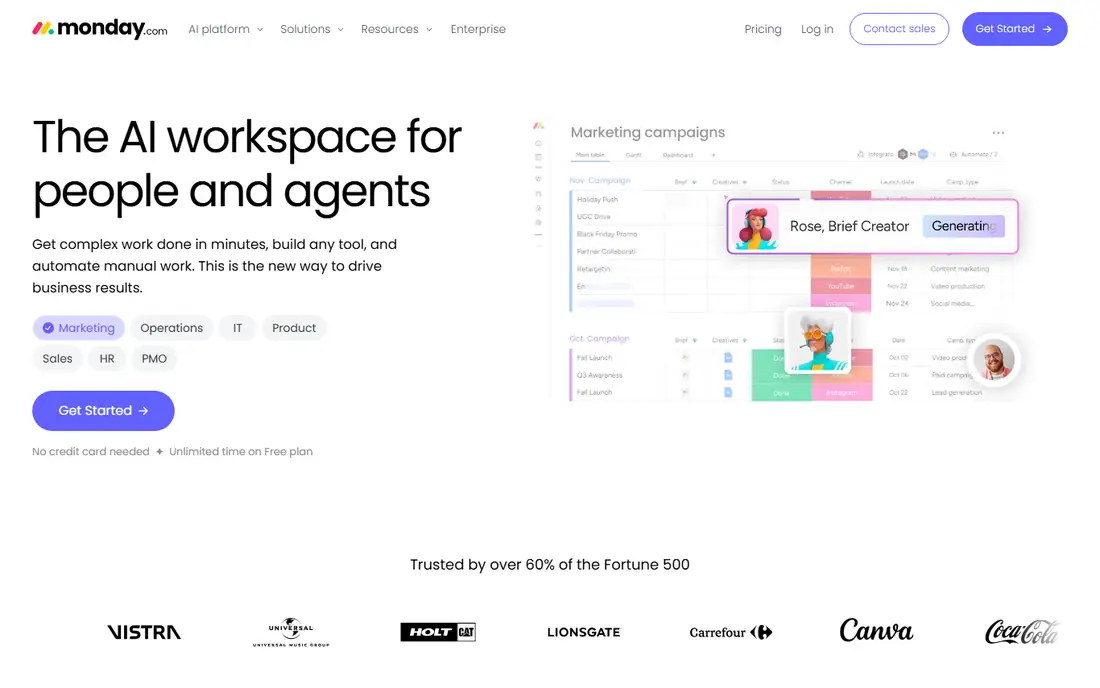
Monday Work Management is a visual work platform built around boards, columns and views that non-technical staff can shape without admin help. Basic adds unlimited items and viewers, plus 1,000 AI credits a month. Standard adds Timeline, Gantt and Calendar views, guest access, 250 automation and 250 integration actions a month, and 2,000 AI credits a month. Pro adds private boards, time tracking, formula columns, 25,000 automation and 25,000 integration actions a month. Do not use monday CRM prices here, since monday CRM is a separate product.
What we like- Visual boards and templates, Timeline and Gantt views from Standard, 25,000 automation actions a month on Pro, private boards and time tracking on Pro
Watch out for- Paid plans start at 3 seats and sell in fixed seat blocks, so a team of 6 often has to buy 10 seats, and Standard caps automation at 250 actions a month
#3Asana
Best for: Teams that manage goals, portfolios and cross-department work4.4/5 on
G2 (13,930 reviews, checked Oct 2026)
Visit asana.com
Starting priceStarter 10.99 dollars per user per month billed annually (13.49 dollars monthly), Advanced 24.99 dollars billed annually (30.49 dollars monthly), Enterprise quote only, checked 17 Nov 2026
Free planYes, Personal plan free for up to 2 users
Asana is a work management tool built for teams that plan around goals and portfolios as well as tasks. Starter adds Timeline and Gantt views, reporting dashboards, forms, custom fields and templates, and unlimited automations. Advanced adds unlimited portfolios, goals, resource management, approvals and proofing, and time tracking. Asana sells seats in bands above 5 users, so a 6 person team may pay for 10 seats.
What we like- Timeline and Gantt views on Starter, unlimited automations, dashboards, forms and unlimited free guests, portfolios and goals on Advanced
Watch out for- Advanced costs more than twice as much as Starter, and goals, portfolios, workload views and native time tracking are locked behind Advanced
#4ClickUp
Best for: Teams that want tasks, docs, goals and chat in one workspace4.6/5 on
G2 (14,878 reviews, checked Oct 2026)
Visit clickup.com
Starting priceCore 9 dollars per user per month billed annually (12 dollars monthly), Business 17 dollars billed annually (25 dollars monthly), Max 100 dollars billed annually, Enterprise quote only, checked 17 Nov 2026
Free planYes, Free Forever plan with limited storage and 100 automation actions a month
ClickUp rebuilt its plan lineup in October 2026. Unlimited was renamed Core and rose from 7 dollars to 9 dollars per user per month billed annually, and Business rose from 12 dollars to 17 dollars. Core adds unlimited storage, Gantt charts, custom fields and 1,000 automation actions a month. Business adds timesheets, resource management, advanced dashboards and 10,000 automation actions a month. Max at 100 dollars per user per month billed annually is the top AI-heavy tier.
What we like- Low entry price, unlimited storage on Core, Gantt charts and custom fields on Core, timesheets and resource management on Business, AI bundled into every plan
Watch out for- ClickUp still shows two price sheets to some visitors, with the older Unlimited plan at 7 dollars and Business at 12 dollars alongside the new Core at 9 dollars and Business at 17 dollars
#5Trello
Best for: Small teams that want simple boards and fast onboarding4.4/5 on
G2 (14,064 reviews, checked Oct 2026)
Visit trello.com
Starting priceStandard 5 dollars per user per month billed annually (6 dollars monthly), Premium 10 dollars billed annually (12.50 dollars monthly), Enterprise 17.50 dollars billed annually, checked 17 Nov 2026
Free planYes, free plan for up to 10 collaborators per workspace and up to 10 boards
Trello is a board-based tool from Atlassian that suits teams who think in cards, lists and drag-and-drop moves. Free covers up to 10 collaborators and 10 boards per workspace, with 250 automation runs a month. Standard adds unlimited boards, custom fields, advanced checklists, card mirroring and 1,000 automation runs a month. Premium adds Calendar, Timeline, Table, Dashboard and Map views, unlimited automation runs and admin controls.
What we like- Lowest paid price in this guide, very easy to learn, unlimited boards on paid plans, Timeline, Calendar, Table and Dashboard views on Premium
Watch out for- Timeline, Calendar, Table and Dashboard views are Premium only, so a team that wants to plan by dates doubles its per-user price from 5 dollars to 10 dollars
#6Jira
Best for: Software teams that track issues, sprints and releases4.3/5 on
G2 (7,984 reviews, checked Oct 2026)
Visit atlassian.com
Starting priceStandard 9.70 dollars per user per month for users 1 to 100 on monthly billing, Premium 19.60 dollars for users 1 to 100, Enterprise annual only and quote only, checked 17 Nov 2026
Free planYes, free plan for up to 10 users
Jira Cloud is Atlassian work tracking tool for software teams, and its prices rose on 13 October 2026. Standard rose from 9.05 dollars to 9.70 dollars per user per month for the first 100 users, and Premium rose from 18.30 dollars to 19.60 dollars. Older figures of 7.53 dollars and 13.53 dollars are stale. Standard includes 250 GB storage, user roles and permissions, 400 automation steps per user a month and 25 Rovo credits per user. Premium adds unlimited storage, cross-team planning, 750 automation steps per user and 70 Rovo credits per user.
What we like- Strong issue tracking, scrum and kanban boards, cross-team planning on Premium, 99.9 percent uptime service level on Premium, deep Atlassian integration
Watch out for- Setup and admin take longer than monday or Trello, the per-user rate drops only above 100 users, and usage above included automation and Rovo AI allowances becomes billable from 3 December 2026
#7Smartsheet
Best for: Teams that plan in spreadsheets and need baselines, reports and workload views4.4/5 on
G2 (22,767 reviews, checked Oct 2026)
Visit smartsheet.com
Starting pricePro 9 dollars per member per month billed annually (12 dollars monthly), Business 19 dollars billed annually (24 dollars monthly), Enterprise quote only, checked 17 Nov 2026
Free planNo free plan for new signups since 28 August 2024, 30 day free trial only
Smartsheet is a spreadsheet-style work management platform for teams that already plan in rows, columns and formulas. Pro covers 1 to 10 members and includes unlimited sheets, core views, forms and dashboards, with 250 automation runs a month and 20 GB storage. Business needs at least 3 members and adds Timeline view, unlimited automations, baselines, workload tracking and 1 TB storage. Unlimited free Contributors can view shared content, comment, add attachments and fill in forms without a paid seat.
What we like- Familiar spreadsheet grid, Timeline view and baselines on Business, unlimited automations and free guests on Business, strong reporting and dashboards
Watch out for- Pro caps at 10 members, so a team of 11 cannot buy Pro at any price and must move to Business, and resource management is a paid add-on rather than a bundled Business feature
#8Notion
Best for: Teams that want docs, wikis and flexible project pages in one workspace4.6/5 on
G2 (13,834 reviews, checked Oct 2026)
Visit notion.com
Starting pricePlus 10 dollars per member per month billed annually (12 dollars monthly), Business 20 dollars billed annually (24 dollars monthly), Enterprise quote only, checked 17 Nov 2026
Free planYes, free plan for solo users and small teams with limited blocks and file uploads
Notion is a workspace for docs, notes, wikis and databases that teams can shape into project trackers, roadmaps and knowledge bases. Free suits solo users with basic pages and limited uploads. Plus adds unlimited blocks for teams, unlimited file uploads, 30 day page history, unlimited guests, custom forms and sites. Business adds full Notion AI, Notion Agent, AI Meeting Notes, enterprise search, SAML SSO and private teamspaces. Business seats now include 1,500 Standard credits and 500 Select credits a month, which reset monthly and do not roll over.
What we like- Flexible pages, databases, templates and wikis, unlimited guests on Plus, full Notion AI including Notion Agent and AI Meeting Notes on Business, SAML SSO on Business
Watch out for- Notion is weaker than Wrike, Jira or Asana for formal project controls such as dependencies, resource planning and portfolio reporting, and Business now meters AI in monthly credits
Frequently asked questions
Is Wrike better than monday for project management
Wrike is better for teams that need formal project controls, because Business adds request forms, proofing and approvals, time tracking and resource management in one tier. Monday is better for teams that want fast setup and visual boards that non-technical staff can use without training.
How much does Wrike cost compared to monday for a 10 person team
At annual list prices checked 17 November 2026, Wrike Team costs 1,200 dollars a year and Wrike Business costs 3,000 dollars a year for 10 people. Monday Basic costs 1,080 dollars a year, Standard costs 1,440 dollars and Pro costs 2,280 dollars. Monday Pro is therefore 720 dollars a year cheaper than Wrike Business.
Which is the cheapest project management tool in this comparison
Trello is the cheapest paid tool here, with Standard at 5 dollars per user per month billed annually and Premium at 10 dollars. ClickUp Core, monday Basic and Smartsheet Pro all start at 9 dollars per user per month billed annually. Trello free also covers up to 10 collaborators.
Can I use Wrike or monday for free
Yes, both offer a free plan, but the limits are tight. Wrike free suits small teams with basic task and project management, board and table views. Monday free covers up to 2 seats, up to 3 boards and 3 docs, so it suits a solo user or a pair rather than a team. Asana Personal is free for up to 2 users and Jira free covers up to 10 users.
Should software teams pick Jira over Wrike or monday
Software teams that track bugs, run sprints and plan releases should pick Jira, because it is built for issue tracking, scrum and kanban boards and cross-team planning. Jira Standard costs 9.70 dollars per user per month for users 1 to 100 on monthly billing after the 13 October 2026 price rise, with Premium at 19.60 dollars.
Sources we checked (8)
- https://www.wrike.com/pricing/
- https://monday.com/pricing/
- https://asana.com/pricing
- https://clickup.com/pricing
- https://trello.com/pricing
- https://www.atlassian.com/software/jira/pricing
- https://www.smartsheet.com/pricing
- https://www.notion.com/pricing
Is your product missing or out of date?
We review this list regularly. Vendors can request a listing, send updated pricing or ask about featured placement.

Shihab Mia · Founder, Rankite
Shihab has 5+ years in B2B and SaaS SEO. He writes Rankite's software buying guides from pricing pages, documentation and public user reviews. More about Shihab.